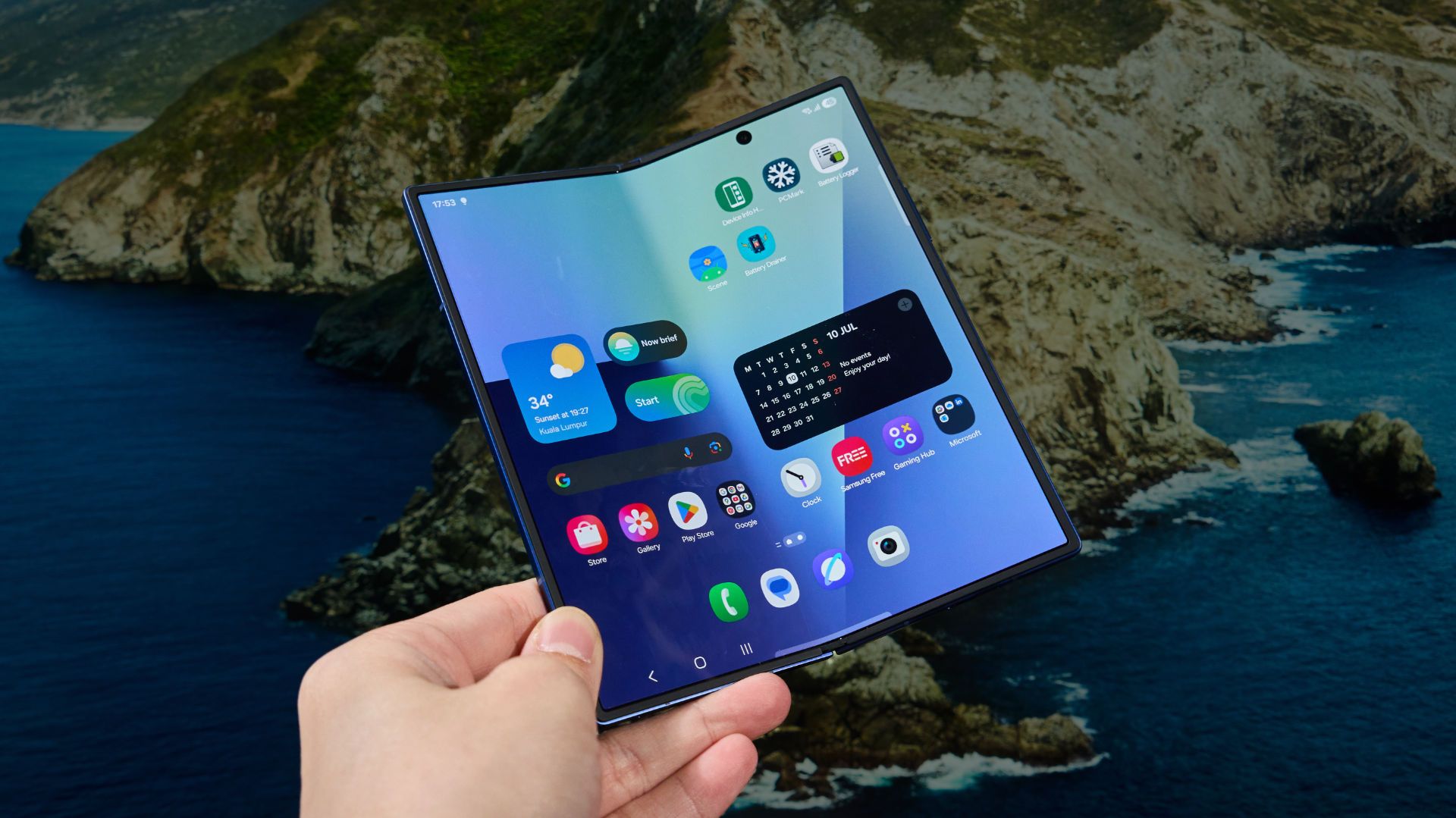

It’s July, and it’s time for the new Galaxy Z series! Introducing the new Samsung Galaxy Z Fold7. It’s bigger, thinner, surprisingly powerful, and also has upgraded cameras too. In this technical review of the Galaxy Z Fold7, we’re only going to talk about the phone objectively about the data we gathered after testing the Z Fold7 intensely for the past week.
Design
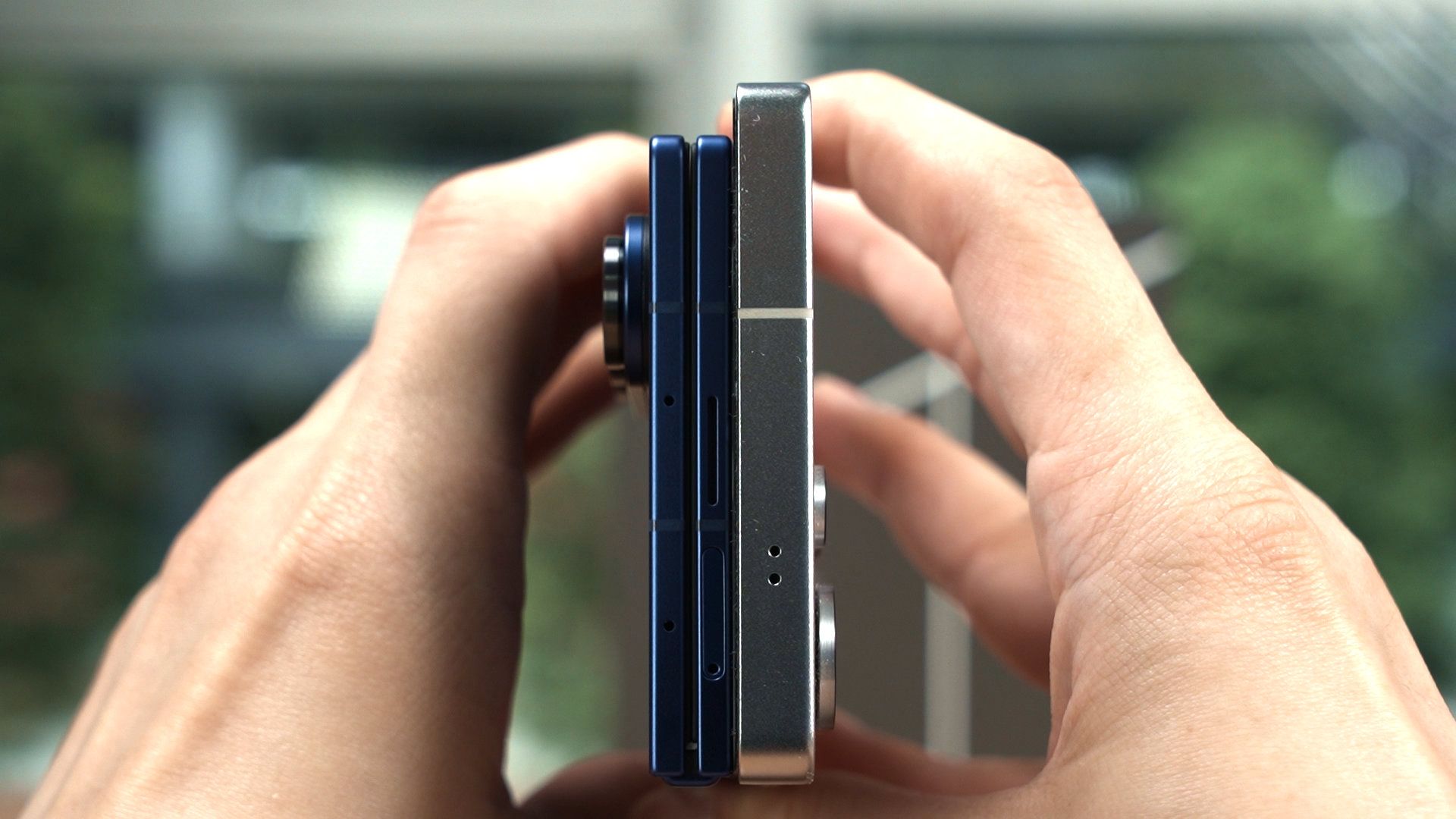
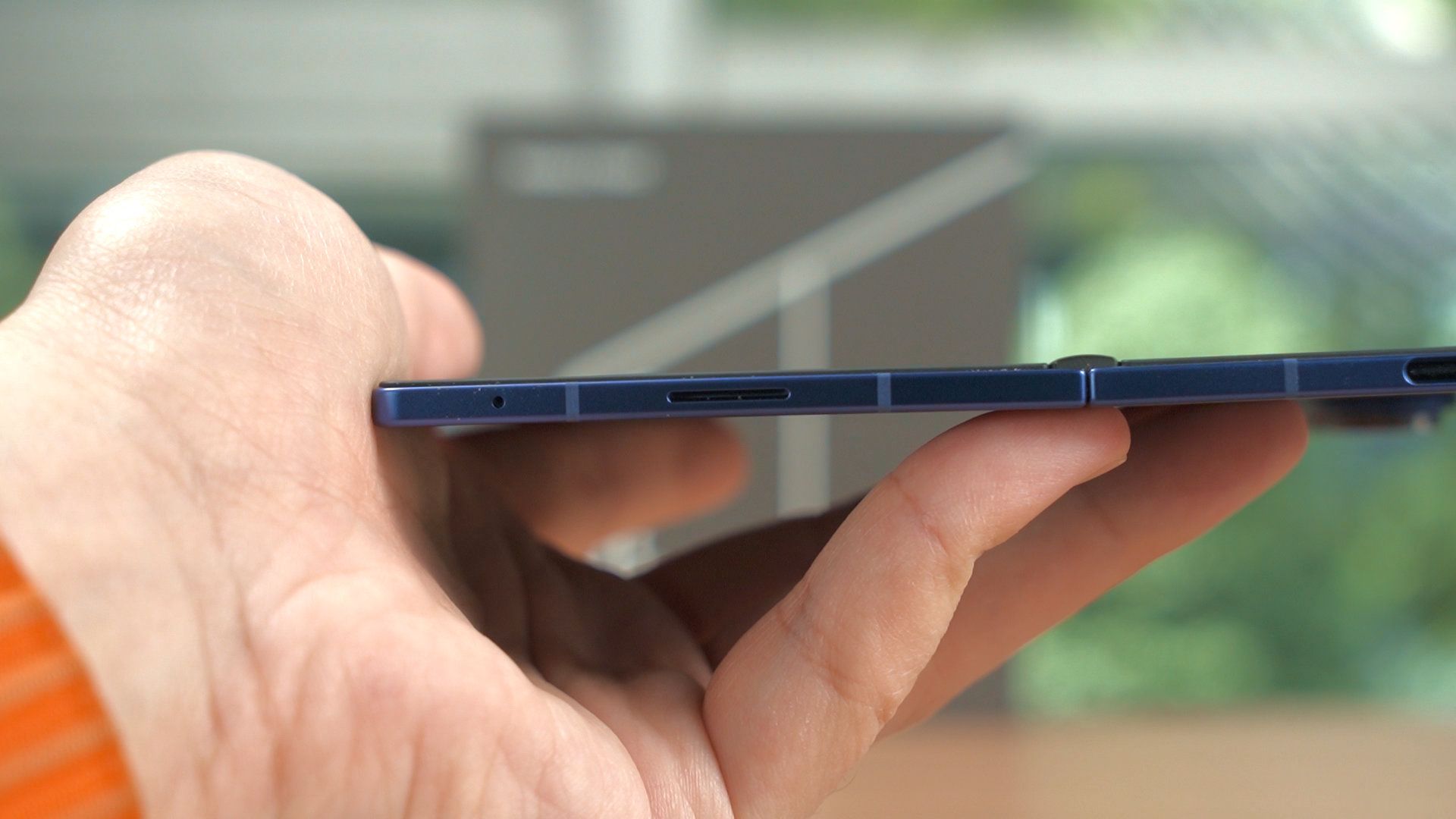
Anyway, let’s start by talking about the design. The overall design language of the Fold7 in itself is basically similar to the Z Fold6 with the angles. However, the new Z Fold7 is a lot thinner than before, and even thinner when it is unfolded. The phone is barely thicker than the USB-C port. It’s a drastic change compared to what we had before, and Samsung seems to be going on a thinness fever since the S25 Edge.
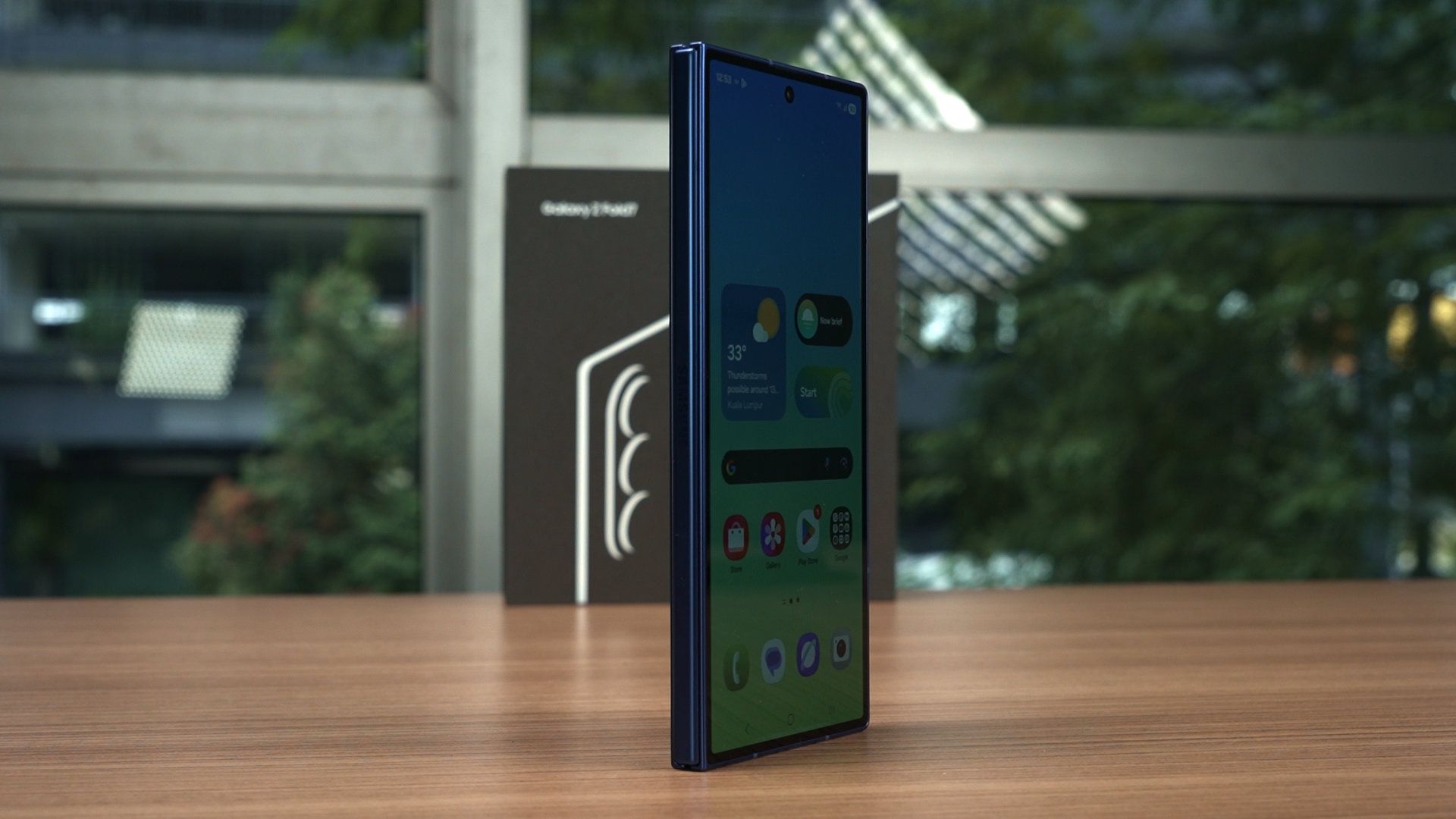
The fingerprint scanner, which doubles as the power button, is also thinner. This might cause some issues as the sensor surface area is rather tiny. So when you’re registering your fingerprint, make sure to move and include as much of your fingerprint as possible.
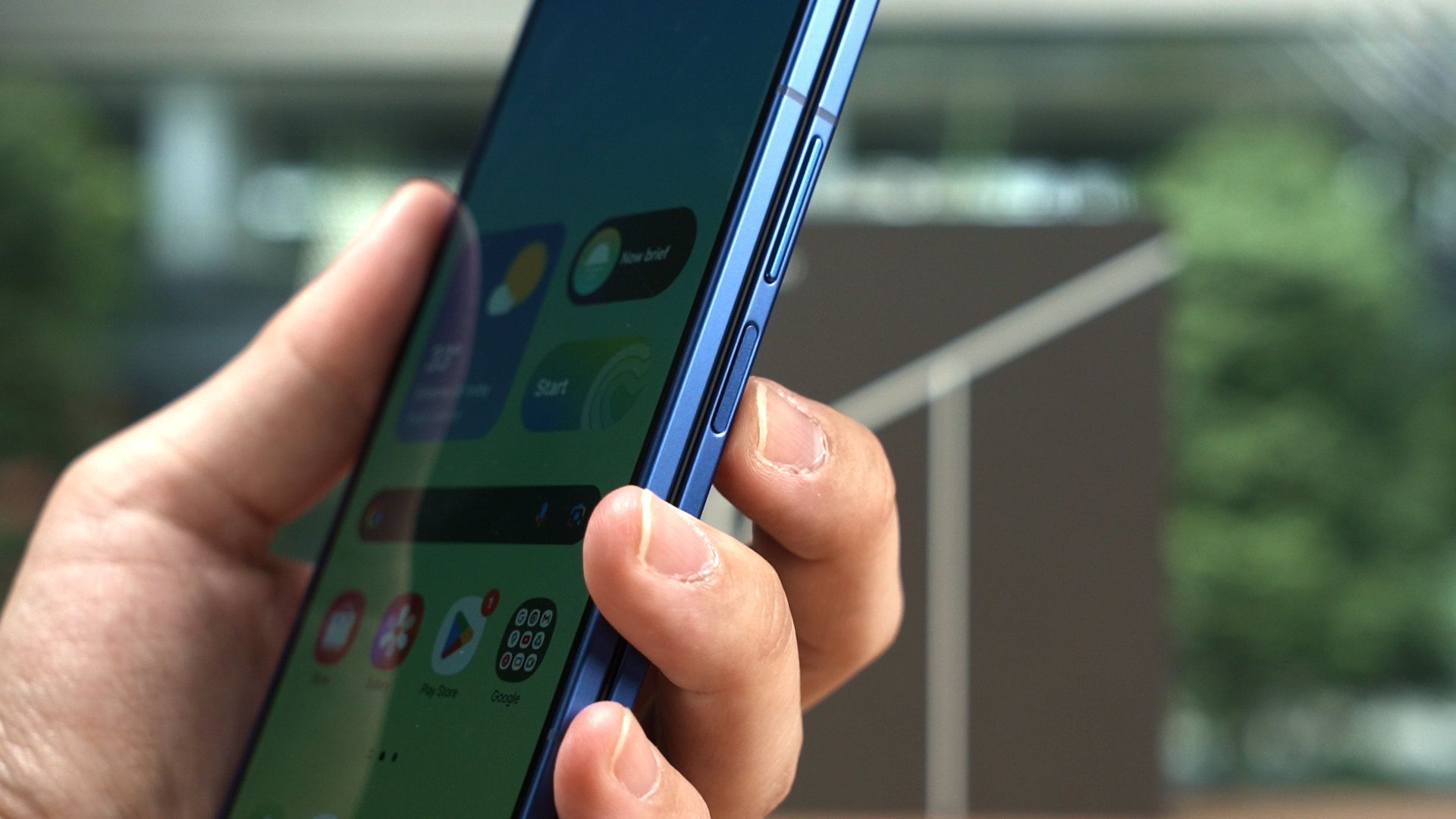
The camera bump is as thick as the phone, though. Thinness comes at a price, and the Z-height has to go somewhere – so we’re getting this camera bump instead. At least it’s parked to the side, as I personally dislike those big circular camera bumps at the back.
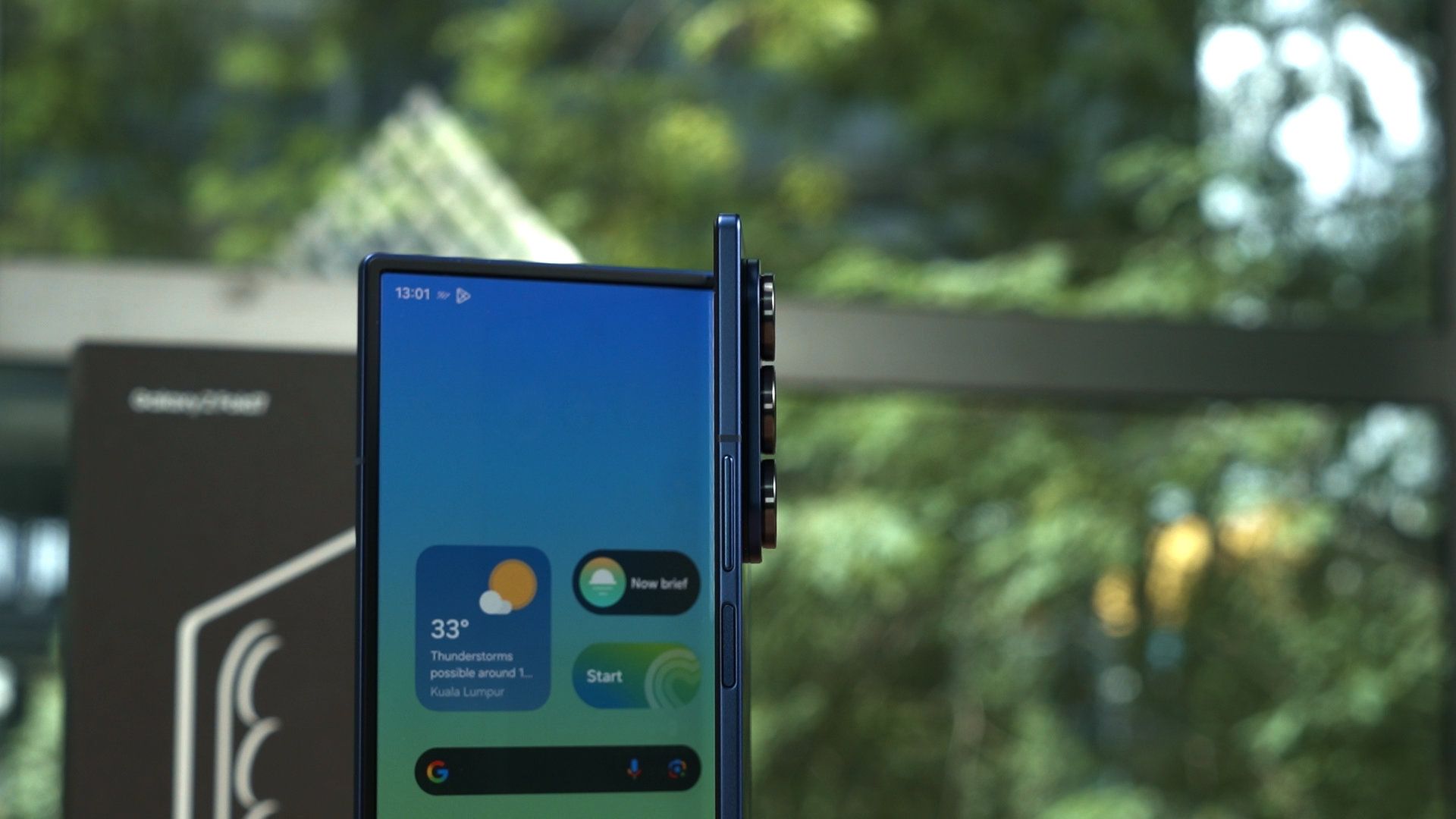
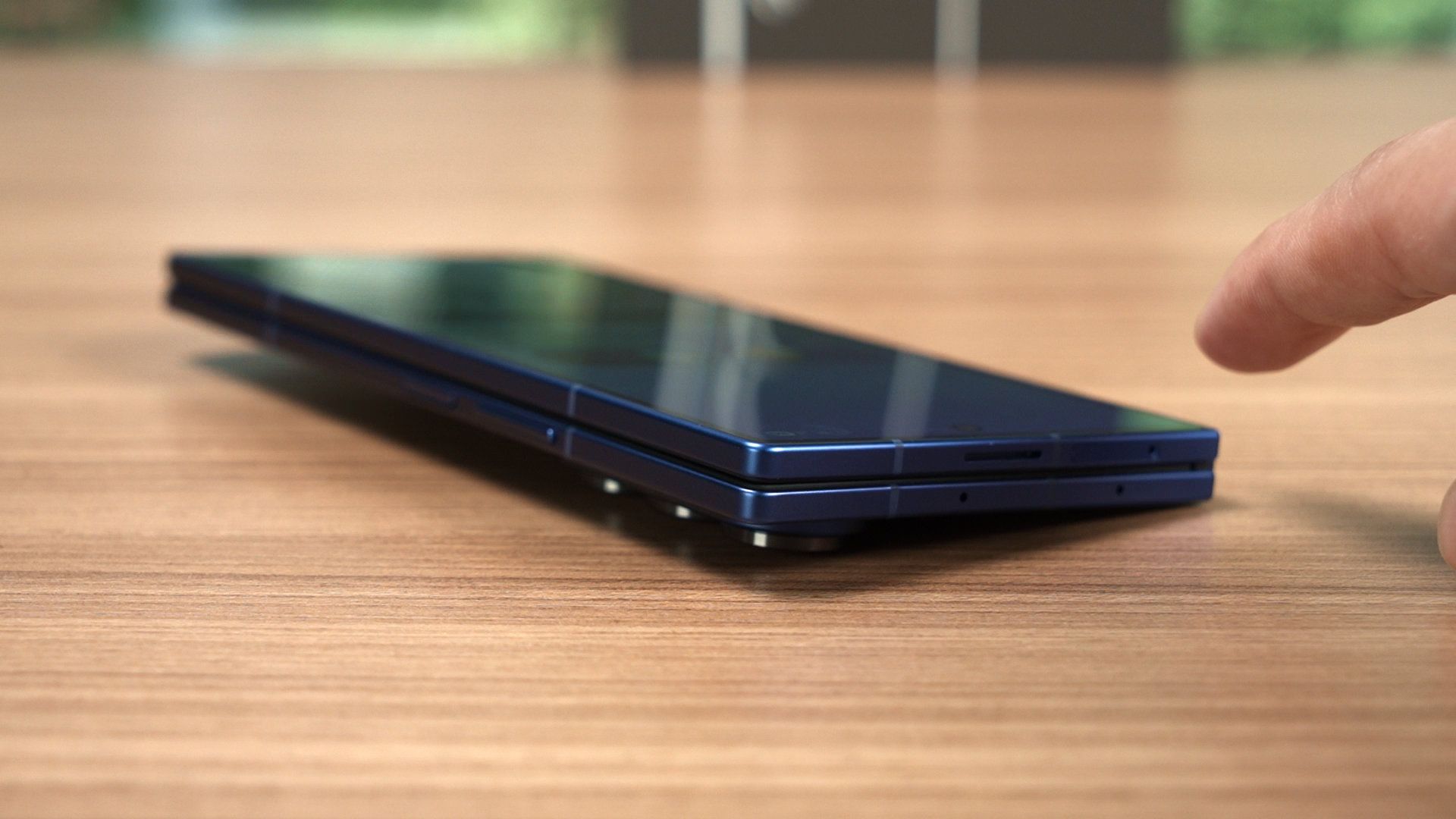
But then again, because of how much the camera bump protrudes at the side, it will cause this kind of rocking motion.
Cover display
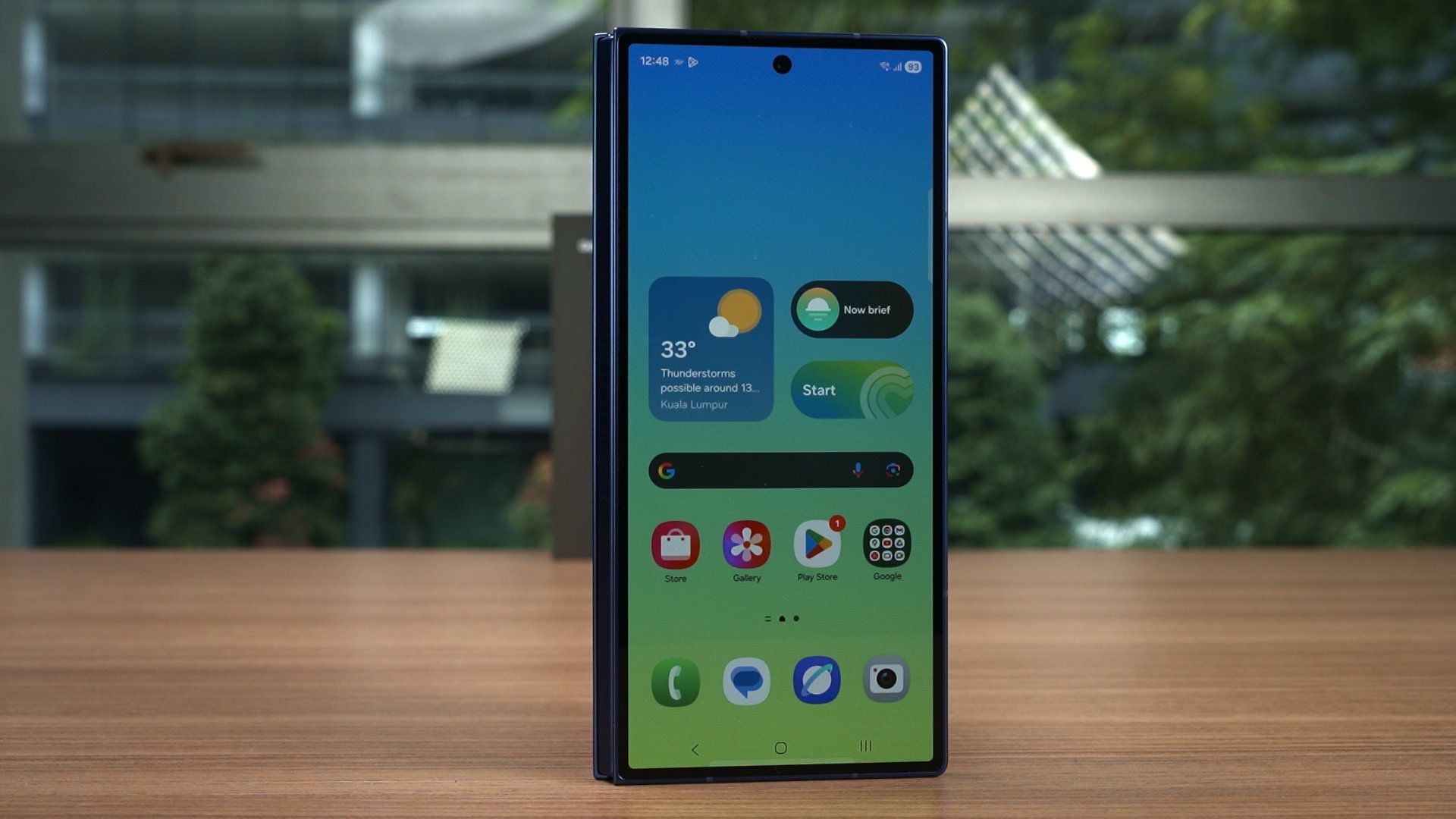
Let’s now talk about the cover display. It is now a 6.5-inch Dynamic AMOLED 2X display that goes up to 120Hz refresh rate, and has a resolution of 2520×1080 pixels. If we do the math, this resolution is at 21:9 aspect ratio.
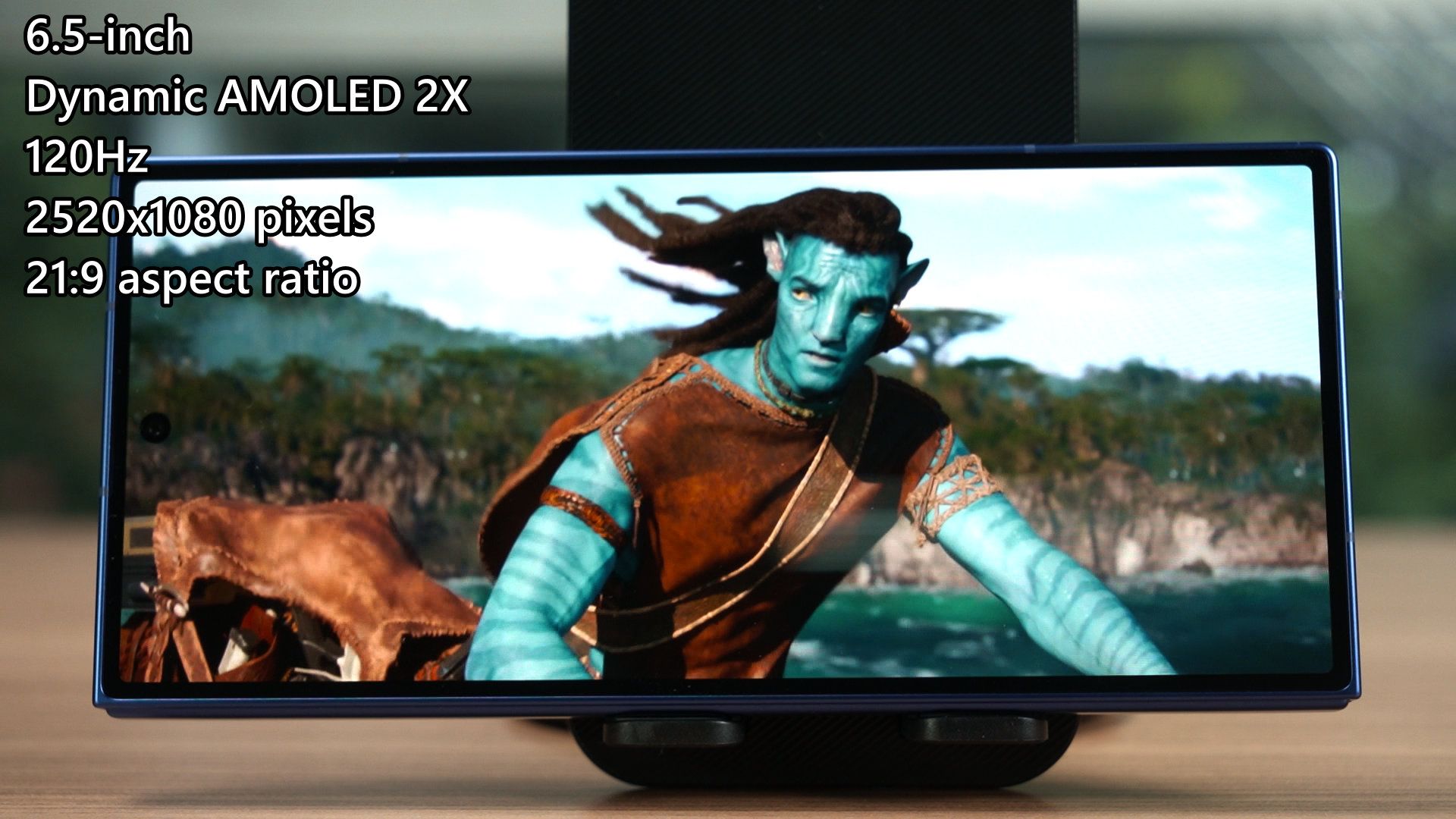
With that said, watching movies in particular is fantastic using the cover display, because many movies are produced in 21:9 aspect ratio.
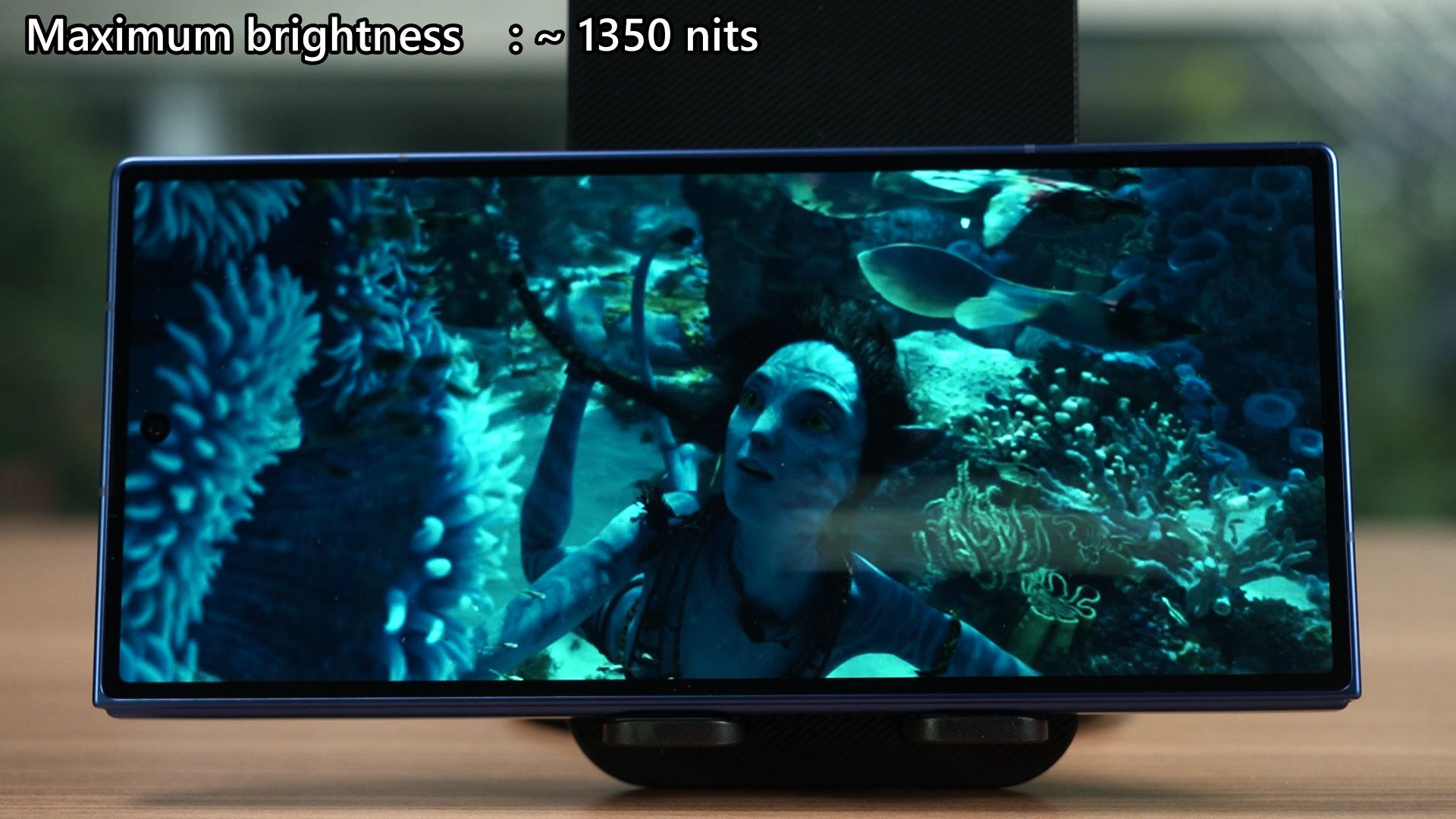
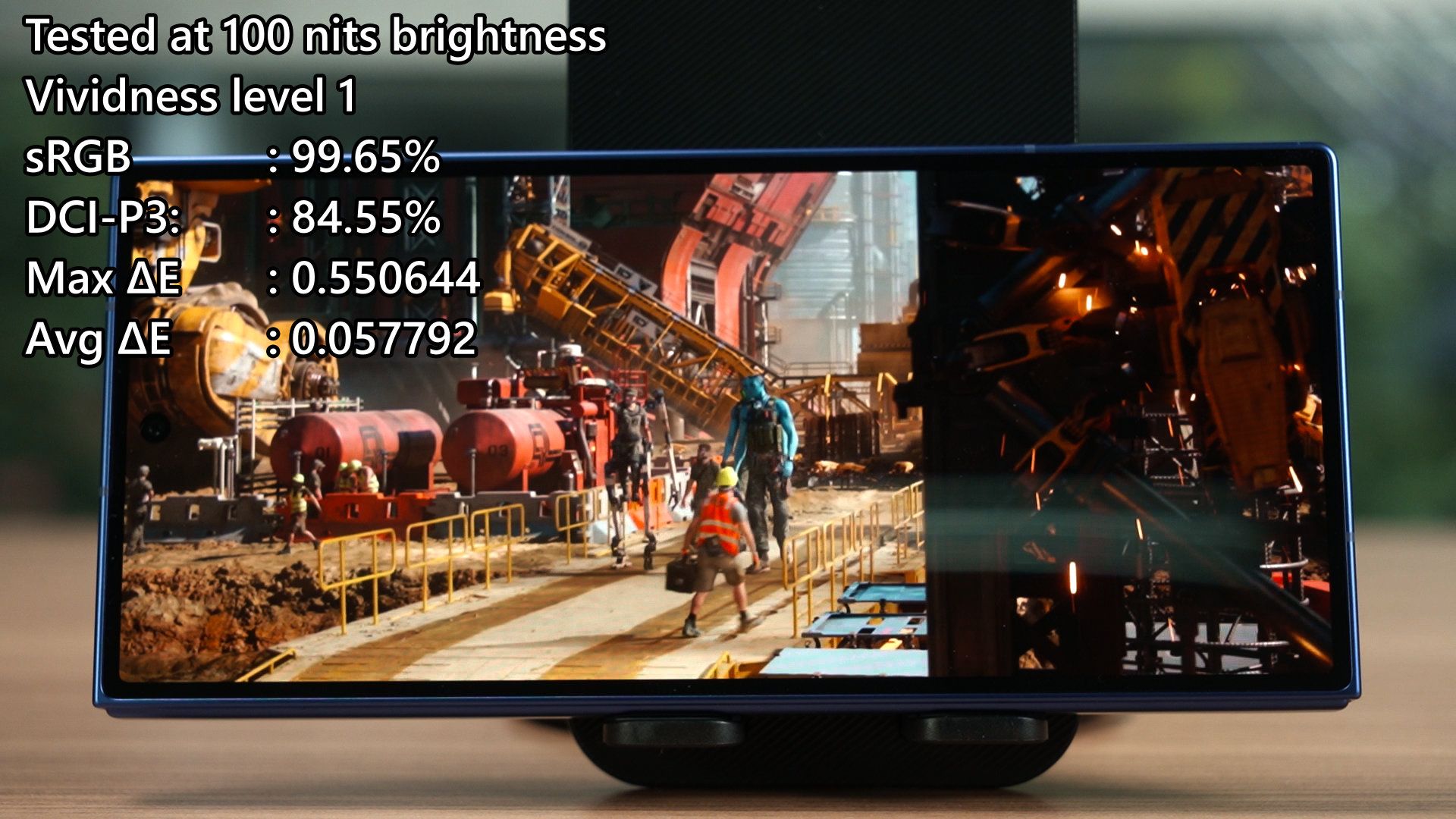
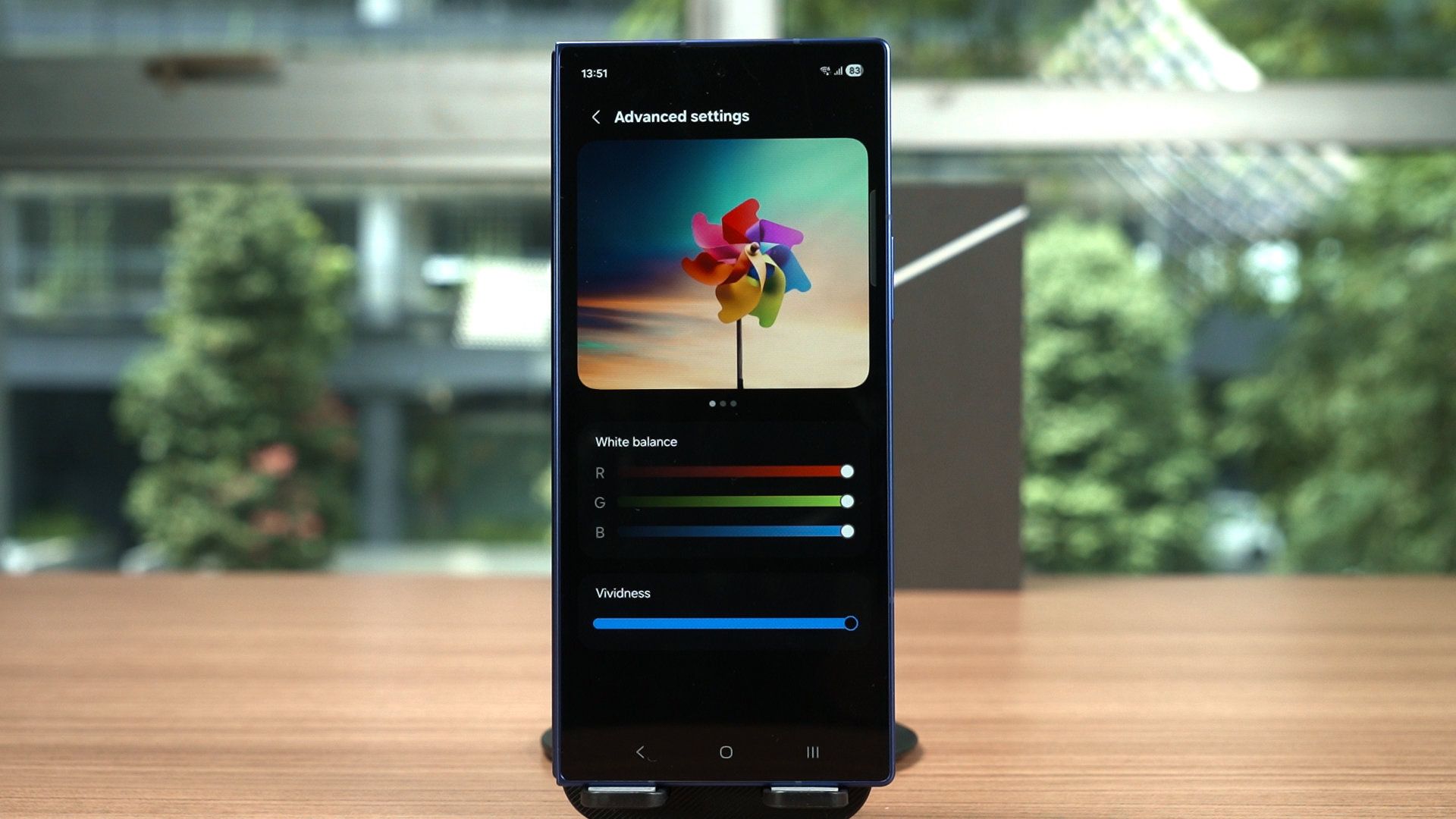
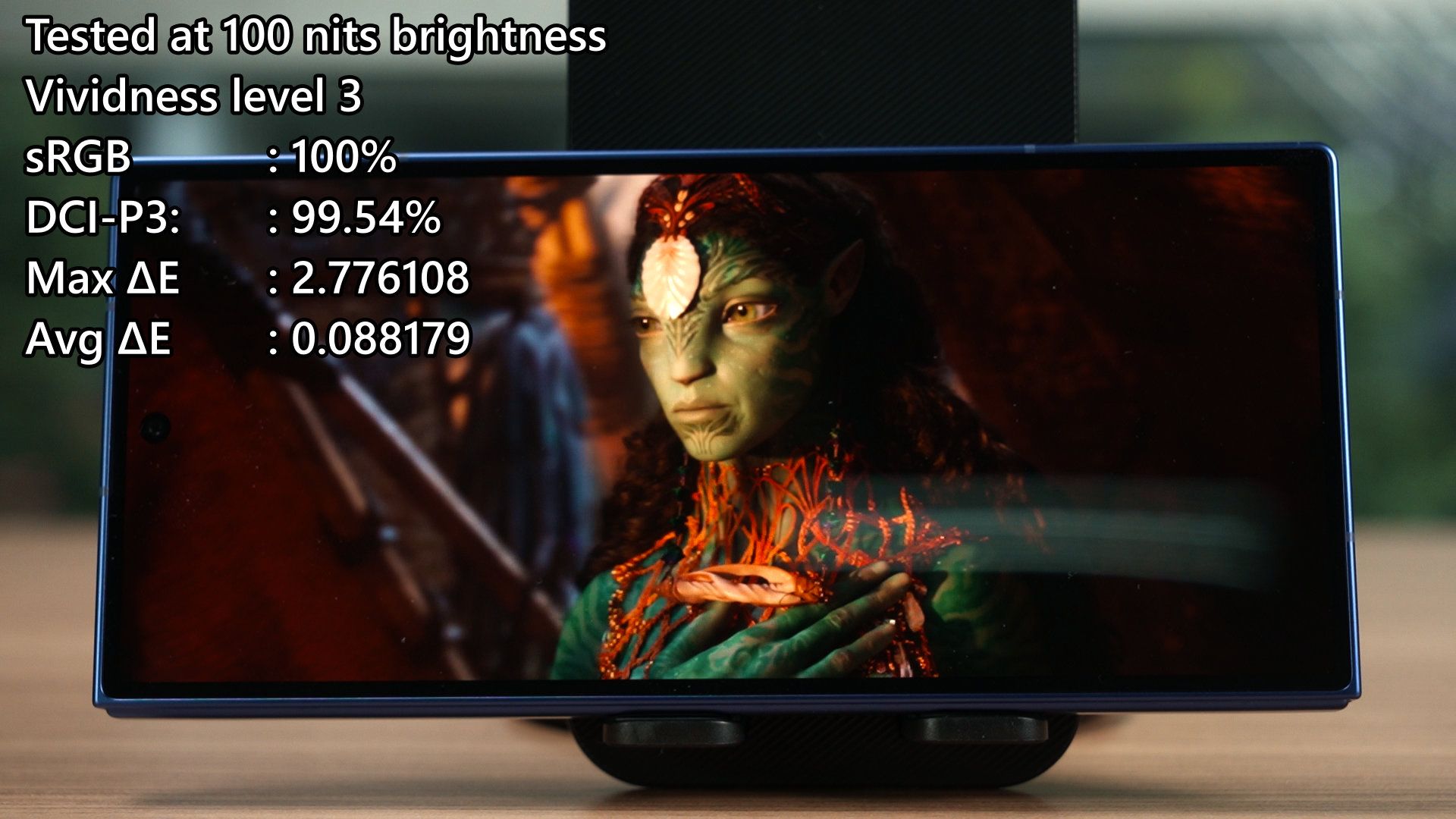
The maximum brightness of the cover display is at around 1350 nits in auto brightness, and with its default out of the box settings, it can cover 99.65% of sRGB and 84.55% of DCI-P3 color gamuts. If we head into the settings menu and change it to vividness level 3, then it can cover 100% of sRGB and 99.54% of DCI-P3 color gamuts. With a higher DCI-P3 color gamut coverage means that the colors are more vibrant – so it’s up to you how much vividness you want.
I also want to point out that the cover display, while it is larger, is not exactly that much bigger. It’s not as wide as the S25 Ultra’s screen, and reaching to the far side of the screen while using it one-handed is quite okay – at least for my hand size.
Inner display
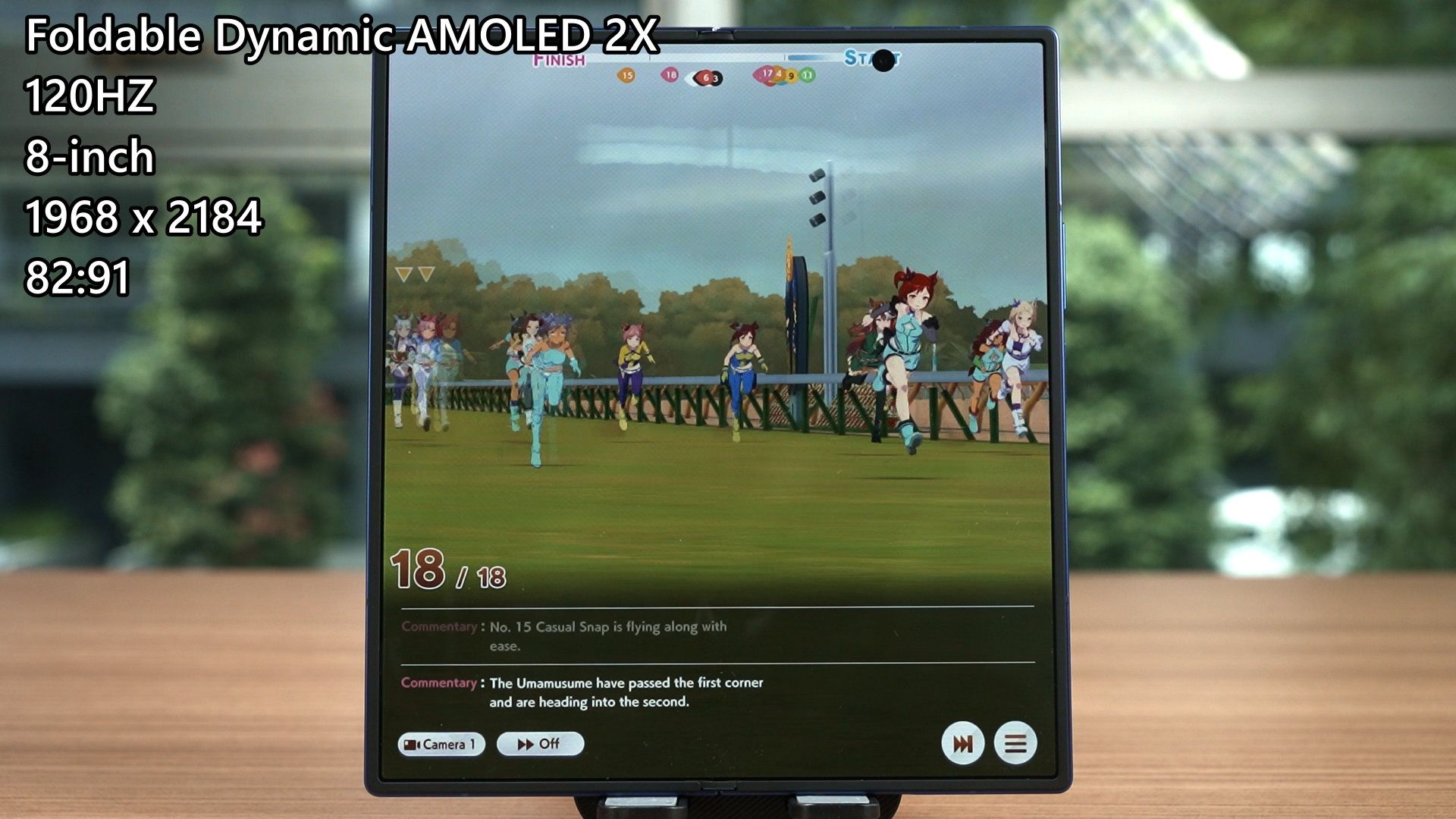
Once we unfold the device, the new, much bigger inner display reveals itself. It’s now using the Foldable Dynamic AMOLED 2X panel with an 8-inch size with a resolution of 1968 x 2184 pixels. The aspect ratio is kinda weird, at 82 : 91. It’s slightly longer on one side, but it’s very, very close to being a square.
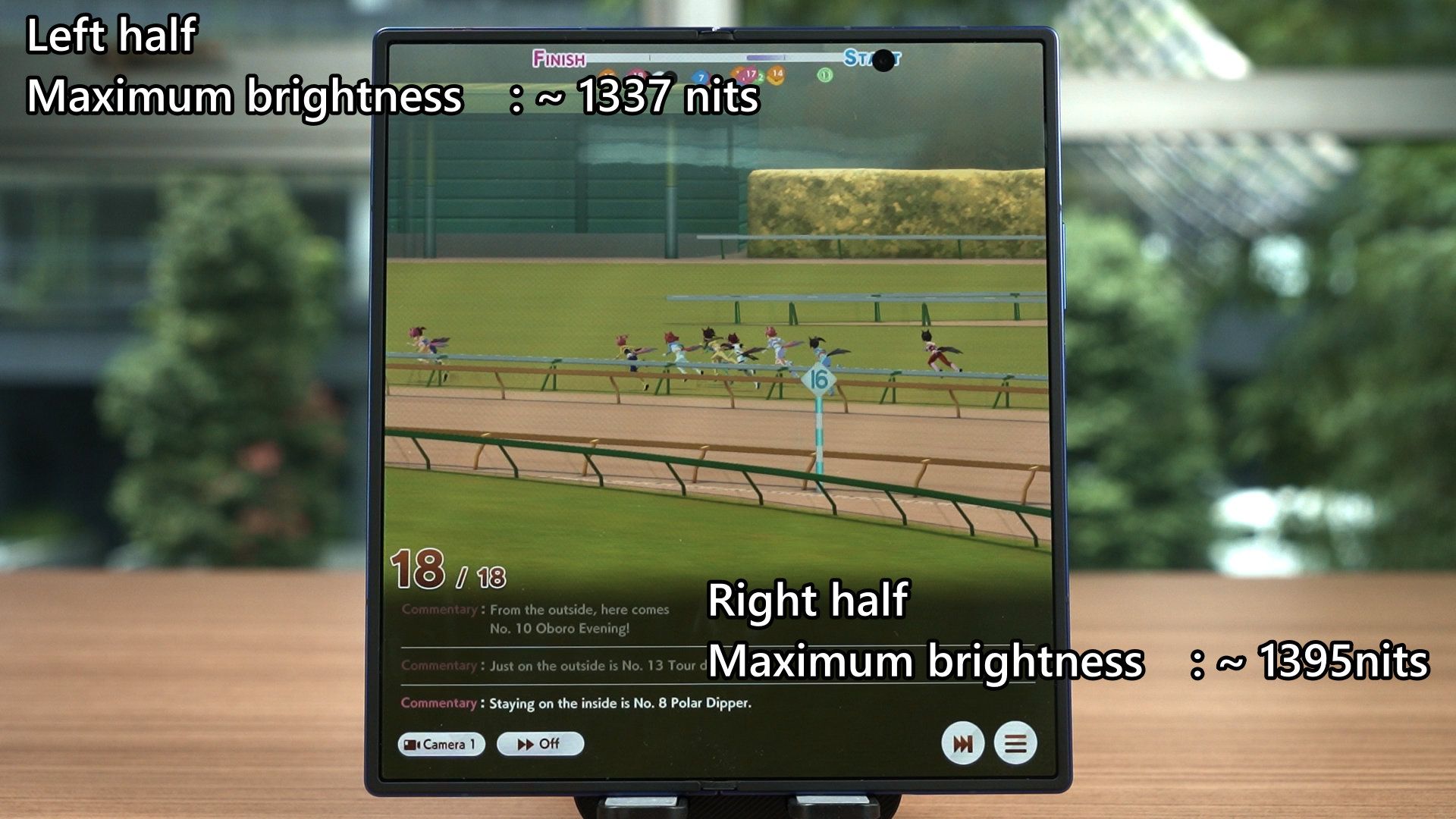
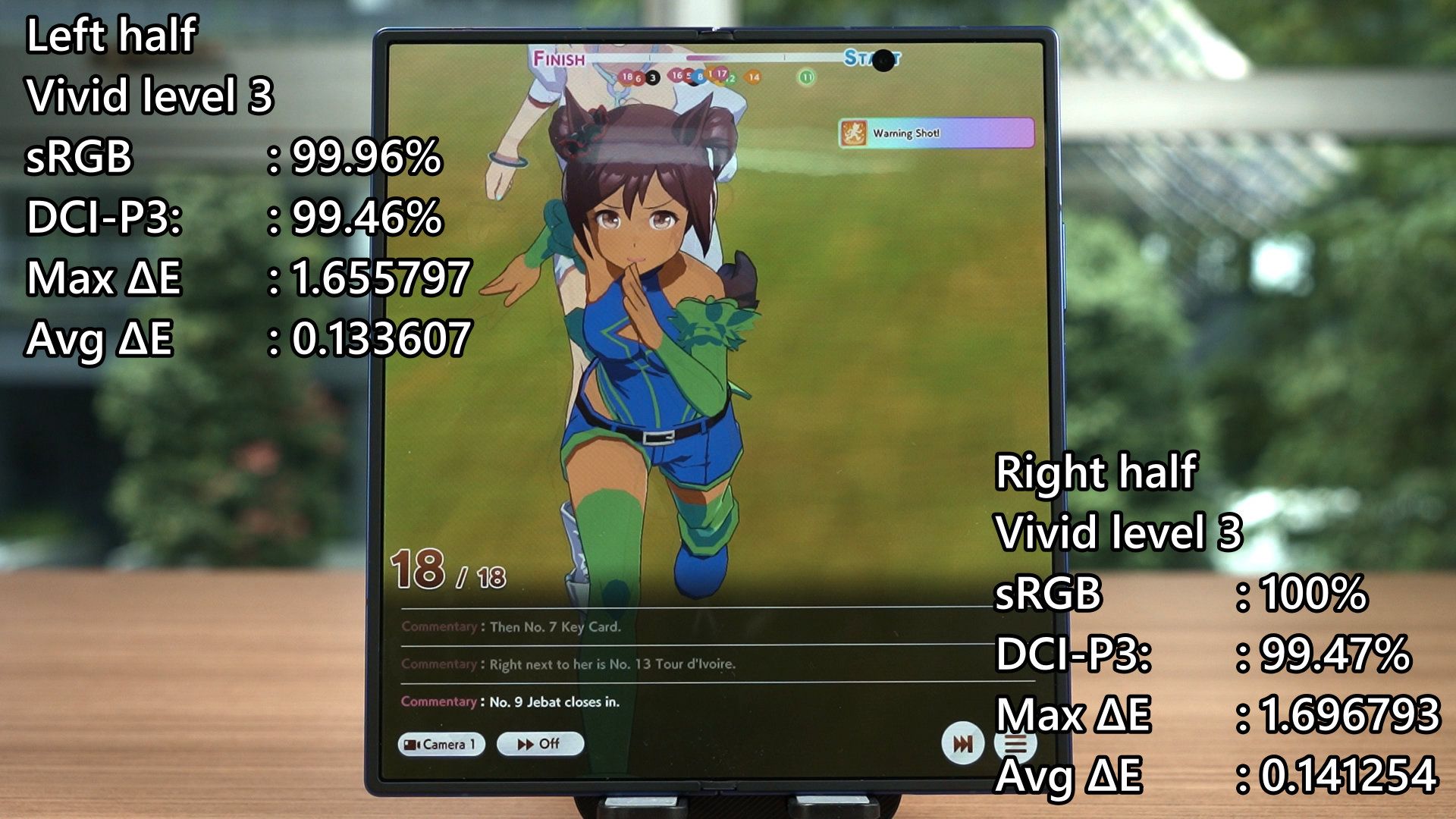
We did two tests for the color accuracy, splitting it down the middle. The left side has a maximum brightness of around 1337 nits, whereas the right side can go up to 1395 nits. A bit of a discrepancy, which happens to all foldable devices.
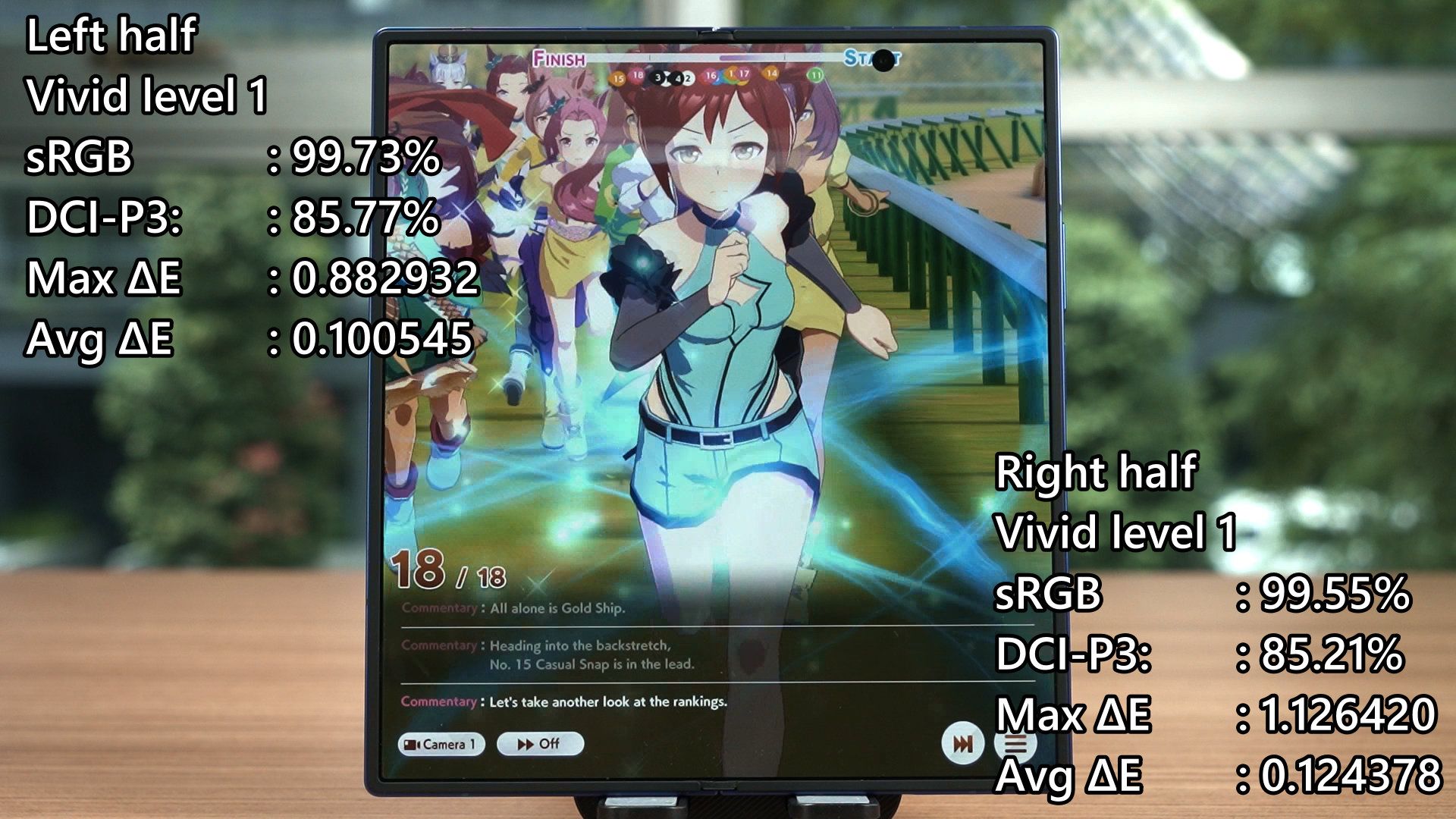
The color gamut coverage of both sides are as shown on the screen and overall, I’d say that they’re very consistent. I also want to point out that before we did the battery life test, we used this test to calibrate the displays to 100 nits brightness. Surprisingly, the brightness of the cover display and both sides of the unfolded display are the same. I didn’t expect this but I’m surprised by how the displays sync the brightness. 100 nits on the cover display means 100 nits on the inner display.
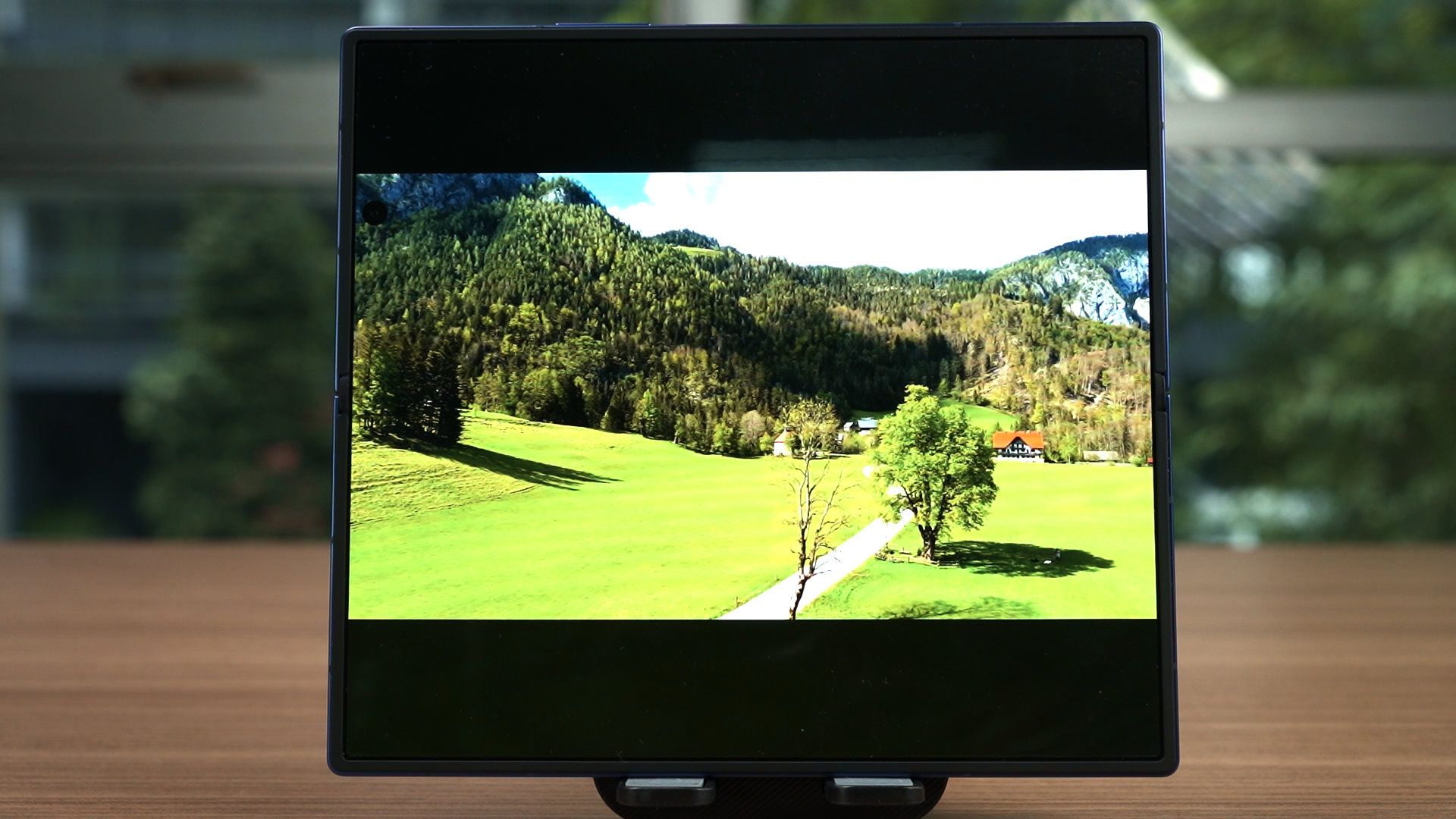
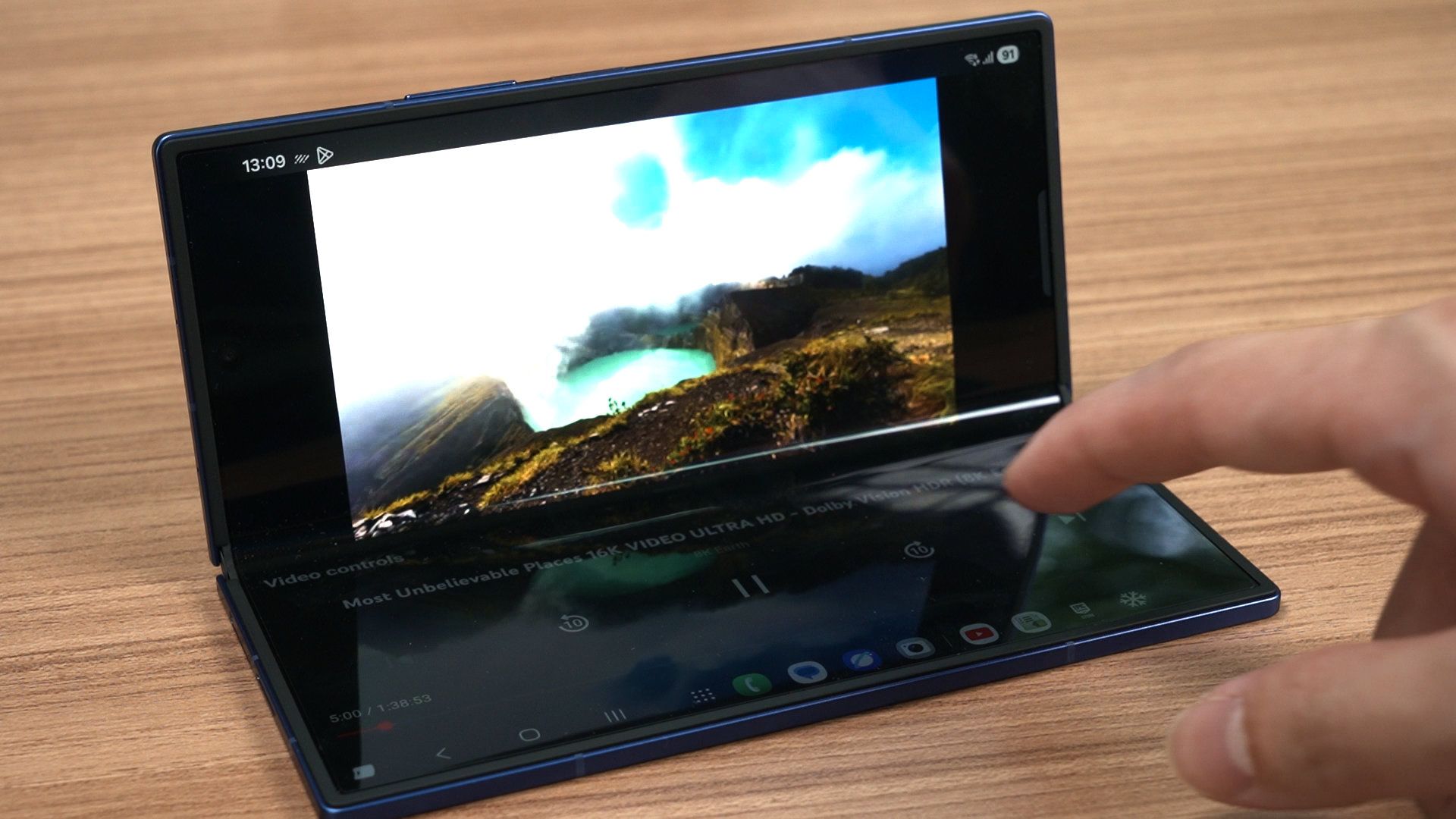
With this inner display though, a lot of people will think that a bigger display is better for watching videos – but I disagree. Because of the aspect ratio, all videos will have massive black bars at the top and bottom of the screen. Certain apps does split the screen into two sections and eliminate the black bars while giving us more controls via the Flex Mode feature, like YouTube.
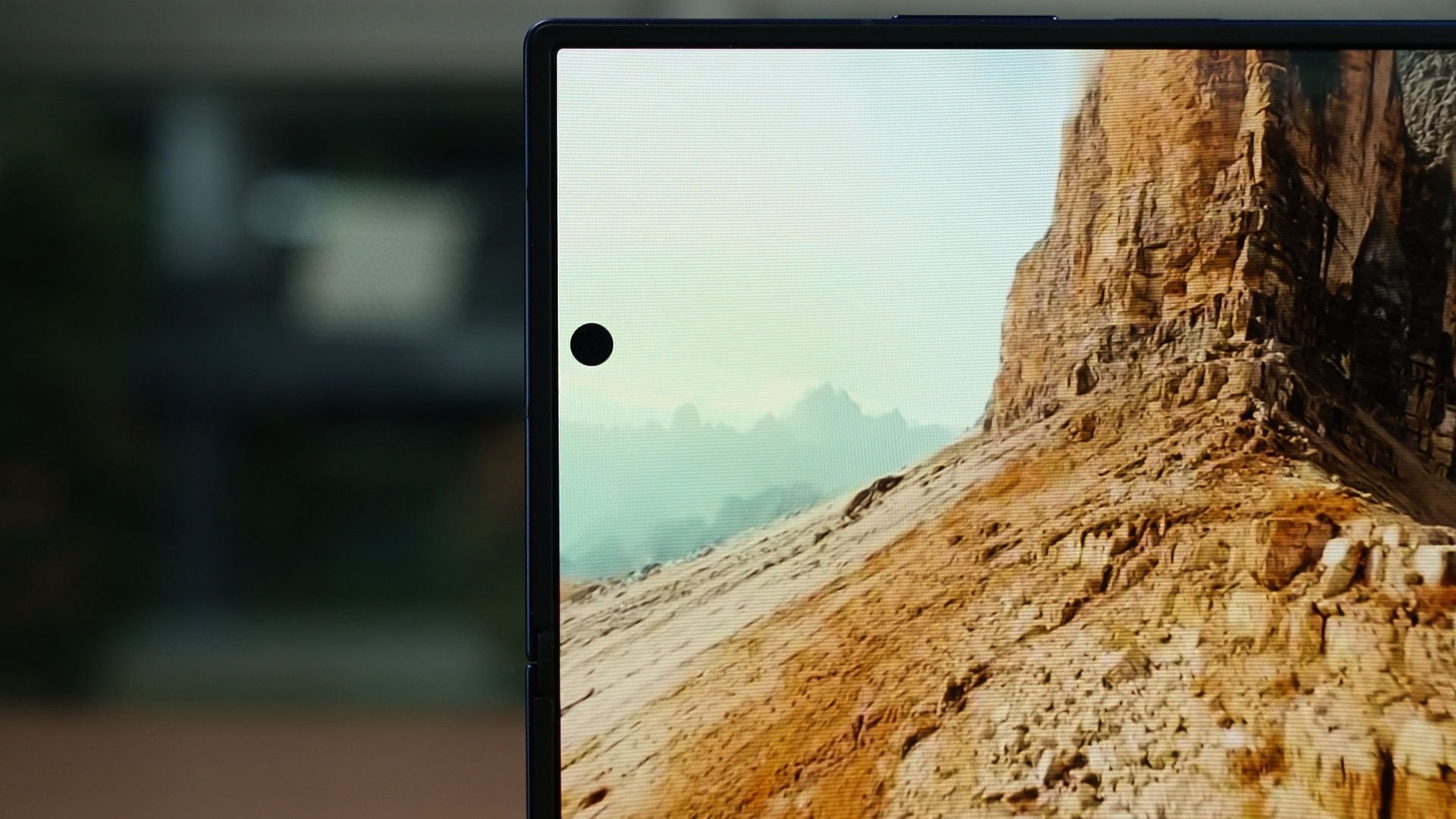
Though, we do have a permanent black hole on the screen now as the under-display camera is now gone.
Crease
We can’t talk about the inner display without talking about the crease as well, and that’s why it has its own special segment. Any foldables will have a crease – the question is whether or not it’s obvious or deep to be noticeable or distracting.
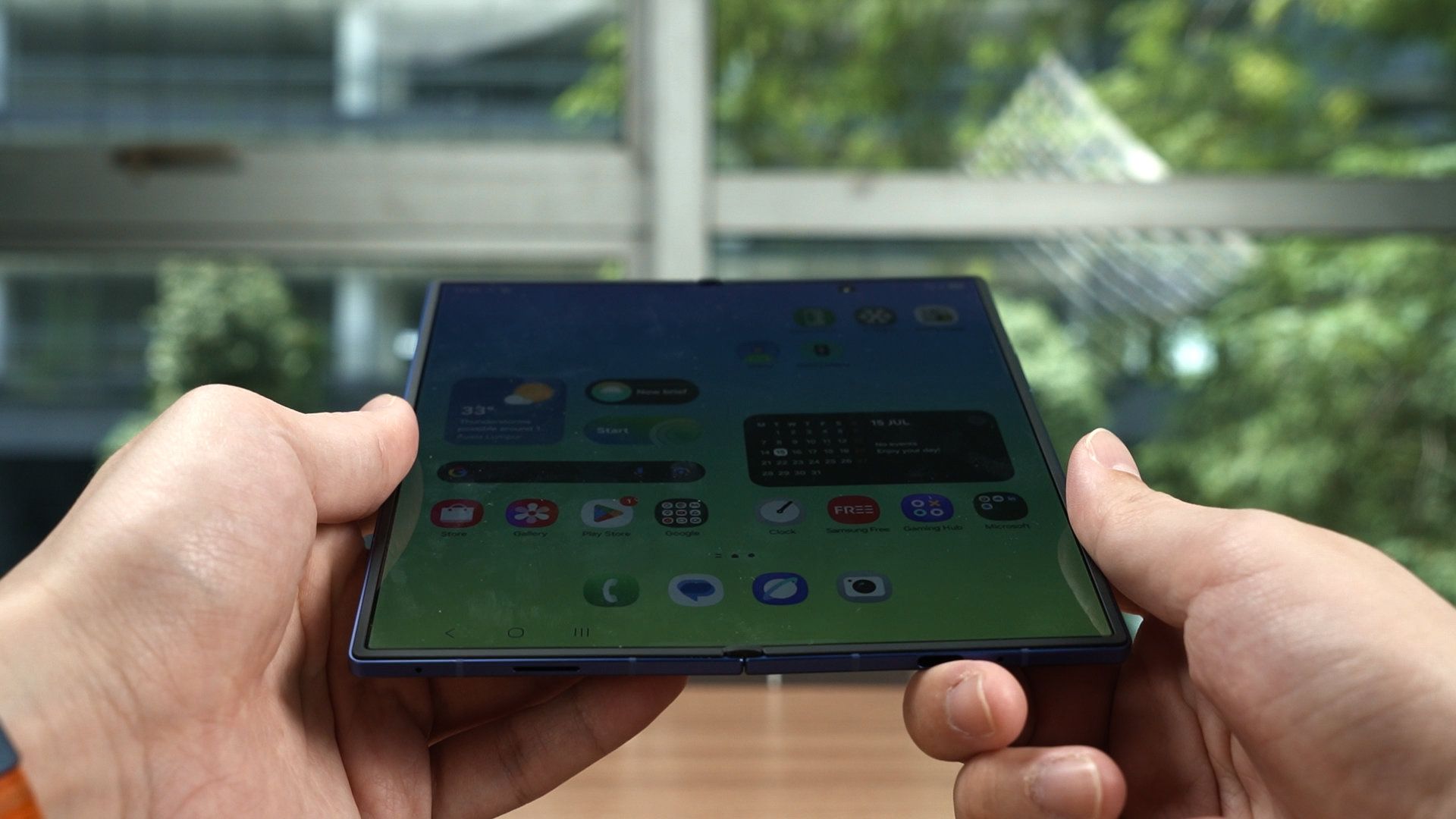
As far as we know, the hinge has been upgraded and it now has the name of Armor FlexHinge. Samsung is now using a waterdrop shape to curve the flexible display when it is closed, and the flexible screen is reinforced with a Grade 4 titanium lattice underneath it. The ultra-thin glass is also thicker, and has a new adhesive to stick better to the flexible screen as well.
Anyway, this is a bit difficult to talk about as the crease is always negligible when the Fold is new. It’s only after we use the phone for a few weeks or months before we can finally talk know how effective this new hinge truly is.
So far, the crease does feel to be very flat.
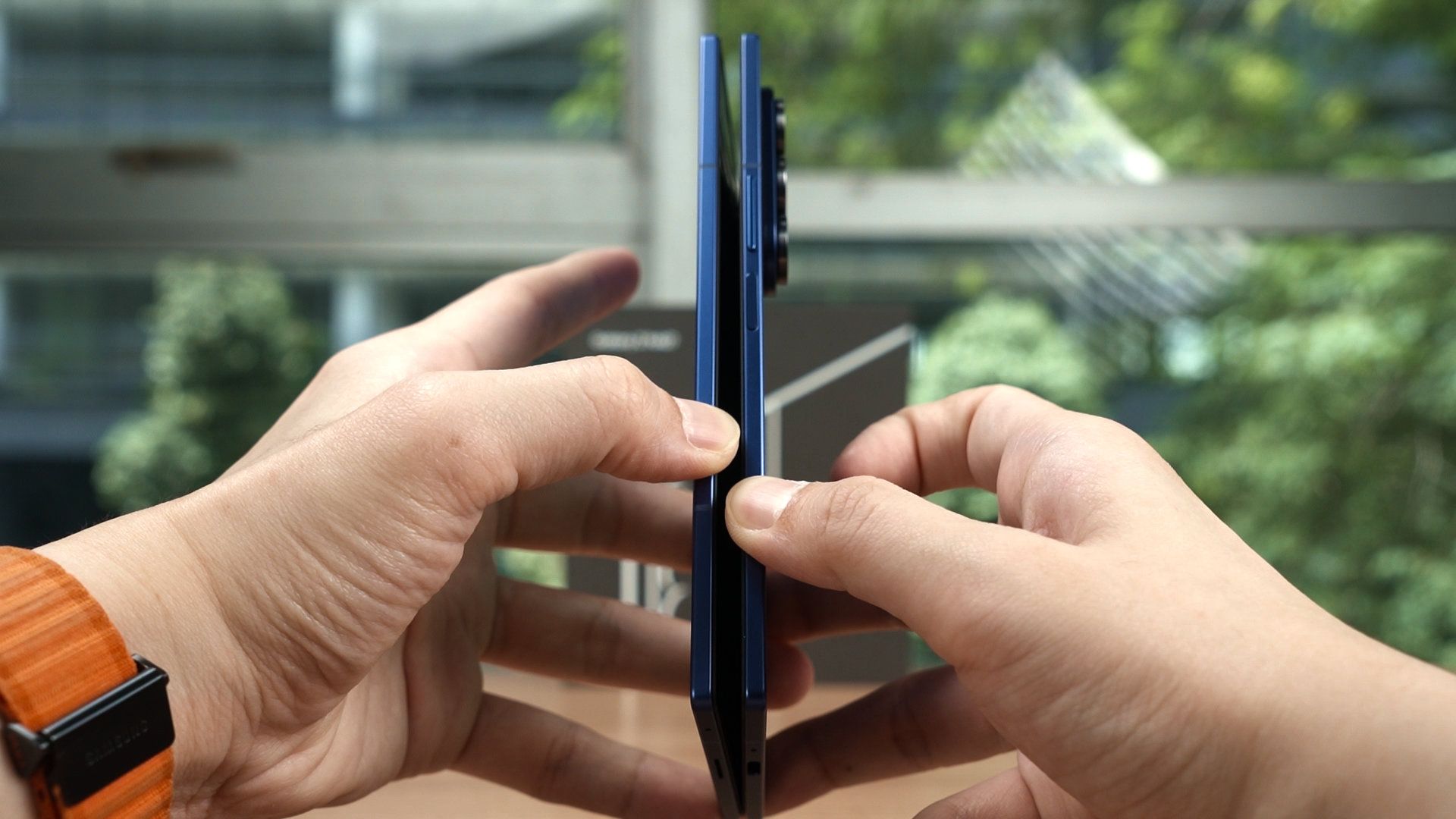
Now, because of the thinness, I also thought it would be difficult to unfold – but Samsung did some changes to make it easier. First, the frame is flat, so it is already easier to get some leverage and my finger won’t slip off.
Secondly, the hinge seems to have two stages of stiffness, if that’s the right word? It’s a lot easier to get it open, then it’s a lot stiffer to get it to actually open. The stiff hinge can hold itself in place for the Flex Mode of course, and I do think that Samsung balanced the hinge very well.
Software
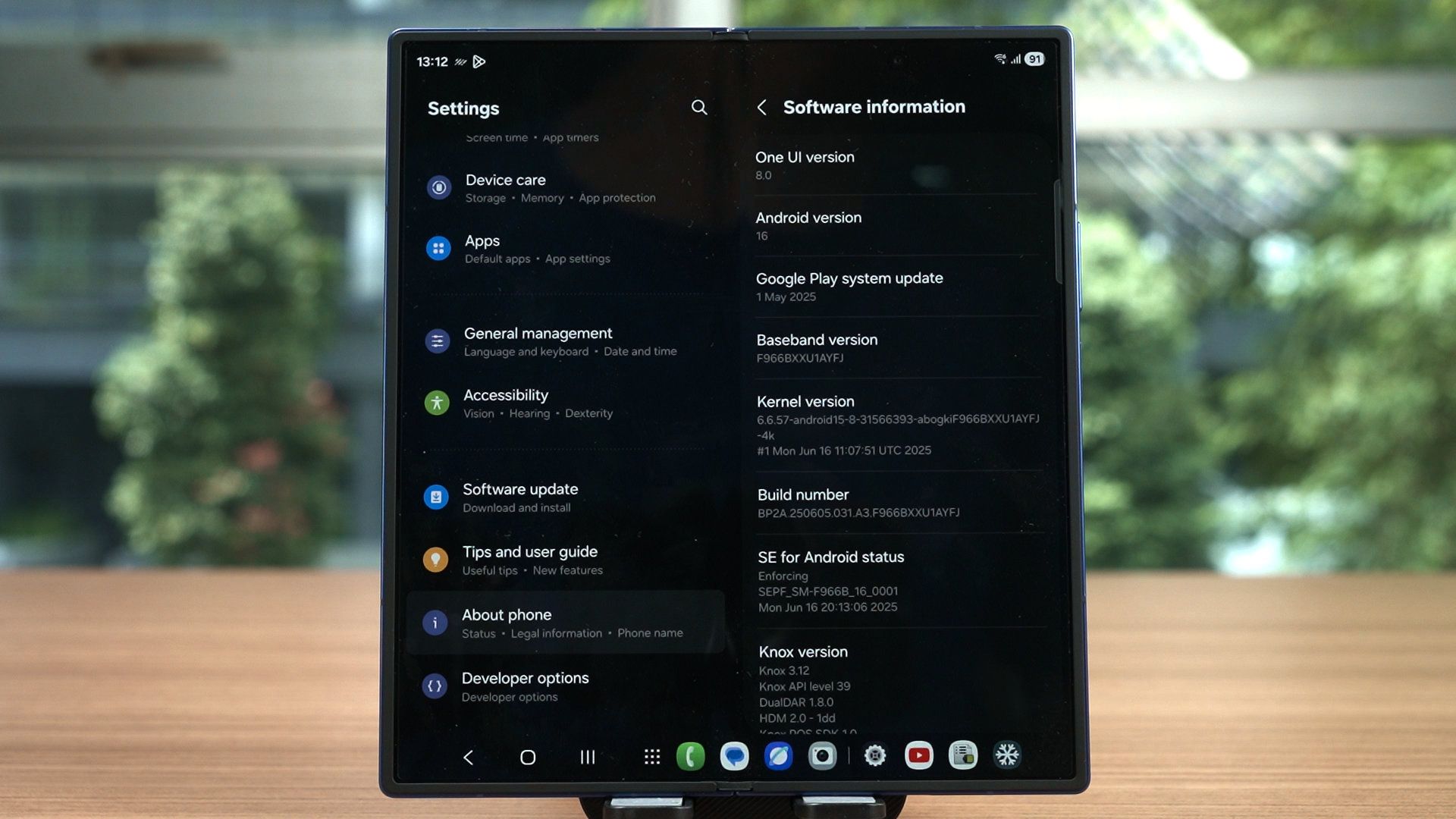
Since we’re talking about the features, let’s now talk about the software. The Galaxy Z Fold7 and Z Flip7 are the first devices to use Android 16 and One UI 8, alongside 7 years of Android OS upgrades and 7 years of security patches. It also comes with a few new features and also a few problems here and there.
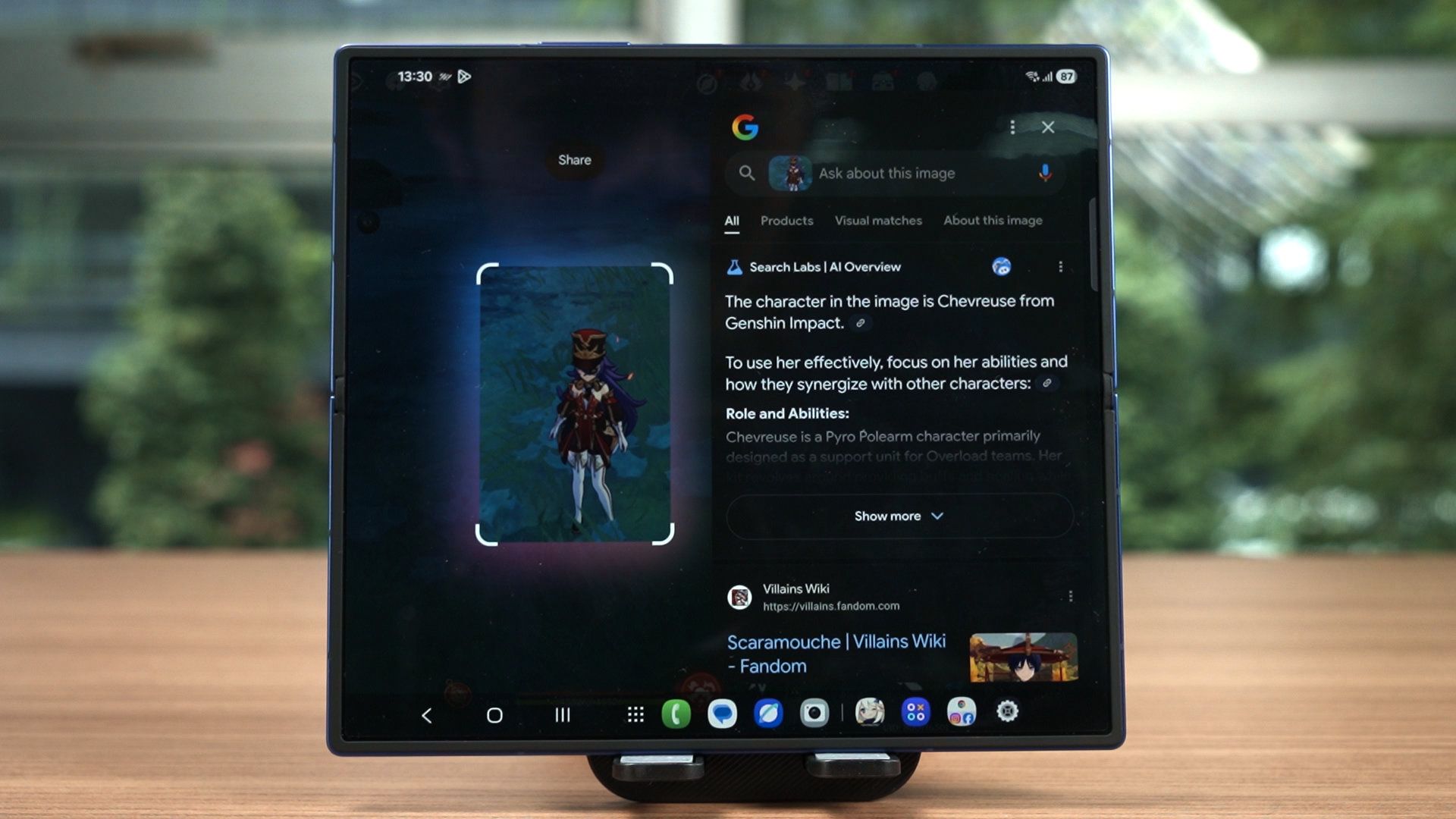
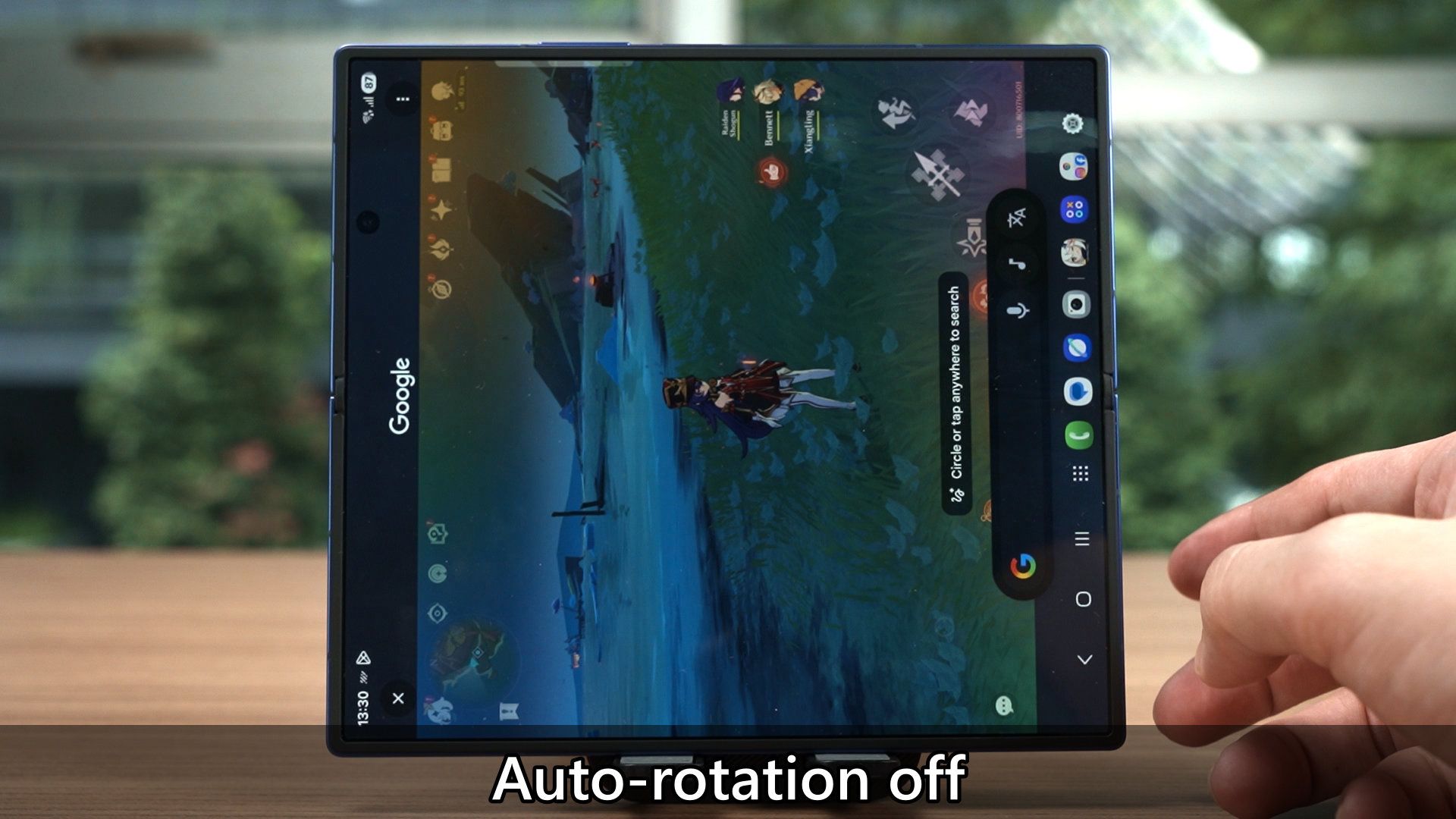
One UI 8 brings a lot of new changes, particularly to the foldables. We can now invoke the Circle To Search menu while in a game, and that will overlay the search info on top of the game. However, we have to turn on auto rotate for this feature to work, or else it’s quite disorienting as it goes back to portrait mode. This can be fixed via Modes and Routines by enabling auto rotate when a game is running – but I think this shouldn’t happen in the first place.
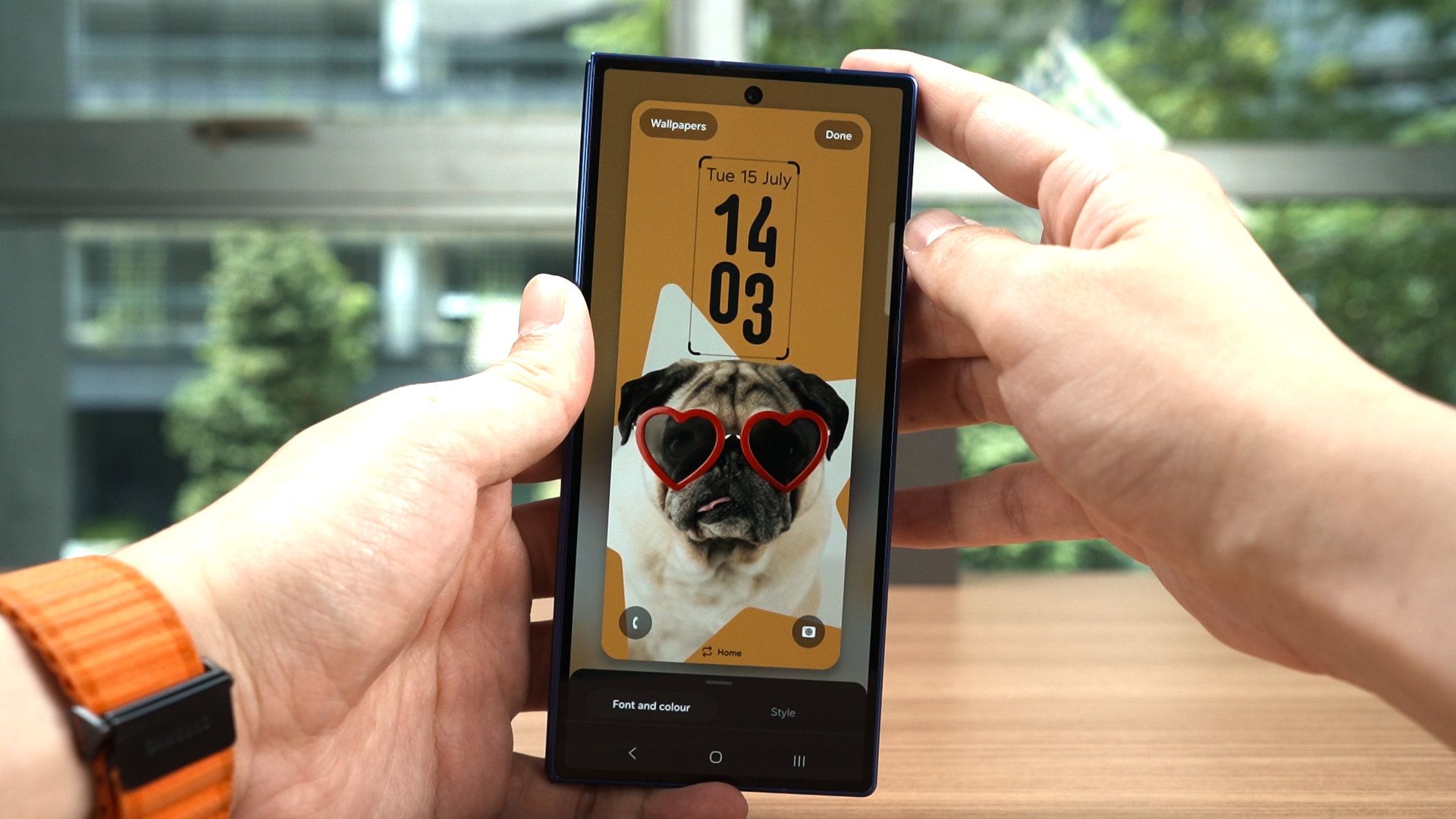
The new wallpaper with the flexible clock thing is a very unique feature that I actually like a lot. The clock automatically wraps around the subject in the image, and this works surprisingly well. Combined with wallpapers with parallax effect, it creates an amazing effect.
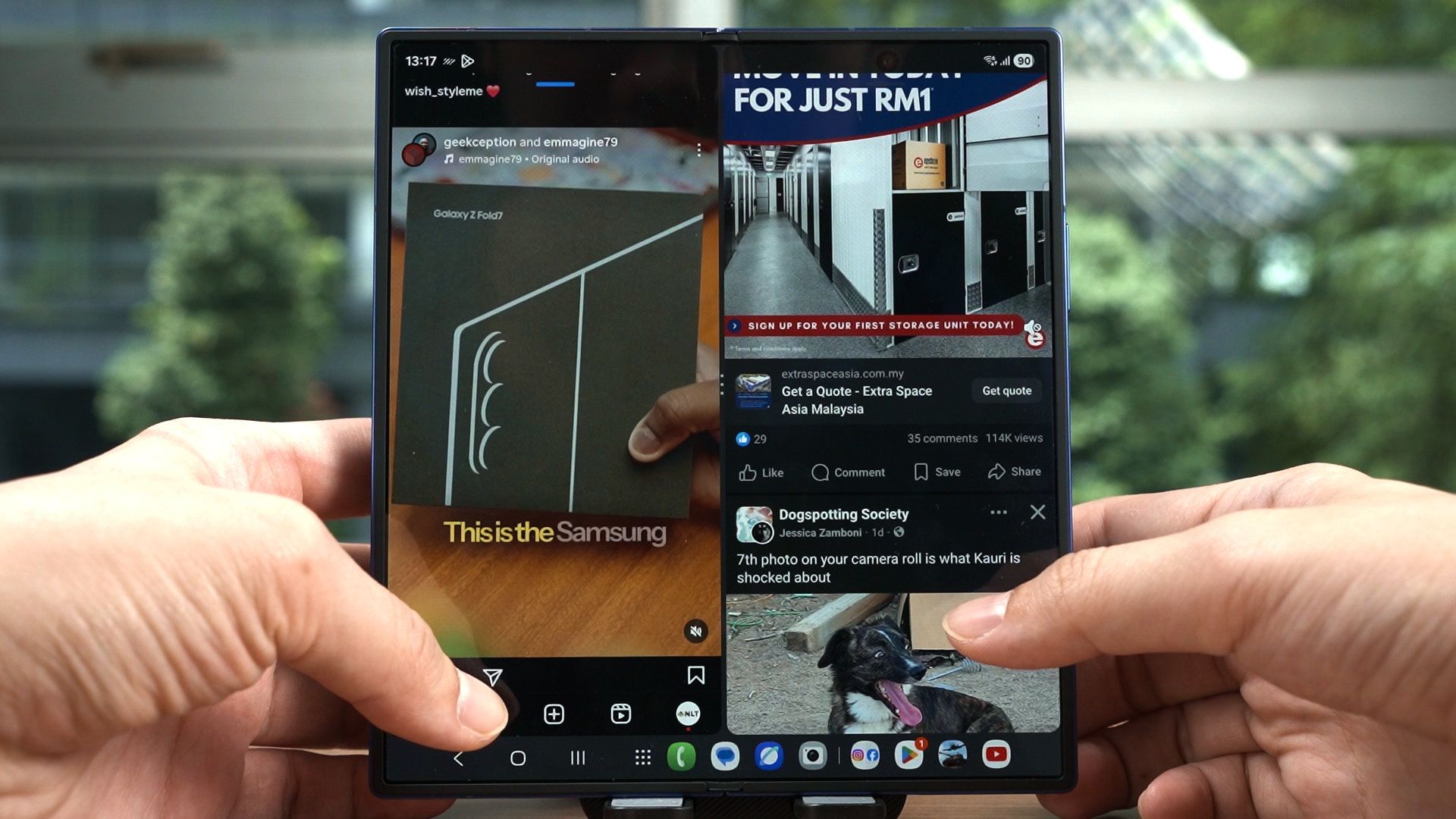
Multitasking remains to be the best here with Samsung’s implementation of the taskbar. We can run lots of apps side by side, and perhaps doom scroll two social media feeds at once since we have two eyes. One eye on one social media.
Performance
As for the performance, I am actually surprised. The Galaxy Z Fold7, being such a thin phone with practically no cooling system, managed to control the Snapdragon 8 Elite to the point that it performs as one of best among all the phones that I’ve tested.
For more context, watch out other video where we talked about how different phones performed differently even if they have the same chipset. The wattage that the chip takes in, the software optimizations that it has, and also the render resolution are the three most important things when it comes to chipset optimization – and Samsung did an amazing job on the Galaxy Z Fold7.
In our gaming test, we can see that Samsung managed to balance all the three aspects properly to create the best experience with no signs of thermal throttling even though it doesn’t seem to have any cooling system, looks great despite having a lower render resolution for Genshin Impact in partiuclar, yet the frame rate is very high and stable, though not the highest frame rate.
I’m amazed that many other phones with the Snapdragon 8 Elite run at 60fps at first, but after a few minutes, they just thermal throttle, and they literally drop the frame rate like it’s hot.
The Galaxy Z Fold7, playing the most demanding games like Zenless Zone Zero, has frame dips like any other phone – but it’s a pretty consistent experience in this flower boss fight. Wuthering Waves has a much higher render resolution, yet the experience is also consistent.
I’ve said this before, and I’ll say it again – frame rate consistency is more important than having a high frame rate that will eventually drop drastically. I’d rather have an average of like 40fps rather than having 60fps, but it fluctuates down to 40fps. Fluctuating frame rates is very distracting.
And be it folded or unfolded, the Galaxy Z Fold7 managed to control the Snapdragon 8 Elite for Galaxy to be one of the best-performing phones that I’ve tried so far. It reminds me of the good old days of the Snapdragon 8 Gen 2.
Battery life
As for the battery life… well, I have to start by telling you about our testing methodology. When we get a phone like this, we calibrate the display to 100 nits brightness and then run the PC Mark battery life test.
I’m not sure if it’s something wrong with Android 16 or One UI 8 is but the test will just get stuck. I need to touch the screen to make the test “continue” working. So, I used an app called MacroDroid, get a gesture to continuously touch the screen.
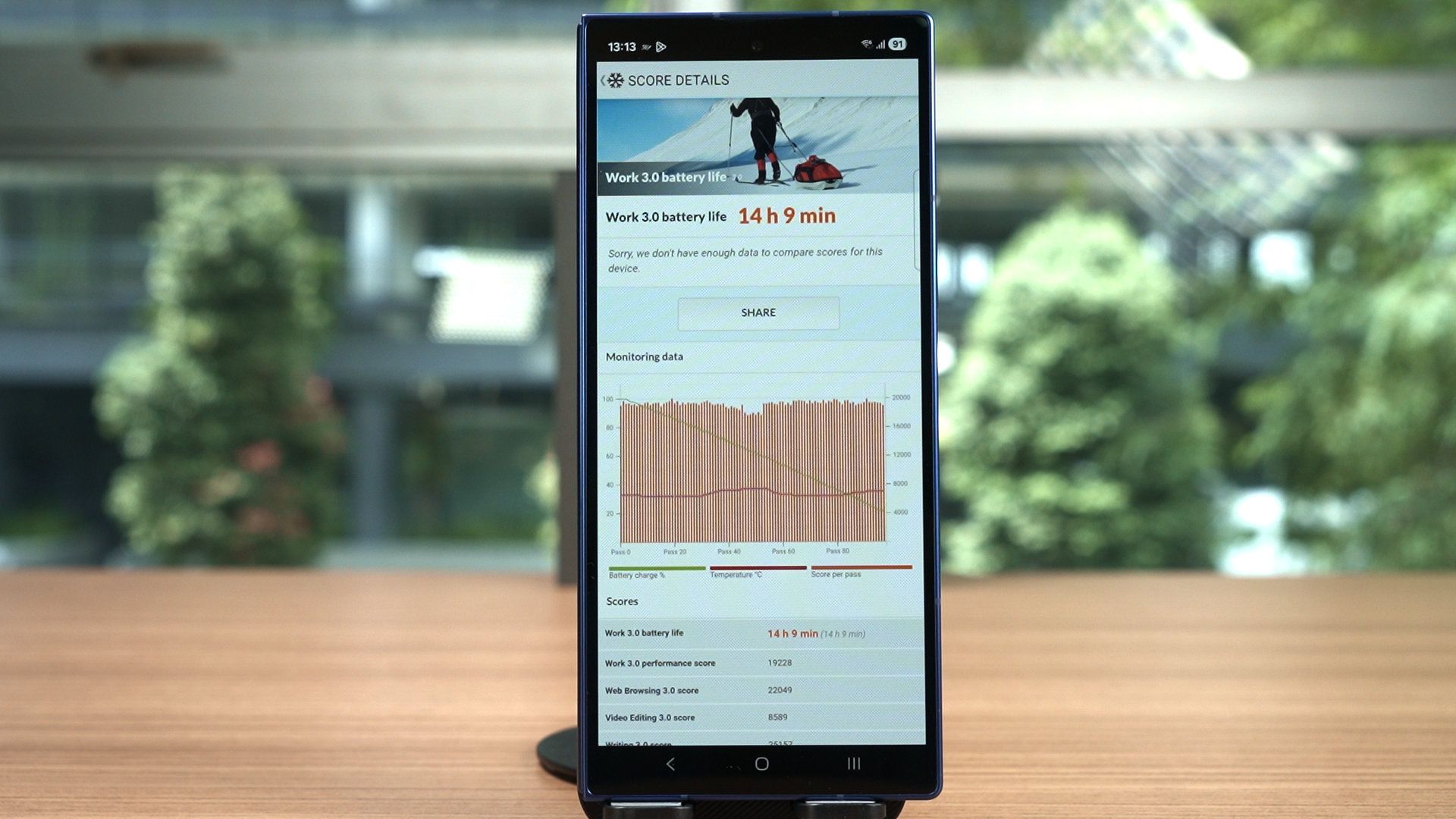
I’m not sure how that will affect the battery life, but that’s what we’re doing for today. I also know that some other regions around the globe already got a firmware update on the Z Fold7, so we’ll redo a test when that update arrives.
Anyway, the Z Fold7 has the same battery capacity of 4,400mAh, and by using the cover display only, it lasted about 14 hours. When we repeated the test using the Z Fold7 unfolded, the result is 11 hours and 33 minutes.
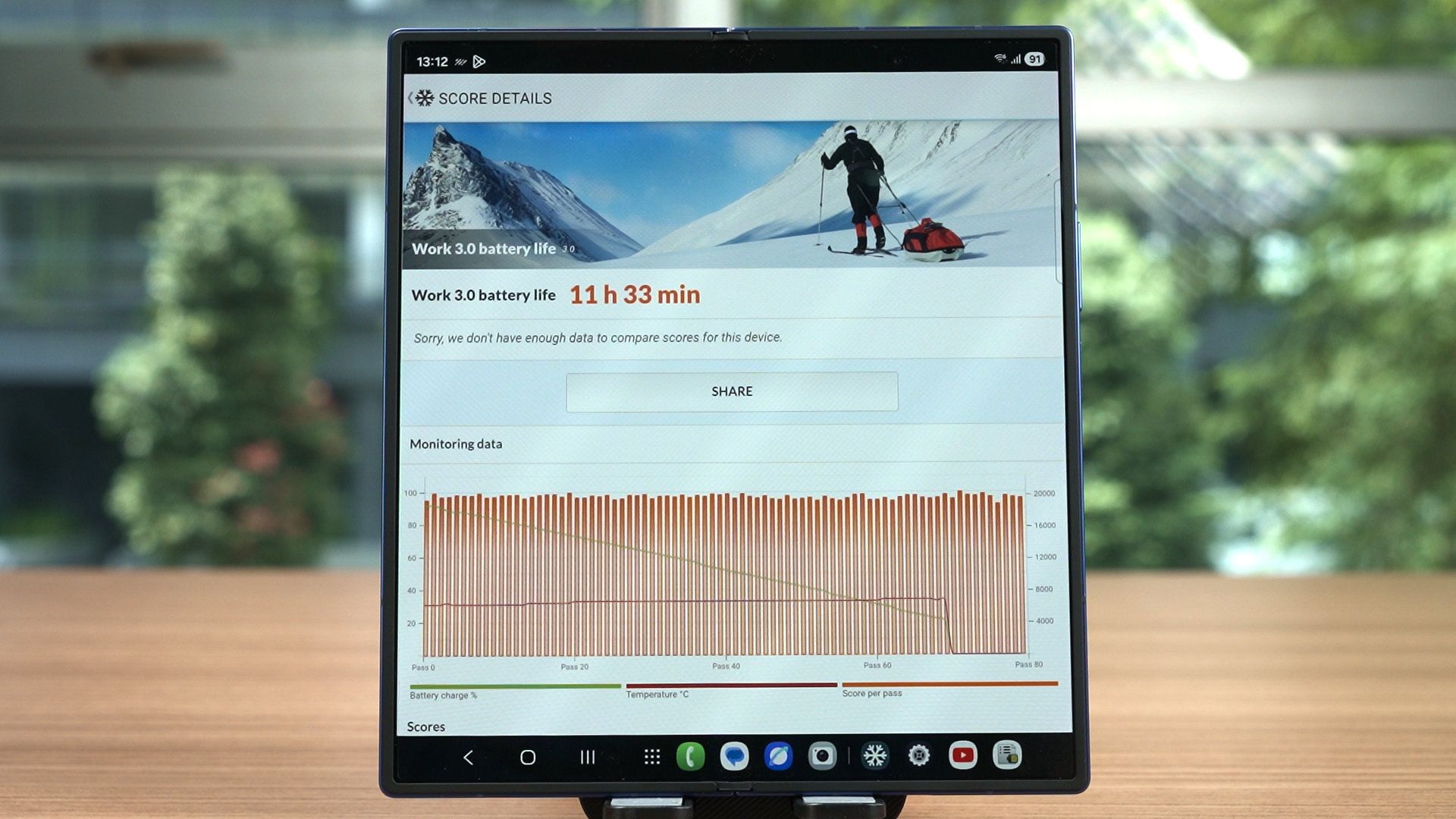
Yeah, the results we got here are definitely not as good as the Z Fold6 from last year. It could be due to the macro running in the background constantly, Android 16, or One UI 8. Again, we’re going to revisit this later.
Charging speed
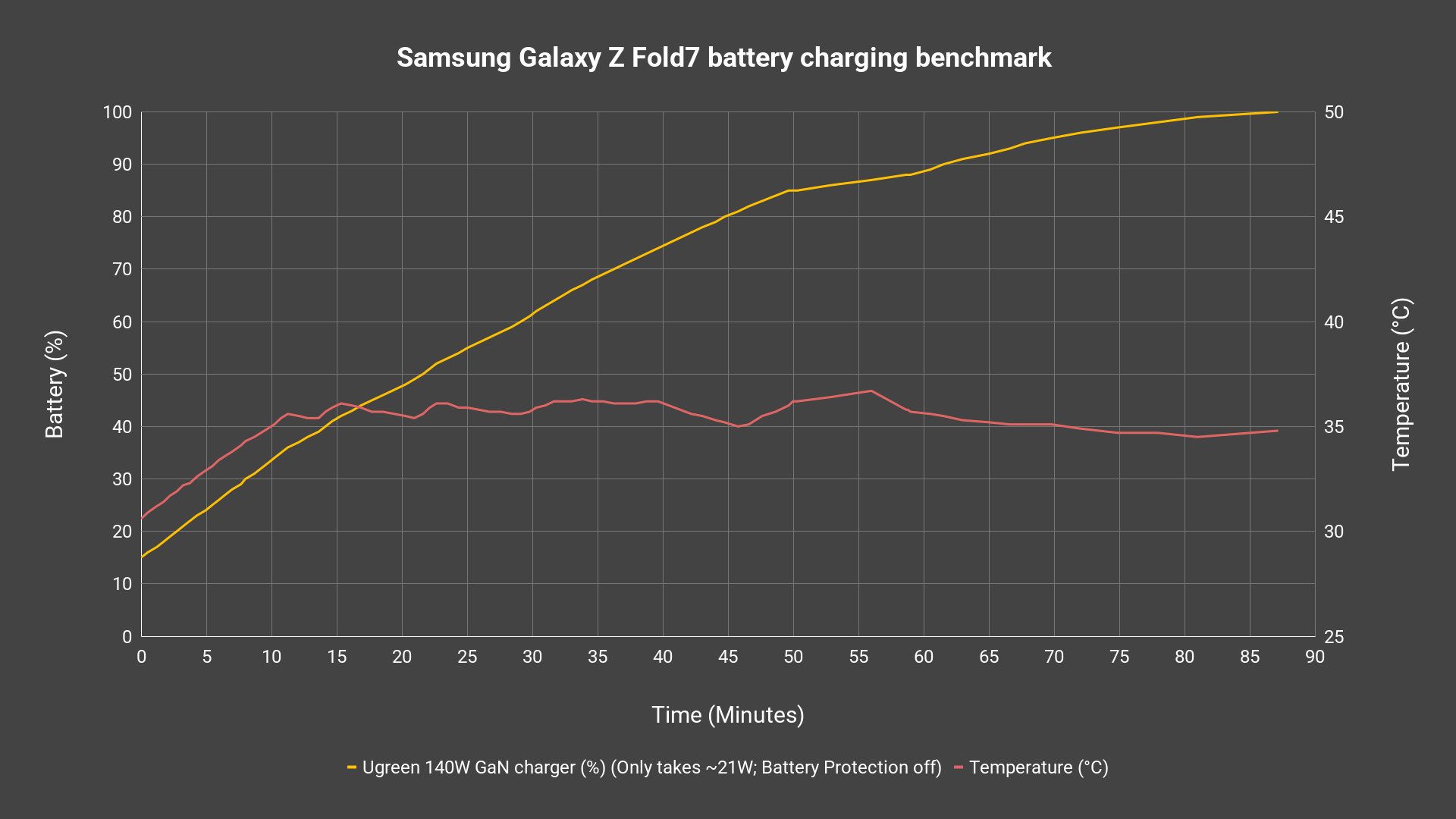
The charging speed though, remains the same as before. Even though Samsung says that it takes in 25W maximum, it’s actually only taking in 21W at most, and the Battery Protection is turned on to “basic” by default. It takes around 90 minutes to charge from 15% to completion. It also supports bypass charging while charging too – which is great
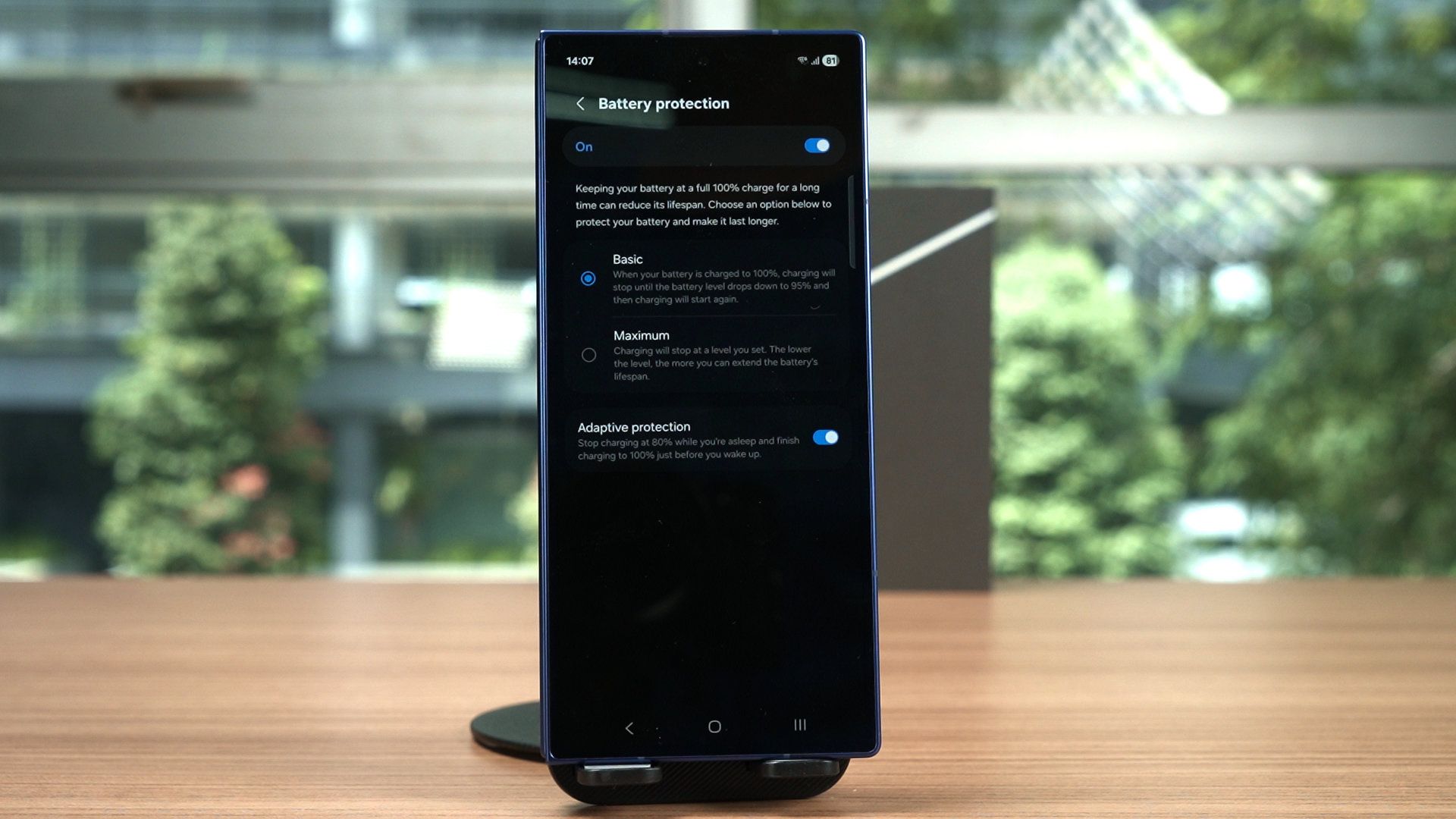
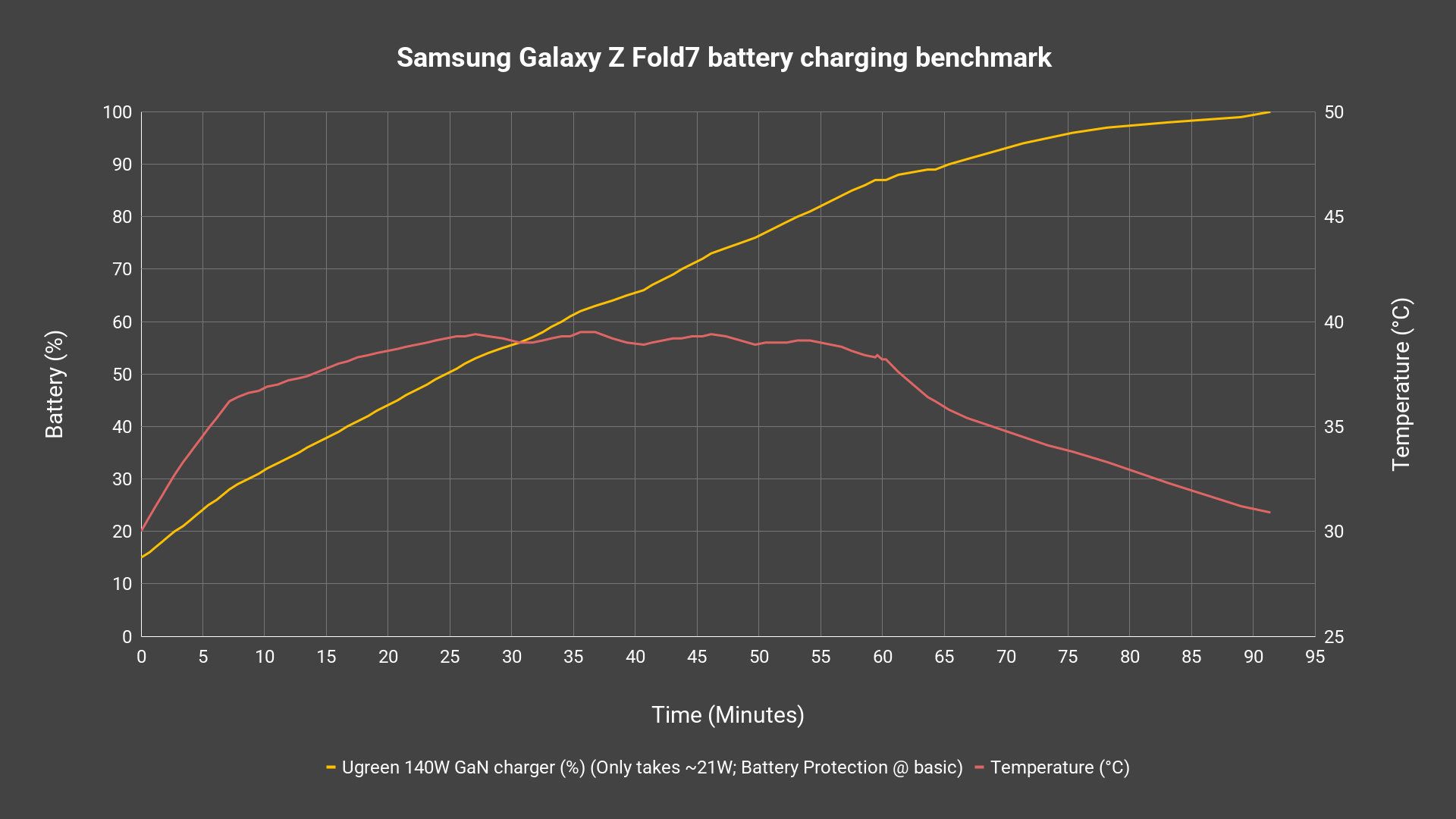
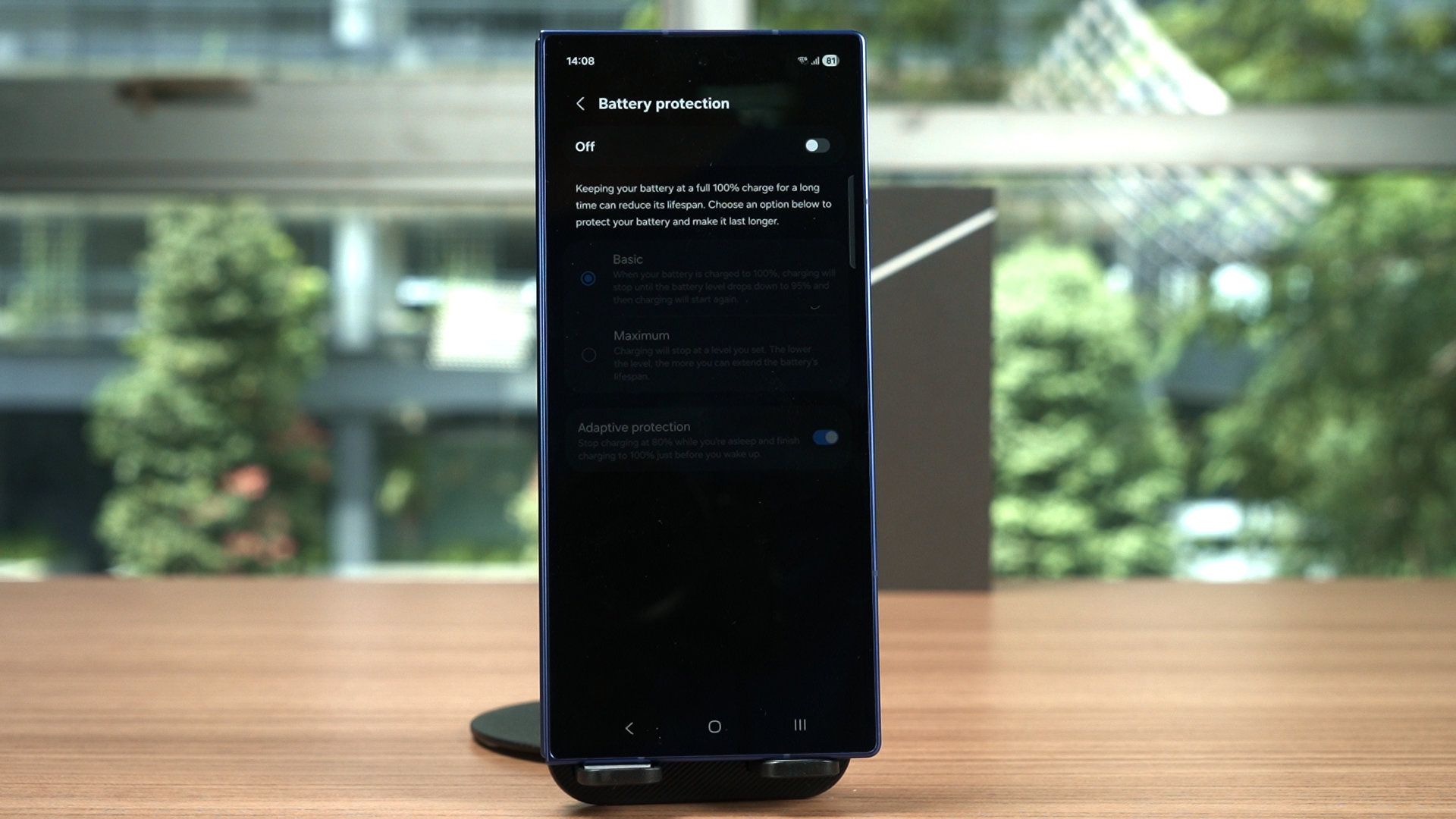
We also redid the same test with the Battery Protection turned off – and the result is basically the same.
Camera
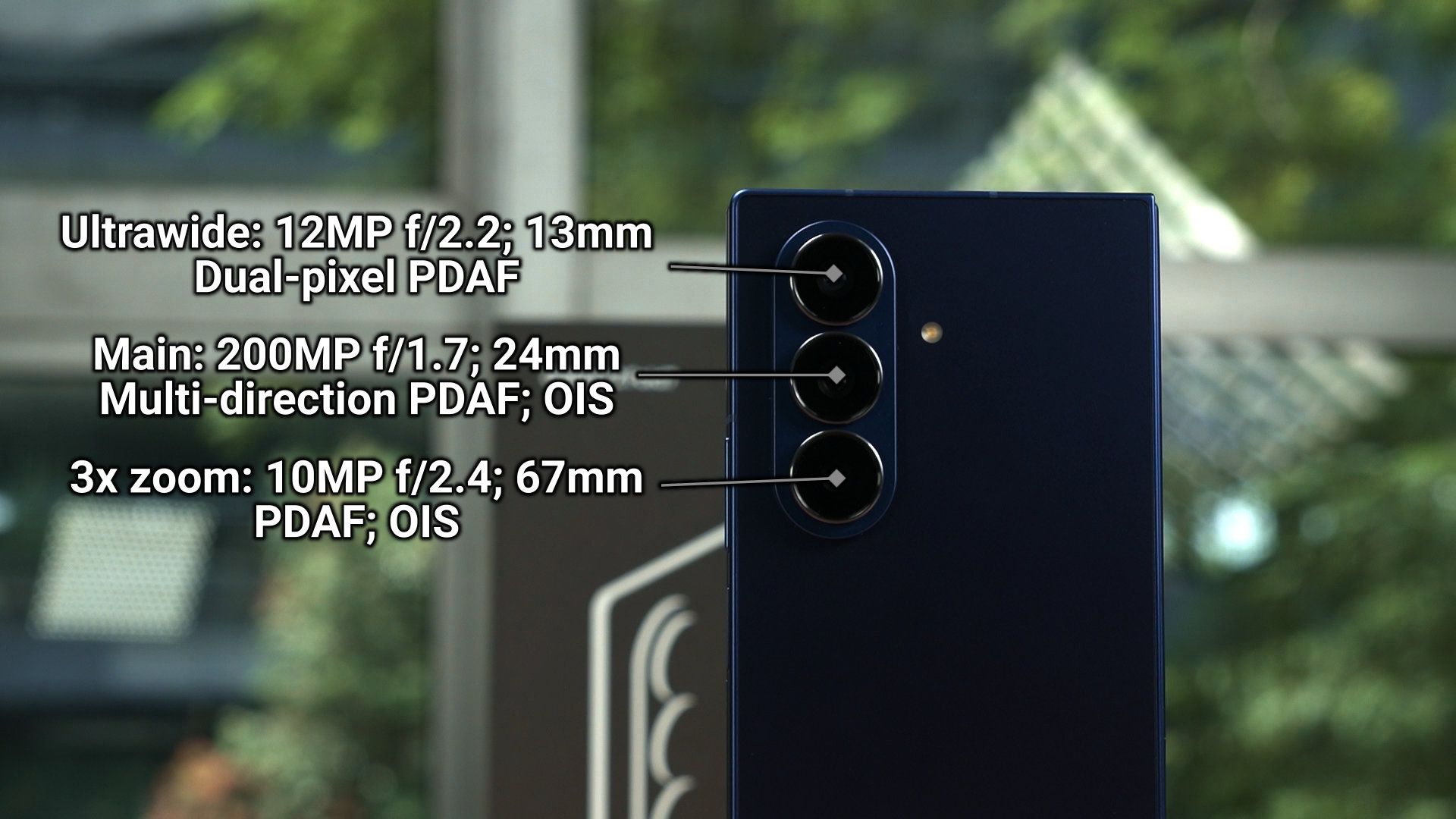
Now, the cameras got upgrades. Yes, plural. The main camera is now a 200MP sensor, and the ultrawide angle lens has autofocusing. Unfortunately though, the 3x telephoto remains the same.
To have a look at all the pictures, videos, and selfies taken with the Samsung Galaxy Z Fold7, then watch our video at the top of this review.
A few more things to mention
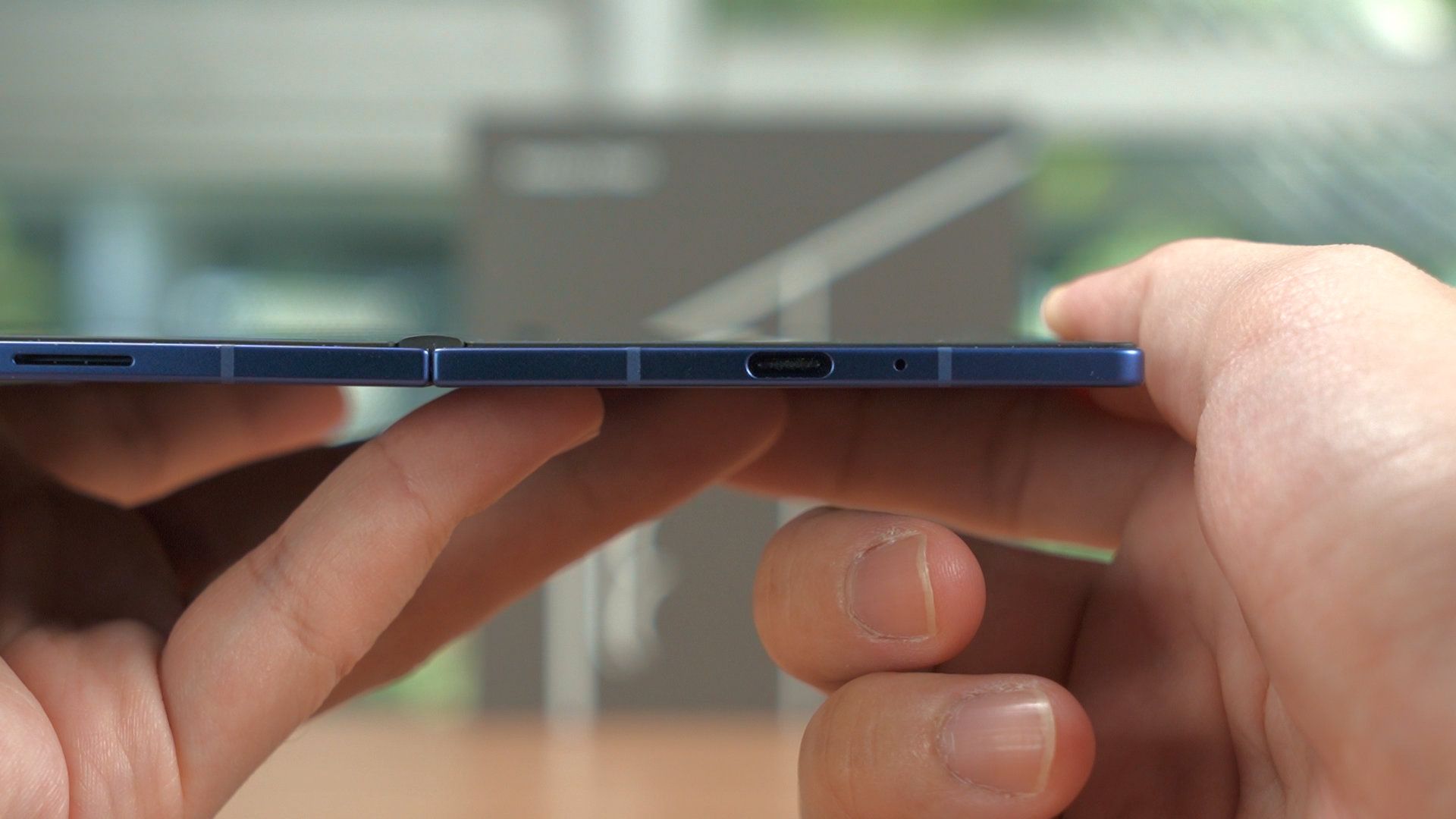
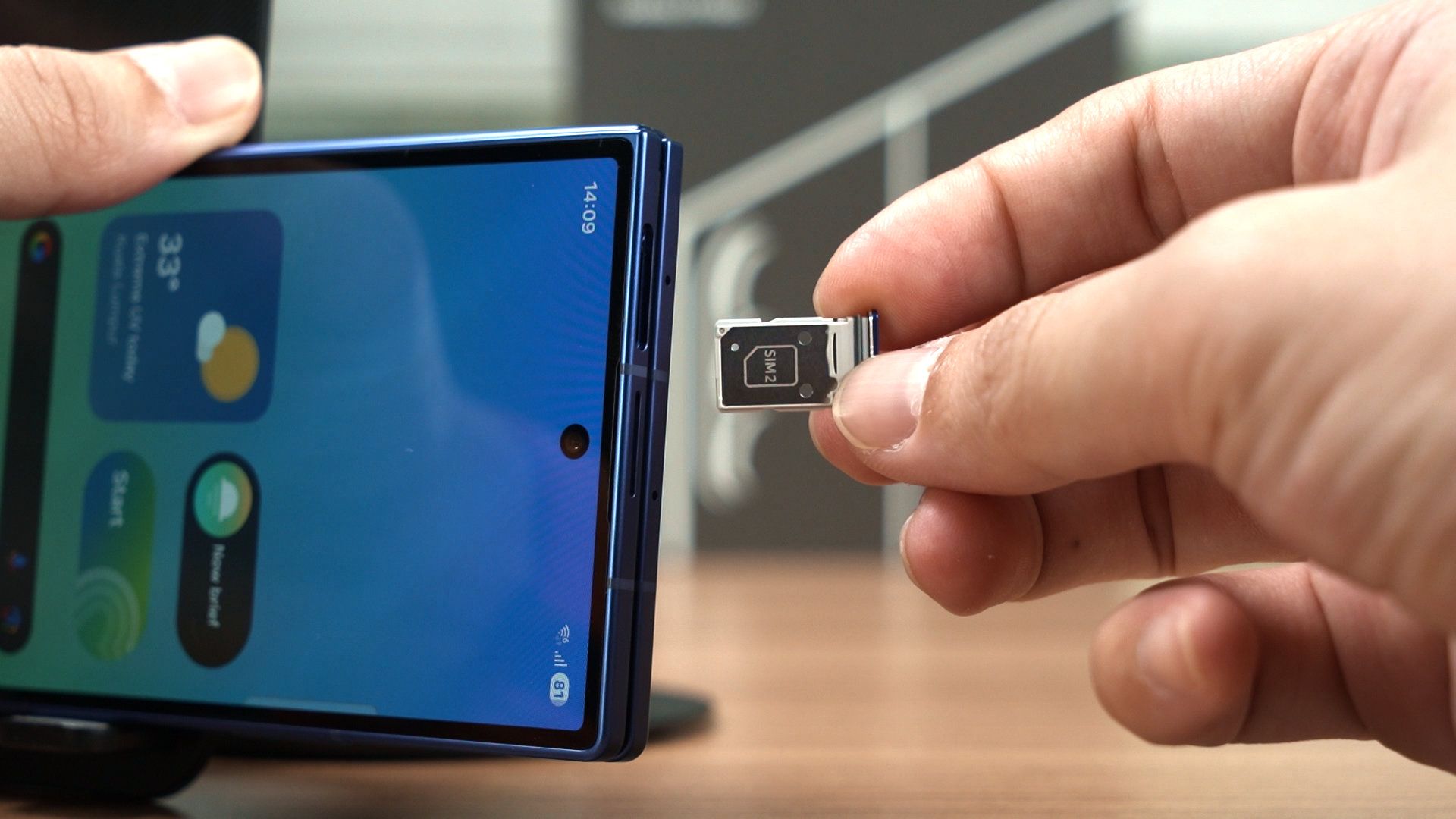
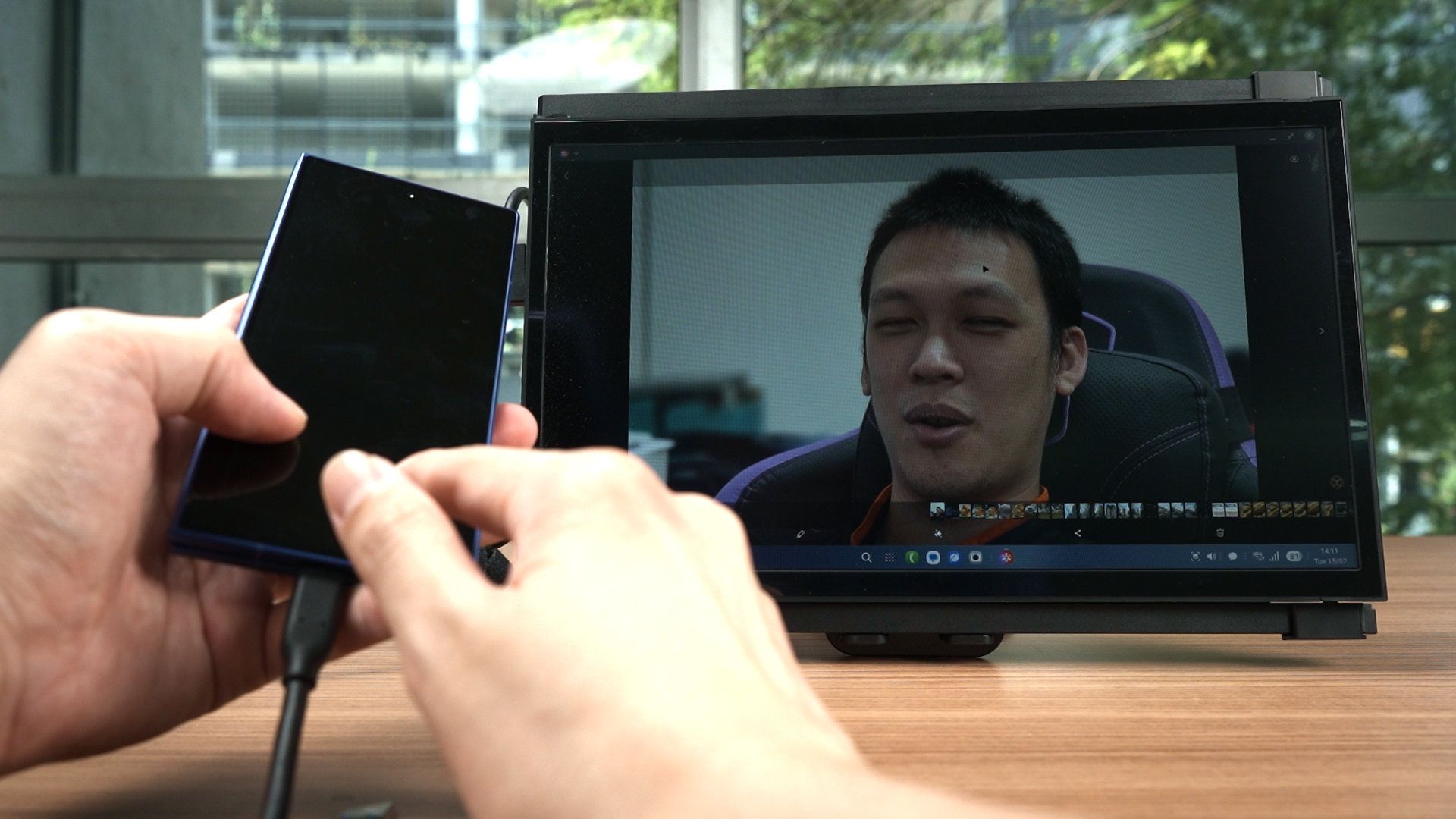
So, a few more things to mention about the Galaxy Z Fold7. It has a USB 3.0 port at the bottom as usual, and also Samsung DeX support. It also has a dual SIM card slot – at least for our region, and that’s about it.
I guess I should also talk about the speakers since the Z Fold7 is so slim. They sound quite good, though they’re missing some of the lower-end frequencies when compared to the S25 Ultra’s speaker. Have a listen of how they sound in the video at the top of this review.
Should you buy the Galaxy Z Fold7?
So, should you buy the Samsung Galaxy Z Fold7? I can’t make that decision for you – but I am 99% sure going to change from the S25 Ultra to the Z Fold7. Why? That’s something for another video where we talk about my personal opinion of the foldable phones.
All in all, I think the Z Fold7 is a great upgrade. If you’re looking to jump into the folding revolution, then this is actually an amazing choice and I can highly recommend the Z Fold7.
Where to buy? (Affiliate links)
Like our Facebook Page here at NasiLemakTech.com for more news and in-depth reviews! Also, join our Facebook Group for insightful information and memes!
Subscribe to our YouTube channel too!