




















Apple’s WWDC25 keynote has recently concluded, and as expected, the Cupertino giant has ditched the “numbered installment” method of naming its software and has transitioned into a “year-based” incremental system, starting with the number 26.
So here’s a quick rundown for each preview of the associated OSs.
iOS 26
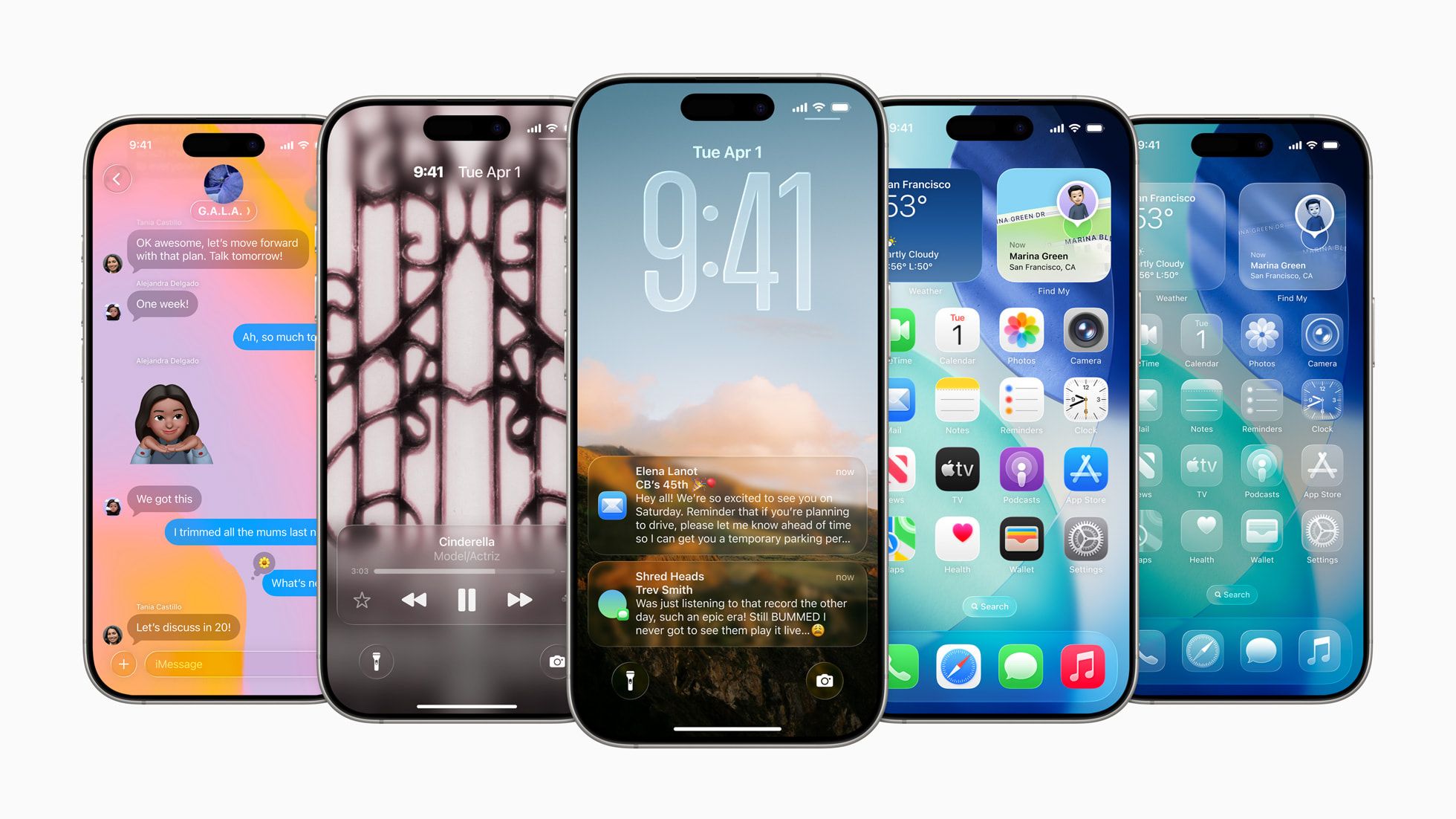
For iOS, they are doing the “Liquid Glass” aesthetic that got wrecked by the Internet and called a “copy of the Windows Aero Glass,” but anyways, it packs a dynamic Home and Lock Screens with customizable spatial wallpapers and adaptable UI elements. Apps like Safari, Music, and Photos now adopt floating and context-aware tab bars for improved navigation.
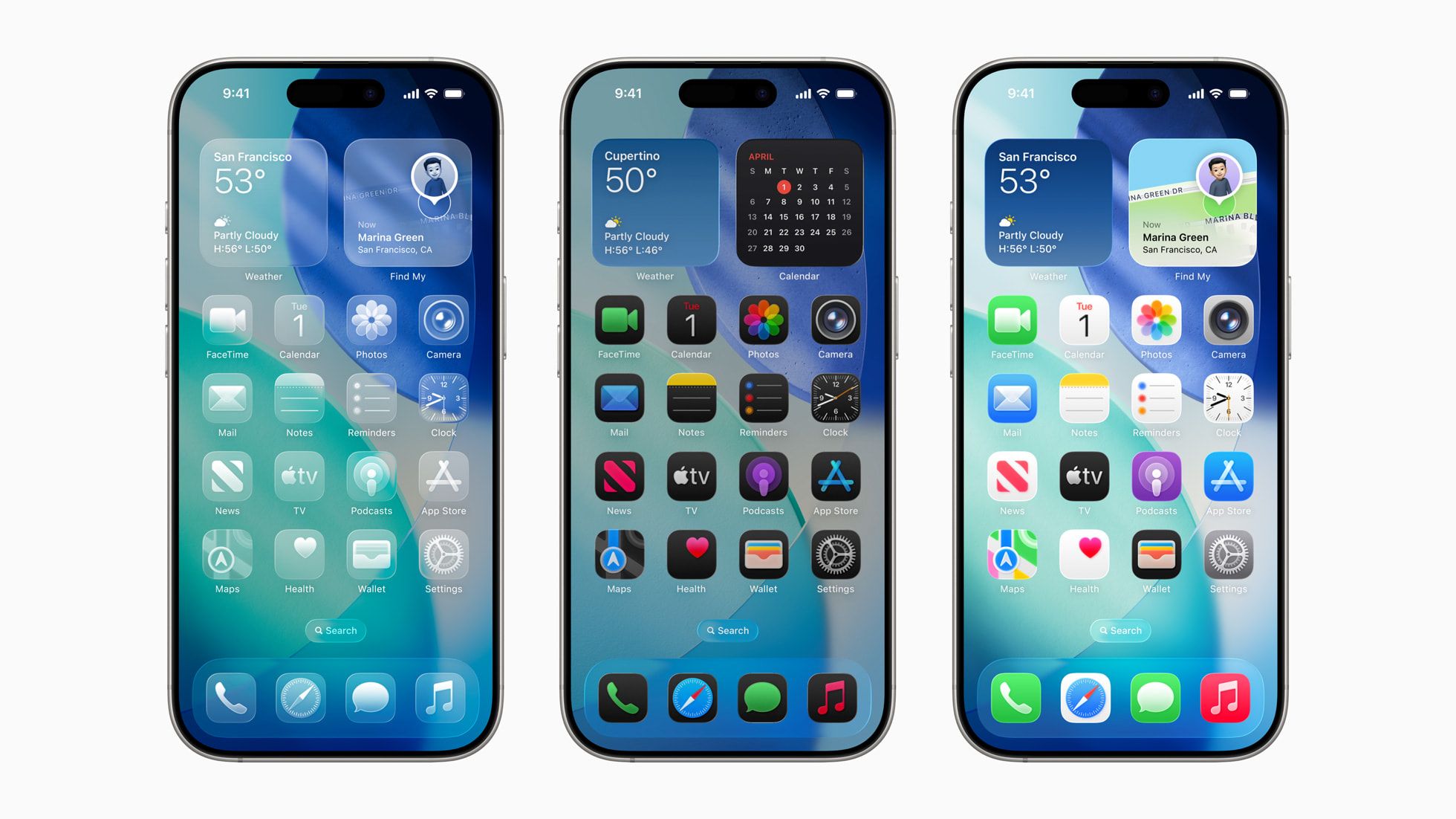
Apple Intelligence now powers features like Live Translation in Phone, FaceTime, and Messages, operating entirely on-device, while Visual Intelligence enables context-aware actions and queries, including calendar suggestions from screen content and direct access to search tools like Google and Etsy. A new Foundation Models framework gives developers access to the core on-device AI, allowing private, offline AI interactions at no extra cost.
- Messages – Unknown senders are automatically screened into a separate folder; Group chats gain typing indicators, polls, and Image Playground-generated backgrounds
- Phone – Call Screening which lets users see why someone’s calling before picking up; Hold Assist which alerts users when a support agent is available
- CarPlay – New compact incoming call view, Tapbacks, pinned chats, and Live Activities; CarPlay Ultra revamped allows a more synchronized experience with the car
- Apple Music – Lyrics Translation and Lyrics Pronunciation for multilingual karaoke-style singing; AutoMix for seamless track transition
- Apple Maps – Comes with Visited Places that privately logs where users have been with end-to-end encryption, and delivers smarter route suggestions based on real-time conditions
- Wallet – Support installment payments and rewards through Apple Pay; Redesigned boarding pass with real-time Live Activities with easy access to airport navigation, item tracking via Find My, and other travel utilities
- Parental Control – Easier management of Child Accounts, including approvals for app downloads and communication safety enhancements like content blurring in Shared Albums and FaceTime.
- Safari – Fingerprinting protection for all browsing
- Accessibility – New Accessibility Reader, Braille Access, Live Listen, and Personal Voice to help the disabled
- Apple Games – Consolidates all gameplay activity, updates, and Apple Arcade titles in one place
- AirPods – Studio quality recording, camera remote features, and improved voice isolation across iPhone, iPad, and Mac
iPadOS 26
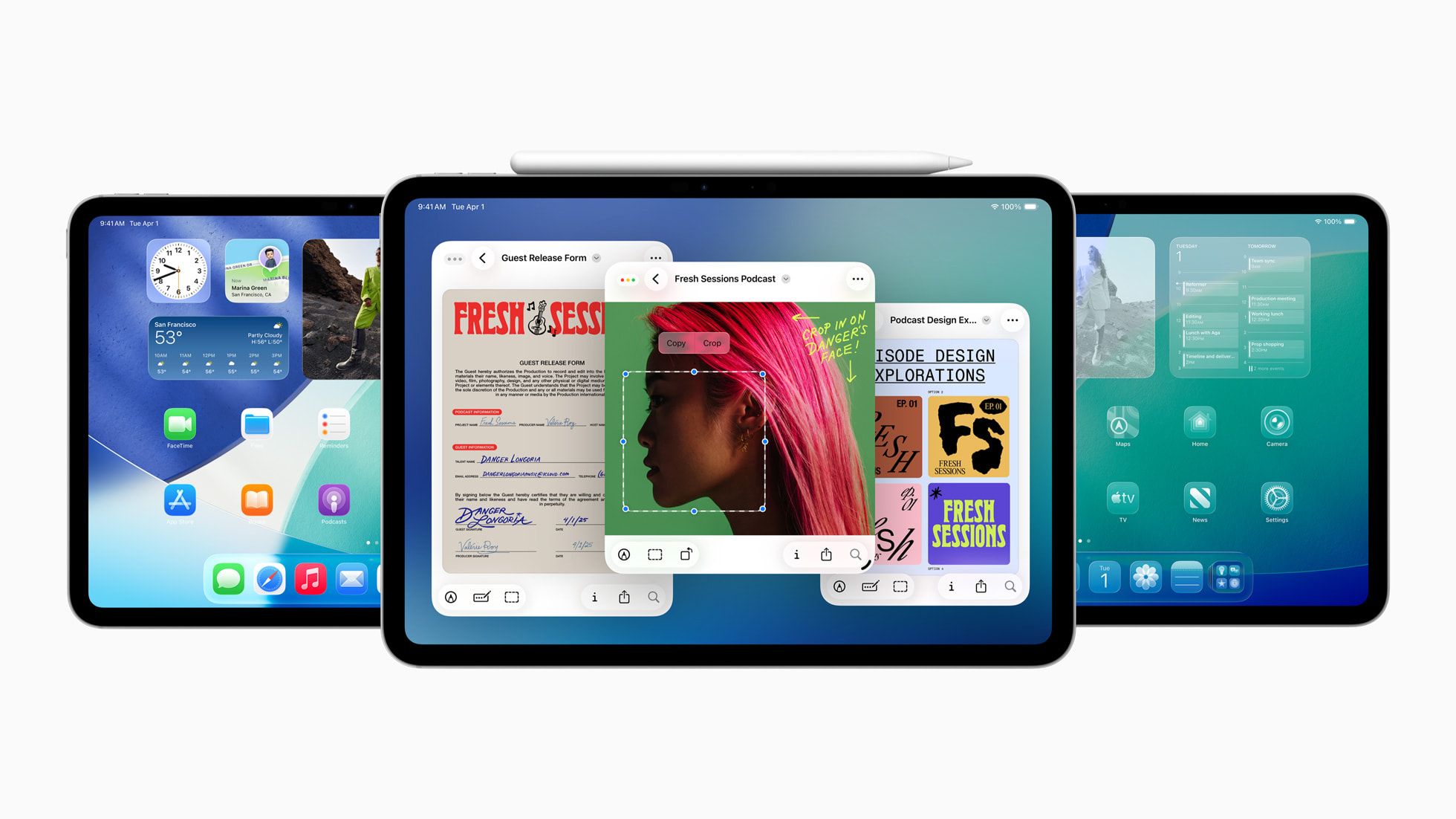
For iPadOS 26, it is more or less the same as the iOS counterpart, featuring the Liquid Glass design and deeper Apple Intelligence integration through Live Translation, Genmoji, Image Playground, and Shortcuts.
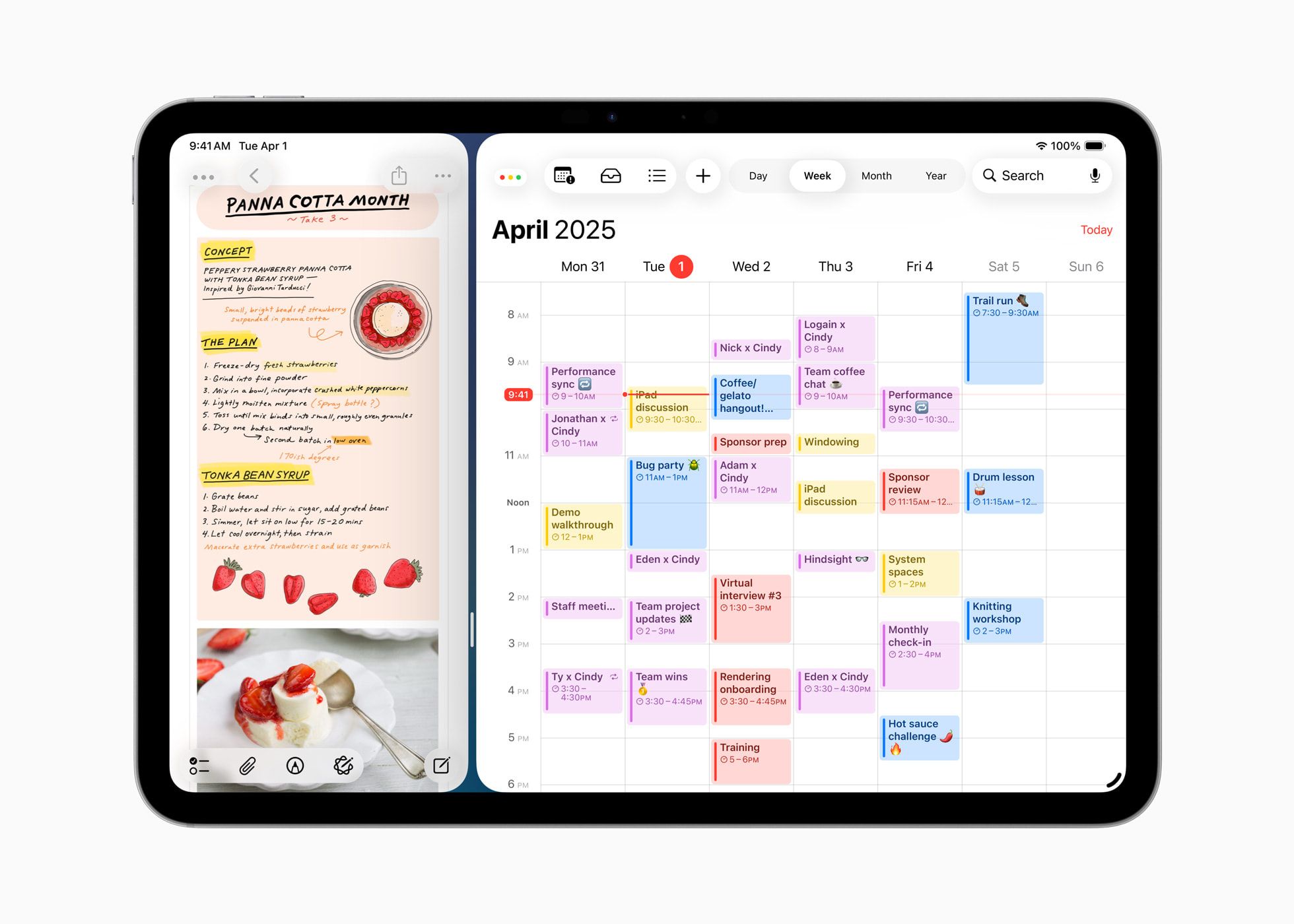
However, since iPads are mostly for productivity use cases, it now come with a new windowing system that makes resizing and segregating various apps much quicker. From the usual close, minimise, resize, tile, Window Tiling can be achieved with a flick of a gesture, while Expose shows all open windows. It also supports Stage Manager and external displays, while a new Menu Bar can be swiped down to open app commands and search
- Files – Updated List view with resizable columns and collapsible folders; Folders now customizable with colors, icons, and emojis with cross-device sync; Folders now draggable into Dock; Default Apps for specific file types; Dedicated function to view/edit/mark PDFs and images that supports Apple Pencil
- Journal – Multimedia journaling with Apple Pencil/touch input
- Messages – Adds conversation Backgrounds; Support polls; Redesigned details view, group chat typing indicators, and Apple Cash requests
- Phone – Call Screening which lets users see why someone’s calling before picking up; Hold Assist which alerts users when a support agent is available
- Reed Pen – In the tool palette that offers traditional calligraphy feel, usable in Notes, Preview, Freeform, Journal, Markup, and PencilKit apps
- Calculator – Supports 3D graphing in Math Notes with three-variable equations
- Notes – Import and export markdown; Captures and/or transcribes phone conversations
- Accessibility – New Accessibility Reader, Braille Access, Live Listen, and Personal Voice to help the disabled
- Apple Games – Consolidates all gameplay activity, updates, and Apple Arcade titles in one place
- AirPods – Studio quality recording, camera remote features, and improved voice isolation across iPhone, iPad, and Mac
- “QoL” – Background Tasks API enables long-running processes with Live Activities support; Flexible audio input options per app and website; Voice Isolation enhances recorded audio quality; Local capture supports high-quality audio/video recording during conferencing, with echo cancellation
macOS Tahoe 26
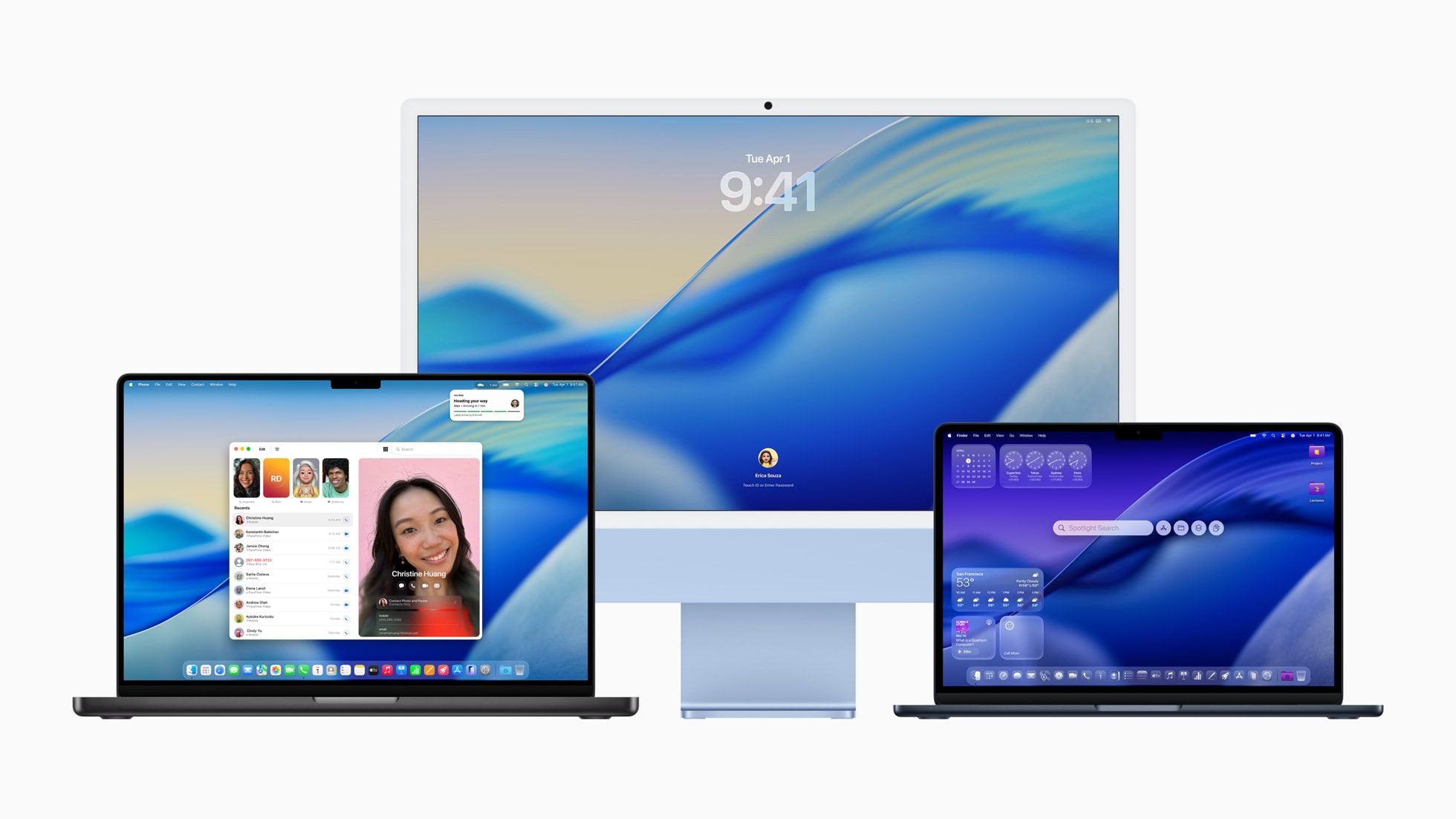
As for macOS Tahoe 26, certain visual elements have been altered as well, while deeper Continuity experiences with iPhone make everything more seamless and convenient.
And of course, “Liquid Glass” is here while personalization such as folder customization and app icons from iPadOS 26 also arrived with more options provided towards Control Center in terms of layout.

Aside from the Apple Intelligence suite, the big update is actually Spotlight as it is revamped to show all search results, including pps, files, events, messages, and more—in a unified, relevance-ranked view. New filters help refine results, and Spotlight now supports browsing content like clipboard history and documents from third-party cloud storage.
Users can now perform hundreds of actions directly from Spotlight, including sending messages, playing podcasts, and running Shortcuts. Developers can expose custom app actions using the App Intents API. New “quick keys” allow faster navigation to common tasks, while Spotlight adapts to user behavior to surface relevant suggestions over time.
- Continuity – Full Phone app features on Mac, supporting Recents, Voicemails, and Contacts; Call Screening and Hold Assists are available as well; Live Activities of iPhone are viewable through the Menu Bar that also hosts iPhone Mirroring
- Apple Games – Central dashboard for all games; New Game Overlay contains chats, system settings, and friends inviting; Low Power Mode extends gaming time on battery; New Metal 4 rendering API boosts gaming performance; M3 and M4 machine gets full optimization for Crimson Desert, InZOI, Cyberpunk 2077, and Lies of P: Overture, and more
- Messages – Adds conversation Backgrounds; Support polls; Redesigned details view, group chat typing indicators, and Apple Cash requests
- Safari – New floating tab design, refreshed sidebar, improved fingerprinting protection
- Journal – Now in Mac
- Photos – Applied with “Liquid Glass” interface update; Pin favourite collections and adjust tile sizes
- FaceTime – With floating controls and Contact Posters; “More” button gives quick access to features like SharePlay and Live Translation
- Notes – Markdown file import/export; Transcribes Phone conversations into text
- Accessibility – Magnifier via Continuity Camera, Accessibility Reader, improved barille support, and Vehicle Motion Cues
- Password – Tracks password changes and version history
watchOS 26
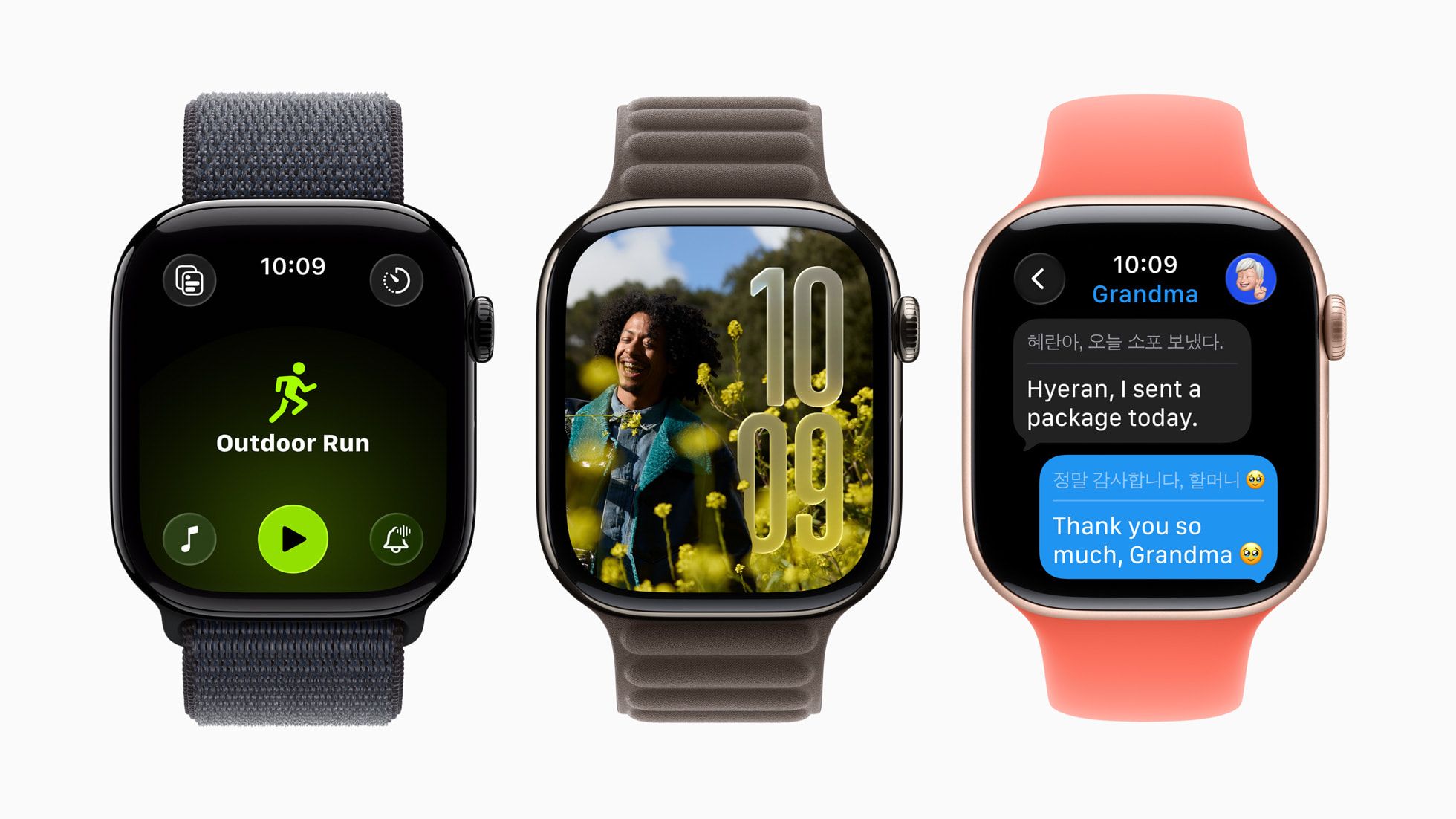
Now for watchOS 26, it follows the iOS and iPadOS route of getting the “Liquid Glass” interface update for real-time rendering across Smart Stack, Control Center, Photos watch face, and in-app navigation with enhanced visual clarity.
Speaking of Smart Stack, it now provides contextual hints through additoinal sensor and routine data, such as timely prompts, such as starting a Backtrack in remote areas or recommending a Pilates session at regular studio times.
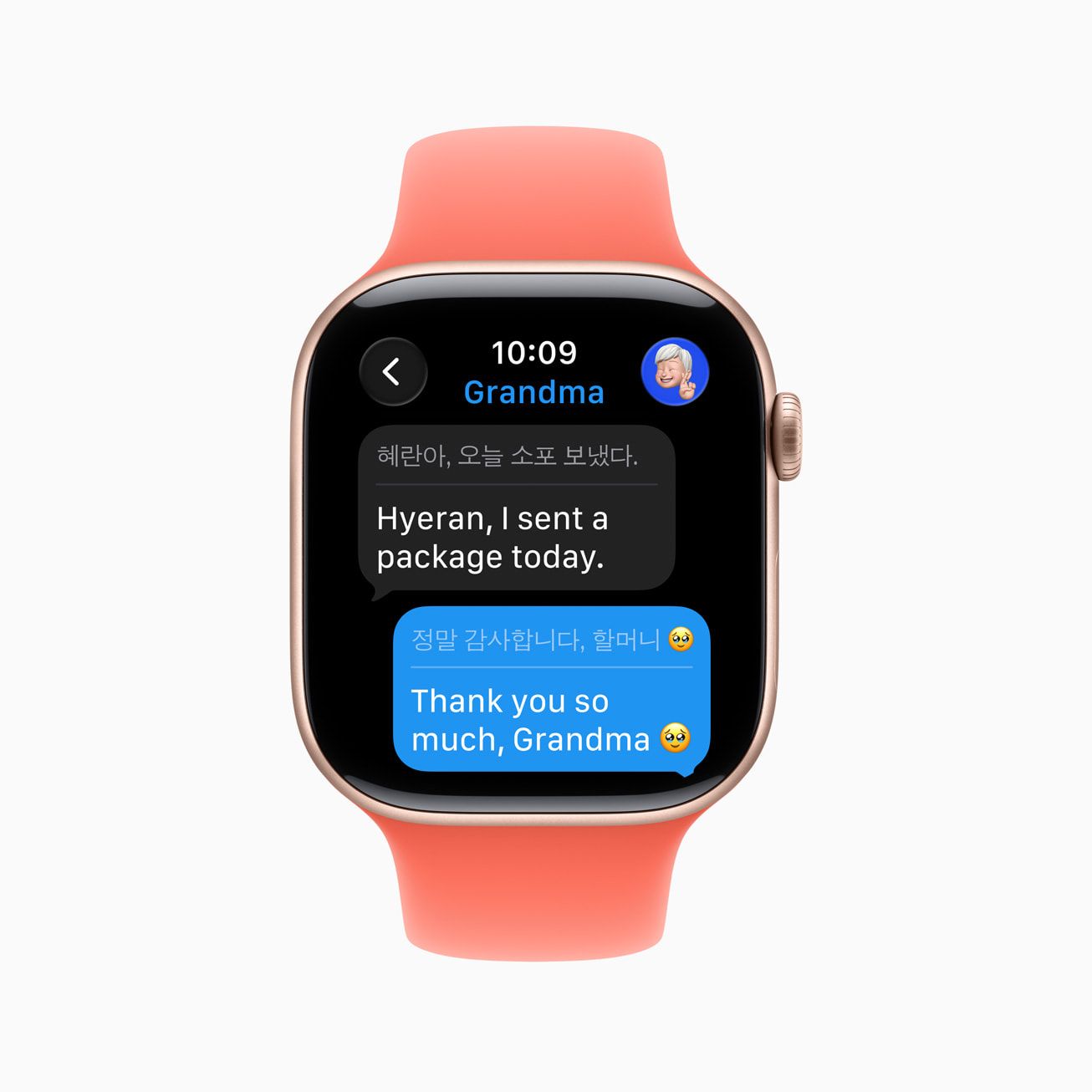
Other than that, it also comes with several QoL updates such as wrist flick gesture allowing notification dismissals, alarm silencing, and more, as well as auto speaker volume adjustments based on ambient noise levels.
- Messages – Gets Live Transcription and Smart Suggestions; Custom backgrounds and more precise Smart Replies
- Workout Buddy – Real-time motivational “peptalk” during workouts; More fitness data analysis supporting running, walking, cycling, HIIT, strength training
- Workout App – Redesigned interface with 4 quick-access corner buttons; Workout Views, Custom Workouts, Pacer, and more and now configurable; Music and podcast suggestions according to user habits and workout types
- Notes – Access pin, unlock, and create notes on the wrist
- Phone – Call Screening and Hold Assists
- Live Listen – Live Captions from iPhone audio; Control and resume Listen sessions remotely
- Photos – Shuffles Featured content automatically for watch faces; Groups faces into collections for easier discovery
- “For Devs” – SwiftUI APIs now support Liquid Glass; New Control Widget API for ustom controls for Control Center and Smart Stack; Smart Stack Relevance API open for 3rd-party widgets with location-based triggers
visionOS 26
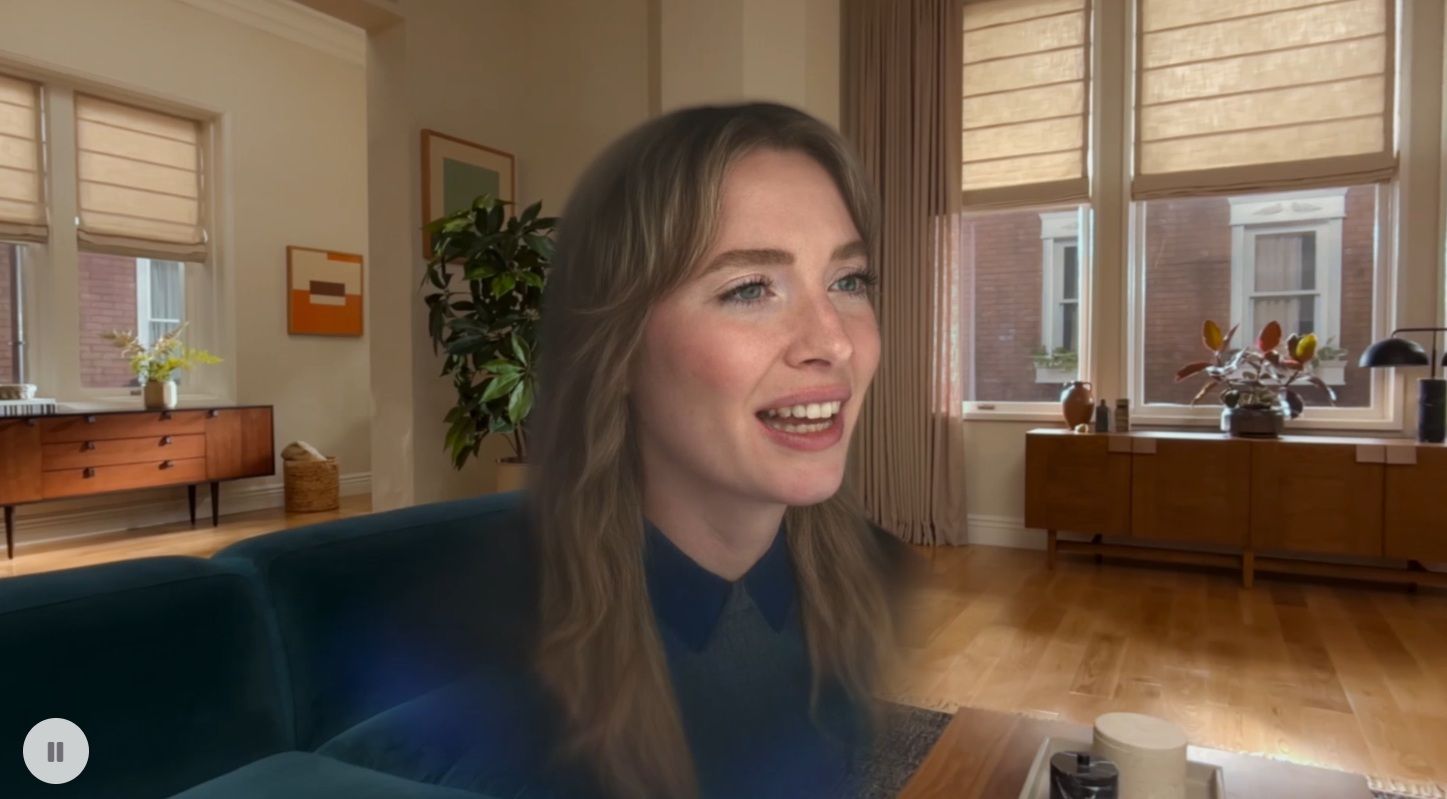
Now for the Vision Pro updates, and it seems like Apple really wanted to make it good with one of the highlights being the improved Personas rendering through better volumetric rendering for natural facial features, accurate hair, and side profile views.
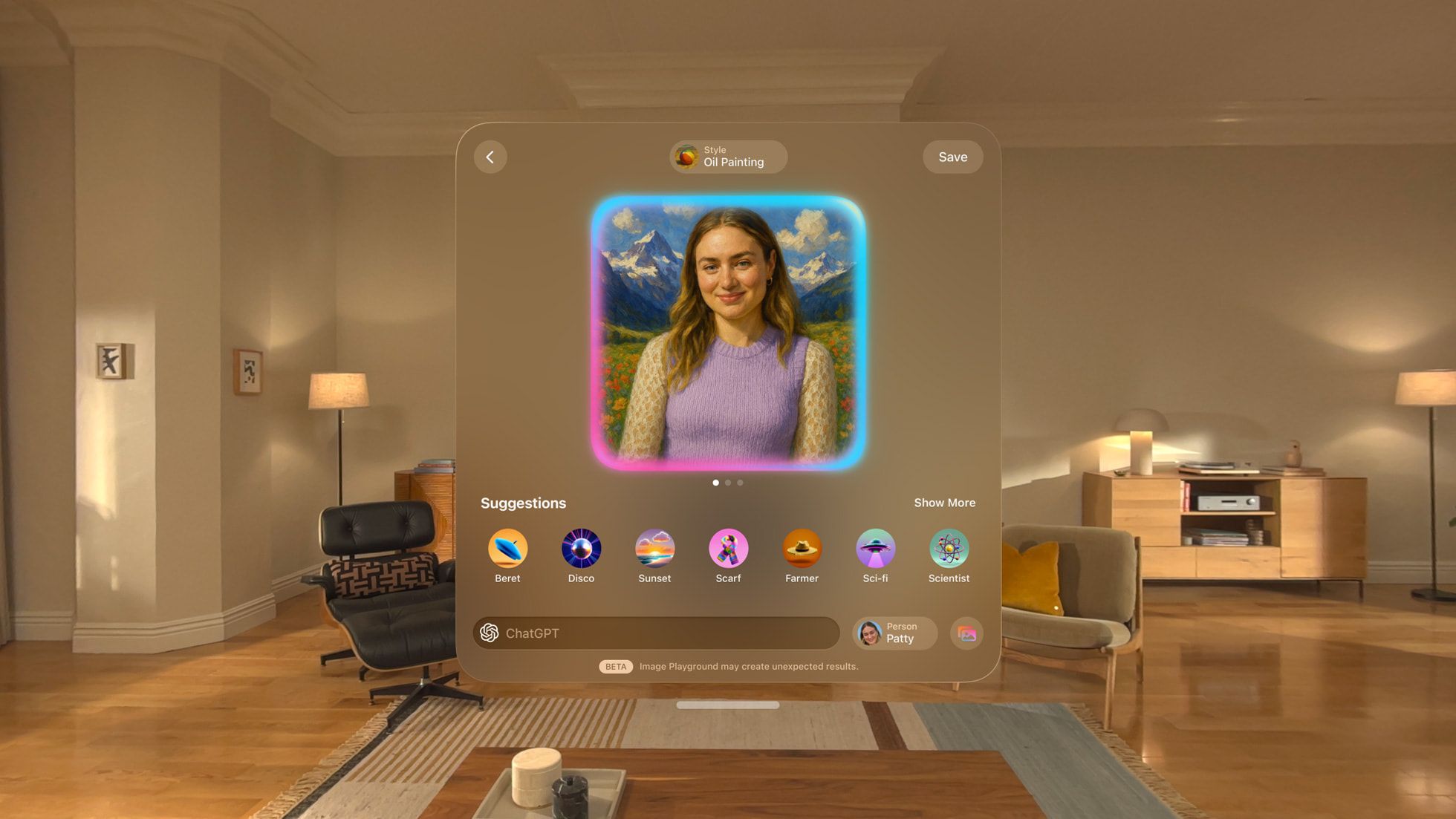
Aside from that, widgets are now part of the user’s AR space with spatial persistency across each session and can be customized with options for frame width, color, and depth. The list has also been expanded to include Clock, Weather, Music, and Photos, as well as a “store-like” place for widget discovery.
- Group Activities – Multiple Vision Pro can now play 3D movies, play spatial games, and collaborate for work in the same room locally; Remote participants are joinable via FaceTime
- Spatial Scenes – Gen AI-powered spatial photos now in Photos, Spatial Gallery, and Safari
- Safari – Articles gain spatial effects and embedded 3D models enhance online shopping and interactivity; Webpages can host manipulatable 3D objects
- Video Playback – Native support added for 180°, 360°, and wide FOV content from Insta360, GoPro, and Canon.
- Games – PS VR2 Sense controller support allows more games to be fully immersive
- Apple Intelligence – Now with Image Playground and support for more languages, including French, German, Italian, Japanese, Korean, and Spanish.
- Look to Scroll – Scroll webpages with eye movement
- Control Center – New interface design that centralizes access to Guest User, Focus, Travel Mode, Environment settings, Mac Virtual Display, and more
- “Continuity-like” – Receive or make calls or unlock your iPhone via Face ID without taking off the Vision Pro
- Home View – Now with folders for grouping
- Enterprise Features – Shared device setup may store settings like hand/eye data and accessibility preferences on iPhone; Logitech Muse pushes update for precise input; Protected Content API secures confidential materials against copying, screenshots, and sharing
tvOS 26
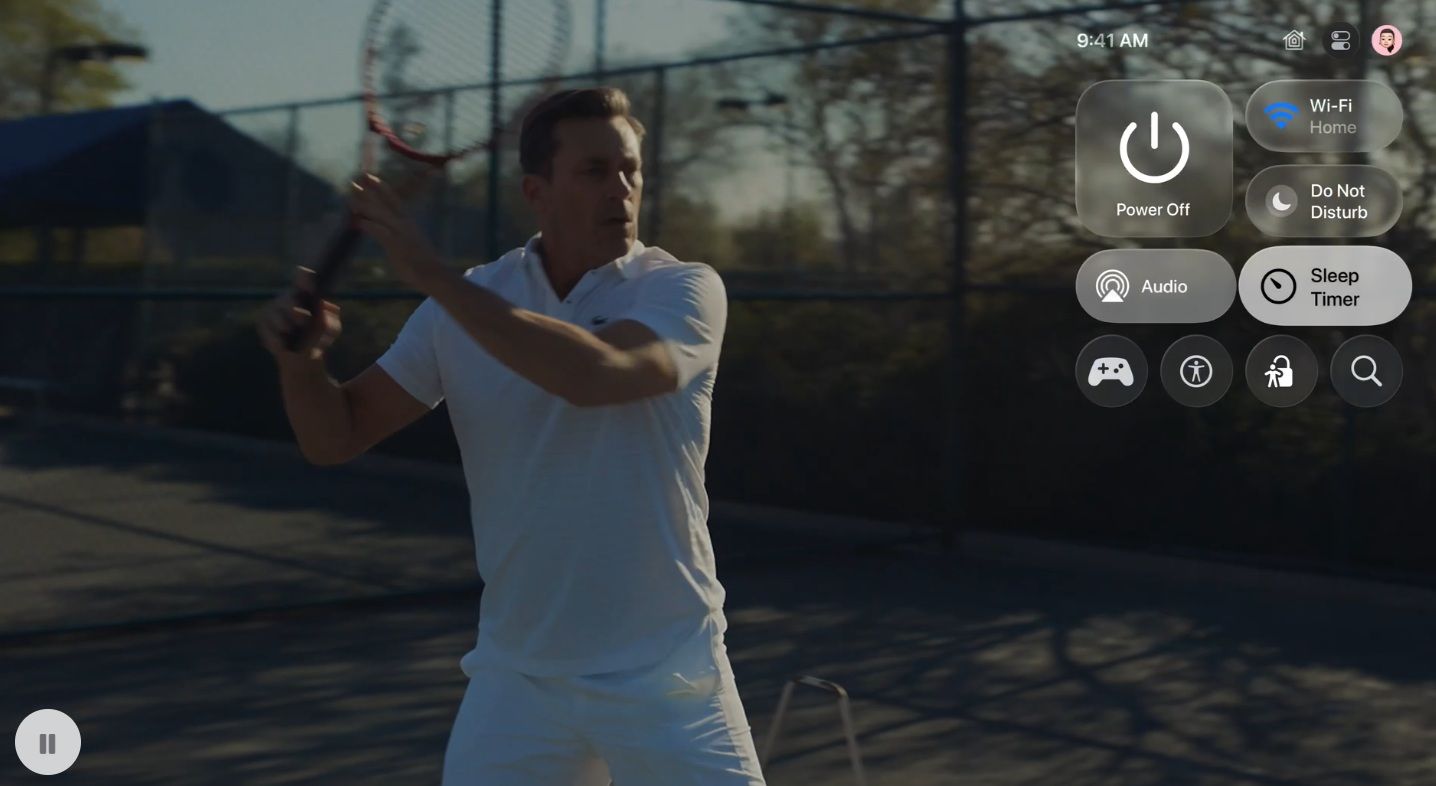
Finally, those who enjoy watching some quick content on Apple TV-powered machines will find tVOS 26 cleaner with Liquid Glass interface that integrates with media control UI, sleep timer, audio settings, “Movie Night” preferences, and more.
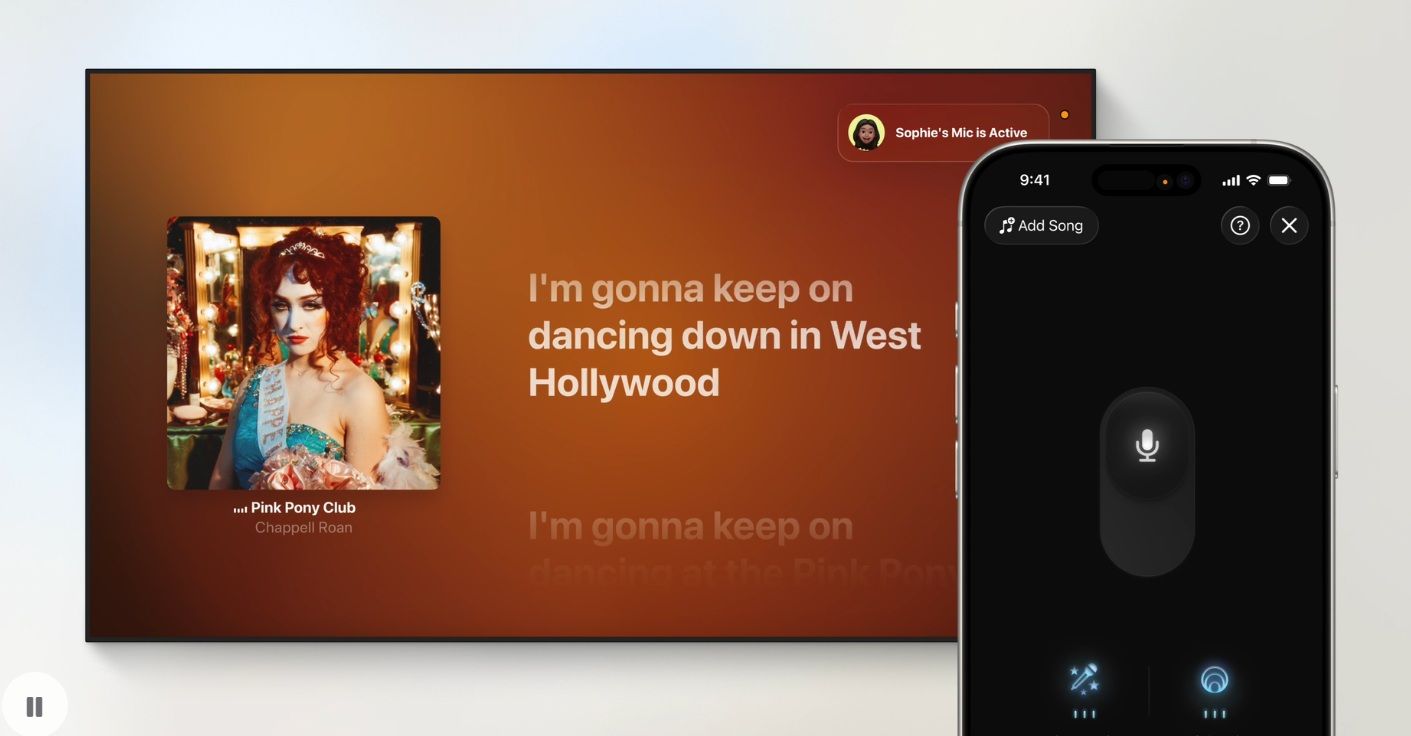
- User Profiles – Auto profile display after waking up, followed by playlists of recommendations, individual watchlists, and Apple Music playlist; Faster profile switching
- Apple Music – iPhone can be used as microphones; Voice Amplification through speakers; More people can “hot join” with their own iPhones easily, as well as send emojis and whatnot; Real-time lyrics, translation, and pronunciation
- FaceTime – Contact Posters for custom photos and names; Live Captions support French, German, Japanese, Korean, Mandarin, Spanish; Highlights profiles that are currently speaking; Answer calls via connected HomePod speakers or iPhone
- Screen Savers – New Aerials Goa and Kerala options; Customizable through 4 categories of Cityscape, Earth, Landscape, Underwater
- “QoL” – Assign any Airplay-enabled speaker as the default speaker
Like our Facebook Page here at NasiLemakTech.com for more news and in-depth reviews! Also, join our Facebook Group for insightful information and memes!
Subscribe to our YouTube channel too!

