





A training video from PowerPoint works best for a small Malaysian business when you cut the deck into short clips that each teach one task, rewrite the slide text as spoken sentences and check every language version on a phone before it goes out. The deck you already use for onboarding or product briefings is usually enough raw material.
Sponsored article prepared for Leadde.ai.
That matters because so much of Malaysia’s workforce is in smaller firms. The Department of Statistics Malaysia (DOSM) reported in its MSME performance release for 2024 that micro, small and medium enterprises employed 8.10 million people, or 48.7 per cent of total employment. For a business without a dedicated training department, an existing deck and a supervisor’s briefing can provide the starting material.
Why plan a training video from PowerPoint around the phone?
Because a phone is where most of your staff will watch it. DOSM’s ICT use and access survey for 2025 put mobile phone usage by individuals at 99.6 per cent, against 81.5 per cent for computer usage. A retail assistant or a technician between jobs will usually open the clip from a chat message, not a laptop.
A deck built for a projector needs a few changes first:
- One idea per slide. On a phone screen, a slide with six bullet points is hard to read.
- Larger type and stronger contrast than the projector version needed.
- Captions switched on. Many viewers will be somewhere noisy, or somewhere they cannot play sound.
- Two to three minutes per clip. Short clips are easier to finish during a break and to find again later.
Which slides should stay, and which belong in a handout?
Keep the slides that show something, move the ones that list something, and delete the ones that only frame a meeting.
- Keep: process steps in order, photos of the product or equipment, and “do this, not that” comparisons for safety or customer service.
- Move to a written handout: price lists, stock codes, policy clauses, phone numbers and anything staff need to look up rather than remember.
- Cut: agenda slides, thank-you slides, section dividers and repeated logo pages.
As a fictional planning example, picture a furniture retailer in Penang with a 40-slide product knowledge deck. After sorting, it could become five clips: sofa fabrics and care, mattress firmness options, delivery and assembly, handling a return request, and explaining warranty add-ons. The price list moves into a PDF pinned in the staff chat, where it can change without touching any video.
How do you turn slide text into narration staff can follow?
Write each slide’s point as two or three full spoken sentences and put them in the speaker notes. Fragments such as “Fabric: wipe only, no bleach” look fine on screen but sound clipped when a voice reads them aloud.
A few habits help:
- Say the product name, model number or measurement exactly as it appears on the slide, every time.
- Spell out each abbreviation in words the first time it appears.
- Read the notes aloud. If you run out of breath, split the sentence.
- End each clip with the next action, such as which form to fill in or which supervisor to ask.
Converting the deck with an AI tool
Once the notes are written, the conversion itself is the quick part. One option is Leadde’s PowerPoint to video tool. According to its tool page, you upload the .pptx file and pick an import mode: each slide as a static image, or fully editable layers that bring in text, images, videos and shapes as separate elements. You can have the AI generate a speaking script from the content, or import your speaker notes as the script. Next you choose a presenter avatar and adjust the layout. The narration settings let you pick a target language, set the tone, adjust the level of detail and add subtitles that follow the voiceover. Preview the video, generate it and download the MP4.
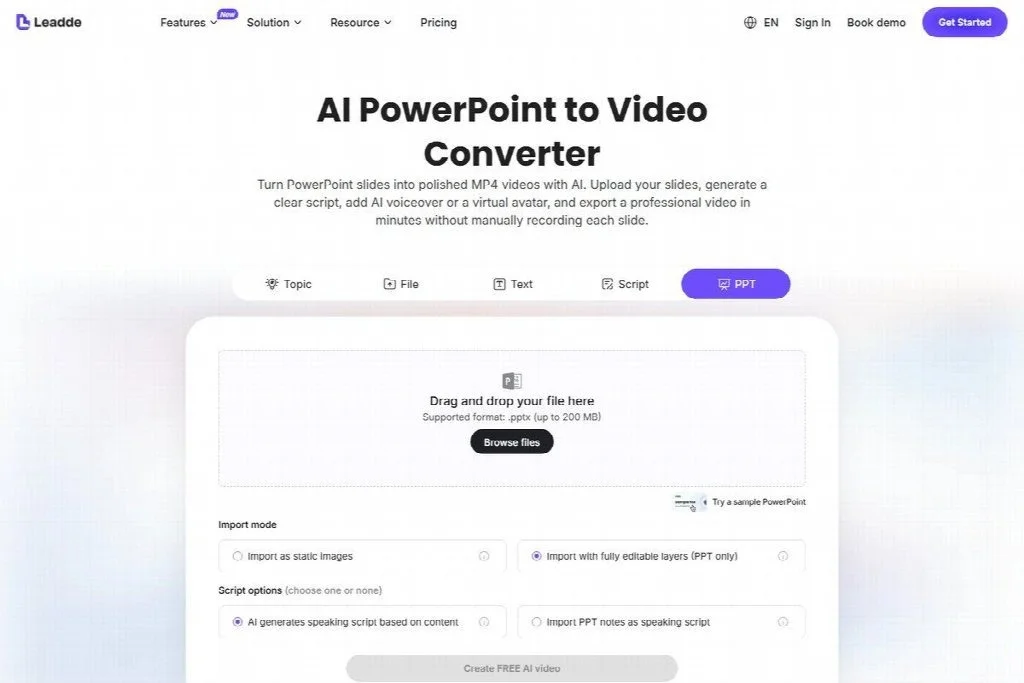
Uploading a PowerPoint deck and selecting import mode and speaker-note script options.
Static image import is intended to retain the slide layout, which you should still check in the preview, while editable layers are the better choice if you expect to fix text on screen later. The tool page also says original PowerPoint animations and transitions are not preserved, so split any slide that reveals steps through a build animation into separate slides before upload.
How should you plan versions for a multilingual team?
If your staff need English, Bahasa Melayu or Mandarin versions, treat one script as the master and have a fluent colleague review each version before release. Generated narration in a second language can be grammatically correct and still use a term your team never says on the shop floor.
Before planning a version, confirm inside whichever tool you use that the language and voice you need are on offer. A target language setting does not tell you which languages are on the list. Then:
- Agree on a short glossary first: product names, job titles and safety terms that stay in English, and the agreed words for everything else.
- Ask the reviewer to watch the clip rather than only read the script, because names and numbers are where pronunciation errors show up.
- Remember that the slide text on screen stays in its original language unless you translate the deck as well. Decide whether translated subtitles are enough for each group.
DOSM’s key findings from the 2020 census put non-citizens at 8.3 per cent of the population, or 2.7 million people. Some of your staff may follow none of the three languages comfortably. Ask people which version they want instead of guessing from their name or background, and make sure the visuals still explain the task when the words do not land.
Check it on a phone before you send it
Send the finished MP4 to a mid-range phone through the chat app your staff use, then watch it the way they will.
- Can you read the smallest text on each slide without zooming?
- Do the subtitles cover a label, price or diagram?
- With the sound off, is the task still clear?
- Are numbers, dates and product codes read out correctly?
- Does the file send and start playing quickly on mobile data?
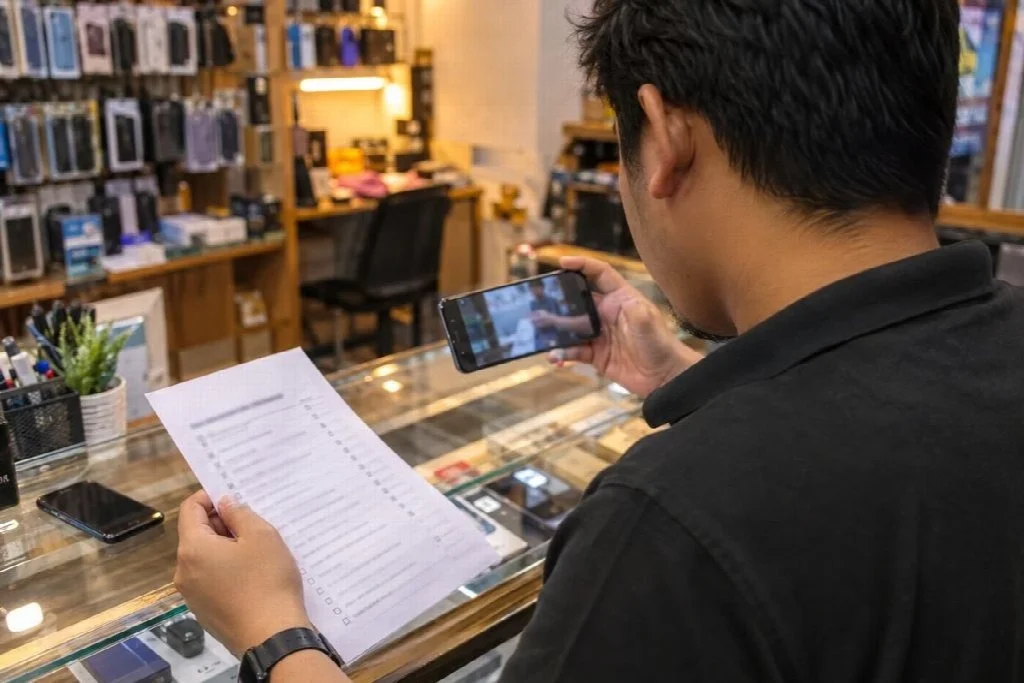
A supervisor reviews each language version on a phone against a paper checklist before it goes to staff.
Keep a simple log of which version of each clip is current and who approved it. When a process changes, update the script for that part. If your tool lets you regenerate only the affected section, refresh that clip instead of rebuilding the whole series, then send it with a one-line note on what changed.
Questions about PowerPoint training videos
Do I need to record my own voice?
No. You can record narration in PowerPoint and export a video, or let an AI tool generate it from the speaker notes. A familiar manager’s voice suits a welcome clip, while generated narration is easier to update when product details change.
Should the video replace the written handout?
No. Keep the handout for anything staff look up while working, such as prices, codes and contact numbers, and use the clips to show how a task is done.
Like our Facebook Page here at NasiLemakTech.com for more news and in-depth reviews! Also, join our Facebook Group for insightful information and memes!
Subscribe to our YouTube channel too!