





















 My friend bought the Asus Fonepad two days ago and I asked him if I could do a review on it and I’ve been using it for two days and so far, the device is up to satisfaction (surprise!). So, without further delay, let’s jump right in on what’s good and what’s not on the new Asus Fonepad which was launched earlier this month in Malaysia. It’s RRP is RM849, but was on sale from RM 750 if you know where to look.
Hardware
The Fonepad feels great in hand with its nicely curved edges which is quite similar to the Nexus 7’s body. This time though, they slapped in a metal back making it feel rugged and nice to hold. As slim as you can hold it in landscape on one hand , it is not light enough to hold it single-handedly for a long period of time like a regular phone since the dimension extends that the center of gravity is further from your wrist (in physics, torque is what’s happening). In portrait more however, it is light and comfortable. The dimension just fit into your palm without having to worry that it might slip out of your hand.

The metal back has a matte finish which makes it less vulnerable to scratches for those who do not like to put on a protector case. The space between the screen and your palm (bezel) is wide enough to prevent you from accidentally input touch using your palm.
Internals
The device has two microphones which are used to cancel noise while calling. The earphones jack and the mini USB port is located at the bottom of the device which I personally love! Power/sleep button is located at the left top side along with a single volume rocker below it. SD card and Micro SIM card slot is located at the top of the device, nicely concealed with a removable panel that maybe only you know where it’s located. The panel doubles as an antenna similar to the HTC Legend.

In-depth
The device uses an Intel Atom processor[Z2420 1.2 GHz Single-core] with PowerVR SGX540 GPU and we’ve already talked about what this processor can and will do.
It is equipped 3 MegaPixel rear camera with 1.2 MegaPixel front camera. The justification of using a 3 MegaPixel camera is mainly because of the price. Who needs an Ultrapixel camera if you’re going to add filters to it when you upload it to Instagram?

Even with a single core processor, this thing runs blazing fast. Asus and Intel has done perfectly in optimizing a processor’s performance to the max while conserving energy with it’s generous 4270mAh battery which can last for the whole day. Hey, it’s normal that you should charge a tablet or a modern phone every night. This fonepad will not die on you during the day.
The experience was butter smooth and lightning fast with it’s Android 4.1 JellyBean OS. As you can see here, it performs far better than the dual core, Tegra 2.
Everything was superb but it has only one hiccup; the stock browser. It was a bit choppy but hey, there are plenty of browsers out there that gives smoother performance such as Dolphin or Chrome. Overall experience, it’s butter smooth. I never have to wait for a reaction. When I tap, it reacts instantly.
The 216 PPI 1280×800 7 inch IPS display is crisp and bright. It has an outdoor mode which boost the brightness making it easy to use under the sunlight.

Software
The device is running on Android 4.1.2 [JellyBean] out of the box. Now, let’s go inside the device and see what Asus has more to impress us.
There are a couple of Asus apps pre installed:
Call block list : Obviously, this app keeps a list of blocked numbers and contacts. It allows you to block certain number from contacting you again.

Splendid : I was impressed with this one. Asus actually gives you the power to adjust and calibrate the screen’s colour and brightness. I guess this one is deeply intergrated into the stock ROM so there might be no chance of making it work on another ROM other than the stock, unless developers make their own version ground-up. If you are seeing kind of yellowish tint, you could just open up this app and adjust to your eye’s desire.

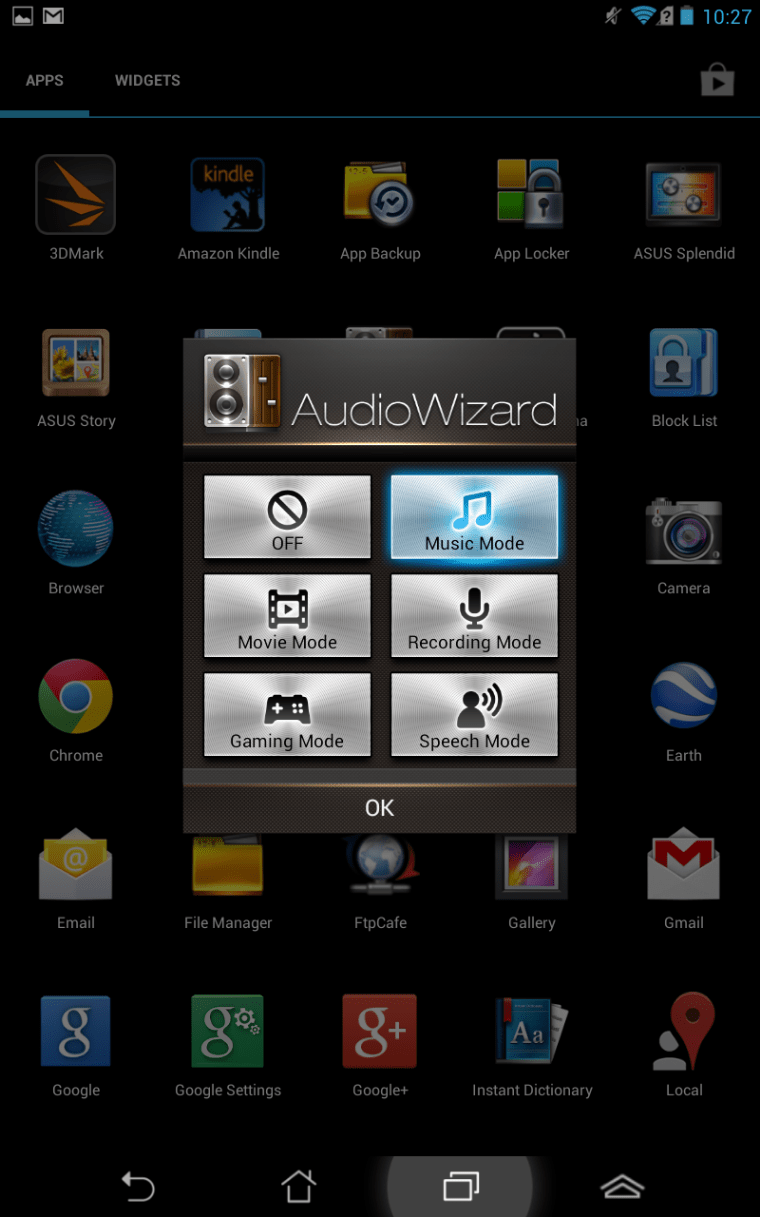
AudioWizard : With it’s Sonic Master and MaxxAudio 3, Asus has given us the convenience of adjusting the sound to suit our needs by selecting a specific audio mode such as gaming or movie mode on the fly. The audio on this device is loud and clear. I think it’s one of the best in the market.
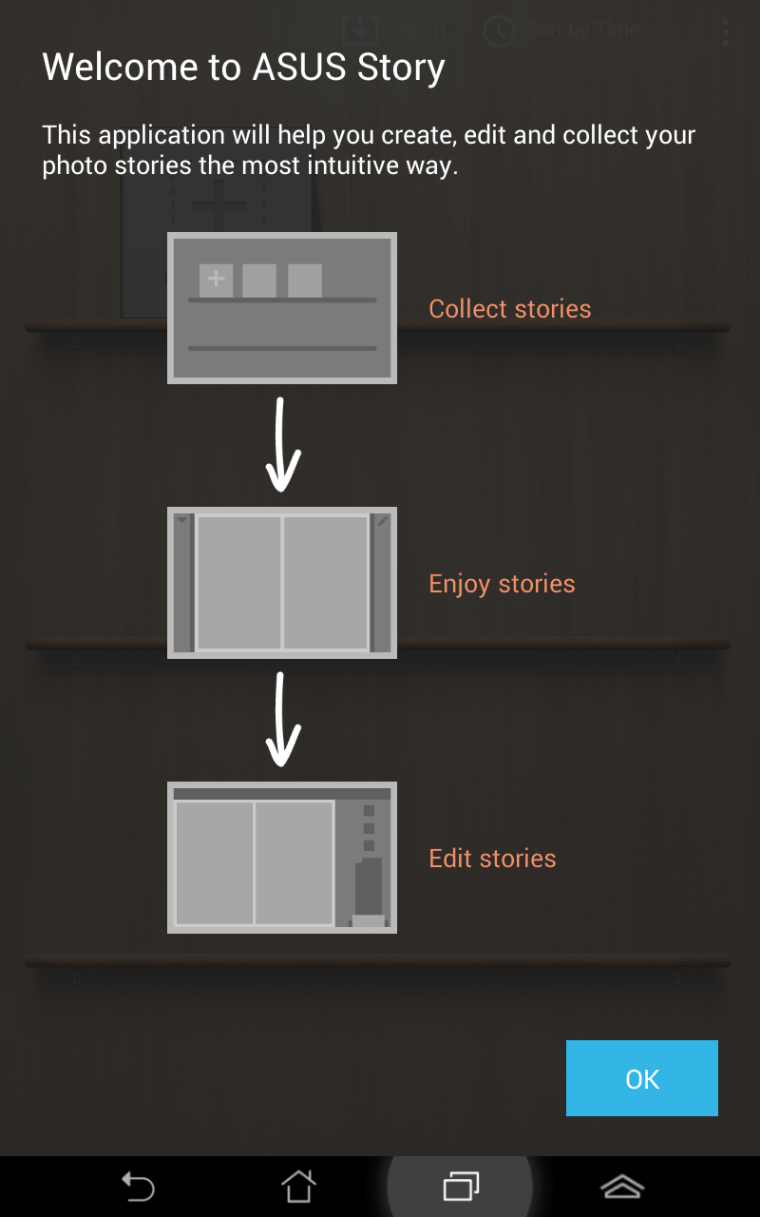
Asus Story : This is kind of a digital scrapbook maker. You can easilly load up a couple of pictures and videos and it’ll arrange into a single, beautiful scrapbook that is nice to browse through.

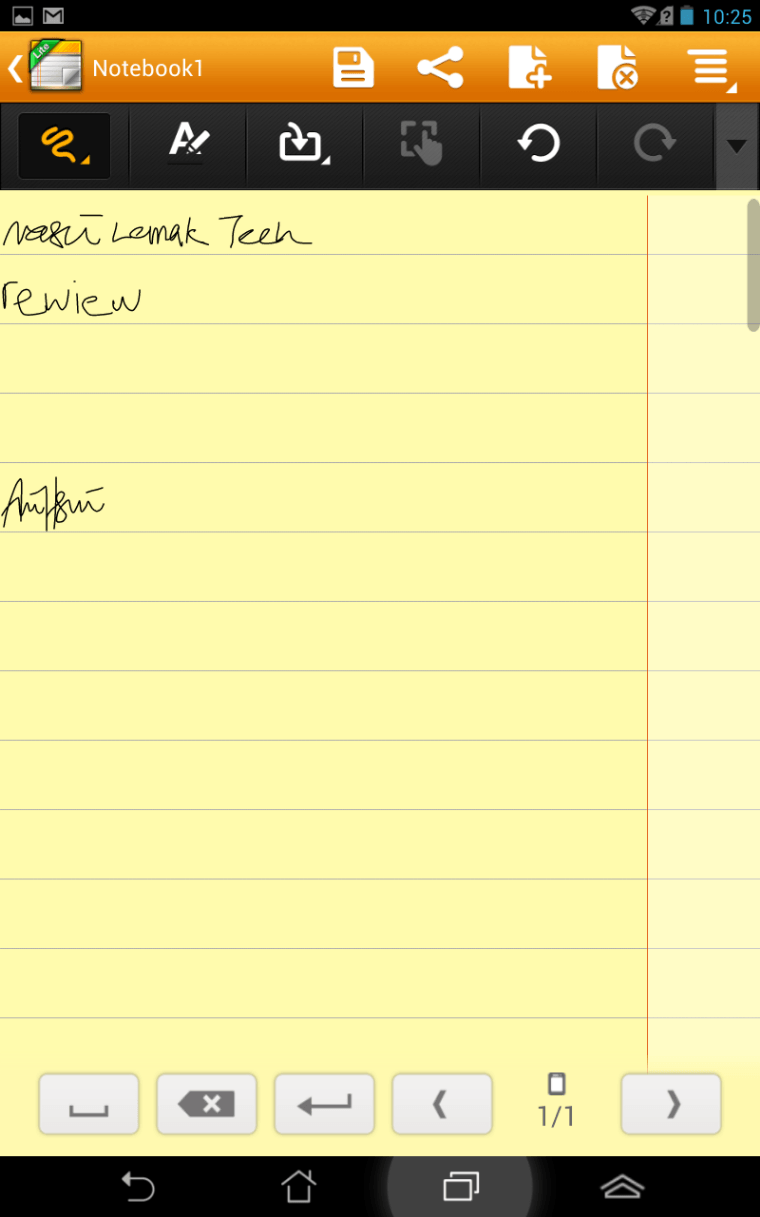
Super Note Lite : The handwriting is smooth and precise. I think I can do better with a stylus. Very useful if you are taking a quick note without wanting to tap on those keyboards.
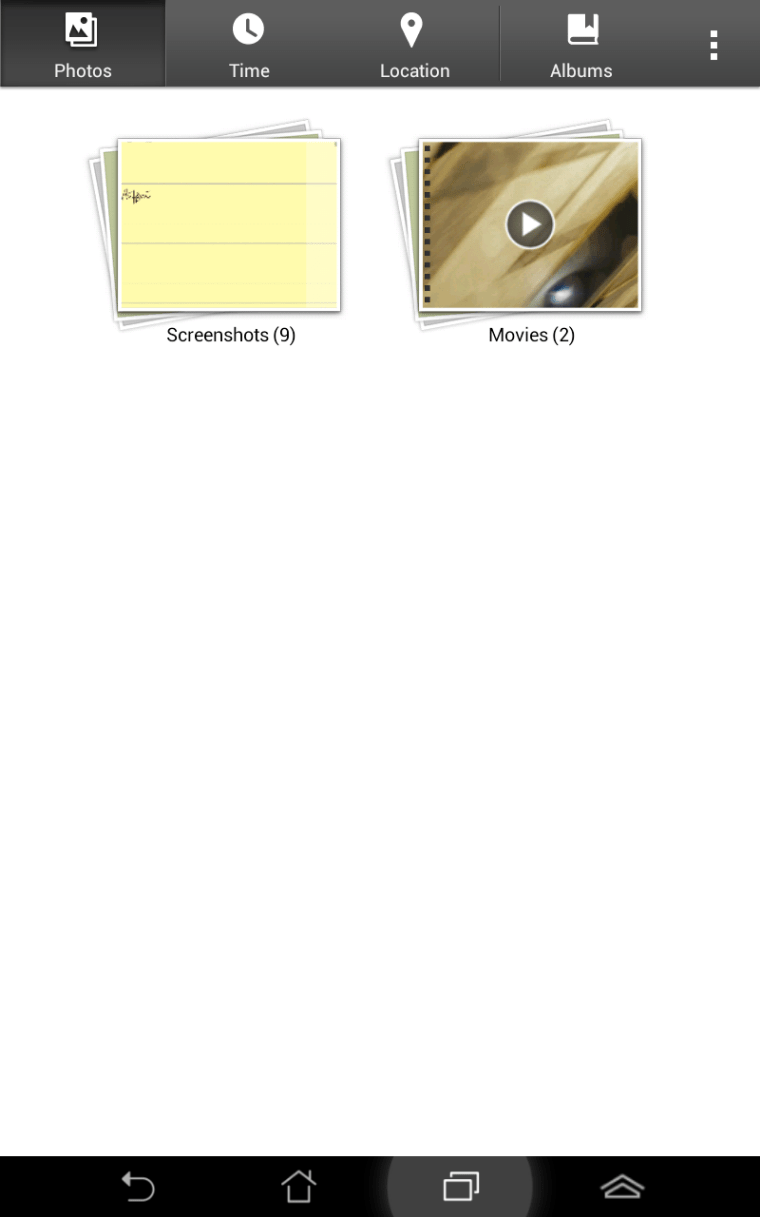
Asus Studio : Your photo browsing experience never be the same with this new kind of photo manager by Asus which beautifully align and re size so it’s easy to browse through.

Power Saver : This one is integrated into the settings which allows you to select certain strategies to conserve battery or to squeeze everything out for that extra muscle. It is smart that it will adjust according to what you are doing such as reading emails, watching videos and browsing websites.


Specs Summary
- Intel Atom Z2420 Processor with PowerVR SGX540 GPU
- Android 4.1 Jelly Bean (Update to Android 4.2 Jelly Bean confirmed)
- 7 inch LED 1280×800 IPS display (~170 ppi)
- 1GB RAM
- 8GB internal memory (expandable up to 32GB with microSD)
- 1.2MP front-facing camera, 3MP autofocus rear-facing camera, 720p video recording capable
- has GPS, Glonass, G-sensor, E-compass, proximity and ambient light sensor
- dimensions of 196.4×120.1×10.4mm
- 340 grams
- Support up to HSPA+ (No LTE)
Is it worth it?
100% YES! With the price tag of around RM 750, this Fonepad is a beast for it’s price. It is super smooth, high quality and fun to use. Go to your nearest Asus distributor and try it out for yourself. It’s just amazing and cheap!
Final thoughts?
- Pros :
- Low price
- Great performance
- Great form factor
- Nice screen
- Cons :
- Camera quality
- Bad stock browser optimization
Like our Facebook Page here at NasiLemakTech.com for more news and in-depth reviews! Also, join our Facebook Group for insightful information and memes!
Subscribe to our YouTube channel too!


sori,just nk tanya, how to know that my fonpad is fully charge?..after 6 hours,my fon still charging.
Try cabut tengok dia pergi 100% or not.
Sometimes memang macam tu. If not pun should be around 98% or 99%
If it can’t reach that high then I suggest you go for warranty claim.
Thanks 🙂
thnx bro..Btol,kadang dok charging xfull lg. Tp ble cabut,br 100%.
Lg satu, mase dlm keadaan caj,boleh x bukak tenet ke,chatting ke..bateri rosak x kalo wat camtu?
Tak, bateri tak rosak.
Battery sekarang pakai jenis Lithium Ion so dia depends on charge cycle rather than the old Nikel technology yang ada problem dengan charge memory.
The only reason Lithium Ion rosak is because memang itu jangka hayat dia sebab ada crystal develop dekat dalam battery tu.
Btw, 1 cycle = one full charge
meaning 0.5 cycle = half charge
Tak kira kita charge cabut charge cabut, the cycle count tetap sama. Battery sekarang dah ok dah, tak payah tunggu full charge atau habis charge pun tak mengapa.
Hopefully this helps 🙂
Time kaseh bnyk2x..bnyk membantu,sori dok tanya macam2x,budak br blaja,hehe. Ape pn fonepad best sbb smooth n battery die tahan lame gle kalo xmen game. tq so much.
Bole x tunjukkan setting untk asus fonepad ni ..hari tu mngkin ade tersalah setting kot ,sye x tae da nk setting dia cmne ..coz saya caj vateri lmbt naik ,2 hari caj baru pnh … pape bole bantu x .. [email protected]…….
Emailed to you. Thanks 🙂
Salam bro, badly needed some quick confirmations before buying the set next week…
1) microUSB dier support OTG x? USB host atau client jek?
2) if microUSB dier support host, dats mean bole connect ng microUSB to HDMI (ie MHL)??
3) earphone to make call? compatible with ANY kind of call-enable headset right?
4) concerning pre-installed apps.. any GPS apps in there? or just relying google maps?
5) it does have A2DP support for bluetooth, right?
sory for lots of Q’s. Thx in advance! 😉
1) Yes, latest Android updated OTA boleh support OTG. Here is the video, credits to connect2u.my [ http://www.youtube.com/watch?v=CnQINvBiATw ]
2) microUSB dia boleh host tapi tak sure boleh output HDMI or not. So far tak pernah nampak Fonepad works with USB to HDMI. Sorry.
3) Yes, the port should work with any generic handsfree unit. Be sure to check if it works before you purchase the handsfree unit as some may not.
4) Pre-install app, yang ada cuma Google Maps tapi saudara boleh dapatkan pelbagai software GPS yang lain kemudian seperti Papago atau Waze di Play Store
5) Bluetooth v3.0 with A2DP
Untuk maklumat yang lebih detail atau masih ragu2, disyorkan saudara contact Asus directly di [ http://vip.asus.com/VIP2/Services/TechQuery ]
http://uk.asus.com/Tablet/Fonepad/ASUS_Fonepad/#specifications
Terima kasih 😀
Disclaimer: Information provided may not be accurate as a result of but not limited to Asus’s accuracy of information during the time of the reply. NasiLemakTech do not have any affiliation or directly connected to ©ASUSTeK Computer Inc. and will not bare responsibilities as a result of but not limited to damage, misinformation or loss of life.
Bro, boleh compare antara 2 ‘phablet’ ni? antara Asus Fonepad (7 inch) vs Lenovo IdeaPhone S890 (5 inch).. mne yg lebih bargain. both under the same price range + bigger screen than normal smartphone.. sy dlm persimpangan… 🙂
Apa yang saya boleh komen tentang dua phone ini adalah,
Asus Fonepad menggunakan Intel Atom yang jauh lagi effisien.
Tengok jugak penggunaan saudara jika yang mana lebih selesa? Tabet sudah tentu tak boleh simpan dalam poket. hehe
Broooo…mtk tolong
asus fonepad kepunyaan saya x boleh nak charge….biler charge kuar tanda question mark….apa masalah oun x tau lah…..plz help me brooooo
Question mark or Exclamation mark? Boleh provide gambar?
Kalau exclamation mark tu selalu sebab ROM ada problem. Nak kena reinstall.
sy pn mgalami masalah ni. tanda (?) dalam battery. kena htr kedai ke?
Ada problem dengan battery connections. I recommend you pergi hantar warranty.
saya pun…T_T baru je guna brapa ari….dah prblm..
just kluar..battery icon with question mark…
Cuba contact Asus dah tanya tentang warranty kalau baru sahaja guna beberapa hari.
Asus Fonepad saya tak boleh bukak kamera..bila buka kluar ‘camera error’.mcm mana nak selesaikan..?
Kalau running on stock Android, maybe ada masalah dengan hardware camera.
Suggest saudara pergi ke Asus service center yang berdekatan untuk claim warranty. Boleh juga berhubung dengan Asus Service Center disini [ http://vip.asus.com/VIP2/Services/TechQuery ] atau pergi ke
http://www.asus.com/support/Service-Center-Detail/Malaysia/387/
Lot 4-010. Level 4, Plaza Low Yat No.7, Jalan Bukit Bintang, Off Jalan Bukit Bintang Central, 55100 Kuala Lumpur.
10:00-19:00 Mon.~Fri.
+60-3-2148-0827
ok..terima kasih bro..:)
Brother….
Nak tanya la, banyak tak perbezaan antara 4.1 dan 4.2 Jelly Bean? Kalau ada banyak perbezaan dan lebih baik, boleh ke brother kasi tutorial macam mana nak install?
Bro, Android 4.1 dengan 4.2 banyak perbezaannya, tapi installation dia depends on device…
Device apa bro?
Saya recommend you tunggu official update tapi kalau tangan tu gatal boleh jugak nak install custom ROM tapi depends kepada device model dengan brand. Kalau dah pernah buat sekali install custom ROM memang syiok dapat update lagi cepat dari official.
Belum official lagi ke untuk Asus Fonepad?
Sudah ada confirmation tapi belum ada update lagi. Kalau ada tu nanti dia muncul dekat OTA update settings. Atau saudara boleh check sendiri dekat
Settings> About phone> Updates> Check for updates
Ok, terima kasih!
bro,nk tny la..asus fonepad ni boleh install java x??boz sy nk bl tp nk check dlu blh install java x..sbb die nk open fail2 kje y mmrlukn java…
Setahu saya, Android sangat jarang ada orang cakap pasal running Java application.
Walaubagaimanapun, memang terdapat application Android yang boleh membantu untuk run Java seperti JBED [ run .jar file ]
Saya rekomen anda untuk bawak sekali app Java berikut dalam micro SD card dan try run masa dekat kedai. (Download JBED dulu)
Tapi, sebenarnya, Android app semua running under Java programming language so, kalau app Java itu company sendiri yang develop, mungkin boleh mintak developer port application itu ke Android.
Maklumat lanjut di:
http://listthemout.com/how-to-run-java-apps-and-games-on-your-android-smartphone.html
bro, i am having the same problemo here. Mula2 dapat this fonepad battery ok. Couldn’t remember if i charged it more than 8 hours ke x. Makin lama, i perasan battery tu makin senang habis. before this, tahan je. maybe because i ada dwnload another programe dkat this fonepad. so, i deleted it. still… battery cepat habis. and once habis tu, nak charge balik susah la nyerr… i even use dia punyer original charger, but langsung x powered up. kena gune usb baru dia charging. tapi tulah, this is the 3rd time i kena. kalau u ada solution, please give to me. because i think my problem more or less like adda tu. please email to me at [email protected]. tq in advanced bro
Yo bro, the best solution I can give you is to contact ASUS and explain your problem to them. It seems to be either a charger problem or your Fonepad’s charging port problem.
Sorry, I can’t help you much on this end.
saya ada beli asus fonepad 2 minggu lepas…screen dia hitam…battry baru ja cas… ada cara penyelesaian tak?
Helo, bila anda beli Fonepad anda, dia ada bateri yang tertinggal tak? Ataupun bila anda beli, Fonepad itu memang dah tak boleh start sebelum mengecas??
saya nak tanya :
1) bolehkah pindahkan apps/games dari internal memory ke memory sdcard? bagaimana caranya?
2) bolehkah nak tukar font / tulisan ? bagaimana caranya?
Untuk menjawab soalan anda,
1. Bukan semua app pun boleh masuk ke SD card, sebab device sekarang ni semua pun ada memory yang besar dah.
You can move app ke SD card (cuba saja) di Settings –> App management. Select app yang anda hendak cuba pindah, ada pun satu butang untuk tekan to move to SD card.
2. Anda kena root untuk tukar font. Jika root, warranty akan void.
Ada satu kesilapan admin screen PPI fonepad sebenarnya 216. Ppi
Thank you!
maaf ye..sy pn baru beli fonepad..
tp kenapa masa tgh guna..skrin dia jadi gegar2…pastu blur…dan terus skrin jd gelap..dan macam ada tompok2 hitam putih…mcm tab yg murah pulak…
Hello, saya nasihat bahawa anda membawa Fonepad anda kembali ke ASUS untuk warranty.
ad tips x nk optimize ram….tgk dia pnya software sndri pn mkn ram gila2…
skrin rasa mcm ada rasa2 karen..is it normal ??
Yes, normal
assalamualaikum dan selamat sejahtera.. cuma nak tanya pasal asus fonepad ini.. boleh ke fonepad ni bukak power point? tq. btw nice review
Boleh, anda mesti download app macam Office Suite to buka
saya baru sahaja beli fonepad semalam dan charge selama 8 jam. semasa charge selama 3 jam, batery menunjukkan 100%. tetapi selepas beberapa jam selepas tu bateri mennjukkan 98% walaupun charger masih di ON. ia menurun? memang begitu?
pls help
Tiada masalah. Battery akan turun naik 90 -100 peratus ketika tengan charging and sedang dipakai semasa charging.
Hanya perlu risau jika battery habis cepat.
hi, tq for reply. battery i rasa ok, kena charge lps 24jam after heavy usage mcm youtube gaming n wifi.
Kalau dapat 24 jam, mmg bagus dah
Sd card problem..unmout … how to slove?
where and how can i update my fonepad 4.1.2 to 4.2? because i been research google for 3 days for this update i read every website that the 4.2 is already release for this kind of device yet i dunno where to download the update or how can i update my fonepad on its own? please reply. thank you.
Hello, you can check for updates through Settings –> About device –> System Updates
You can also do it manually by following instructions over at ASUS’s website here
http://www.asus.com/Tablets_Mobile/ASUS_Fonepad/#support_Download_32
yes thank you, i will try when i got back to my place, i hope the update is 4.2.x as i read in a lot of website. kok kee.
You’re most welcome, glad we can help!
sadly it didnt turn out to update into 4.2.x the system said is uptodate so, i dunno what with this. i just give up anyway ^_^ thank you least kok kee.
You can always try contacting ASUS for direct support.
You’re welcome!
Hey admin nice review but the pixel density is 216 ppi and when will the update to android 4.2.2 will be available for the fonepad??
Hello, thanks for the correction!
You can check for updates through Settings –> About device –> System Updates
You can also do it manually by following instructions over at ASUS’s website here, but do try the method above first as it is much easier.
http://www.asus.com/Tablets_Mobile/ASUS_Fonepad/#support_Download_32
asus fonepad ni mmg problem eh bateri nya. saya punya pun ada tanda soal (?). pakai baru 3 bulan. masalahnya, waranti tak tau mana pergi. boleh tak tunjuk resit pembelian dari kredit card. huhuhu!
Hello, kes seperti ini depend on the one who sold it to you. Kalau dia accept then okay, boleh warranty.
I mean boleh cuba, tapi tak guarantee boleh.
Ataupun anda boleh contact Asus Malaysia terus untuk informasi yang lebih lanjut.
hello..nak tnya ade x cara official nak root asus fonepad
Hello, mesti ada cara root jika lokasi pencarian anda betul.
Cuba cari di XDA Forums atau RootzWiki forums
helo..boley tya..saya ada prob jgk dgn saya punya asus fonepad…masaalah yg sama..ada logo ? ….masaalahnya,sy x da lg dah warranty card..klo nak g baiki,agak2 brapa kos dia?…
Helo, solution yang paling baik adalah untuk contact Asus Malaysia direct untuk persoalan, tapi cara lain adalah membawa FonePad anda kembali ke kedai dengan resit anda.
got my fonepad 32Gb yesterday, and the processor is not Intel Atom Z2420. it said Atom Z2460 1.6Ghz
The processor varies according to region as stated in the official specs sheet.
https://www.asus.com/Tablets_Mobile/ASUS_Fonepad/#specifications
Hello everyone i have just received an update for my fonepad at 00:07 am its has updated my fonepad to v 3.2.5 ..i couldn’t find any major differences than the previous version,but it has become very snappyand smooth to operate.if youhave any questions .plz ask me.and Admin saya mahu tanya apakah kebaikan update ini??
nk tnya Asus Fonepad da Root ke..!
http://androidforums.com/fonepad-all-things-root/731006-root-root-method-asus-fonepad.html
Try this at your own risk
saya punya fonepad 4 gb memory tapi dekat kotak tulis 8 gb mana yang betul?
Kalau anda guna app yang lain untuk menunjukkan memory sebenarnya, 4GB ialah yang available untuk digunakan manakala 8GB ialah total. So, remaining 4GB is your firmware.
Hello outstanding blog!Does running a blog ssuch aas this require a large amount of work?
I have virtually no expertise iin programming but I had been hoping to start
my own bpog soon. Anyhow, if you have any recommendations or techniques for neww blog ownerrs please share.
I know this is off subject but I just had to ask. Cheers!
mcm mana nk pindahkan apps kat memorycard…sbb asus sya da root.. tpi games2 kat dlm xbole move kat memory..
Even dah root pun, bukan semua app pun boleh pindah.
Boleh guna certain apps untuk move.
https://play.google.com/store/apps/details?id=com.a0soft.gphone.app2sd&hl=en
Kalau nak force move pun boleh tapi kena buat kat computer. Dekat link ni ada instructions.
http://techgage.com/article/moving_your_non-movable_android_apps_to_an_sd_card/
kalau link kat astas tu xdpt..!
tpi kalau link kat bwh tu nk wat tpi xada video nk tujuk kan so ssh sgt nk wat..! bole siapa2 ajar kan
will Asus fone pad supports pendrive through otg cable? if not what to do?
Yes it does.
admin, my fonepad..dkat button volume up down ada kembangla..kenpa ek ? bateri kembangke..
btw..ada tip x utk save more bateri for ths fonepad..?
Saya suggest anda hantar ke kedai untuk technician bertauliah untuk melakukanya sebab tablet2 zaman sekarang kalau bukak takut ada benda kat dalam patah atau screen boleh retak.
salam sejahtera admin…
saya pengguna asus fonepad 8gb
1- saya check semua application dia tidak boleh dipindahkan ke dalam sd card. semuanya tersimpan di internal storage. ada cara x nk move some app ke sd card
2- saya selalu connect pendrive kat tab ni. mungkin virus sng masuk. so apa lagkah2 yang perlu dilakukan untuk mengekalkan prestasi tab ? ada ke application yang baik di playstore
Helo,
1. Problem ini bergantung kepada app yang anda hendak pindah ke SD card. App tersebut mungking tidak ada kapabiliti until memindahkan fail-fail dia ke SD card, so terpaksa store di internal storage. Tapi, tidak berkemungkinan kesemua app yang anda guna tidak dapat dipindah. Mungkin SD card anda bermasalah?
2. Pasal problem ini, virus yang berfungsi di Windows tidak berfungsi di Android. Jika anda risau, anda boleh download antivirus app ini ada Fonepad anda.
“AVAST!” adalah percuma, manakala antivirus yang lebih baik macam Lookout perlulah bayar.
to Kock Kee:
tq 4 ur feedback…
about the how to move app to sd card..
saya dapati semua application sy tidak boleh dippindahkan.
such as, games, wechat e.t.c
sekiranya boleh pasti ada button move to sd apabila kita bkk app info
my sd card still ok .
Kemungkinan app sekarang tidak dibenarkan pindahan.
Best solution adalah untuk email developer untuk persoalan yang lebih lanjut.
1 more thg..
di fonepad sy…sy menggunakan chrome and dolphin browser…sy x leh nk play video di blog (blogspot.com). video hanya boleh play di youtube, facebook.
Mungkin Blogspot masih mengunakan flash player. Android cuma support HTML5 dan bukan flash.
kenapa bila sy charge bateri,asyik vibrate jea tapi bateri nak naik pun power dia. lagi satu nak on x boleh
Barangkali bateri dalam tu dah longgar atau dah rosak/tak boleh terima charge lagi.
Langkah terbaik adalah untuk pergi ke Asus service center atau kedai repair berdekatan.
[ http://vip.asus.com/VIP2/Services/TechQuery ] atau pergi ke
http://www.asus.com/support/Service-Center-Detail/Malaysia/387/
Lot 4-010. Level 4, Plaza Low Yat No.7, Jalan Bukit Bintang, Off Jalan Bukit Bintang Central, 55100 Kuala Lumpur.
10:00-19:00 Mon.~Fri.
+60-3-2148-0827
Salam semua fonepad user . Saya baru lagi kat sini . Ni pon 1st time post . Hehee . Ronda2 web jumpa nasilemaktech ni . Bagus2 info boleh dapat kat sini . Btw . Saya pon pernah mengalami masalah tanda soal kat batteri dan tak boleh cas . Bukan sekali tapi banyak kali jugak jadi . Mengikut pengalaman dan pemahaman saya pasal kes ni .biasanya overcurrent dan batteri kong . Biasa kalau benda ni jadi saya tak cas dulu . Biar dulu tab sejuk dulu baru cas . Nak cas pon ada cara . Untuk mengelakkan overcurrent ni jangan guna extension soket untuk charger . biar cas melalui soket dinding rumah . Kalau nak guna extension pon pastikan extension yang bagus(prefer soket dinding rumah) . Ni jugak untuk mengelakkan kerosakan pada Batteri . Sampai sekarang tab running elok macam biasa . Tak penah root dan tab pon tak penah sampai kedai balik(repair) . Fyi fonepad ni memang sangat ideal untuk low bajet gadget . Performance cun . Yang paling penting charger dia memang paling mantop . Kalau cas kat fon ke tab lain berdesup cas dia . Haha . Sekian
Terima Kasih Aidid Mohammad atas info dan pengalaman tersebut. Sangat membantu untuk ada presepsi dari user produk seharian kerana ia mencerminkan prestasi sesuatu produk itu 🙂
Sye na tnye laa nape erk sye sume wechat or gane tak bole pindah ker micro sdcard ? Coz my memori hp da penuh , penat cri , ta jmpe laa perkataan tuk moves ker sd card
Kalau nak fully control apps masuk SD card, kena guna application. Sesetengah application ni perlu ‘root’ dulu.
Ini link app yang tak payah root
https://play.google.com/store/apps/details?id=com.a0soft.gphone.app2sd
Just nk tanye…mcm mna nk contact ASUS..?tq.
Untuk contact, anda boleh menelefon 03-77243495
saya dah guna fonepad ni 4 bulan. mmg ok utk tablet budget. walaupn singlecore tp kurang lag. utk gaming yg x berapa heavy masih lancar macam badland, temple run dll. battery pun boleh tahan 2 hari. camera front mmg puas hati sbb clear n tak gelap. overall : good budjet tablet
Terima Kasih atas pandangan tersebut 🙂
salam nak tanya.
1. setelah diupdate, contact number semua tiada, setiap kali selepas restart terpaksa seting balik network operator.
2. saya cuba call dengan menggunakan phone saya yang lain, memang masuk tapi di fonepad tiada paparan, bunyi dan vibrate, maknanye kalau ada orang call kita tak tau.
3. saya dah buat factory reset, tapi masalah tu still ada.
Cuba update atau reflash frimware baru. Mungkin ada masalah dengan firmware/ROM.
Salam bro nk tanya..saya guna asus fonepad..charging port damaged..mcm mana nk repair.dh cari tempat nk repair tp xblh…blh bantu
Hello bro Azam, best solution untuk anda adalah kembali ke Asus center untuk service
salam… nak tanya sikit. masalah fonepad saya tak boleh detect sd card… sudah ke setting>storage tapi masih tak boleh detect jugak.
Berkemungkinan besar is the SD card ada problem
sd card no problem dah try sd card pada PC.. rasa hardware atu software ada masalah.. pasal sekejap dia detect sekejap tak detect. sebelom ni penah fonepad hantar repair ke servis center motherbord problem… pening.. lepas satu… satu masalah..
Bolehlah cakap dengan ASUS service center untuk maklumat yang lebih lanjut pasal benda-benda sebegini…
Hi haza..sy pn pnah alami mslh cmtu..call center..dia suh anta kt asus service center..sy decide tukar sd card..ada mmber suggest suh pkai brand strontium..skrg pkai brand strontium..da xda mslh cmtu..harap mmbntu 🙂
bro…kenapa saya xboleh bukak gambar dalam mesej?
I assume anda sedang cakap pasal MMS… pasal itu, i pun tak tau guna MMS in Android in the first place XD
Hai… mcm mn nak buat ringtones?nak cari kat mana?
Macam mn nak set ringtones? Nak cari kat mn?
Masukkan ringtone anda kedalam folder “ringtone”.
Nanti ringtone akan muncul di setting.
Sorry nak tanya macam mana nak masukkan ringtone kedlm folder “ringtone”
Guna cable, connect dan transfer.
Kalau dalam device, guna File Manager
Hai, nak tanya sikit knp fonpad sy bila msk simkad mula2 OK. Tp bila dah lm sikit dia mula hang x tentu pasal. Br je pakai fon no 4 bln. Ade masa2 dia hang x blh nak on pun. Dah tekan butang on screen ttp htm je. Harap blh tlg.
Dia hang macam mana tu? Kalau touch screen yang tak respond tapi process still running then itu touch screen problem.
Cuba buat factory reset.
Kalau tak boleh jugak Langkah terbaik adalah untuk pergi ke Asus service center atau kedai repair berdekatan.
[ http://vip.asus.com/VIP2/Services/TechQuery ] atau pergi ke
http://www.asus.com/support/Service-Center-Detail/Malaysia/387/
Lot 4-010. Level 4, Plaza Low Yat No.7, Jalan Bukit Bintang, Off Jalan Bukit Bintang Central, 55100 Kuala Lumpur.
10:00-19:00 Mon.~Fri.
+60-3-2148-0827
Salam,nak tanya..saya pakai asus fonepad,tapi skearang amsalah x boleh charge and dia tulis over current..arahan sruh please replug usb cable with high kevel of battery to recover ..cmna tu ?? mohon bantuan
Maybe ada problem dengan charger tu. Cuba plug dekat USB computer kejap then try lagi. Kalau tak boleh jugak, saya suggest pergi service center.
[ http://vip.asus.com/VIP2/Services/TechQuery ] atau pergi ke
http://www.asus.com/support/Service-Center-Detail/Malaysia/387/
Lot 4-010. Level 4, Plaza Low Yat No.7, Jalan Bukit Bintang, Off Jalan Bukit Bintang Central, 55100 Kuala Lumpur.
10:00-19:00 Mon.~Fri.
+60-3-2148-0827
Khairul your problem it seem with my problem, so we suggest other to not buy Fonepad, it seem that not good products from ASUS, we have very bad experience, I buy at November and we used 2 week only .. now more that 2 months my Fonepad is under reparation and I don’t … Please click http://suzukijogja.wordpress.com/2013/12/17/review-fonepad-8gb-asus-tablet-bermasalah/
Helo admin..nak tanya..sensor calibration asus fonepad saya ada problem..sebelum ni ada tertekan ‘forced stop’ dekat application info..sekarang sensor calibration mcm xde function..macam mana nak pulihkan kembali masalah tu?sekarang saya punya phone bila buat call screen dia akan gelap..terpaksa on kan button untuk ‘power button end call’..pls help me..kena buat factory reset ke?
Hello, as far as i know problem sebegini jika pun force stop, kalau anda restart Fonepad anda, dia akan start balik. As for problem screen gelap, itu problem proximity sensor, bukan calibration atau accelerometer
fonepad sy mgalami masalah ni. tanda (?) dalam battery…dekat terengganu kat mane ye sy boleh hntaar service centre nye?
Anda boleh call ASUS Service Center
Sy nak tanye . Mcam mane buat screenshot kalau asus ?
Helo, sama macam semua Android device. Tekan Volume Down dengan Power button pada masa yang sama sampai ada bunyi dan animation screenshot keluar.
Tq .
Boleh screenshort mesej2 kan . Mcm wechat or ape2 ?
Yea, semua boleh screenshot.
Sy nak tanya, fonepad sy tdak ada coverage network bla berada di kawasan bandar. Tetapi bla sy berada di kawasan bhmpiran dgn menara telekomunikasi, coverage skejab ada, skejab tiada..adakan ini masalah pada component dlm fonepad tersebut. mohon bantuan
Mungkin ada masalah dengan antenna dalam fonepad tersebut. Saya cadangkan hantar warranty kalau ada.
salam bro, nak tanya kenapa padfone 2 saya ni xbole cas…setiap kali sy try cas dia akan kuar perkataan ASUS tue…need help!!!!
Hi bro, best you send balik pada Asus. Seems like a pretty serious problem.
Saya brminat nk beli asus fonepad terpakai…Boleh bagi tips macam mana nk check asus fonepad tu original atau x dan nk check fonepad tu ok x?
Originality I think semua pun original. Kalau warranty sudah lepas pun tak payah kisah dah.
To check OK or not itu susah sikit, sebab anda kena check battery, touch screen, camera, etc. dengan selanjut mungkin.
Kalau tak calar dan tak pecah mana2 I think ok dah.
kenapa saya tak boleh connect pada data connection.
Boleh provide lebih detail??
plz help me bro… Knapa FonePad sy tak boley nak on kan WiFi ??? mula2 boleh Jer… 🙁 bila sy touch utk on kan WiFi, takda apa2 berlaku
Hello, WiFi anda should be okay, jika boleh, try factory reset ye?
Kenapa fonepad k004 sye xleh gune wechat dab beetalk… dh brkali2 reset, tpi xleh gune jgk.. ble msuk wechat die akn kluar sndri..
Kenapa fonepad k004 sye xleh gune wechat dab beetalk… dh brkali2 reset, tpi xleh gune jgk.. ble msuk wechat die akn kluar sndri.. mohon pencerahan skit..
Hi, semacam case ini, I think anda perlu contact Asus service center. Case semacam ini berkemungkinan problem firmware, kena contact Asus.
same like me..fone bagus…xde hank..wechat x leh buka..2 second pastu terkluar….dah format same je…so kena contact asus lerr
saya py,beetalk boleh pkai,tp wechat ada masah y sama dgn bro
same like me
Baru planning nak beli…..majority complaint pasal battery x boleh charge….hmmm…
takutnye dgr pasal asus ni… nyesal beli
senang je nk counter masalah bila battery xnk recharge..bukak cover belakang,cari connector battery ke soket dekat board,unplugged it,lepas tu plugged it in balik.then pasang bakik cover,n cube charge baik fon..tq
Hi…bro, i mula2 beli fonepad ni battery ok. Makin lama battery tu makin senang habis n belakang fonepad tu jadi panas bila guna. i hantar warranty kat kedai tp bila pulang balik no imei dia dah lain dari yang asal…bila tanya org kedai tu cakap maybe kilang tukar moterboard or something i not remember…klu antar kilang memang diorg boleh tukar2 camtu je ke? n my battery problem still not solve…any comment?
Yang I dapat fikir pun hantar pergi ASUS service center untuk further details, I tak pasti if IMEI tukar ke tak kalau hantar ke factory
saya ada masaalah pasal memory card, ni kali ke 3 saya tukar memory card macam2 size dah saya guna tp tetap bermasaalah..tiba2 dia akan unamount..ni disebabkan phone atau memory card jugak? saya guna memory card phone saya lg 1 tu yg dah dekat setauh ta de prob pon tp bila msk dalm asus ni jd msaalah yg sma jugak..hope bole beri keterangan tq 🙂
Helo Fahmi, yang kes sebegini adalah hardware problem. Bolehlah contact ASUS service center untuk maklumat lanjut.
hai.. charging port rosak laaa.. so cmne eh? repair or hantar waranty?
Hello, hantar ke ASUS Center saja. Tak ada apa2 yang boleh buat dah.
hai.. charging port rosak laaa.. so cmne eh? repair or hantar waranty?
hati2 hantar phone ke asus service center..especially dekat lowyat plaza..tempat lain sy x tau..antar fonepad bulan 3 2014 smpai skang belum dpt phone lg..skang tgh deal dgn asus malaysia..klu x solve jugak,tribunal tuntutan pengguna kpdnkk jalan terakhir..
kenapa saya tak boleh connect pada mobile data connection?
Nak tnye sye guna fonepad bru 6bln than bile tkan on dia tk hidup mcm mne eh warranty tk de sbb sye bli online tlong…
Hello, jika beli online pun boleh pergi ASUS service center untik warranty.
Bro …kalau tukat screen yang pecah berapa ye??
Memang no idea bro… kena tanya balik ASUS kat dia punya service center
Sya nk tnya..mcm mna nk tukaq font dlm fonepad?
As far as I know, font tak boleh ditukar, unless root dan download special app.
Hai,nak tnya..asus fonepad saya tak boleh nak charging..bila charging kluar tnda (?) Kat bateri..Tapi warranty dh exp..????
Boleh try contact ASUS customer service dulu
Need help, does anyone user here experienced while charging the Asus Fonepad and the set will turn off by itself..?
Noticed some message written “overcurrent on the usb, please unplug charger”
Hi all, need your guys help. Does anyone experienced while charging the Asus Fonepad model K004 the device will turn blank/screen off?
I did noticed one notification written “overcurrent on the USB unplug your charger”..
Request advise.
Hello, sorry for the late reply. Can you charge using other chargers and see what happens?
Good idea.. I managed to look for another type of charger (usb with 4 output and LED indicator).. it looks like normal for the moment (still trying). Thanks for the advise, Mr. Kok Kee.
Hello Ayitra,
Glad that helped!
I advise you not to use laptops or any computers to charge as they are generally just way too slow and underpowered.
ko touchscreen saya bermasalah ya padahal baaru beli asus fonepad7
saya punya asus fonpad susah nk masuk charging bila bateri empty. kenapa eh
Helo, ada details lebih?
Kalau battery anda sudah habis, sistem Android akan mengambil masa untuk mengecas sedikit dahulu sebelum dibernarkan sistem berikut untuk beroperasi.
Ini adalah sebab untuk memulakan sistem, batteri akan digunakan. Jika tidak cukup bateri, FonePad anda akan ditutup sebelum sistem dibuka.
Kalau ada apa² soalan, bolehlah tanya di Facebook page kami di https://www.facebook.com/NasiLemakTech.
Harap ini dapat menolong anda.
Sekian, terima kasih.
fonpad saya ada problem….asyik keluar asus je kat skrin…kalau boleh bukak pon akan keluar kat skrin unfortunately,system iu has stop….need solution please…
Hi, problem ini best kalau send balik kepada ASUS.
Mostly ialah hardware problem.
fonepad sy xleh nak cas..even kat screen tunjuk charging..ape masalah ye?
Mostly ialah problem hardware. Kenalah send balik ke ASUS Service Center.
Kalo baru beli, screen pecah….kalo pergi center dapat baru x???it cost anything??
Depends la, probably will cost money. But boleh tolong tanya2 sikit kat ASUS.
Kenapa Fonepad 8 saya xboleh nak save no? Bila save hilang terus… dah byk kali try..
Sila try save ke Google account?
fonepad8 charge bateri langsung xnaik.. mcm depends pada direct charge baru boleh on.. maksudnya bateri rosak or charging port rosak or cmne eh? nak wat cmne tu? kat mana boleh repair? tq for help..
Kalau nak repair, best pergi balik ASUS Service Center. Ataupun call dulu sebelum pergi ke sana.
Ada apa2 lagi, tanya ye~
Kenapa asyik naik unfortunately instant dictionary has stop….sampai tak boleh nak buat APA…asyik naik notification ja…..sya clear data force stop semua dah …tpi mcm tu gak
Kena update app tu
Hi admin, sy pakai fonepad 7 and haritu ada problem sbb jatuh screen bila sentuh jadi lain and then dah ok. Ni skrg dia ada mcm garis2 melintang kdg kita main game dia keluar tapi bila review kat kedai dia kata tak nampak sbb jarang keluar benda tu. And smlm ada mcm touch screen dia tu gi kat tempat lain. Adakah sbb hentakan atau jatuh? Pls help me tq!
Hi admin, sy pakai fonepad 7 and haritu ada problem sbb jatuh screen bila sentuh jadi lain and then dah ok. Ni skrg dia ada mcm garis2 melintang kdg kita main game dia keluar tapi bila review kat kedai dia kata tak nampak sbb jarang keluar benda tu. And smlm ada mcm touch screen dia tu gi kat tempat lain. Adakah sbb hentakan atau jatuh? Pls help me tq! Ni email sy [email protected]
Pasal jatuh, digitizer dalam dah rosak. Kena tukar digitizer, tapi mahal gak.
Saya nak tanya…fonepad 8.boleh dak nk naikkan jumlah storage memory? Download game levih skit pun dah kata memory xcukup.
Storage memory dah memang fix. Cara paling baik untuk naikkan storage ada dengan cara clearkan cache. Boleh pergi ke Settings > Storage > Cache Data > OK.
napa button tk tekan back,home plg bwh tu xdpt tekan.pa masalhnya
Napa fonepad saya bila nk shoot video x de apa2 problem.. bila nak tgk kat gallery video sangkut2, kdg2 video tu statik xbrgerak hnya pada saat ke 10 for bru blh tgk.. fyi ni fonepad kedua sy tukar yg prtama pun mngalami masalah yg sama…tqia