





















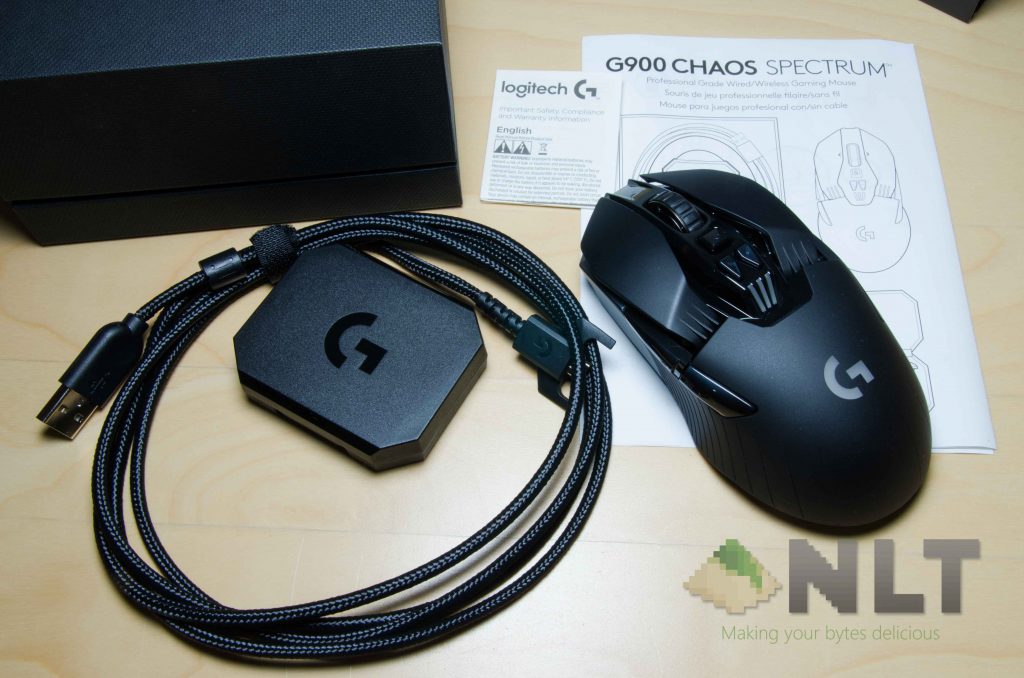
Logitech has been making mice for quite some time now – and we’ve seen a lot of their mice in the past too. Take for example the Logitech M280 wireless mouse, the fantastic Logitech MX Anywhere 2 wireless mouse, and also the critically-acclaimed Logitech G G502 Proteus Core/Spectrum. These 2 mice are fundamentally different – but Logitech G didn’t stop innovating. They somehow has this crazy idea of creating a single mouse that is beyond what they have created before. Heck, not even a Logitech G themselves have created something like this before. This is the Logitech G G900 Chaos Spectrum.
Logitech G created the G900 Chaos Spectrum with a single motive in mind – make the greatest ambidextrous wireless gaming mouse ever. I’m surprised, because this is a really fantastic mouse. We even have an unboxing video for you guys to check out too.
[nextpage title=”Design”]
It’s really interesting to see there’s a wireless mouse in the market that pits itself against the big boys of wired gaming mouse. The Logitech G G900 Chaos Spectrum isn’t tiny either, as it is thinner than some other mouse designs , but it’s elongated – more like an oblong shape if the Logitech G G900 Chaos Spectrum is to be seen from above.
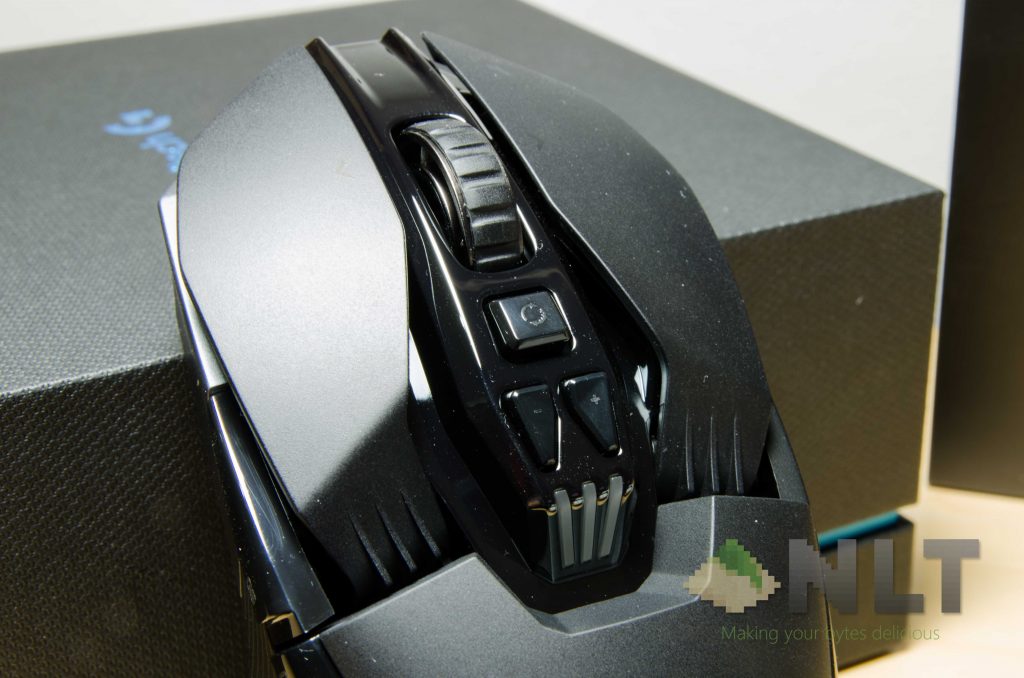
The entire mouse itself looks like it’s modular – giving the vibes of those “modular” mouse designs like the Mad Catz R.A.T.3. That’s not the case though – it just looks like it and the size is far from modular. More on this later.
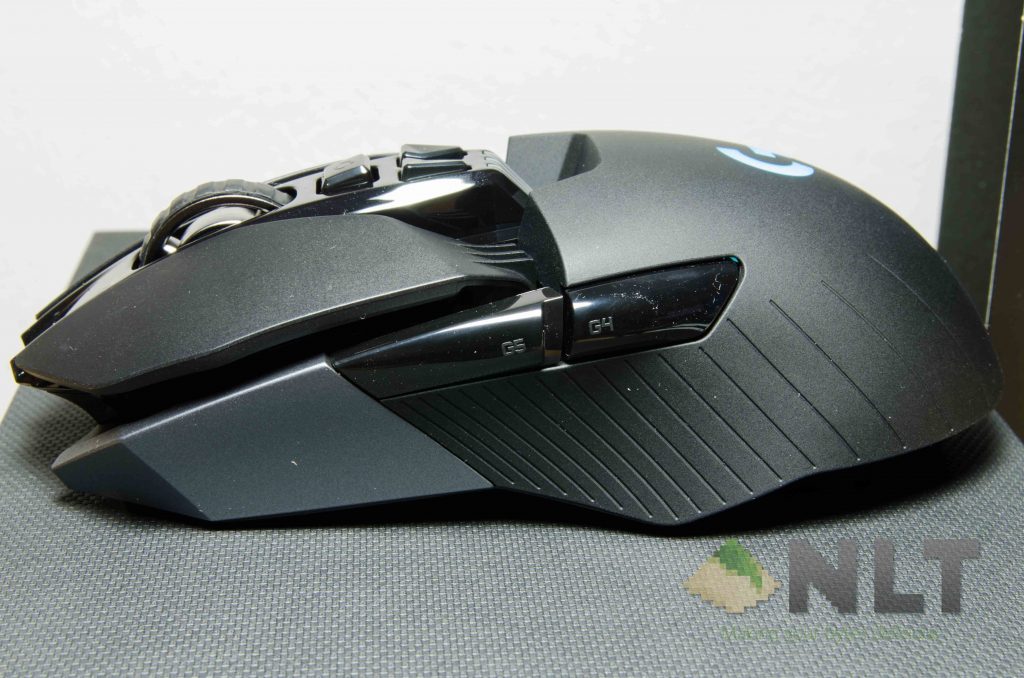
The entire mouse itself comes with quite a lot of buttons – a total of 12, and 11 of them are programmable. There’s the left, right, and middle click buttons, a pair of DPI up/down buttons, and the modular side buttons. Oh dang those side buttons! I personally think this design deserves the most attention!
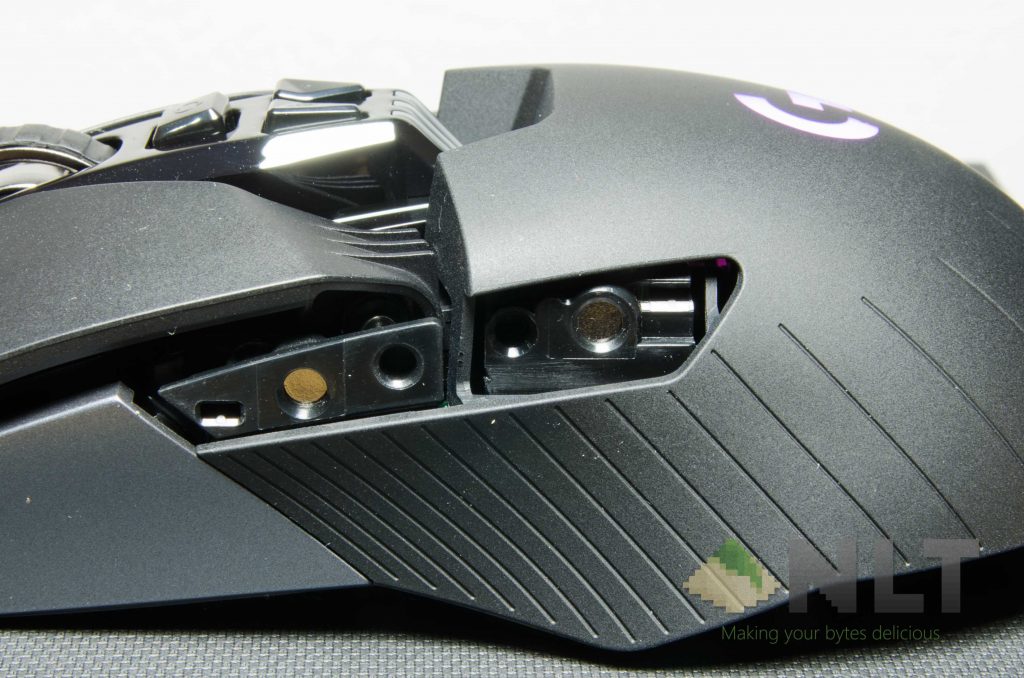
First and foremost, we mentioned that the Logitech G G900 Chaos Spectrum is an ambidextrous mouse. Those side buttons that we mentioned before are also totally modular. Physically, these buttons just snap on to the Logitech G G900 Chaos Spectrum with magnets. The magnets are quite strong too, so those buttons won’t just fall off.
That said, these side buttons can be moved around. During our unboxing session (video on the first page) we did come across one peculiar piece of accessory – a box containing a female micro USB to a full-sized female USB-A, and some strange black coloured stripes.
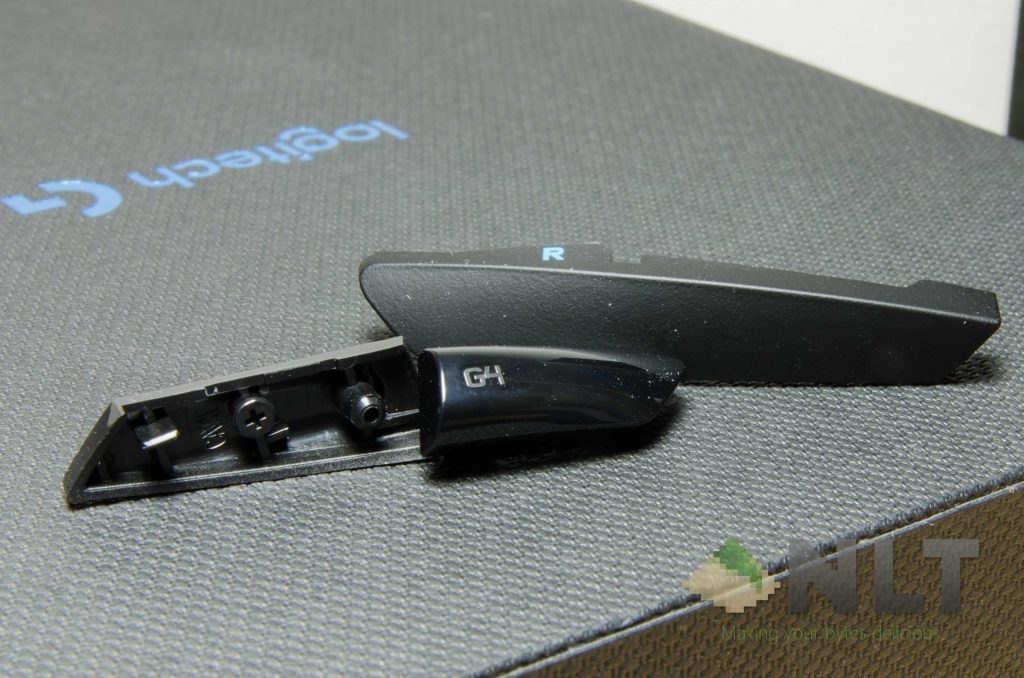
There are two types of these “stripes” – a pair of smaller glossier stripes which are actually the buttons themselves, and a slightly rubberized matte black stripe which is actually the cover for these buttons.
The side buttons can easily to replaced with the included buttons, and I just wish that more brands would make use of this feature. It’s just way too good to be true. Paired with Logitech’s very own Logitech Gaming Software, all 4 of the side buttons can be individually programmed. Ambidextrous? More like #efficiency.
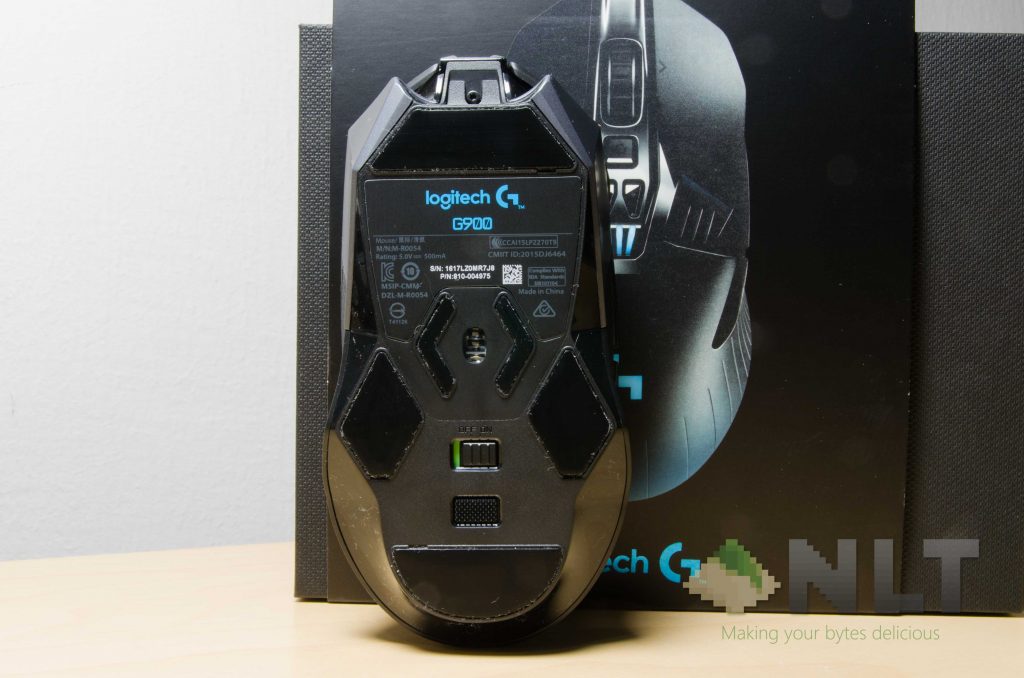
Also let’s not forget about the one single button at the bottom to cycle between profiles. There’s a maximum 5 profiles too, with 11 programmable buttons each. 55 buttons in total. Fifty-five.
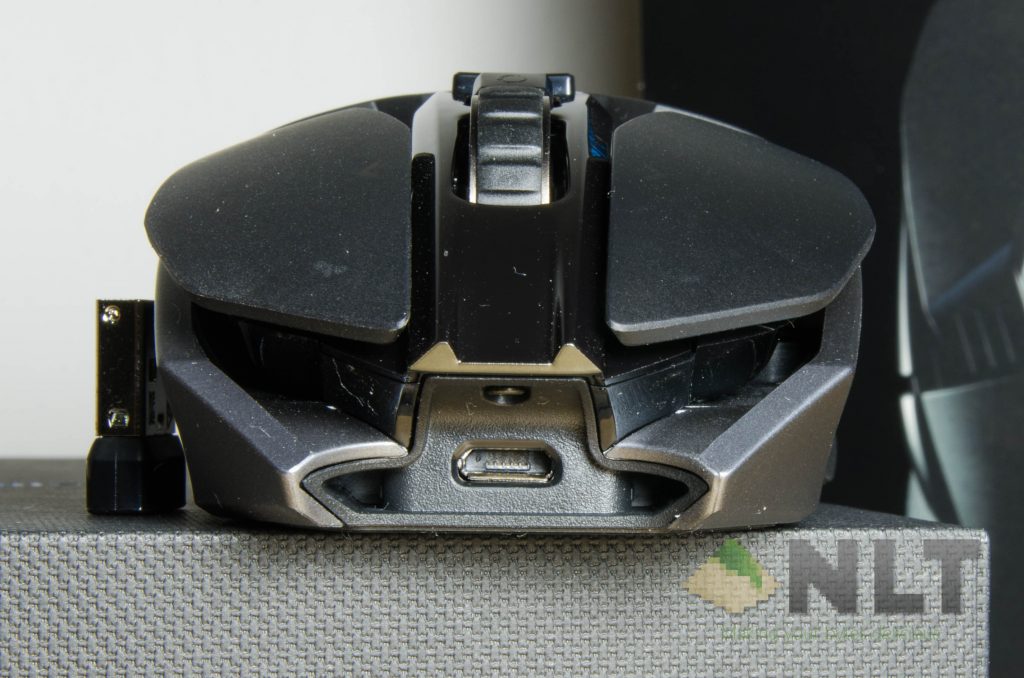
At the front of the Logitech G G900 Chaos Spectrum is a micro USB port for charging, and also to be used as a wired mouse, if you’re keen on that.
[nextpage title=”Using the Logitech G G900 Chaos Spectrum”]
What can I really say about the Logitech G G900 Chaos Spectrum? The mouse itself is actually very comfortable to hold. I’ve tried to hold it in the 3 different ways – palm, claw, and fingertip. By design, the first impression is that the Logitech G G900 Chaos Spectrum is meant to be a palm grip mouse.
That however is not true. Because of how the clicker is made, the clicker isn’t glued to any part of the mouse at all. In fact, it has a metal spring tensioning system to ensure the clicker is always at the original position.
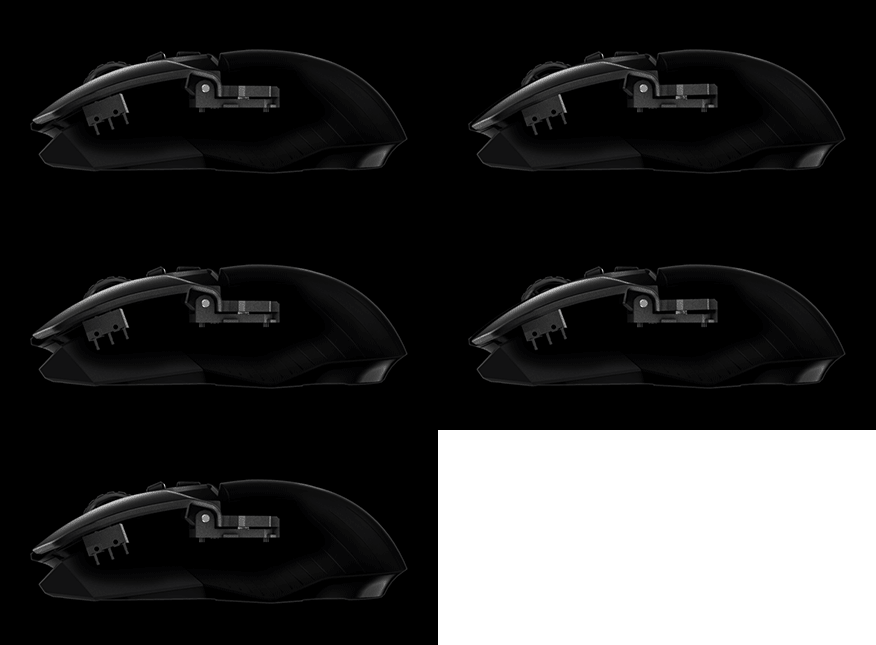
How does this work out? Mind-blowing actually. The clicks feel effortless, yet it has a very satisfying click to it. Clicking it nearer or further away from the pivot point doesn’t really make much difference though, and I have no idea what sort of sorcery Logitech G performed to manufacture the Logitech G G900 Chaos Spectrum.
Also on a side note here, who the heck actually thought of creating a “drain” between the main body of the mouse and its clicker buttons? Yes, this mouse can be used by 3 of the most common mouse grips, but I think the most suitable one is palm grip. Why? Because of this.
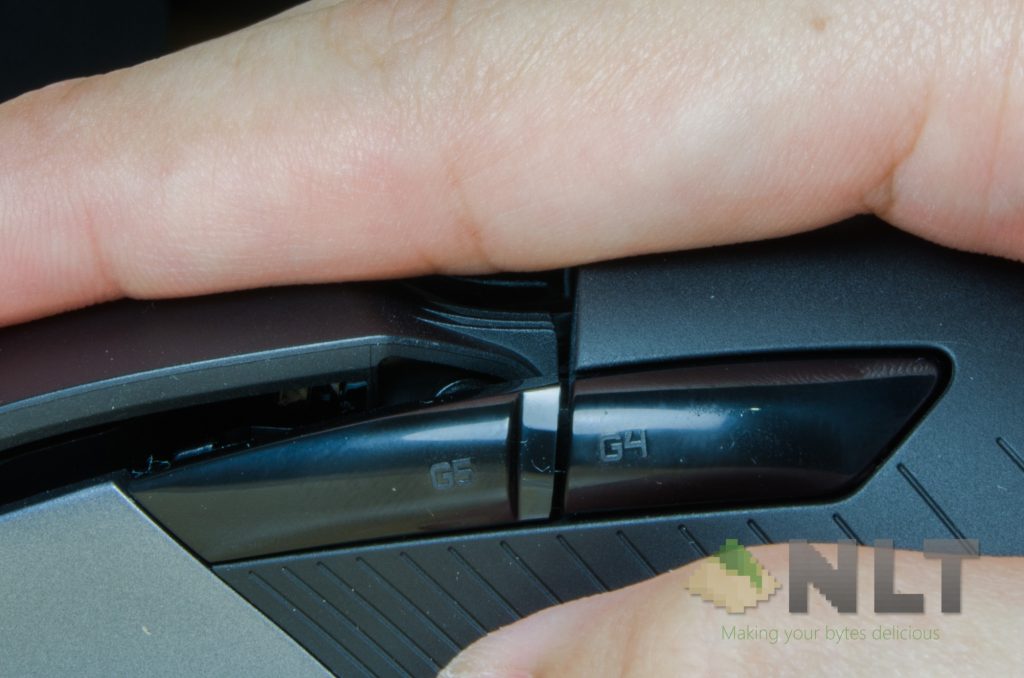
Seriously, who would think of such a thing? That piece of joint goes right in the drain, and feels absolutely fantastic. For some reason, this little groove feels like it’s designed to be like this, because everything aligns itself into position with a palm grip. Way too comfortable.
Come to think of it, I’ve been using the Logitech G G900 Chaos Spectrum on wireless mode most of the time. I’ve played way too much Overwatch using this mouse, and to be honest I don’t feel any difference in its response time compared to my main mouse, the ASUS ROG Gladius.
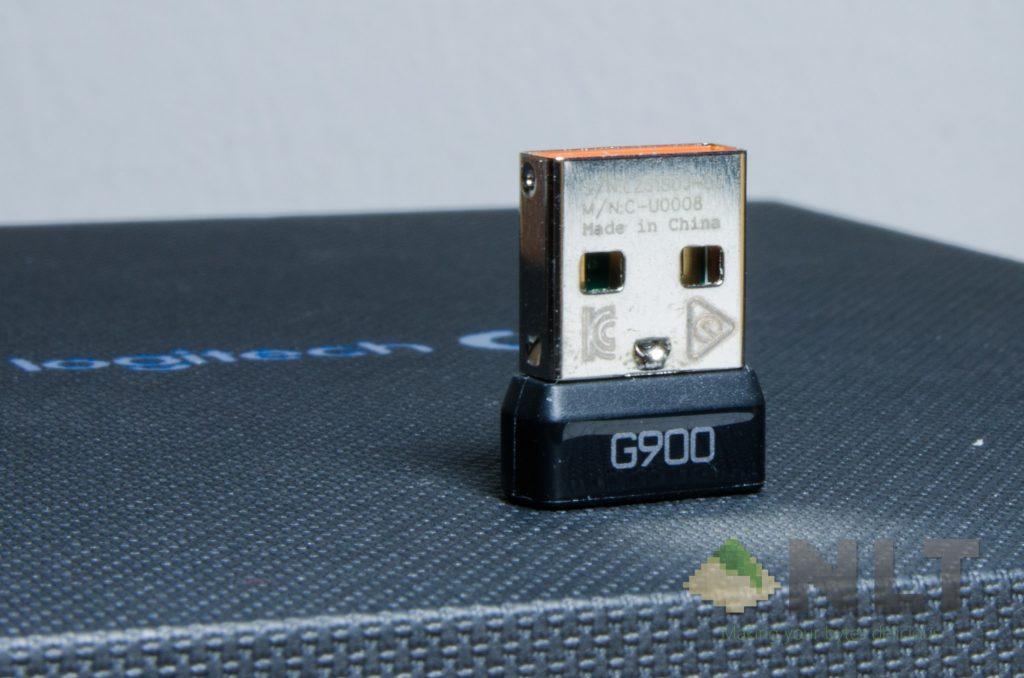
I have to commend Logitech G for this, as I can still get that performance with no wires at all. My movements in Overwatch feels a lot more unconstrained, and I just can’t describe how happy I am when it comes to wireless mouse.
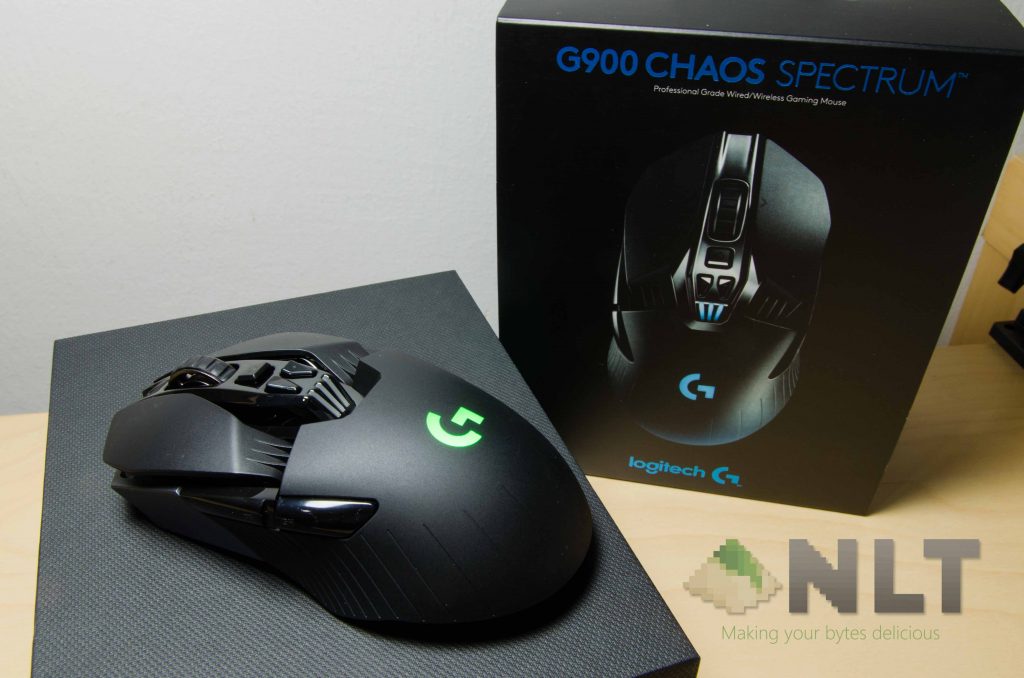
Since it is a rechargeable wireless mouse, there’s a battery in it. To my surprise however, the mouse just doesn’t weigh that much more than a wired mouse without battery. There is no official statement on the size of battery capacity, but Logitech G claims it can go up to 24 hours with RGB colour cycle turned on with full brightness, and 32 hours with RGB LED turned off. Also do keep in mind that the single RGB LED here is really bright, but I’m not a fan of fancy RGB LED to begin with. It does have a countdown timer of about 10 minutes and it will power itself down to save power too.
Talking about saving power, that leads us to the next section really nicely.
[nextpage title=”Software”]
If you do have more than one Logitech G product in your rig, then there’s only one single software to control and sync everything. It still uses the Logitech Gaming Software – the same one used for the Logitech G G810 Orion Spectrum which we reviewed here. That means there really isn’t much difference in terms of UI.

First and foremost, I’d like to thank Logitech G for including an option for on-board memory profiles instead of relying on the host machine. This means that I can program whatever the heck I want those buttons to do, and it’ll stay with the mouse and carry those settings to whichever computer I connect it to. Seriously, this makes the Logitech G G900 Chaos Spectrum a much more feasible choice for those who has multiple devices at once (like me).
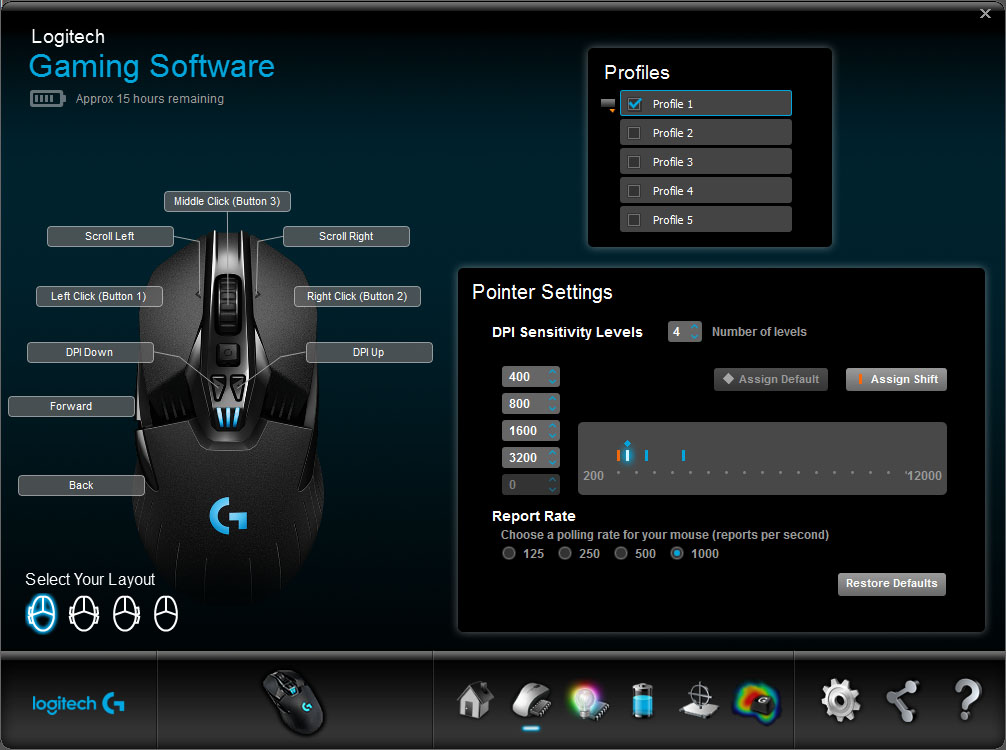
Then comes the other plus point on this mouse. It has a total of 5 profiles, and a total of 11 programmable buttons. Each profile can have its own set of macro keys and DPI level as well. You can set the DPI switch to change between a customized values too, if you wish.

Then there’s this – the lighting settings. The Logitech G G900 Chaos Spectrum itself doesn’t have much lighting area – just the main body, and the DPI indicator. However, Logitech G put in the effort to make even the smallest detail customizable. If you’re not a fan of lightings or RGB (like me), then you’re in for a treat.

Since this is a wireless mouse after all, there is some levels of power drainage by the RGB LED itself. What’s surprising is that on RGB LED color cycle mode in full brightness, it actually takes up 7mA. However, it still lasts for about 20 hours of usage on a single full charge.
Does it take too long to charge though? I think it’s a yes. It has a small battery after all, but it seems like it took way too long to charge even just a third of it.

Lastly, you can add your own custom mouse pad surface profile. I found out that the default works pretty well for my XXL China-made table mouse pad.
Ah, how can I forget about software updates?
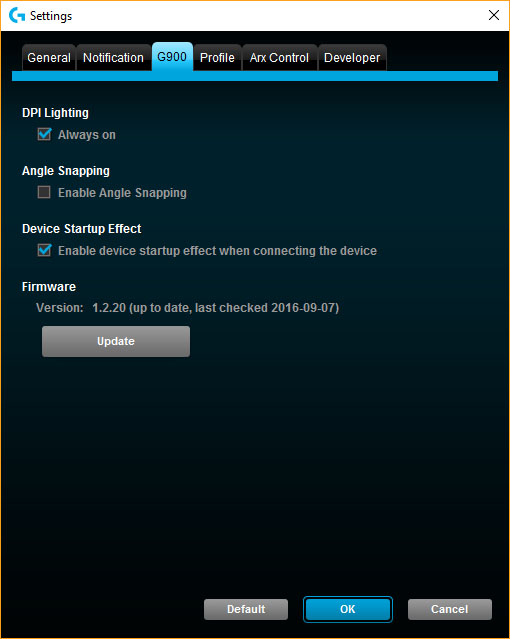
This is a little funny. To get updates, it you’ll have to get to this menu. If an update is found, you’ll need to connect both the receiver and the mouse to your computer’s USB port to perform an update. During the update process, it actually updates both the mouse and the wireless receiver together!
So if you’re short of USB ports, do keep this in mind.
[nextpage title=”Wrap up”]
What can I say about the mouse, really? The entire mouse itself is actually very well-built, has a fantastic mass distribution throughout the mouse itself, and most important – it’s really ambidextrous. The world’s first wireless ambidextrous gaming mouse to be exact. The Logitech G G900 Chaos just proved that science indeed wins.
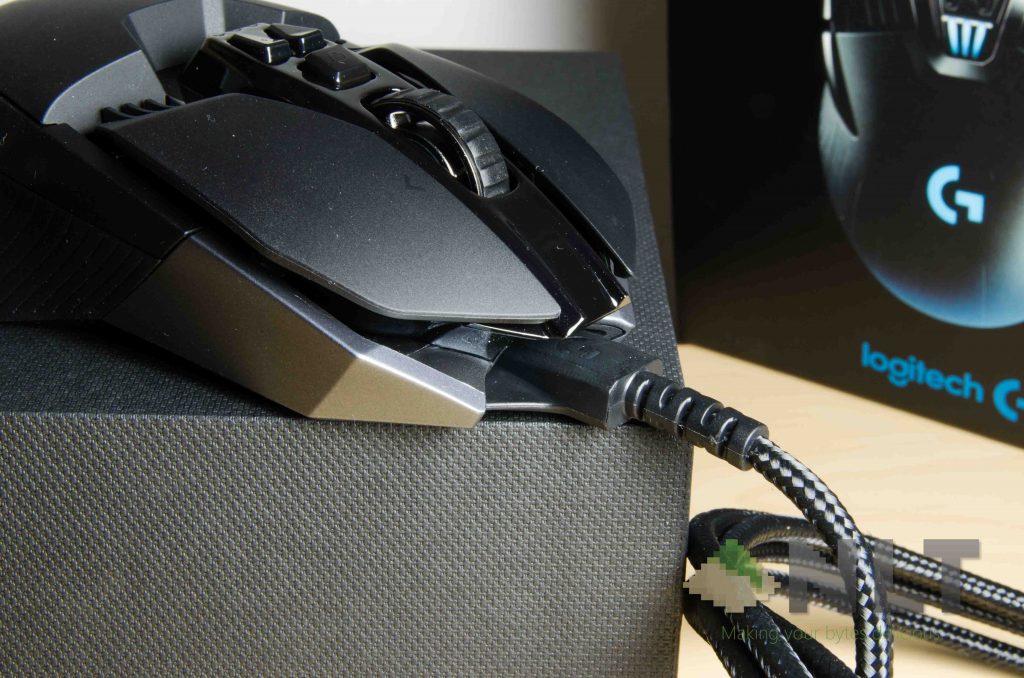
The only smallest tiniest complaint I have for the Logitech G G900 Chaos Spectrum is the lack of a carrying pouch or hard case of some sort. Also, maybe throw in a fairly shorter USB cable together to be brought out with the mouse along – something like what the ASUS ROG Gladius has in the box. Maybe Logitech G expected us to charge the mouse before bringing it out, or charge it via a power bank while wirelessly connected to your laptop (sounds funny, but it works).
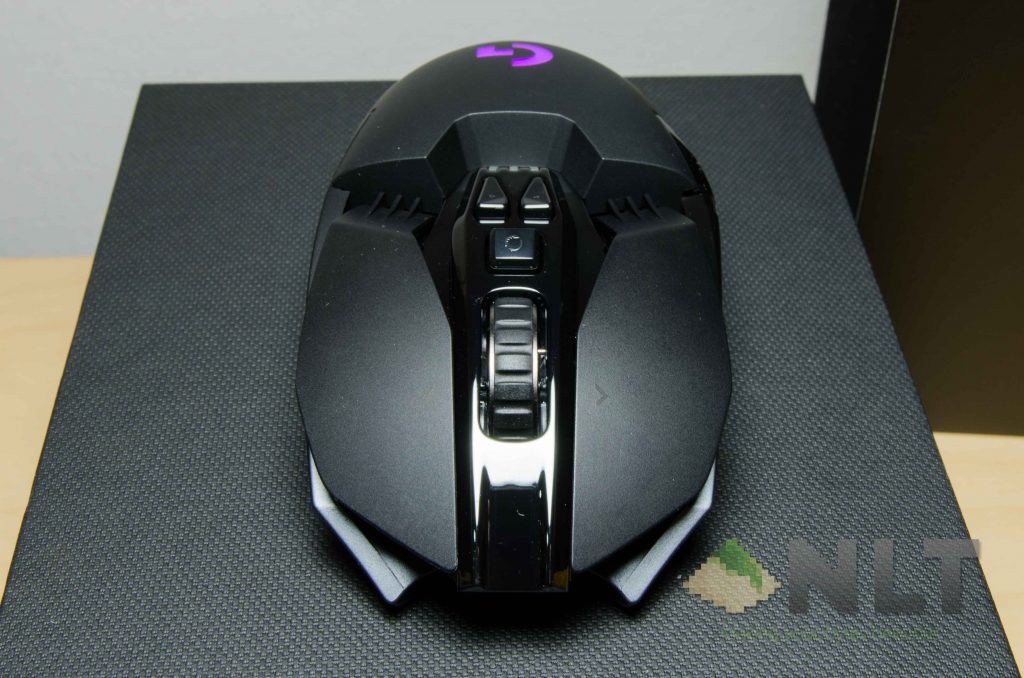
In whichever case, the Logitech G G900 Chaos Spectrum is absolutely fantastic. I love everything about it – and that’s not a joke. I can make the shift from my critically-acclaimed ASUS ROG Gladius, a superior wired mouse, to the Logitech G G900 Chaos Spectrum – a fully wireless, ambidextrous mouse. That’s just how good it is.
Then comes the one final aspect of any product review – the price.It costs just a little over RM500 now on Lazada. Check out this deal right now – and make sure to use discount codes to get even lower price – because we all need it. Over RM500 for a gaming mouse is really steep. However if you do fork out that cash, you’ll be using the best ambidextrous mouse available now.
What’s missing though is a carrying pouch or a hard case. Maybe throw in another shorter USB cable – that’ll be fantastic!
Like our Facebook Page here at NasiLemakTech.com for more news and in-depth reviews! Also, join our Facebook Group for insightful information and memes!
Subscribe to our YouTube channel too!

