













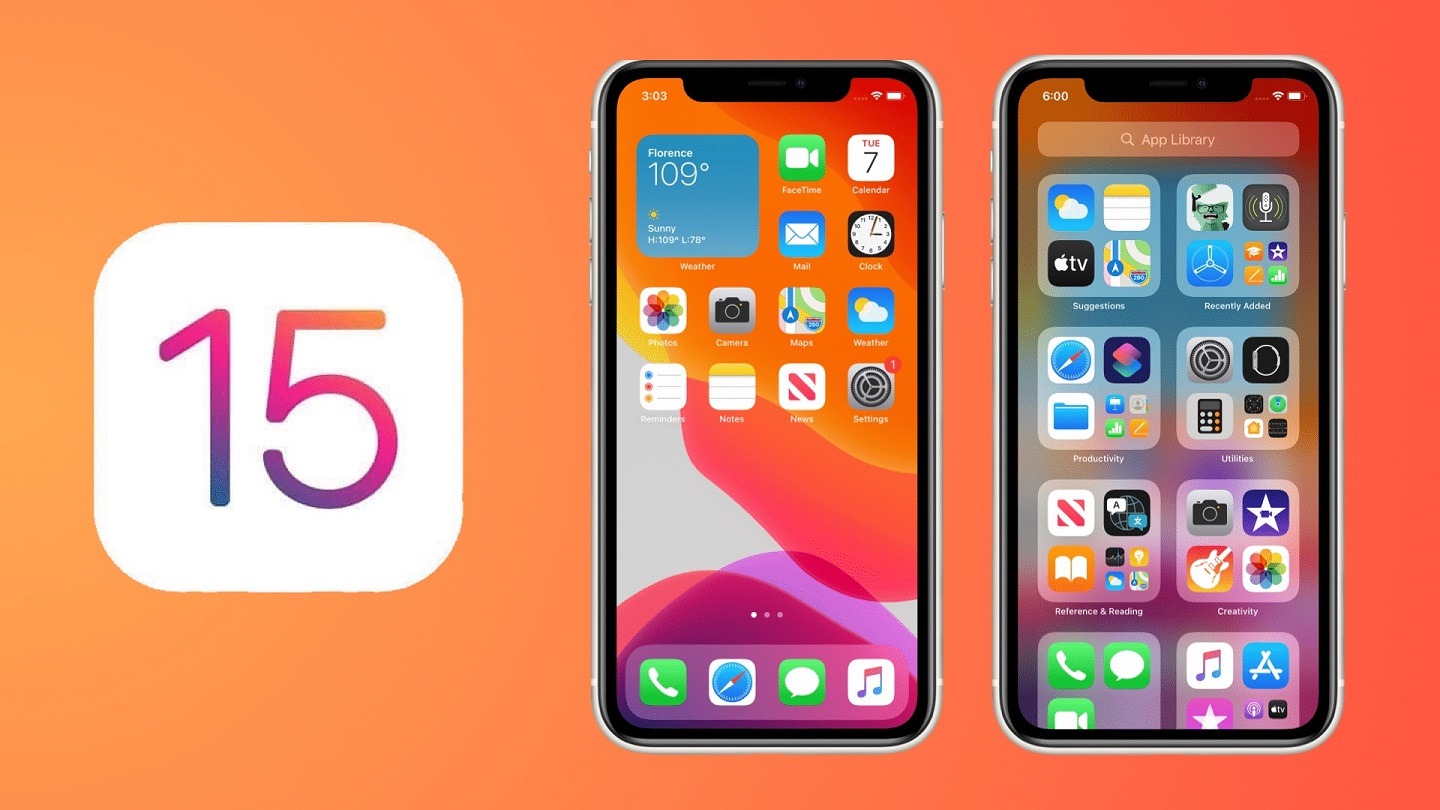

Apple concluded the WWDC 2021 not too long ago and for this year, Apple focused mostly on the quality of life changes and also new ways to stay connected while also providing tools to be disconnected.
iOS 15 brings major updates to FaceTime, new Focus feature to help reduce certain app’s screen time and on-device intelligence alongside enhancements using Maps, Weather, and Wallet.
Technically, all devices that are able to upgrade to – or are already using iOS 14 – can be upgraded to iOS 15 too. That means even the iPhone 6S from more than 6 years ago, can run on iOS 15. That’s an impressive feat in terms of software support.
Slew of FaceTime enhancements
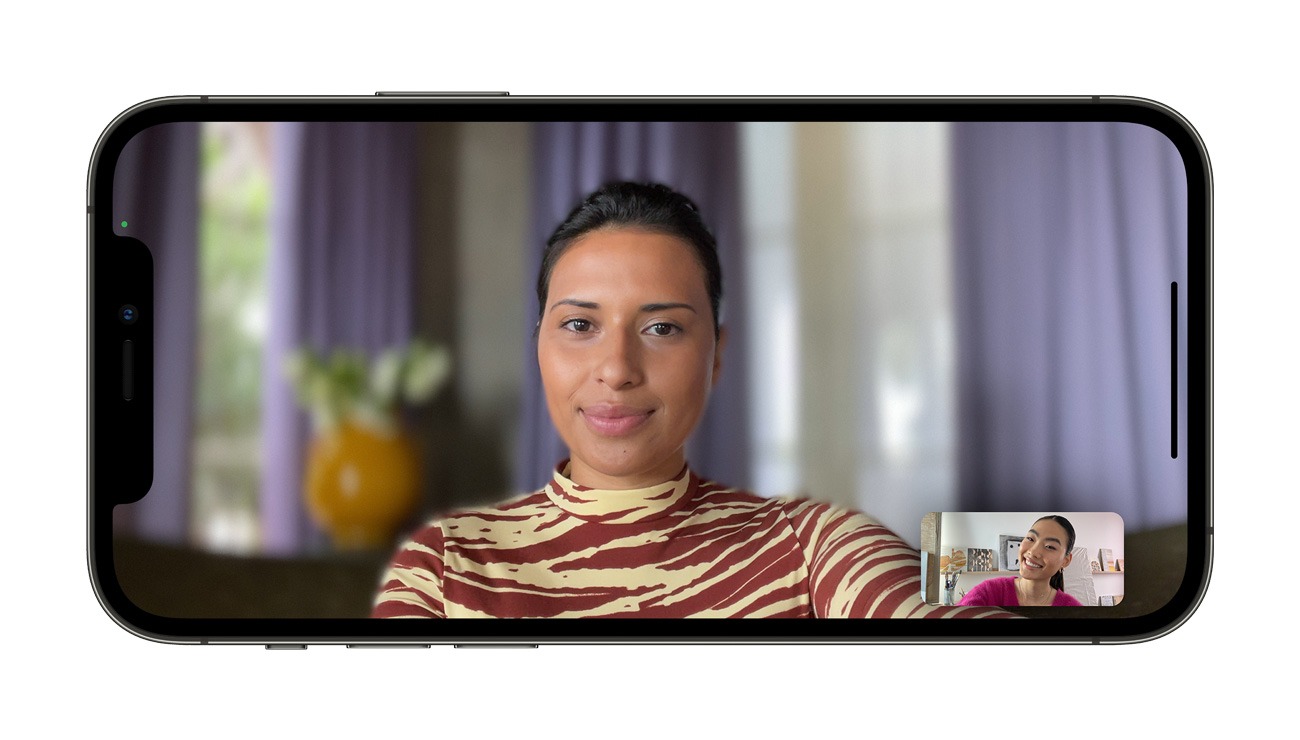
By utilizing spatial audio, FaceTime call sounds better now as the microphone “knows” where to focus, hence separating the user’s voice from other random noise.
FaceTime will also be getting Portrait Mode and users can choose to blur the background.
FaceTime also gets a new grid view so that more participants can be seen at once.
Party together via FaceTime and SharePlay
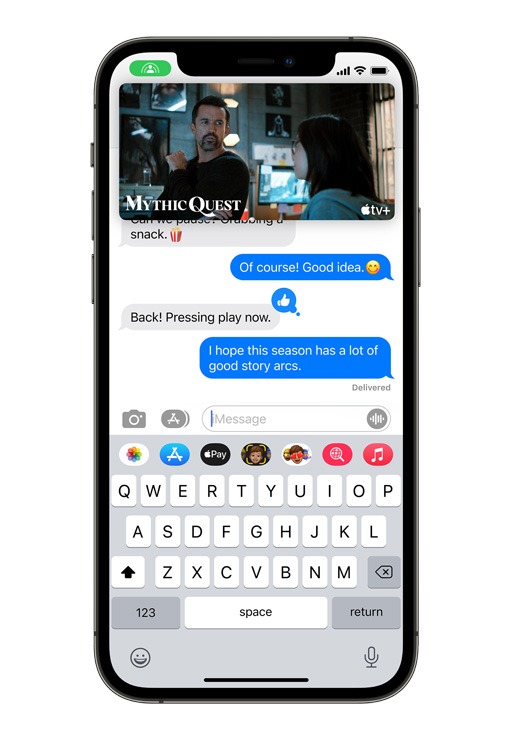
I mean, with parts of the world going back into lockdown (Malaysia included), then why not party together? Apple’s SharePlay allows you to call your friends to listen to the same songs together on Apple Music while connected via FaceTime.
It’s not just music – you can even watch movies in sync or share your screens with each other. All participants can also take control of the SharePlay session by playing, pausing, or skipping ahead.
SharePlay is also cross-device compatible, so it’ll work on your iPhone, iPad, and even Mac. The Apple TV can also be used to watch shows or movies on a big screen.
You’ll soon be able to share shows and movies that are playing on Disney+, ESPN+, HBO Max, Hulu, MasterClass, Paramount+, Pluto TV, TikTok, Twitch, and many others. It’s a are integrating SharePlay into their apps — creating entirely new ways to connect.
FaceTime on Windows and Android
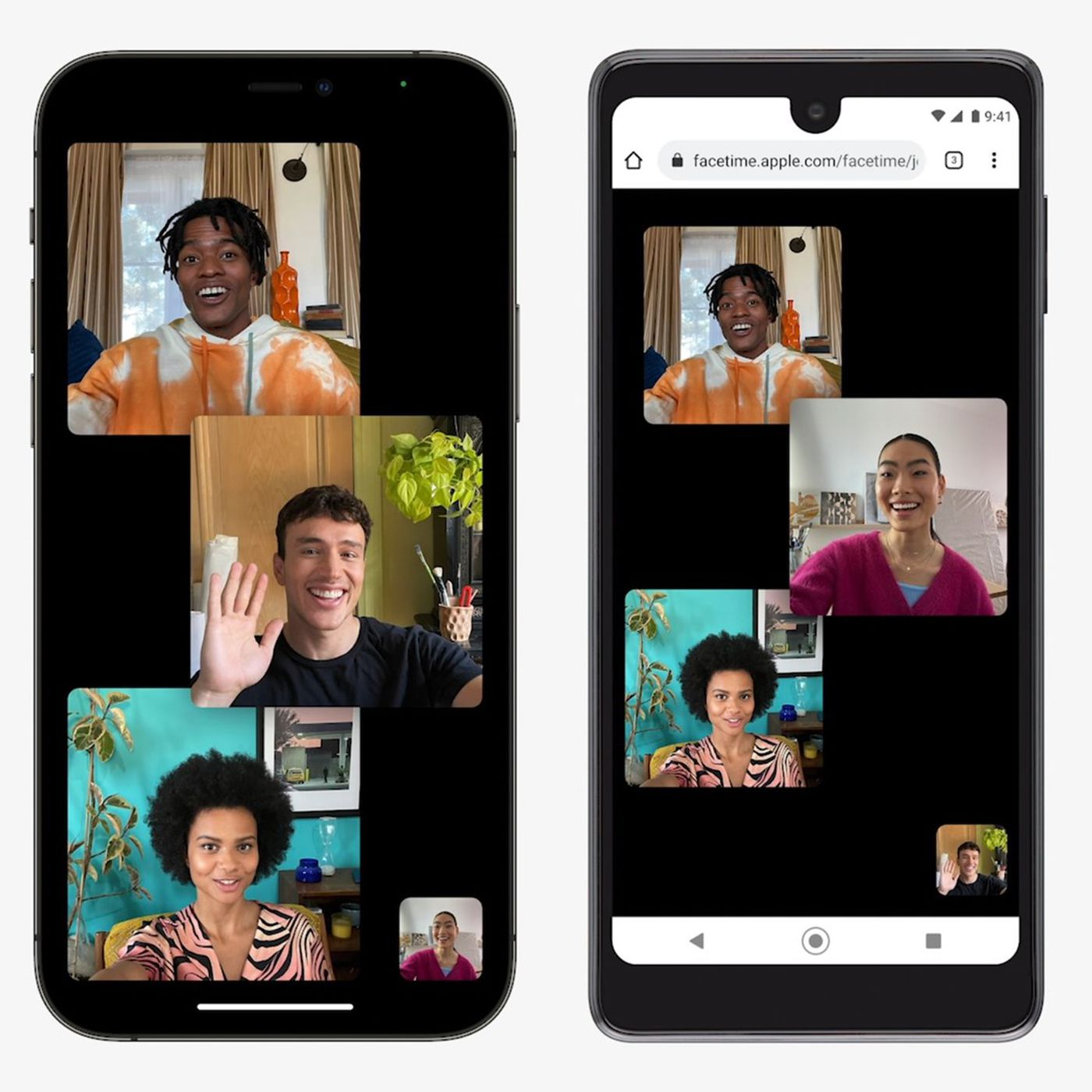
While many have been asking for iMessage on Android phones, Apple threw in a curveball and gave us FaceTime on Windows and Android instead. FaceTime can now be used on other devices too – connected via the web.
While I do want to point out that Apple used to say “there’s an app for that”, it’s good that Apple is opting in for direct connection via web and no app is needed. That means no unnecessary bloat and participants can connect easily.
And to make things simple for all participants, FaceTime invitations can also be sent via any apps that you want – be it Android or Windows, iPhones or Macs. Apple also reassures us that all FaceTime calls on the web will remain to have end-to-end encryption for privacy.
Focus and reduce distraction
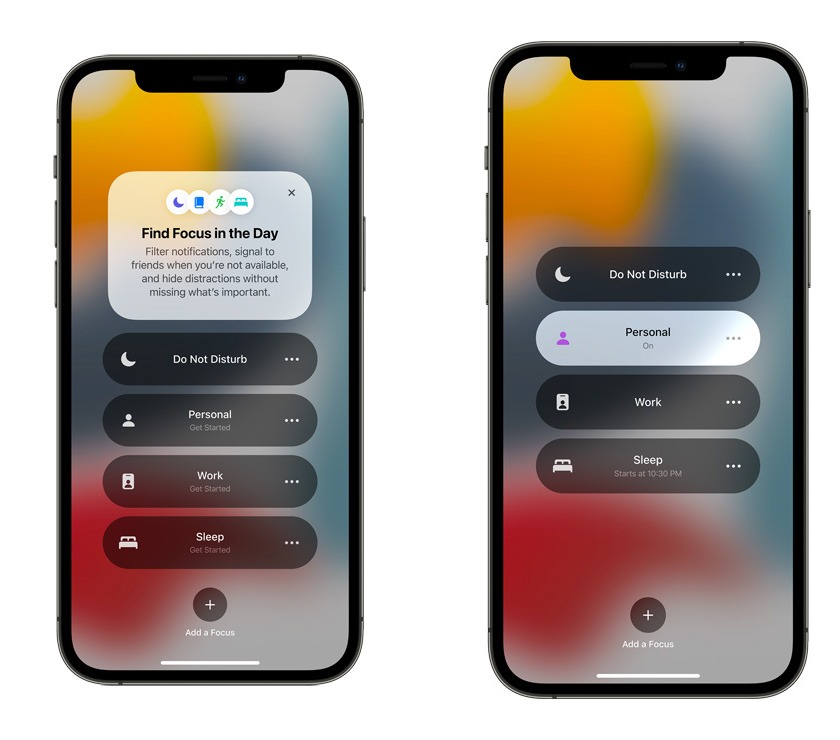
This is a new feature that allows you to filter notifications based on what you want to focus on. For example, you can create custom Focus – or even use the suggested Focus that utilizes on-device intelligence – and only allow certain people and apps to ring you while those Focus are active.
This truly helps to cut off the noise while trying to wind down, and also to reduce distraction during working hours.
Other features
As a quick lightning round, here are a lot of other features that Apple is bringing to iOS 15.
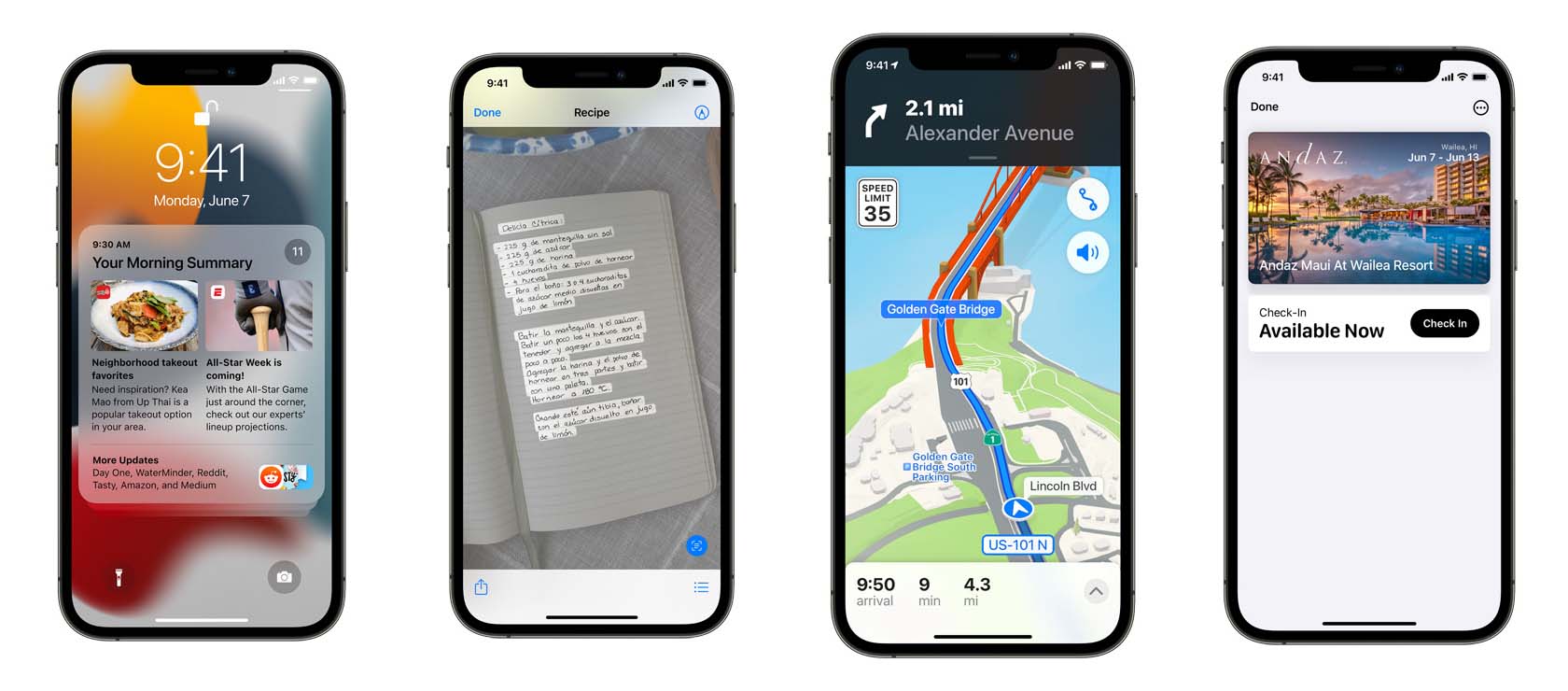
- New Notifications Experience – newly redesigned, has contact photos and larger icons to make the apps easily recognizable. Comes with a new notification summary that collects non-time-critical notifications to be delivered at another time. Notifications are also arranged by priority by using the on-device intelligence. Urgent messages will be delivered immediately, while apps can also be mute temporarily.
- On-device intelligence – Powering contextual-based text detection via the Camera app. Advanced Spotlight Search can also search for locations, people, scenes, objects, and even texts in photos of handwriting (impressive). It also shows results from web image searches.
- Safari – a new design that makes controls easier to reach with one hand and puts content front and center.
- Apple Maps – “significantly enhanced details” in cities for neighborhoods, commercial districts, elevation, and buildings, new road colors and labels, custom-designed landmarks, and a new night-time mode with a moonlit glow. iPhone or CarPlay navigation with Maps also shows a 3D view of the city so that you can get more context. Walking with Maps navigation is also enhanced and you can use the iPhone to show an augmented reality view of the journey.
- New Keys and State IDs in Apple Wallet – Apple Wallet can store digital car keys with support for Ultra Wideband (UWB) technology. This feature will be available later this year in participating states in the US.
Availability
The developer preview of iOS 15 is available to Apple Developer Program members at developer.apple.com starting now. A public beta will be available to iOS users next month at beta.apple.com.
The new iOS 15 supports all iPhones that are capable of running iOS 14, so that means the iPhone 6S from nearly 6 years ago will get it. iOS 15 will be available as a free software update this fall.
Like our Facebook Page here at NasiLemakTech.com for more news and in-depth reviews! Also, join our Facebook Group for insightful information and memes!
Subscribe to our YouTube channel too!