















The OPPO Reno6 series of smartphones was launched a while ago and they’re advertised for photography. To fully utilize all of the features available, OPPO shared their tips with us to understand how we can use these features.
The highlights for this series of OPPO Reno6 smartphones are its portrait photography capability. There are a total of 8 different ways that it can be used to mimic how real, professional portrait photography looks. The Reno6 series is capable of doing this by (obviously) the power of AI.
-
Bokeh Flare Portrait Photo
Look – Bokeh Flare Portrait Photo. This feature is exclusively on the OPPO Reno6 series and helps you take portrait photos with stunning blurred backgrounds – mimicking professional photography once again but without the difficult learning curve.

-
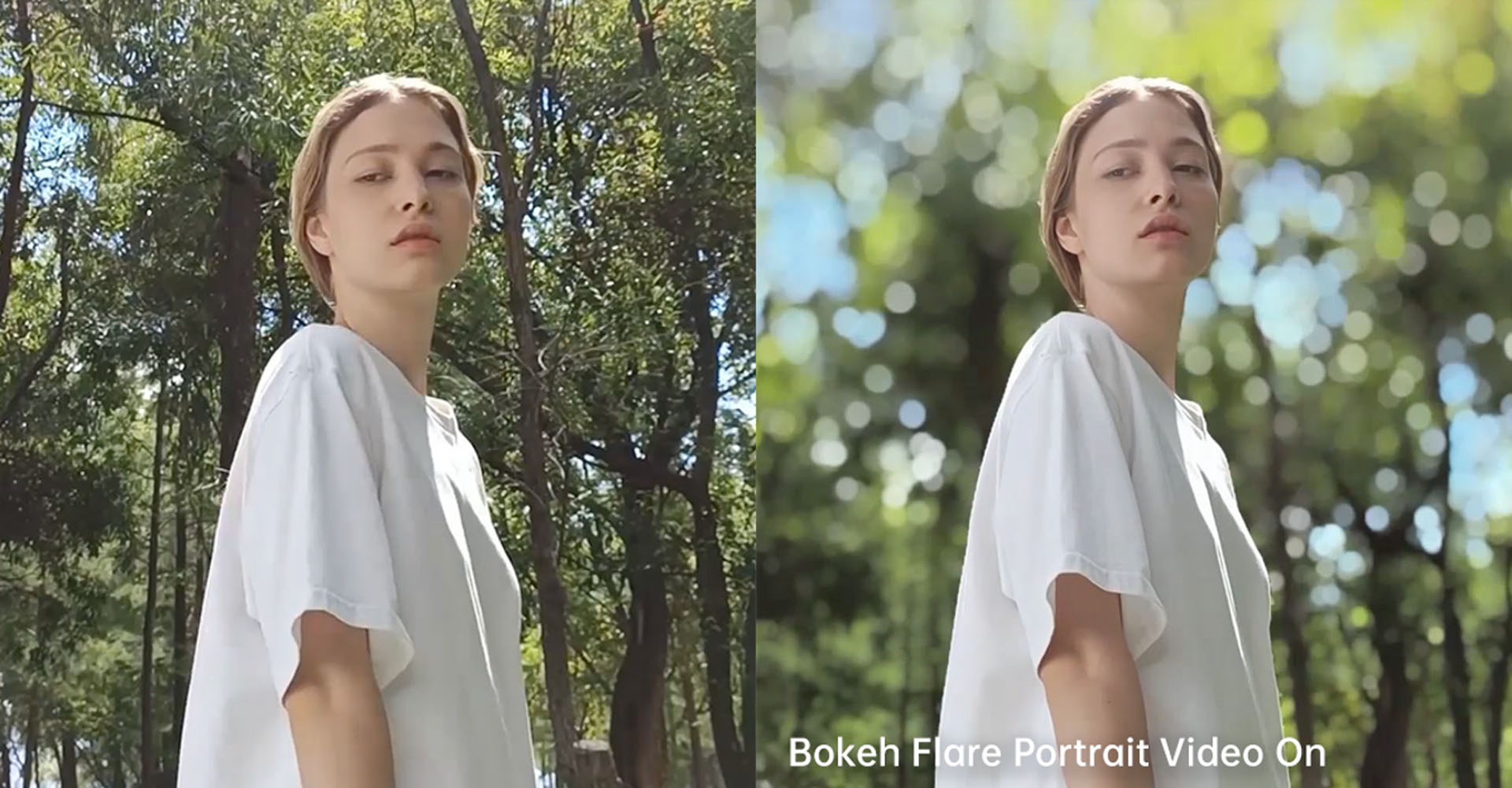
Create cinematic videos like a Hollywood director with Bokeh Flare Portrait Video (only on Reno6 Pro)
If you already like how the Bokeh Flare Portrait pictures look, then take it to the next level and integrate it into your videos. That’s what this feature is about.
-
Portrait Beautification Video
You remember back in the early days of the selfie craze when OPPO kept advertising their beauty mode? Yeah, it’s back now but combined with portrait mode for video. Gonna make your face glow up real good.

-
Flash Snapshot
Snap pics of fast-moving subjects by utilizing an automated burst shot mode. Take a bunch of pics and it’ll automatically select which one is the sharpest for you.

-
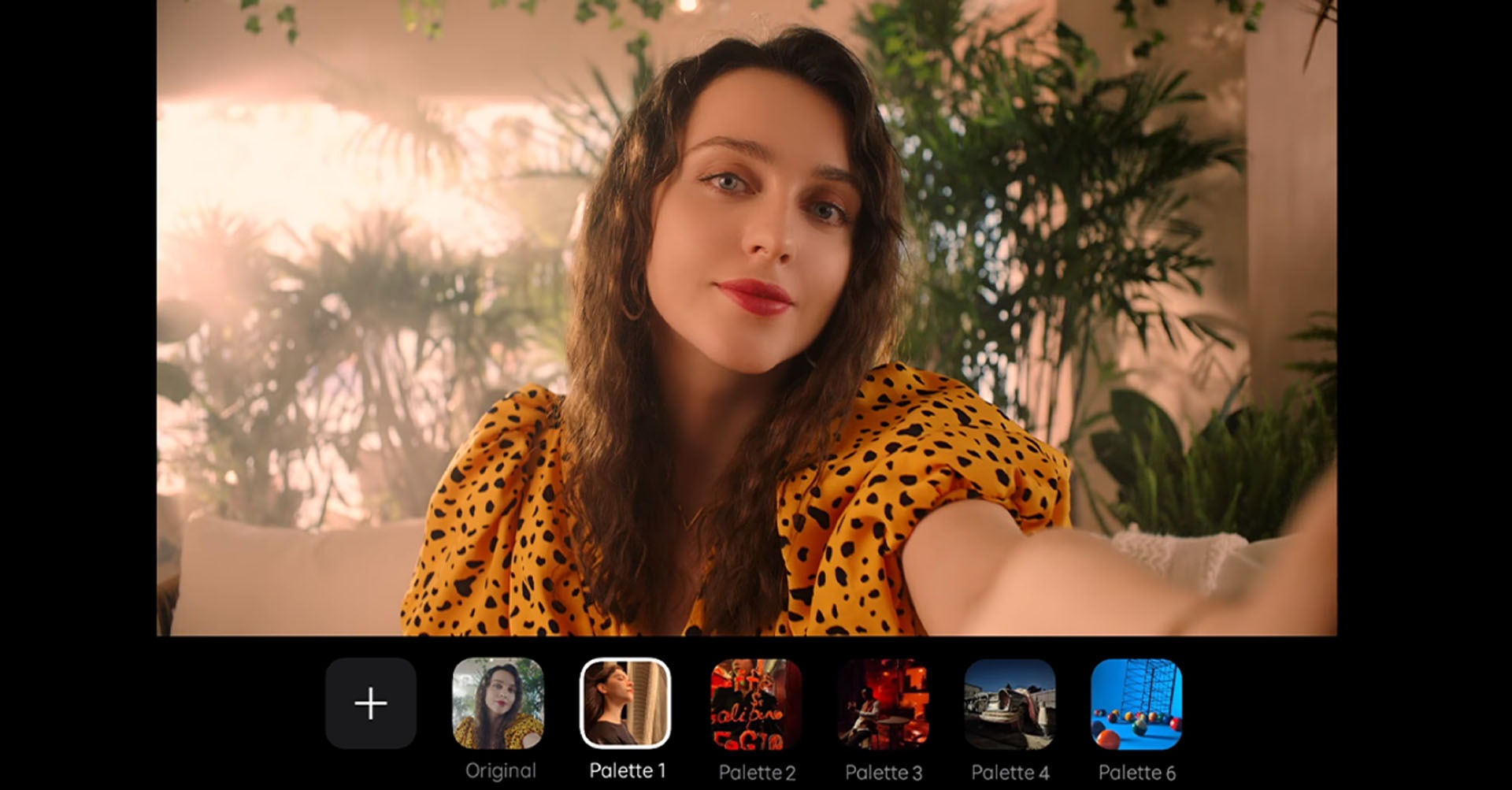
Steal other people’s aesthetic with AI Palette
This is an interesting feature. The OPPO Reno6 series has this thing called AI Palette and it lets you copy and paste other people’s edited photo aesthetics (dreamy, cool, neon, etc.) and you can paste it on your own image. Maybe do this on a celebrity’s heavily edited photo and see how well it does for yourself?
-
AI Color Portrait
Literally turning your background colors into black and white only. Your subject is the only part of the photo to have colors. Works in video mode too.

Are these Reno6 phones any good, though?
To answer that question – we’ll have to point you to our full reviews of the Reno6 phones. We reviewed both the OPPO Reno 6Z and also the OPPO Reno 6 Pro – which you can check out below.
Like our Facebook Page here at NasiLemakTech.com for more news and in-depth reviews! Also, join our Facebook Group for insightful information and memes!
Subscribe to our YouTube channel too!