



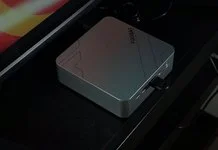










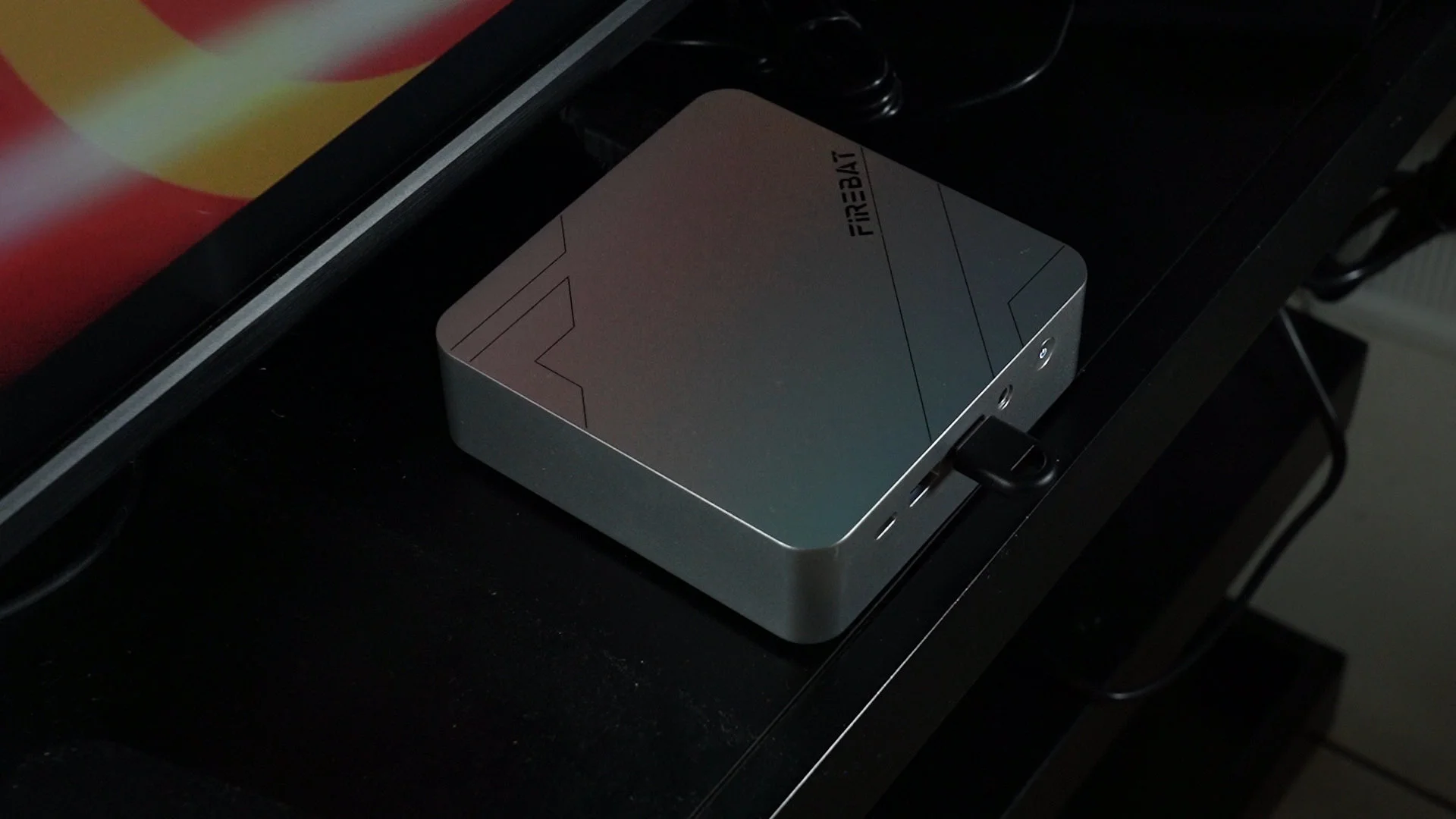

With the rising prices due to the memory crisis, every single piece of tech is getting more expensive. What I have here is something special – this is the Firebat F1 – specifically with this model number, and it is actually a rather affordable computer. And this is the size of that mini PC. It’s tiny, low-profile, and can practically sit anywhere. Yet, we can do a lot of things with it.
Unboxing
So let’s get started with the unboxing because this matters a lot. The unboxing is rather simple, the mini PC itself sits at the top, protected by lots of foam and underneath the mini PC, we have the accessories box. Within this box, we have a bunch of actually useful stuff.
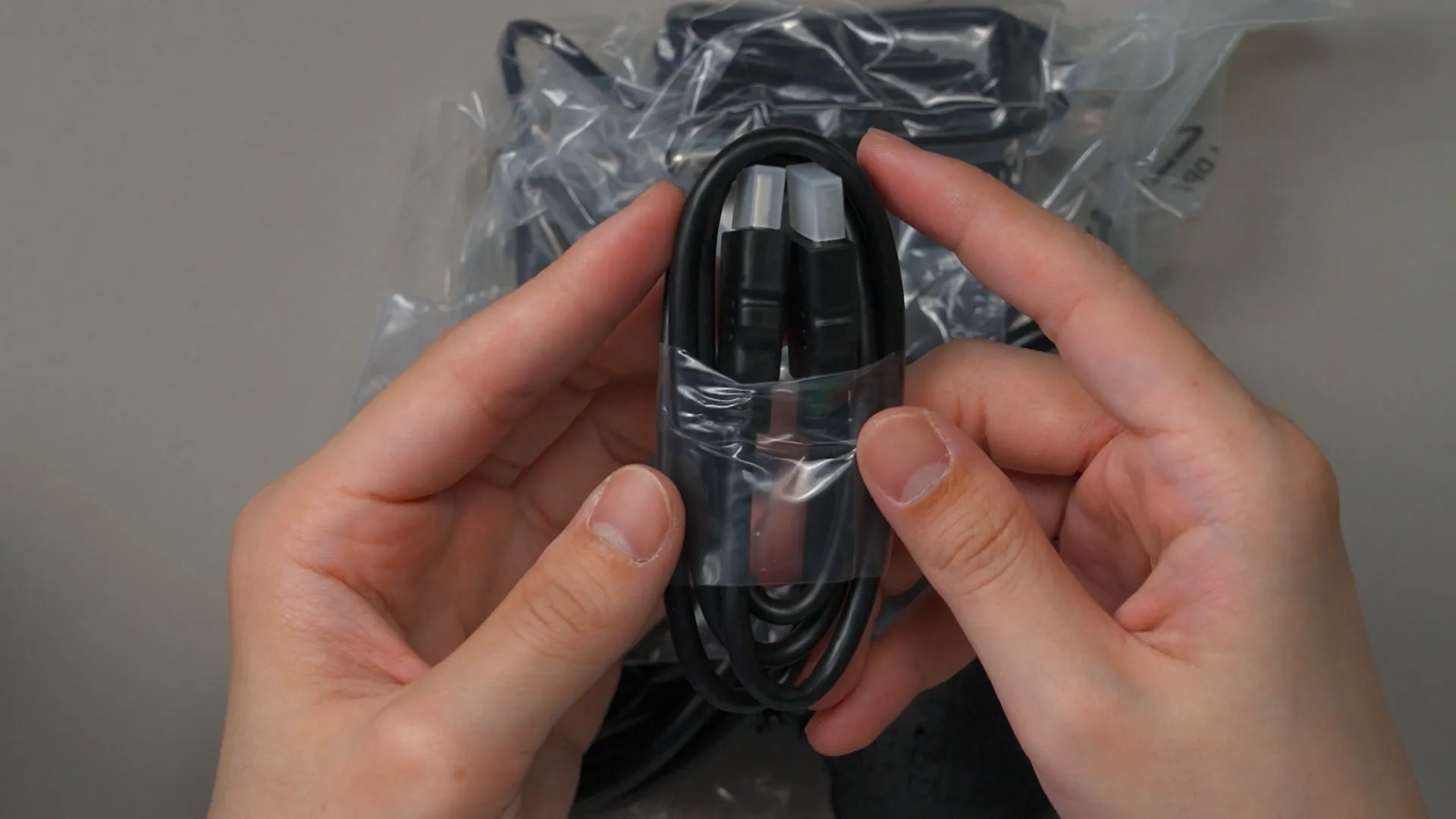
First, the HDMI cable. Thank you for this because I can never have too many HDMI cables.
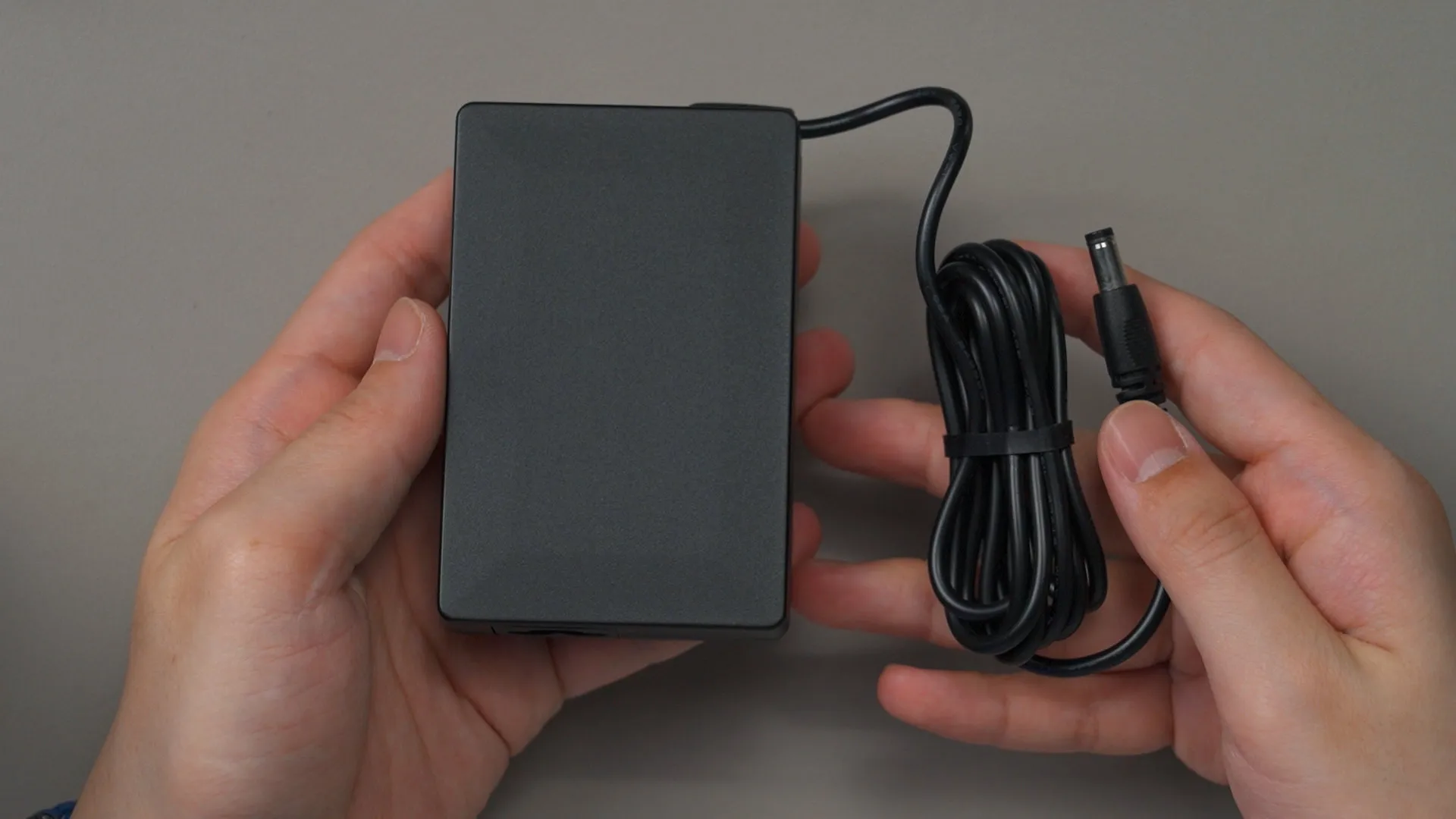
Then, we have the usual power plug and the power supply. This power supply is rather tiny as well, and it can supply a maximum of 120W through this barrel jack.
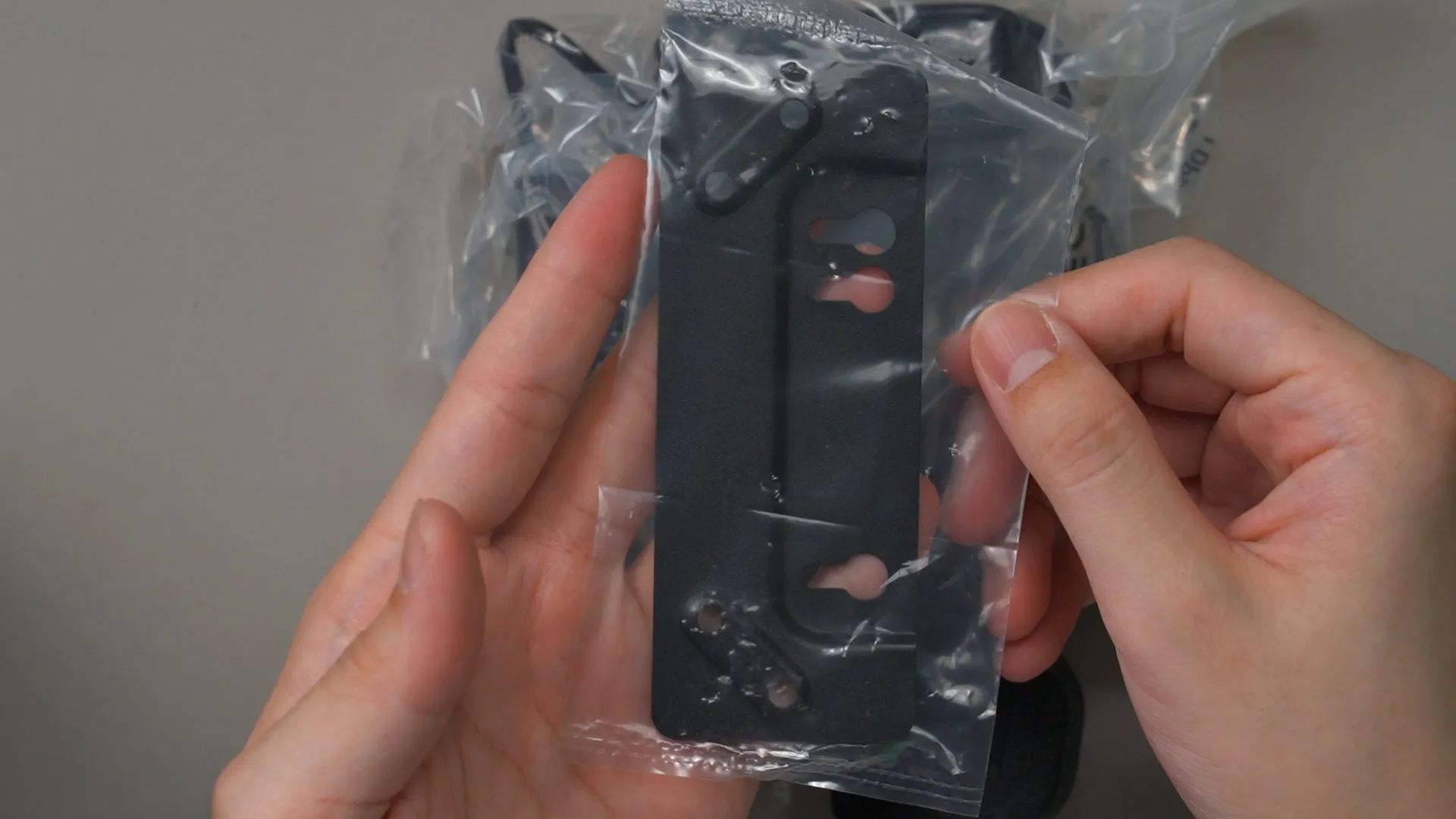
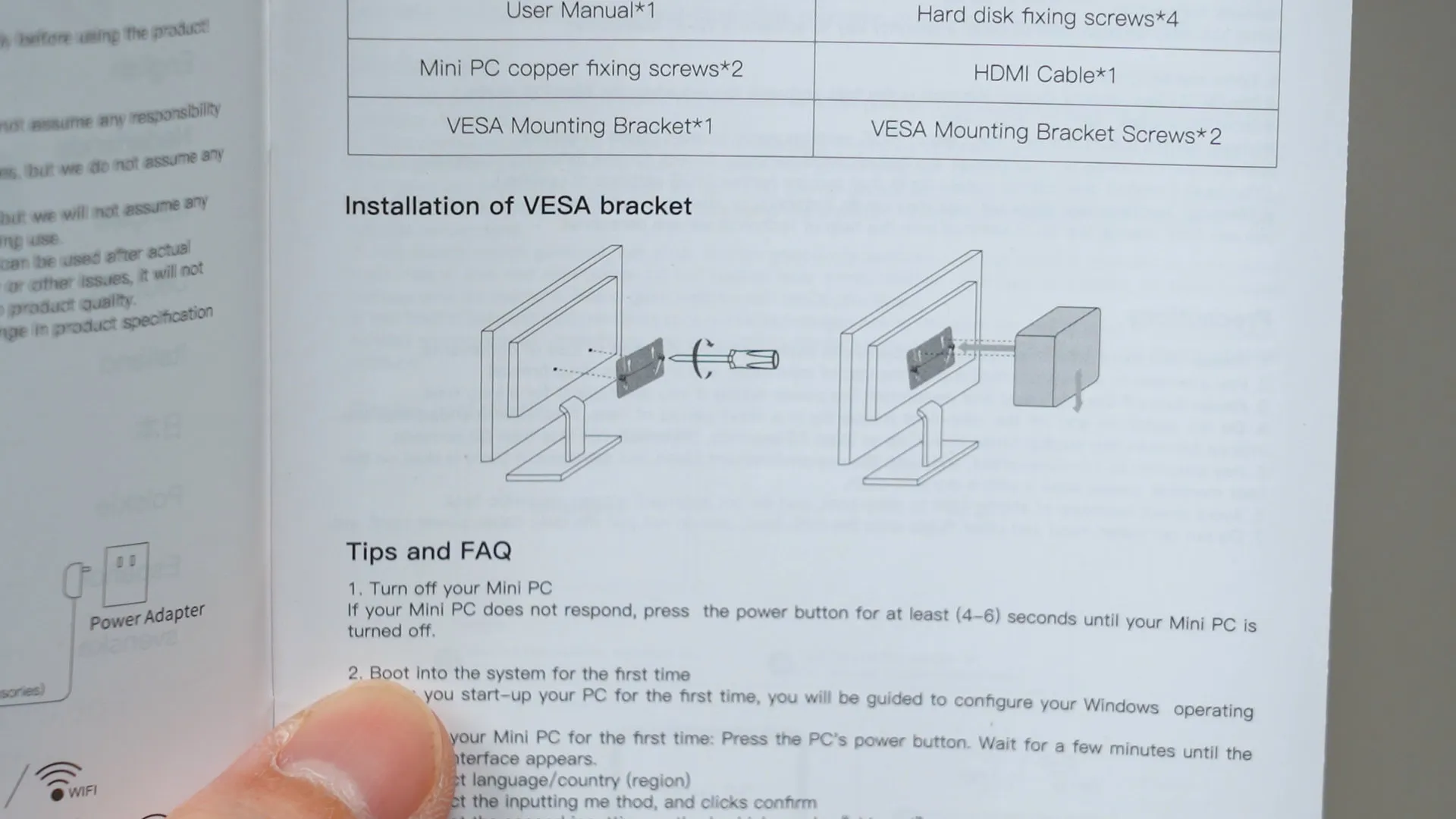
Then, we also have a VESA mount bracket too. Yes, we can mount this mini PC directly behind the monitor – making it a truly minimalist setup. Screws are also included, by the way.
Design
The overall design of this mini PC is rather minimalist, I’d say. While the whole thing might look like it’s going to be reflective, it’s actually in a somewhat matte finish. It doesn’t reflect light that much.
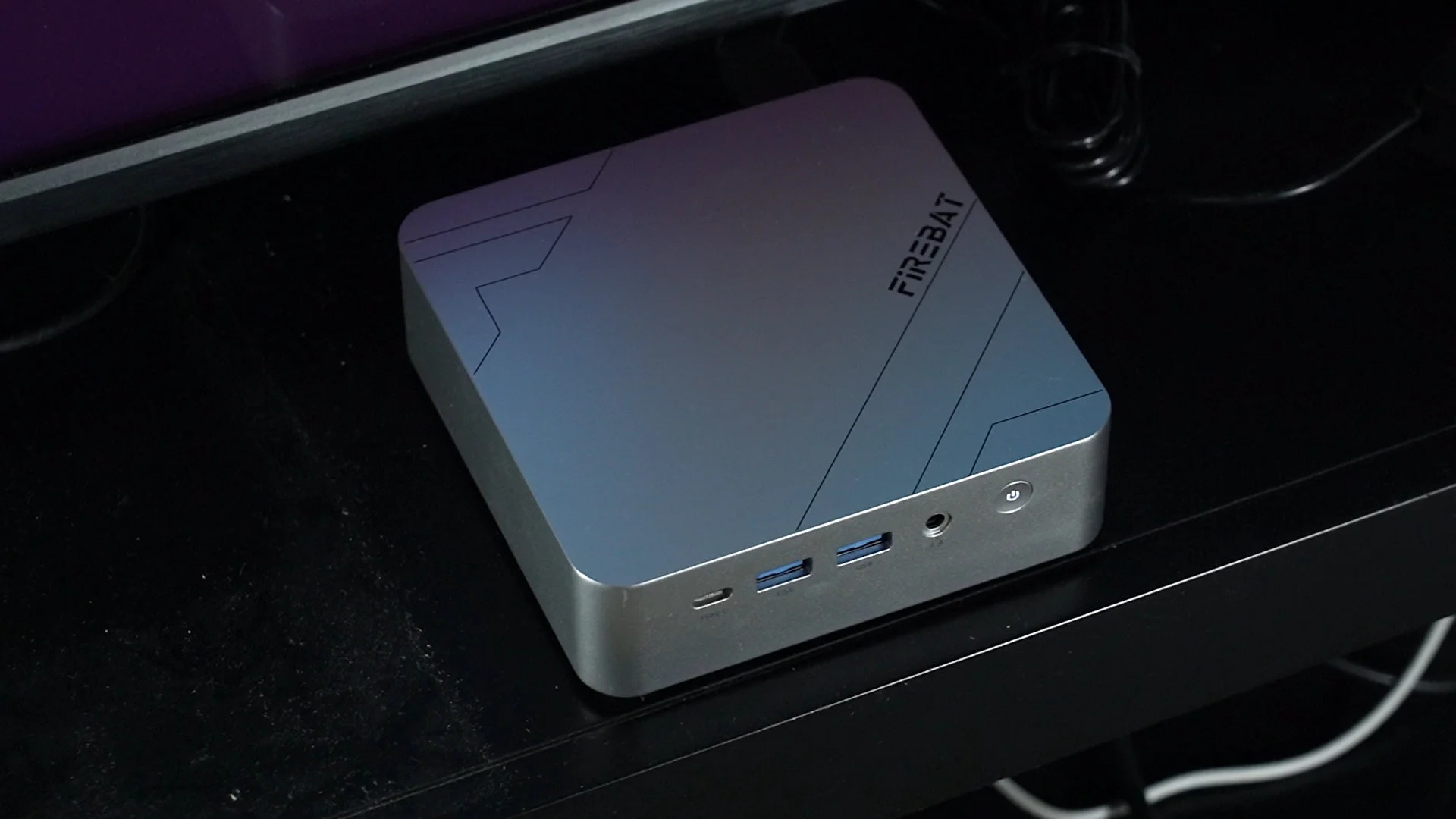
Part of the mini PC is in black color, which we’ll talk about later.
Ports
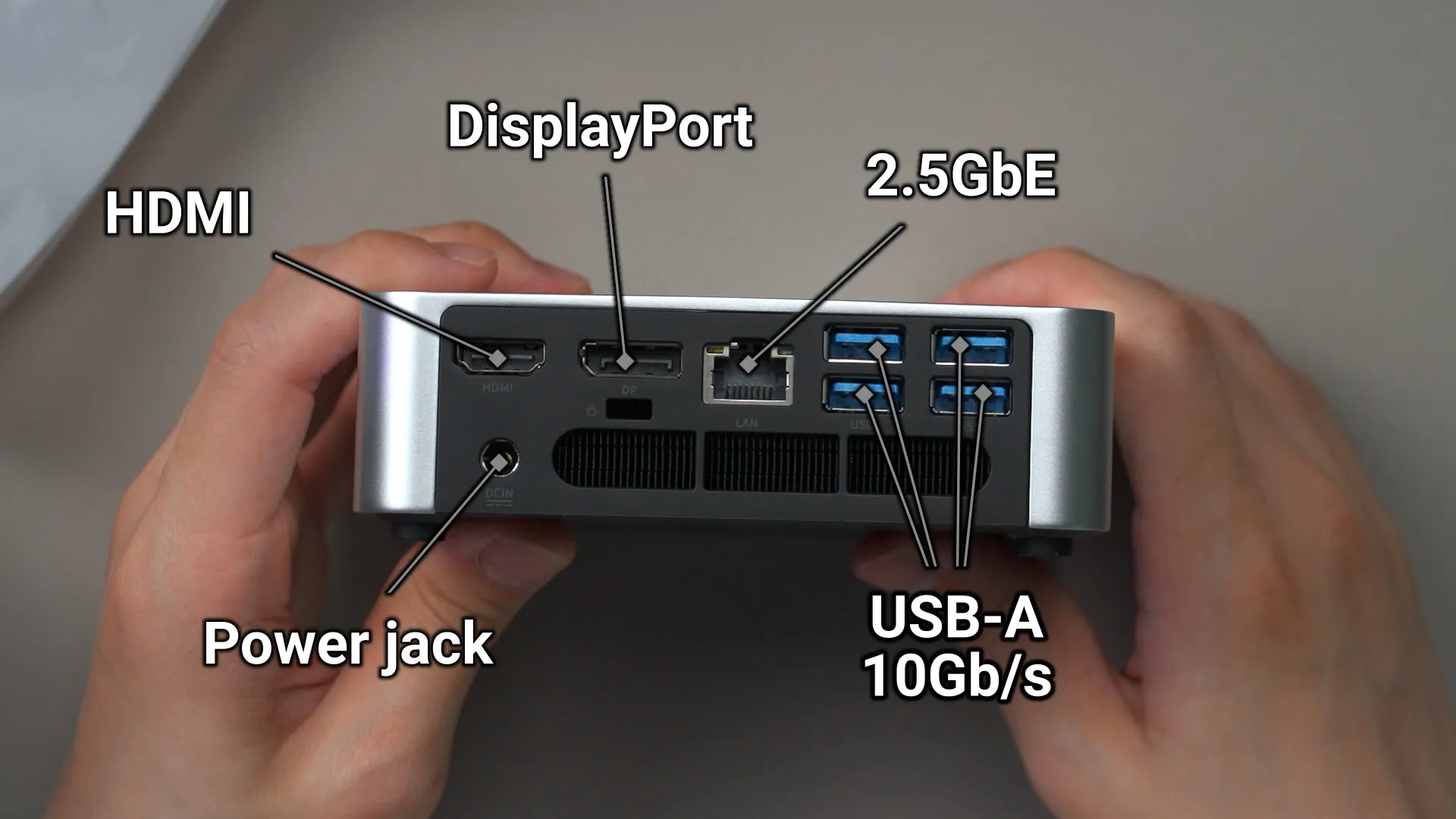
Let’s also quickly talk about the ports while we’re here. At the back, we have the power jack, HDMI port, DisplayPort, 2.5GbE port, and also 4x USB 3.0 Type-A ports.
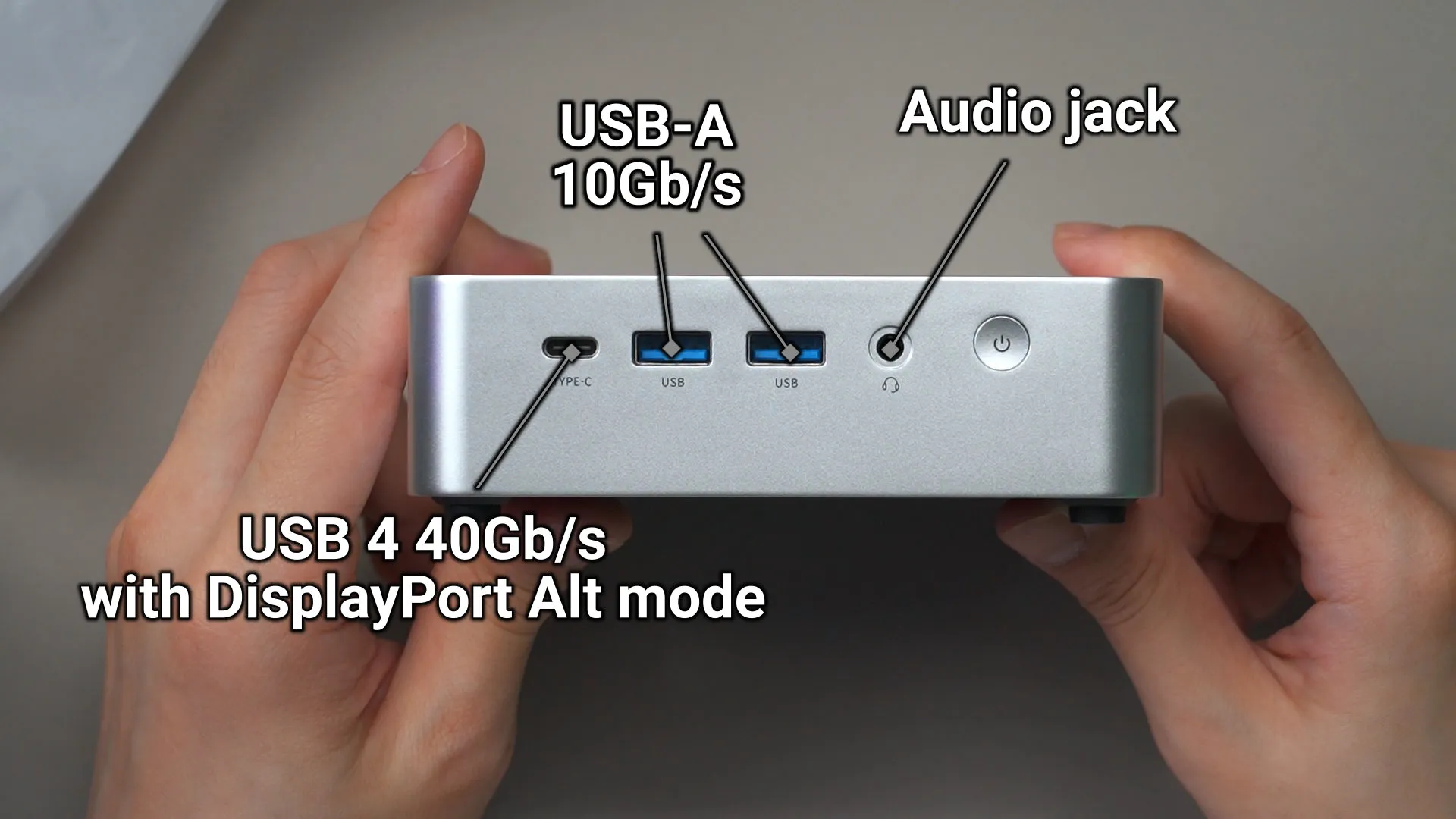
At the front, we have an audio jack, two more USB 3.0 Type-A ports, and a single USB 4 Type-C port that also supports display output.
Specs and performance
So, let’s talk about the specs of this mini PC. For our particular variant of the Firebat F1 with this model number, it comes with this list of specs:
- AMD Ryzen 7 H 255
- AMD Radeon 780M
- 16GB of LPDDR5 @ 6400MT/s
- 512GB NVMe SSD
That SoC is rather rare since it’s supposed to be exclusively for the China market only, but we have it right now. It’s an SoC with 8C/16T and has the AMD Radeon 780M integrated graphics, which is based on RDNA 3.
Let’s start off by doing some quick and simple benchmarks. We’re comparing it with the ROG Xbox Ally X with the newer AMD Ryzen AI Z2 Extreme, but the power budget between the two devices are completely different. The Firebat F1 mini PC can draw up to 55W on the SoC compared to just 35W on the ROG Xbox Ally X.
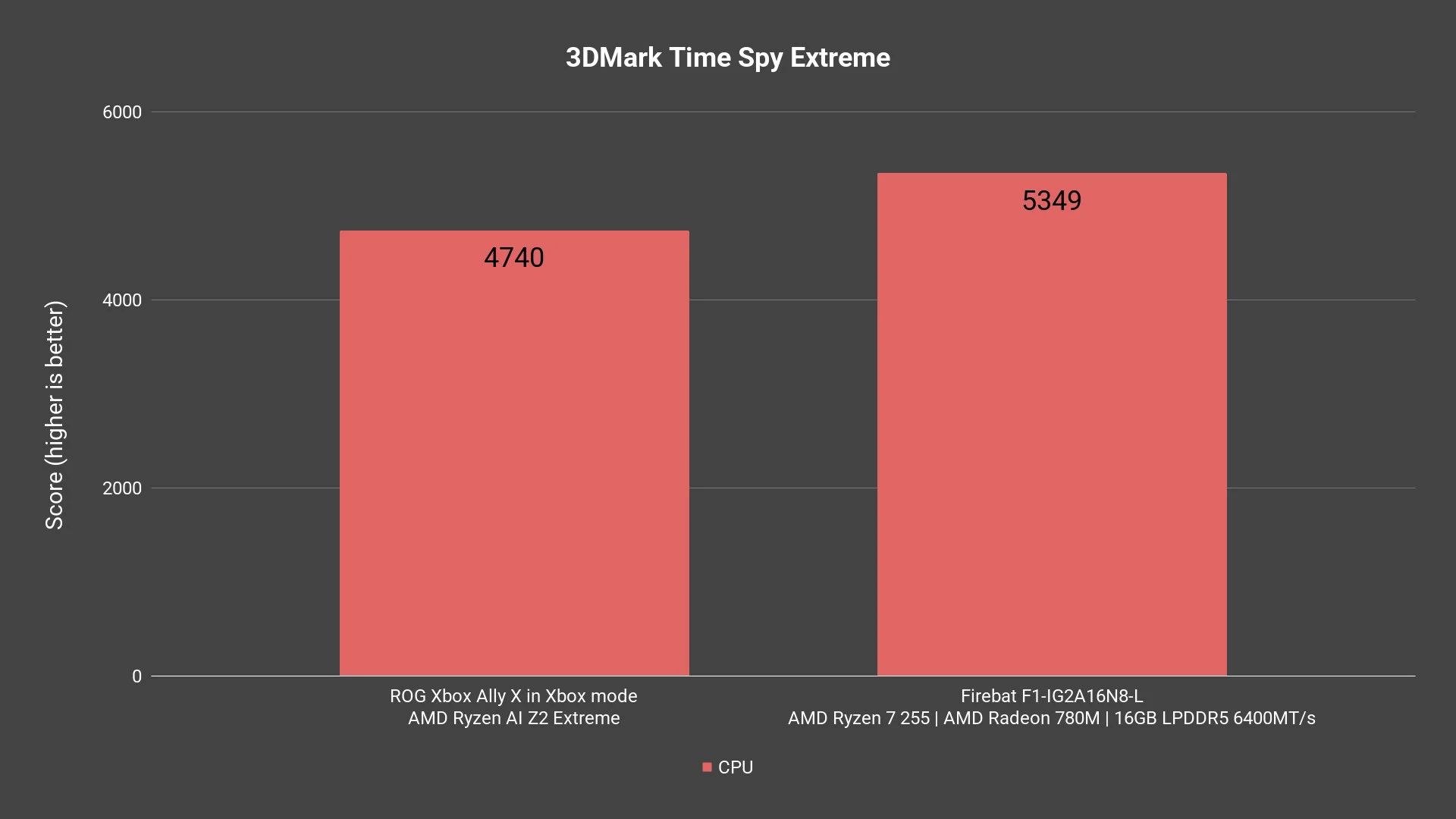
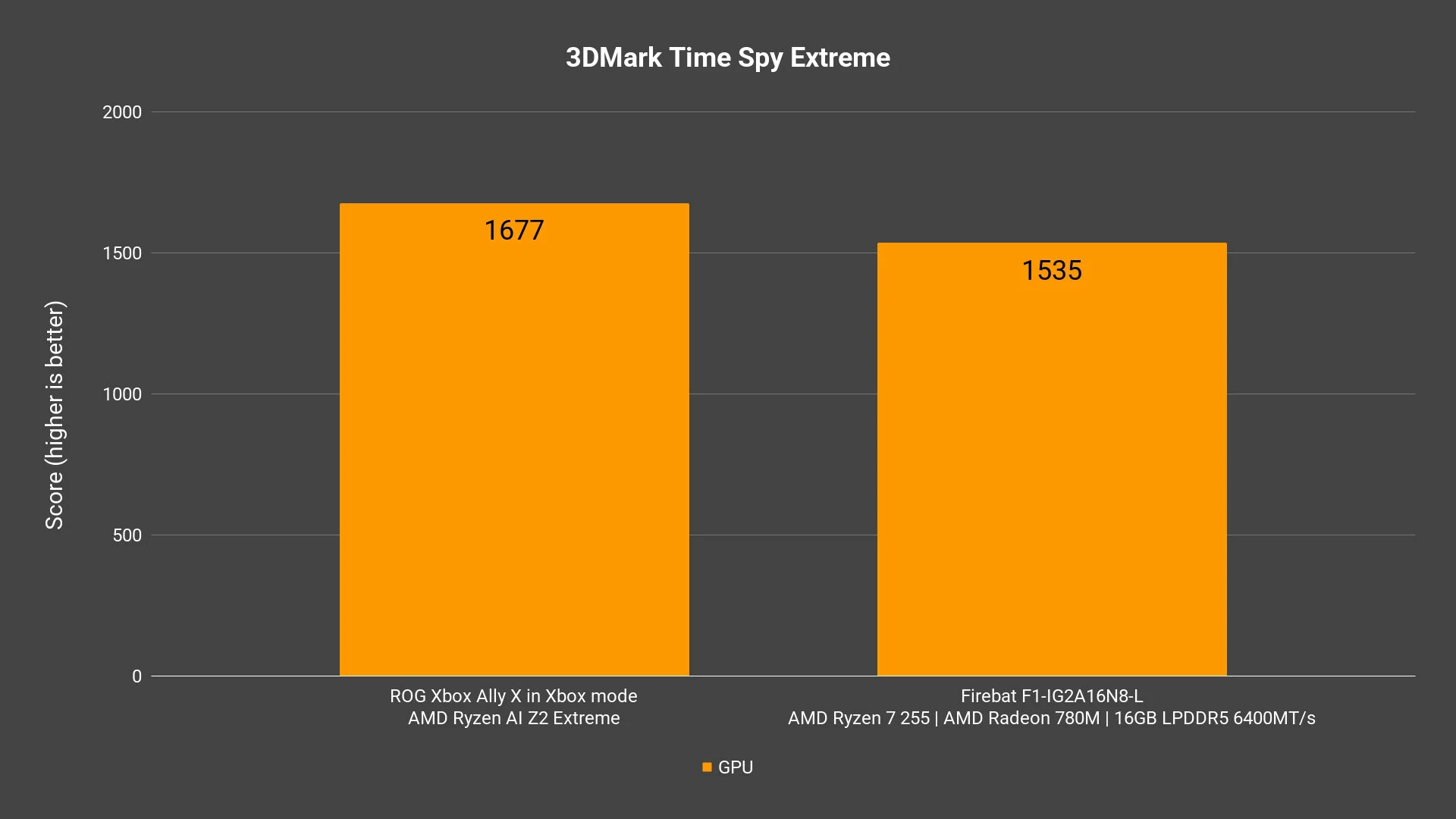
We did 3DMark Time Spy Extreme, and here are the results. Because the Firebat F1 can take in so much power, the CPU score is indeed going to be much better. However, when it comes to the GPU, yeah the Firebat F1 is going to lose. The ROG Xbox Ally X has a newer GPU architecture that drastically improves its performance, so this is to be expected.
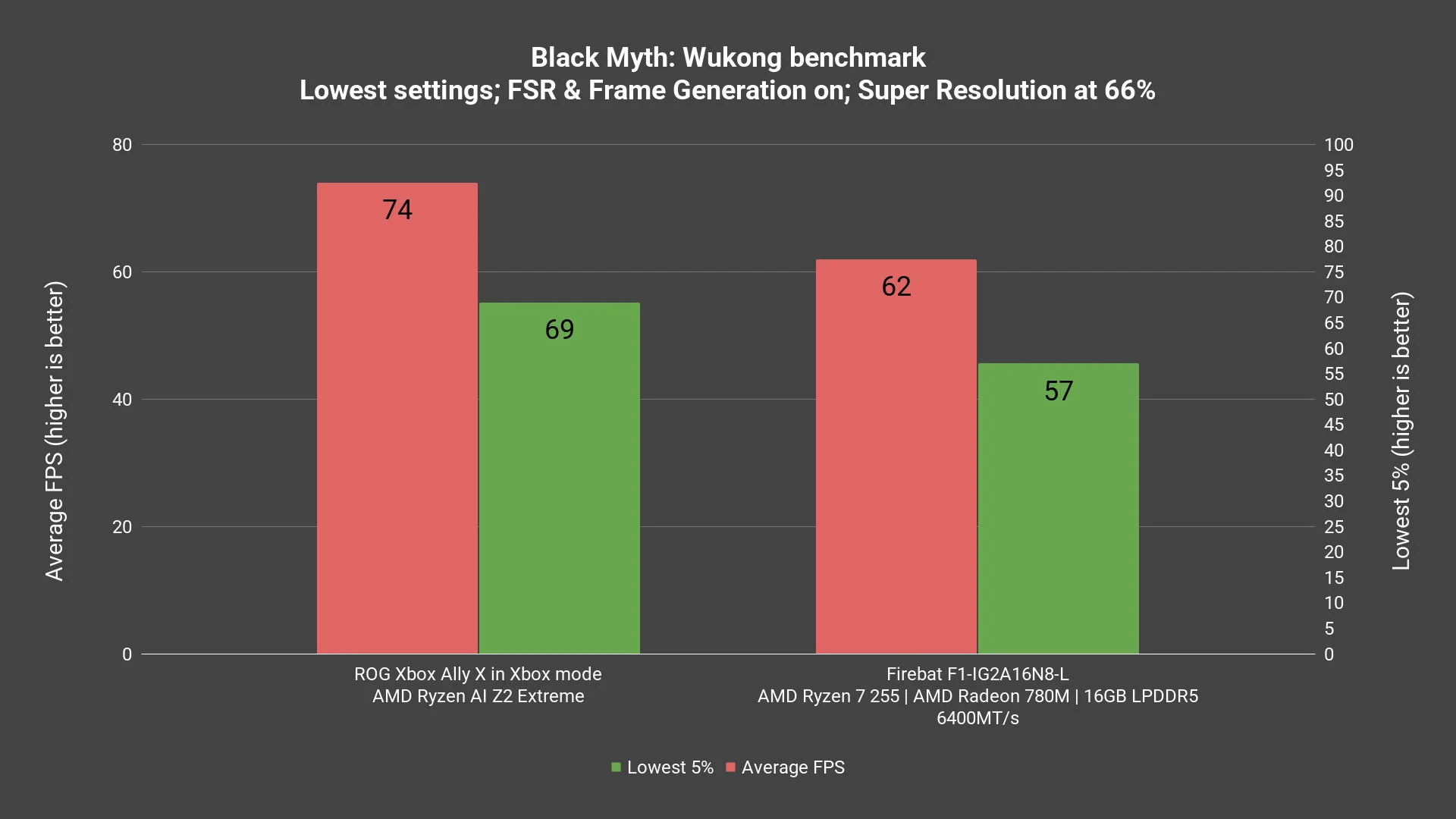
In game benchmarks like Black Myth Wukong, we can also see the difference too.
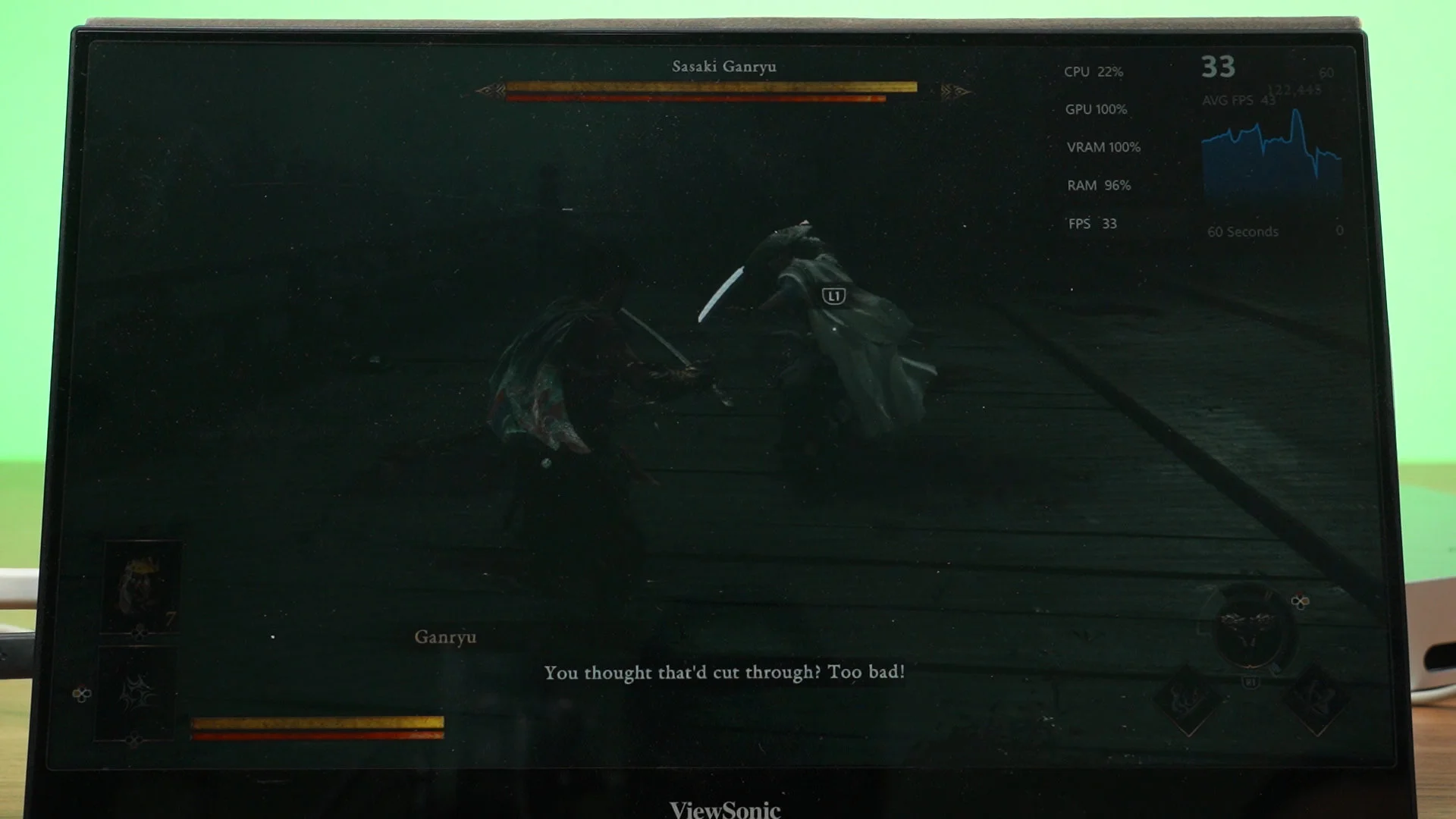
How does it actually feel in games though? Well, honestly speaking, the new Onimusha Way of the Sword feels great with this list of settings and also on 1080p resolution. It’s actually a very good experience and I had a great time.
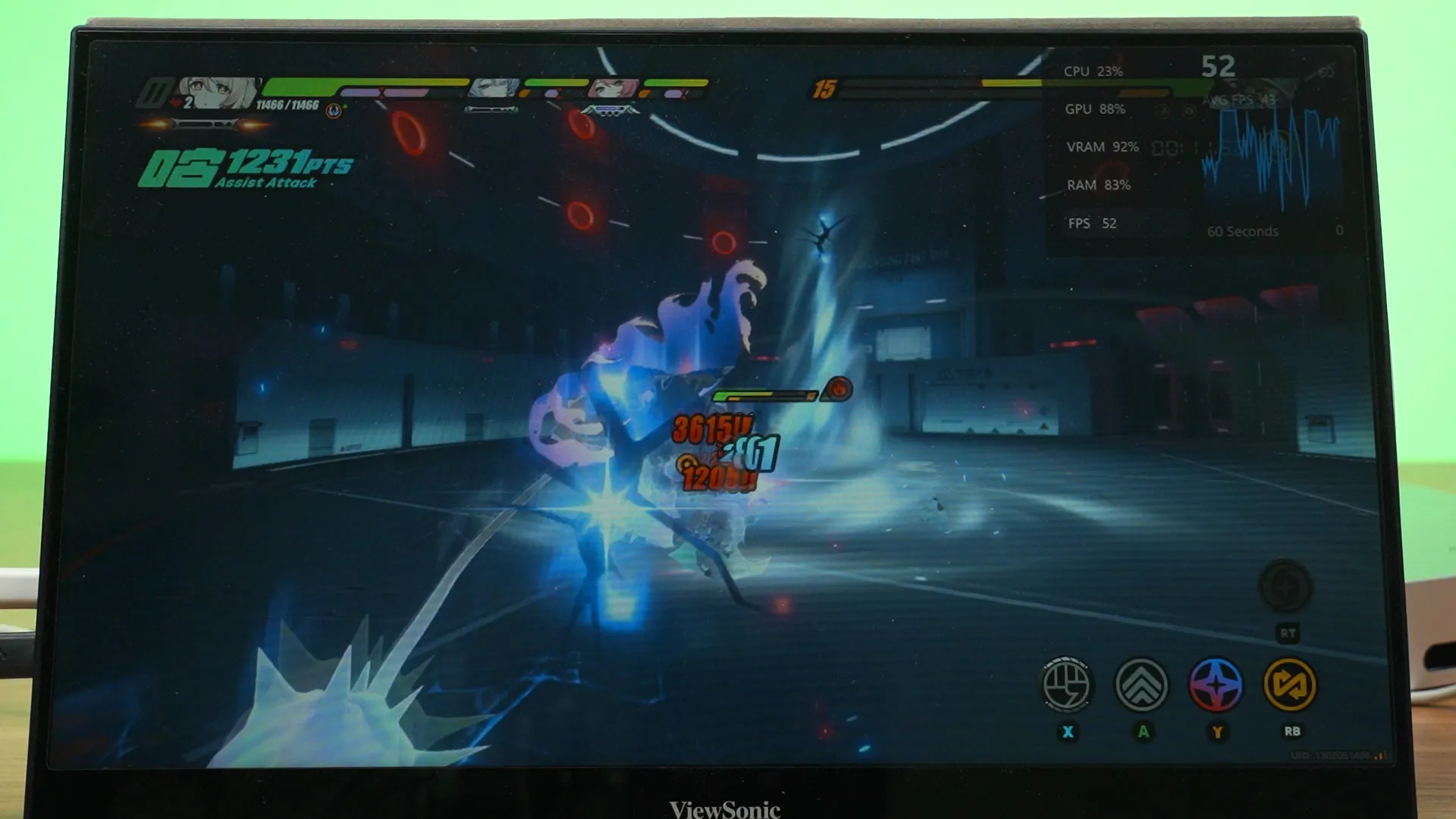
Other games like Zenless Zone Zero also runs fine on this mini PC with somewhere between low and mid graphical settings at 1080p resolution. Not far off from the ROG Xbox Ally X, I’d say.
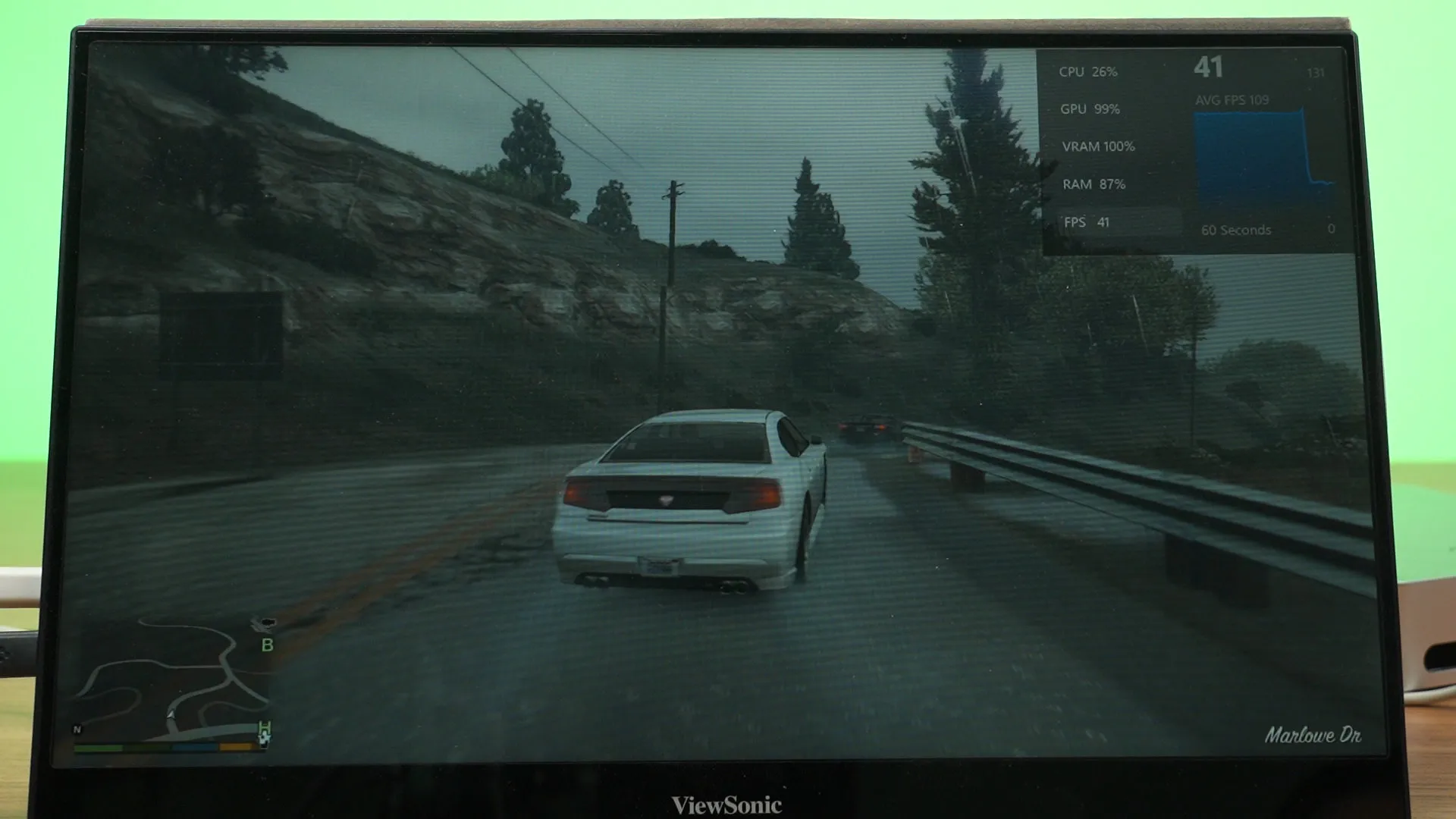
Of course, we also have to run GTA V Enhanced Edition. It runs fairly okay with the low preset at 1080p, which is to be expected – and again, it’s an enjoyable experience.
I honestly think that the Firebat F1 is not that far off the ROG Xbox Ally X in terms of raw performance in gaming. If you’re curious to know, I also plugged this mini PC into my TV and played games that way. Of course, we have to lower it down to 1080p – but it ran fine. Sitting that far away from the TV – I’m actually okay with how it looks.
What else can we do with it?
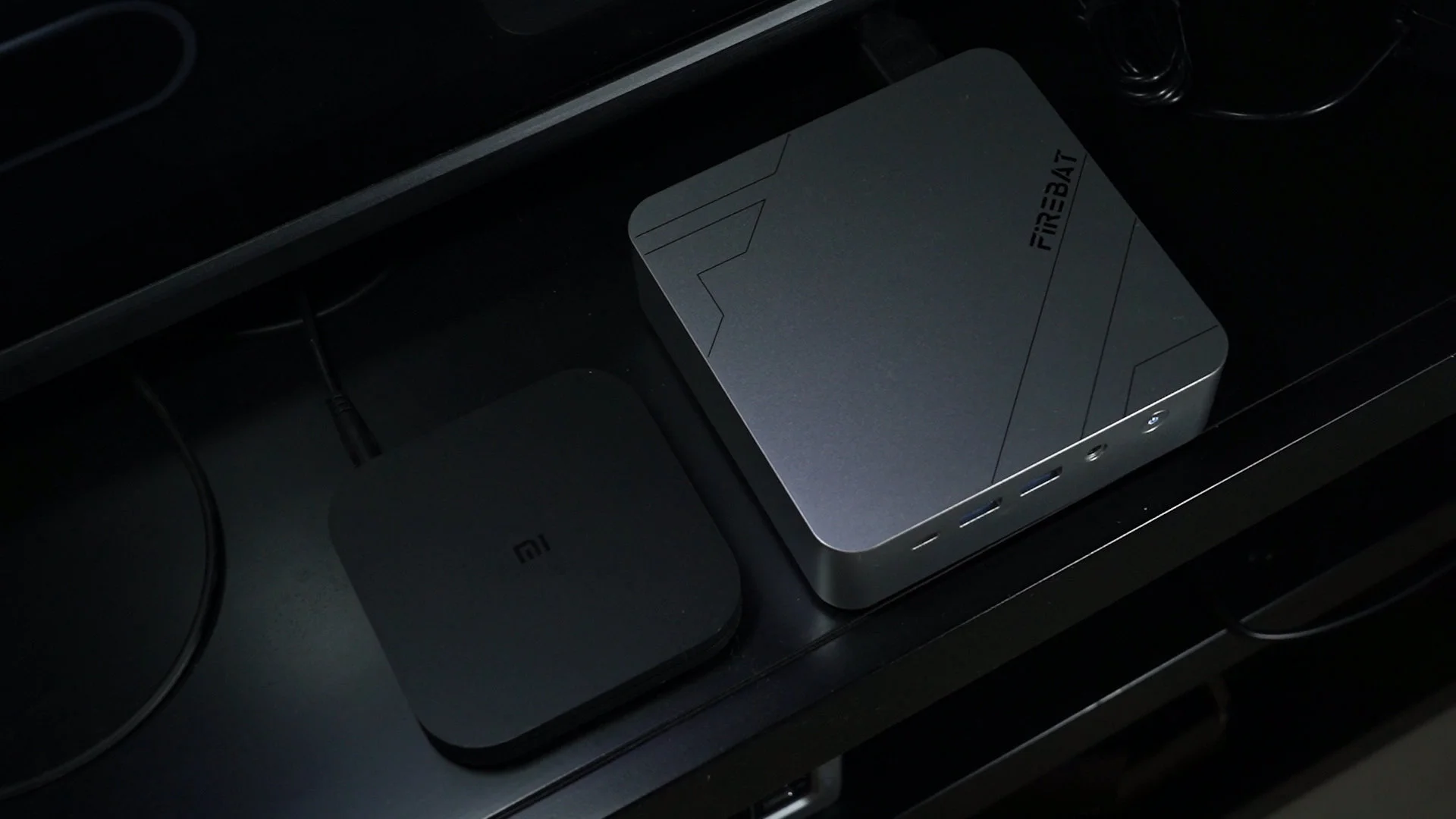
So then, what else can we do with it? The first thing that came into my mind was a TV PC. Yeah, that’s what I was showing previously. Other than just PC gaming on the TV, I actually hate smart TVs. They’re extremely slow, clunky to navigate, and also very limiting in terms of what we can do on it. A mini PC solves all of that – especially since I have some random wireless keyboard and mouse around. It also looks like just a TV box since the mini PC is so tiny and low-profile.
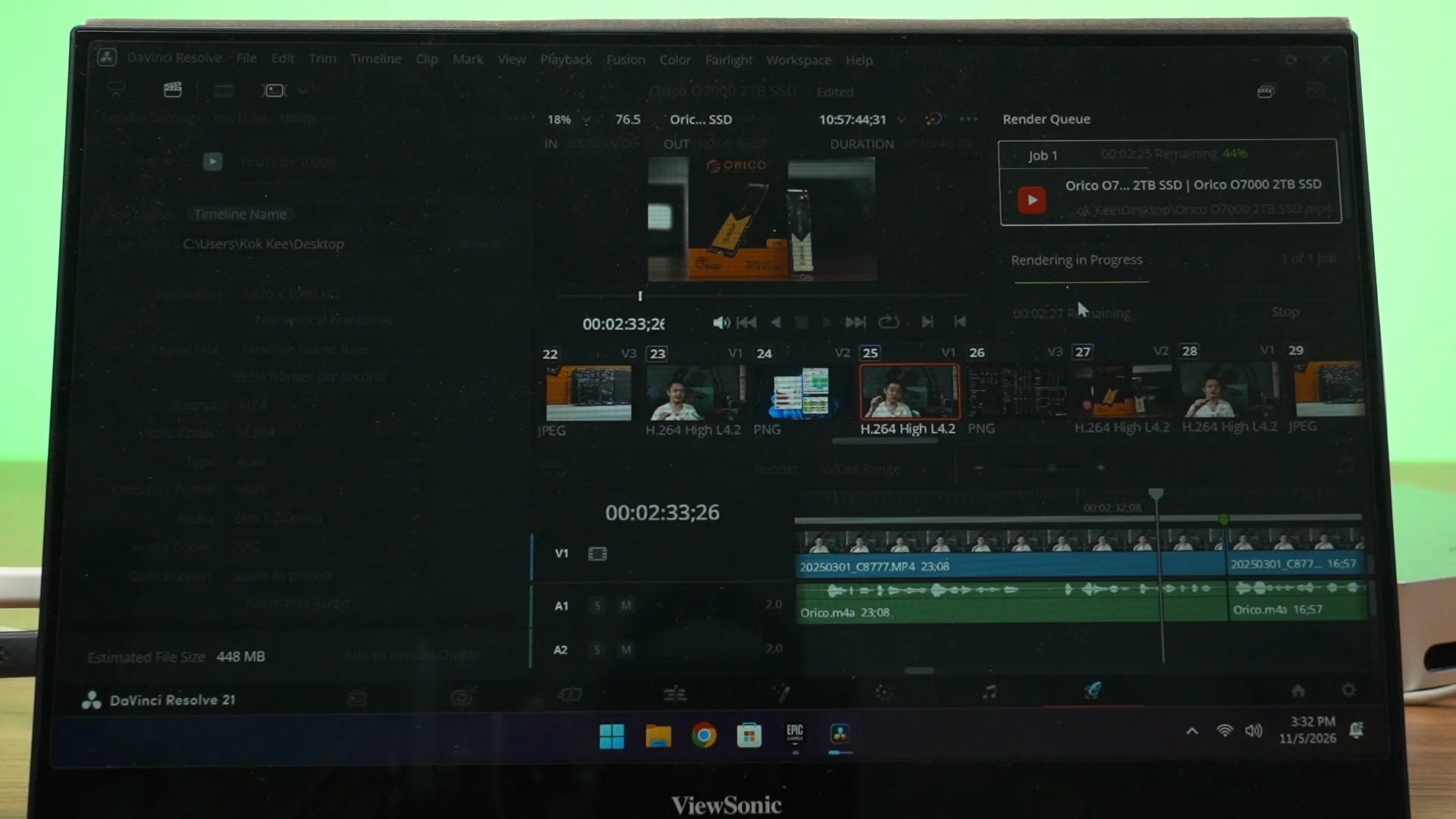
Since it is a PC after all, we can also do work on it. This chipset is surprisingly capable to the point that we can indeed edit videos on it using DaVinci Resolve. Granted, this mini PC doesn’t have that much memory to handle things like Fusion effects or more complex videos – but simpler videos like this work wonderfully.
Of course, we can use this mini PC as a common PC around the household. That’s a legit use case, especially since it’s easier to do many things on a PC with a keyboard and mouse compared to a phone or tablet. Plus, being able to mount it behind the monitor via the VESA mount. Maybe even use it as a receptionist PC?
Heat and fan noise
As a quick mention – the fan heat and the fan noise. Yeah, these things annoy me – so might as well talk about them. The Firebat F1 actually has a rather beefy cooling system, as it has two extra thick heatpipes running through the two fin stacks and the chipset.
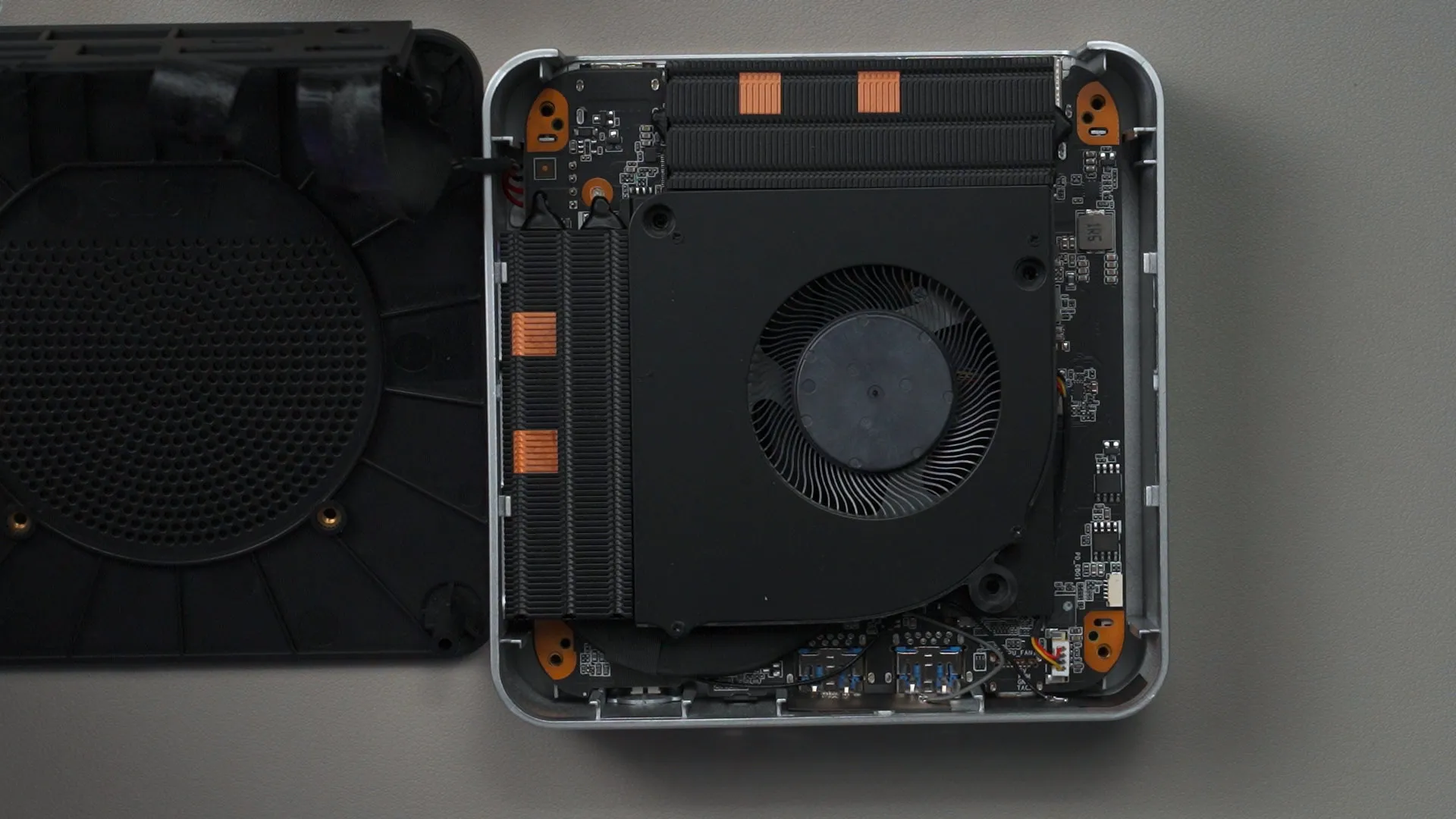
The temperatures are around 80°C max even while pushing 55W to the chipset while gaming.
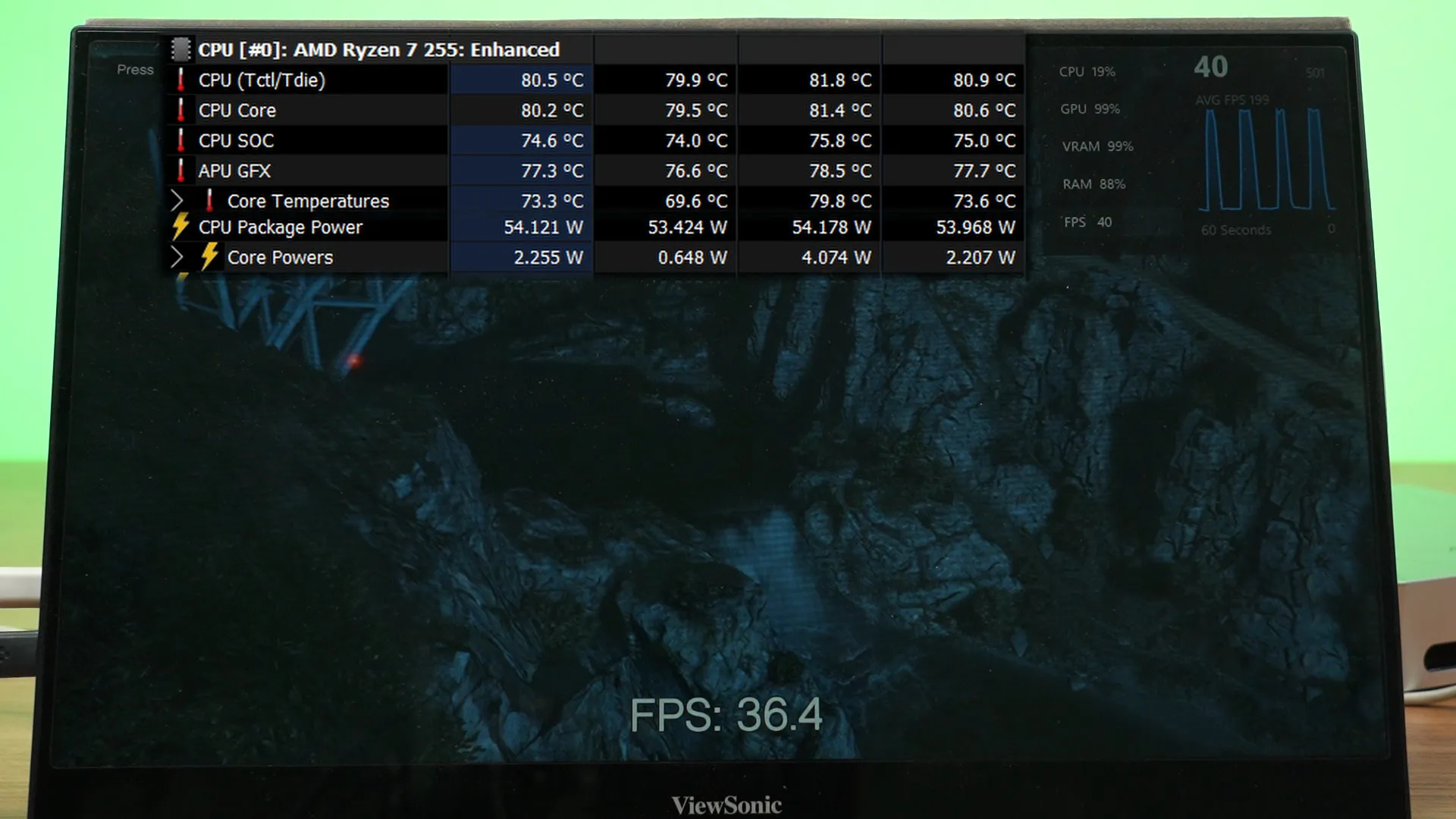
As for the fan noise, I’ll let you hear it in the video instead. To me, I think it’s really quiet.
Also, just to share with you guys watching this video – the Firebat F1 draws in air from the bottom, then exhausts the hot air at the two side vents. So, don’t block the bottom of the mini PC!
Upgradability and serviceability
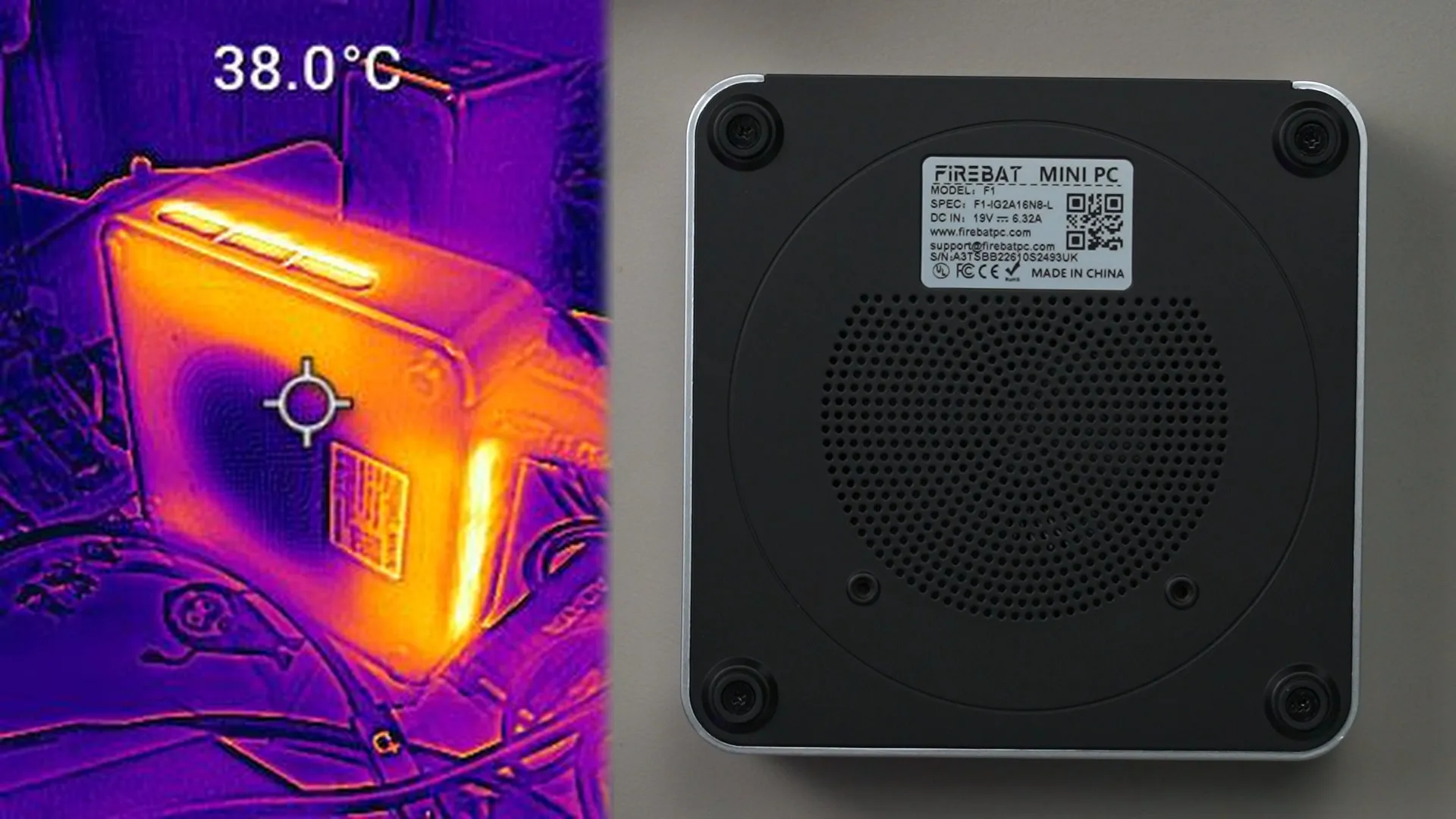
Since we’re here, let’s also talk about what we do inside the Firebat F1. To open it up, we have to remove the 4 screws that also doubles as the stand, then just slowly move the black colored piece away from the silver colored piece. Yes, it’s that simple.
Be careful when opening it up as there is a cable connected between the two pieces.
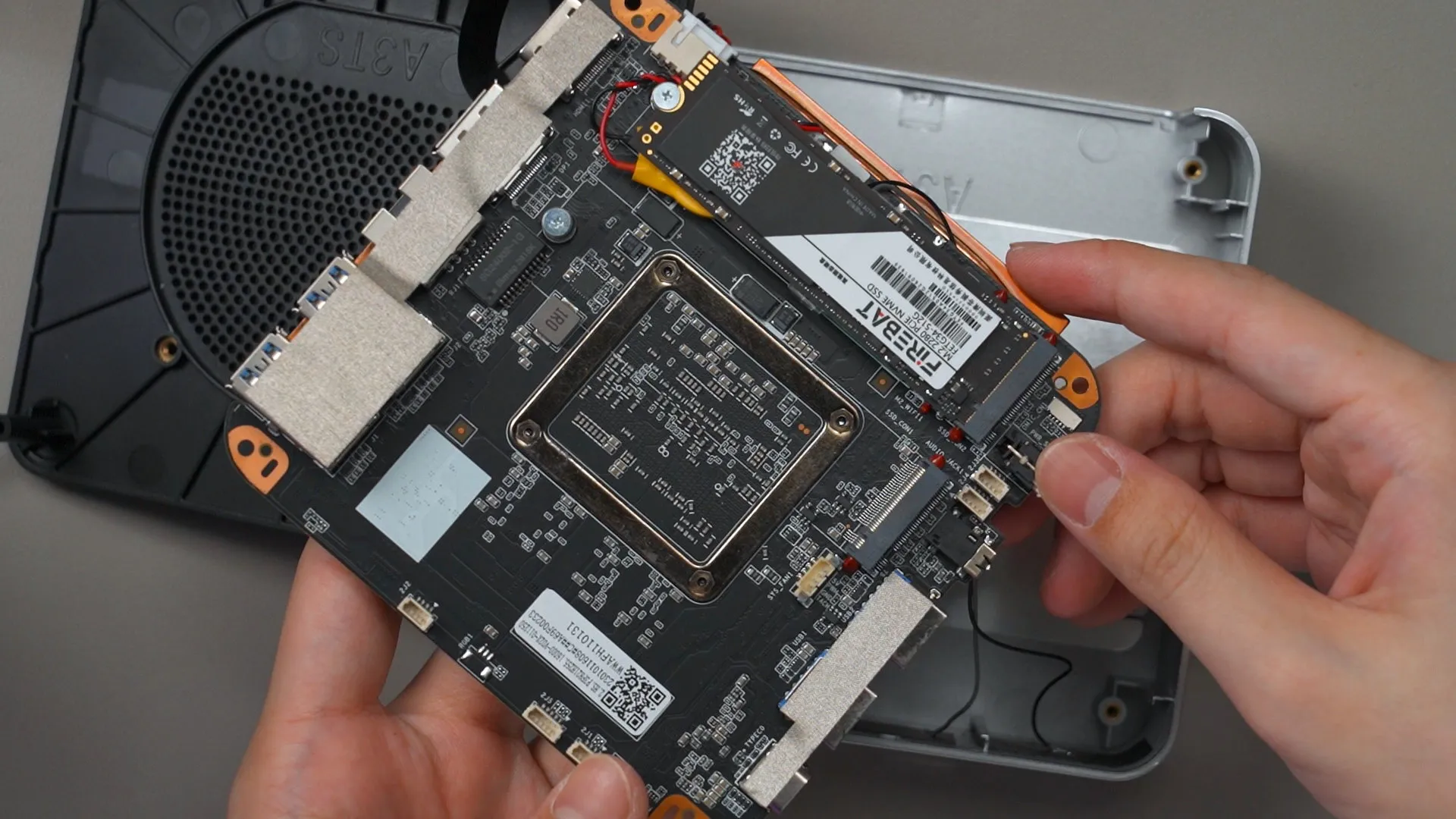
We then have direct access to the cooling system. It can easily be cleaned – which I think is a great point to highlight.
To access the NVMe SSDs, we have to flex the case a little to release the motherboard – and the whole thing comes out. On the otherside of the motherboard, we have two NVMe SSD slots. One of it is already taken up by the included 512GB SSD, and there’s another slot for us to slot in another NVMe SSD if we want to. Maybe swap out the included SSD too if you’re a power user.
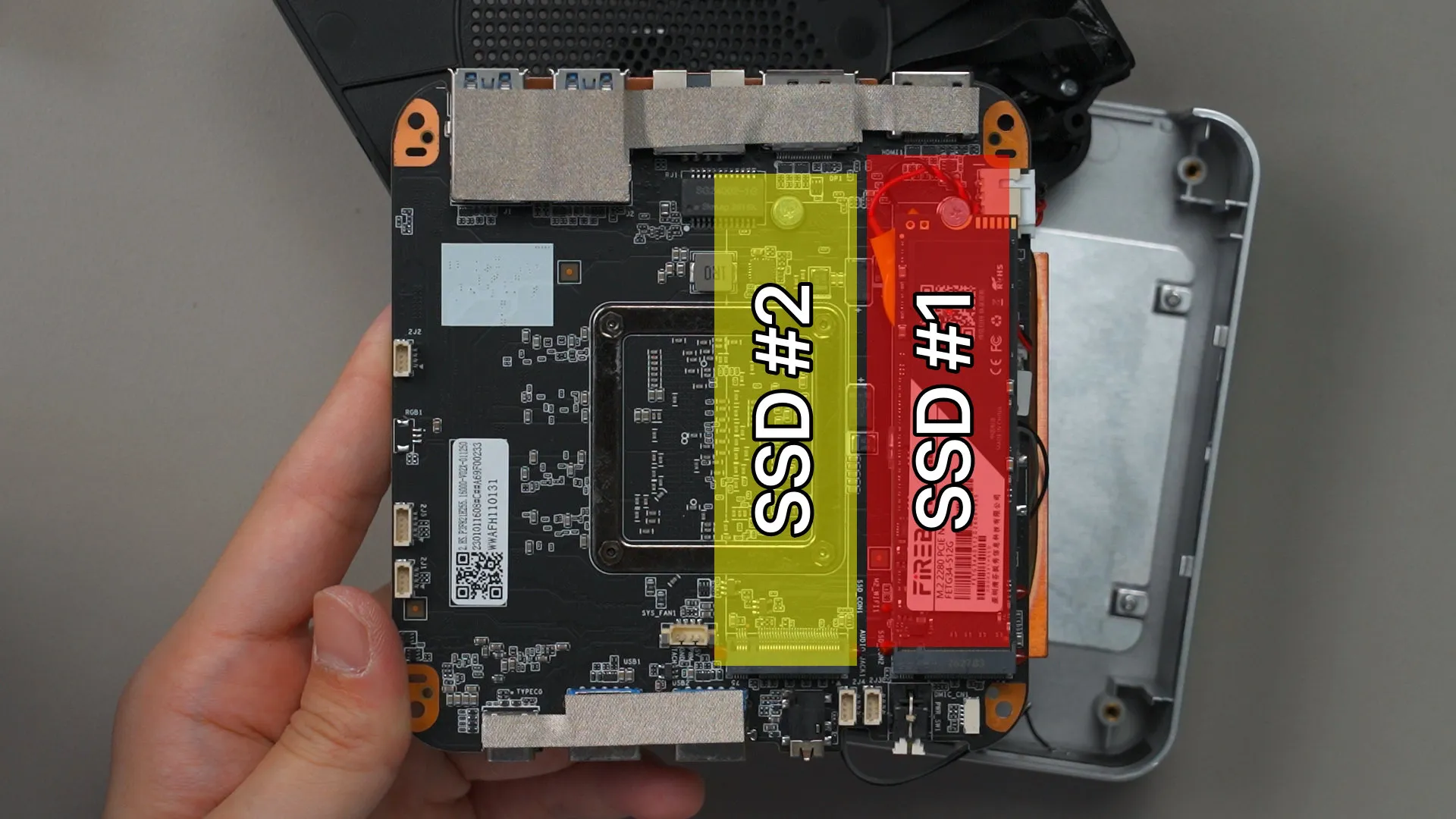
However, the RAM is soldered onto the motherboard, which I think is rather unfortunate as I would want to upgrade it to 32GB someday.
Software utilities
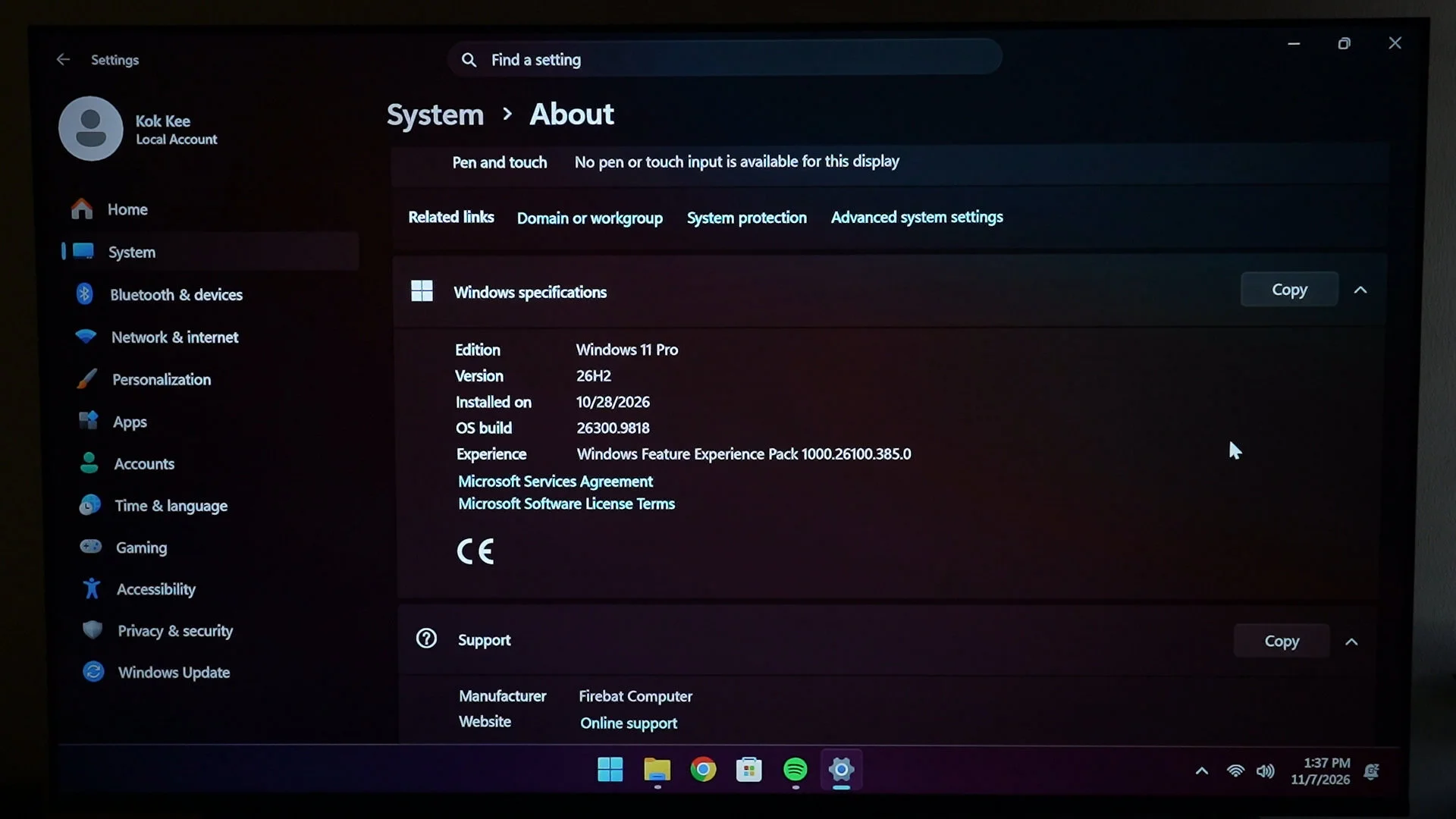
Now, upon starting the Firebat F1 for the first time, it already has Windows 11 pre-installed. I thought – hey, maybe there are some utilities to change some of the settings, like allocating a specific amount of RAM as the VRAM for the iGPU – but there is no such utility. Granted, the pre-installed copy of Windows 11 does not have any bloatware – and that is appreciated.
Should you buy the Firebat F1?
So then, should you buy the Firebat F1? To me, that depends on your use case. If you need something small, affordable, and yet rather powerful for your work – including some simple video editing, then yeah, I think this particular model of the Firebat F1 is perfect.
I also enjoy using this mini PC on a TV, as I just prefer to navigate a PC rather than navigating through a smart TV’s abysmal menus. Gaming with this at 1080p on a TV is also enjoyable – and it is especially great for party games for the family as well. Oh, since the mini PC is so tiny and lightweight… I can carry it to my friend’s house to play those party games too. Great device to have.
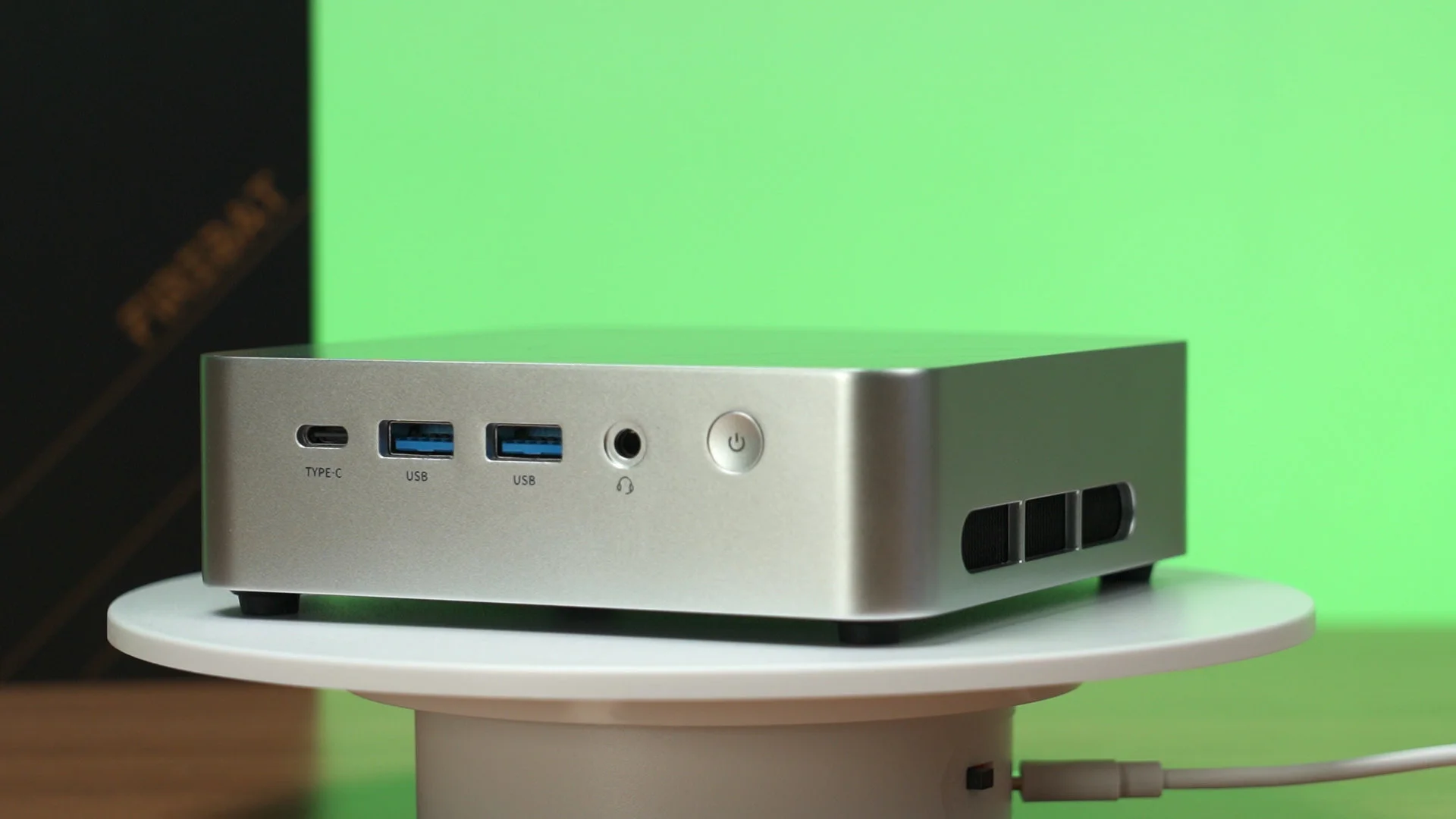
What you do with a mini PC ultimately depends on your use case. We showed you a few different use cases that I can think of, but I’m personally going to hook this up to my TV. I just prefer this over smart TVs.
Yet the Firebat F1 is rather affordable too. The usual price is around RM2,300, but depending on when you get it, you might get a discount down to around RM2,000.
There are many other mini PCs from Firebat, so check them out via the links down below.
Where to buy? (Affiliate links)
Like our Facebook Page here at NasiLemakTech.com for more news and in-depth reviews! Also, join our Facebook Group for insightful information and memes!
Subscribe to our YouTube channel too!