The ROG Flow X series of laptops. When the Flow X13 was first announced, I was skeptical. Then, I got my hands on it and I immediately fell in love with it. I love the form factor, the performance, and everything that it has to offer. Then a few months ago, we have the ROG Flow X16 – a beefier version of the X13 in terms of both performance and size. I immediately fell in love with the X16 as well. But then I was presented with an interesting dilemma as I was given the choice to pick either the X13 or X16.
I highly recommend you watch the video to know what’s going on.
I shortlisted a total of 4 crucial key differences between these two laptops. Hopefully, this will be able to help you make your choice.

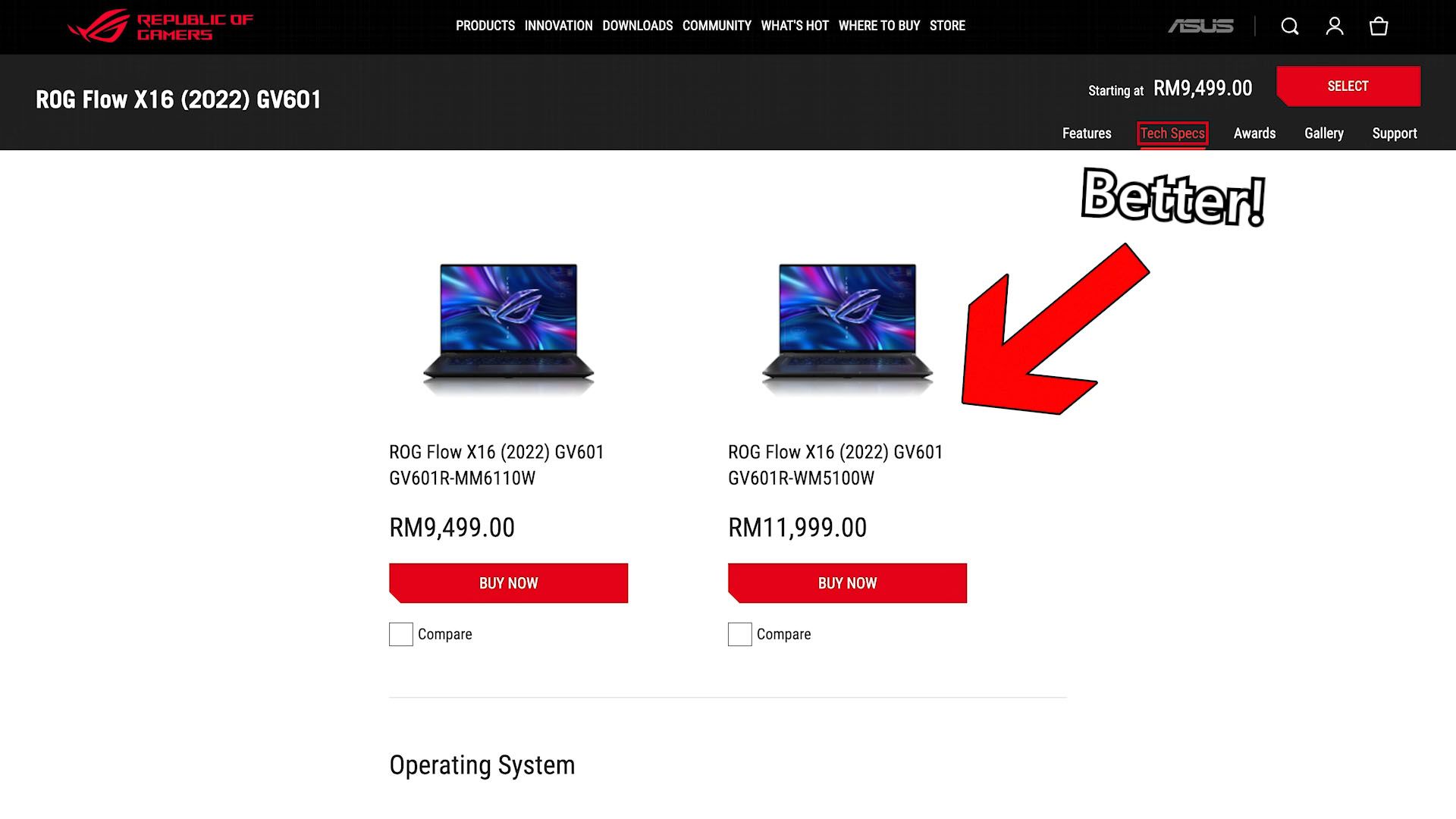
ROG isn’t making this easy for us either as there are few variants for both models. I’m going to pick one variant from each laptop model to make things simpler – and that is because I think that no matter how many variants there are, there is only one good deal.
Screen
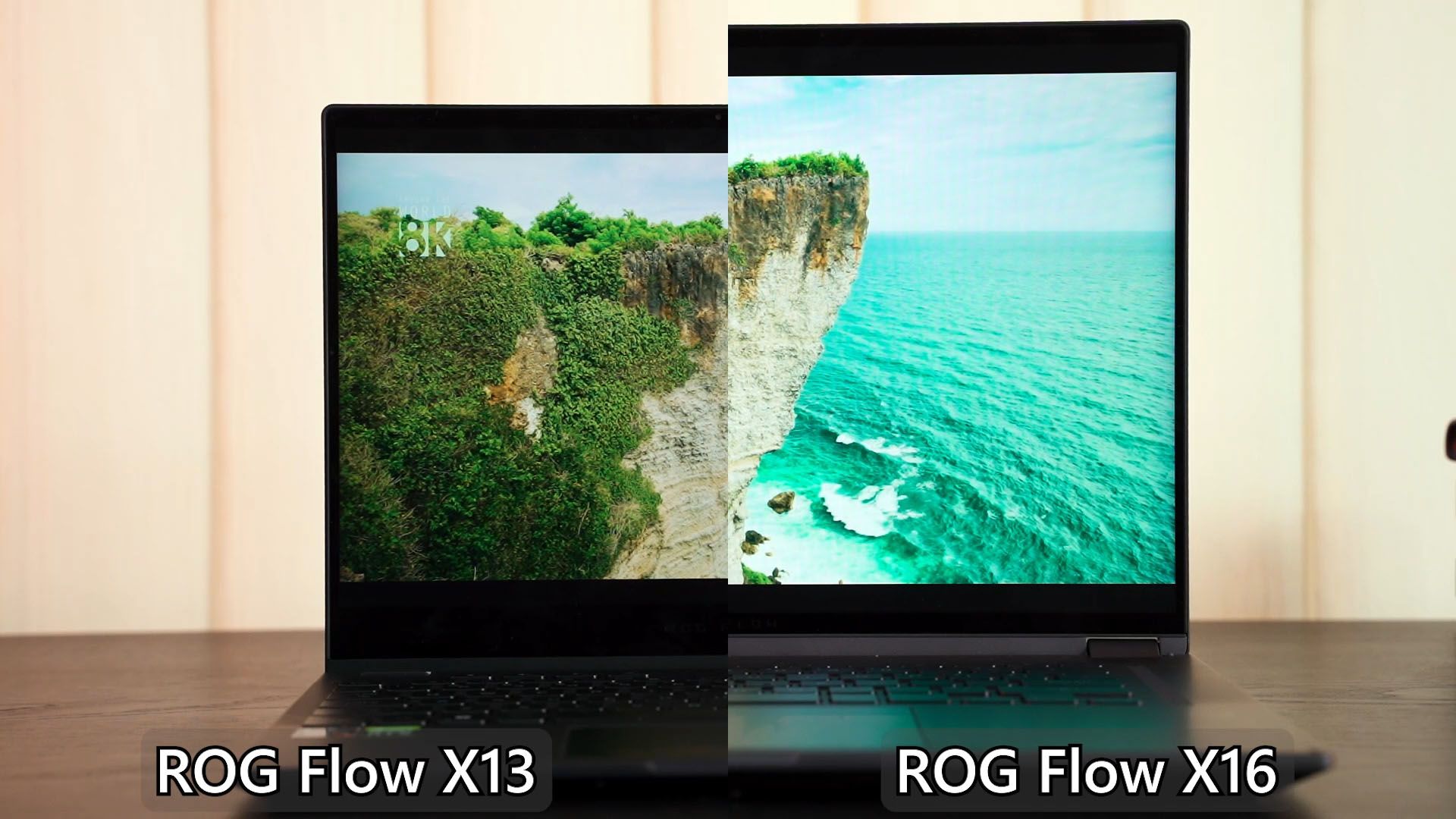
Let’s start with the most obvious difference – the screen size. This ties in with the aforementioned point because X13 obviously has a smaller screen whereby the X16 has a larger screen.

If you’re thinking of the We’ll start with the Flow X13 first. It’s a pretty basic IPS LCD screen but I think it’s good enough. The resolution is also sufficient for a laptop of this size – 1920×1200 with 120Hz refresh rate means that we can enjoy games on this laptop with a relatively high graphical setting without over-stressing the GPU.
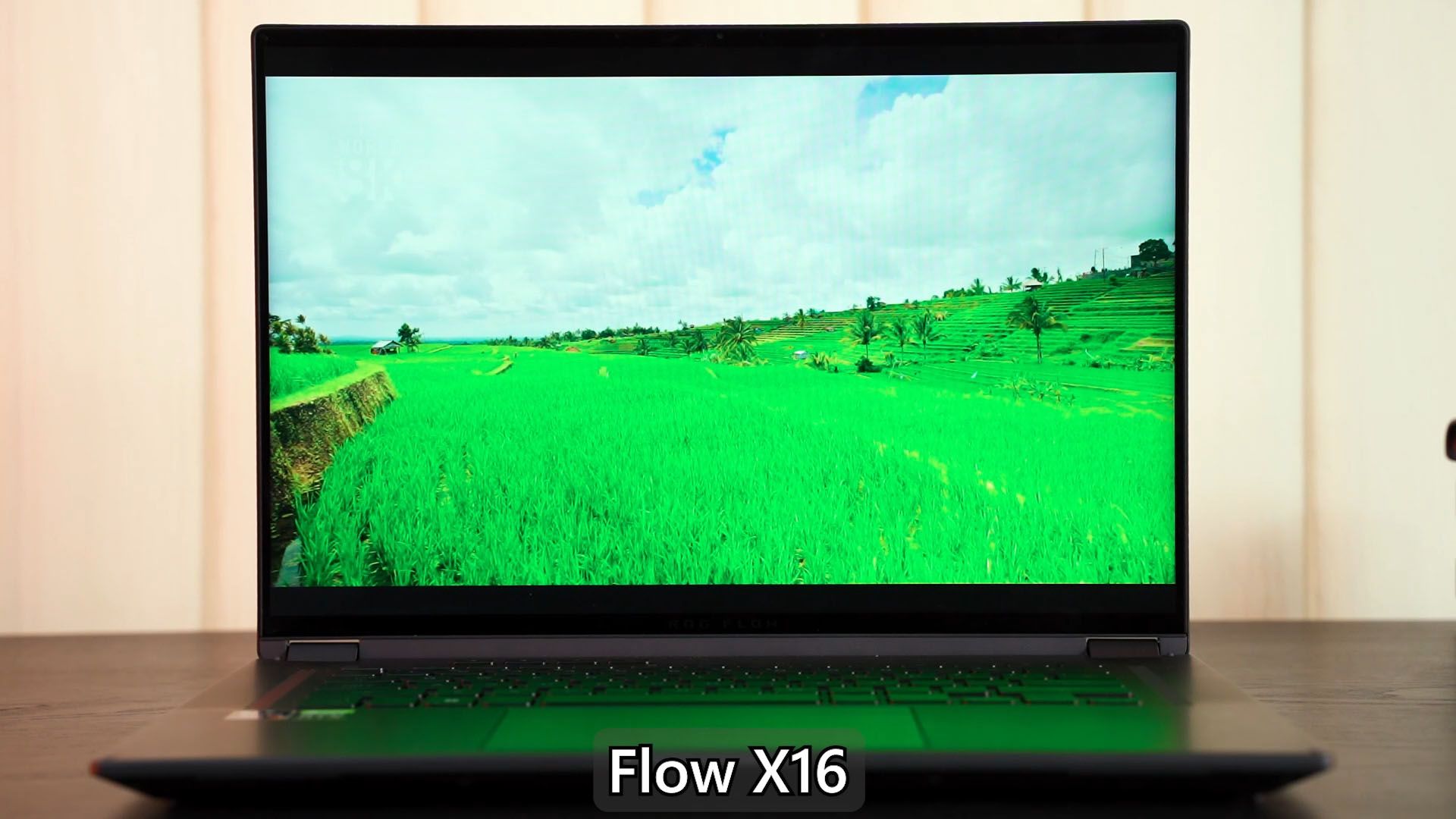
Then for the Flow X16, it’s a completely different story. If you watched our review at the top right corner there, then you’ll know that I absolutely love the ROG Nebula HDR Display. It’s supremely color accurate, supremely bright, and also has supremely thin bezels.
Both of these laptops are convertibles, they are also touchscreens, by the way.
Performance
Performance is where things get a bit funky. Usually, the size (and sometimes weight) of the laptop correlates to the cooling capabilities of that laptop, hence affecting the performance and specs of that particular laptop.
Since the Flow X13 is thin and light, the specs are limited by its cooling capabilities. You’ll get an AMD Ryzen 7 6800HS CPU with 16GB LPDDR5 RAM with an RTX 3050 Laptop GPU. Honestly, that’s perfectly for this laptop – especially since the RTX 3050 Laptop GPU only has 4GB VRAM. Imagine gaming.
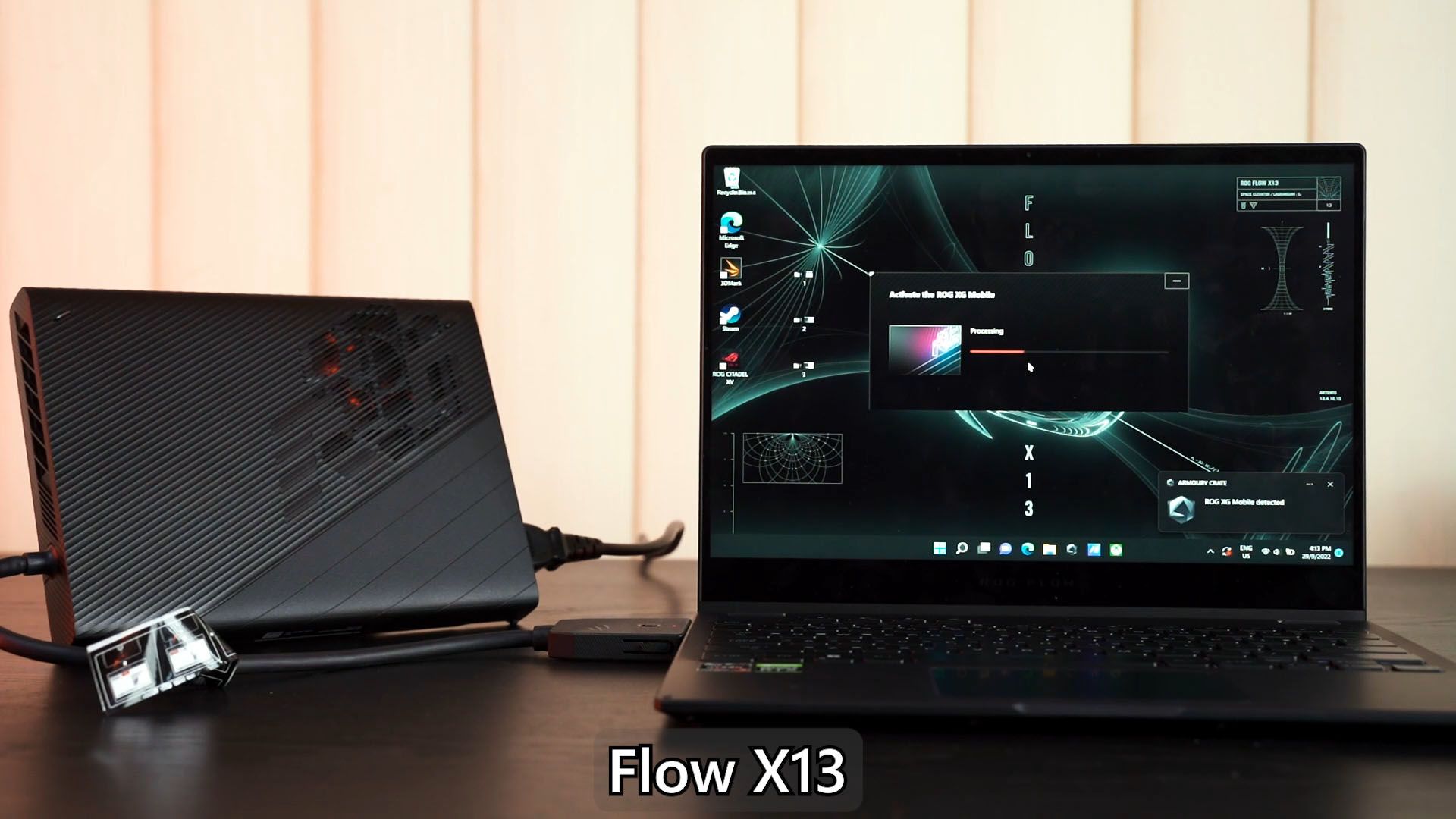
You might say – hey, the XG Mobile external GPU exists. Yeah, I hear you. That XG Mobile can definitely elevate your gaming and user experience since it doubles as a dock for you to use with your external keyboard, mouse, and monitor.
However, you need to know the issues and annoyances of the XG Mobile. Personally, I don’t want to deal with the XG Mobile – and you can watch this video to know why.
As for the ROG Flow X16, you don’t even need to get the XG Mobile because it also comes with an RTX 3070 Ti alongside the same AMD Ryzen 7 6800HS CPU and 16GB DDR5 RAM. That’s really powerful and sufficient for that resolution screen and/or refresh rate.
Portability
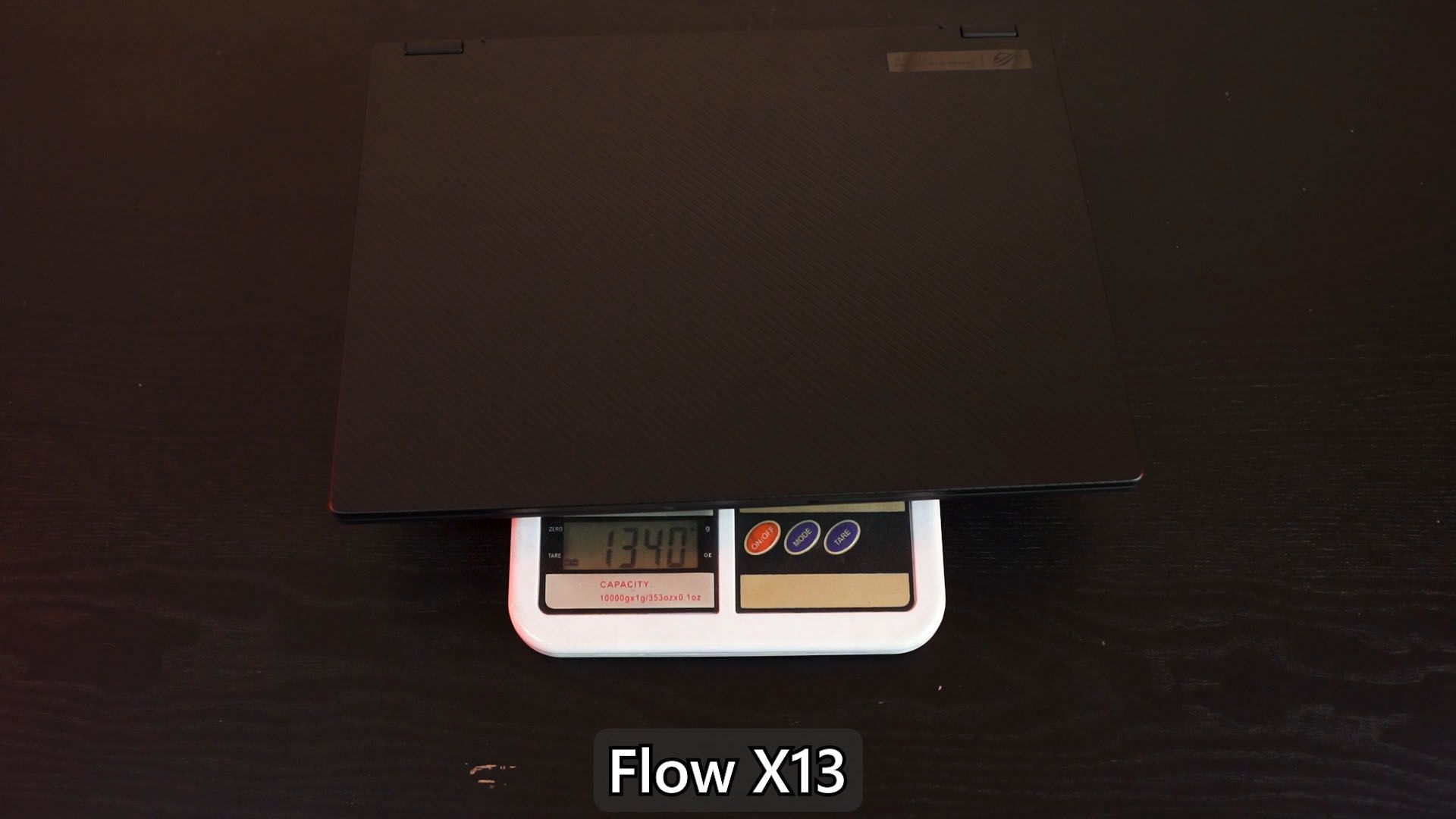
And we’ll now talk about the 3rd point – portability. The Flow X13 is considerably smaller, hence lighter in weight as well. The ROG Flow X13 is only at 1.3kg and also really thin at only 1.58cm.
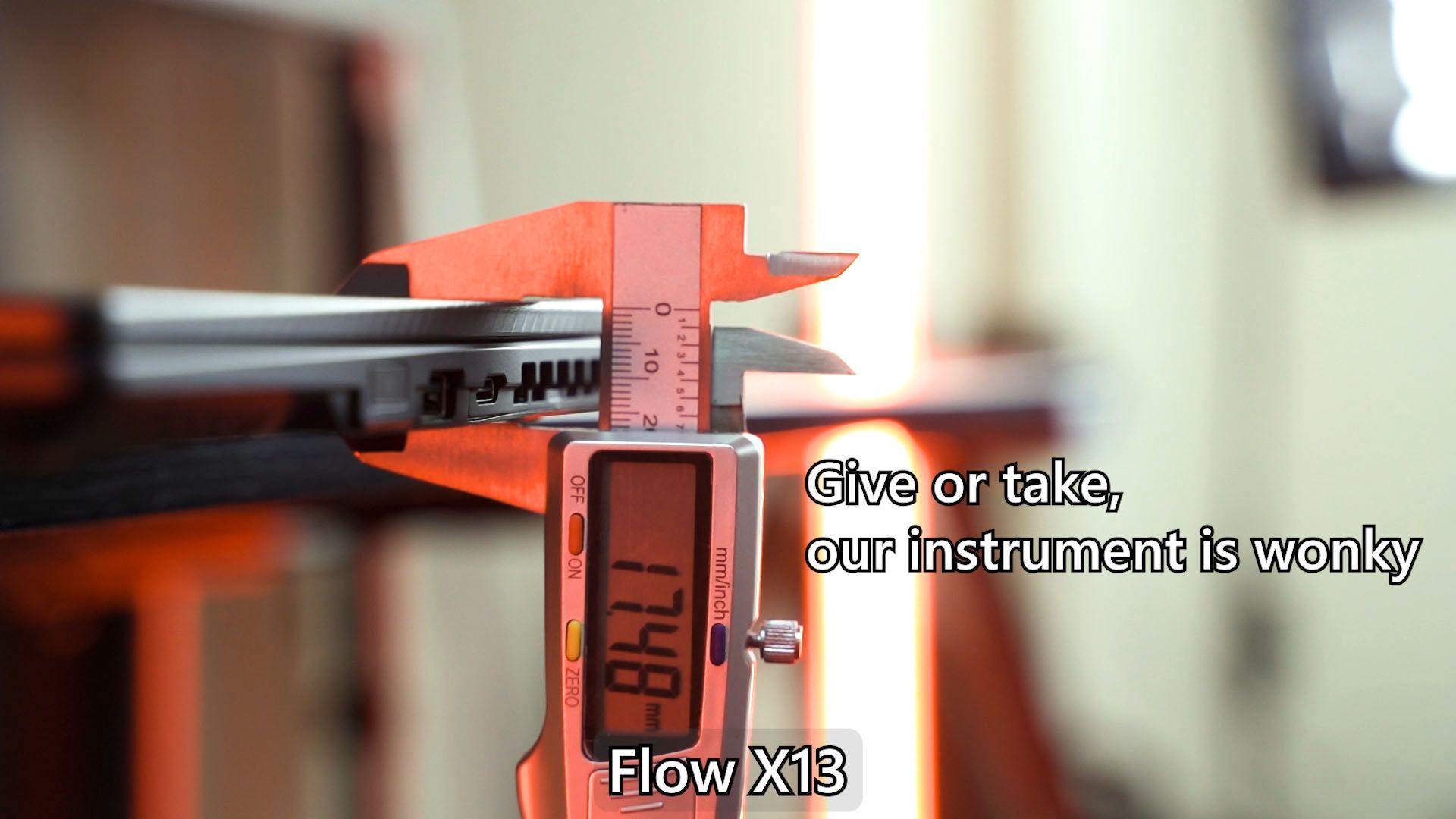
The Flow X16, is much bulkier and heavier in general, weighing in at 2.1kg for the highest-end spec version and measuring 1.94cm in thickness. While the difference in thickness might seem like it’s not a big deal, it actually makes a huge difference.
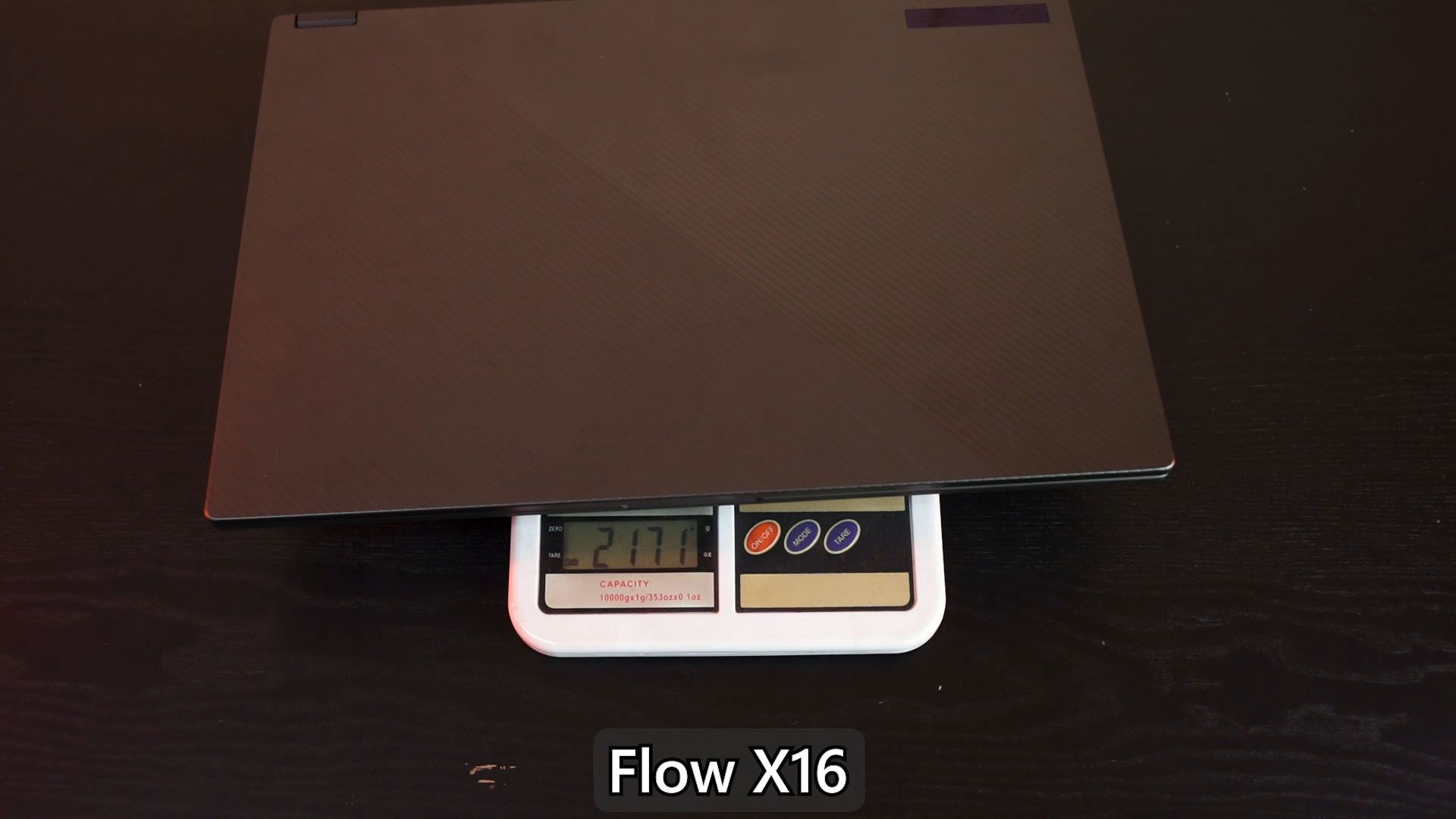
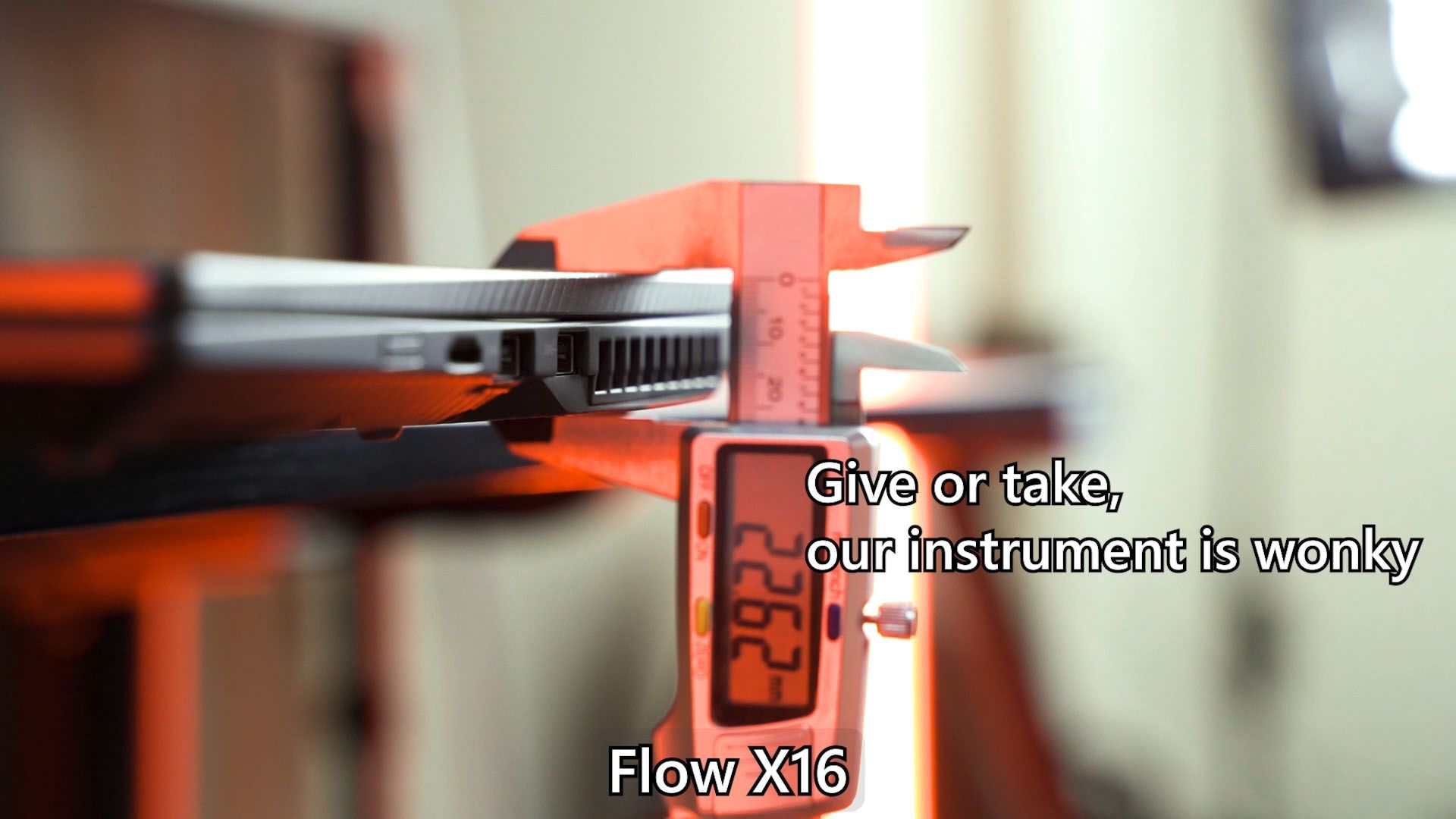
Actually, because of the thickness of the Flow X16 and its weight, it’s quite difficult to grab. It tends to slip off easily since there is nothing much to grab on.
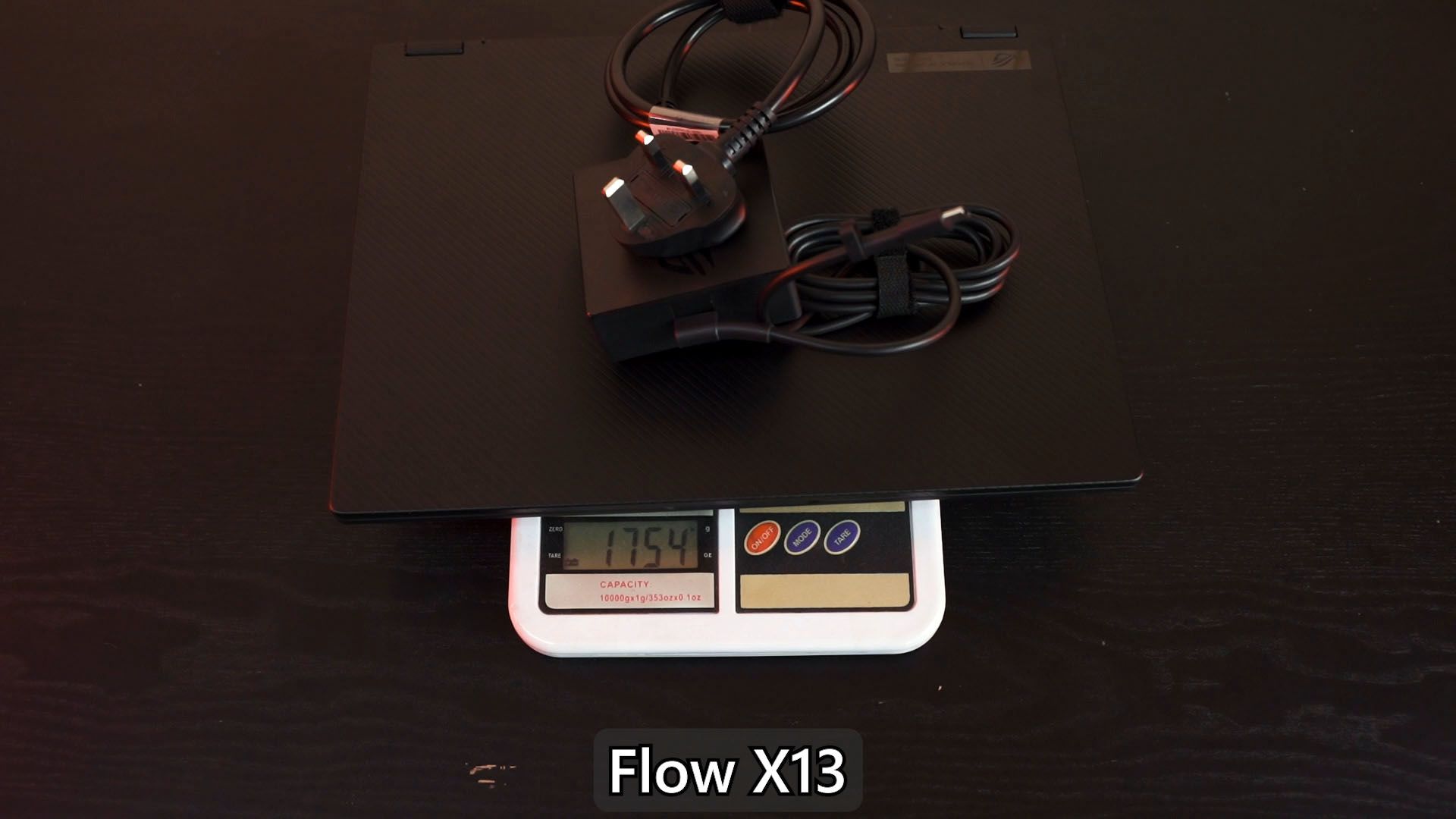
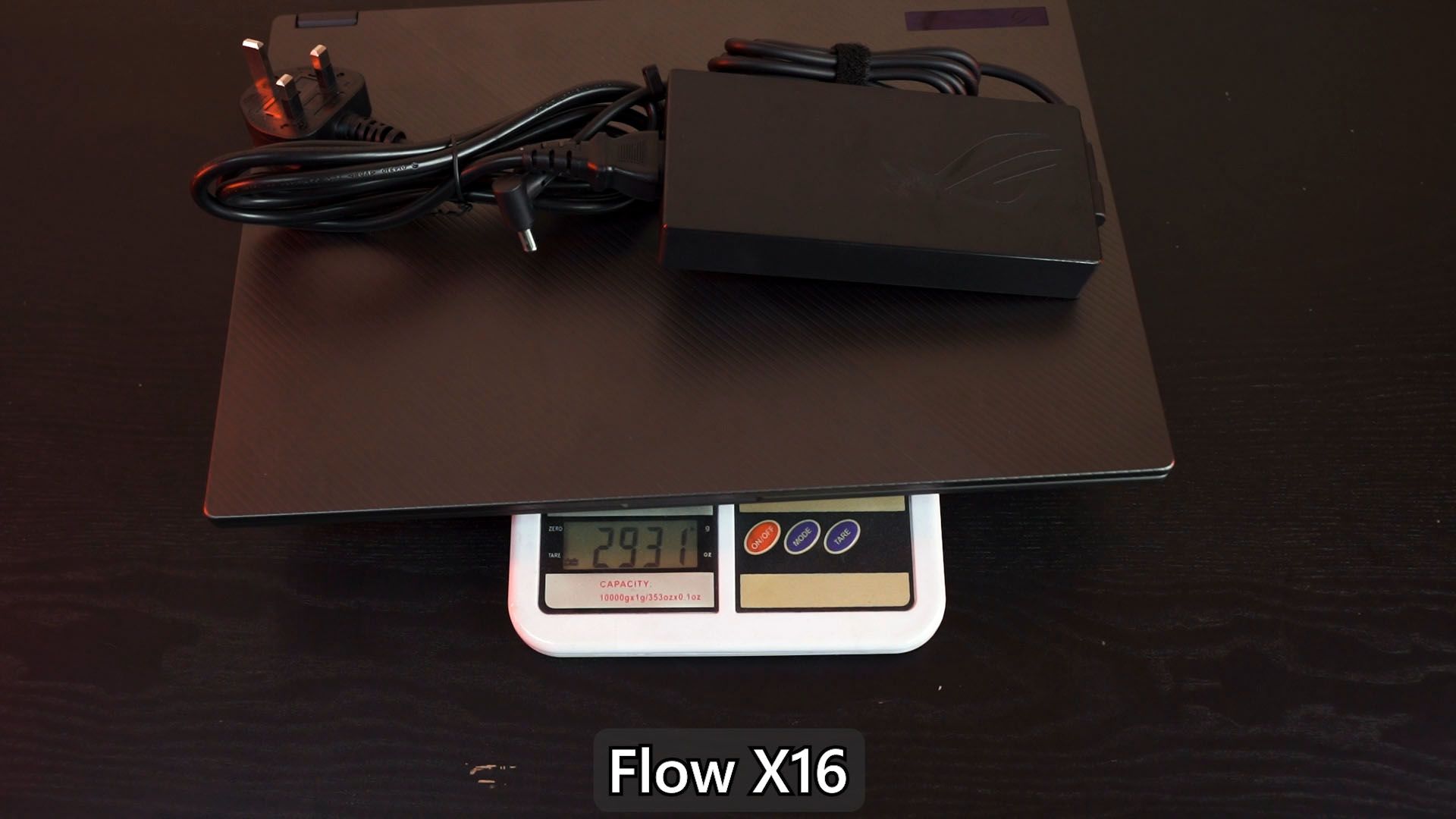
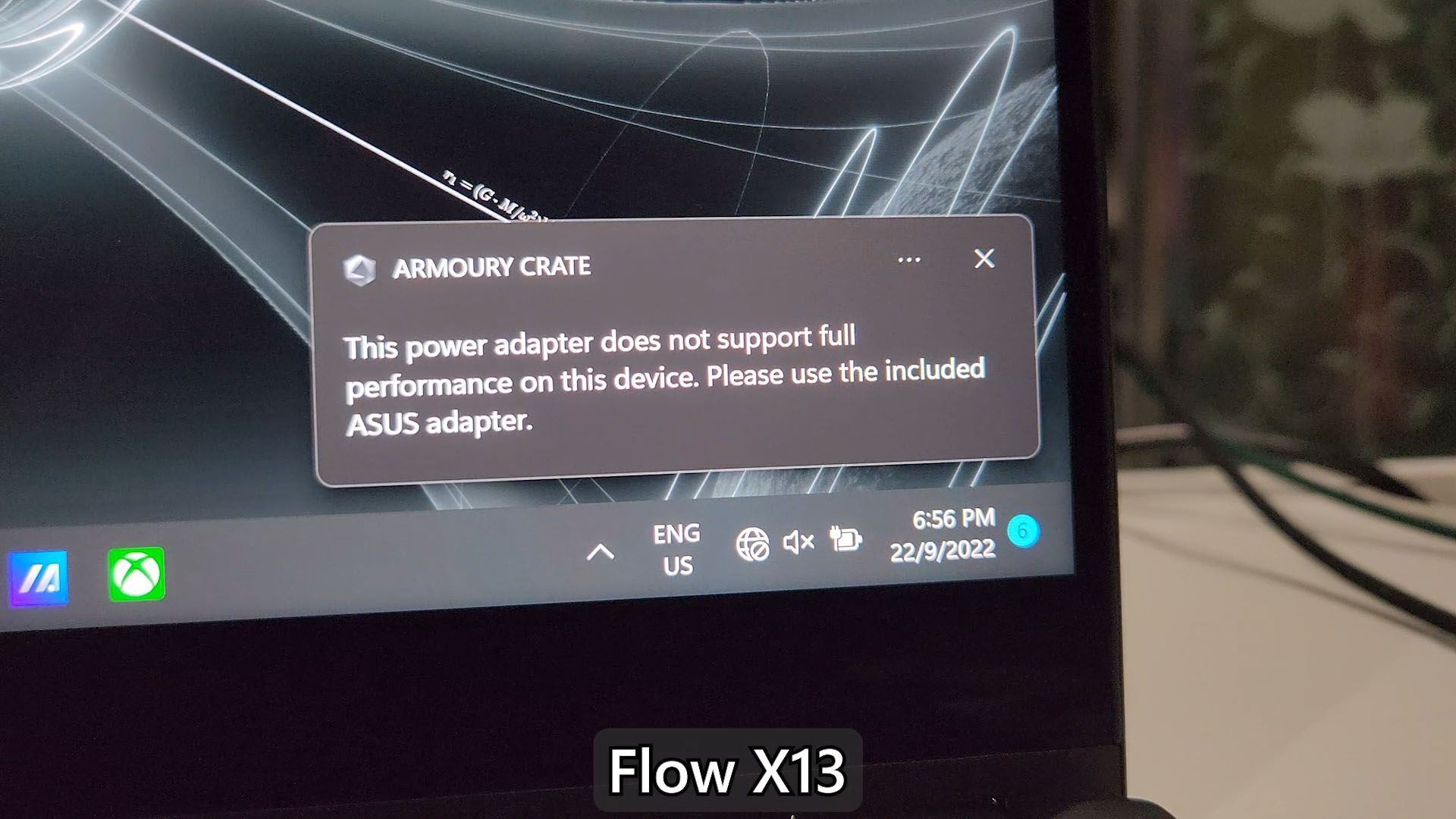
And that’s not all – to make full use of both these laptops, you’ll need to carry their respective power bricks too. The Flow X13 has a much smaller power brick since it only needs 100W. Unfortunately, it seems that the X13 won’t get the full performance when connected to our Ugreen 100W GaN charger. Seems like it has something to do with USB-PD.
Upgradability
And I think this is another big point that many of you need to know – especially for “futureproofing” in certain aspects. They both open up the same way – just a few screws at the bottom and we can pop off the back panel. However, the insides are completely different.
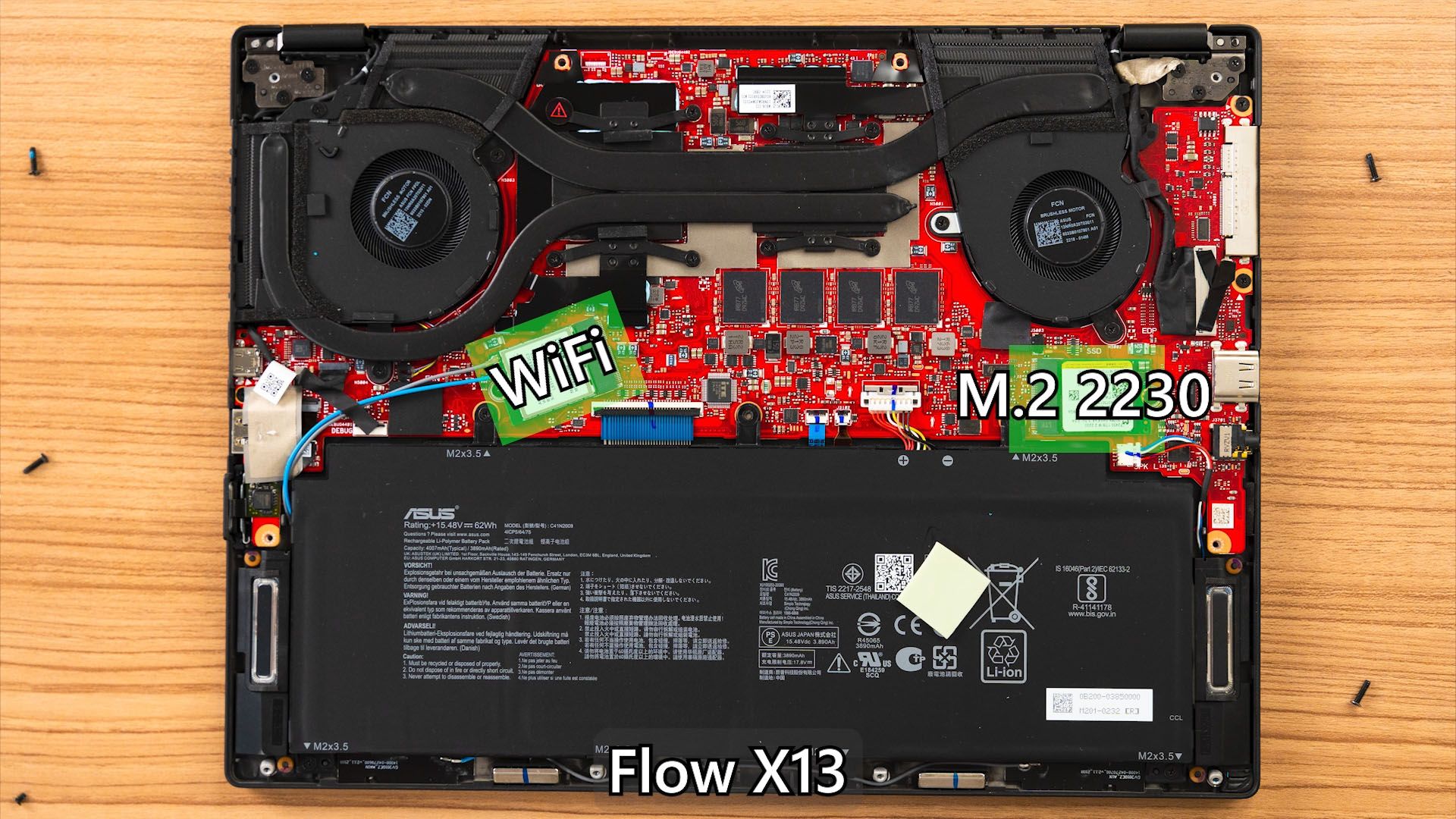
The Flow X13 is very limited in terms of upgradability. The only things we can do is to swap out the WiFi chip and also the SSD – yet it is not using a standard M.2 2280 SSD, it’s the tiny M.2 2230. These SSDs are not easy to find and they are also more expensive per gigabyte.
I think the biggest issue is the soldered RAM since that means we cannot upgrade to let’s say 32GB of RAM down the line. What we buy is what we’re stuck with – unless we buy the 4K 60Hz version because that comes with 32GB.
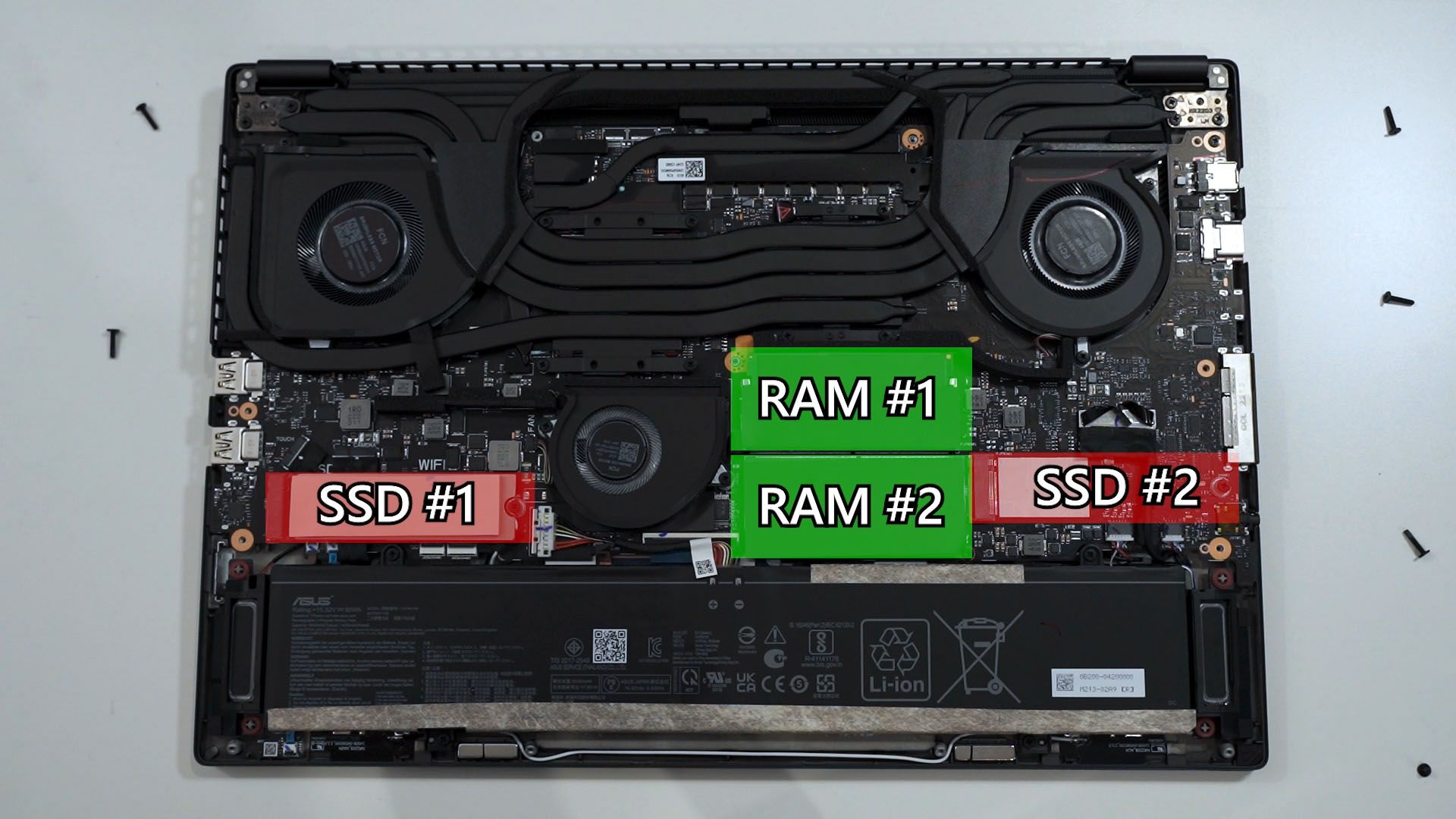
Then for the Flow X16. I said in our review that this laptop has the best layout motherboard for a gaming laptop so far. It has double M.2 2280 slots – one of them is in use for the bundled SSD and another one is available for us. Then, both the SO-DIMM RAM slots are also accessible so we can slot in 64GB RAM in the future if we want to.
And of course, the WiFi chip can also be swapped.
Few more things to mention
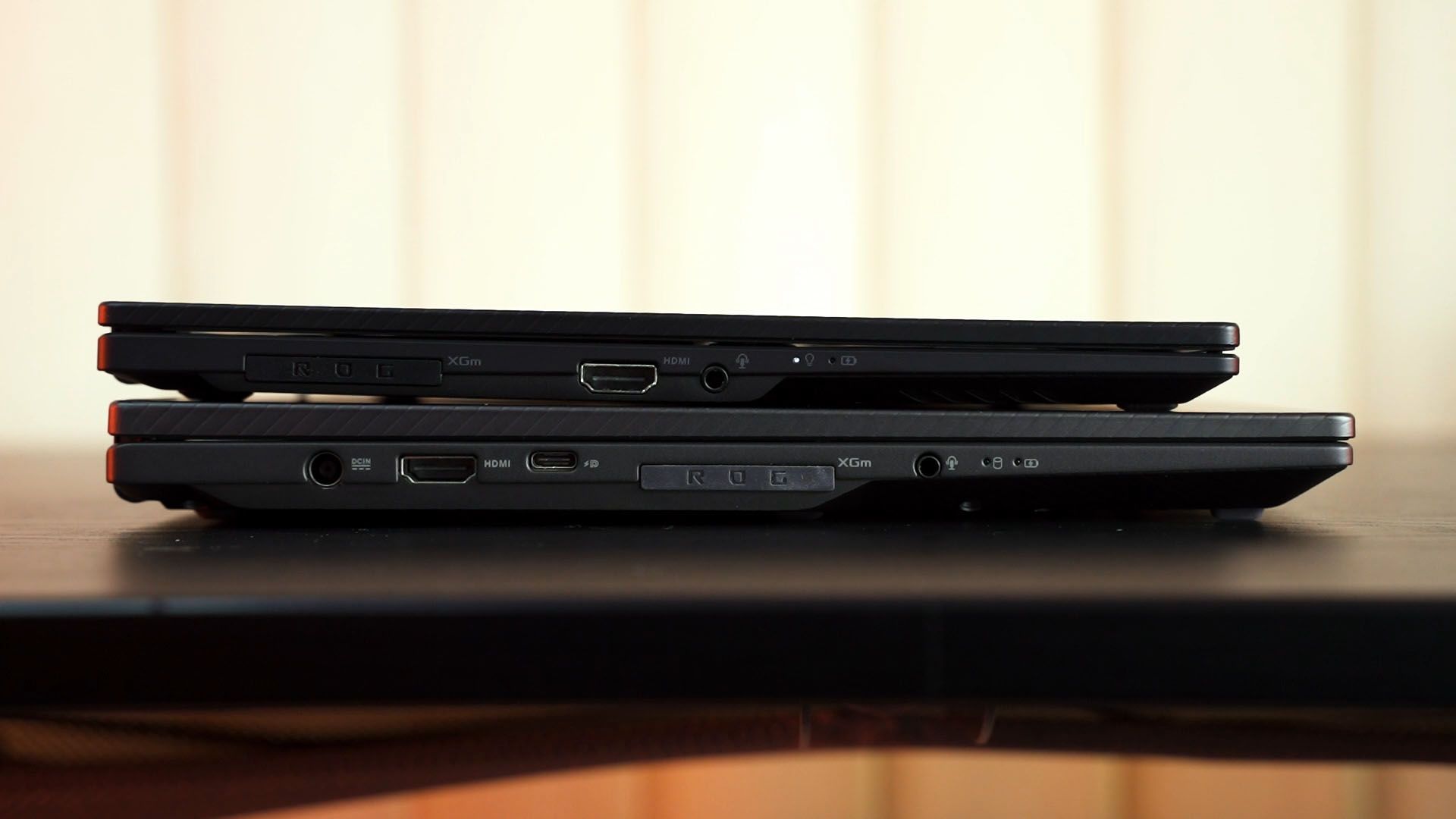
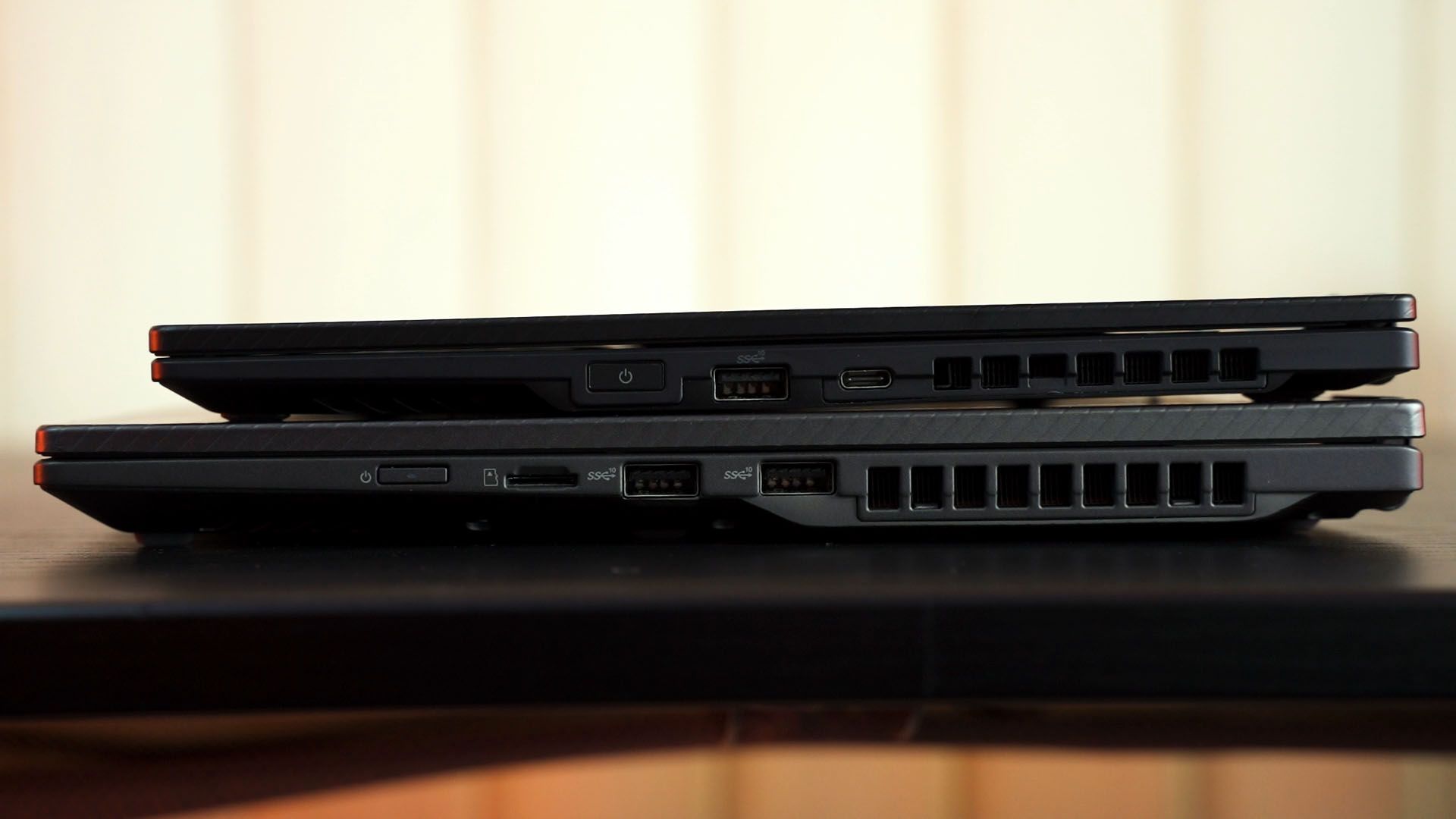
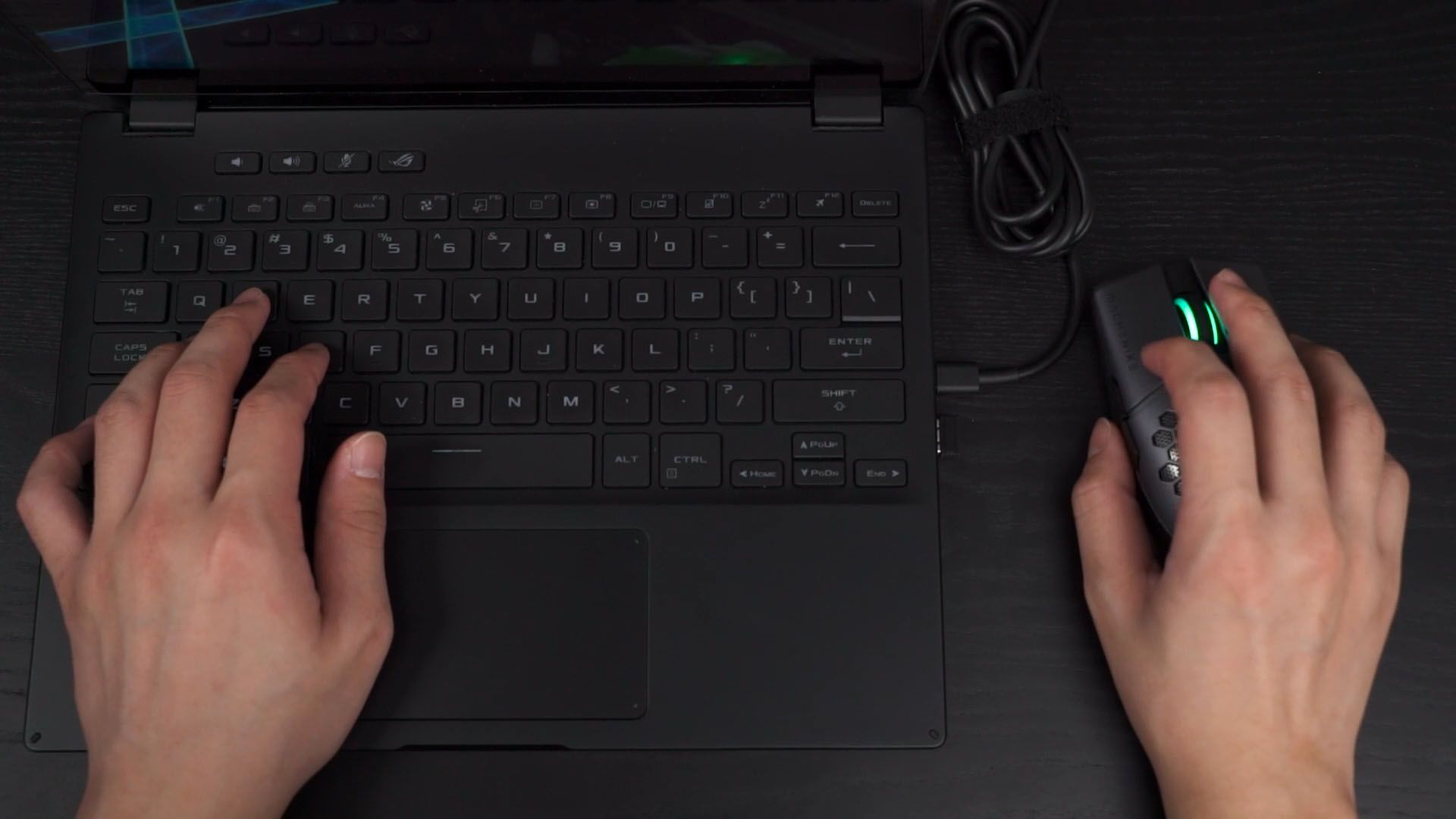
There are a few more things to mention. We do have more ports on the Flow X16 because of its bigger size, but the port positions are also the same. This is not good because the USB-A port at the right side is at where the external mouse is supposed to be.
They’re both convertible laptops, meaning the screen can be turned 360° and be used as a tablet. Both laptops are also using touch screens.
Decision – which one is better?
So – decision time. To get the Flow X13 or Flow X16? That ultimately depends on what size of laptop you want to use.
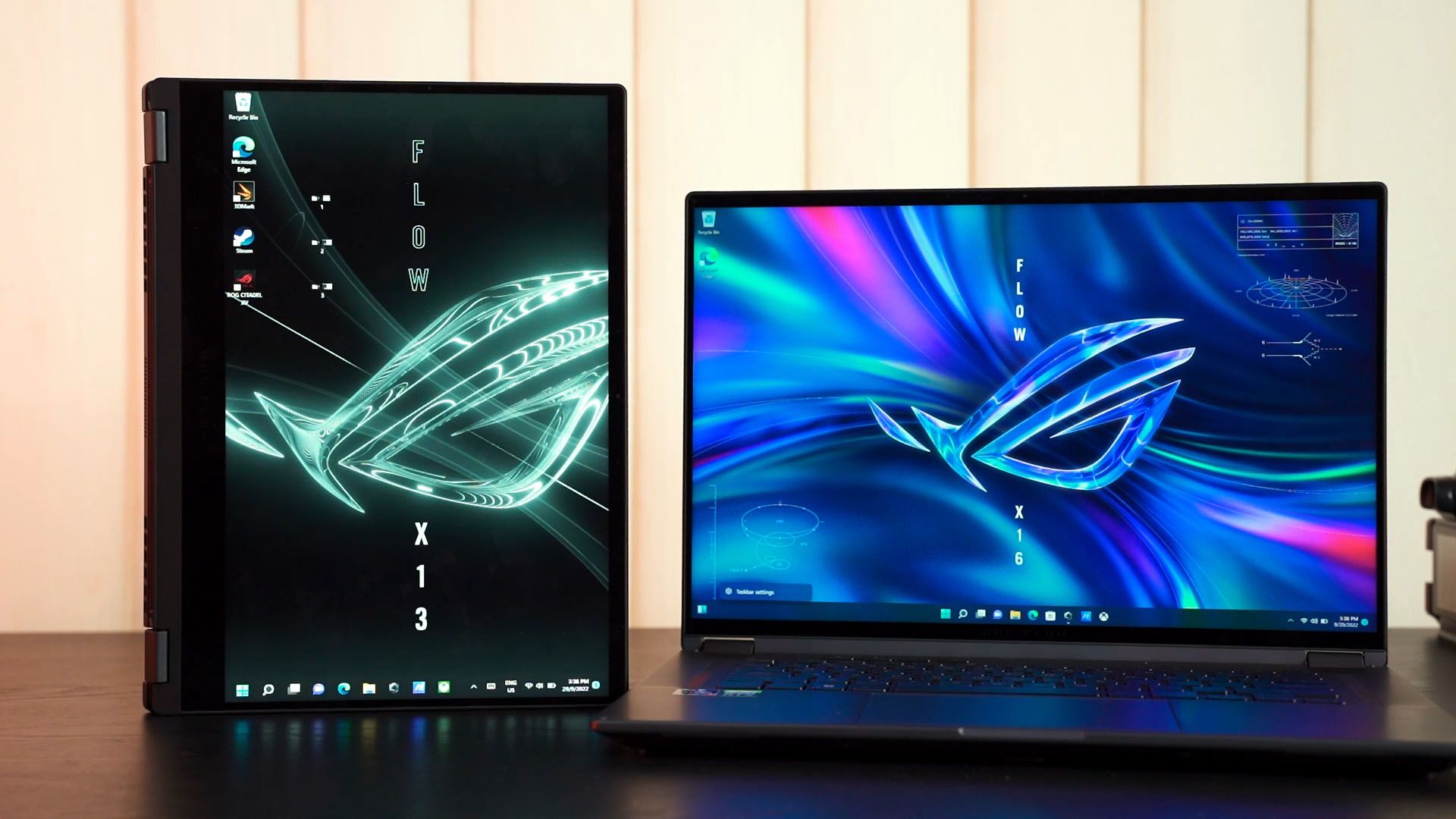
The size is the biggest double-edged sword. ROG told us – and also from our personal experience – that many people said they want a larger version of the Flow X13 – and that is why the Flow X16 exists. With a larger size also comes beefier specs, a magnificent display, and fantastic upgradability – but making it less portable since it is heavier and also has a larger power brick. At least you don’t have to carry the XG Mobile around with you.
The X13 is definitely more portable and it is more like a souped-up ultrabook. With portability comes the price of performance and upgradability, though.
So it ultimately depends on your personal preference. There are more variants of the X13 and X16 but I think they are just not that good of a deal.
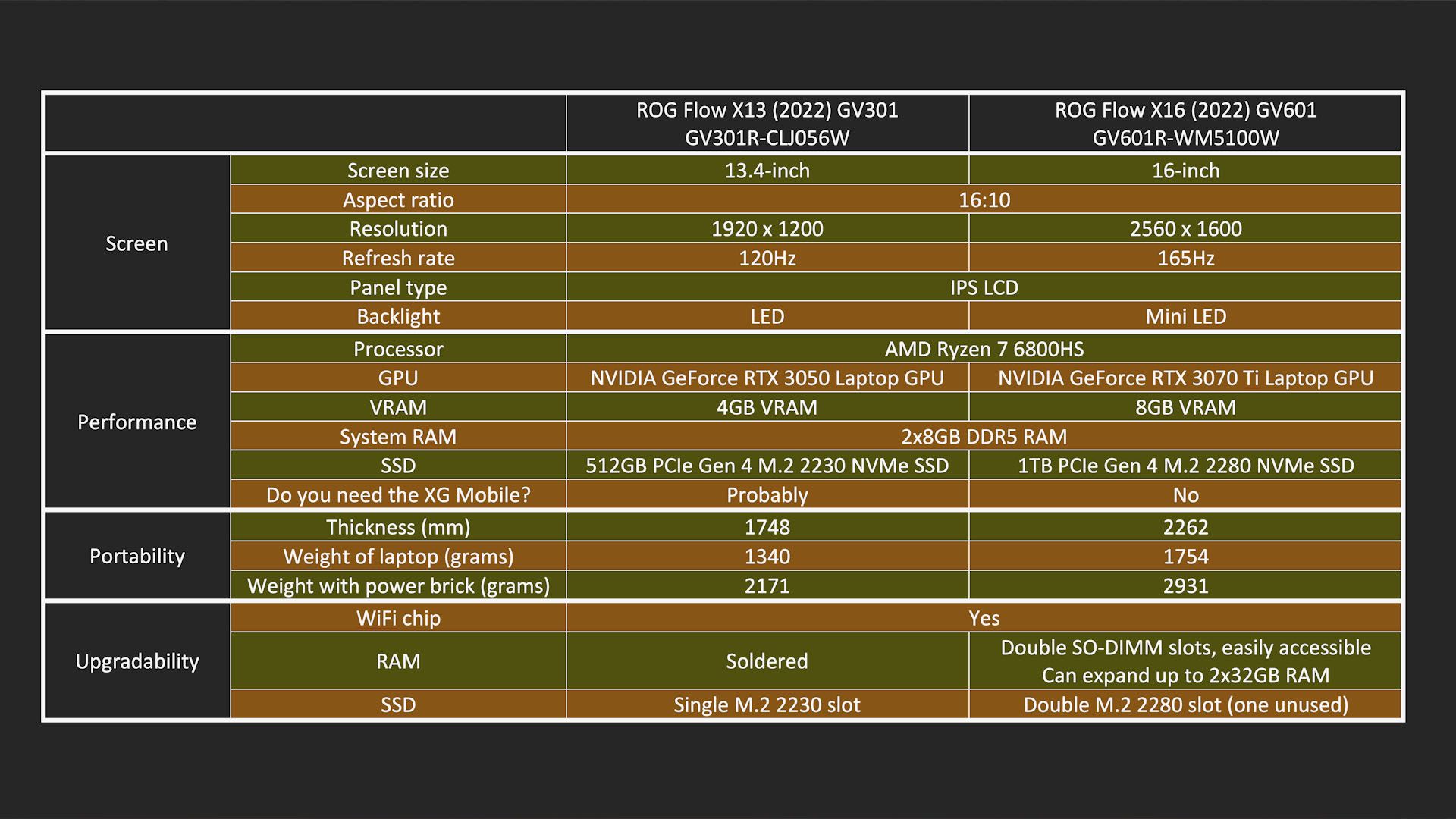
By the way, here’s a table summarizing everything that we’ve talked about today.
Where to buy? (Affiliate links)
Like our Facebook Page here at NasiLemakTech.com for more news and in-depth reviews! Also, join our Facebook Group for insightful information and memes!
Subscribe to our YouTube channel too!