



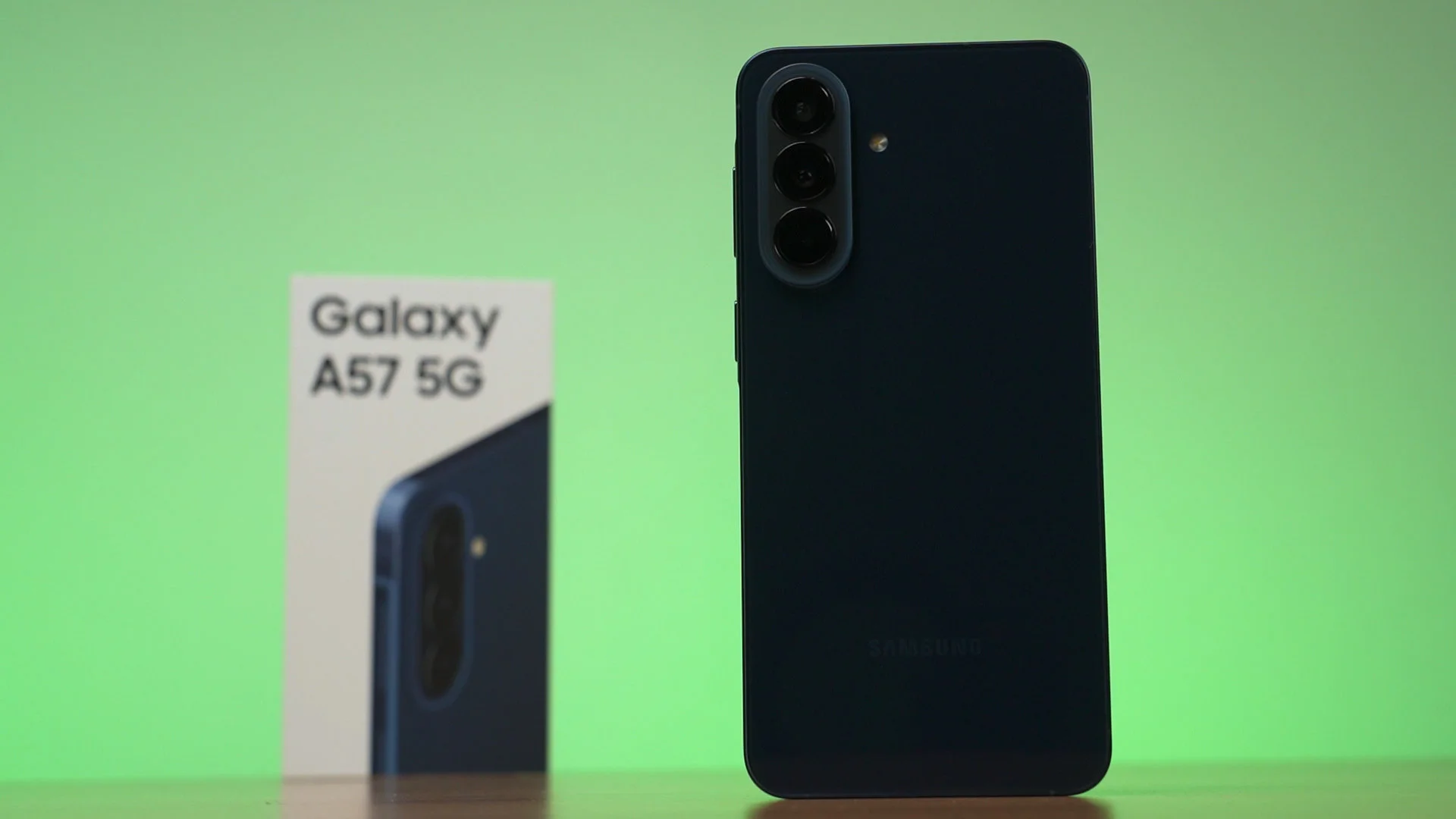

This phone is underrated. Yes, this is the Samsung Galaxy A57. It was released back in somewhere near the beginning of April but there have been like 5 or 6 software updates since then. Yeah, I was getting about one update per week in May. At first glance, the A57 is not exactly flashy. It’s really thin, yes – but nothing from this phone really stands out when we look at the specs alone.
However, I always believe that paper specs alone is useless. We can do as much research into the chipset, the camera sensors, the battery capacity – but when we actually use the phone, then the paper specs don’t completely reflect the actual product. Since I do own a Galaxy A57, I decided to bring this phone with me for two work trips – one at Taipei for COMPUTEX, and another trip to Singapore for the launch of an outstandingly good laptop – click here if you want to know more about that laptop. Yeah, the ASUS ExpertBook Ultra is crazy good, honestly.
But back to the phone. The main reason why we’re doing this video is to actually use the phone and see how it holds up and share the experience with you. Also, how’s the Exynos 1680 when it comes to real-world usage scenarios after the updates?
Price
I gotta start by addressing the price since that’s the main concern when it comes to the Galaxy A57. I also stated that in our original review of the A57, the launch price is crazy high, so look for discounts. And as always, the retail market has already adjusted the price down to around RM1,800 only, sometimes down to even RM1,500.
At that price, it’s actually very competitive against many other mid-range phones in the market. In fact, when it comes to performance, it’s actually one of the best available.
Performance in comparison
The Galaxy A57 comes with the Exynos 1680 chipset. Before you roll your eyes and click away, I can assure you that the numbers don’t lie. The Exynos 1680 sits somewhere above the entire Snapdragon 7 series chipsets because Qualcomm just forgot about this segment entirely, and the current highest-end Snapdragon 7 Gen 4 is already more than a year old.

I mean, we’ve tested a lot of Snapdragon 7 Gen 4 and 7s Gen 4 devices in the past – and they all literally cannot even run Genshin Impact at 60fps with the lowest graphical settings. Somehow, the Exynos 1680 runs okay.
Then, fast forwarding to today with even more, better updates, the Exynos 1680 runs even better. We redid the gaming test again recently, so watch it at the top right corner there for more in-depth details like the power consumption, the wattage, all of those stuff.
We tested Zenless Zone Zero first – and that actually ran fine. The frame rate consistency is great and there are no misinputs from my controller. Remember – the frame rate consistency is way more important. Any sort of FPS fluctuations will be distracting and be regarded as “stuttering”, so if it can maintain the FPS in a tight margin, that’s much better.
Granted, the Exynos 1680 isn’t actually magical. Wuthering Waves is still problematic with shader caching but it eventually ran rather smoothly. At least the game itself is in a playable frame rate compared to others. Yeah… Wuthering Waves is just an unoptimized mess of a game.
NTE is not really going to be a problem while running around the city since it is a 720p game. I do know that certain settings can make it to 1080p, but that doesn’t seem to happen on this device at all.
PC game emulation, however, is going to be unpredictable. I was able to run Ys X Proud Nordics while filming the video for another video where we talk about how Valve is going save mobile gaming – watch that video here – and it still runs fine right now. It was running better than the Snapdragon 7s Gen 4 which had better GPU driver support.
We also tried other PC games… and they just outright failed to run. So yeah, if you wanna play PC games, don’t buy a phone. Buy something like the ROG Ally.
Modem
And one more concern that many people have is the modem on Exynos chipsets. The speed and efficiency are the main concerns – and I personally didn’t have any issues for the past… few generations of Exynos devices, I’d say.
This time, however, it’s even more crucial. Since the Galaxy A series was launched later than usual this year, I didn’t have the chance to bring it to Smart City. But I brought it to COMPUTEX instead.

COMPUTEX is a hectic time, to put it simply. There are lots of people, lots of signal interference, and whatever cell tower bandwidth capacity – it’ll be shared across thousands of people. And yet, the Galaxy A57 still works just fine. I still used it as a hotspot phone for my laptop, other phone, and uploaded multiple posts and videos through the A57 on 5G.
eSIM support
And you know why I brought the A57 with me instead of a multitude of different mid-range phones? eSIM support. I don’t know why many other mid-range phones don’t support eSIM at all, and only Samsung does. and it’s a great feature to have.

While travelling, we can actually save money by buying eSIMs on apps like Klook and Trip.com. It’s actually very easy to buy and use these eSIMs.

Just make an order, then a QR code will be sent to us, and then we can scan the QR code and add it as an eSIM and use it in the destination country that we’re going to. We do have to turn on roaming – which is how this entire business model works. It’s a whole lot cheaper than buying the local SIM.
As a quick guide about this – Klook doesn’t offer you choices. There’s just a plan, select the number of days, and that’s it. Really clean interface and it just does what it says.
Trip.com has a whole lot more choices from different sellers, different data quotas and days that result in a wide range of prices. You can pick and choose more granularly on Trip.com, but the interface is definitely confusing.


I did do some price comparison and both of them are about the same – at least when I’m comparing Taiwanese eSIMs. For all I can say, they’re a whole lot cheaper than Saily, the other app that does the same thing. They’re sponsoring a lot of YouTubers nowadays, by the way.
Battery life
And honestly, I think the battery life is amazing. During our original review, the battery life was already super good, and while I have not redone the test now because I installed a bunch of different apps that run in the background.

Either way, after using the A57 as my hotspot phone for so many other devices, I still have more than 50% left at the end of the day. It’s actually working really well thanks to Samsung’s much more efficient chipset and also fantastic software tuning.

However, I really wish Samsung packs a larger battery in this phone. While the thinness of the A57 is certainly amazing… I personally am fine with a thicker phone. What I need – and I think what most of you need as well – is a larger battery, not this kind of extreme thinness.
Software
Another reason why I personally bring Samsung devices with me is because of One UI – particularly because of Samsung Wallet. They’ve been improving and adding more stuff to Samsung Wallet, like boarding passes to flights. At first, it only supported a few airlines, but Malaysia Airlines was recently added. I can also add a lot more other stuff here, which I won’t get into because there are a lot of personal information involved.


NFC payments
Also, NFC payments. Yes, we can make payments through our phones using Samsung Wallet. Actually Samsung Wallet’s support is not that good but my other payment methods are supported through Google Wallet instead. So, I just add those virtual payment cards to Google Wallet to make payments that way.

If you’re wondering what virtual payment cards are… well, they’re basically linked to my main account, but the virtual card is literally a virtual card that I can create and destroy with just the press of a button. This is great if I want to make payments but don’t fully trust the payment gateway or just want to render potential data leaks of that particular card to be useless.
Cameras
The only complaint that I have with the Galaxy A57 is the cameras. I mean, the cameras available here are great, but the options are problematic. I truly want a telephoto zoom camera to properly frame the shot while taking pictures of scenery.

As mentioned earlier, I took this picture with me to Taipei for COMPUTEX 2026 last month, and while I didn’t use this phone to take pictures of the exhibition itself because I use the Galaxy S26 Ultra for that because of the telephoto cameras – I did use the A57 to take pics of the city while walking around. Honestly, they do look great most of the time.
To have a look at all the images taken with the Samsung Galaxy A57, watch our video at the top of this review.
Fingerprint scanner
Oh, since I am constantly switching between the S26 Ultra and the A57 these few weeks, I just have to say that I still hate under-display fingerprint scanners. They suck harder than a black hole.

However, the A57’s optical under-display fingerprint scanner is way more reliable even though it’s a tad slower. The S26 Ultra – and all the S-Ultra phones previously – yeah, the ultrasonic fingerprint scanner sucks haaaaaaaaaaaard. If I just washed my hands, wiped it dry, then tried to unlock the phone – it fails. If I was holding something and created a dent on my fingerprint, it also fails to read. Seriously, screw this.
I have a tempered glass screen protector on both of these phones and no matter if I use a clear or matte screen protector on the S26 Ultra – the ultrasonic fingerprint scanner is never reliable. The A57 on the other hand – works a whole lot better.
Still, nothing beats the physical fingerprint scanner like on the Galaxy Z Fold7. That’s still the best. Fast, reliable, works every single time.
What makes the Samsung Galaxy A57 underrated?
So, what makes the Samsung Galaxy A57 underrated? There are multiple reasons. First, the Exynos 1680 chipset. It’s actually way more powerful than all the Snapdragon 7 series of chipsets. And again, the Snapdragon 7 Gen 5 is nowhere to be seen at the time of recording this video – so this is literally the best we have in this category.
One UI continues to deliver an amazing experience with exclusive features like Samsung Wallet, Modes and Routines, all of that stuff on top of customizations via Good Lock.


The cameras are great, though I still think not having a telephoto camera is really limiting. Battery life is great, but the battery capacity is just too little at this point in time.
Alternatives
From what we’ve tested, I have to say that the value of the A57 is actually a lot better than many other phones in the same category. I mean, put it side by side with the vivo V70 or the OPPO Reno15, and the A57 becomes a great deal.
However, there is one anomaly – that’s the POCO X8 Pro Max. It’s slightly more expensive than the discounted A57 price, but it offers a flagship-level chipset and a much larger battery. We also reviewed the POCO X8 Pro Max and found it to be still packing a heavy punch when it comes to both performance and battery life.
During that time of the review, we found out that there’s a battery drain bug due to the software tuning, and HyperOS is definitely not my cup of tea when it comes to the UI.
We also have the Samsung Galaxy S25 FE which also offers fantastic value. The price is similar to the POCO X8 Pro Max, so it’s up to you. It’s just that we have more choices.
Conclusion
And that’s all that we have to share with you in today’s video! I thoroughly enjoyed using the Galaxy A57 through these few weeks, and it served me extremely well. Samsung is actually doing a really good job with the Exynos in general, both their flagship and mid-range chipsets.

While the A57 is certainly not perfect and I’d like to see more upgrades in the next generation, the price is ultimately the deciding factor. Looking at the state of tech gadgets right now… I don’t really care about major upgrades at this point. I’m just glad that the prices are not jacked up.
Where to buy? (Affiliate links)
Like our Facebook Page here at NasiLemakTech.com for more news and in-depth reviews! Also, join our Facebook Group for insightful information and memes!
Subscribe to our YouTube channel too!