




















Have you ever hit play on your favorite show, only to see “This content is not available in your region”?
It’s a common frustration. Access to streaming platforms, social media, and gaming content often depends on where you’re located. Netflix libraries change from one country to another, BBC iPlayer is limited to the UK, and Disney+ offers different shows depending on the region. It can feel unfair when you’re paying the same subscription but getting less content.
iTop VPN helps get around these restrictions. It allows Windows users to connect to servers in over 100 locations, making it appear as if they’re browsing from a different country. This opens up access to content that would otherwise be unavailable.
With the right setup, streaming platforms and other services treat your connection as if it’s coming from your selected region. Here’s how you can start accessing content from anywhere.
Why Geographic Restrictions Exist
Streaming platforms don’t offer the same content everywhere. Licensing deals are made by region, so what’s available depends on where you are. Your location is identified through your IP address, which controls what you can access.
Some common workarounds don’t hold up well:
- Browser extensions often get blocked
- Free proxies can leak your real IP
- Cheap VPNs usually slow things down
A reliable VPN for Windows is usually the most consistent way to access content from other regions.
How iTop VPN Solves Geographic Restrictions
iTop VPN for PC routes your internet traffic through servers in different countries. The software encrypts your connection using military-grade encryption. Websites see the VPN server’s IP address instead of your real one. This process happens instantly when you connect to any server.
The service maintains over 3200 high-quality servers in more than 100 locations globally. Each server provides unlimited bandwidth for streaming without buffering. The network includes dedicated servers optimized specifically for popular streaming platforms. You connect to Netflix-optimized servers for smooth playback. Gaming servers reduce lag and ping times.
What Makes iTop VPN Different:
| Feature | iTop VPN | Free VPNs | Typical Premium VPNs |
| Server Count | 3200+ servers | 5-20 servers | 1000-2000 servers |
| Connection Speed | Optimized for streaming | Very slow | Moderate speed |
| Device Support | 8 devices per account | 1 device | 3-5 devices |
| Platform Detection | Bypasses detection | Gets blocked constantly | Sometimes detected |
| Windows ARM Support | Full support | No support | Limited support |
The latest version supports Windows on ARM devices, such as Microsoft Surface and Samsung Galaxy. You install the same powerful VPN on every Windows computer you own. One premium account protects up to 8 devices simultaneously. Your laptop, desktop, and tablet all access global content through the same subscription.
Step-by-Step Guide to Accessing Global Content
Setting up iTop VPN takes only a few minutes. The simple interface makes it easy for beginners to connect and start accessing global content right away.
Step 1: Download iTop VPN for Windows
Visit the official website and download the installer. The file is lightweight and works on Windows 7 through Windows 11. Basic requirements include 2GB RAM, minimal storage, and any broadband connection.
Step 2: Install and Launch
Run the installer and follow the setup prompts. Once installed, open iTop VPN and view the main dashboard with a connect button and server list. You can start using the free version without creating an account.
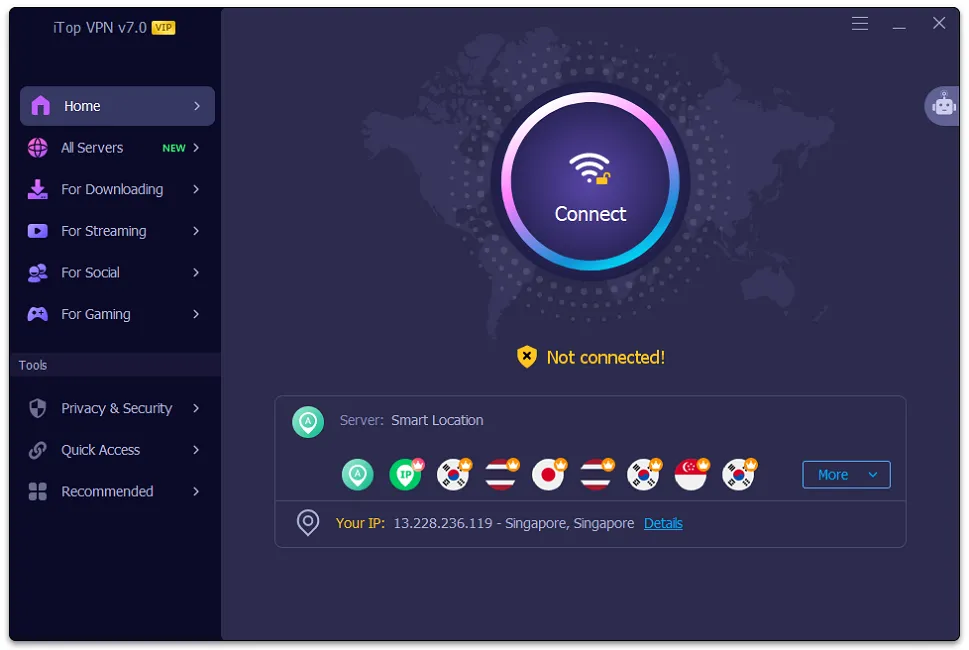
Step 3: Connect and Start Streaming
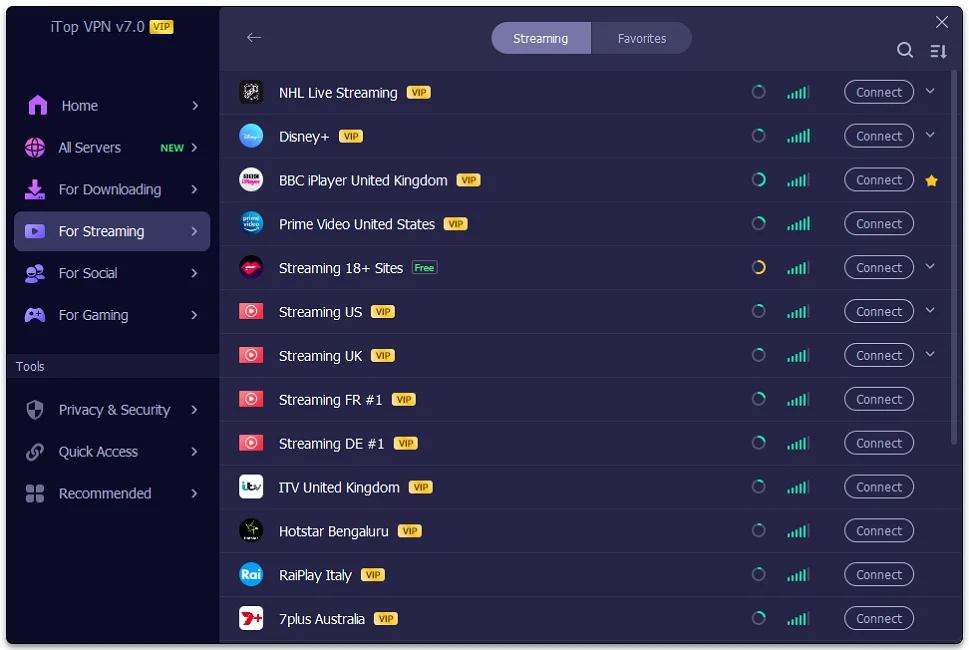
Choose a server based on the platform you want. Use streaming-optimized servers for Netflix, Disney+, and other services for smoother playback.
Popular Server Uses:
- US Servers unlock Netflix US, Hulu, HBO Max, Paramount Plus
- UK Servers access BBC iPlayer, ITV Hub, Channel 4
- Japan Servers watch Japanese Netflix, gaming content
- Germany Servers access German streaming services, social platforms
- Canada Servers unlock Canadian Netflix, sports streaming
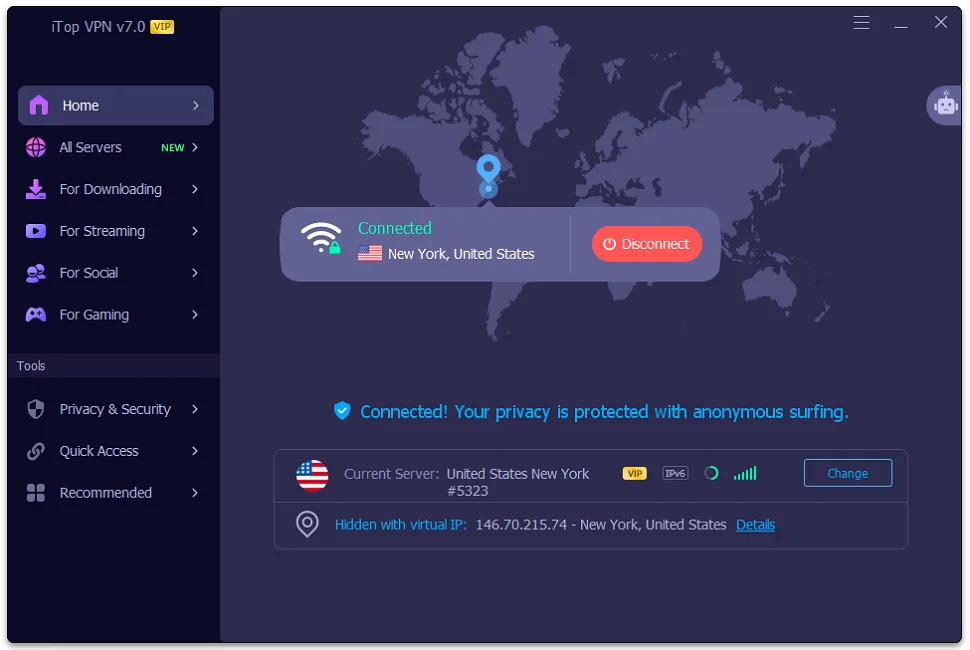
Click the connect button after selecting your desired location. iTop VPN establishes a secure connection within 3 to 5 seconds. A green indicator confirms you are protected. Open your browser and navigate to any streaming service. The platform now sees you as browsing from your selected country.
Advanced Features for Better Streaming
iTop VPN includes tools that improve streaming beyond basic server switching. These features help Windows users access global content more smoothly.
Double VPN for Extra Security
Double VPN routes traffic through two servers, adding an extra layer of encryption. This makes it harder for streaming platforms to detect your real location and helps avoid VPN blocks.
Split Tunneling for Optimized Performance
Split tunneling lets you choose which apps use the VPN. Stream through VPN servers while local apps connect normally for better speed.
Kill Switch Protection
Kill Switch blocks internet traffic if the VPN disconnects, keeping your real IP address hidden and automatically restoring protection.
Start Watching Global Content Today
Geographic restrictions should never limit what content you can access. You pay for streaming subscriptions just like viewers in other countries. iTop VPN gives you equal access to global content libraries.
Download the software right now and connect to any server worldwide. The free version lets you test the service before upgrading. Premium accounts unlock the full server network and advanced features for optimal streaming.
Stop seeing error messages about unavailable content. Get iTop VPN for PC and watch everything the internet has to offer from anywhere in the world.
Like our Facebook Page here at NasiLemakTech.com for more news and in-depth reviews! Also, join our Facebook Group for insightful information and memes!
Subscribe to our YouTube channel too!

