




















With the hardware lineup announced at Apple’s WWDC 2023 keynote done, let’s hop over to the software side and see what new stuff is coming.
iOS 17
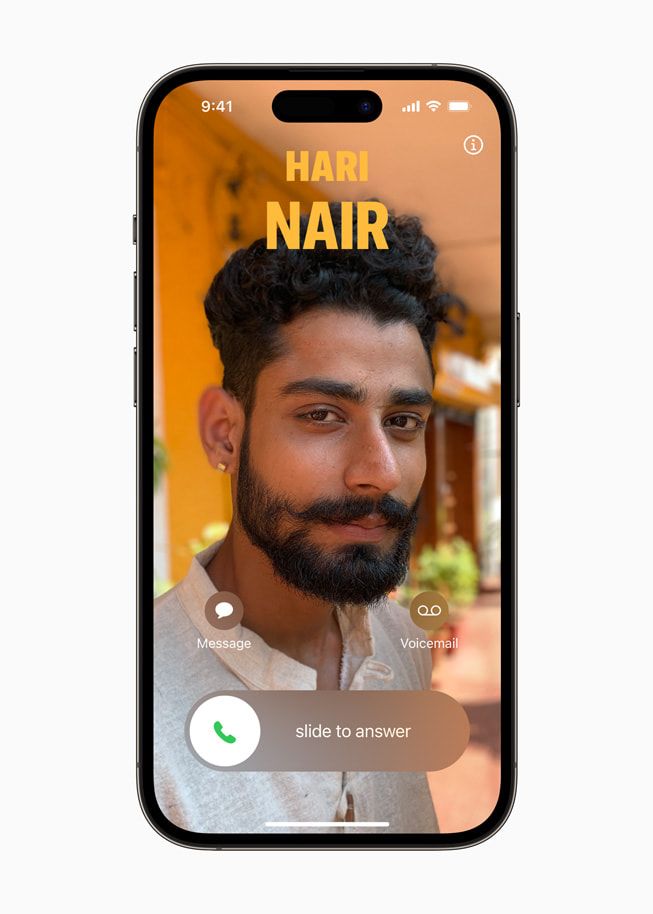
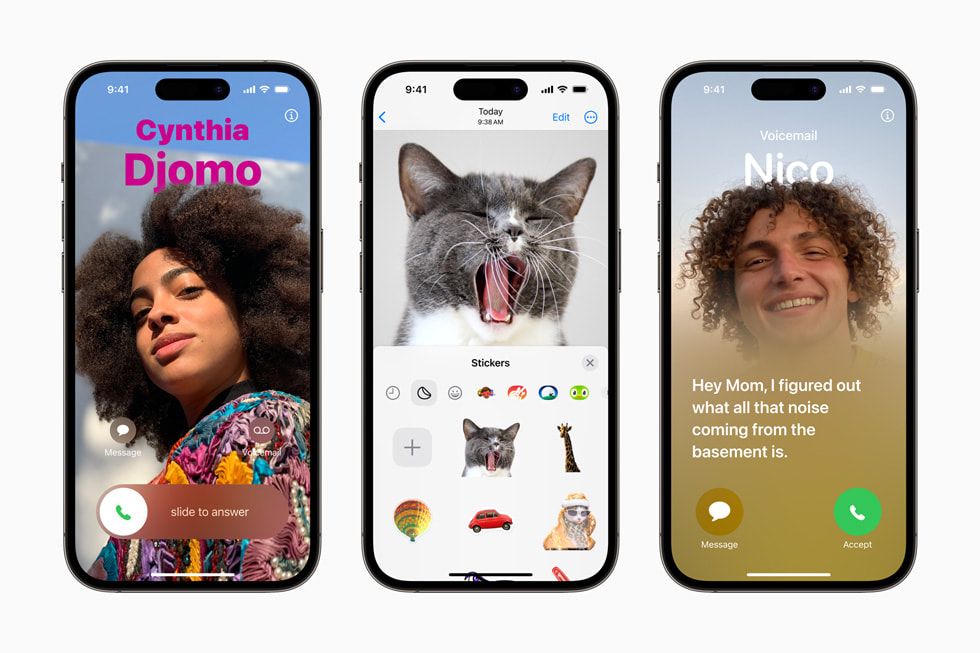
Let’s go for the most important one – the iOS 17 update. For starters, the Phone app is getting the new Contact Posters where you get to personalize how you look from the caller’s perspective and you get to add emojis and text or whatever stuff to suit your taste.
Simply speaking, think of it as your SNS profile picture but delivered in a phone-contacting layout.
On the other hand, Voicemail has been AI-augmented to offer real-time transcription in addition to the ability to call back someone that is currently leaving a voicemail.
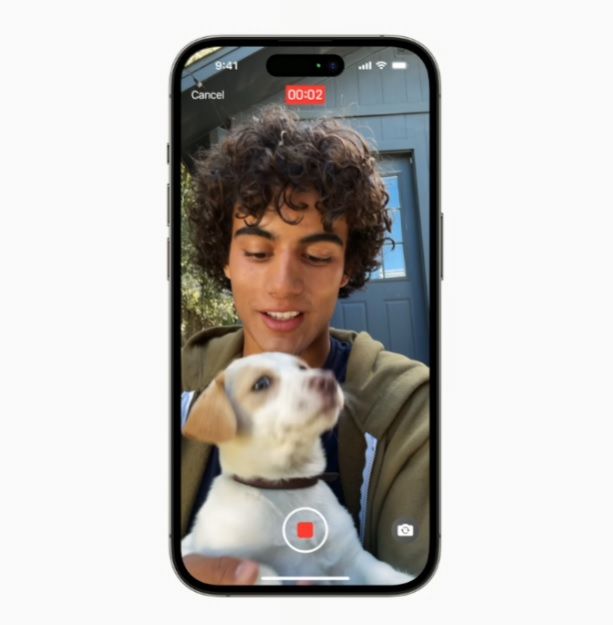
Speaking of voicemails, FaceTime can now do something similar as in leaving audio and video messages so that the people on the other side can get updated later.
New effects like hearts, balloons, fireworks, laser beams, rain, and more have been added to the reaction tray for more fun.
Additionally, the seamless transition between devices during FaceTime calls has been enhanced to now include Apple TV 4K so that start a call from your iPhone or the TV and then pass it to each other and vice versa as needed.
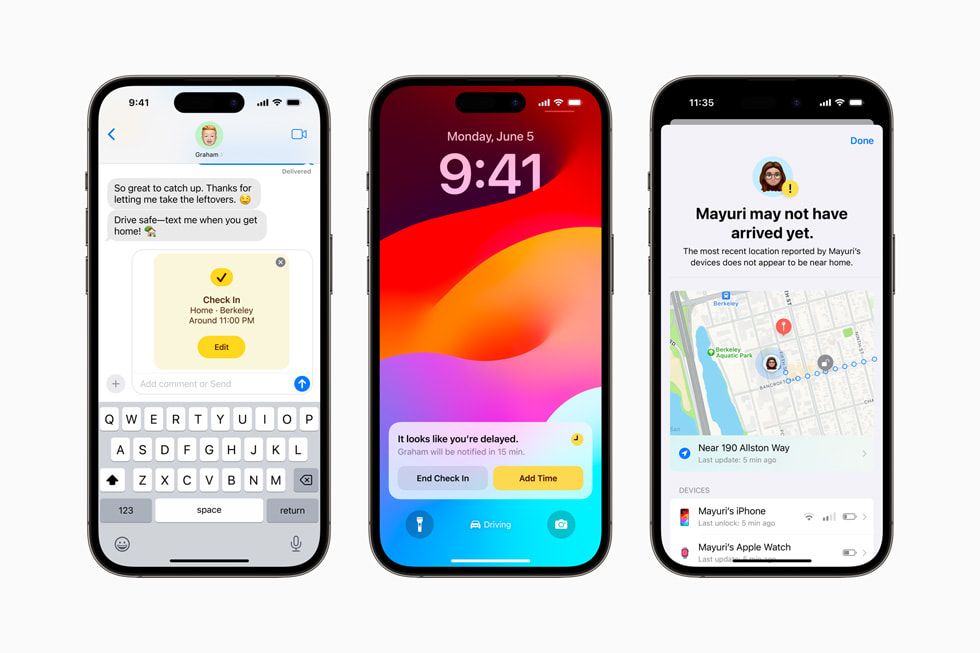
For Messages, brand new stickers experience plus the ability to create Live Stickers out of subjects from photos is now possible. The new Check-In function can notify friends and families upon arrival at a given destination for added safety, and general optimizations towards the search function and revamped UI are the main points here.
Here are some other notable updates that you should know as well.
- AirDrop-based NameDrop allows contact info sharing by bringing iPhone / Apple Watch closely
- Better Autocorrect and Dictation for more accurate input and contextual amendment
- New StandBy mode displays important info when the device is charging or on its side
- AI-enhanced Journal now with tools to help users jot down their daily experience
- Private Browsing mode added to Safari
- Password and Passkey sharing is now possible for trusted contacts
- Health app now ventures into mental health care
- Maps now support offline maps
- AirTag is now sharable with up to 5 people
- Share collaborative playlist with Apple Music
- Wider AirPlay compatibility across hotels and resorts across the state
- Multiple new features added to AirPods
- Home app can now display up to 30 days old of activity history across sensors, garage shutters, doors, and sensors
- Reminders now have grocery list mode
- Visual Look Up now usable in paused video frames
- Siri is now summonable without saying “Hi” so it is just “Siri”
- On-device machine learning in Photos to identify people and animal
- General Privacy and Accessibility updates and optimizations
iPadOS 17
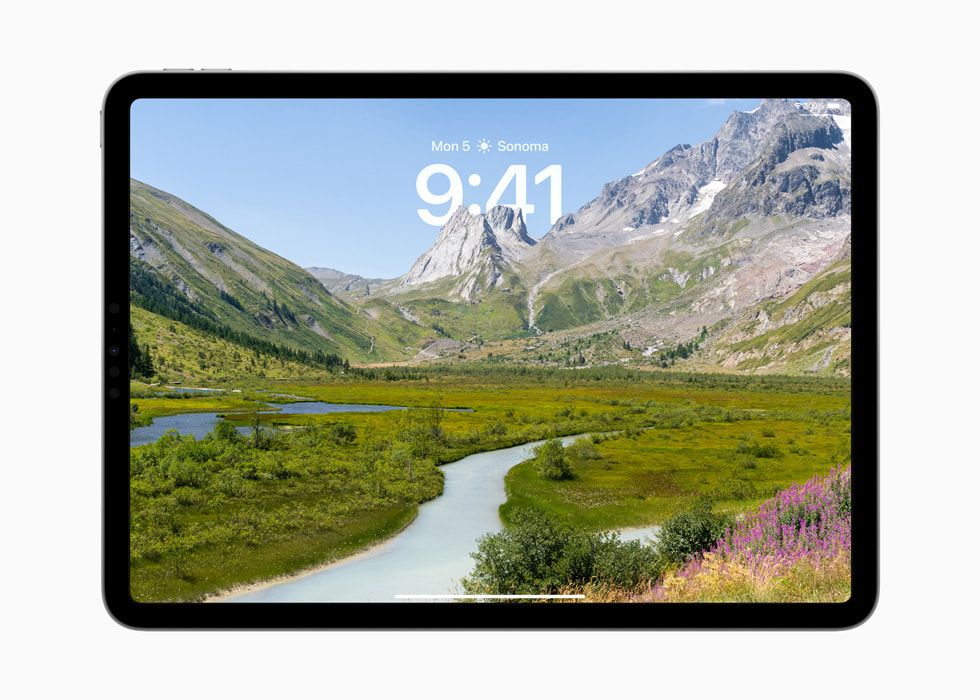
As for the iPad gang, in the latest iPadOS 17, you’ll see a brand-new lock screen delivered to your face where users can use a custom photo in static mode, a set for dynamic shuffling order, or Live Photo that moves ever so slowly but consistently.
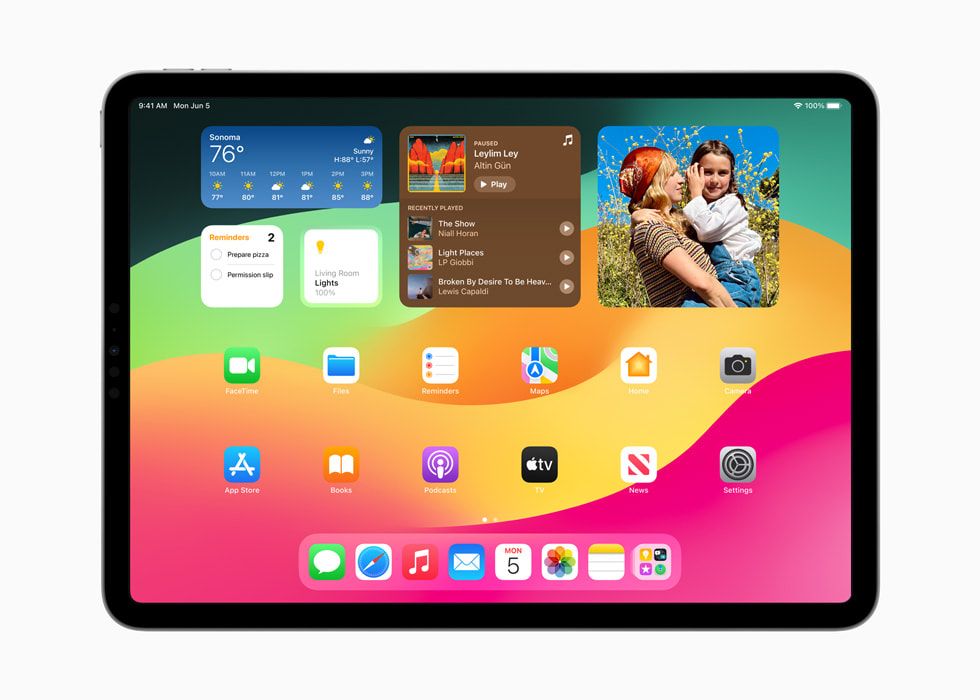
As for those little Widgets, they now provide more function-based offerings instead of just outright informational to help you be more productive while the interactive ones are now better thanks to updates delivered to the WidgetKit.
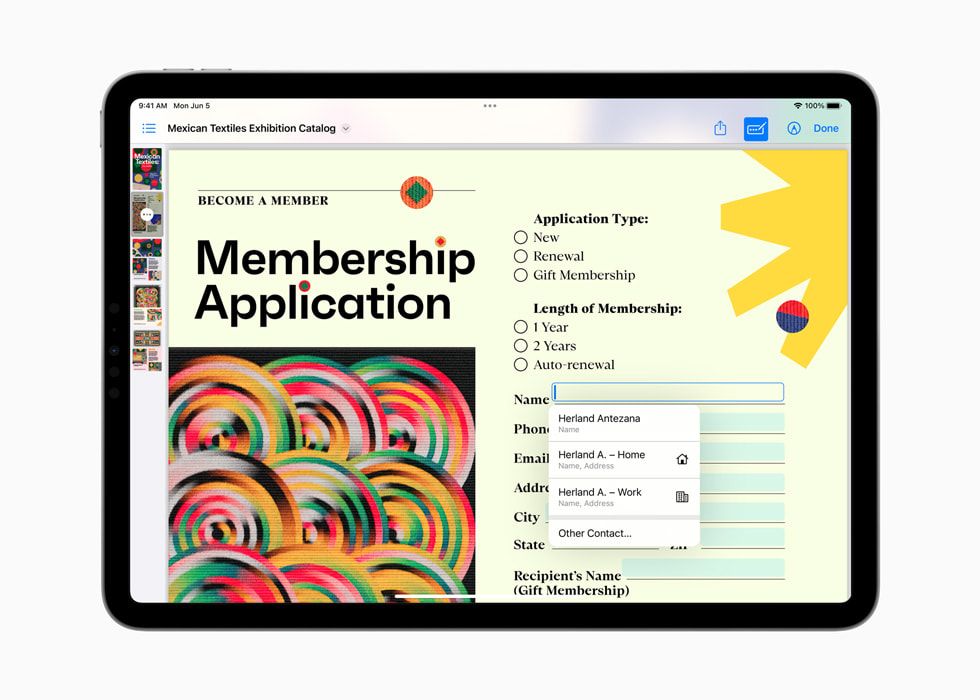
PDF gang rise up, it’s the time now. Now, PDF files will now display in full width for easy page-flipping, annotations, sketches, and more.
Reviews and markups can be applied right on top of the file plus live collaborations can all get these notes and jots reflected real time.
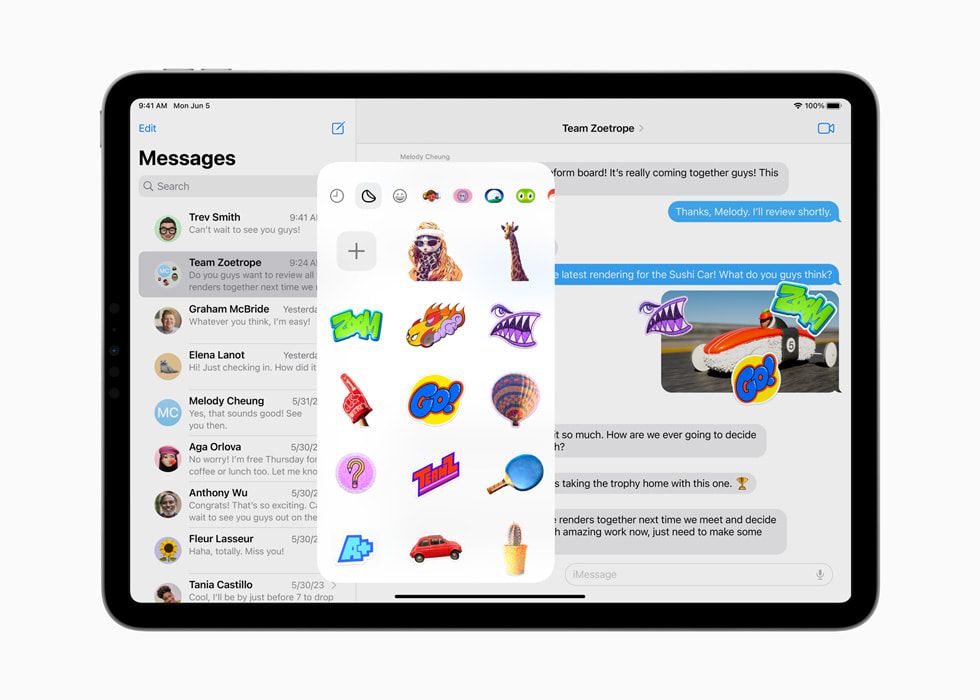
As for Messages, it is almost similar to the iOS counterpart where you can cap subjects out from photos to make stickers, enhanced search filters, and overall navigation improvements.
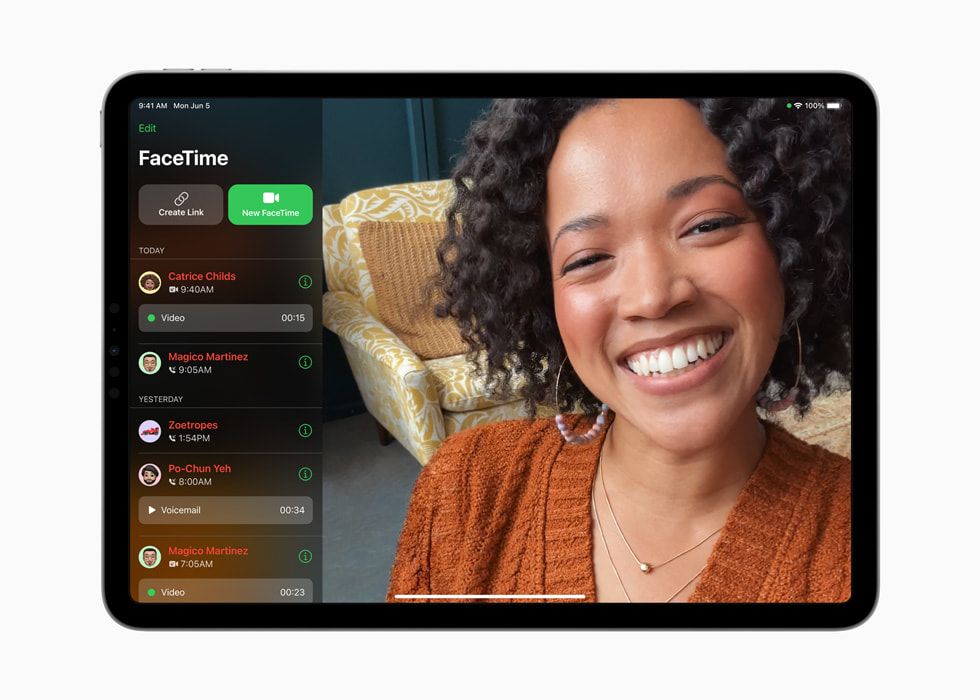
It is also the same case for FaceTime – video messages as a kind of voice mail, more reactions for concise mood delivery, and Apple TV 4K seamless transition.
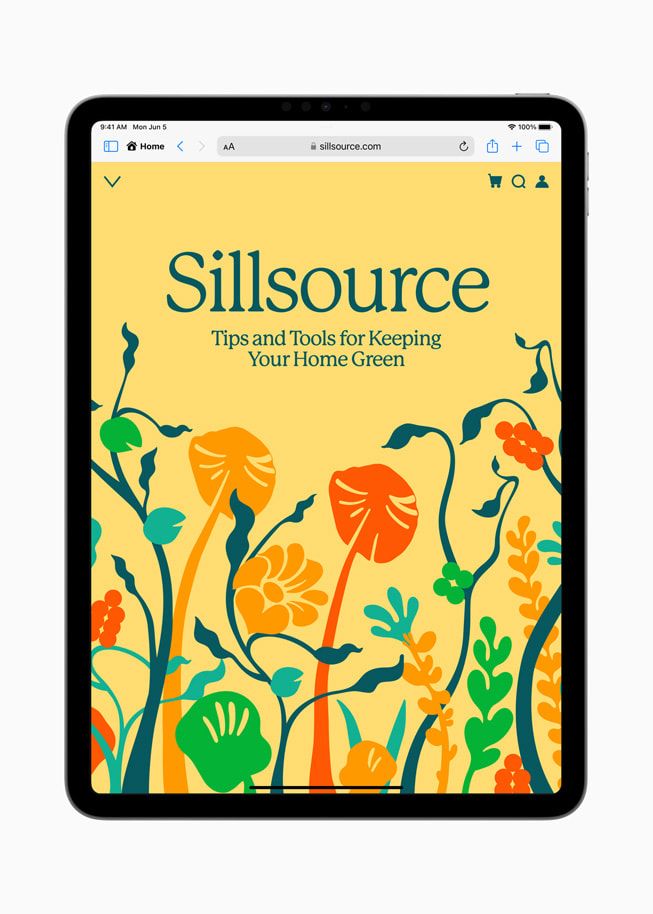
Private Browsing for Safari is also accessible for iPadOS 17 where the screen is immediately locked when the user leaves the sight detection range and can only be unlocked using the same Face ID or Touch ID in addition to tracker blocking for more anonymous web surfing.
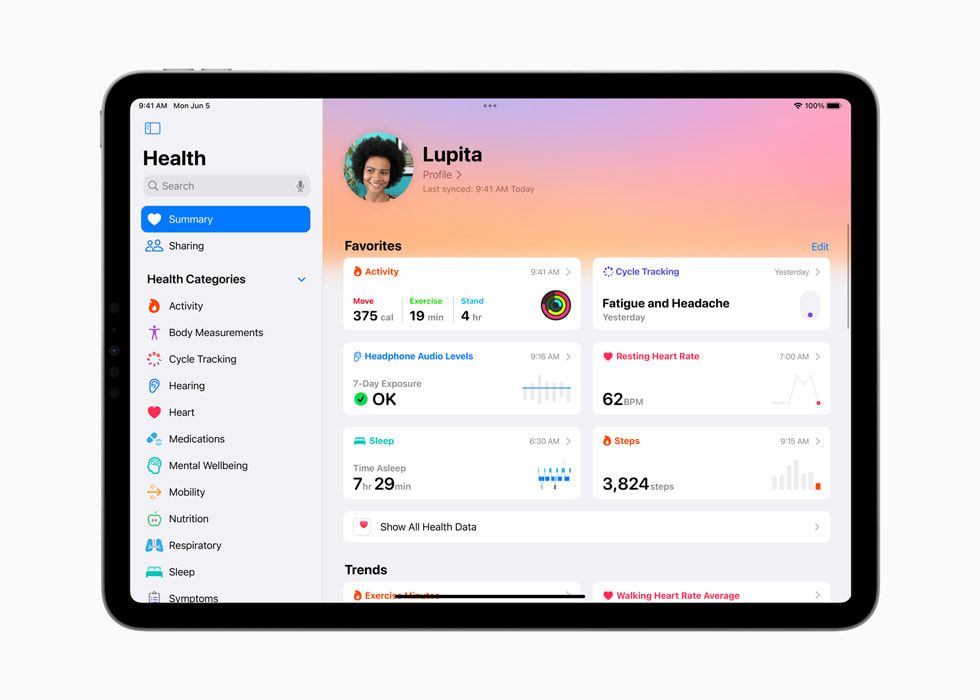
Fancy a bigger dashboard for your well-being? Well, then you’ll be happy to know that Health is going big screen now. Enjoy interactive charts and detailed information on yourself which can be shared with medical professionals as references when in need.
Health and fitness devs can also get HealthKit on iPad to make use of these key features to help develop something that can benefit mass users in the long run.
A small list of other notable features includes the following:
- Stage Manager now offers more positions and sizes for windows layouts
- New hover, tilt, and snap to shape, etc, added to Freeform
- Spotlight is now faster and better in helping users find and take action quicker
- Visual Look Up can now recognize more stuff
- Better Autocorrect on Keyboard alongside predictive text and speech recognition
- “Hey Siri” is now just “Siri”
- Grocery mode for Reminders
- Offline maps for uhm, Maps
- General Privacy and Accessibility enhancements
tvOS 17

As for the underlying system for the Apple 4K TV, the tvOS 17’s highlights come in the form of Centre Stage keeping all people framed on the screen while gesture-based reactions give more interaction.
Split View will be the one solution to stop the argument of “Who’s time is now for the TV” as one can game on one side while the other FaceTime someone else.
Later this year, professionals will be able to use Webex by Cisco or Zoom natively on the TV for easier video conferencing while the Continuity Camera API allows devs to integrate other Apple devices into the tvOS ecosystem.
Speaking of that, Apple Music Sing will utilize that as well so users can see themselves on screen and add some filters accordingly.
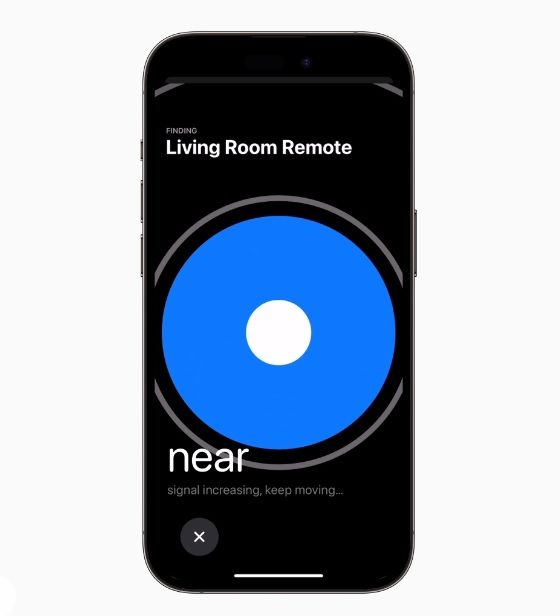
Is the Siri Remote falling into the deep void and you can’t find it? Well, just ask your iOS 17-powered iPhone and you’ll retrieve it eventually.

Personalized profiles for each family member can also be applied to carry over settings and preferences while the Screen Saver can display happy memories or some amazing photos taken from famous locations.
Take a look at some additional features down below.
- Enhanced Dialogue that can identify speeches in movies and shows with higher accuracy
- Dolby Vision 8.1 support
- Apple Fitness+ enhancements with Custom Plans for dedicated training, Stack for back-to-back workouts, and Audio Focus that can emphasize either the music or the trainer’s voice
- 3rd-party VPN support
watchOS 10
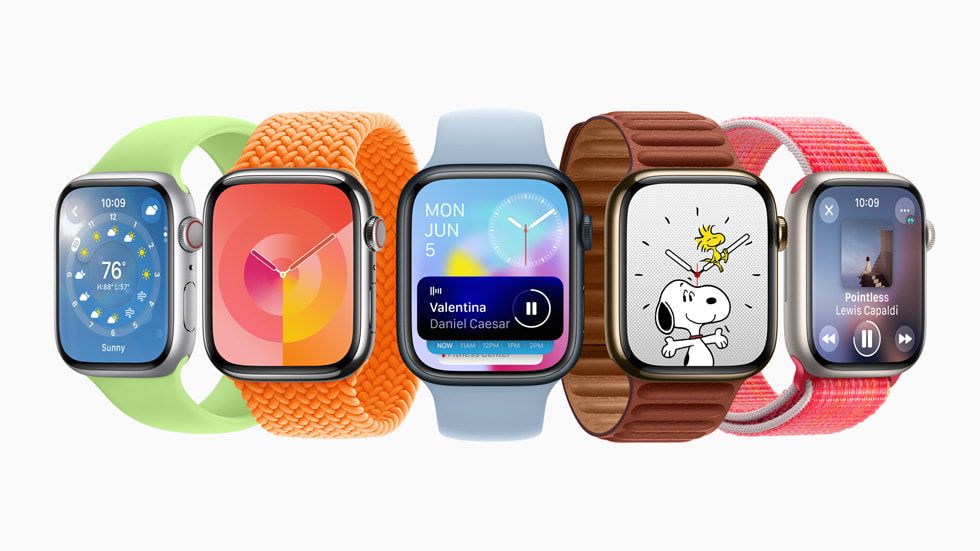
As for the Apple Watch, the new watchOS 10 is going to incorporate the Smart Stack design that piles different “info cards” into a scrollable tile with the use of the crown on the side.
With this, Apple is able to make each info utilize as much screen estate as possible but just without showing it all at once.
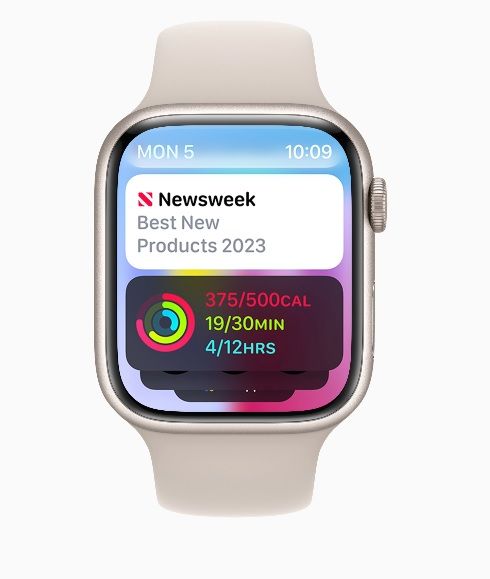
The demo sees Weather, Stocks, Home, Maps, Messages, World Clock, and more placed with elegance and a clean look.
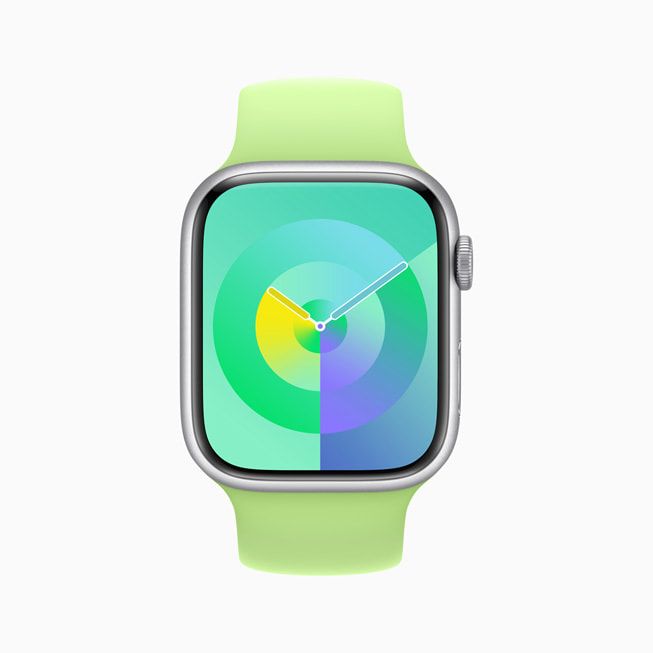
Additional watch faces in the form of Palette and Snoopy have been added with Palette portraying a special 3-layer overlapping action for color contrast while the Snoppy one sees him and Woodstock reacting to various applications.
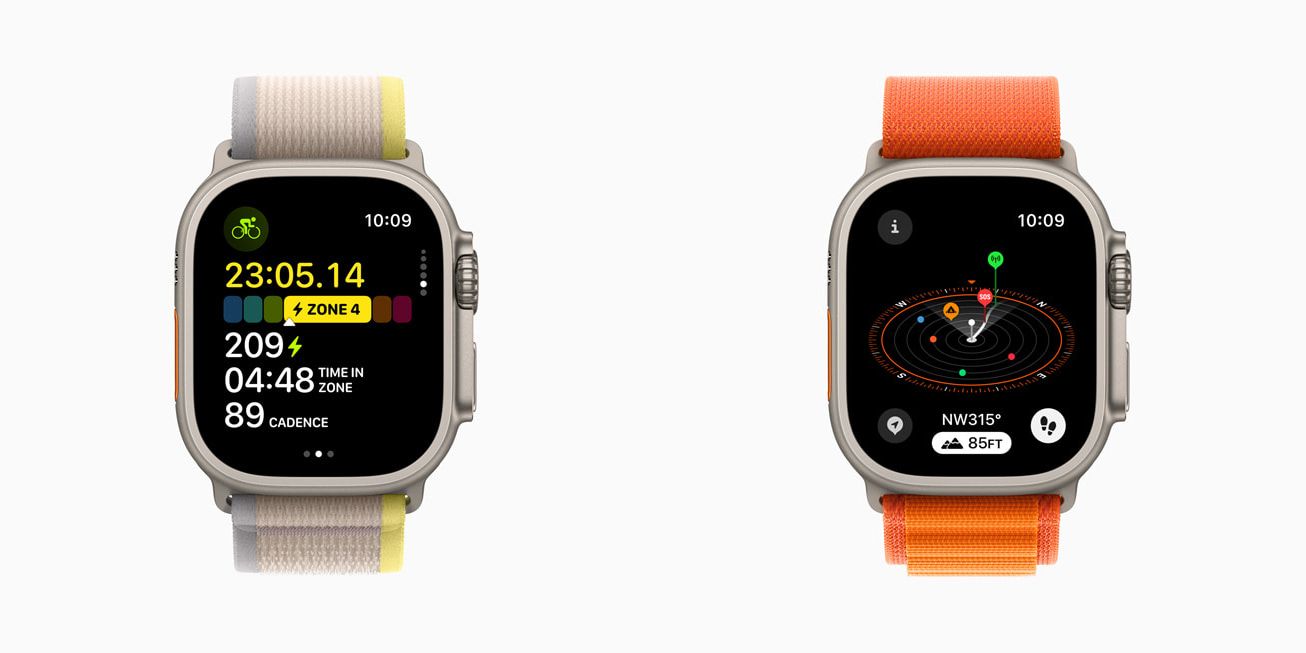
As for fitness tracking, taking Cycling as an example, the Live Activity will be launched within the paired iPhone with a full range of parameter tracking while a simplified one is produced by the Apple Watch.
Cycling-specific factors like Functional Threshold Power (FTP) are calculated by an algorithm taking all the data from sensors to give veteran cyclists more information to work with.
For Hiking, it is focused more on the safety side through the generation of 2 waypoints – Last Cellular Connection Waypoint and Last Emergency Call Waypoint to help pinpoint the location of an individual.
A topographic map with contour lines will be useful in tracking various details like elevations, POIs, and more.
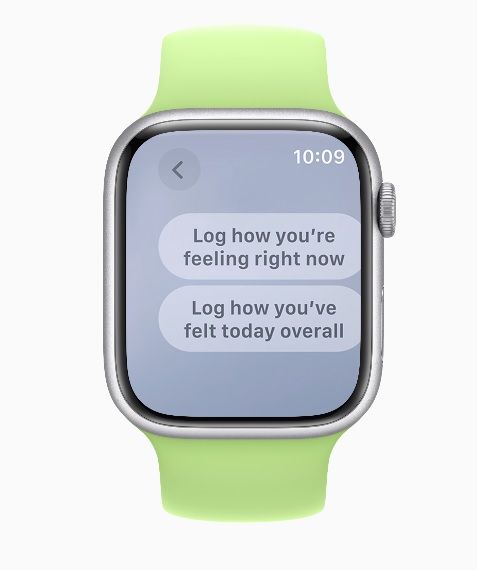
Various mental and eye health-focused functions contributed by Mindfulness and Health apps have been added to help one be conscious about what or how they feel in a daily setting.
Additional updates are given in the following form:
- NameDrop for sharing contacts
- Offline Maps
- Start a FaceTime video message directly from the watch
- Medications now send reminders if logging is not detected post-30-minutes of a scheduled time
- Custom Plans, Stacks, and Audio Focus in Apple Fitness+ accessible through the watch
macOS Sonoma
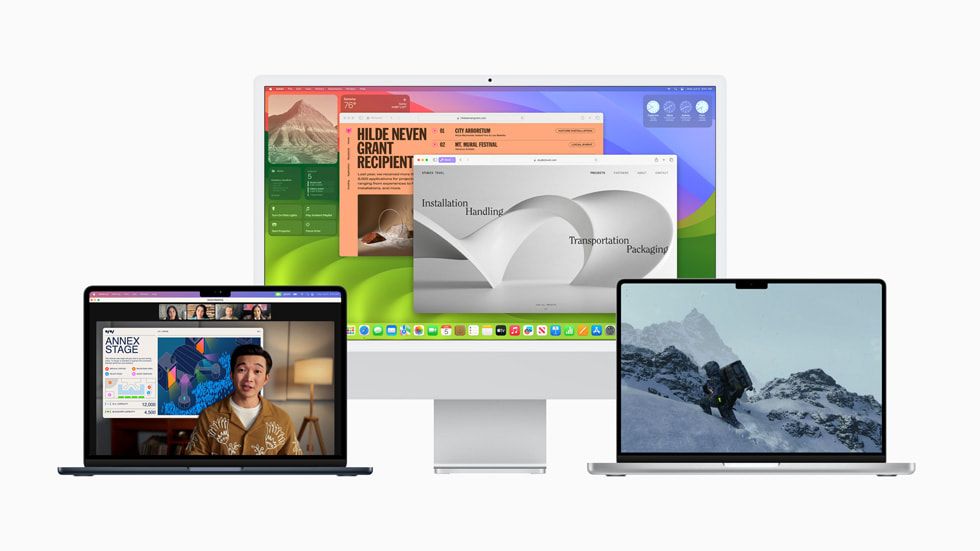
Now onto the big guns macOS Sonoma. Hiding behind the name are enhanced widgets with better interactivity that blends in with the wallpaper while providing essential functions from iPhone as well thanks to Continuity.
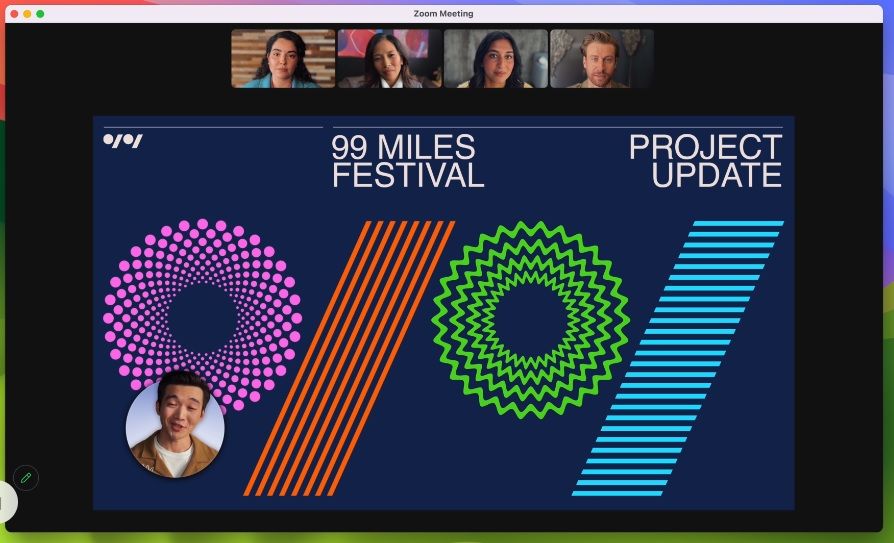
Video conferencing is much better in Sonoma thanks to the Presentor Overlay that puts the camera directly on top of the content while Reactions, now enhanced and expanded, allows more interaction with the rest of the call.
Screen Sharing is now simpler to enable just by clicking the green button, choosing what to share, and bam, done.
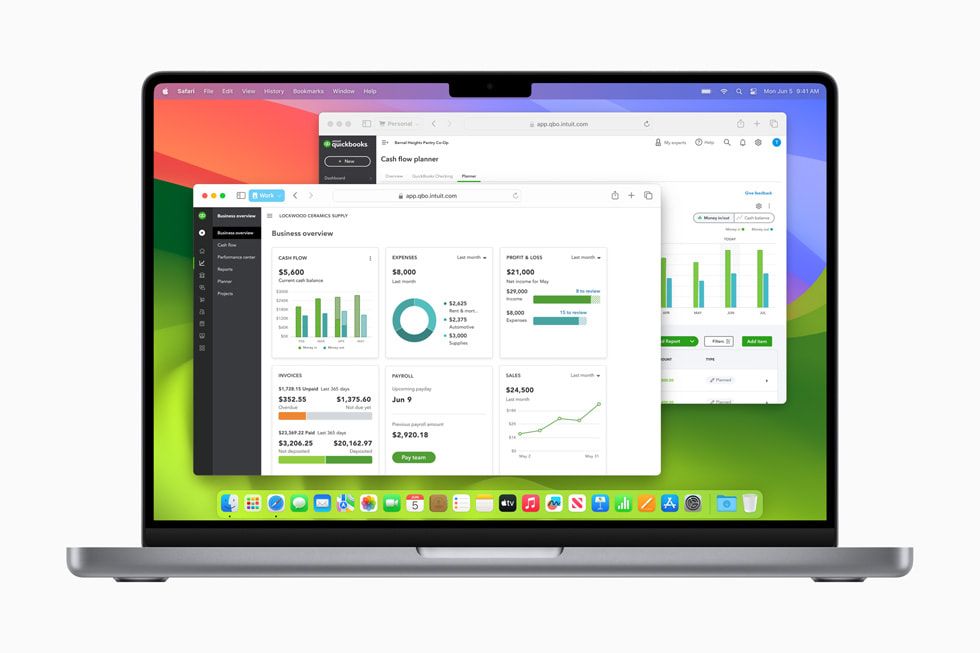
As for the in-house browser Safari, aside from the Private Browsing improvement, the separated profiles allow you to sign into a website under different accounts at the same time so that everything is accustomed to that specific niche such as work and personal accounts with all the relevant content.
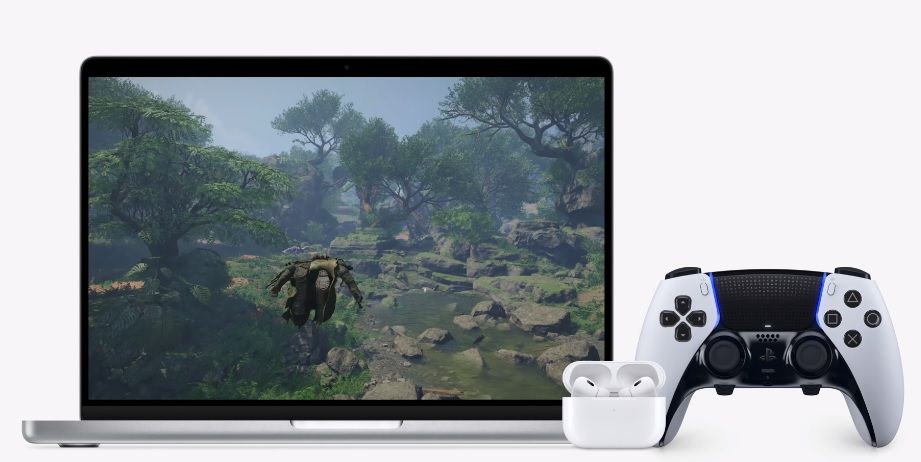
Gaming on Mac has stopped being a joke and more so with Metal 3 attracting titles like DEATH STRANDING DIRECTOR’S CUT, Stray, Fort Solis, World of Warcraft: Dragonflight, HUMANKIND, Resident Evil Village: Winters’ Expansion, The Medium, ELEX II, Firmament, SnowRunner, Disney Dreamlight Valley, No Man’s Sky, Dragonheir: Silent Gods, and Layers of Fear.
It is all thanks to the new Metal game porting toolkit that removes preliminary research on how a game would perform in a macOS environment while automating code translation that would harness the full power of Apple Silicon.
The addition of Game Mode would help things out by power budgeting the CPU and GPU to the best utilization on top of reduced latency for connected AirPods for more responsive audio and low Bluetooth latency when connecting to an Xbox or PlayStation controller.
Here are some points that you should take in before the update arrives:
- Enhanced Screen Sharing with lower latency, high frame rates, and up to 2 virtual displays at once
- Autofill option for PDFs and inline PDFs in Notes
- Say Siri to activate Siri, duh
- Password and passkey sharing among trusted contacts
- Associated Messages, Reminders, and Keyboard updates found in iOS
- General Privacy and Accessibility optimizations
Like our Facebook Page here at NasiLemakTech.com for more news and in-depth reviews! Also, join our Facebook Group for insightful information and memes!
Subscribe to our YouTube channel too!

