Some time ago, AMD (instead of MSI) sent me one of their GPU – the MSI R9 390 Gaming 8G. It’s a flashy card for sure, but I was confused. My personal rig is in way a “high-end” computer, just with the latest-generation hardware. Thus, I can’t really truly test the MSI R9 390 Gaming 8G to its full potential.
Packaging
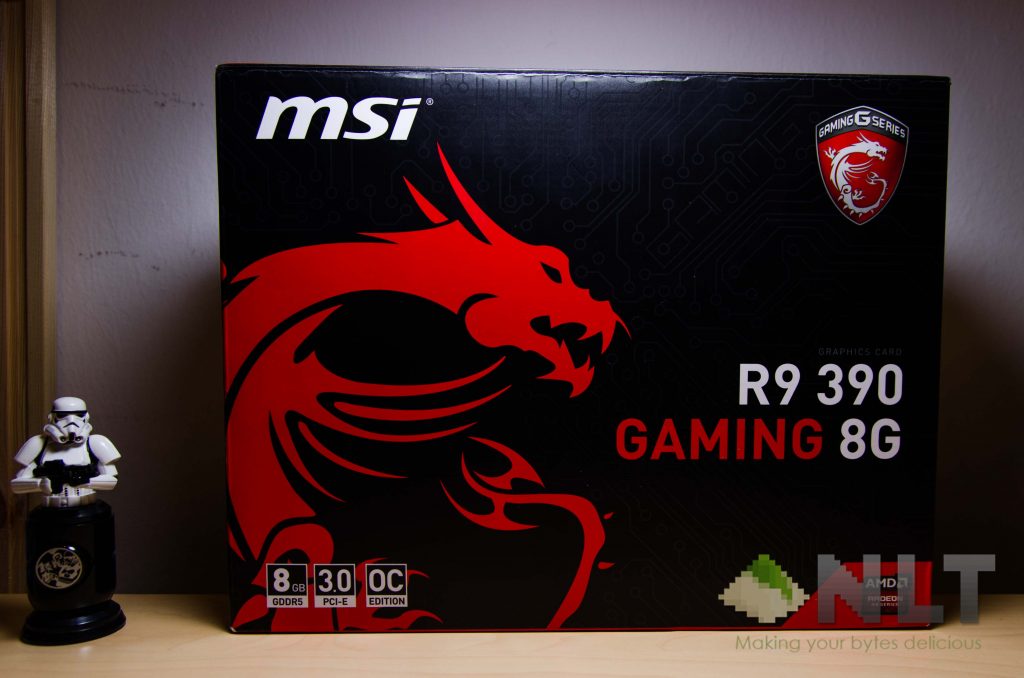
Here’s the deal with GPU boxes – they have fancy graphics, tell you a little bit about the features that’s inside of it, and that’s pretty much it. Which is why this “unboxing” part of the review of the MSI R9 390 Gaming 8G will be as straight forward as it can be.
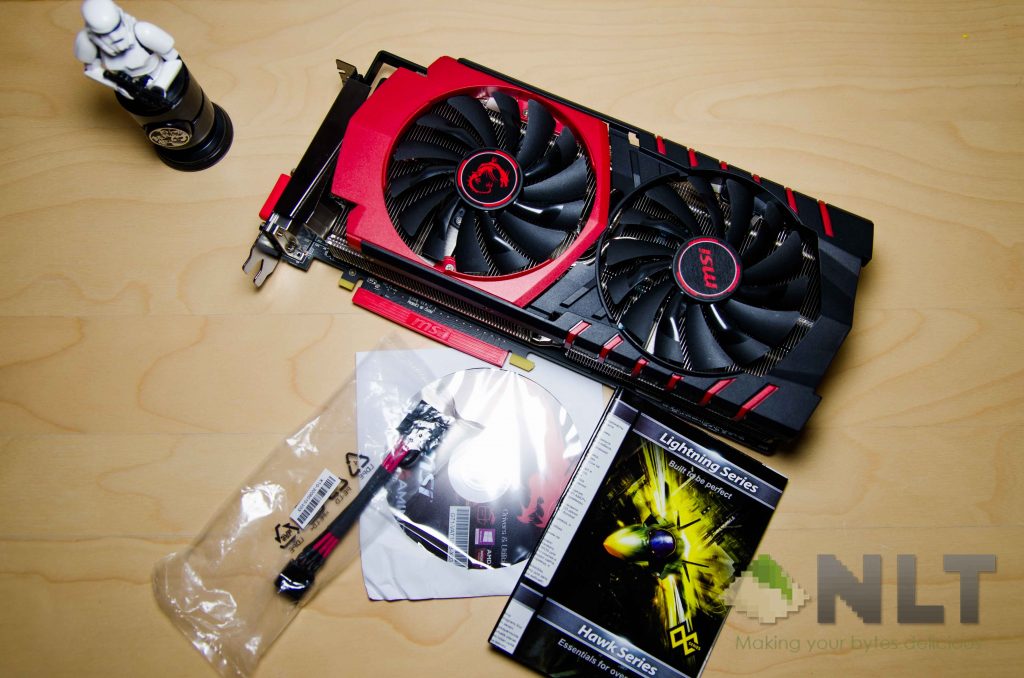
Inside the box you’ll find all of these items. There’s a driver CD (seriously?), a 6-pin to 8-pin converter, a user guide, and the beautiful MSI R9 390 Gaming 8G itself.
Physical build
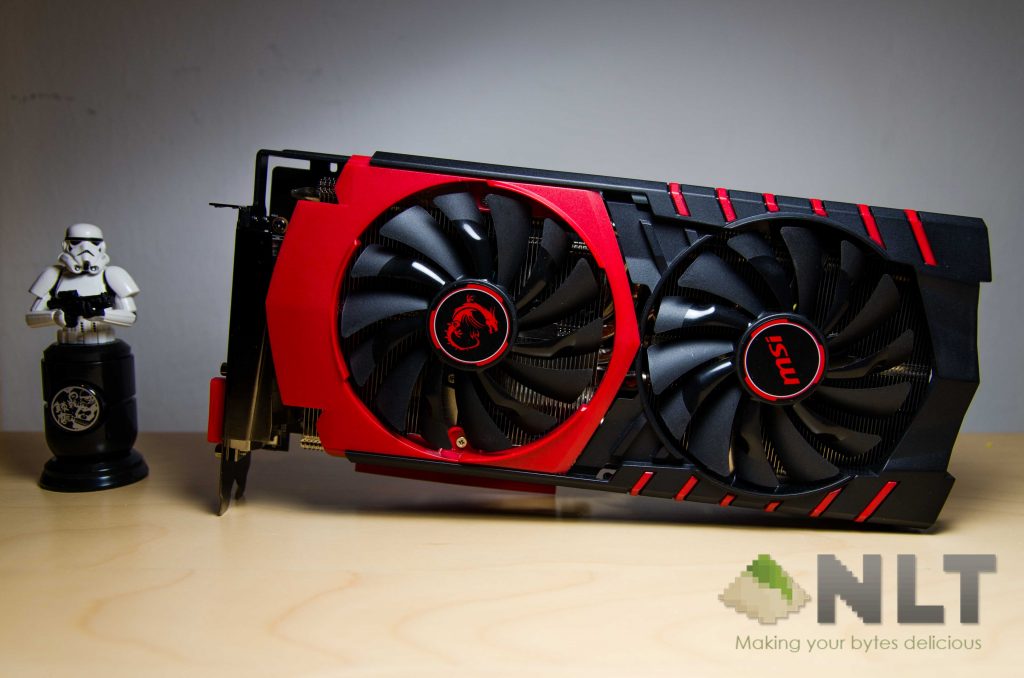
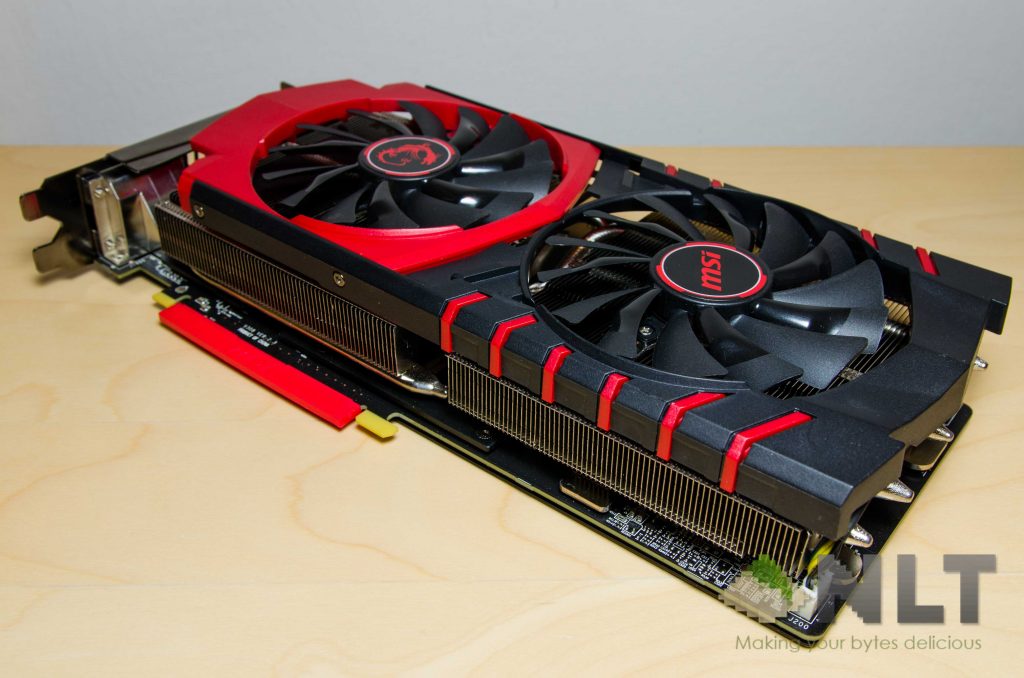
The MSI R9 390 Gaming 8G is really heavy, to the point where picking it up feels like a dumbbell, and slouches too much when I am slotting the card into my Gigabyte motherboard, which has a metal-reinforced PCIE slot.
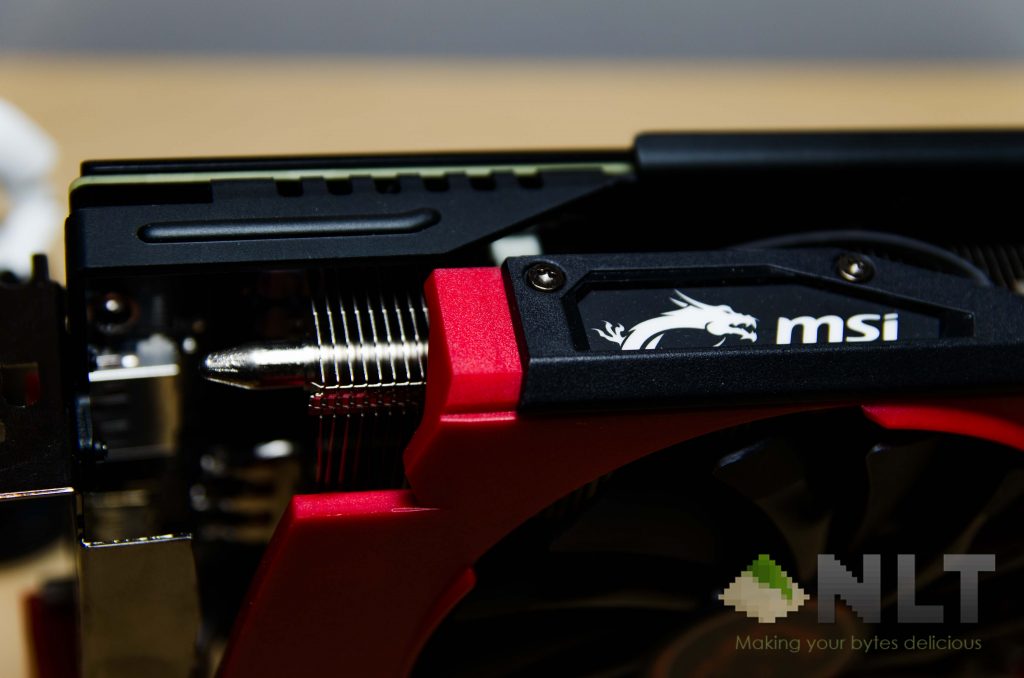
That said, I can’t help but to admire the beauty of this GPU. Even though MSI did spam their logo everywhere on the GPU, the MSI R9 390 Gaming 8G features a beautiful black backplate with a subtle MSI Dragon logo, which I find it to be forgivable. It’s beautiful, seriously.
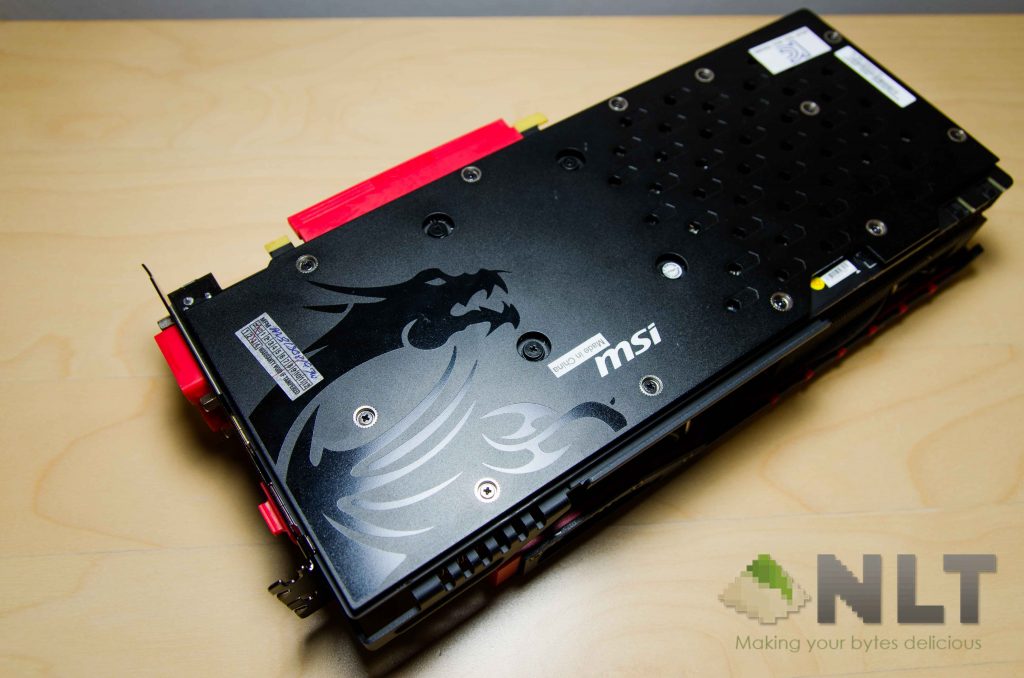
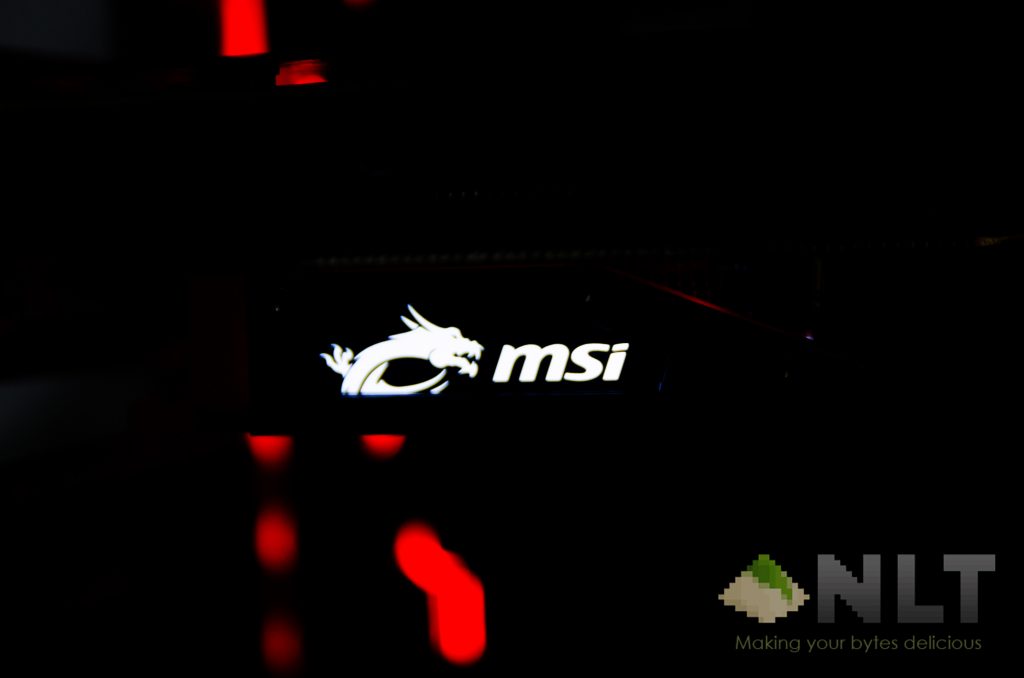
The MSI R9 390 Gaming 8G also comes with the stand display I/O, with a total of 4 ports – two DVI-D ports, single HDMI and DisplayPort ports. Then comes the LED light on the side when the whole GPU is powered on. It looks absolutely gorgeously subtle, just the way I like it.
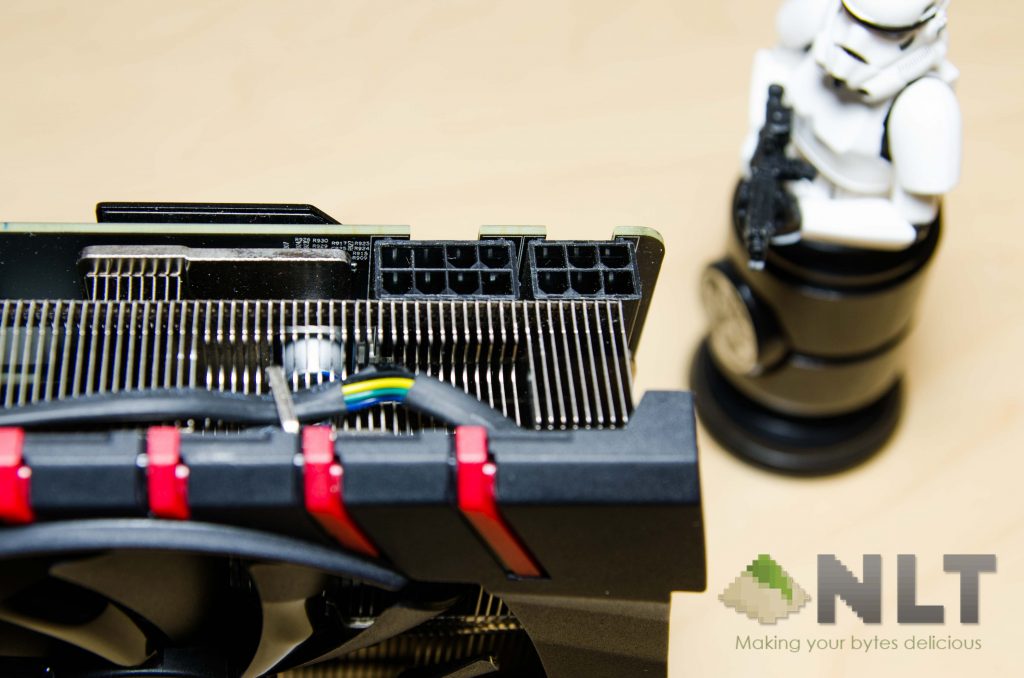
If you’re planning to get this card in the future, do make sure you have an 8-pin connector and another 6-pin connector on your power supply. This is indeed a power hungry card.
Test bench
Here’s the interesting turn in the entire review. The only desktop that I have has the latest Skylake-based system, but it’s definitely insufficient to be a test bench. However, it is a more obtainable system for the masses, albeit with a few obsolete parts that I have lying around:
| Hardware | Model |
| Processor | Intel Core i5-6400 @ 2.7GHz |
| CPU Cooler | Stock Intel heat sink |
| Motherboard | Gigabyte GA-H170-Gaming 3 |
| Memory | 2x4GB Corsair Vengeance 2133MHz DDR4 |
| Primary Storage | Transcend 128GB SSD370S |
| Power Supply | FSP HEXA+ 550 |
| Chassis | Cooler Master HAF932 |
Performance test
Here I have the comparison with my very own MSI GTX 970 Tiger edition. It’s not the best out there as I was in quite a tight budget while putting this machine together, but that didn’t mean the GTX970 is a slouch. Both cards here are from MSI, looks similar, but has totally different built qualities to begin with.
Given that my system is by no means a test bench-worthy system, I can only show you the benchmarks that I have and what it means to have such a high-end GPU in a budget rig.
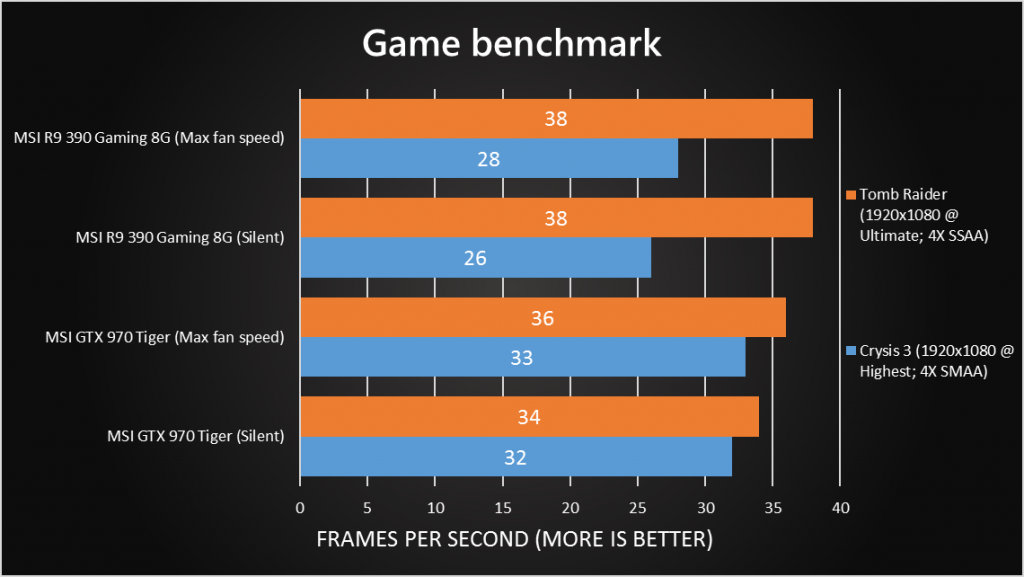
There’s something I have to mention here – I encountered a bottleneck for Crysis 3. That has to do with my CPU, which was crushing the graphs at 100% at all times when Crysis 3 was running. I wouldn’t call that test a failure, but it how lacking the Intel Core i5-6400 really is. However, the test did show that the MSI R9 390 Gaming 8G performed slightly better in Tomb Raider when no bottlenecks are found.
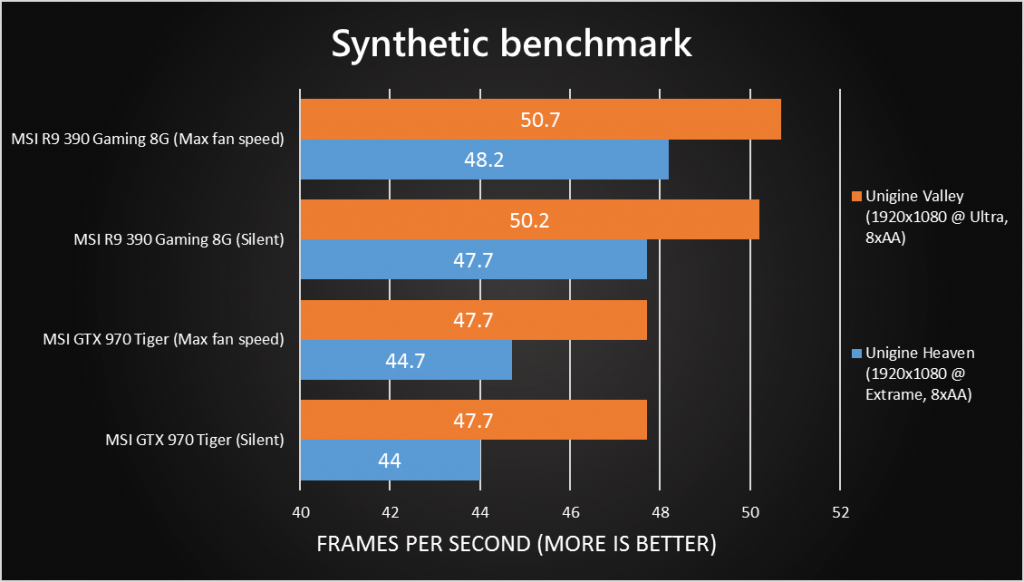
In both Unigine tests, the MSI R9 390 Gaming 8G proved to be way more superior than its GTX 970 counterpart. This test however, showed absolutely no bottleneck throughout the test.
Thermal performance
The MSI R9 390 Gaming 8G features one of MSI’s very own version of special fans, called the Torx Fan. MSI claims that the cutting edge fan design is for superior cooling performance, but it’s up to the tests to prove them right.
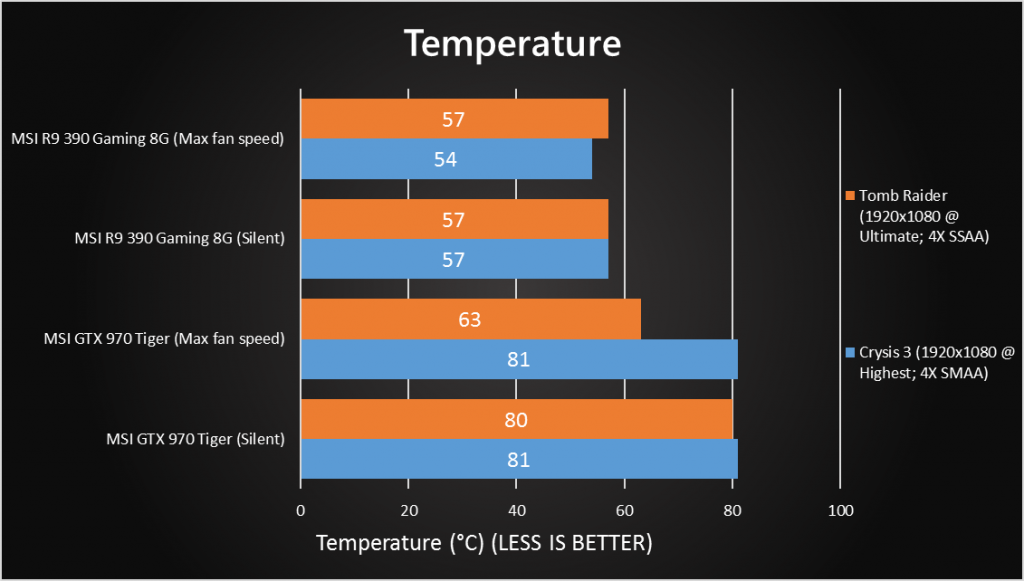
And perform better it did! Throughout the entire benchmark, I found out even if the MSI R9 390 Gaming 8G had its fan set to 30% while running the games, the performance did not improve by a whole lot. This can only mean one thing – no thermal throttling occured.
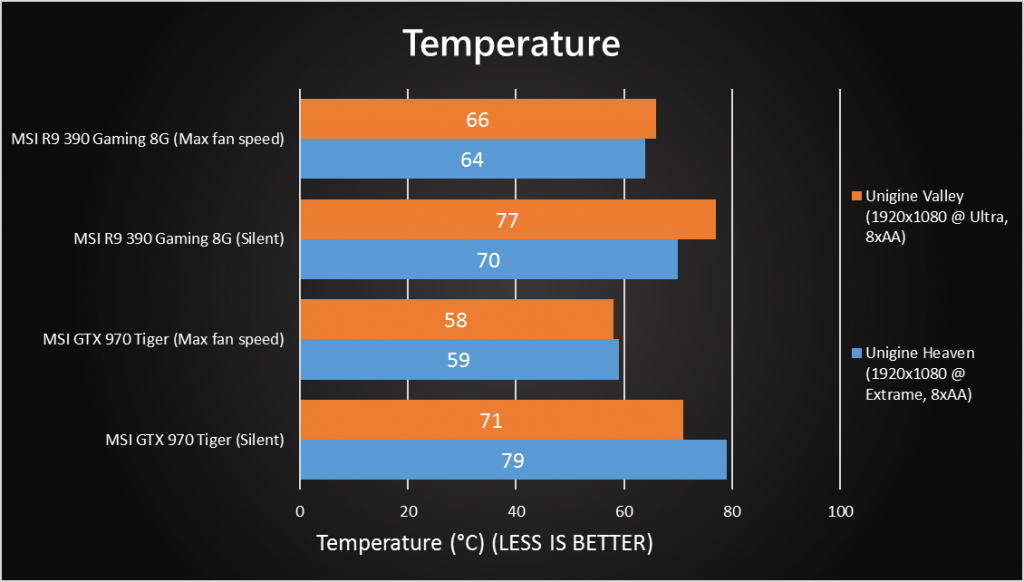
As for the synthetic benchmarks, the MSI R9 390 Gaming 8G can be seen with slightly higher temperatures compared to its GTX 970 cousin while the fans are running at max RPM, but otherwise is true when it’s on silent.
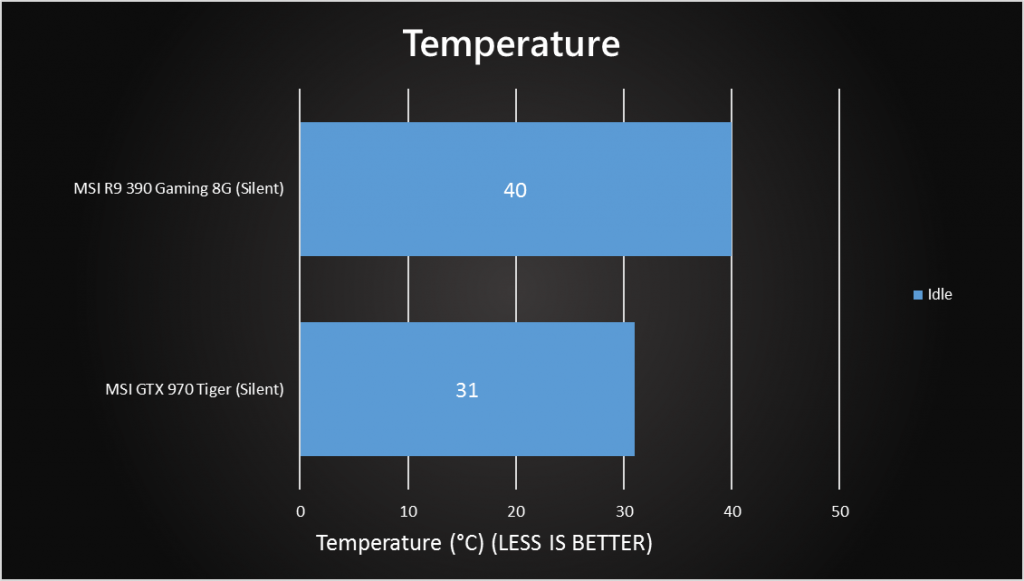
Since the MSI R9 390 Gaming 8G has a feature called Zero Frozr, which essentially turns off the fan when under idle loads to keep the entire system silent, I had to manually override this feature to ensure it’s a fair comparison. Here I configured both GPUs to have the fans run at 30% for the “silent” part. The MSI showed that the temperatures are way higher, and even heated up my case’s side panel for that matter. It felt uncomfortably warm when I touched on it. This however did not happen when I was running on the GTX 970.
Wrap up
Heres’ the kicker – the MSI R9 390 Gaming 8G is a great card, and I’ve seen in reviews where the R9 390 crushed the GTX 970 in certain tasks. However for the price that MSI is asking, even for a budget system, I think I’ll stick with their GTX 970 counterpart.
Like our Facebook Page here at NasiLemakTech.com for more news and in-depth reviews! Also, join our Facebook Group for insightful information and memes!
Subscribe to our YouTube channel too!