Does this mouse look familiar? Probably, I have one that looks awfully similar at home actually. By the looks of it, it’s similar, but sports a few difference.
Firstly, it’s the colour options available, and also the Logitech logo that’s found on the mouse. Then there’s the shape of it that got a quite a major update, with the new curvature on the sides and a much more rounded and oblong clicker.
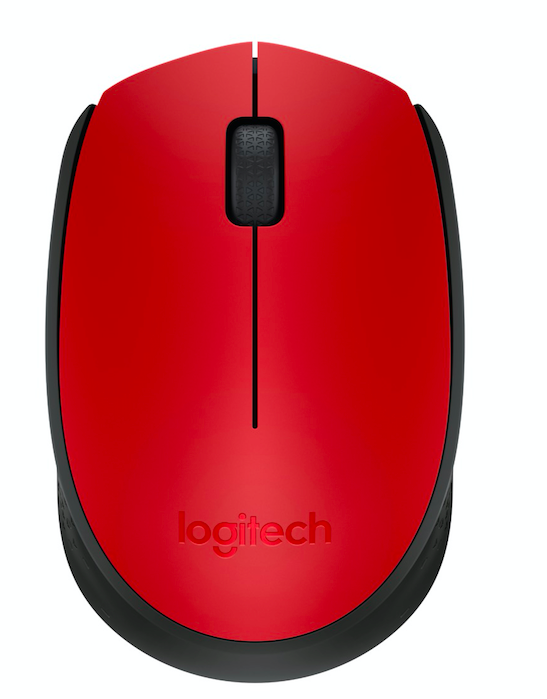
The new design is even more colourful than ever too – too bad that there’s still no side buttons for quick forward/backward clicks. Not too bad though – Logitech clearly aimed for an ambidextrous design here, but there’s no excuse to neglect those two buttons. The Microsoft Desktop 3000 Wireless’s mouse implemented those buttons without issues at all while maintaining it’s ambidextrous design.
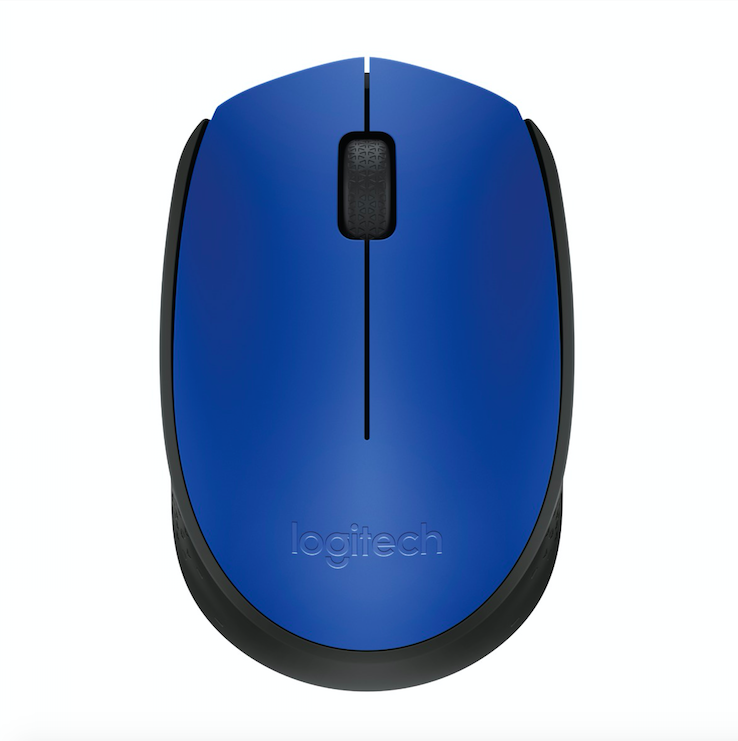
Nonetheless, at least I’m happy that Logitech is offering the M171 in quite a lot colours, including grey, and red. All of them has this very modern look to it, albeit that the entire mouse looks fairly familiar.
In whichever case though, at least the M171 doesn’t need to be purchased alongside with a keyboard – and that said, the M171 only costs RM49 – and that’s inclusive of GST! Available now too!
Like our Facebook Page here at NasiLemakTech.com for more news and in-depth reviews! Also, join our Facebook Group for insightful information and memes!
Subscribe to our YouTube channel too!