










If you’re considering getting a laptop to prepare your kids for the upcoming academic year, then here are some deals from GLOO and iTworld that might interest you. Big disclaimer – this entire video is not sponsored by them but they did send over this Lenovo V14 (AMD) laptop for us to have a look.
Since this is a laptop that is made with a different purpose in mind, we’ll have to readjust our perspective too. So, let’s begin. You can also watch our video directly.
Let’s start by talking about what this Lenovo V14 (AMD) has to offer. We have to adjust our expectations based on the price of RM1,449 or 4x payments of RM362.25 by using PayLater via Grab.
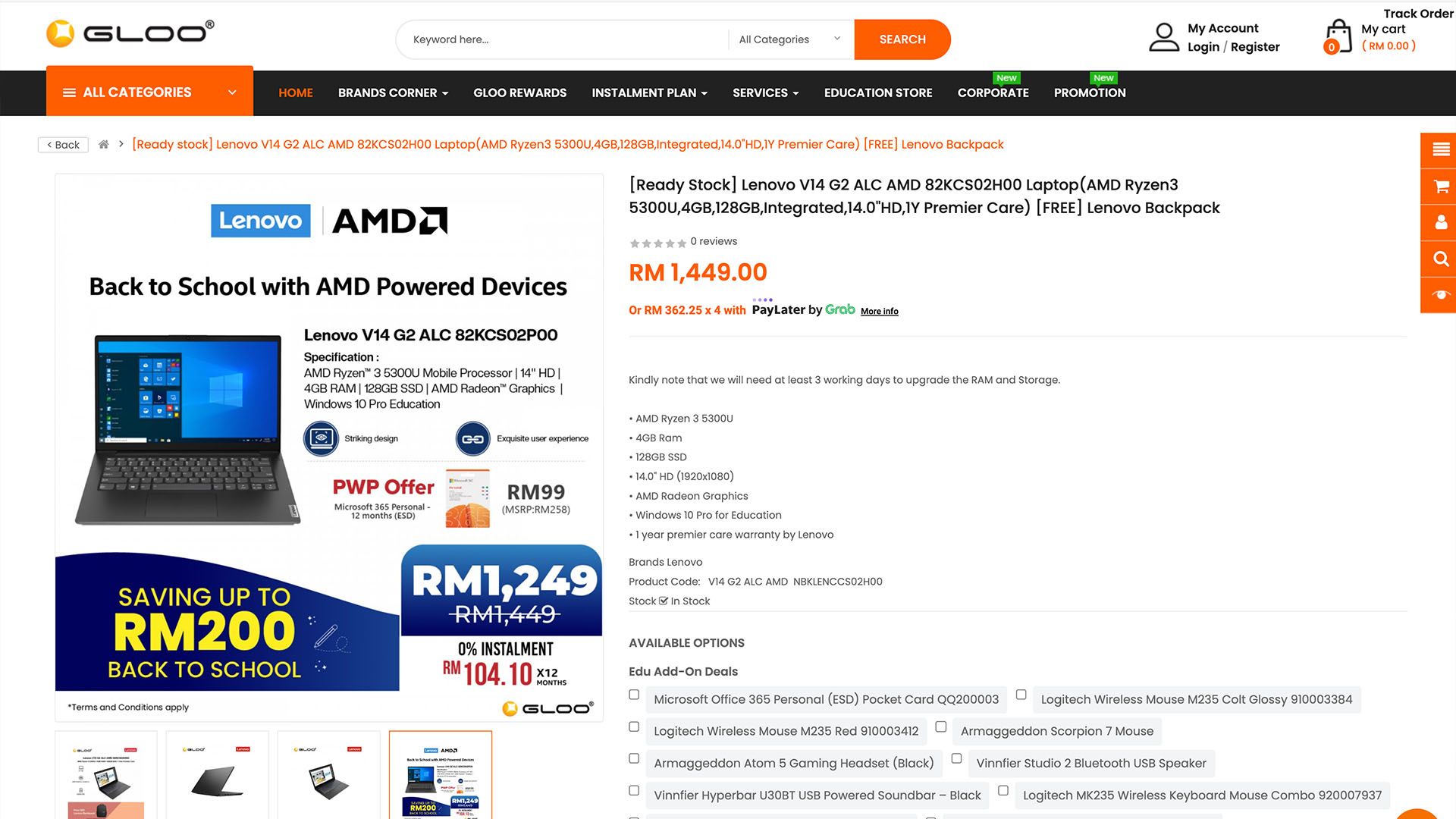
If you sign up at the Education Store (T&C apply) then you can even purchase this laptop at the discounted price of RM1,249 only or split the payment over 12 months with 0% installment. You can check it out here.
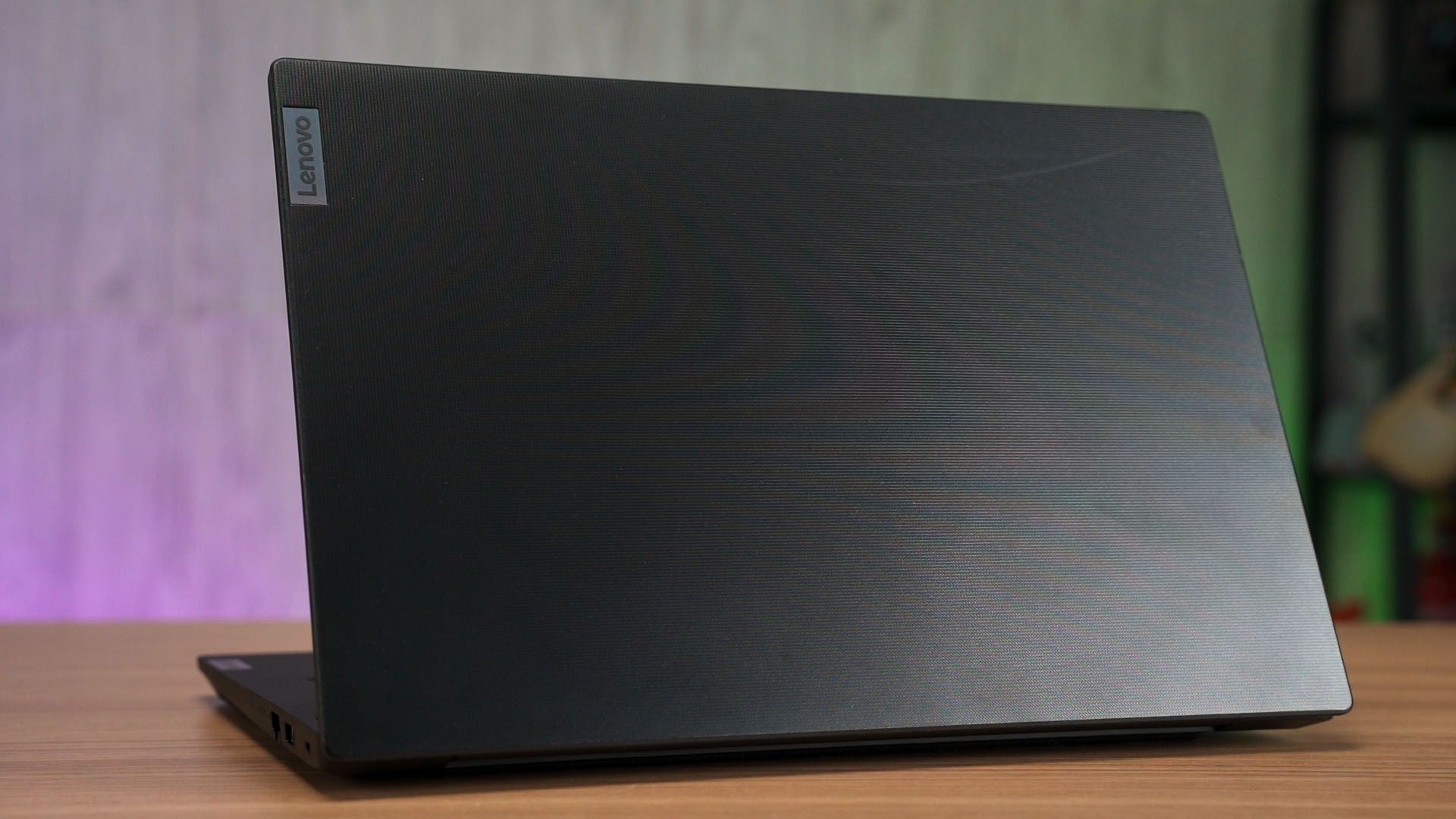
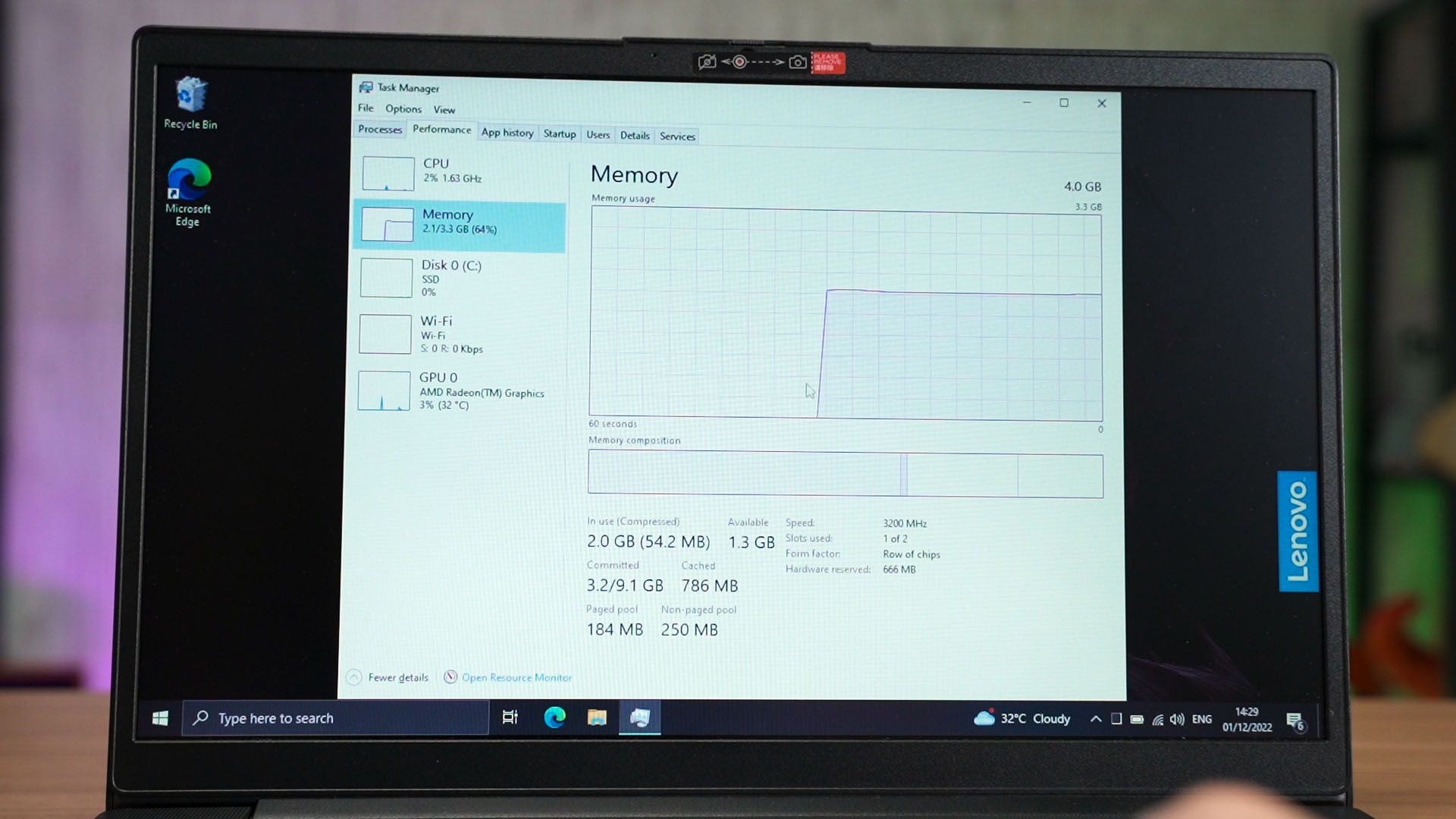
And back to the laptop – as the name suggests, it is an AMD-powered laptop – RyzenTM 3 5300U to be exact, with 4GB RAM and also 128GB storage with a 14-inch TN panel and 768p resolution screen.
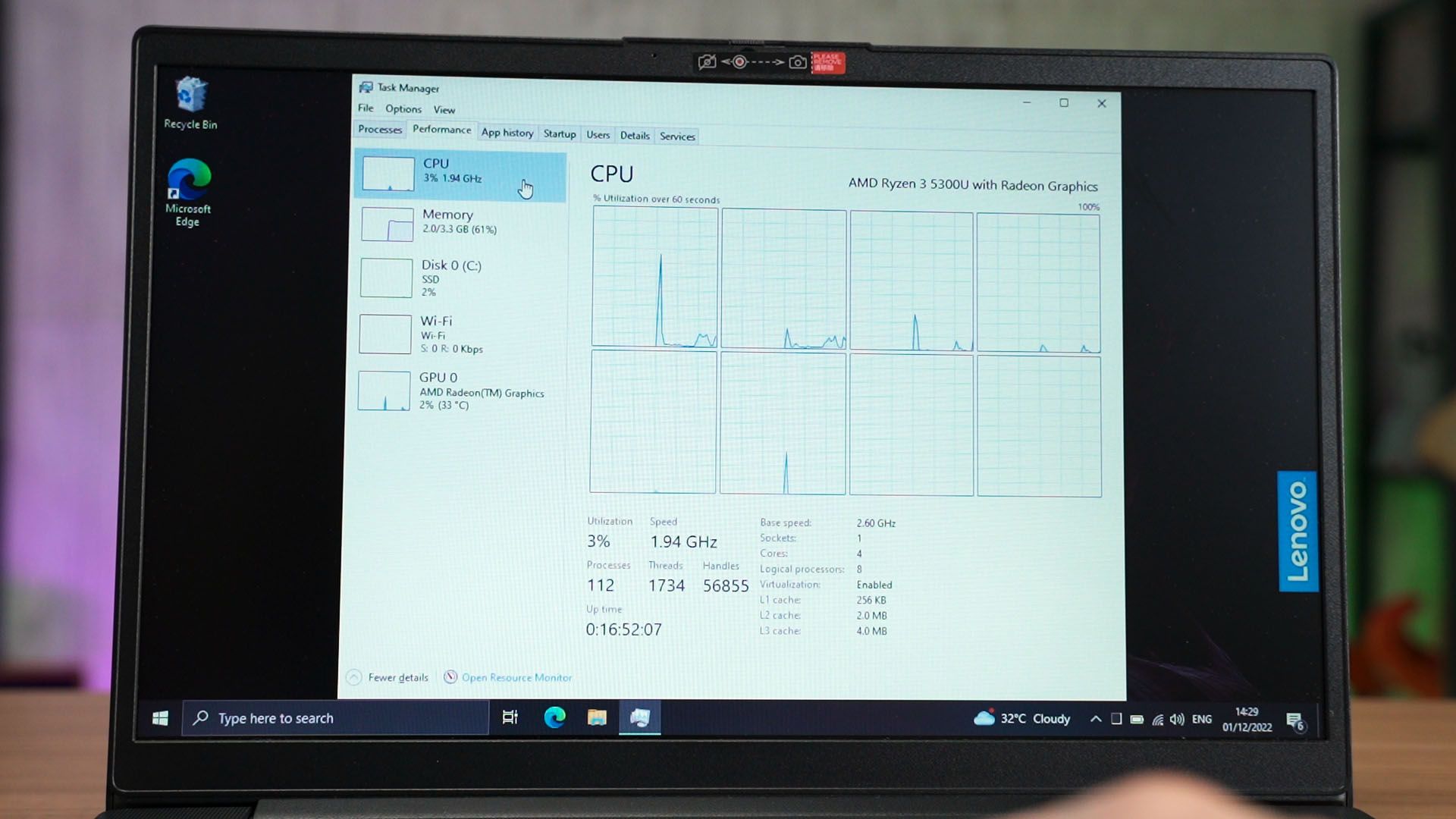
As a whole package, I’ll still say that it is decent. The performance coming out of it is surprisingly good. That Ryzen 3 5300U is no joke.
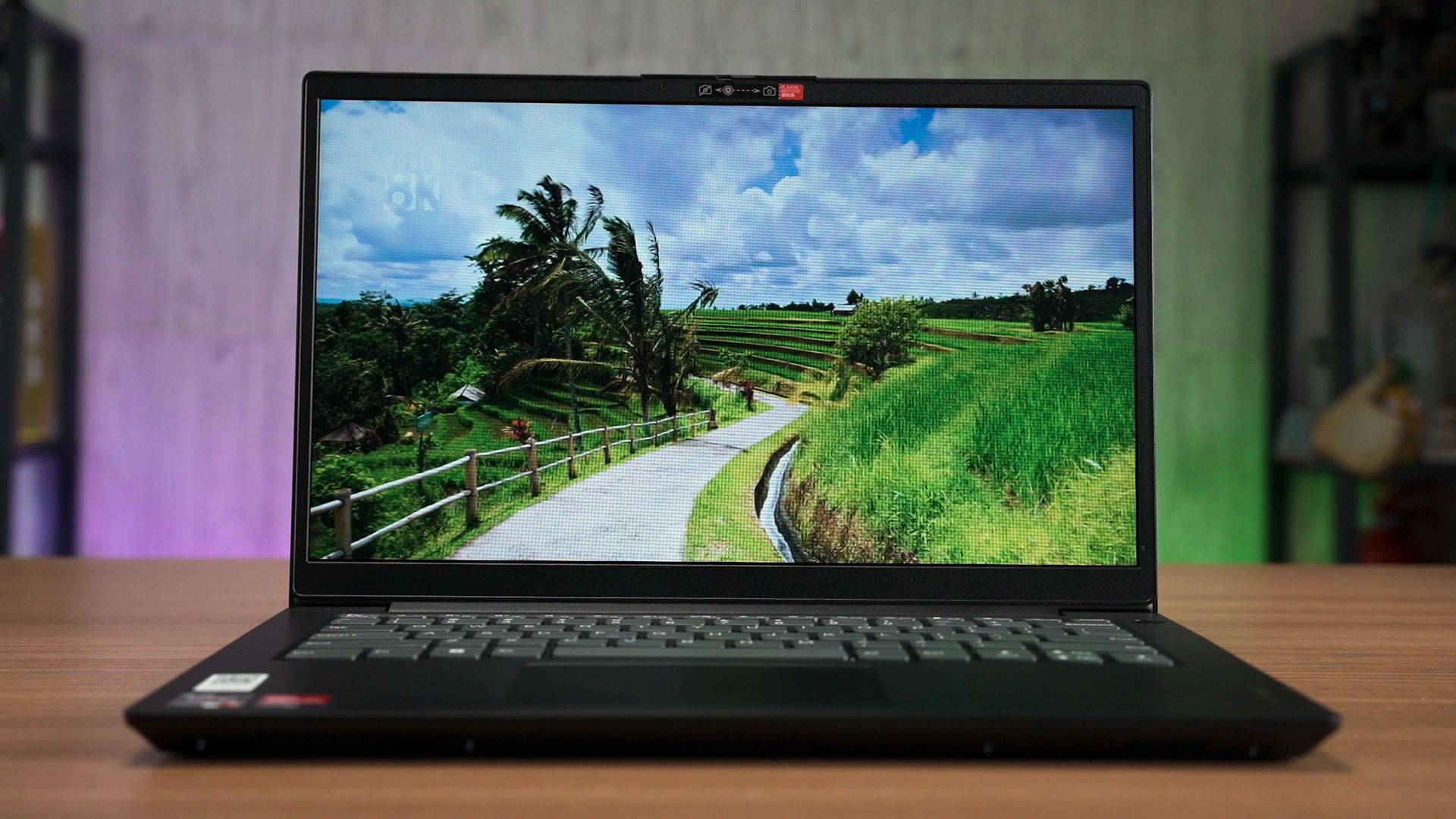
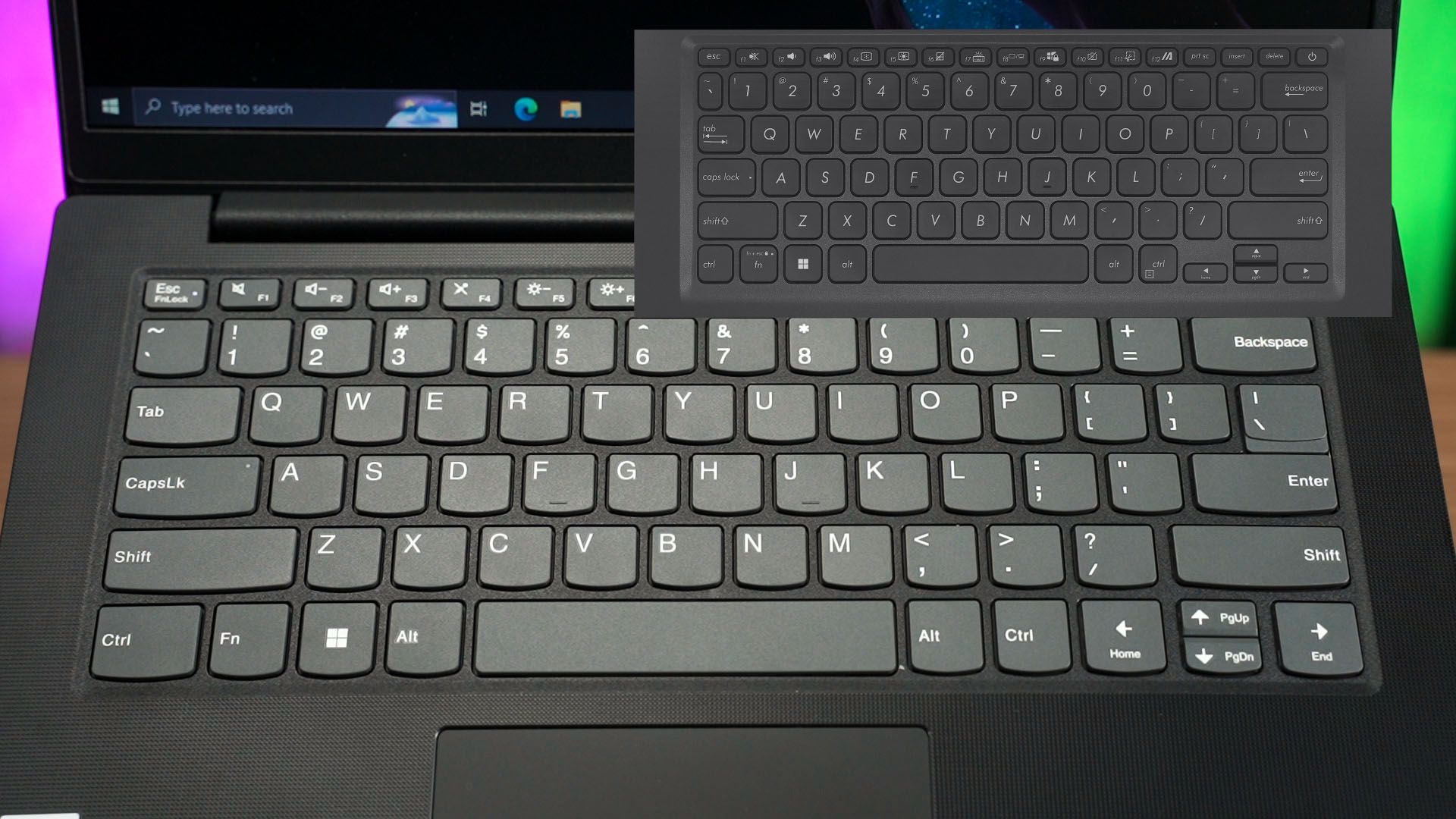
There are a lot of other things to like about this laptop – the keyboard is the signature Lenovo style of AccuType keycaps. It’s not square as the bottom part of the keycap is curved?
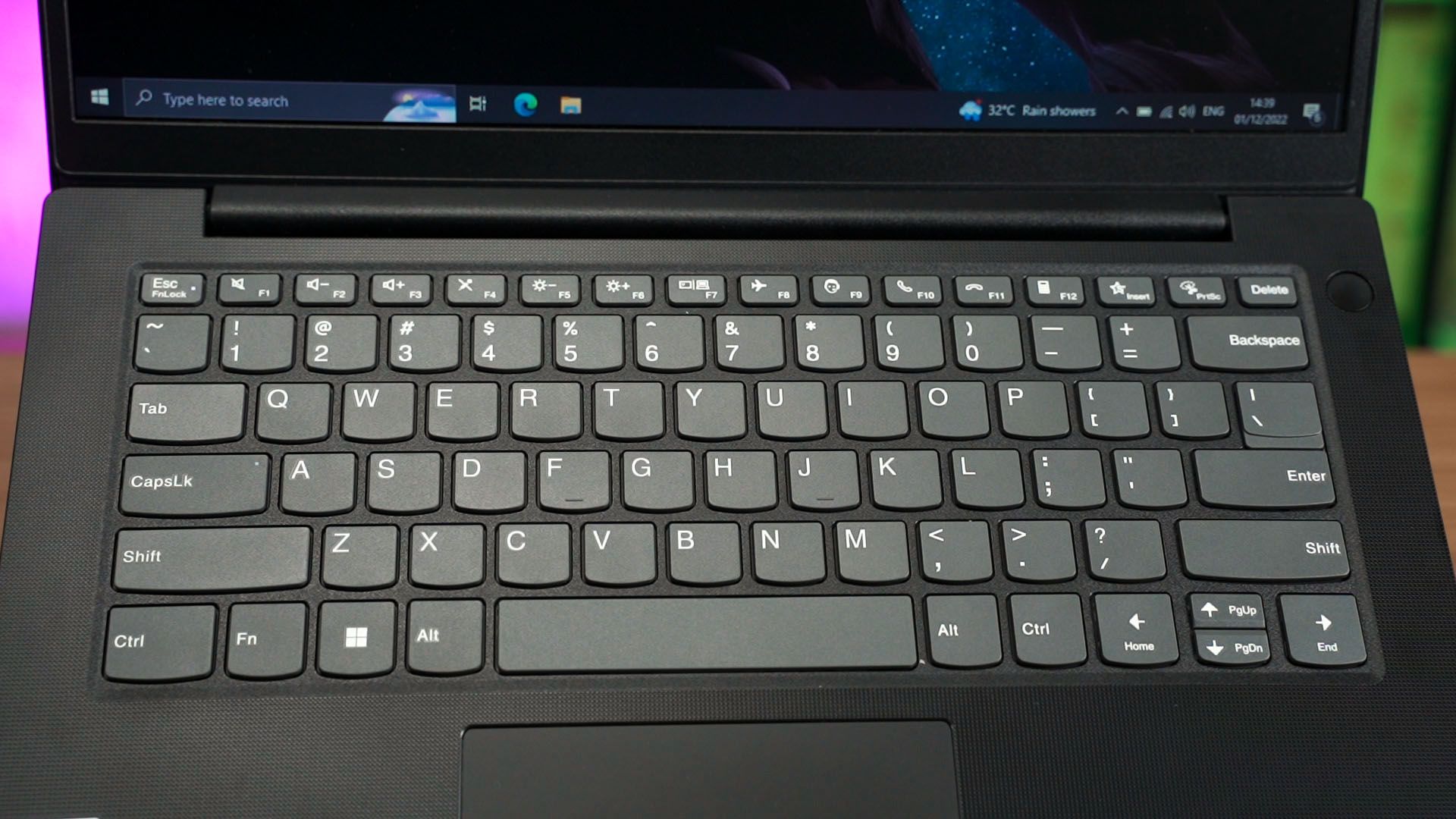
I don’t know how to explain it to you but when you look at it and compare the keyboard with any other laptop, then you’ll realize the difference.
The keys themselves are a bit stiffer than what I’d like – but overall, it still feels amazing to use.

The trackpad is decent – so again, no complaints overall. It has decent enough palm rejection and the multitouch gestures work properly too.

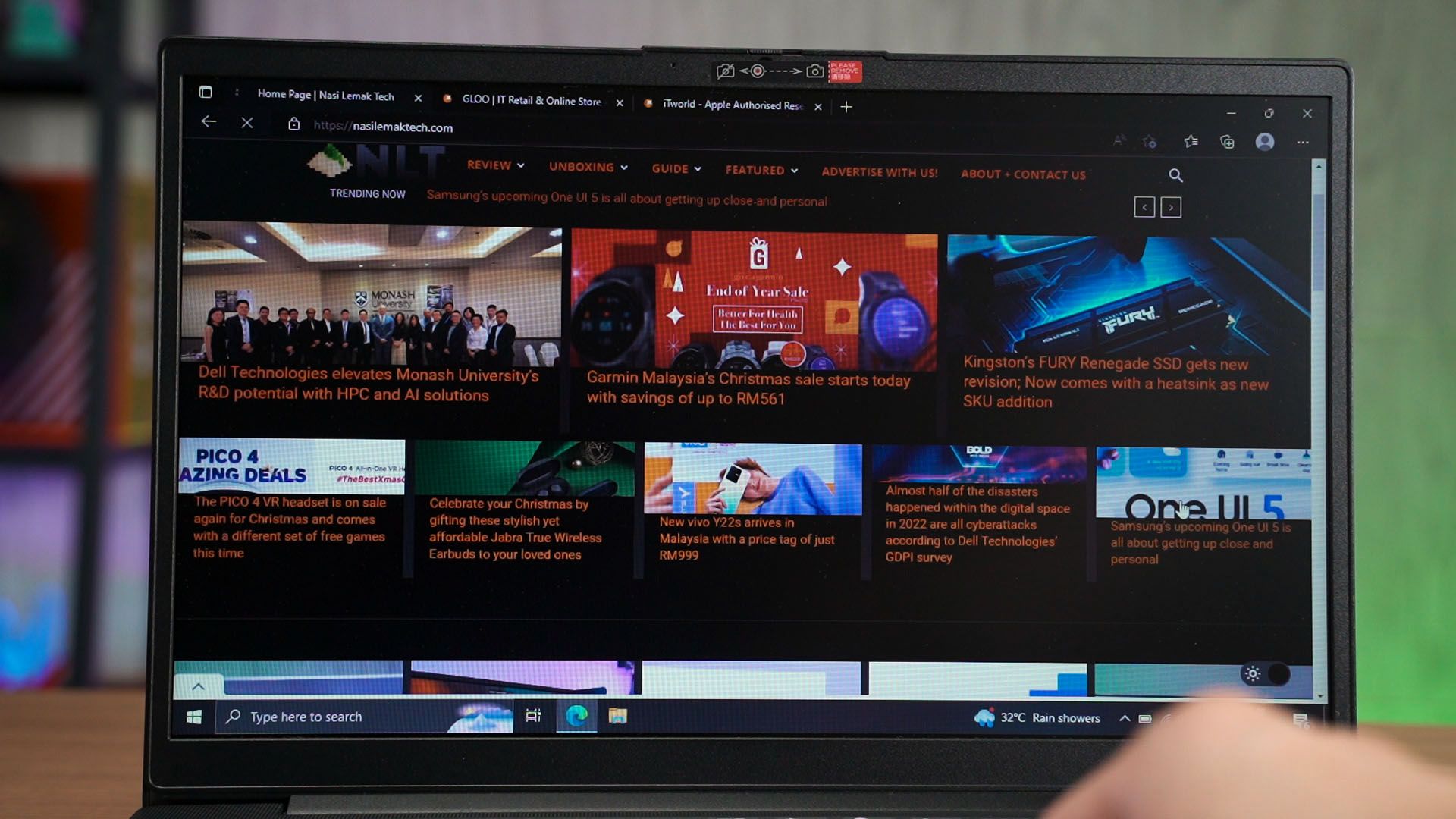
What I am concerned though, is mostly the screen. I can accept the 768p resolution but TN panel though… yeah I just wish it was an IPS LCD screen. We do have an HDMI port on this laptop so we can plug it into an external display if we want to.
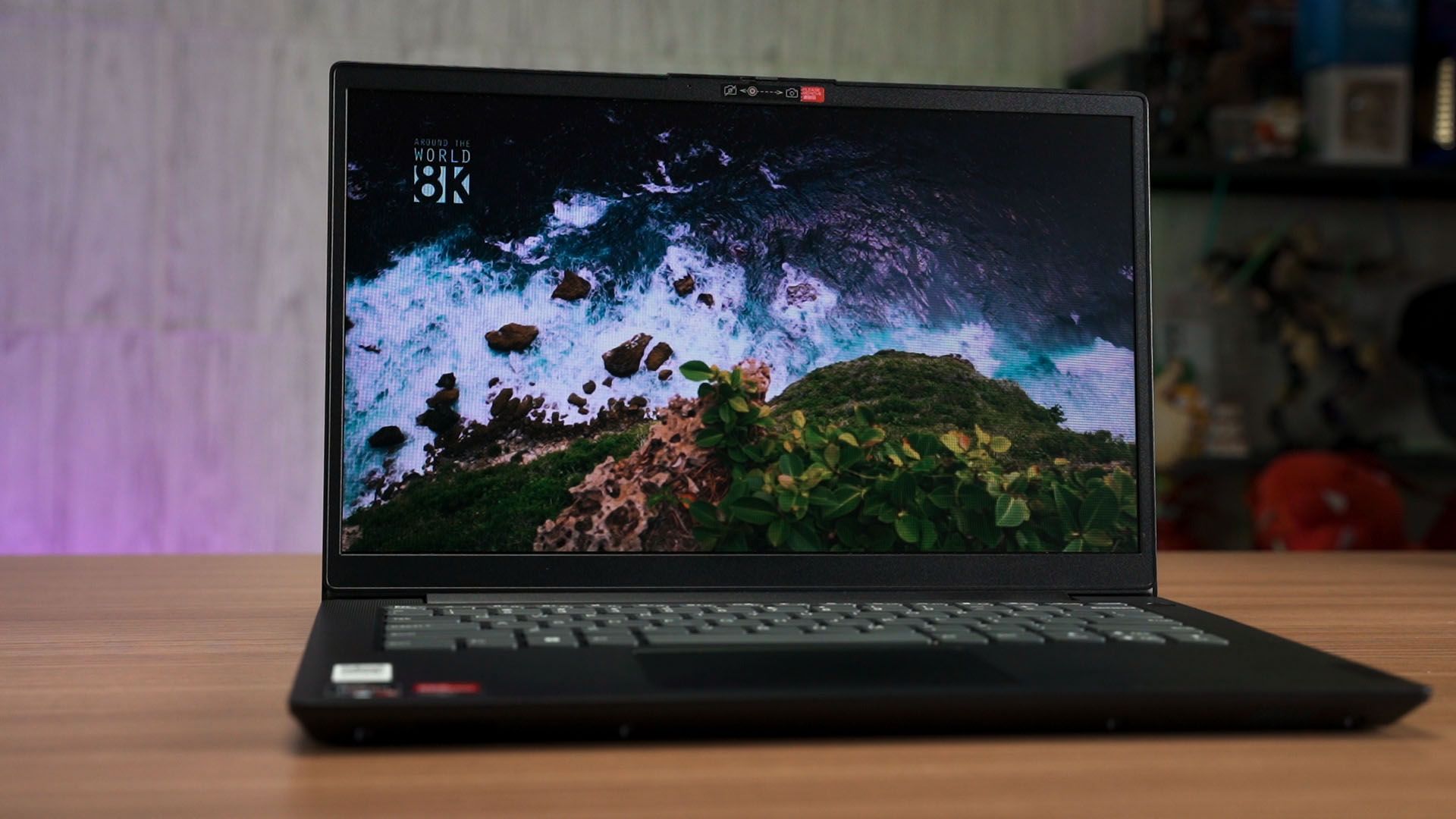
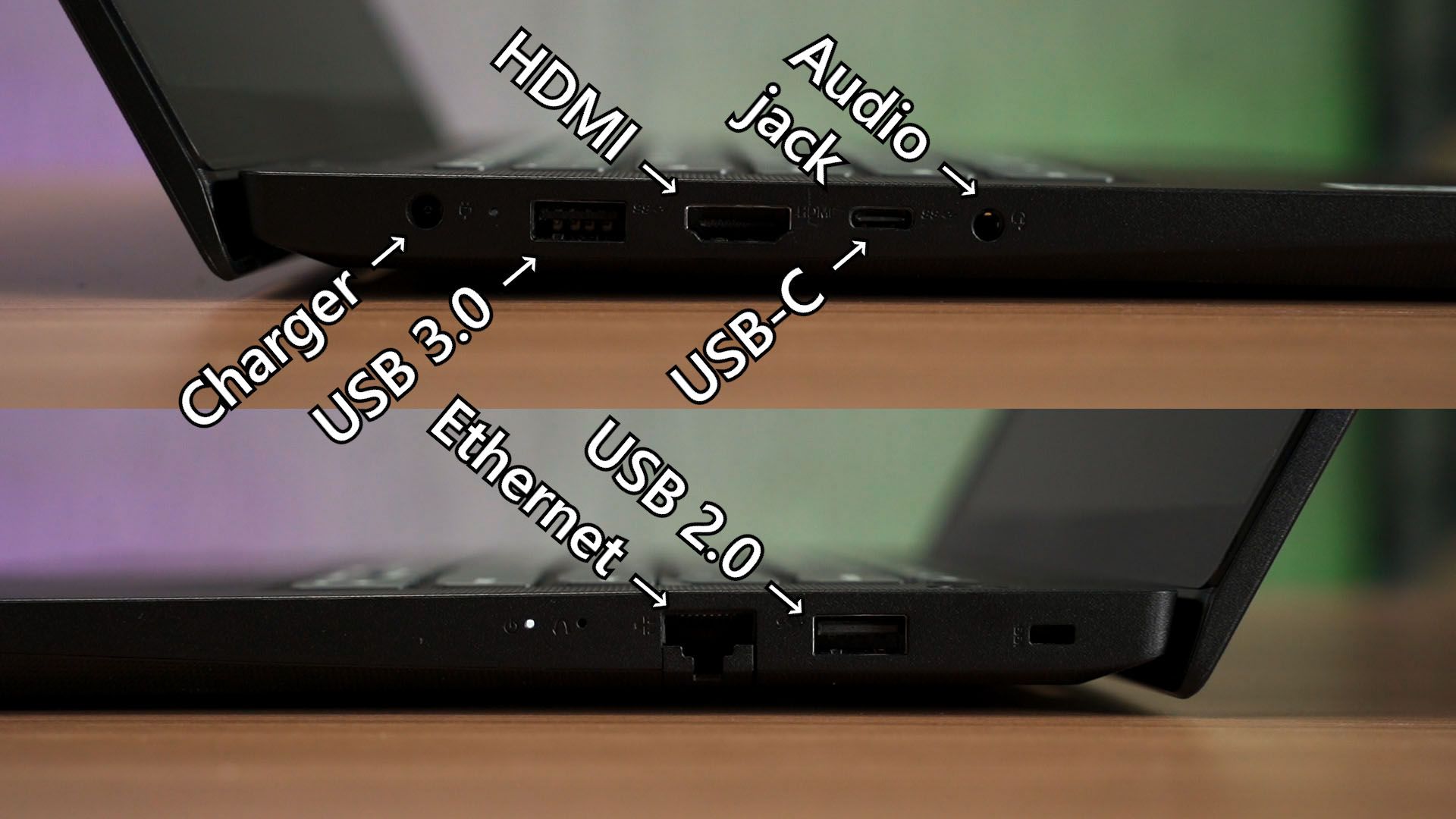
With that said, I also want to highlight that this laptop has many ports for us to use. However, the USB-C port can’t be used to charge the laptop.
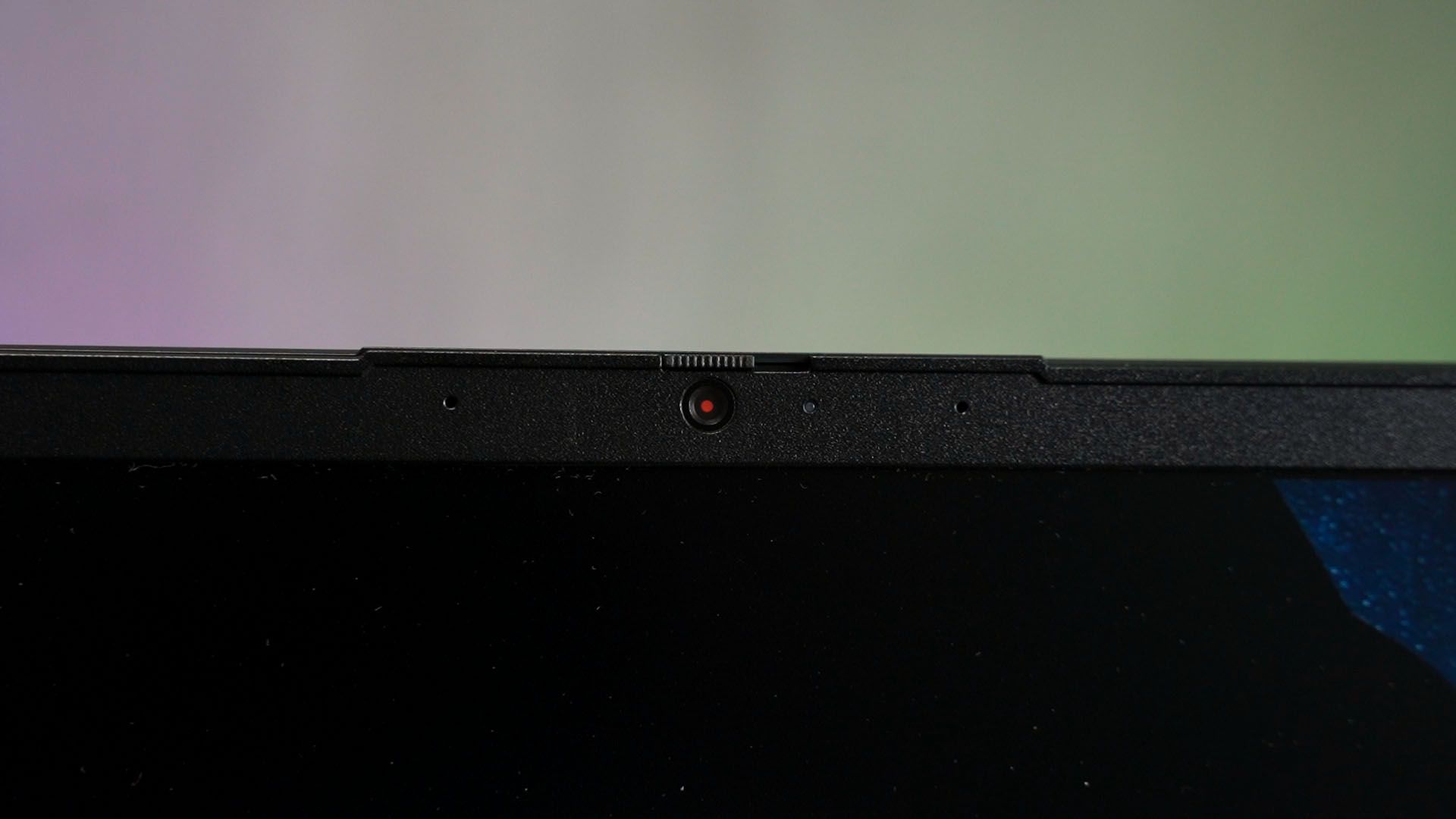
There is also a built-in webcam with a sliding door to cover it up when it is not in use. You know, for privacy reasons.
Some might say that 4GB RAM is not enough – but for schoolwork and whatnot, I’d say it’s good enough. I can also use it for some Chrome web browsing smoothly with Spotify running in the background – so no complaints there.
What about upgrades?
Surprisingly, you can even upgrade the RAM in this laptop if you want to. There are no warranty stickers preventing you from opening the back panel and it uses a few Philips screws only.
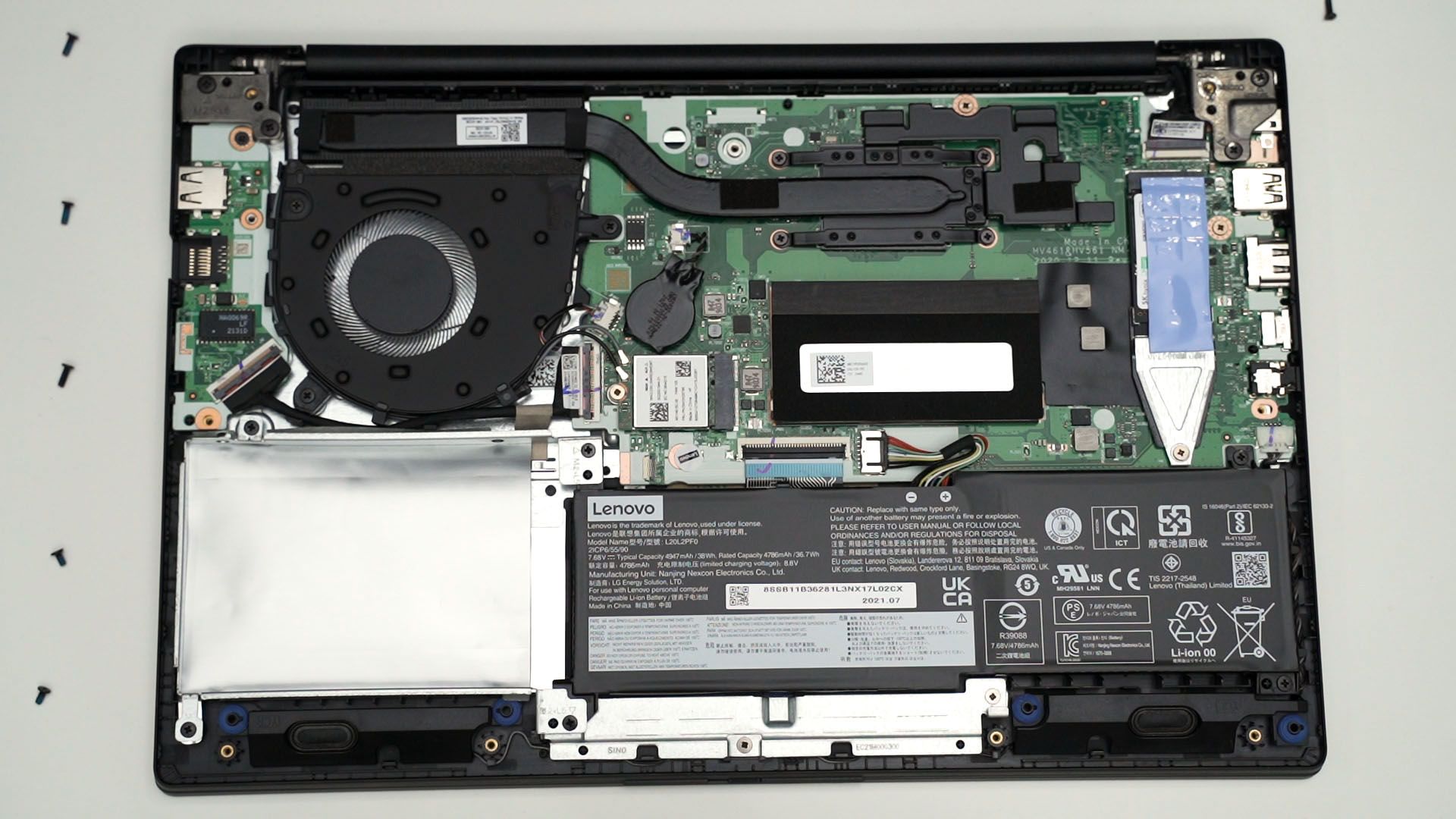
Once opened, look for this thing that we’re showing here. You can use a flathead screwdriver tip and gently pry it out from the side. Then, pop off the metal shield and you’re presented with a SO-DIMM RAM slot. You can slot in another 8GB, making it a total of 12GB.
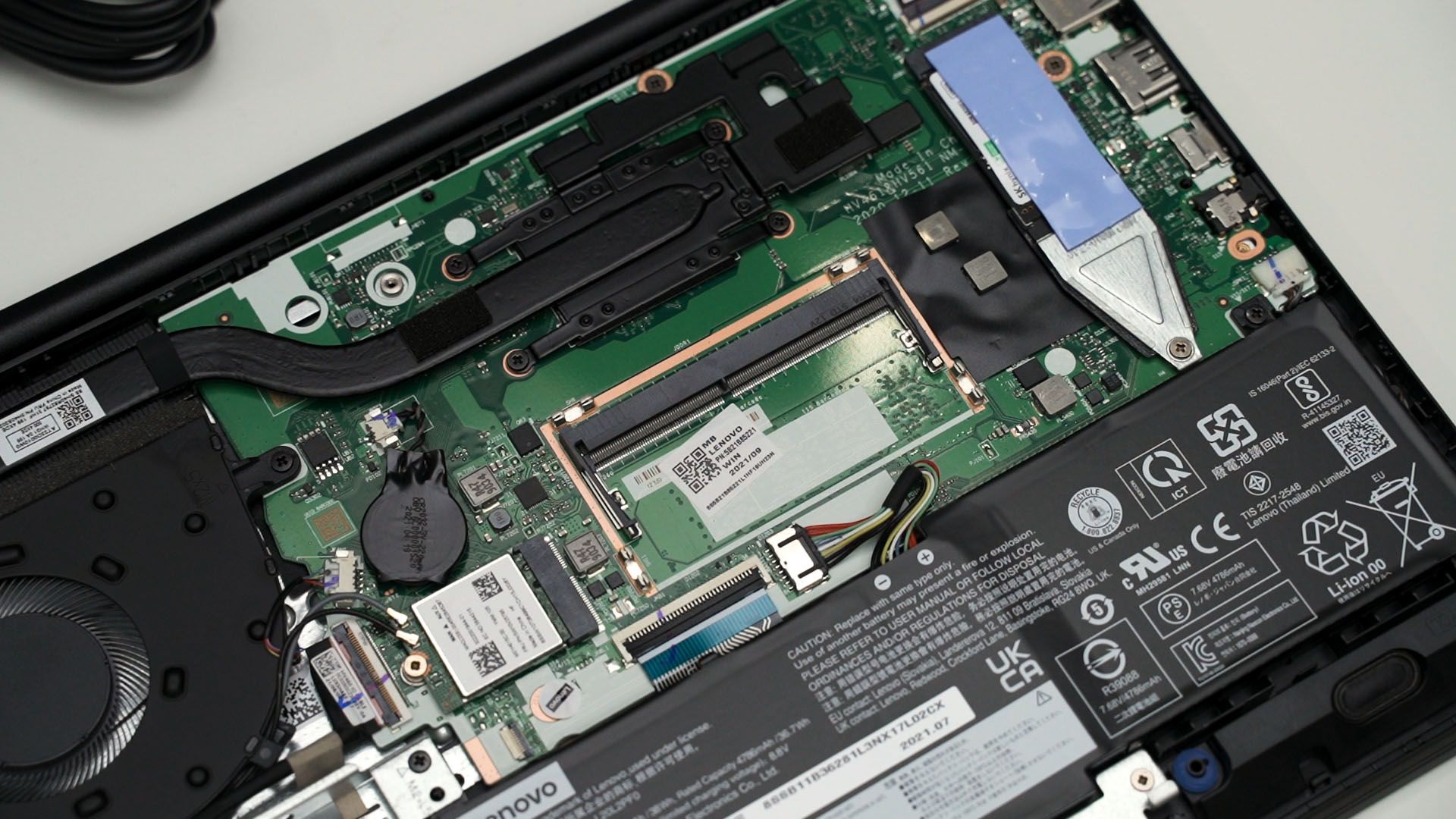
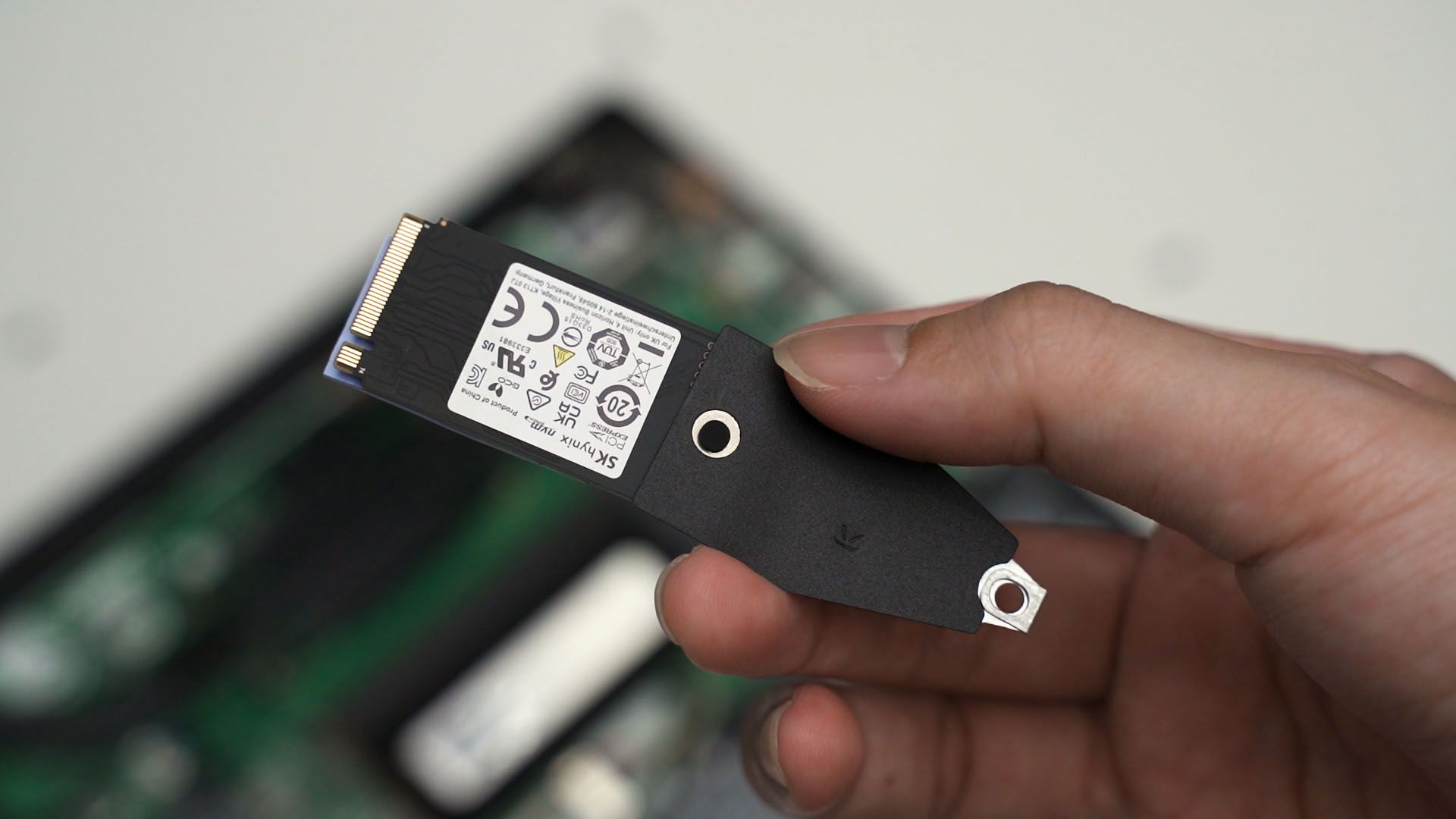
The SSD can also be upgraded. It comes with an M.2 2242 SSD but the entire screw slot is actually for an M.2 2280 SSD. So, you can swap it out if you want to.
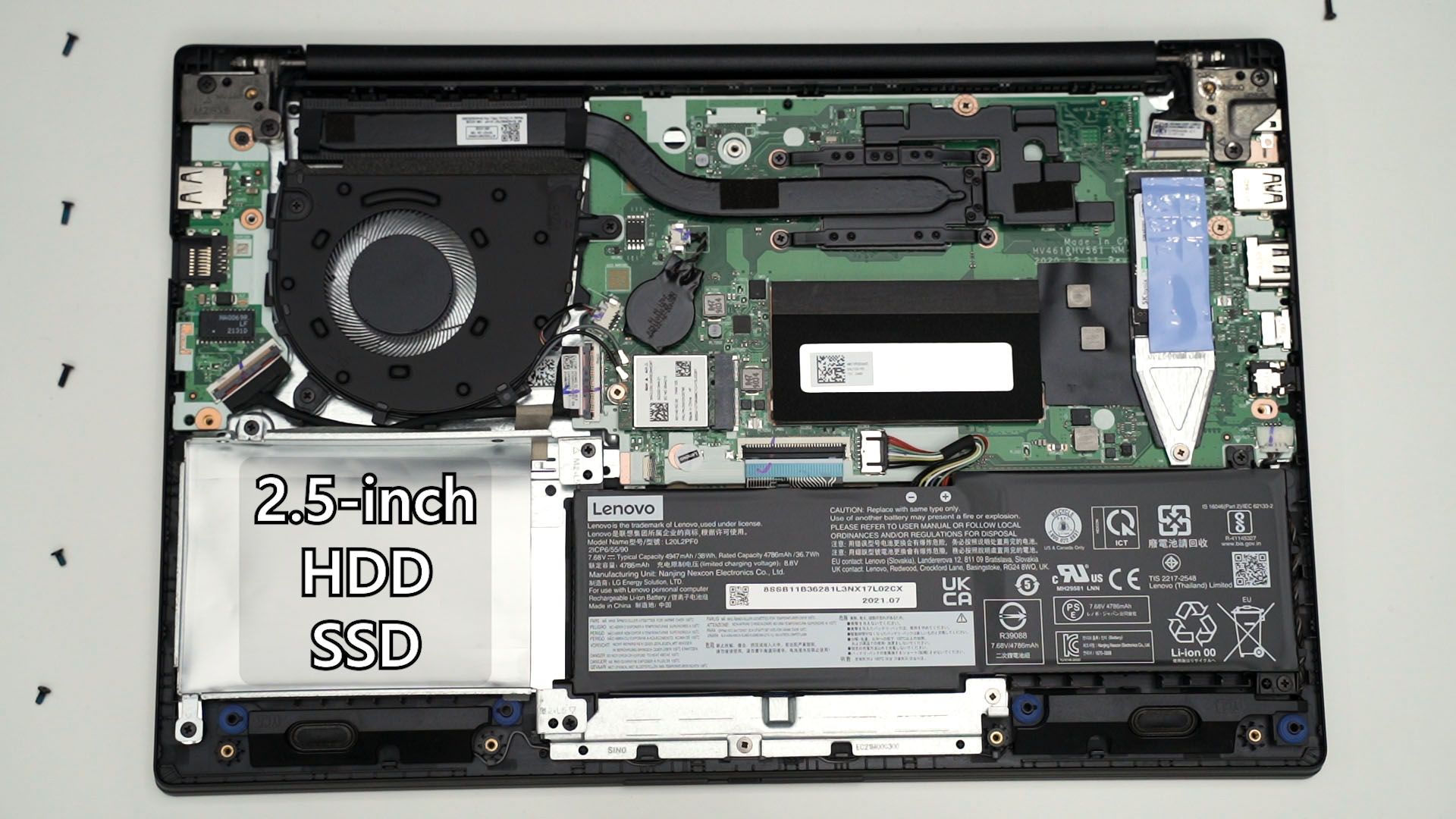
As for the large void at the corner there, it is supposed to be made for an upgrade kit. You should be able to fit your own 2.5-inch HDD or SSD into that slot and use a cable to connect it to the motherboard – which I think is supposed to be this slot right here. Unfortunately, Lenovo didn’t provide that cable – so this void is entirely unused.
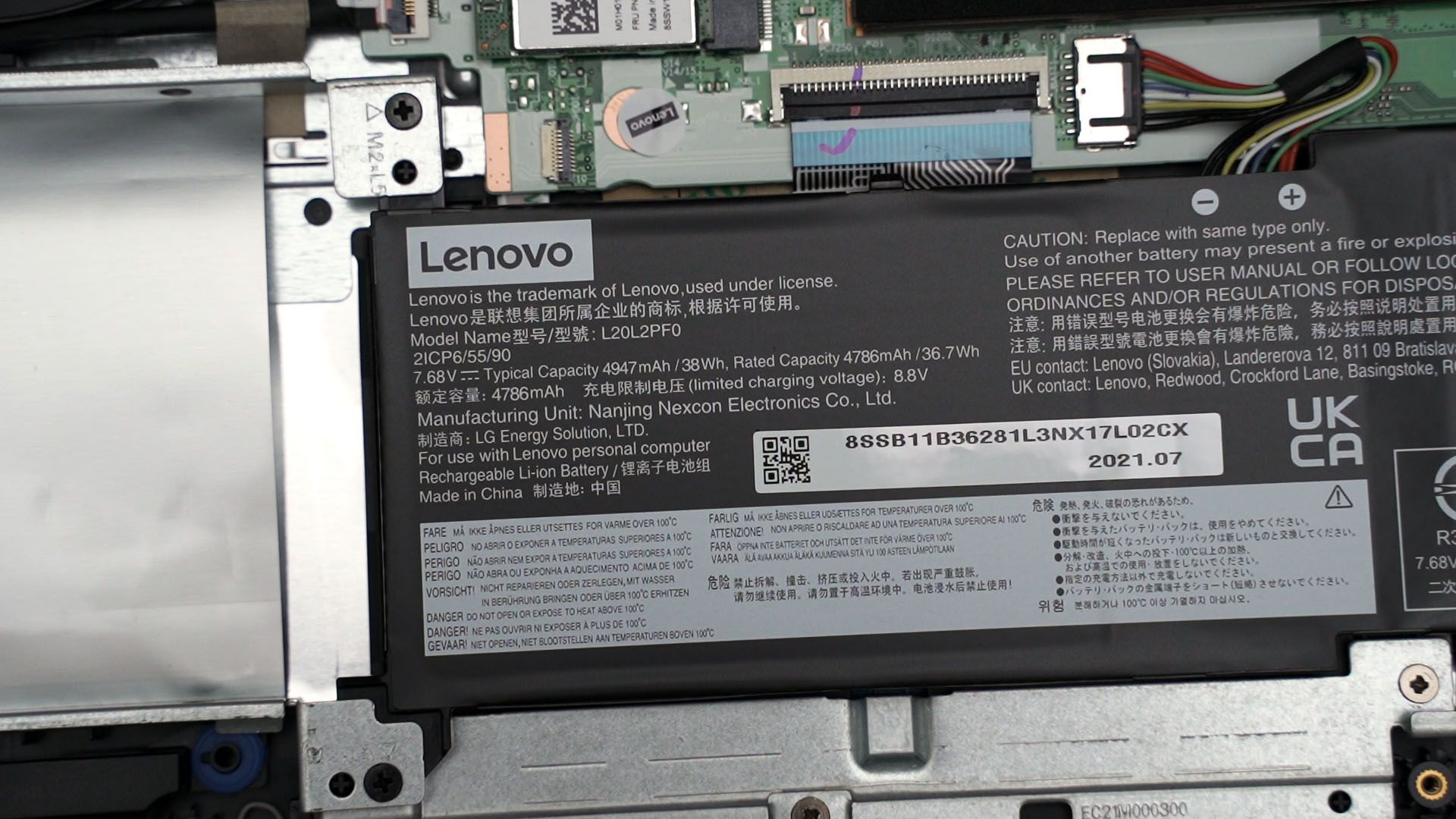
Battery life
Since we’re here, we can also directly know that this laptop has a 36.7Wh battery. Looking at the number alone, it might not look like much – but since this laptop is so low-powered with the AMD Ryzen 3 5300U, it can last for about 8 hours easily.
Oh – you can also add the Microsoft 365 Personal with 12 months validity as a purchase-with-purchase offer for only RM99 – which is heavily discounted over its original price of RM258.
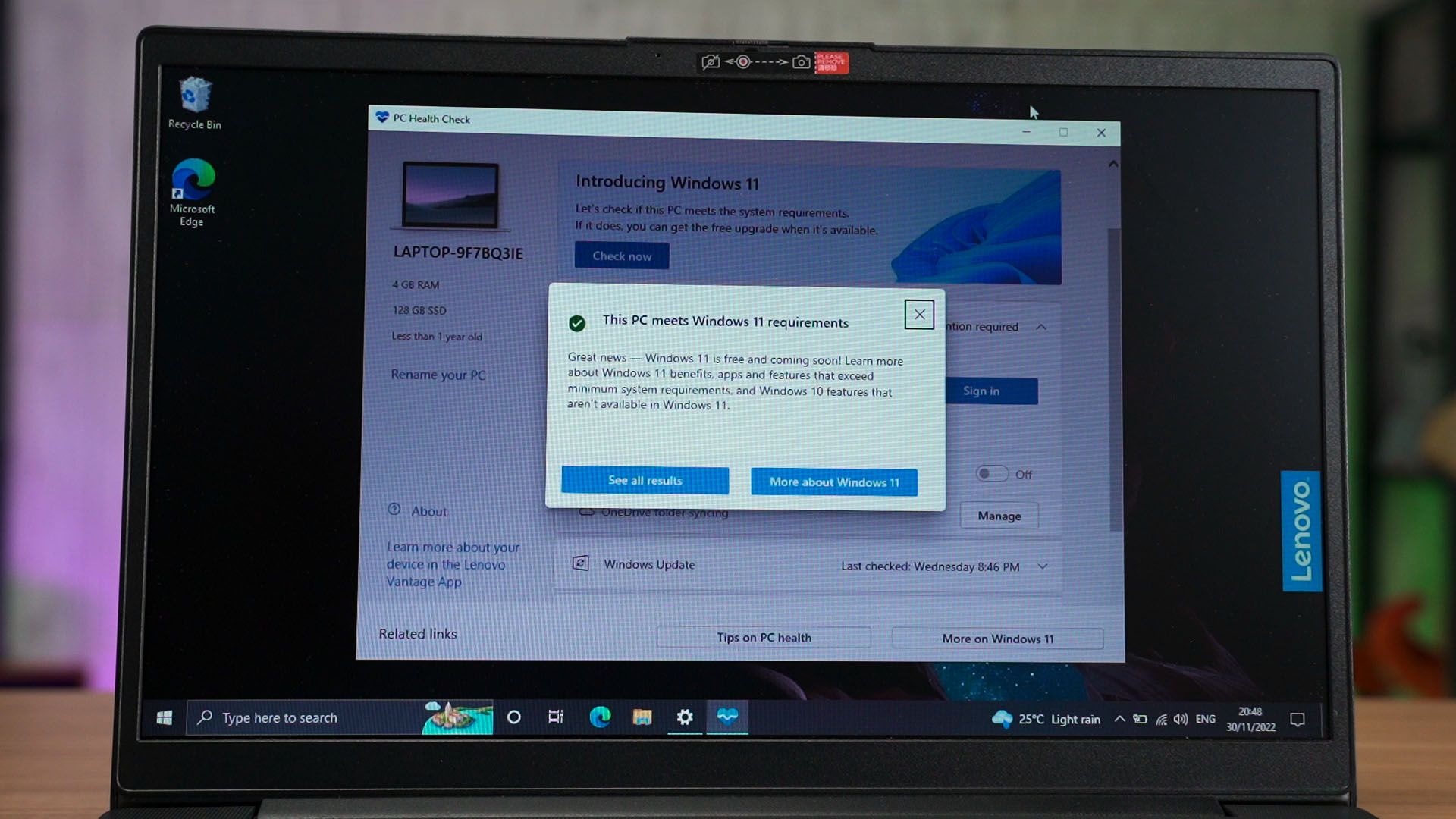
Also, for whatever reason, this laptop comes with Windows 10 Pro. You can upgrade it to Windows 11 if you want to since it does come with TPM 2.0 as well. Or, you can explore and learn some other operating systems during your free time. You can try out any other Linux distributions or ChromeOS too.
Should you buy this laptop or others?
All of these come packaged in a rather lightweight plastic body and I think for its price – especially if you sign up at the Education Store – is actually very worth it. I do wish it is using an IPS LCD screen though – and that is where we need to know that this is not the only laptop they have for sale.
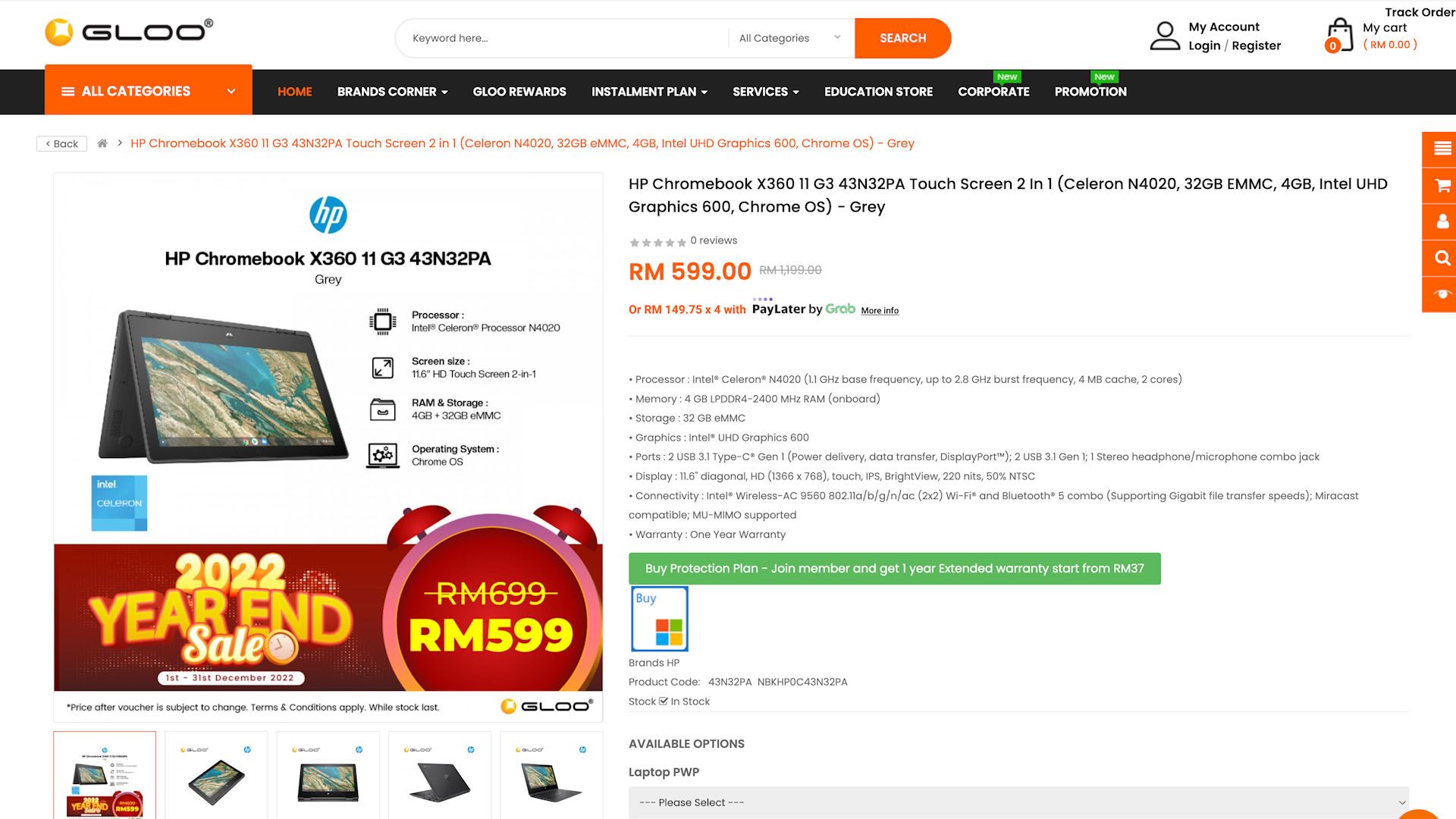
If we look at either GLOO or iTworld’s website (they have the same deals) then you’ll see a list of affordable laptops. Depending on what operating system you’re comfortable using, you can consider getting the HP Chromebook X360 11 G3 43N32PA that is using ChromeOS.
You can also get the ASUS BR1100FK-ABP0423R for extreme ruggedness. Actually, we reviewed this laptop previously – and I absolutely love this laptop.
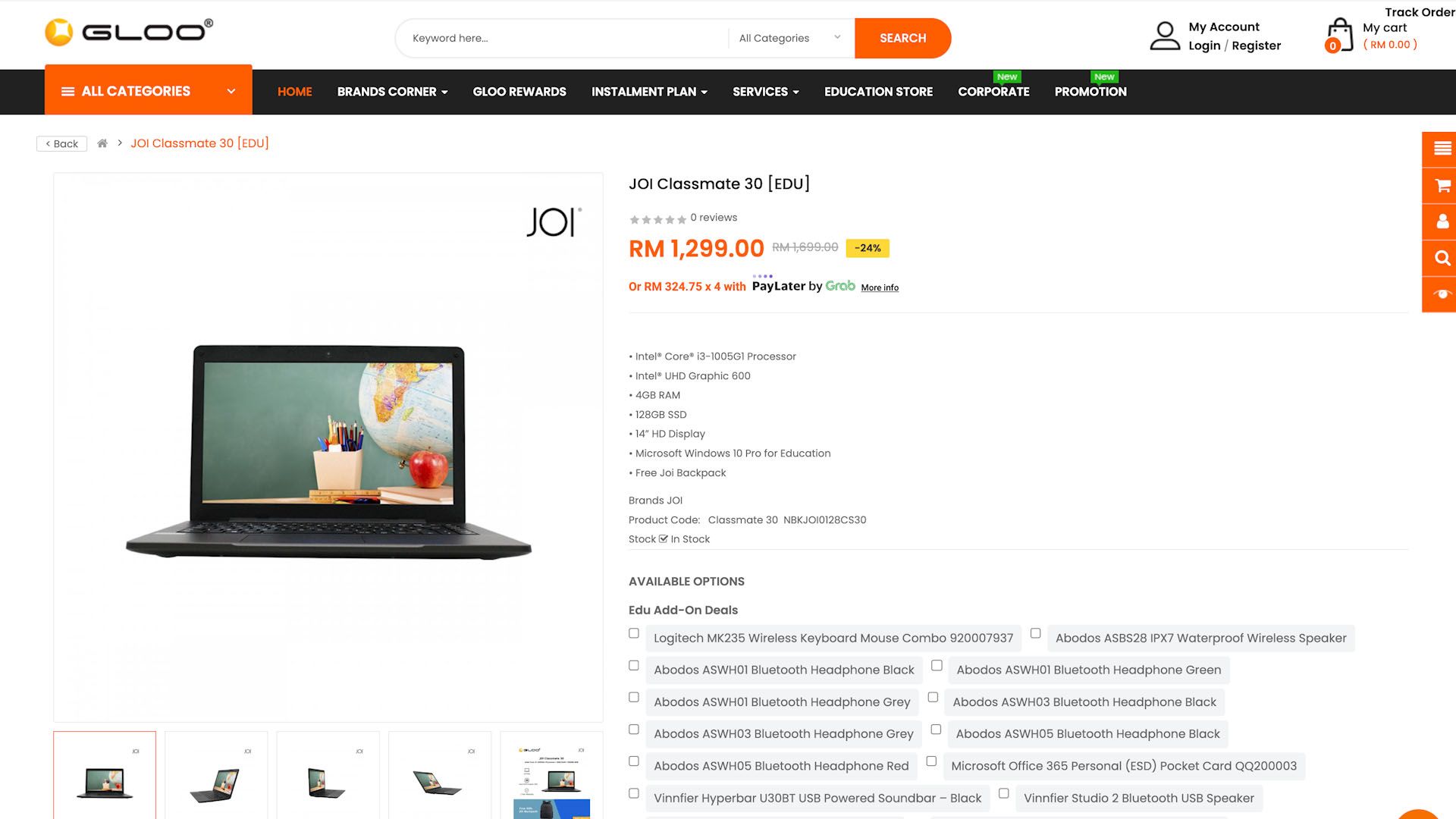
You can also pick the JOI Classmate 30 which has a similar level of performance when compared to this Lenovo V14 AMD but at a slightly lower price.
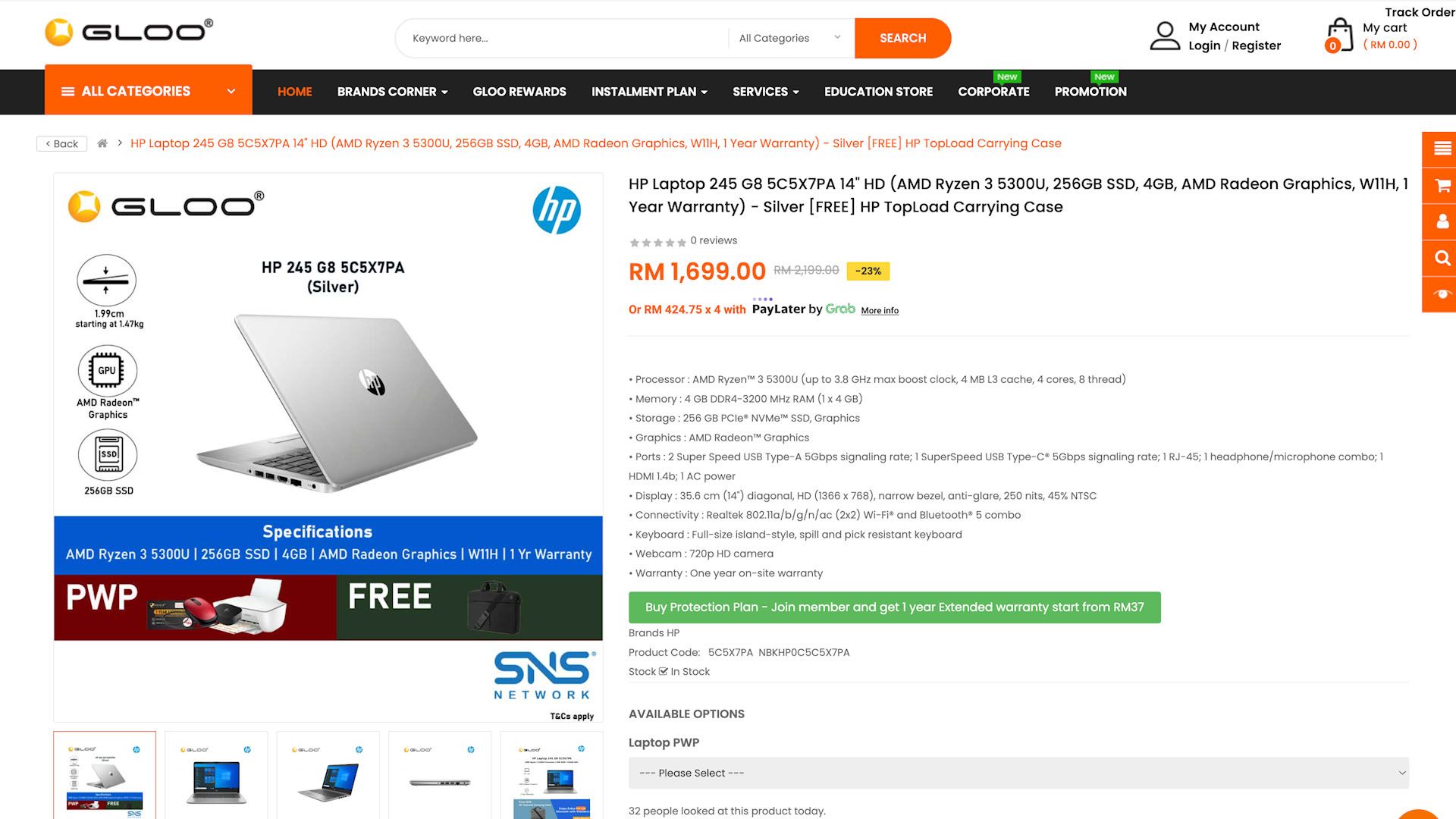
However, if you can spend more on a laptop, then maybe consider getting the HP Laptop 245 G8 510H1PA 14 HD.
Conclusion
Those are just some of the deals that we have to share with you today. You can head into GLOO or iTworld’s website and look at more laptop deals too. Remember to sign up for the education pricing because it’s just a deal that you shouldn’t miss out.
I mean, you’re getting a massive discount, so why not?
Like our Facebook Page here at NasiLemakTech.com for more news and in-depth reviews! Also, join our Facebook Group for insightful information and memes!
Subscribe to our YouTube channel too!