












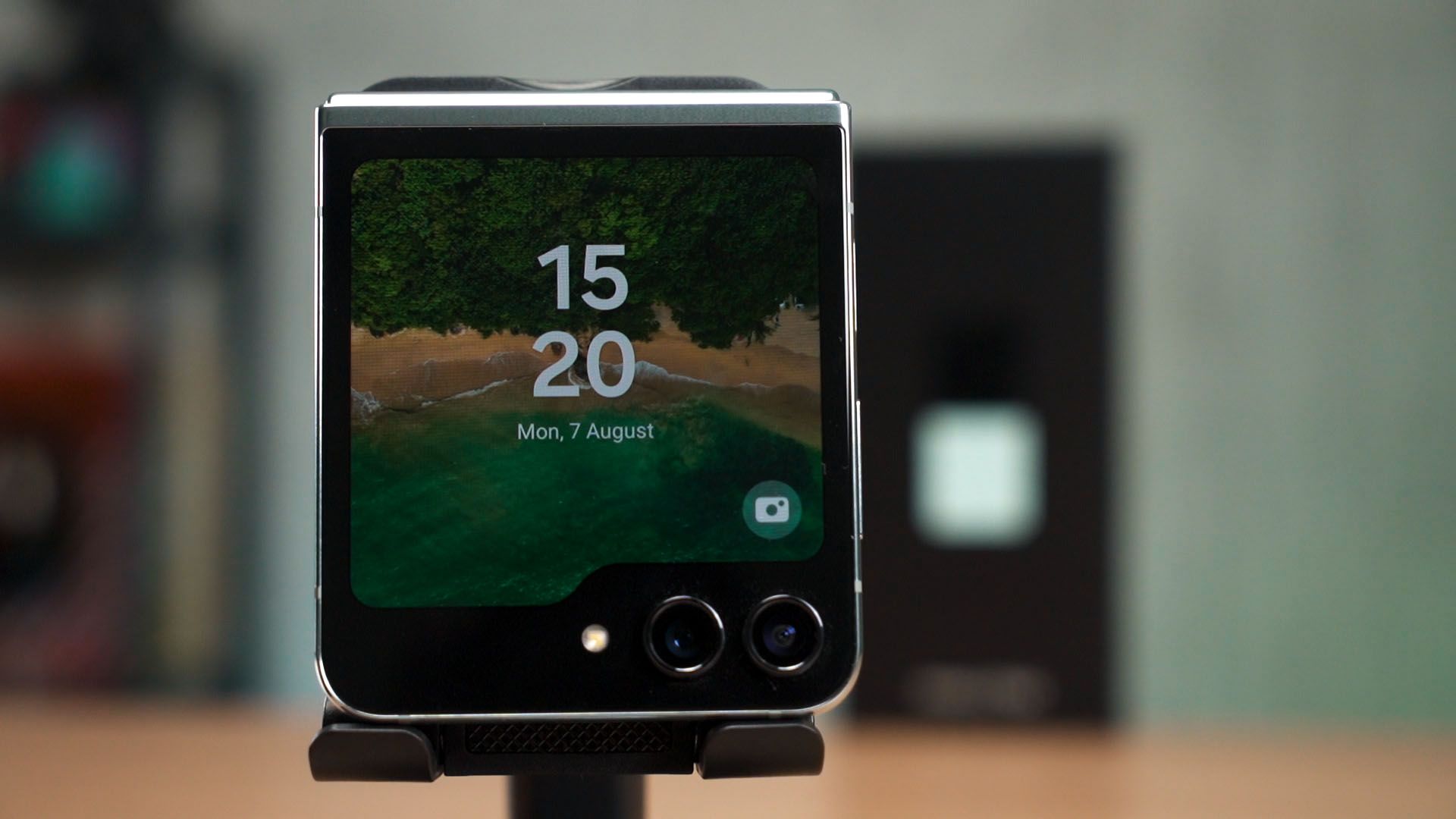
I’m sure many of you know the new Galaxy Z Flip5 and its new cover display. It’s bigger, able to do a lot more things than before, and it has gotten such a big upgrade that Samsung is now calling this cover display as the Flex Window.
While doing our usual tests to gather data, I realized that this phone has a lot more upgrades that Samsung didn’t even mention. I’m going to share all of them with you here today.
Flex Window
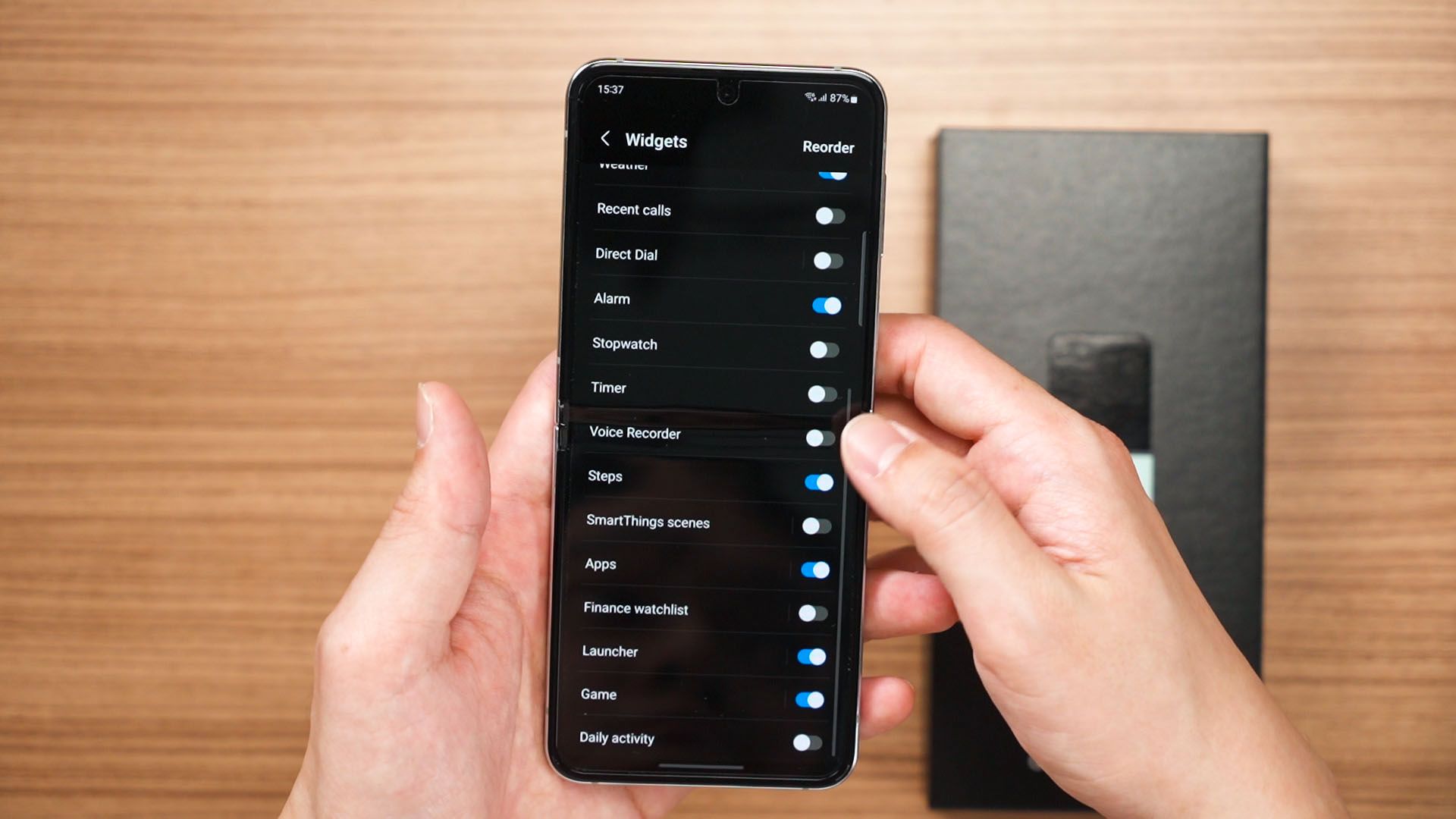
Let’s start with the obvious – the new Flex Window. As mentioned by countless videos – it can do a lot of things with it but the official widgets are pretty limited. We can even head into the settings menu and see the list here.
There is a hidden widget for music players though. If you have Spotify Premium, then you can do this.
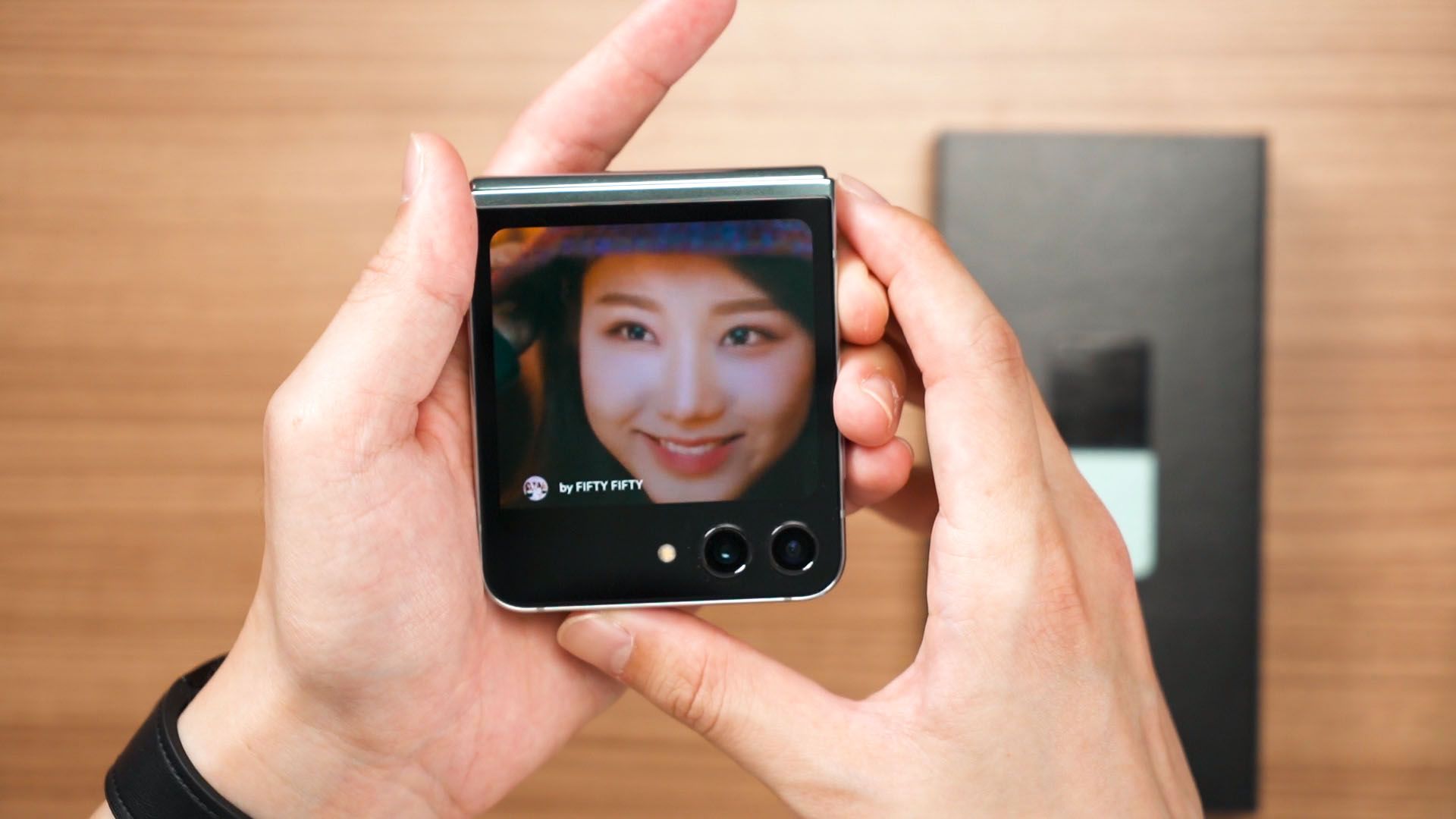
Any song that has a video ben be shown like this. If that particular song doesn’t have a video, then it’ll just show the album art.
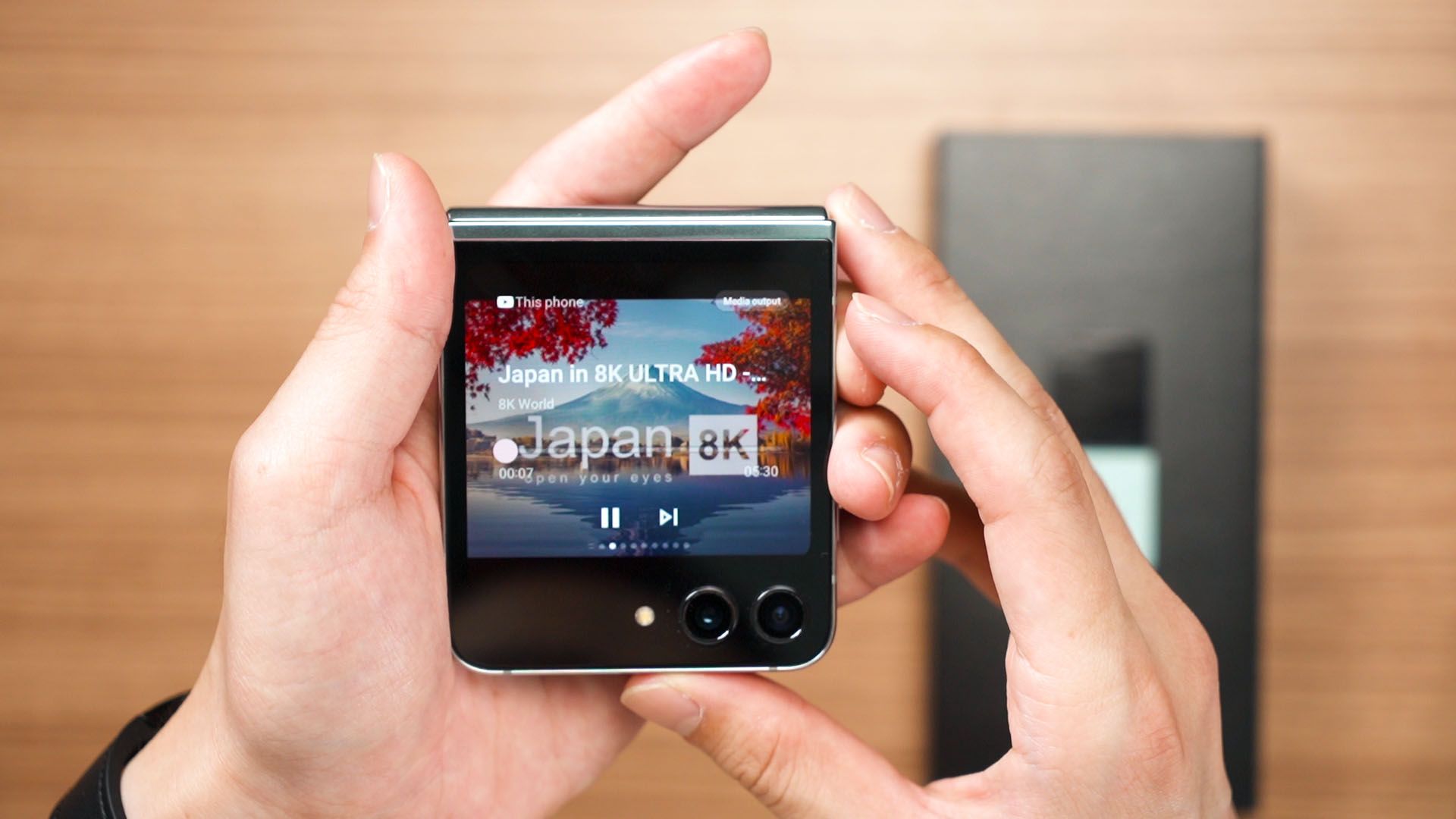
YouTube Premium has something similar too, but the video won’t play. The video practically became an audiobook.
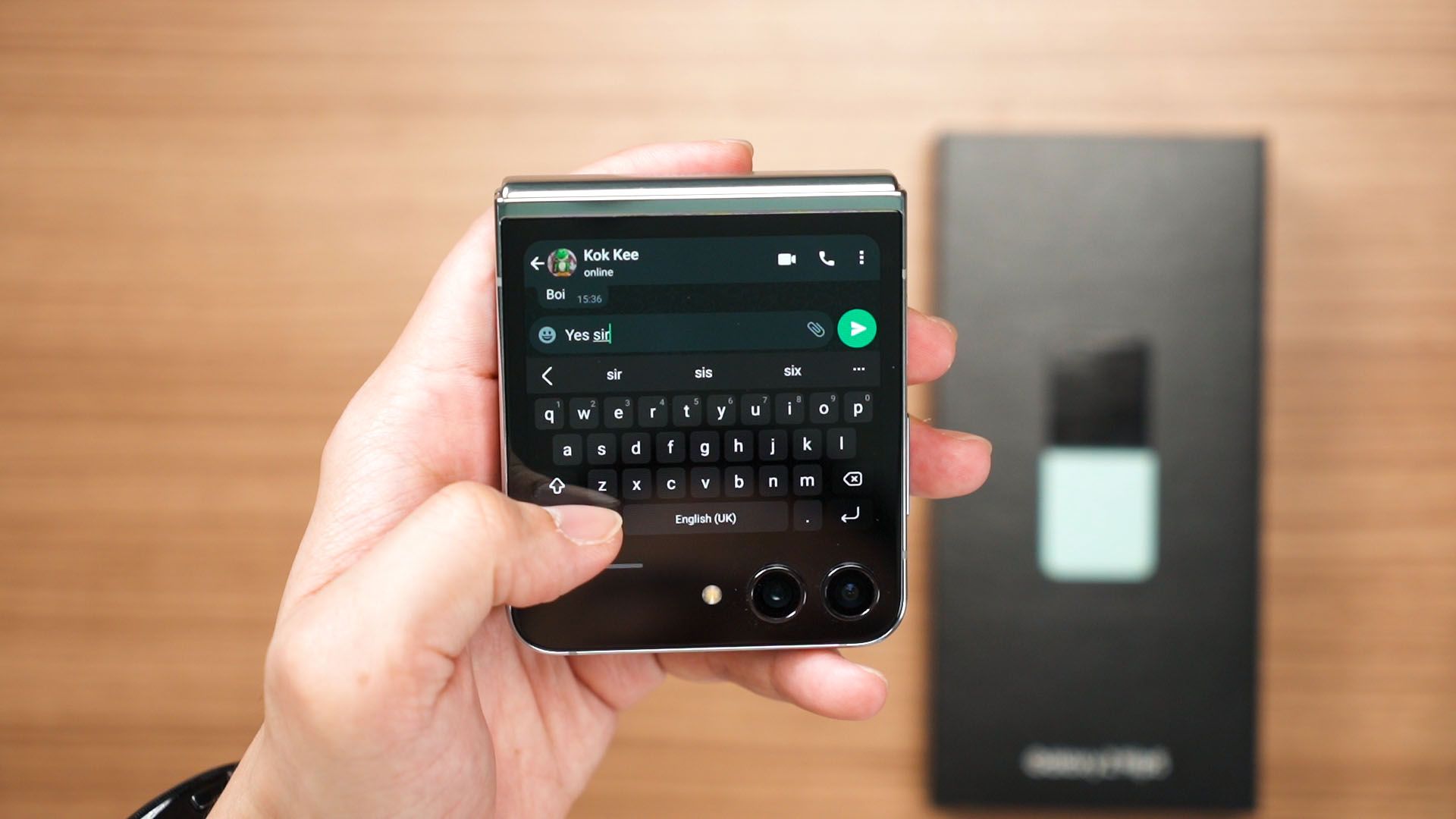
And hey – we can even reply to messages using a full-sized keyboard too. Finally – we don’t have to unfold the device every time we want to type a message.
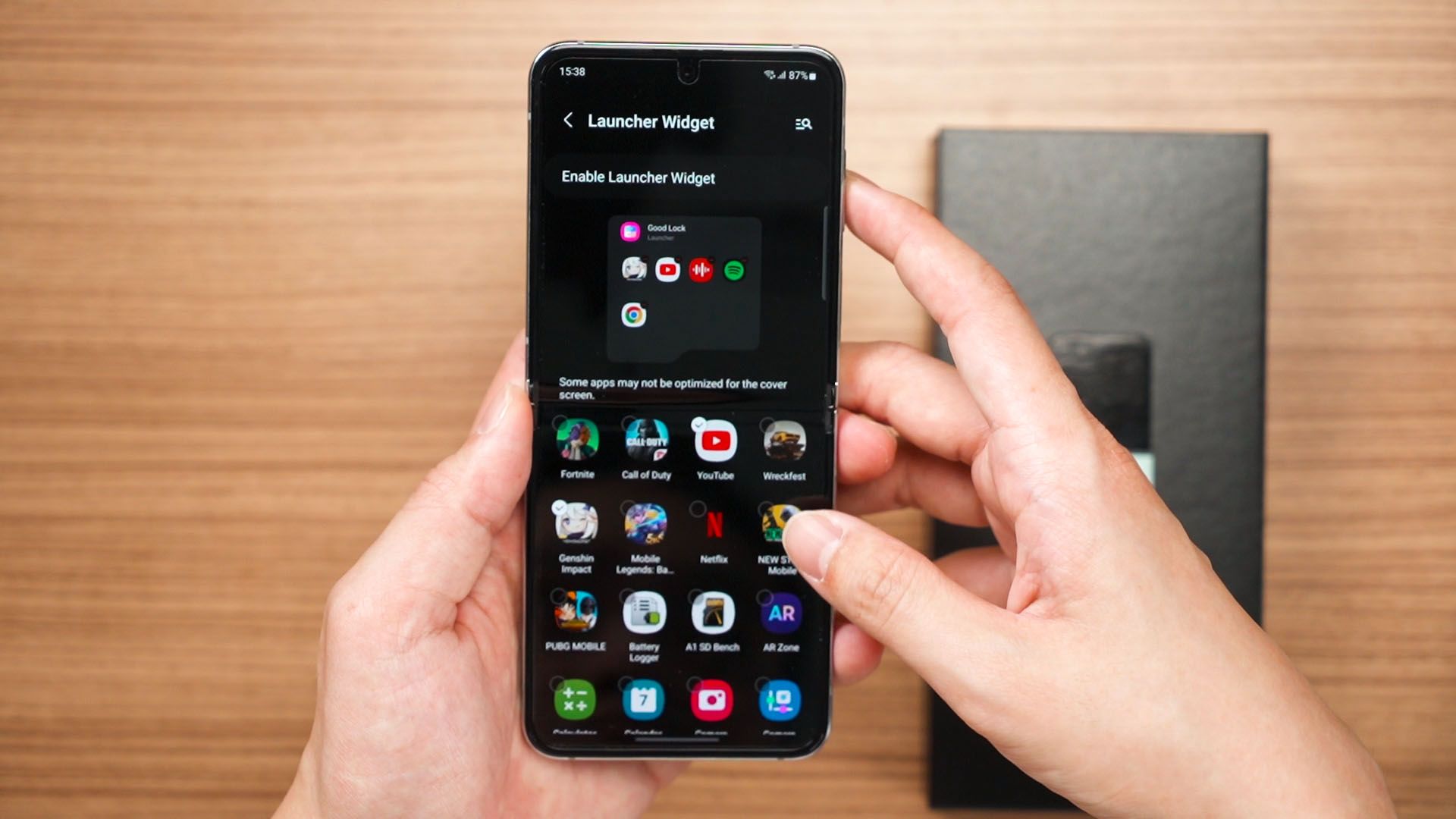
But I want to do more – and we can actually launch whatever apps we want on this Flex Window. It is a bit tedious, though. First – we have to download GoodLock. If GoodLock isn’t available in your country then search for NiceLock in the Google Play Store – it works the same way.
Then, download the MultiStar applet. From here, we can see this special setting available for the Z Flip5. Tap on that and we can enable something called “Launcher”. This lets us launch any apps we want on the Flex Window. And I mean any apps – including web browsers, social media apps, and games.
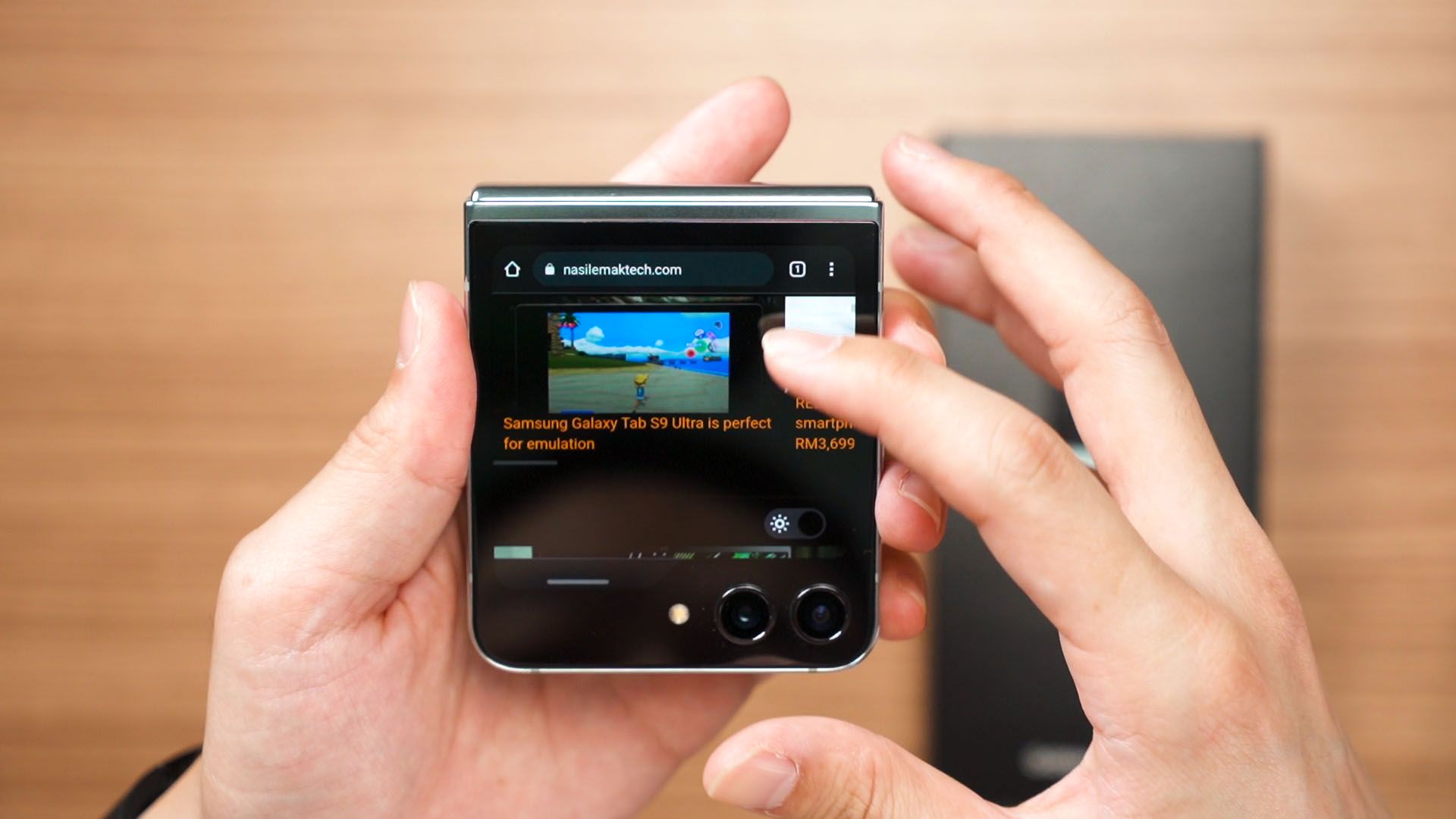
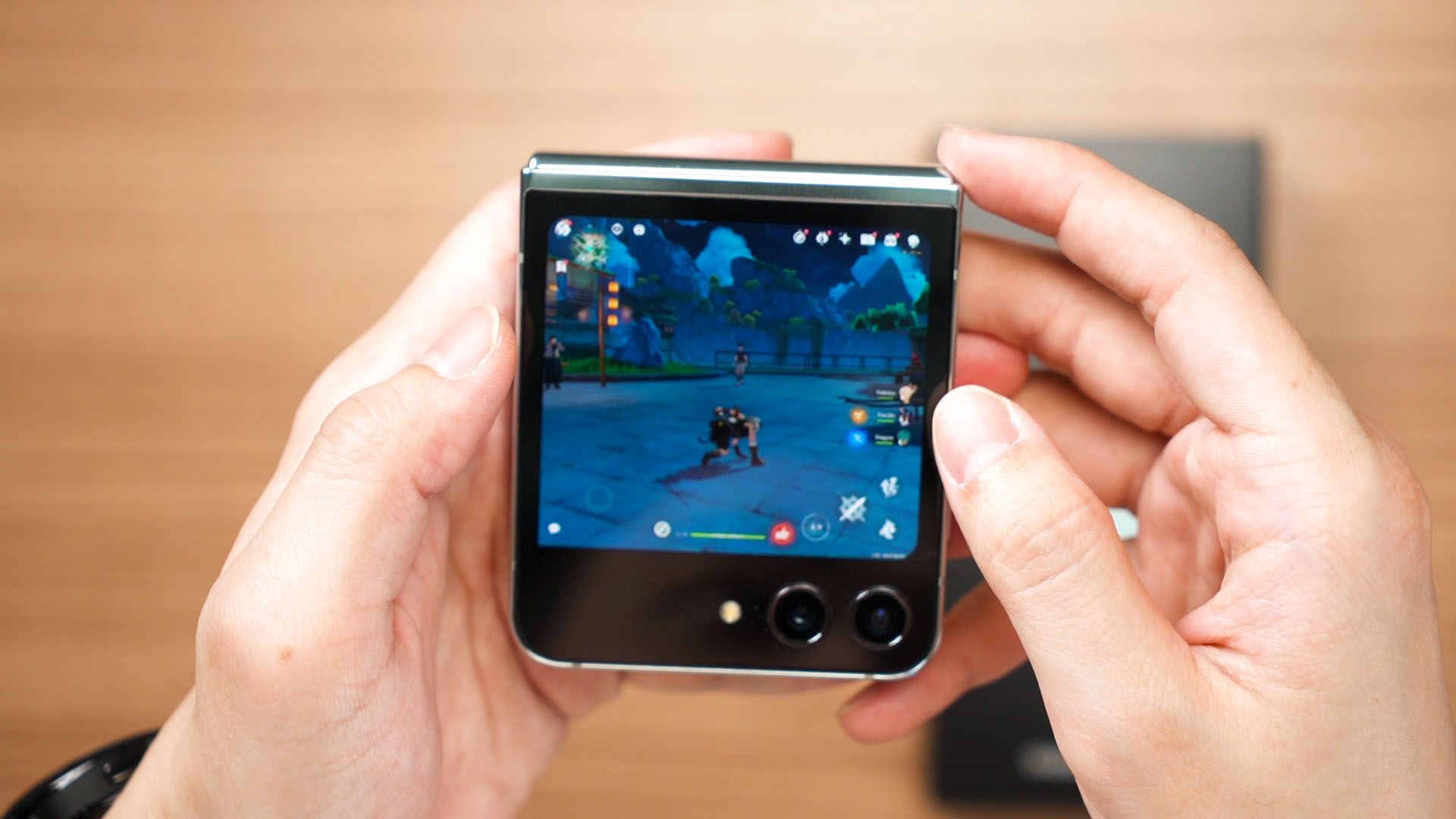
It’ll be too small to play, but hey – it launches.
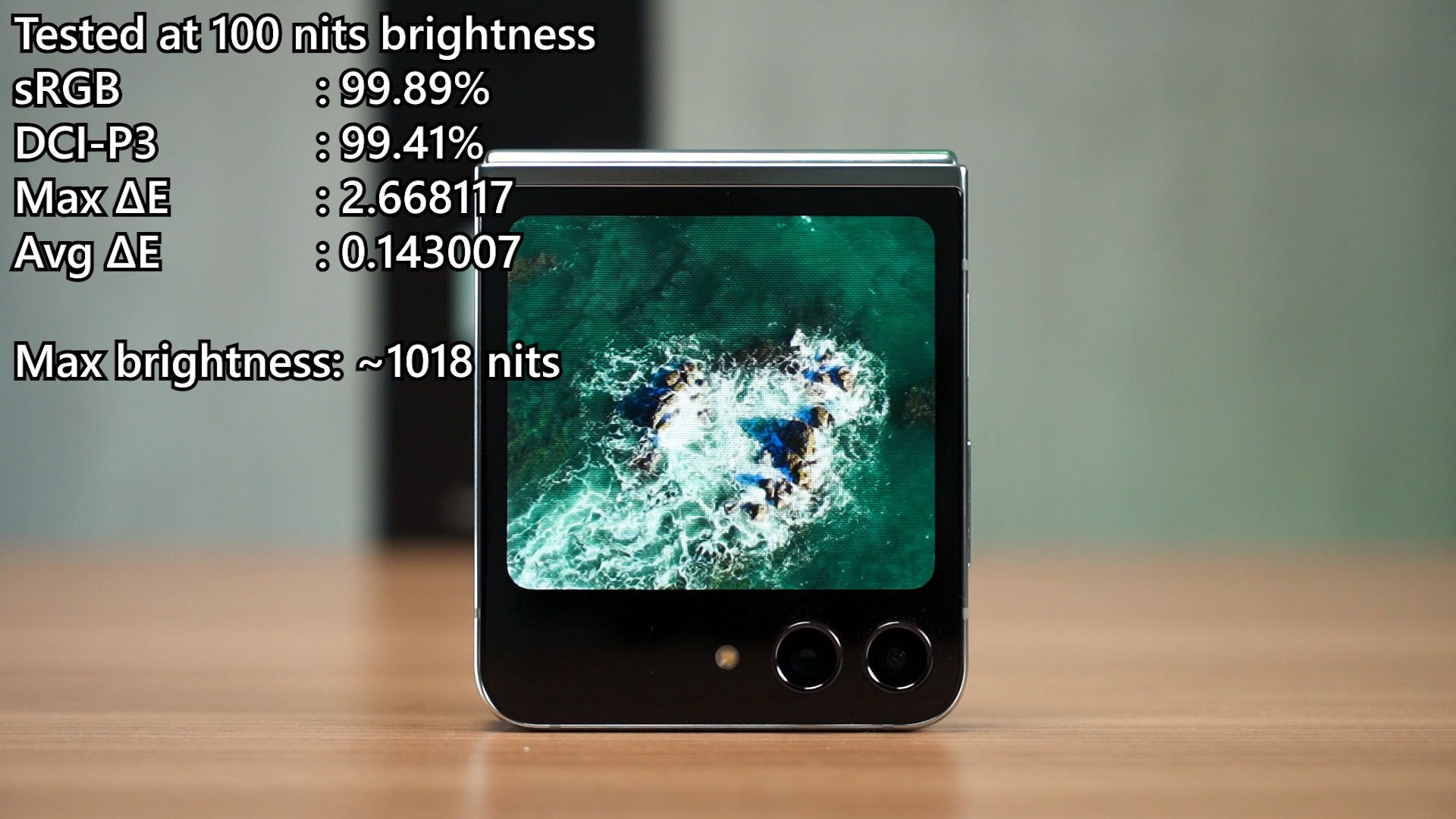
Since we can launch whatever app we want, I also tested the color accuracy of this Flex Window – and it’s looking really good. It can actually capture virtually 100% of both sRGB and DCI-P3 color gamuts, and also go beyond 1,000 nits brightness. It’s amazing.
Hinge
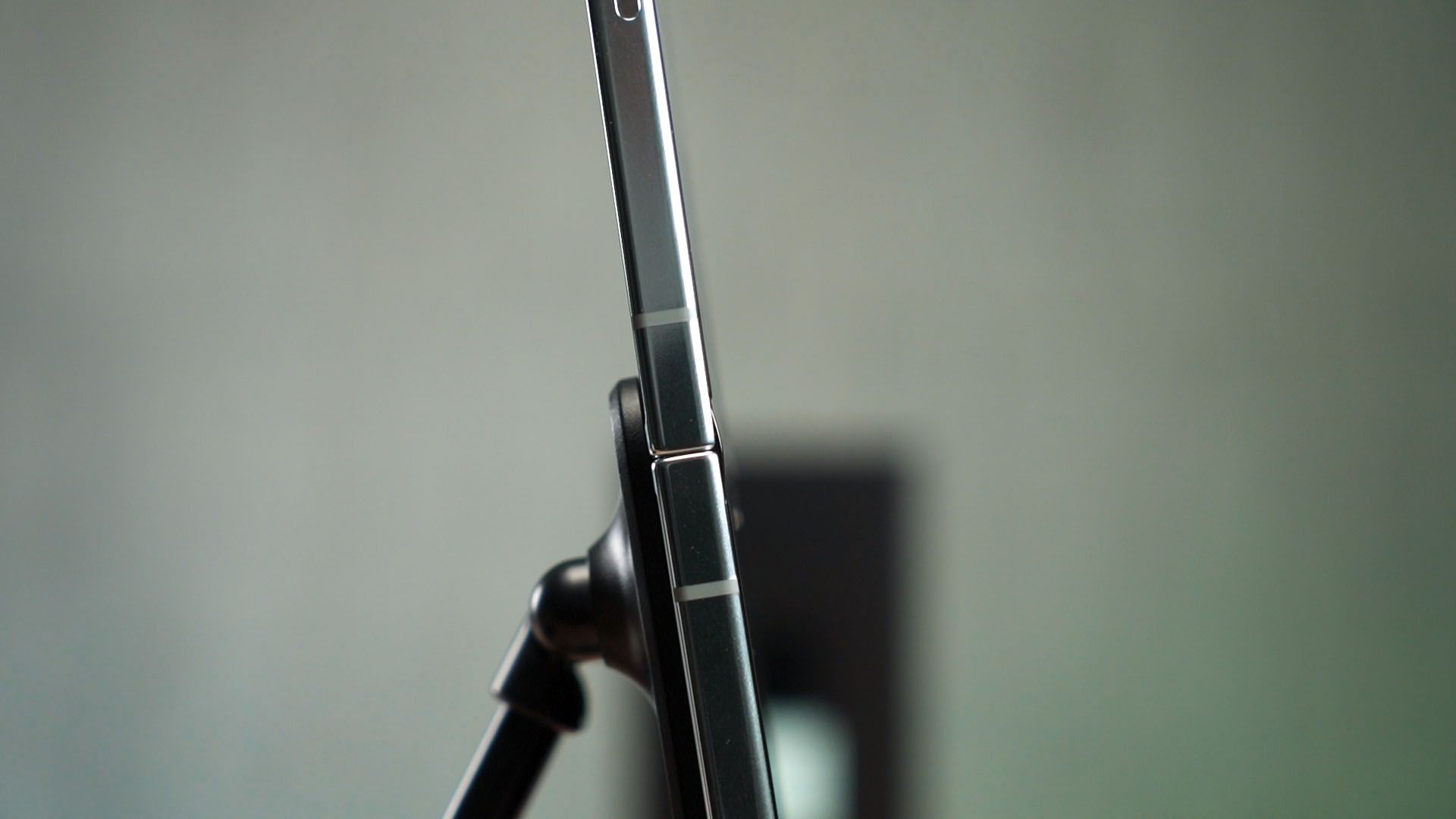
Before we open up the phone – we have to talk about the hinge. This new hinge is the second big update and it makes the phone close flat and leaves no gap in between. Well, I kinda realized that it’s not the case.
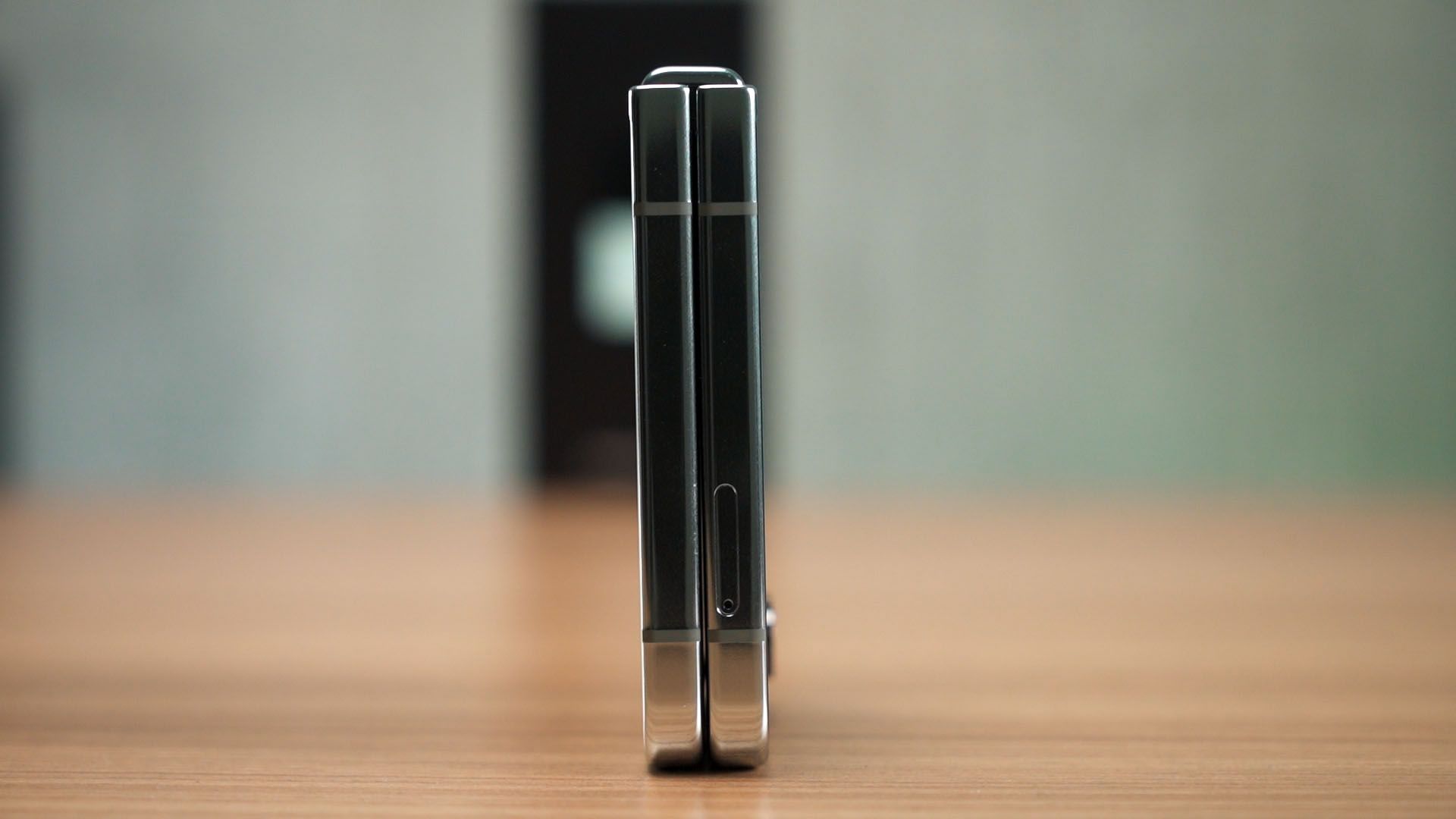
It does have a tiny gap if we get the right angle. I think they can’t make the display close with literally zero gaps because any dust or god forbid – tiny debris getting squished inside will definitely damage the screen. So, leaving a very tiny gap in between is a smart move.
Even with this hinge, the Galaxy Z Flip5 still maintains its IPX8 rating. That’s some great engineering there.
Display
Once we open up the phone, we are presented with more or less what was found in the previous generation. The screen size, resolution, and refresh rate remain the same at 6.7-inches, 2640×1080 pixels, and 120Hz.
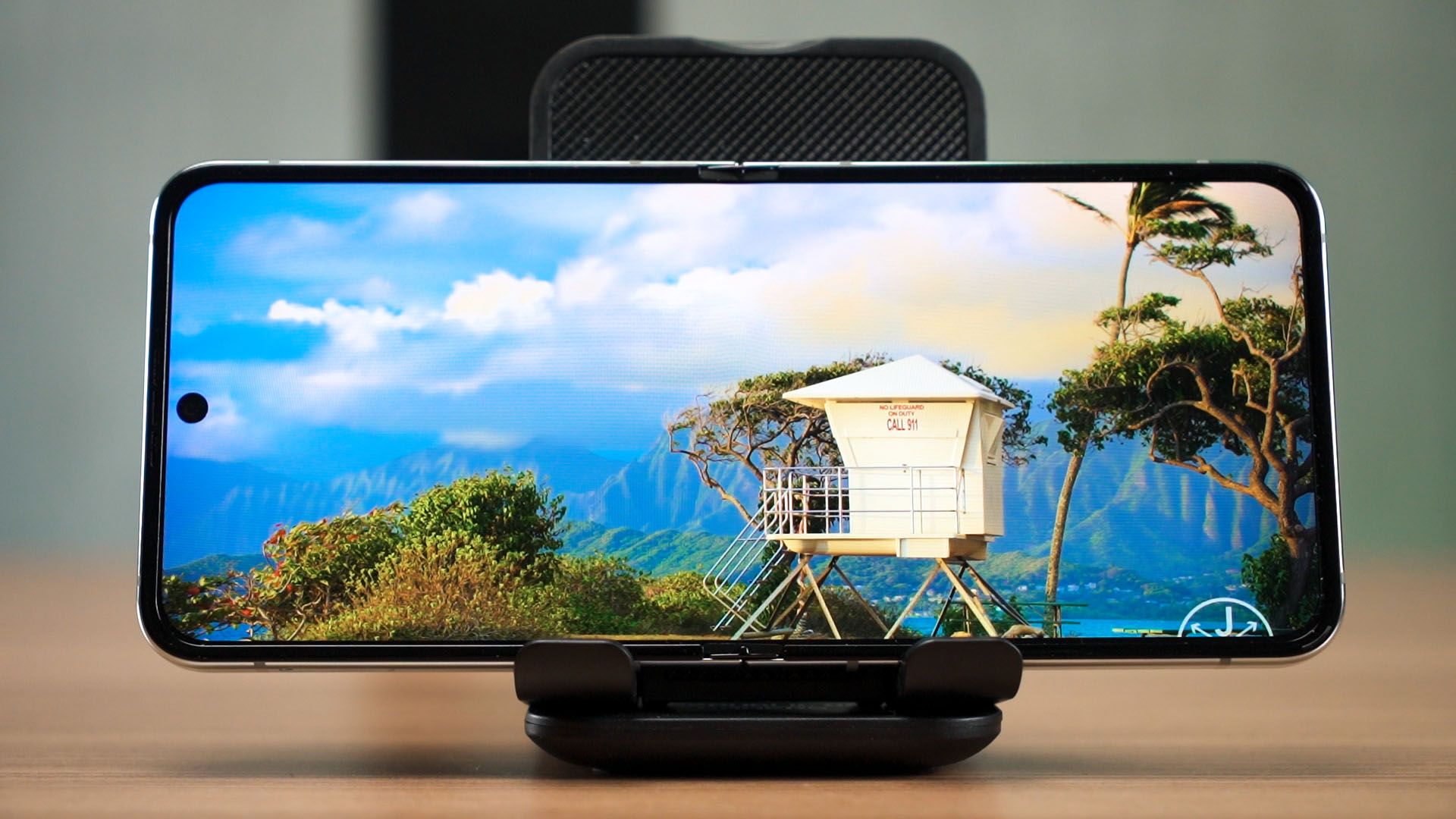
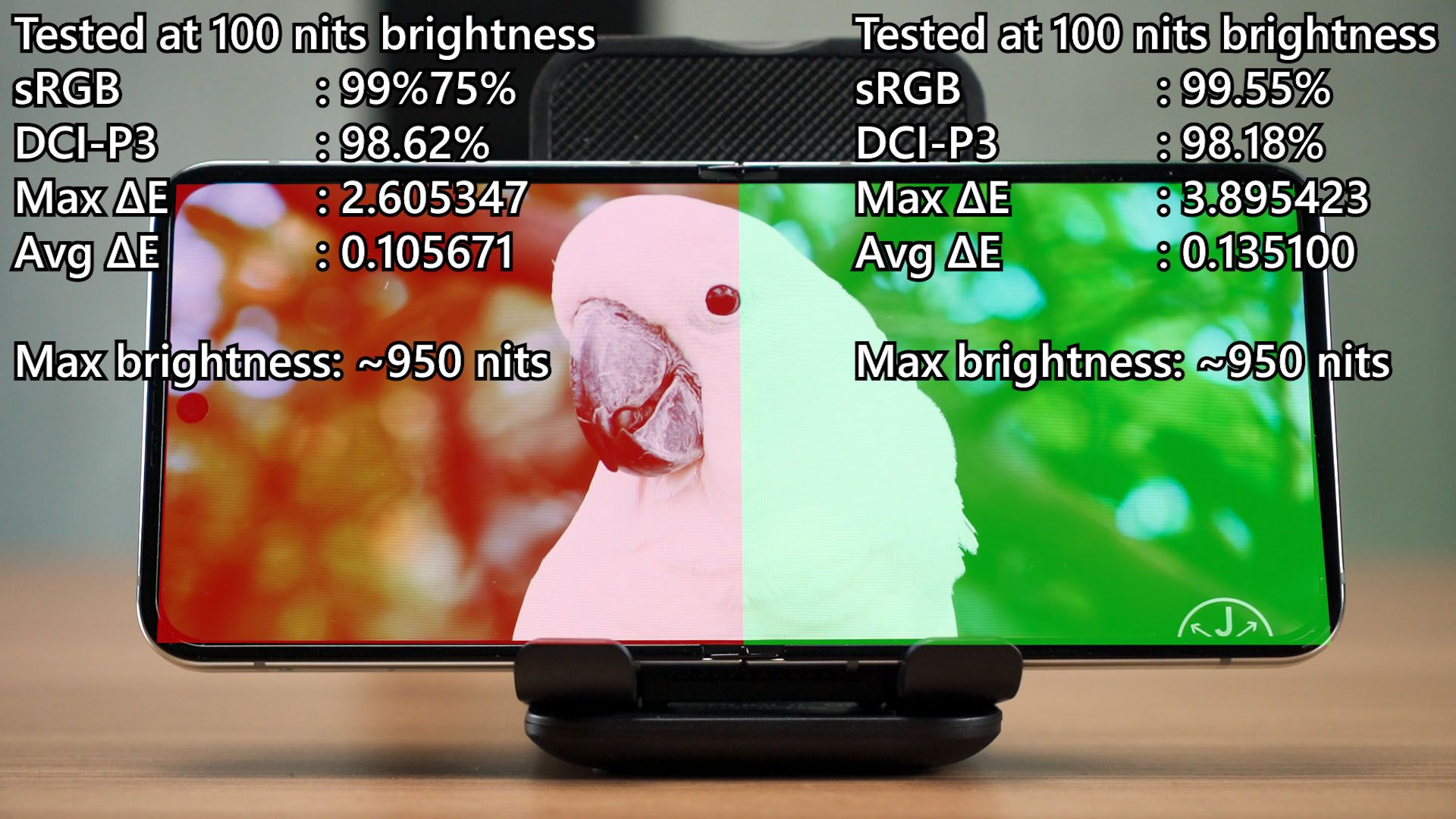
But the maximum brightness did get an upgrade. I took out the colorimeter and did two tests – one for the top half, and another for the bottom half. True enough, the maximum brightness achievable is at around 950 nits while maintaining very good color accuracy for both halves of the screen.
Crease
I also want to talk about the crease a bit. Yes, it does have a crease and it does seem to be a lot flatter than before, but that might be because the device is still new. As time goes by, this might change.
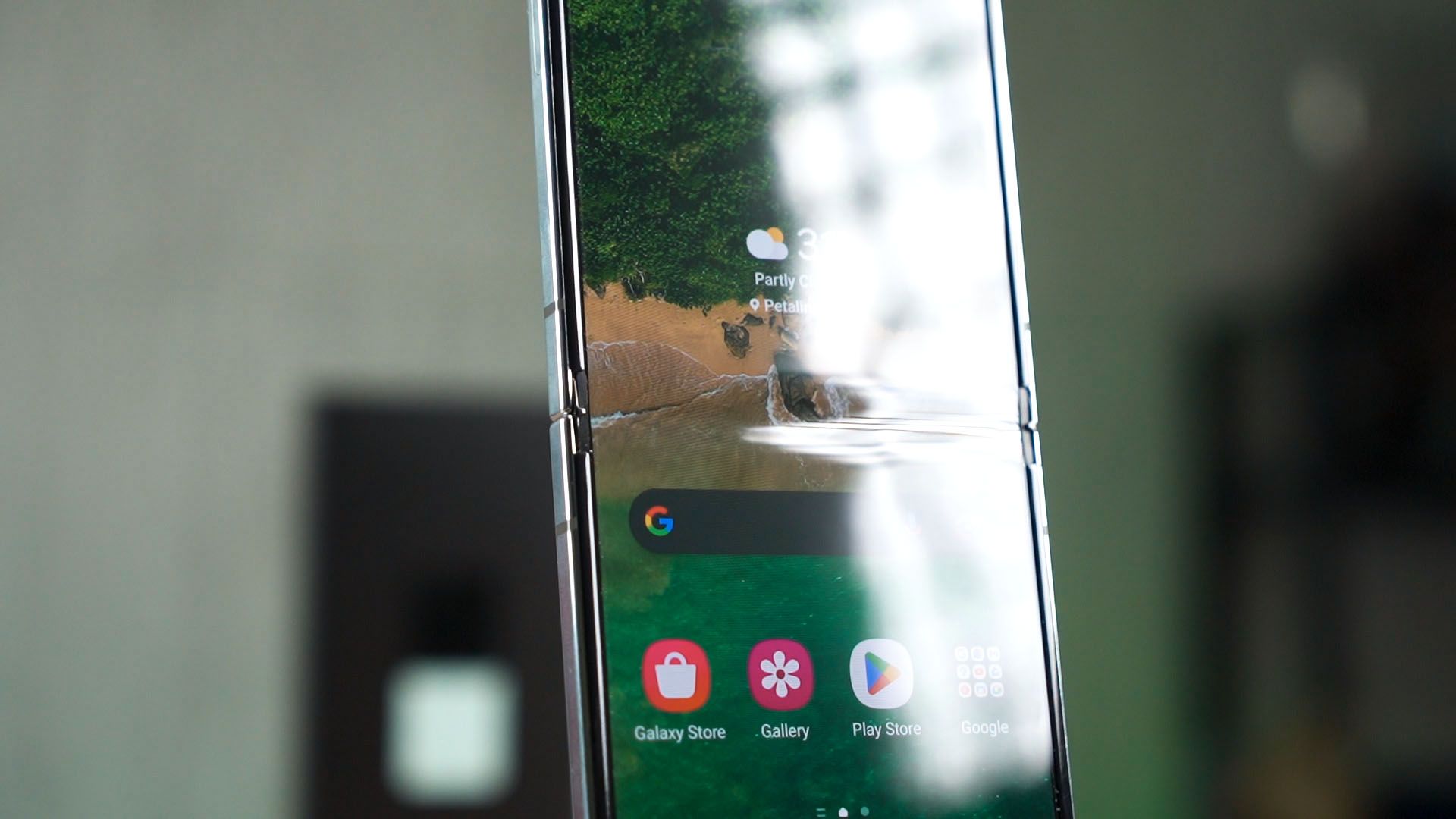
Oh – some people also said that the Z Flip5 doesn’t open perfectly flat but I don’t see that here.
Performance & chipset
The third upgrade is the chipset. Obviously, it’ll be using the latest and greatest chipset – the Snapdragon 8 Gen 2 For Galaxy with that mild overclock, and I’ll say that it performs the best it could. In our gaming test, we stated that the Z Flip5 can’t really perform as well as the S23 series or the Z Fold5 because of thermals.
You see, because of the nature of foldable devices, the chipset needs to be on one side of the phone. For the Galaxy Z Flip5, it’s placed somewhere beside the camera module. That means the footprint available is really small and heat can’t dissipate that much, hence having to thermal throttle to prevent overheating. I mean, no one can cheat physics – so this is something that we all have to take note of. However, the thermal limit for this phone is surprisingly low. We measured less than 45°C on the hottest spot on the surface.
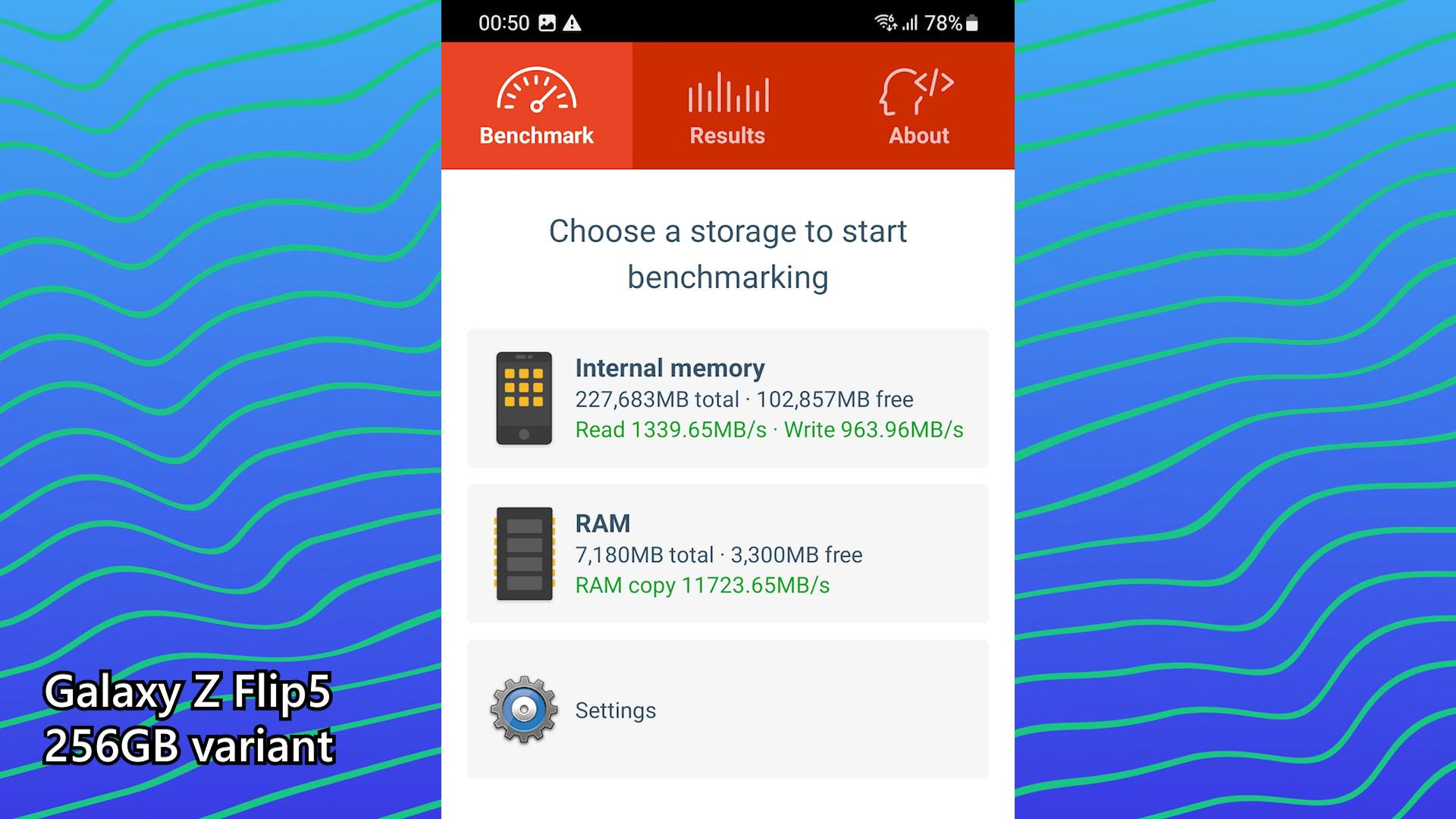
I also found out that the storage and RAM speeds are not the fastest even when compared to the Z Fold5, but it is definitely plenty fast for daily usage.
Cameras
Another thing that got an indirect upgrade is the cameras. Even though the Galaxy Z Flip5 is using the exact same camera sensors as the Flip3 and Flip4, the pictures coming out of the Flip5 should look better because of the chipset. All images taken are processed by the ISP – image signal processor – and that is usually built-in to the chipset.
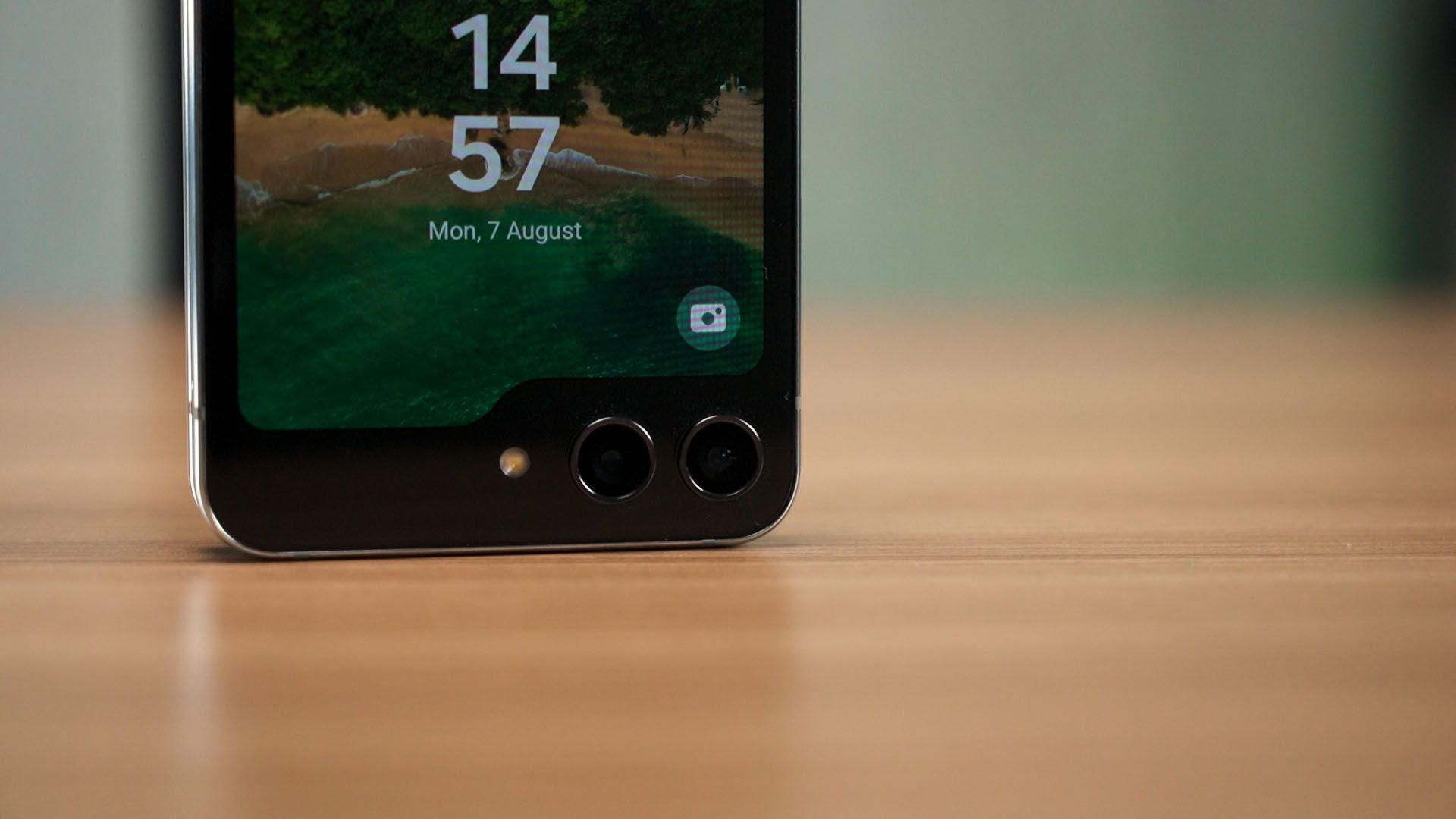
To have a look at all the pictures and videos taken by the Samsung Galaxy Z Flip5, watch our video at the top of this review.
USB port & Samsung DeX?
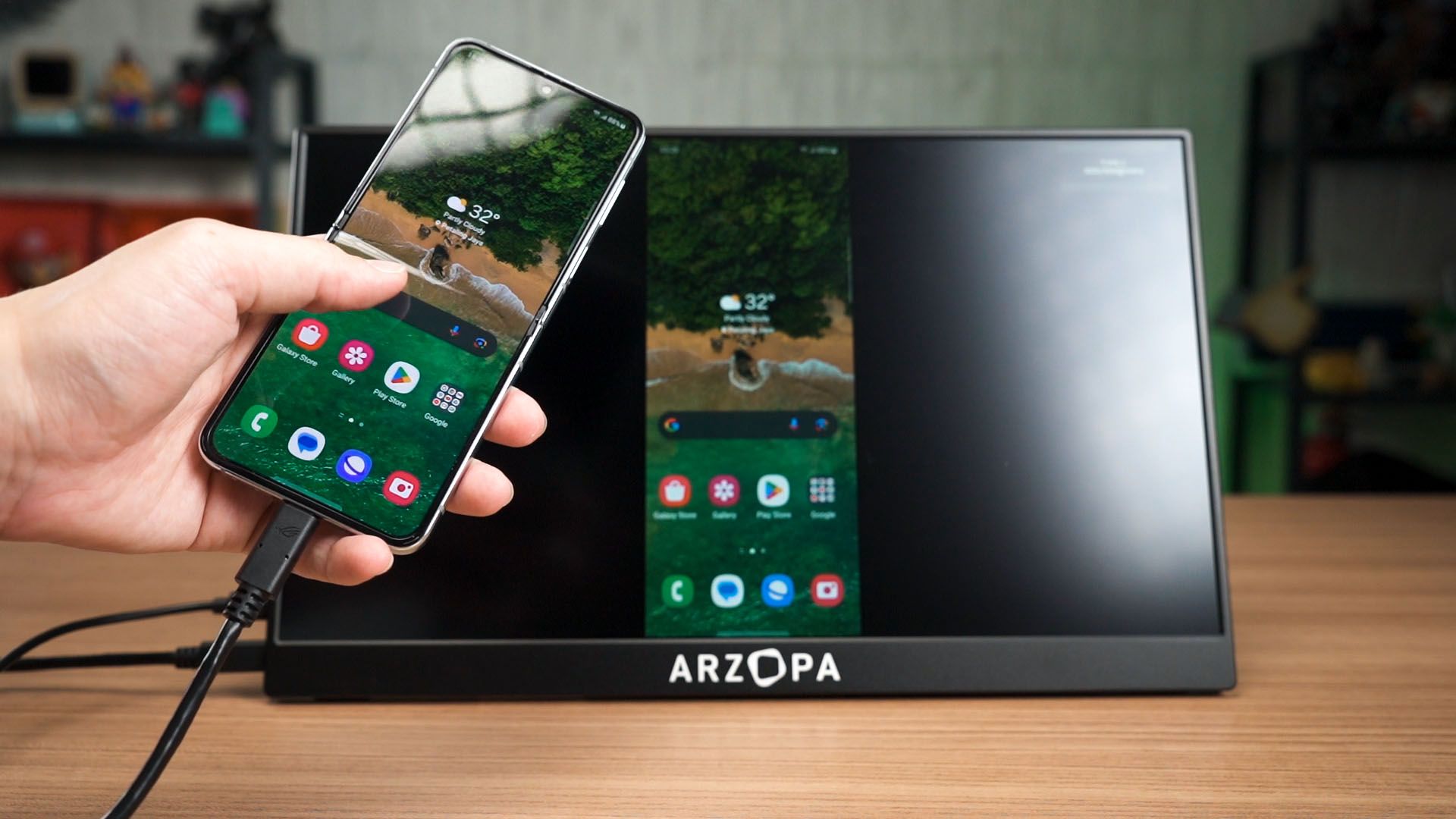
One more upgrade that Samsung didn’t tell anyone about is the USB port. The Flip5 finally has a USB 3 port at the bottom! And it even has display output too! However, it still doesn’t have DeX despite so many people asking for it.
Battery life
And since the chipset has been upgraded, the battery life will also be affected though the Flip5 has the same exact battery capacity as the Flip4. Since our battery life tests are standardized, we can reuse the result from last year and compare them.
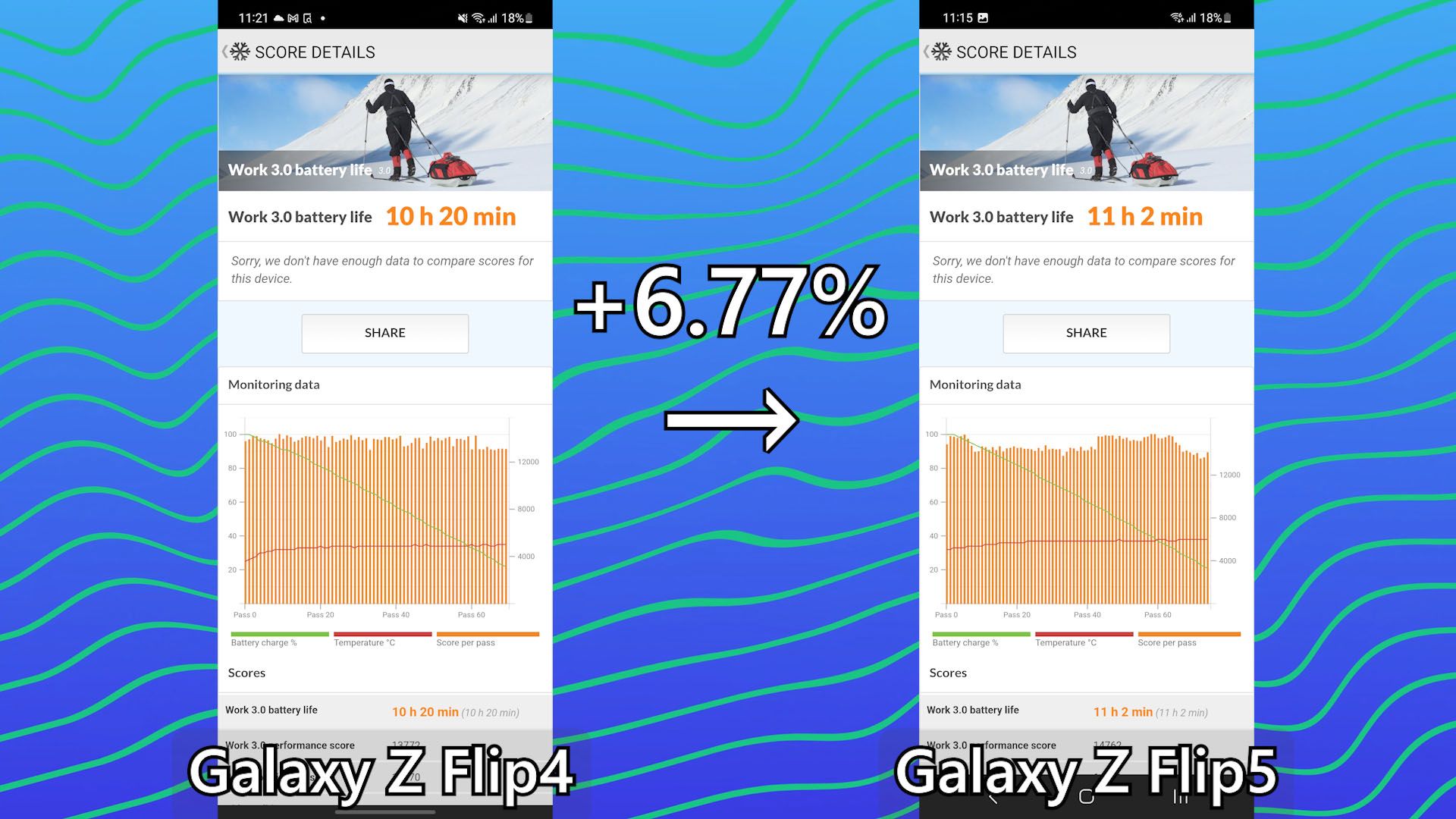
We can see that because the chipset is even more efficient now, the battery life has been extended by 6.77%. It’s actually quite significant.
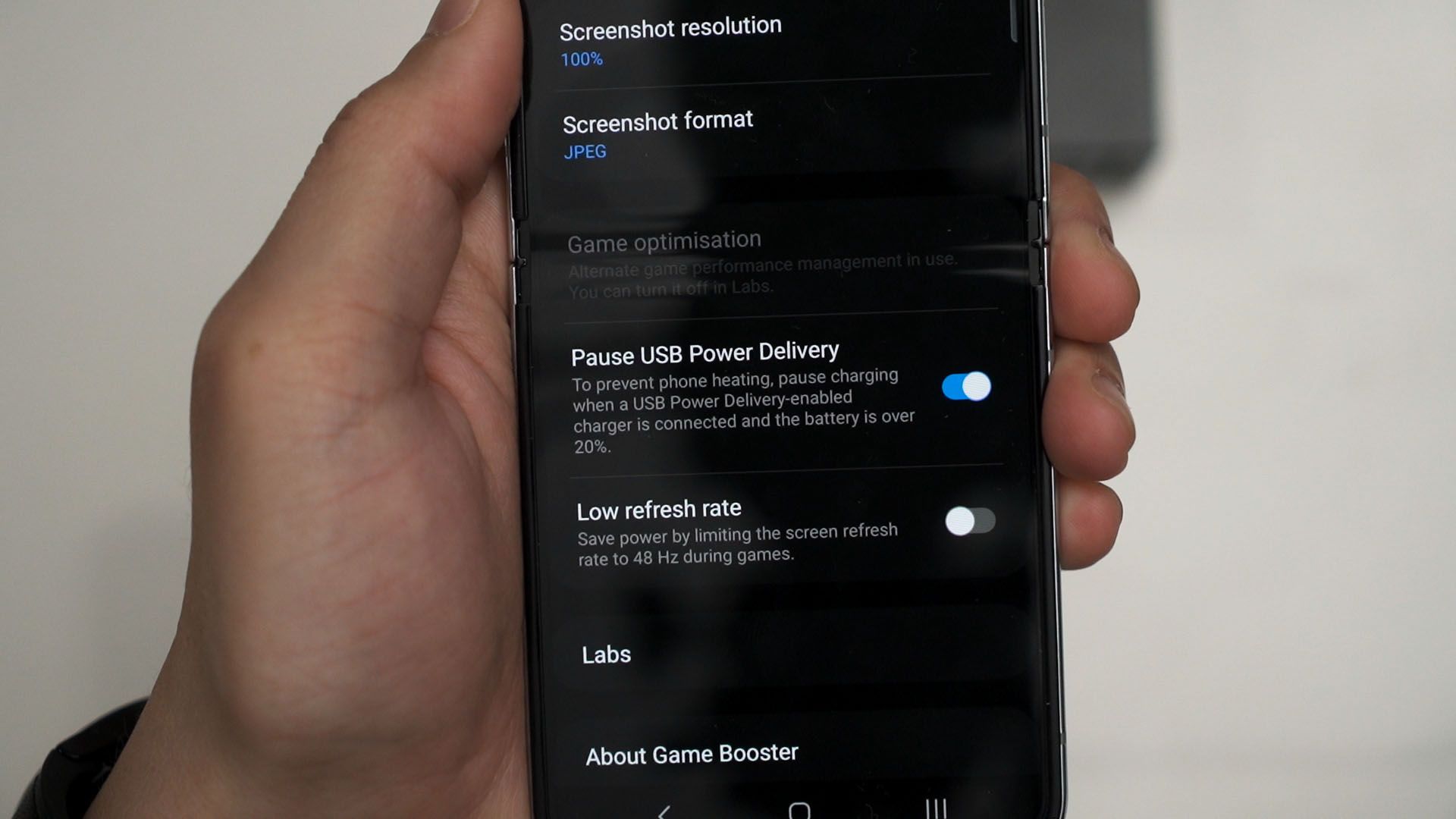
By the way, the Galaxy Z Flip5 does have the battery bypass feature too. Just follow the instructions shown in this video.
Charging time
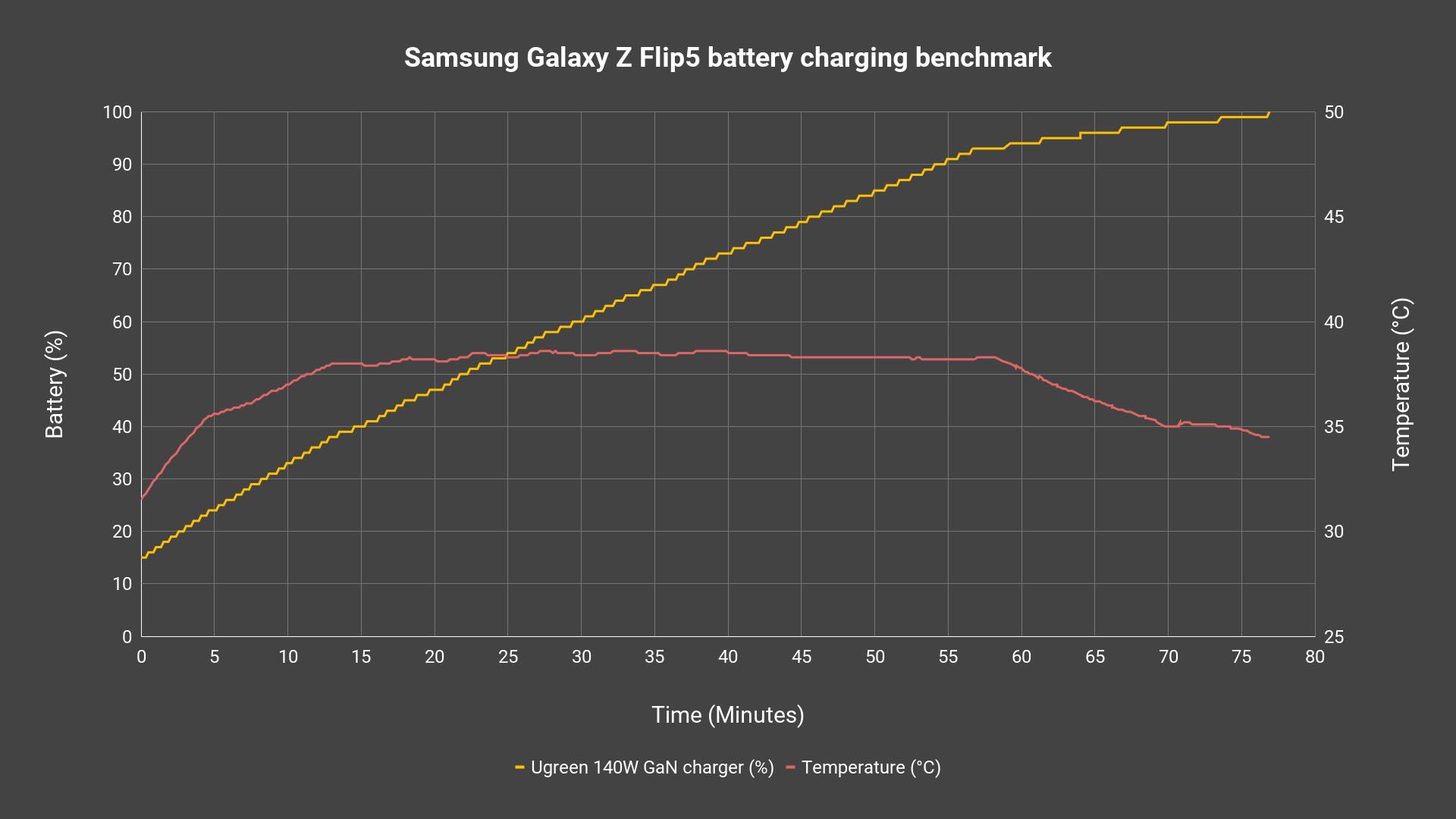
The charging time though, remains unchanged. It still takes in a maximum of 25W but our wattmeter cable says it’s mostly 18W, and it takes around 75 minutes to charge from 15% to completion. Once again, the temperature is kept very low and I think Samsung has some headroom to charge the device faster at the expense of a degree of two higher.
Software
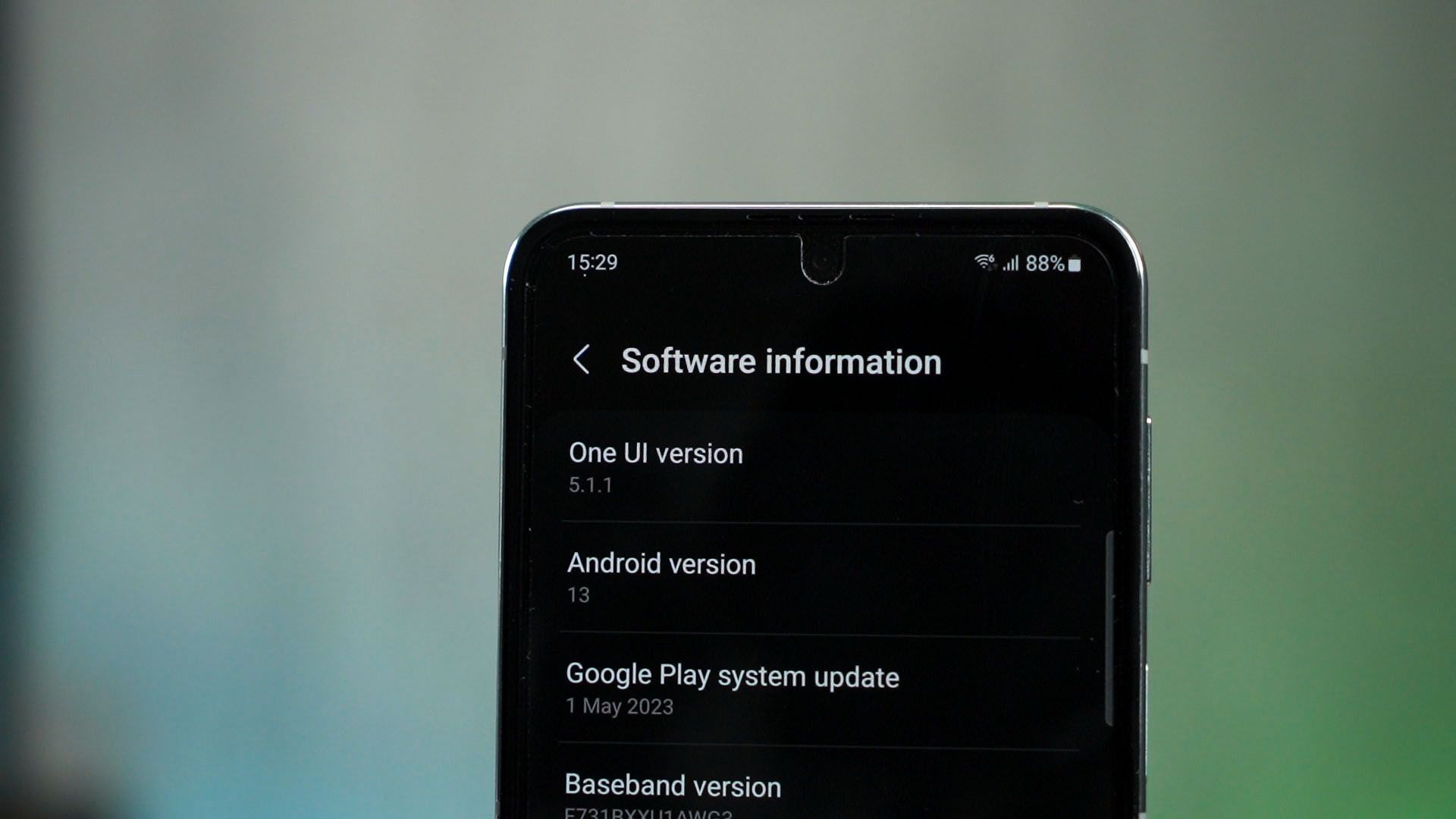
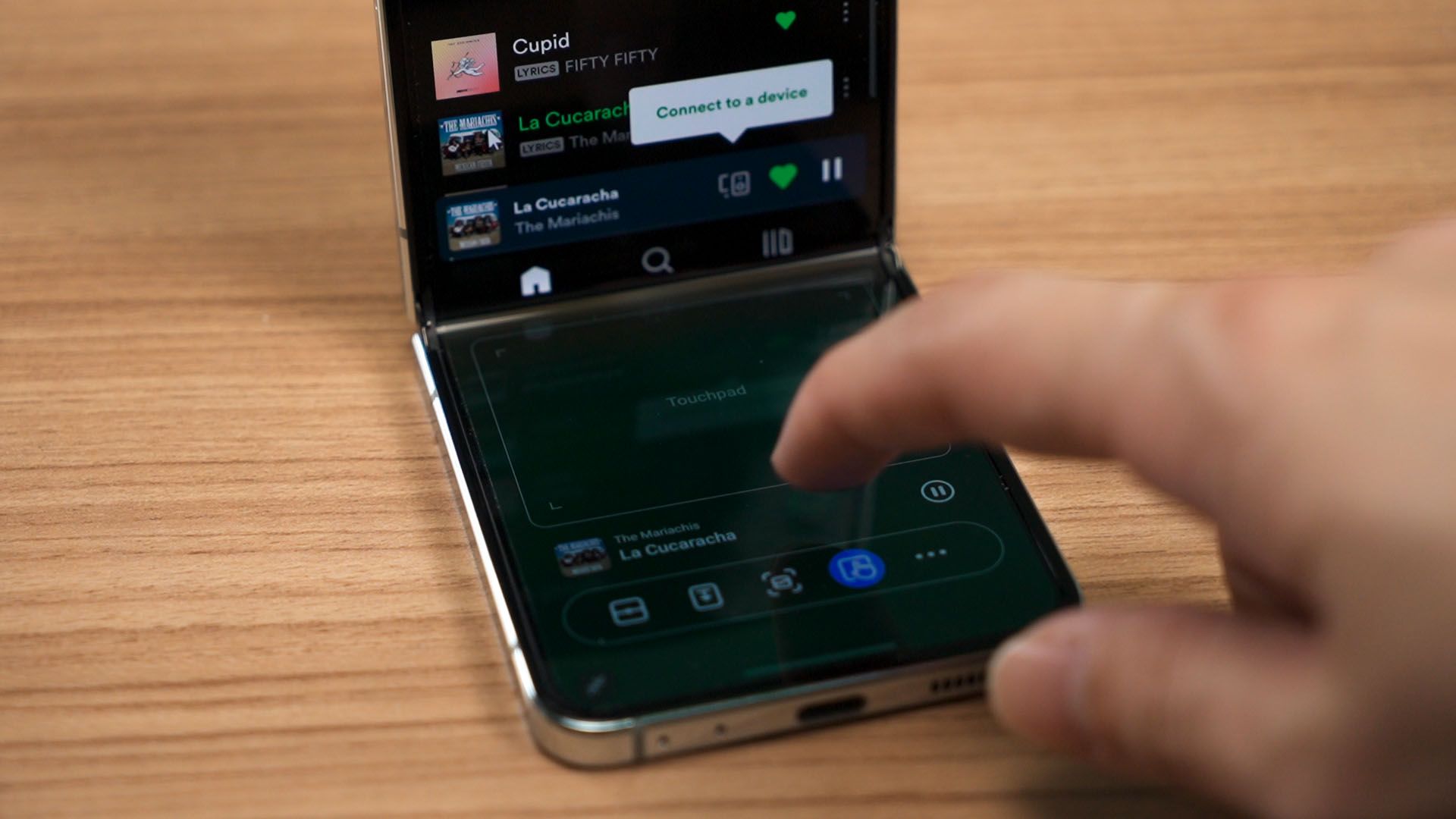
As for the software, it’s running on One UI – 5.1.1. From what I’ve seen, the Flip doesn’t have any notable changes other than the addition of a new Flex Panel module that acts like a trackpad to control the upper half of the display.
The new features mostly stem from the new Flex Window, which we have already talked about earlier.
Design
The overall shape and size of the Galaxy Z Flip5 has not changed either. All of the button placements are identical, but I did realize that the back panel – which is the only part that actually shows the color of the Z Flip5 that you chose – is now covered by glossy glass.
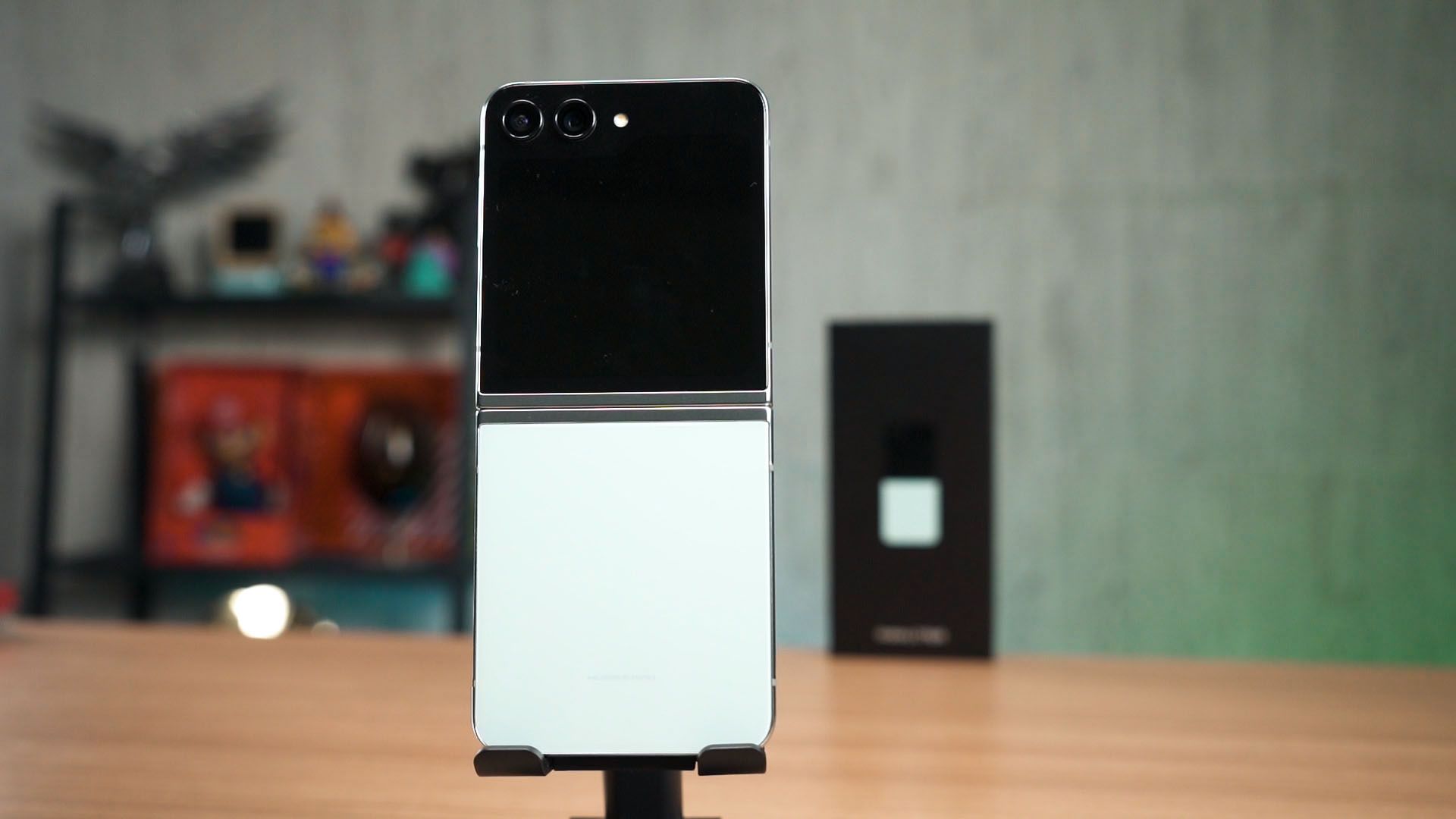
Not sure why they don’t retain the matte finish, though.
Should you buy the Samsung Galaxy Z Flip5?
I don’t think anyone aiming to buy this device needs my opinion. I do think the Galaxy Z Flip5 will sell like hotcakes. Seriously, Samsung addressed two of the biggest demands – the hinge and also the cover display.
There are two more additional upgrades – firstly, the removal of the 128GB storage version. 128GB is unusable and I’m glad that Samsung just axed it entirely.
However, that also upgrades the price. For us here in Malaysia, it starts RM100 higher than the previous generation and I think that’s okay.

Where to buy? (Affiliate links)
Like our Facebook Page here at NasiLemakTech.com for more news and in-depth reviews! Also, join our Facebook Group for insightful information and memes!
Subscribe to our YouTube channel too!