














Samsung has just started pushing the One UI 6 update on their Galaxy S23 series and more coming soon, they’ve already introduced a brand new feature called “Auto Blocker” to further increase the security of your device.
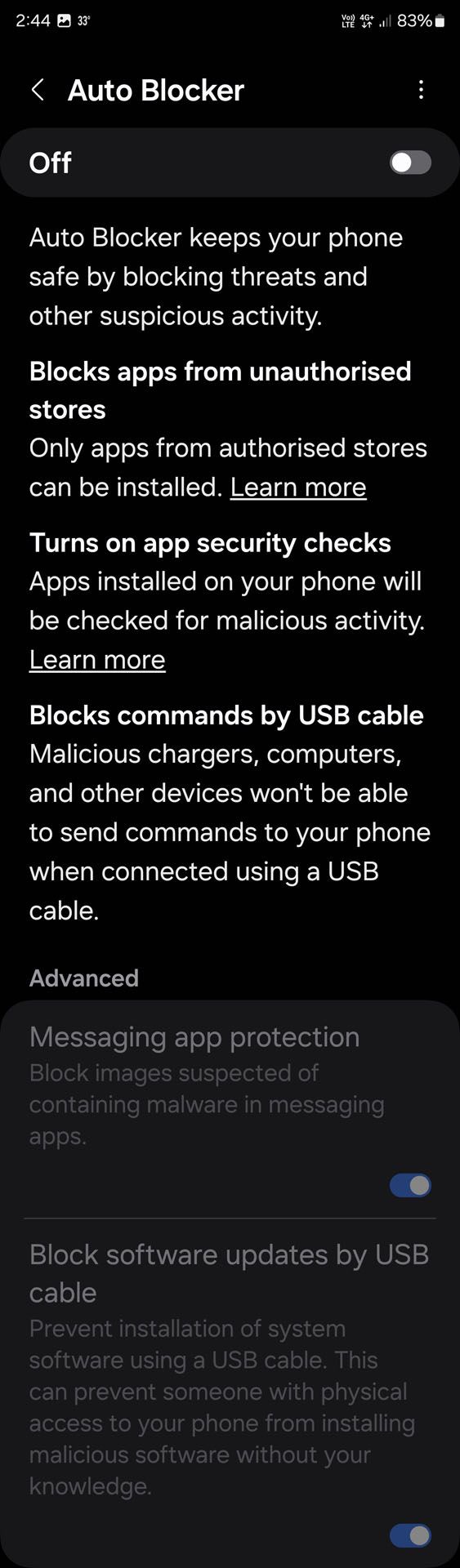
The new Auto Blocker is an opt-in feature (that means it’s disabled by default) and by default, it blocks app installations from unauthorized sources, known as sideloading. Now, I’m sure many of you are screaming at your device right now saying that you need to have sideloading as you need to install some other apps that are just available on the Google Play Store – and I get it. That’s why this Auto Blocker feature is an opt-in feature.
But for those who value security more than anything else, activating Auto Blocker will literally block sideloading entirely – hopefully preventing scammers from sweet-talking you into installing some trojan into your phone.
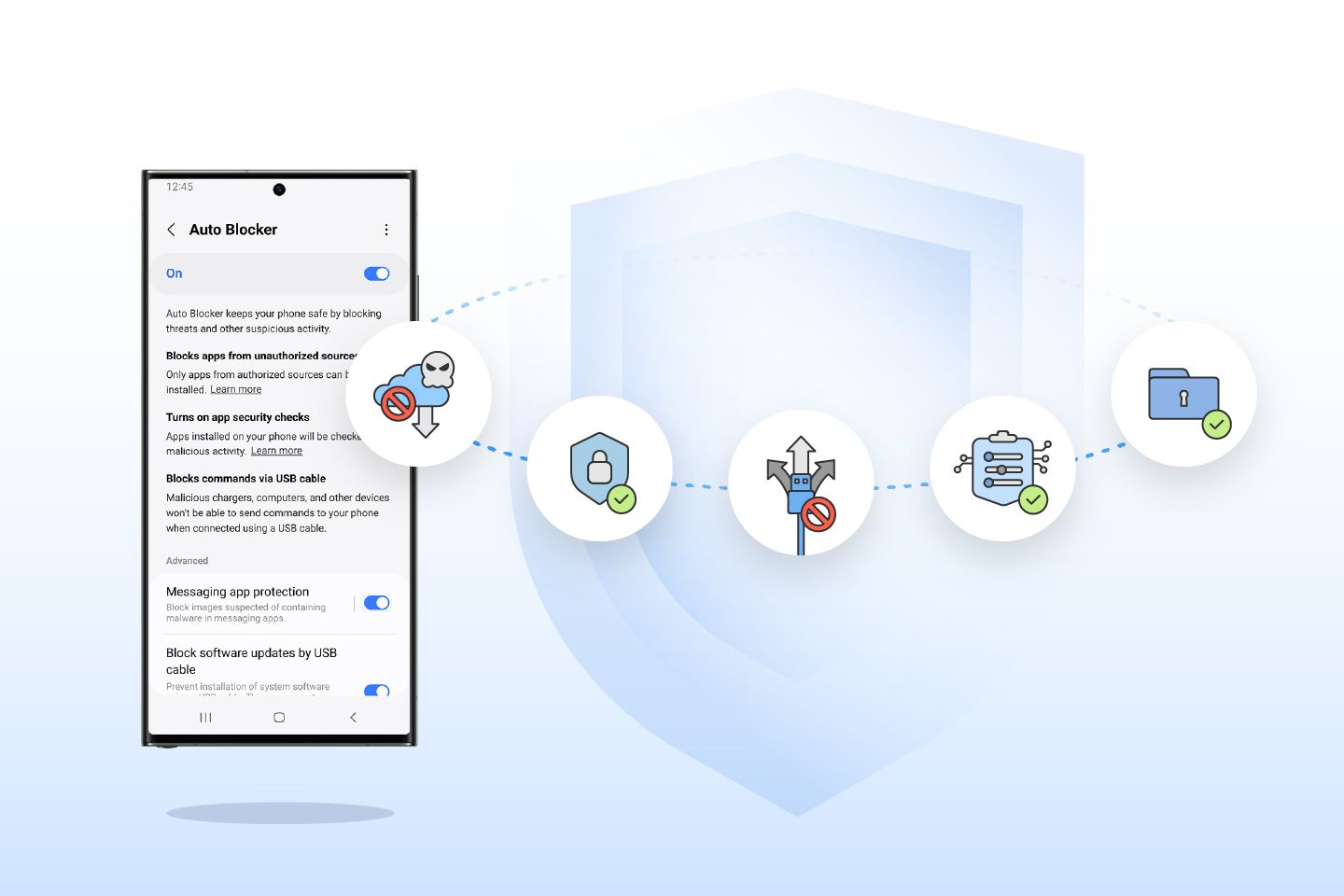
The Auto Blocker also has a range of additional controls – ranging from turning on app security checks to help detect potential malware and prevent harmful commands and software installations by USB cable (another way of sideloading through ADB perhaps). This can help protect users in a situation where someone has physical access to their device, like when charging a phone at an airport.
Other than that, the Message Guard will also be updated to mitigate Zero Click attacks, or direct image messages hiding malicious code. It can even protect you from third-party apps too.
And if you already have One UI 6, then give Auto Blocker a try. It’s already in your device.
To add some context, the Auto Blocker is part of McAfee’s collaboration with Samsung. It’s nested within the Security item in the settings menu and once again, you’ll have to manually press “On” to turn this feature on.
Like our Facebook Page here at NasiLemakTech.com for more news and in-depth reviews! Also, join our Facebook Group for insightful information and memes!
Subscribe to our YouTube channel too!