
















Windows-powered handheld gaming devices had been around for quite some time – but thanks to the likes of the Nintendo Switch, the Steam Deck, and of course – the original ROG Ally. It was actually announced on the first of April 2023, and many thought it was a prank – including me. There were – and still are – a lot of people who are hungry for these types of devices. I originally was kinda skeptical of the whole idea of a handheld Windows gaming device but I quickly grew fond of it and use it on a nearly daily basis. I also brought it with me to travel as well.
Fast forward to today, we have the brand new ROG Xbox Ally X. I’m rather surprised that ROG and Xbox partnered together to create this handheld device. It looks very similar to the ROG Ally and Ally X, but of course, with these two protruding grips. Since I have used the ROG Ally for such a long time, I can tell you that this new one is just better in every single way.
Design
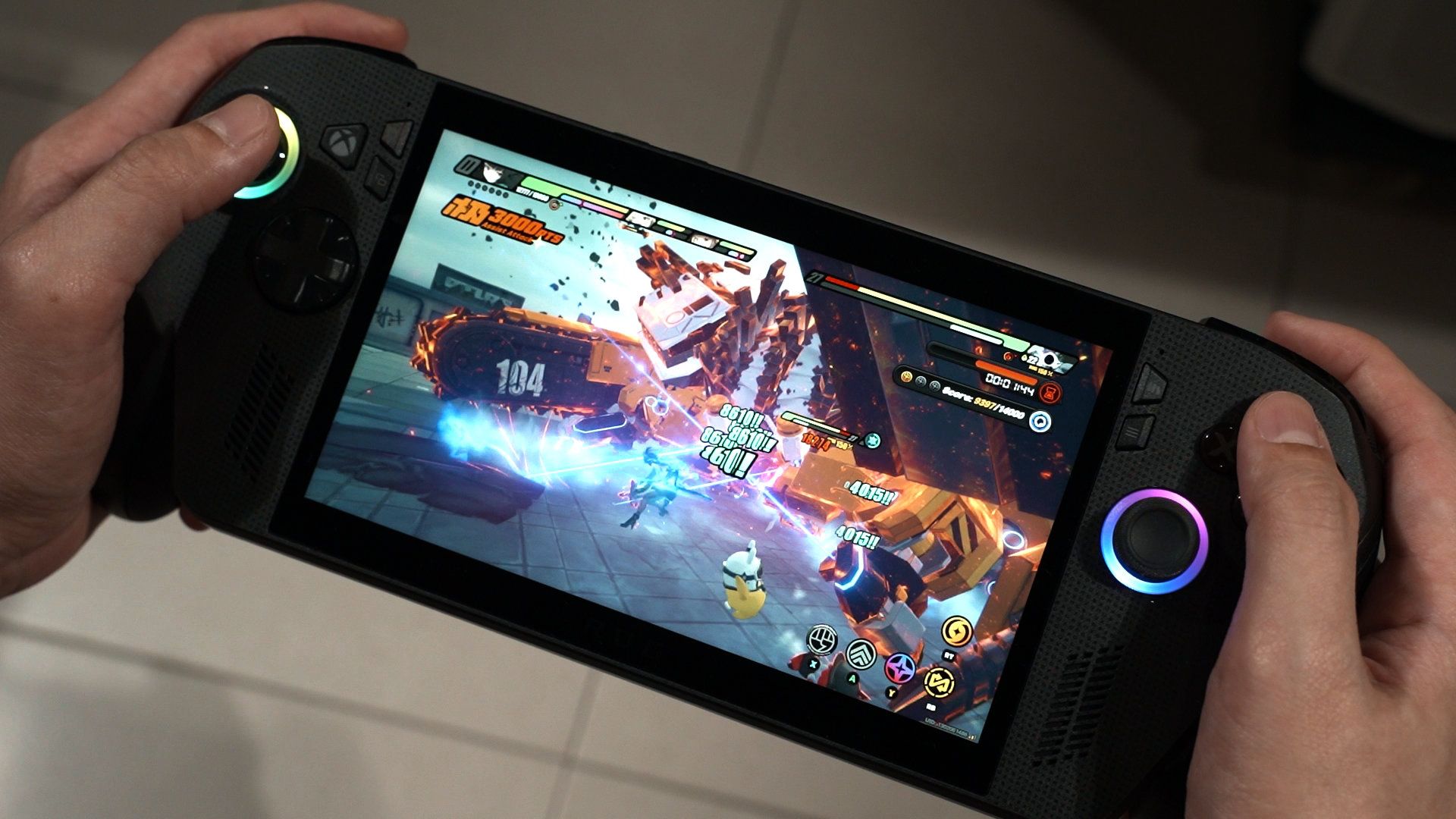
Starting with the design of this new handheld device. It has a very different look, mainly because of the two grips at the sides. I’d argue that while it looks weird, this is much better in terms of comfort. The grip allows my pinky and also my ring finger to go into this little gap and properly grip it as my fingers wrap around it.
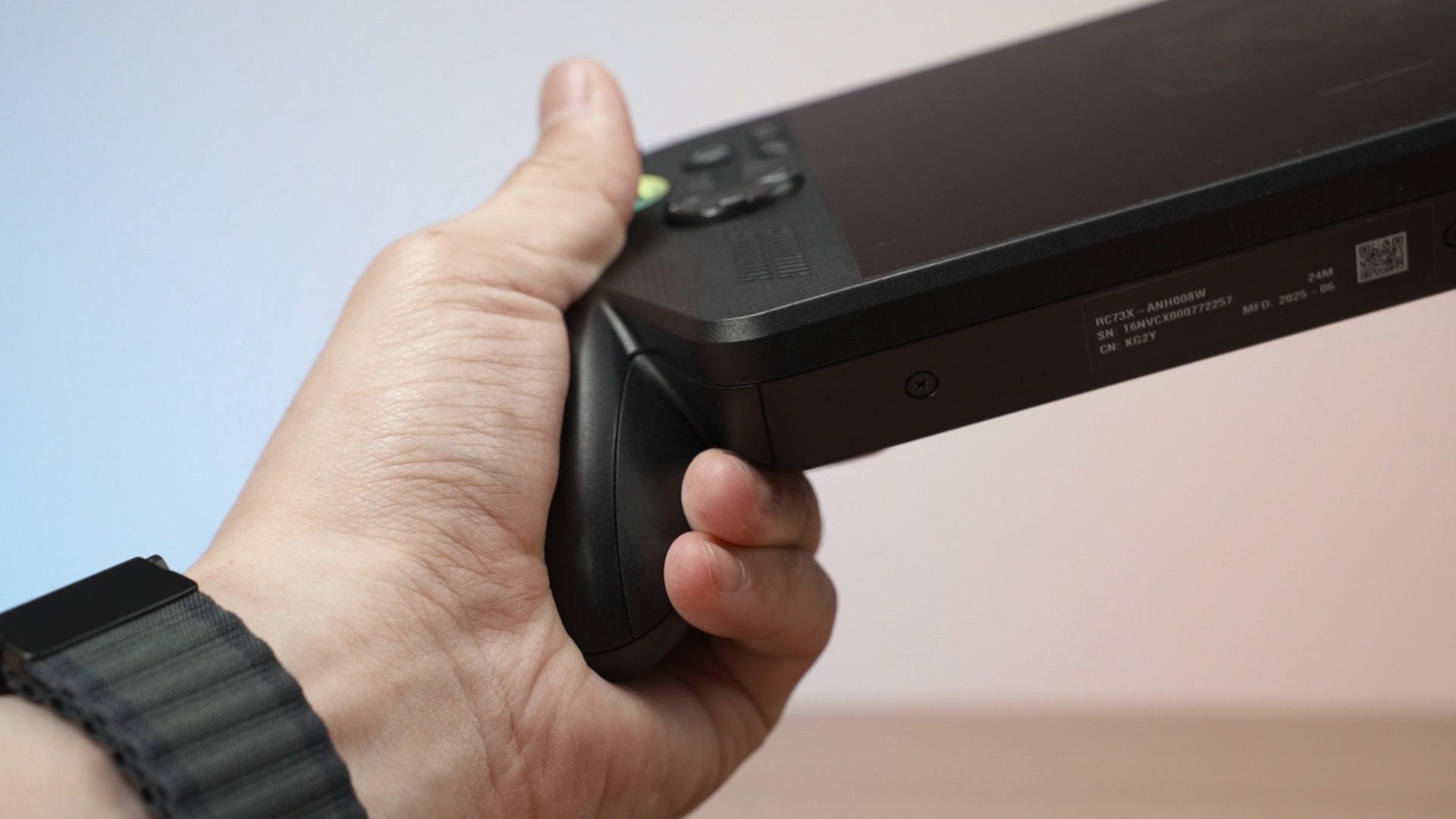
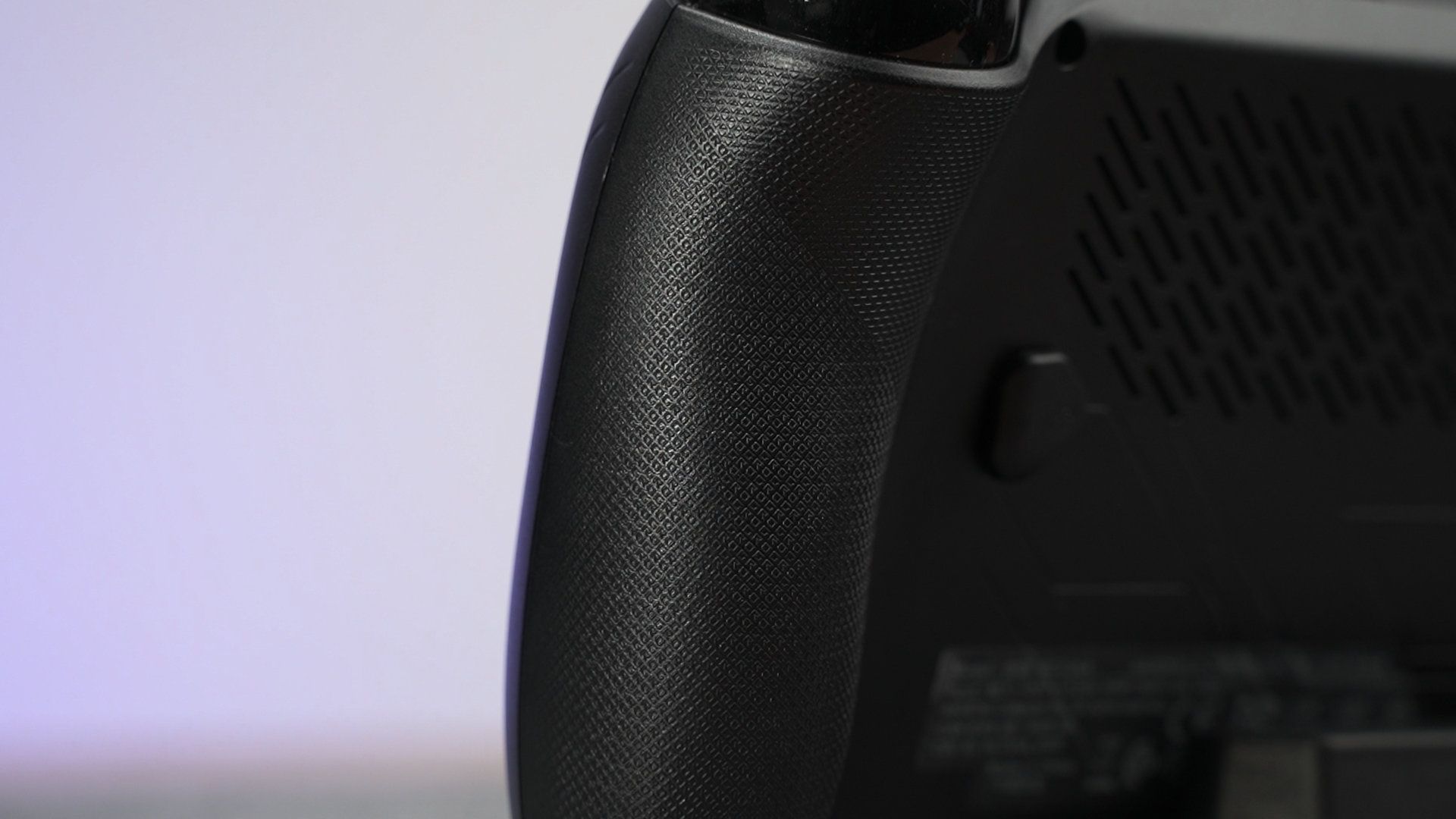
The grips also have some texture behind it, which says “ROG” repeatedly in tiny little writings, and I can feel it with my fingertips. This also improves the grip, particularly for sweaty gamers like me.
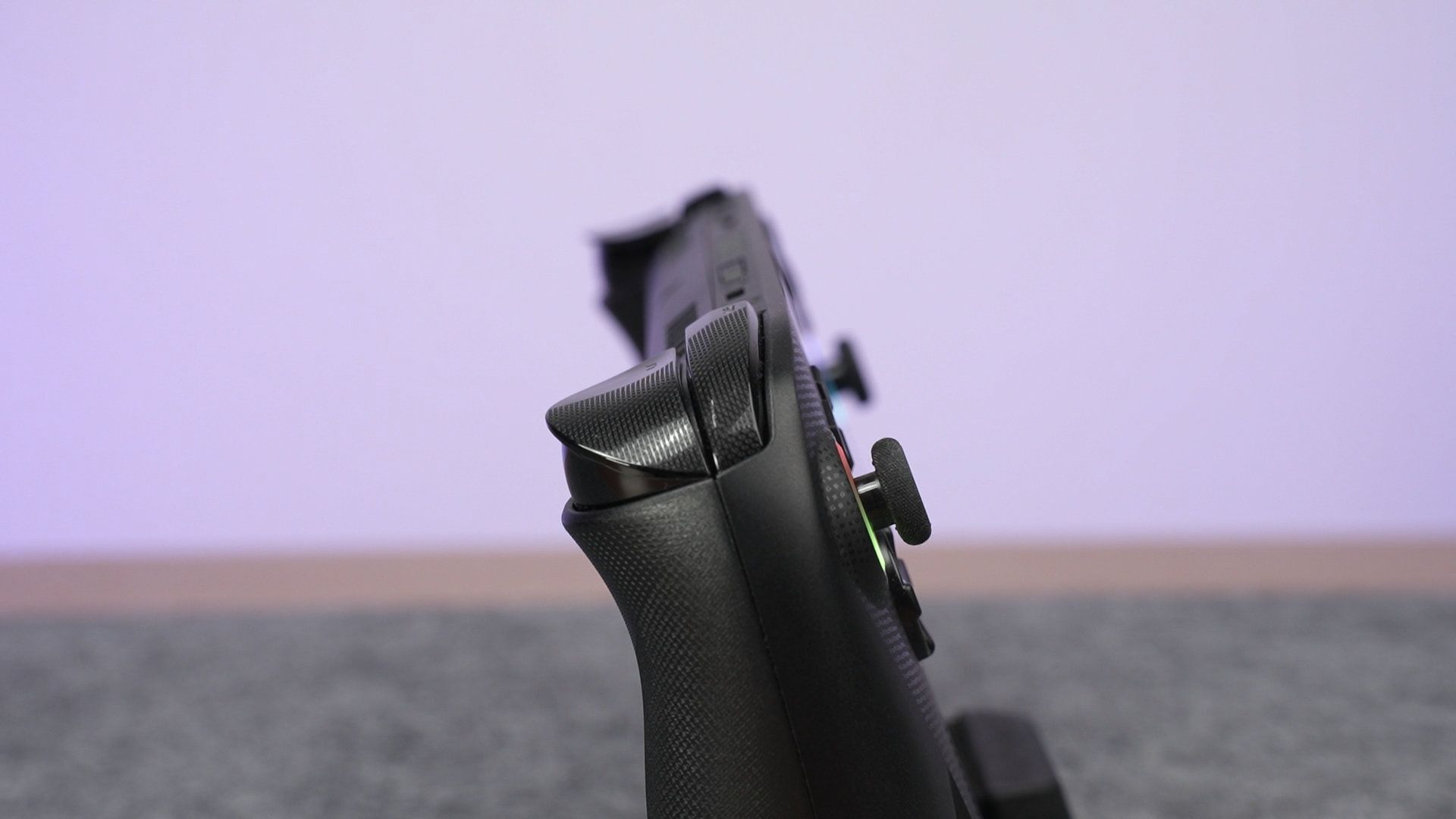
The triggers are – I think – the same as the ROG Ally X. The shoulder triggers are curved down into the side, and the triggers are contoured in such a way that it is comfortable to press yet our finger will not slip off from it.
At the back, there’s really no major changes. The M1 and M2 keys are small – which follows the Ally X’s design – and that’s about it.
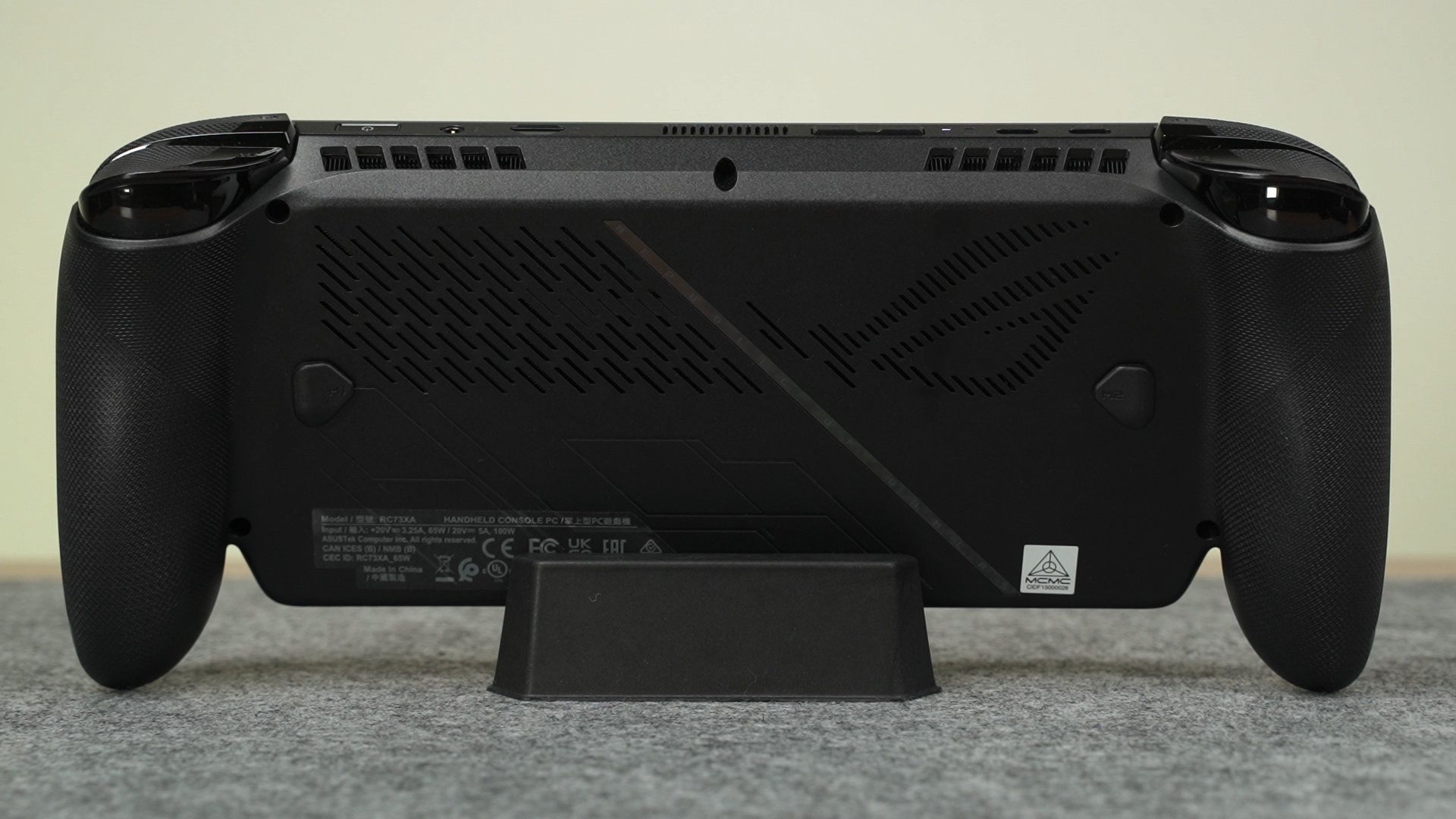
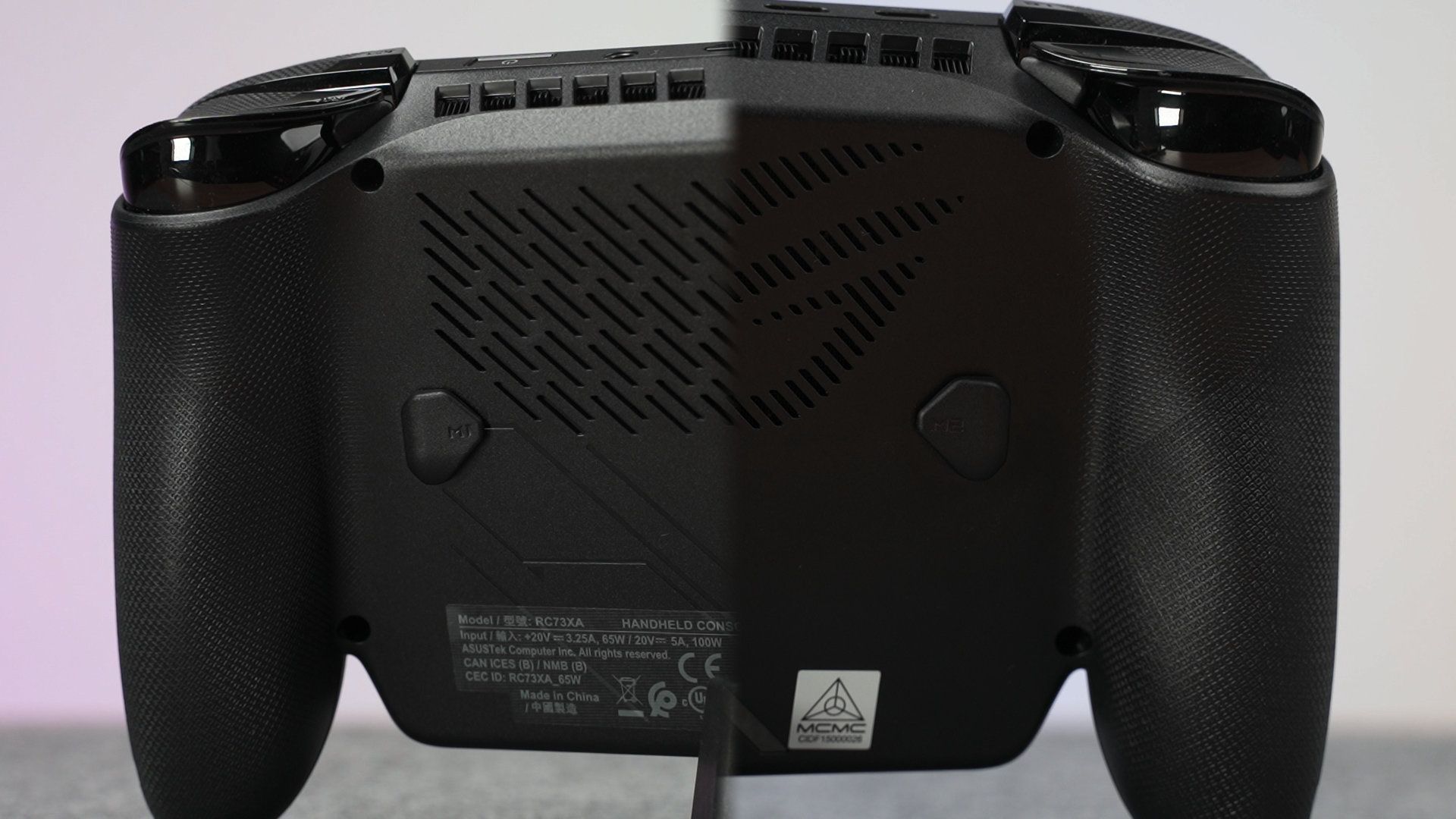
Looking at the front, the position of the joysticks with RGB and face buttons remains the same asymmetrical design – and I absolutely love this. Though, it seems like the face buttons are a bit stiffer compared to before – but it might be a bit softer after pressing it constantly for a few months, as gamers often do.

We also have a new Xbox button at the left side as well, and this brings up the Xbox app.
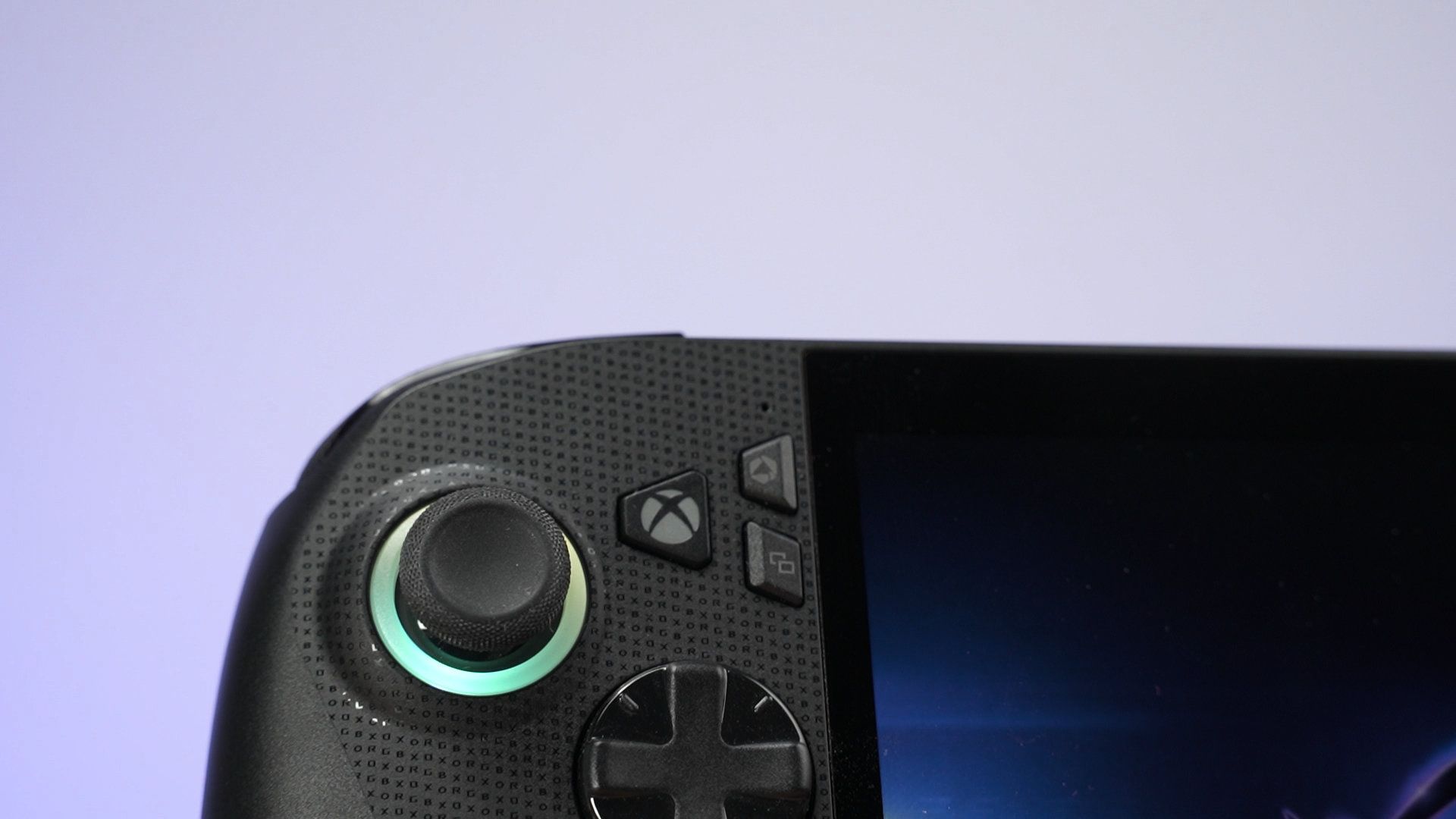
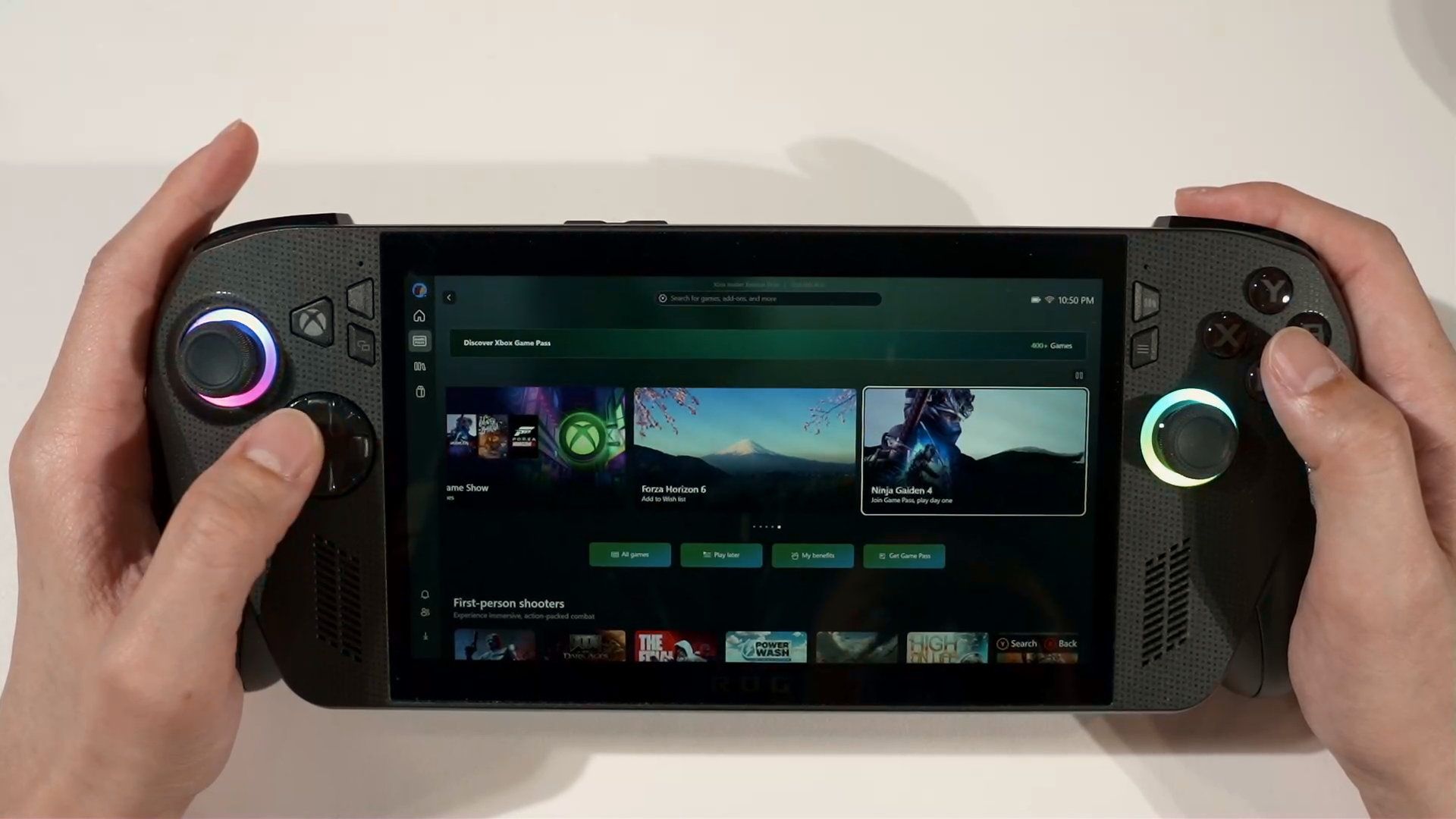
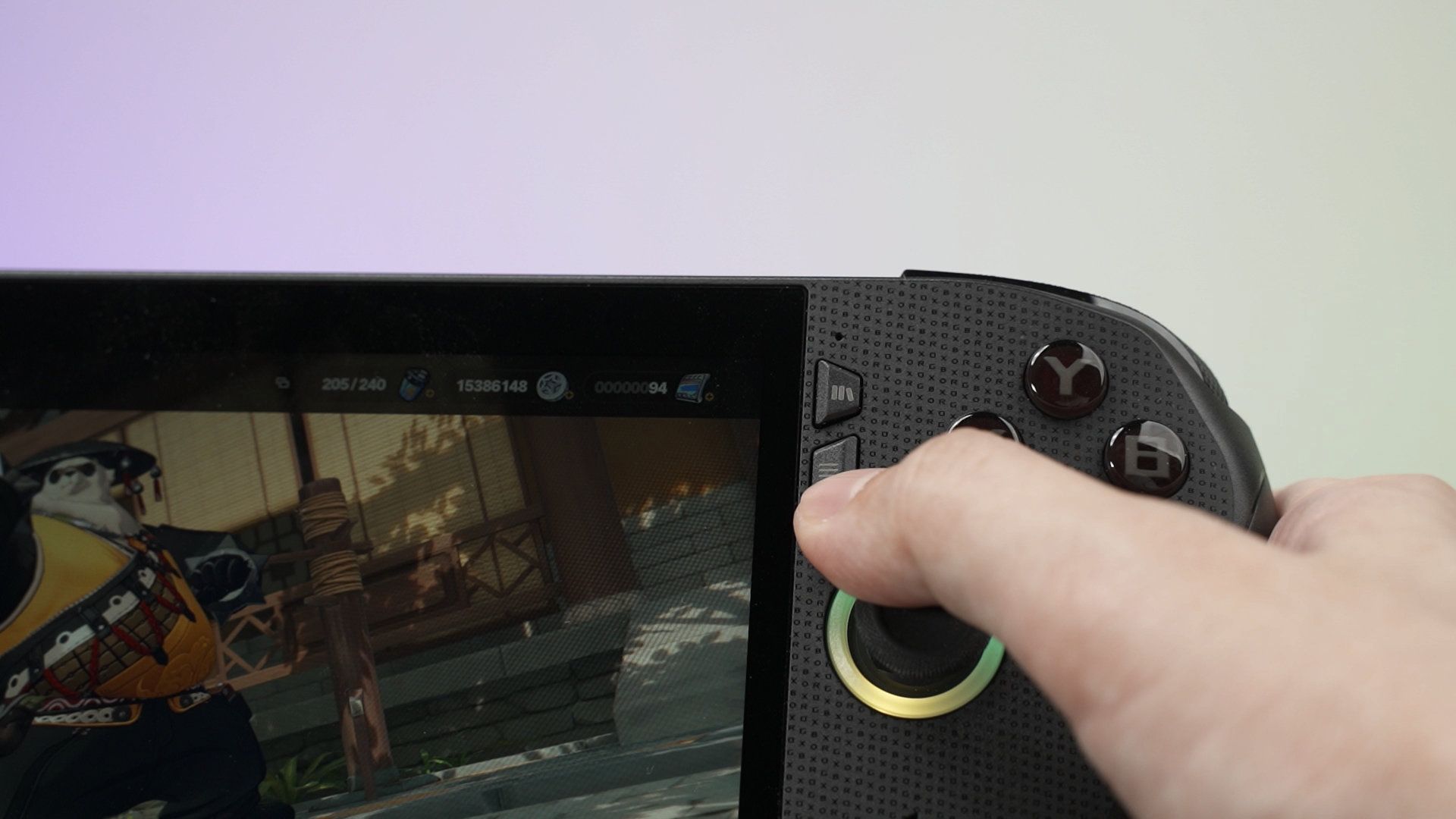
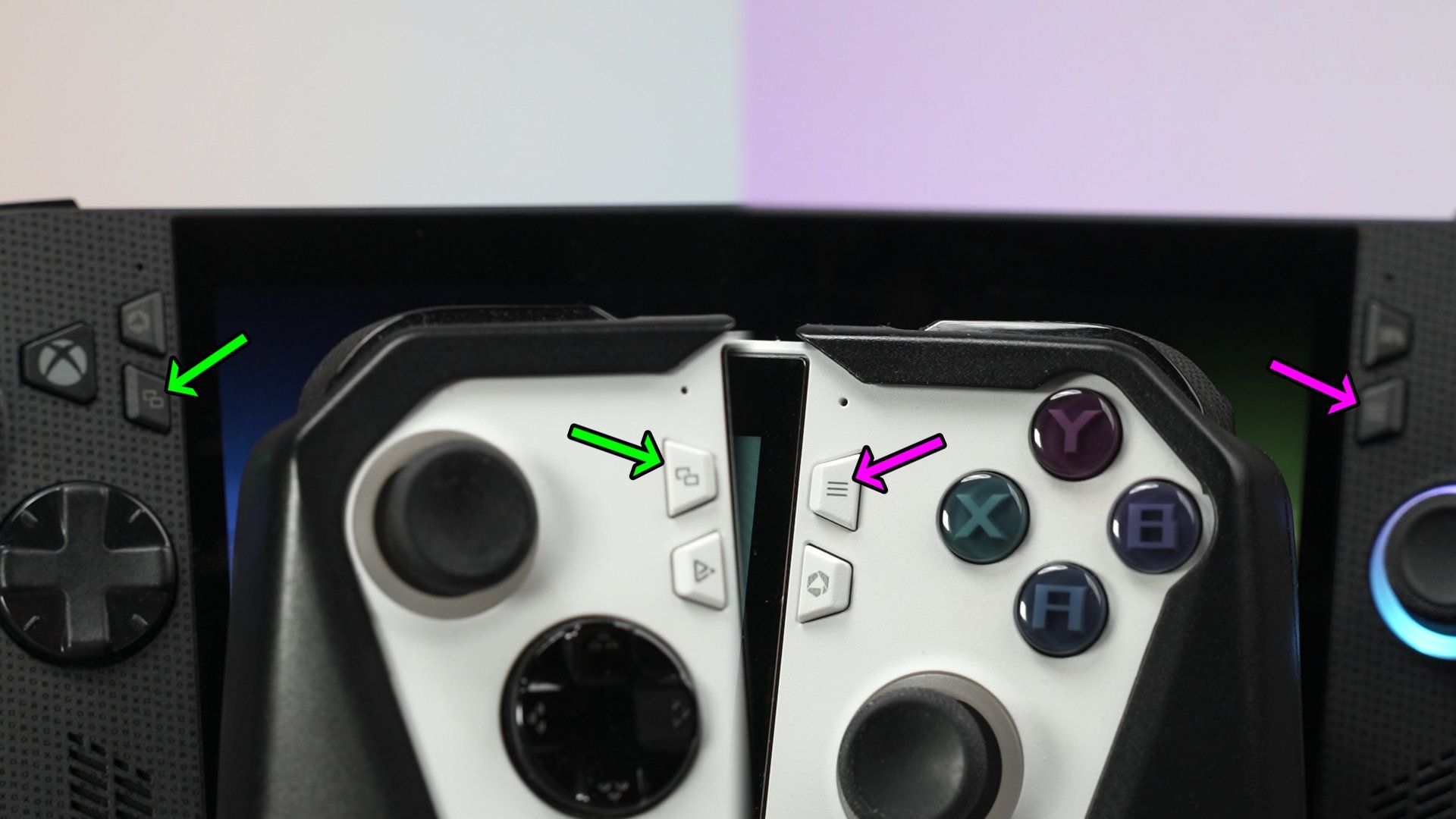
Another thing I want to highlight are these 4 buttons. They’re… swapped when compared to the ROG Ally. The top went to the bottom, and the bottom went to the top. This isn’t a big deal, it’s just that it messed up with my muscle memory. Pressing the triple line button is a bit annoying as the right joystick kinda gets in the way.
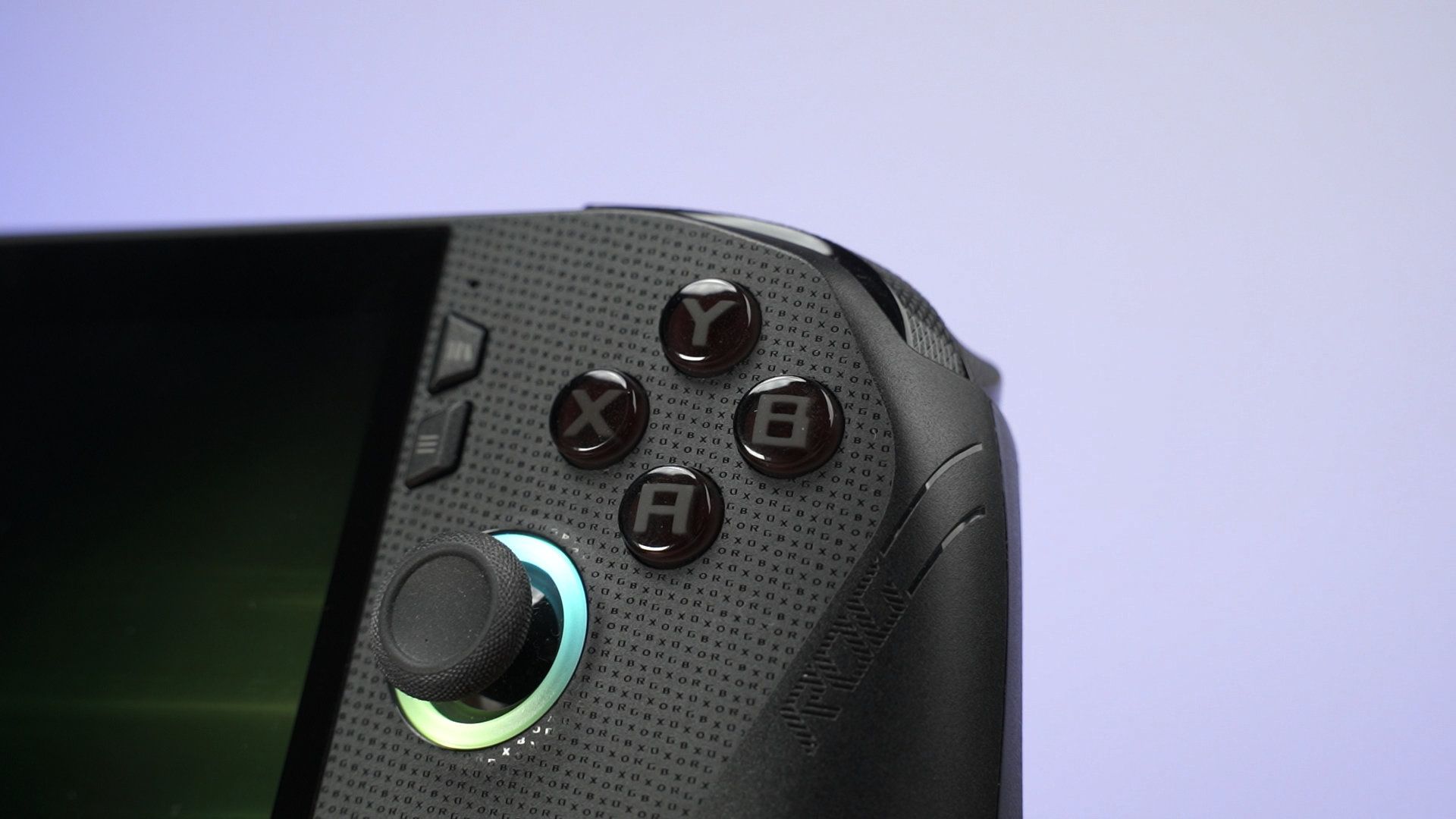
The front faceplate also has a bunch of tiny writing that says ROG XBOX. It’s not distracting at all, and I think it’s a nice touch.
Screen
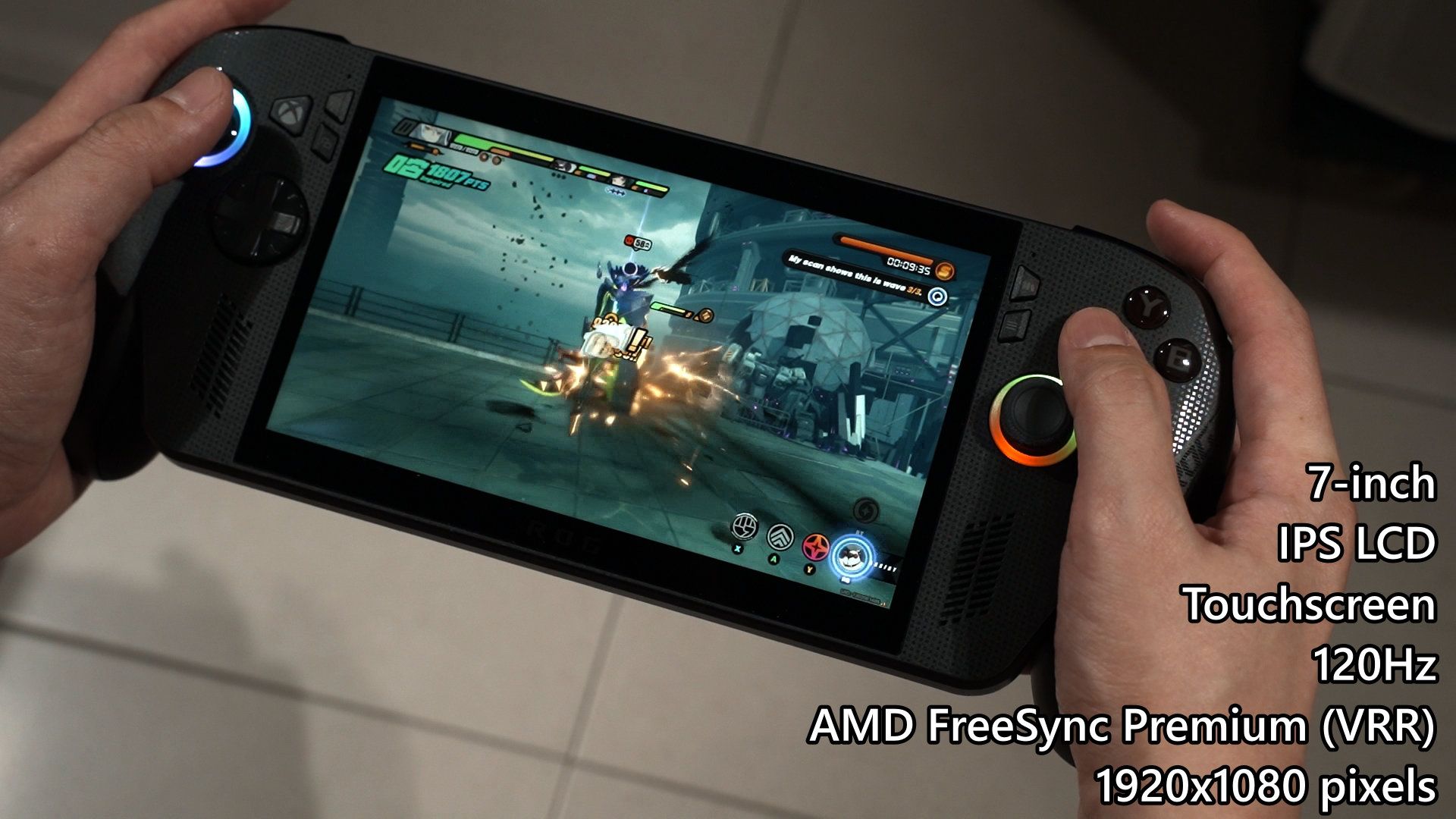
Now, let’s talk about the screen. It’s also basically the same as the previous generation, as it is still a 7-inch IPS LCD touchscreen that goes up to 120Hz refresh rate with AMD FreeSync Premium for VRR – and a resolution of 1920×1080 pixels.
In our test, this screen can actually go up to 480 nits while having great sRGB color gamut coverage and supremely good color accuracy because of the super low ΔE numbers.
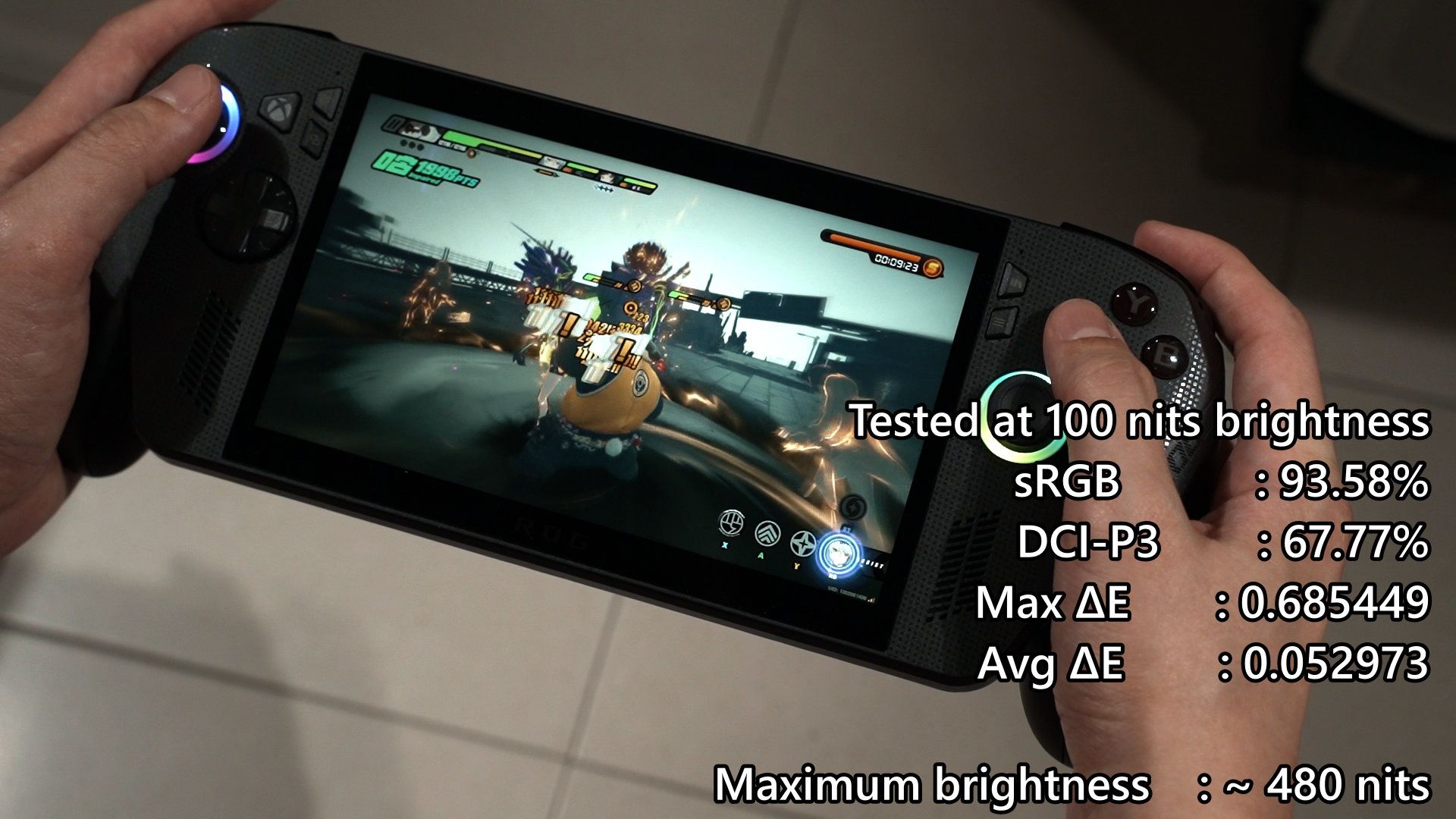
One great thing about this screen is that the screen protectors are interchangeable. The screens on these two devices are identical!
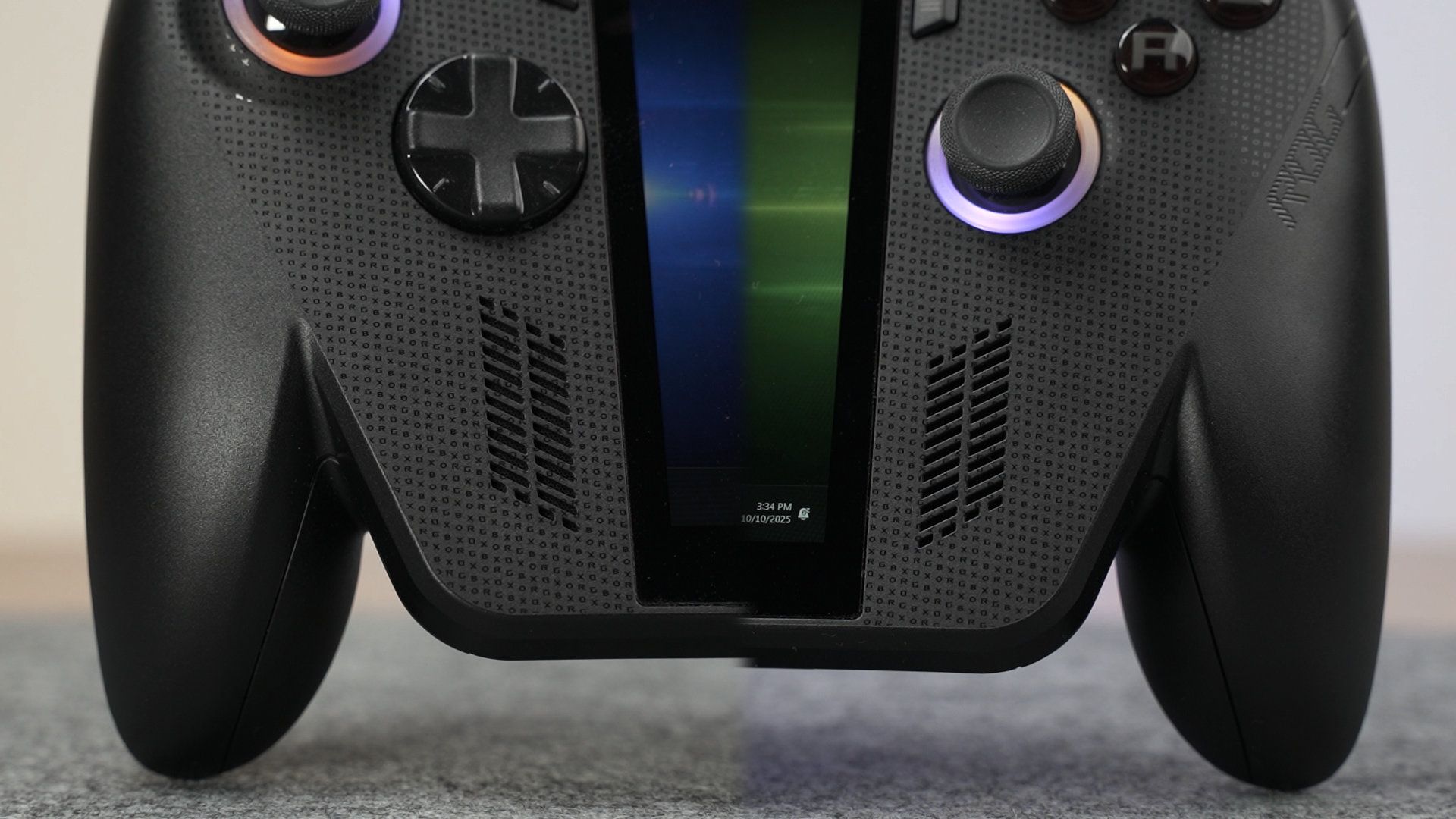
The speakers are located beside the screen, which is a great position. The speaker quality I think is better than the previous one. I can’t tell, but you can have a listen in the video at the top of this review.
Ports
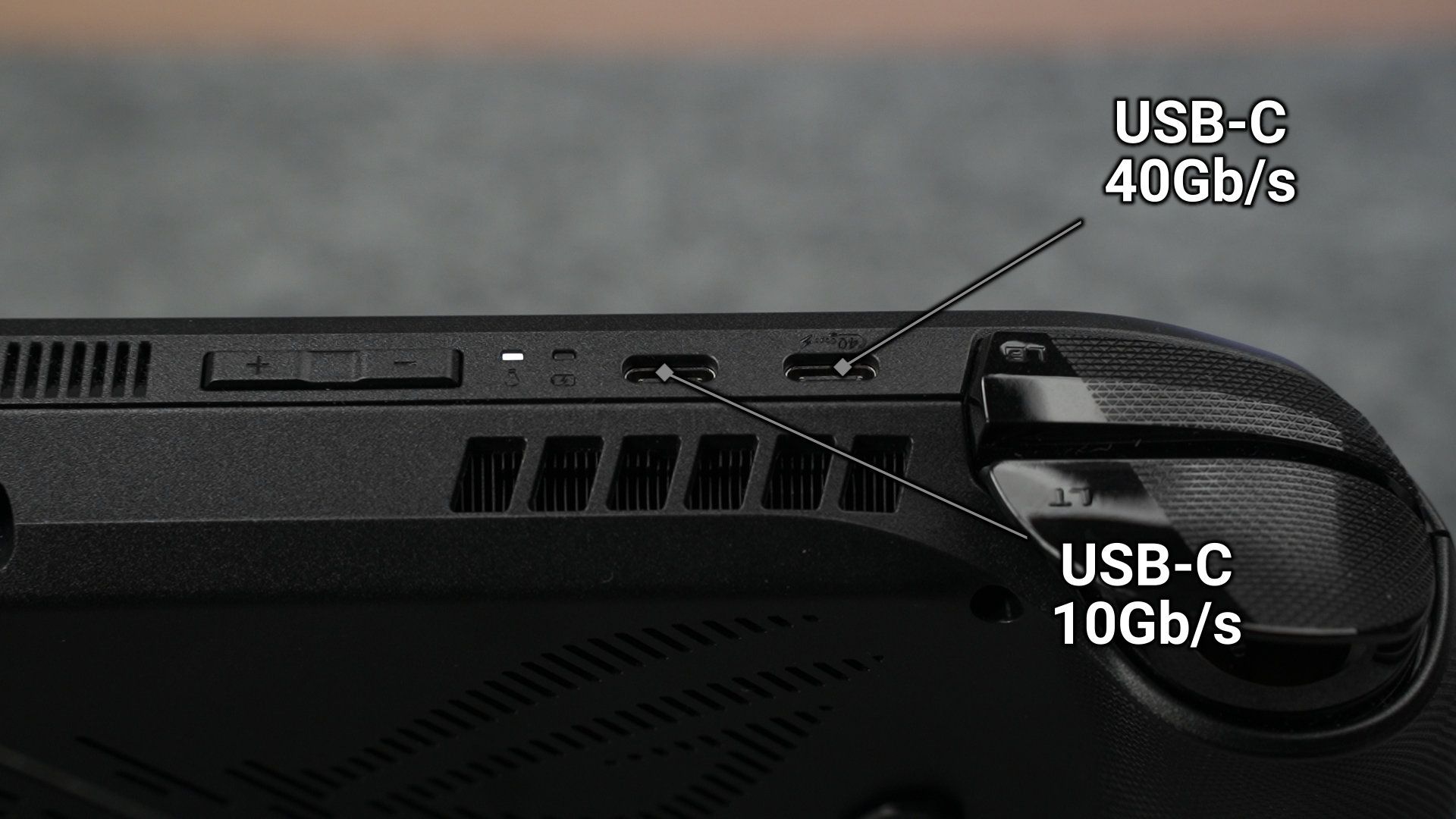
The ports at the top are a huge upgrade over the ROG Ally. We have double USB-C ports – one of them is a 10Gb/s USB-C port, and another is a USB 4 40Gb/s port. This combo is great as it caters both speed and accessibility, as I can hook up more stuff to the ROG Xbox Ally X and tinker with it. Then we have the volume rocker, microSD card slot, and also the combo audio jack alongside the power button that doubles as a fingerprint reader.
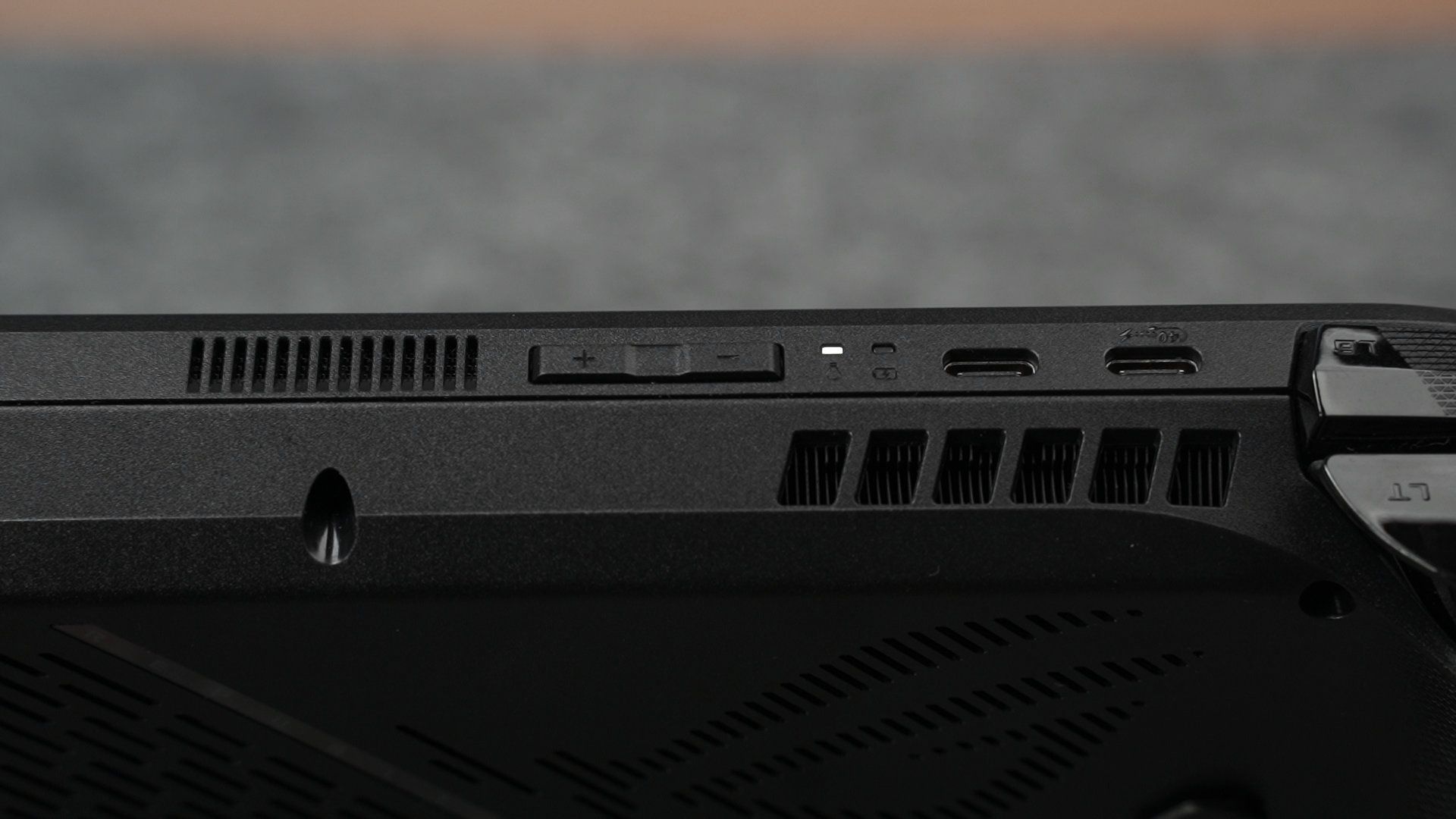
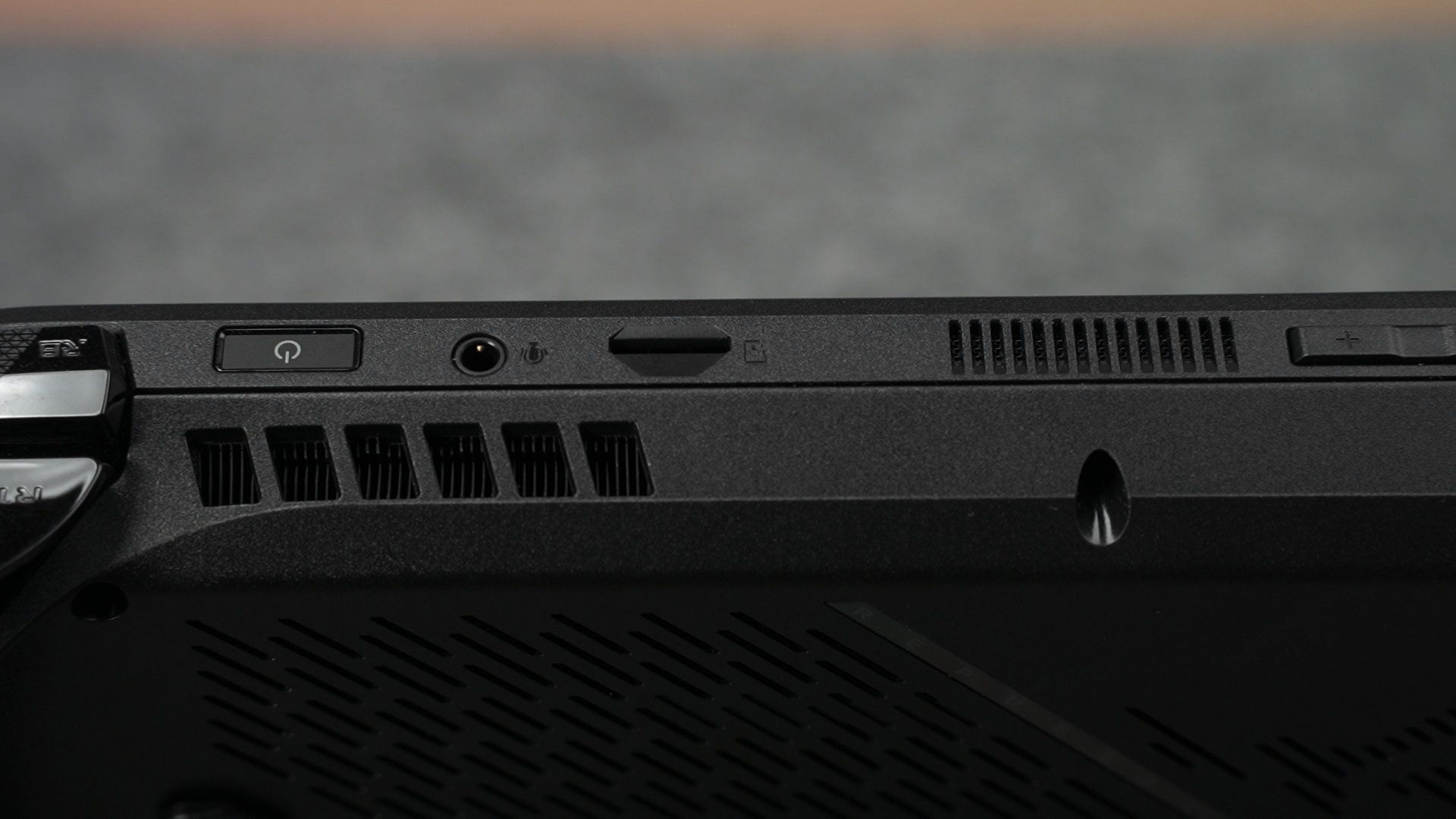
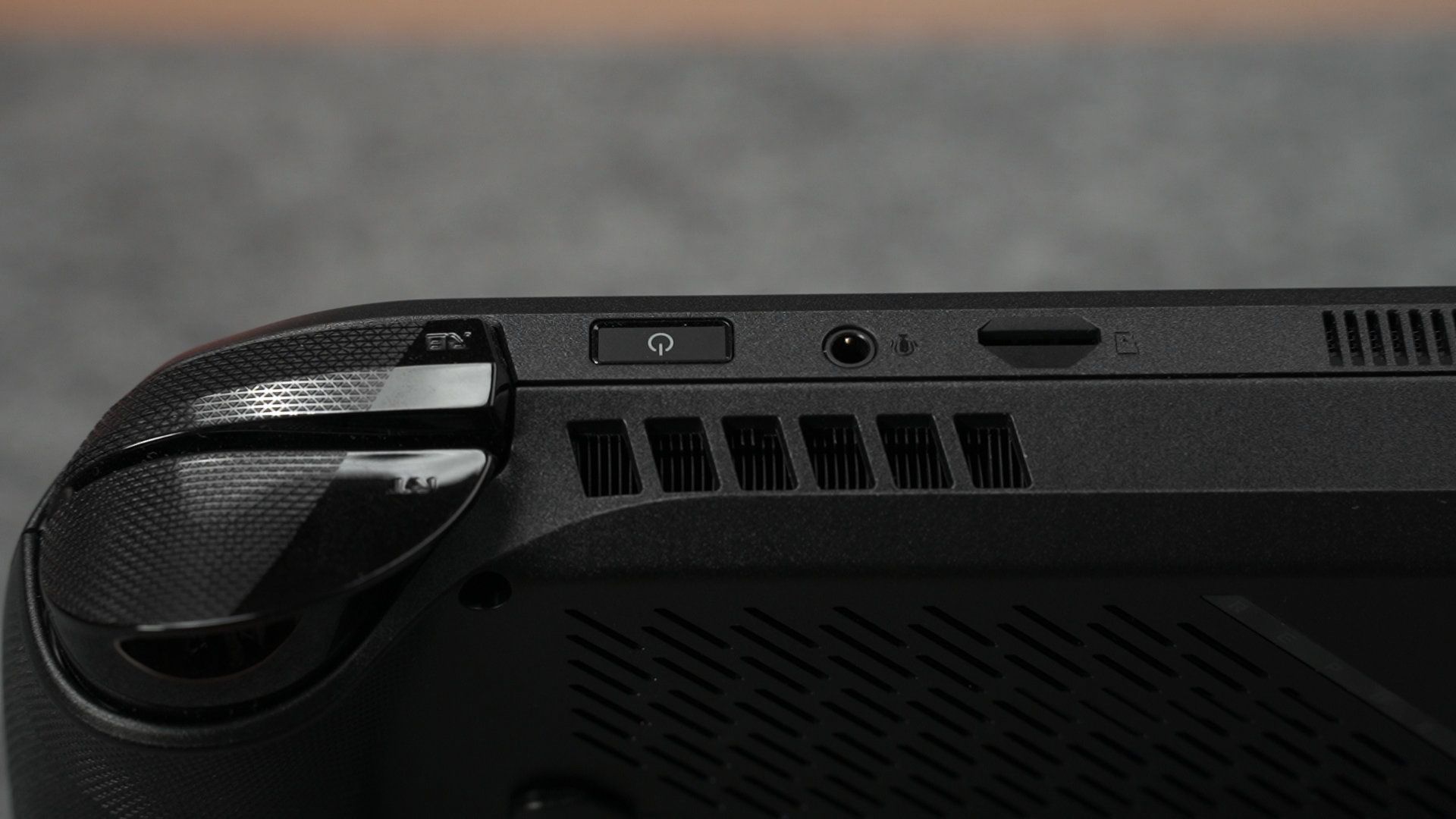
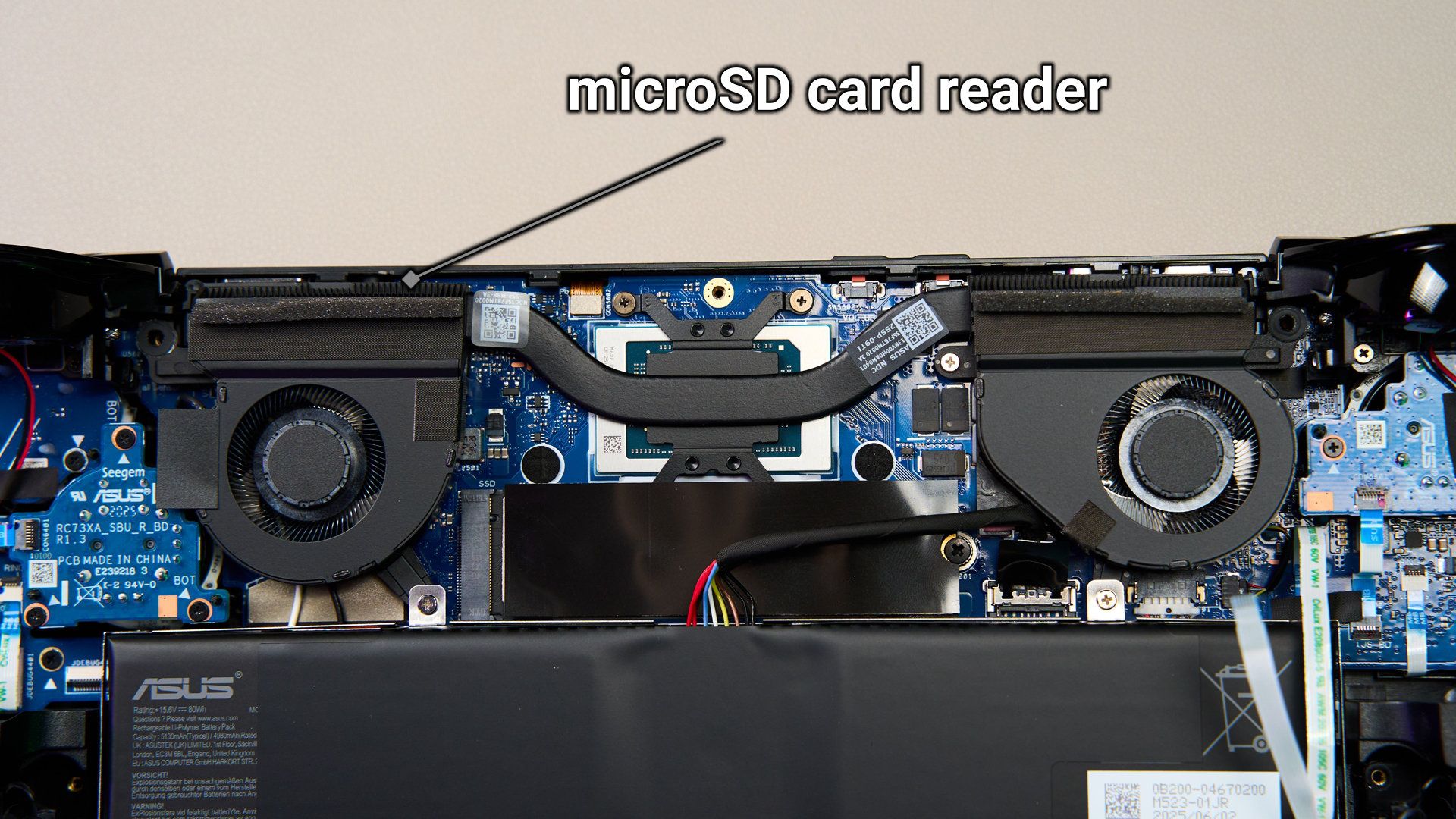
The microSD card won’t burn this time because it is placed around the fan area.
Performance
Now, it’s time to talk about the performance. This new ROG Xbox Ally X has this list of specs:
- AMD Ryzen AI Z2 Extreme
- AMD Radeon 890M integrated graphics
- 24GB of LPDDR5X RAM at 8000MT/s
- 1TB of NVMe SSD
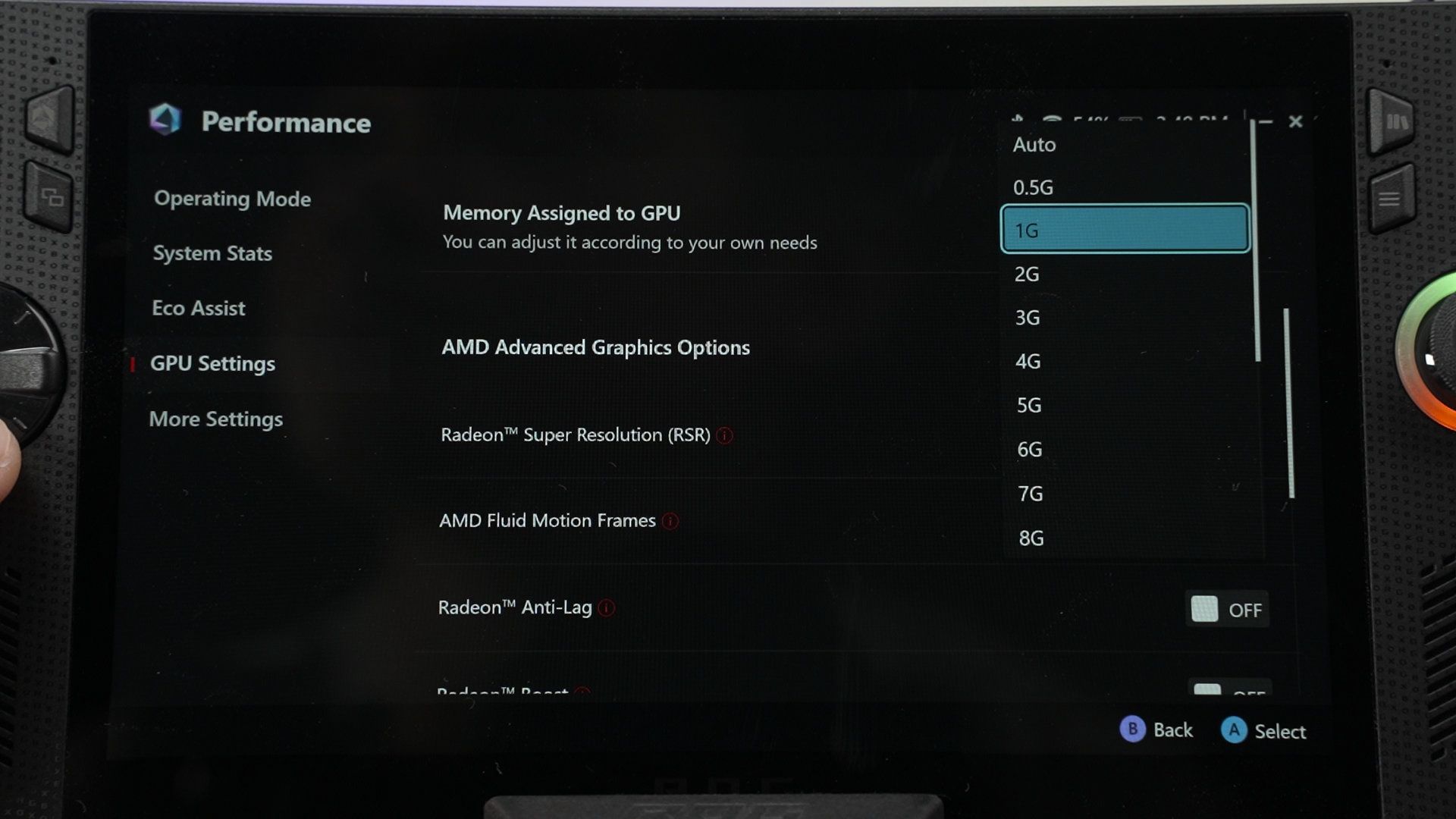
I have to highlight that the 24GB of RAM is shared between the system memory and the GPU VRAM. We can dedicate a specific amount to the VRAM, or just set it to auto and let it do its thing. I personally would just leave it in auto. It works well the way it is.
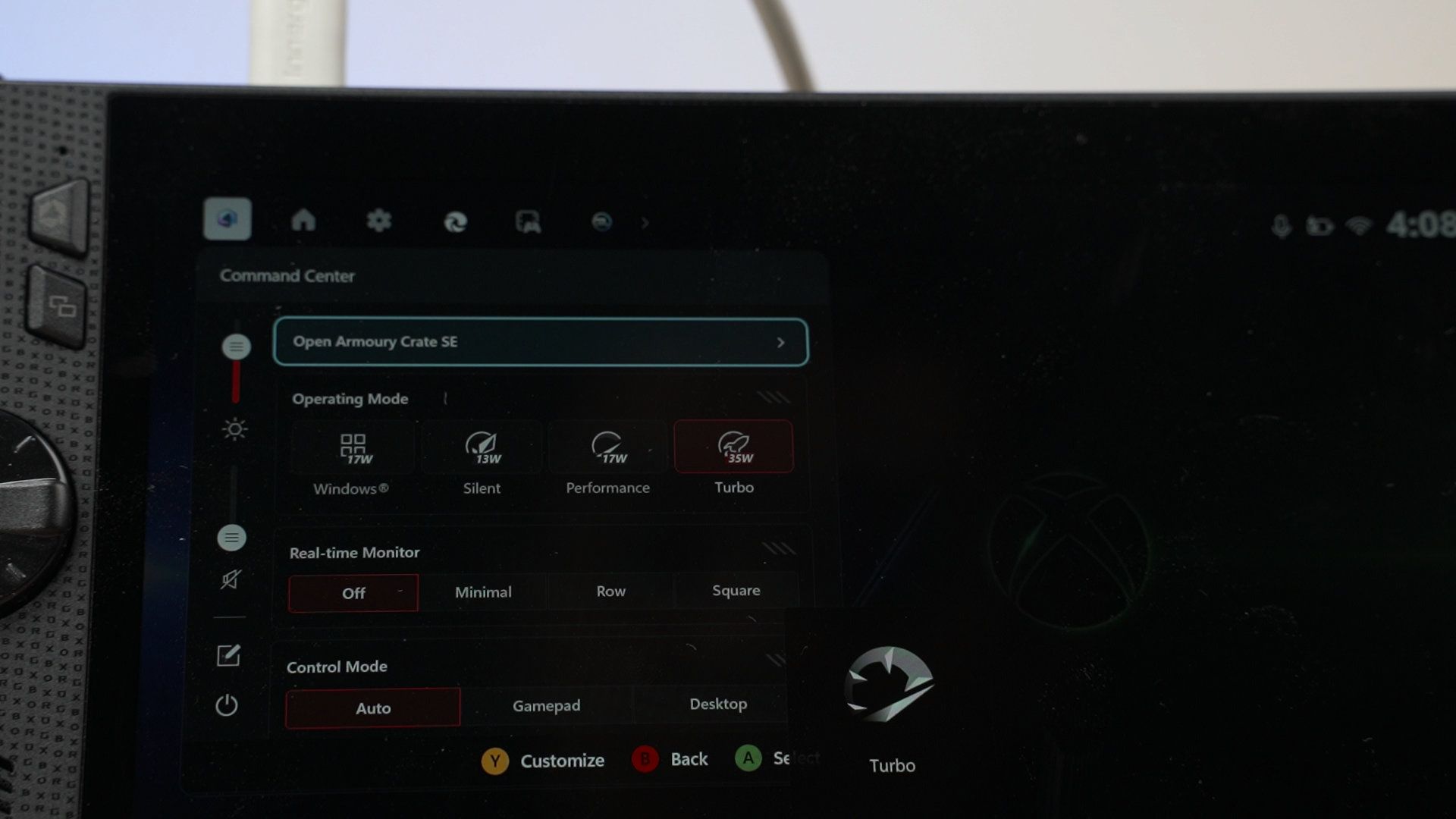
Now, let’s dive into the graphs and numbers. All these tests are done with the Turbo mode while plugged into the charger, so it can boost up to 35W of power when needed.
The new ROG Xbox Ally X gets a boost in performance when we compared it with the past data we collected for both the ROG Ally and ROG Ally X with the Z1 Extreme chipset.
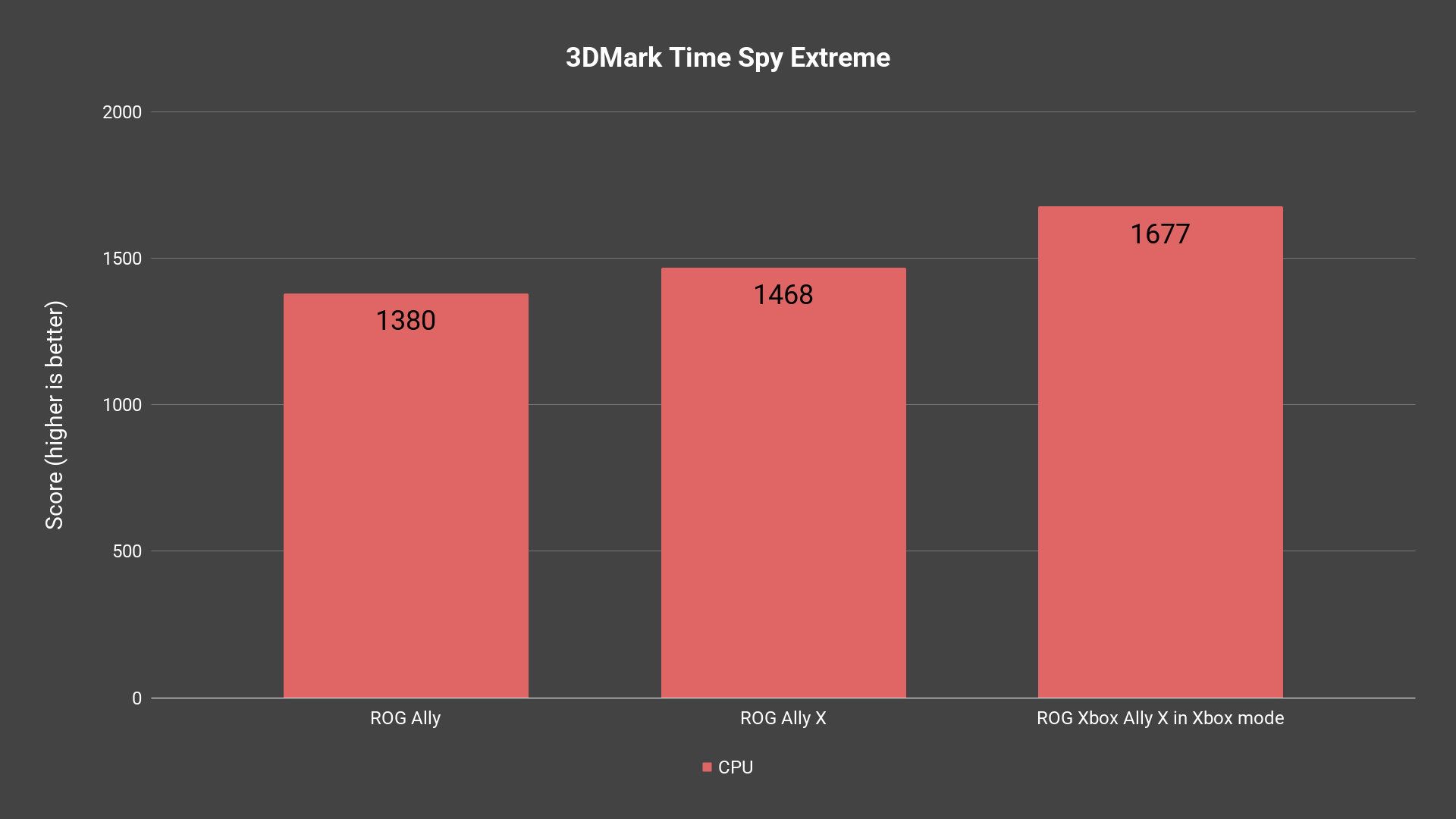
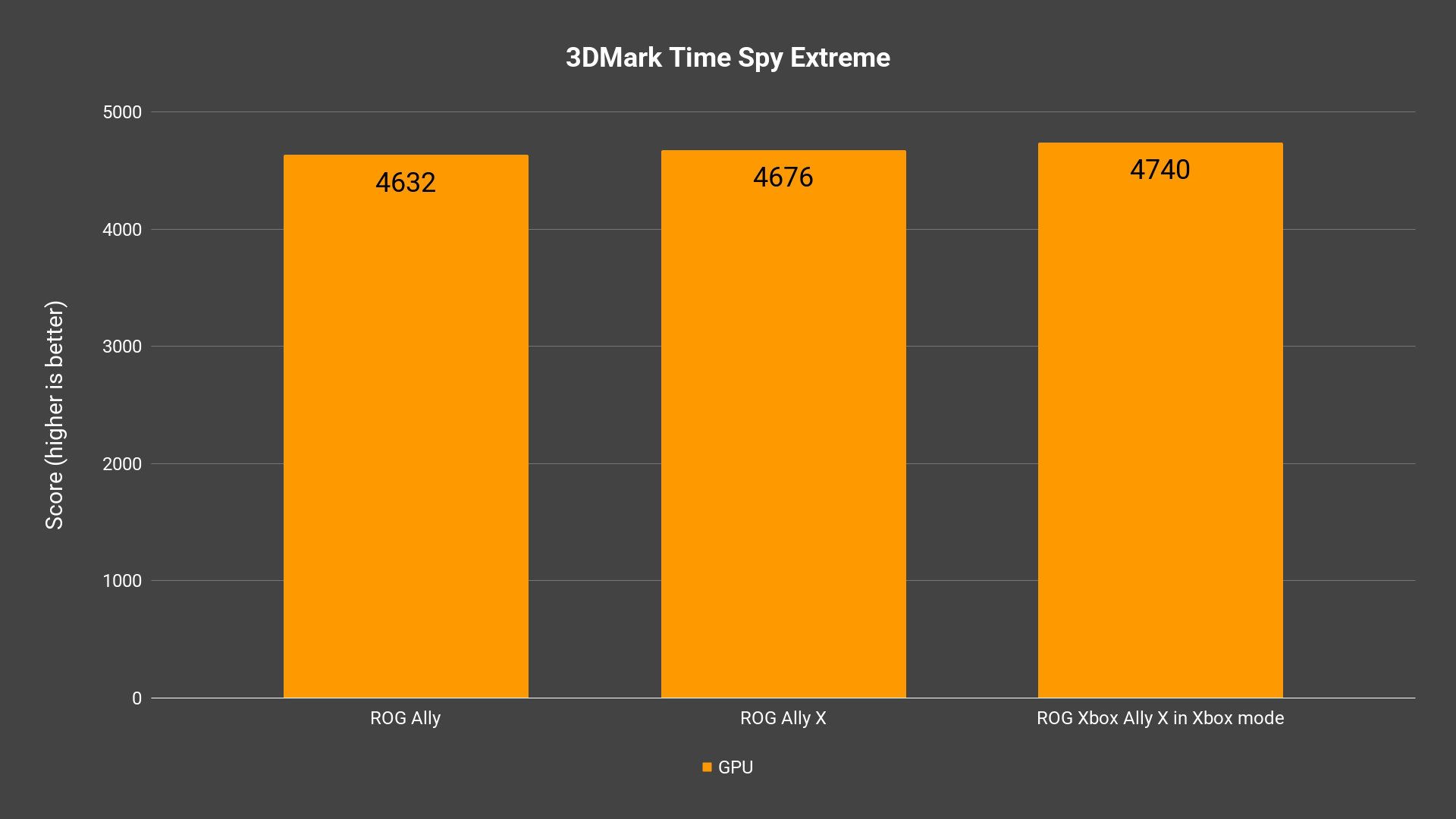
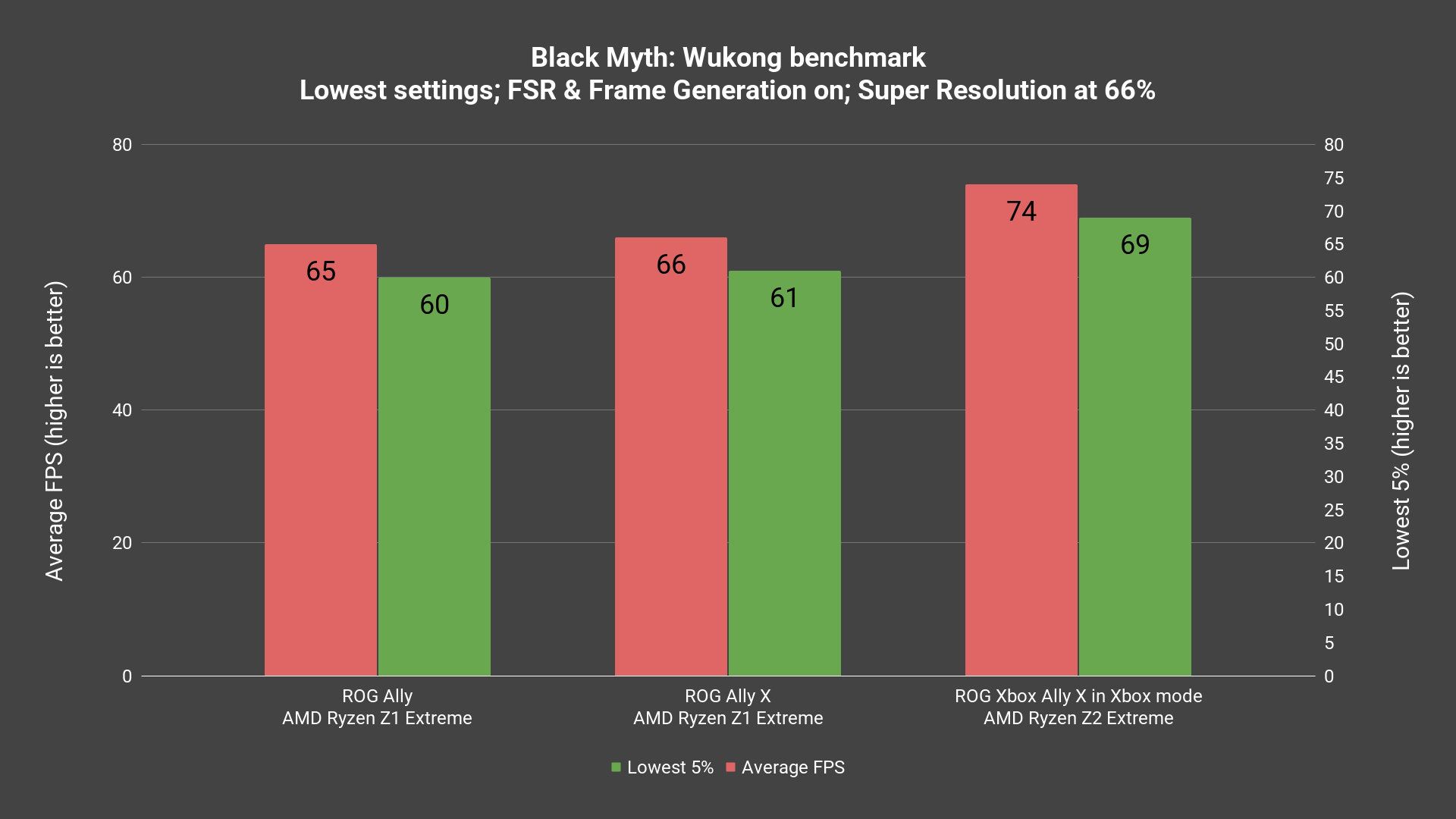
From what we can see, it yields around a 12-15% better performance compared to the Z1 Extreme across multiple different tests that we’ve done, which is what I would expect from a new generation of chips. It’s actually quite a significant boost as games like Zenless Zone Zero absolutely struggled to run on the ROG Ally ever since the 2.0 update, but the new Z2 Extreme managed to sustain a good frame rate.
Surprisingly, Forza Horizon 5 plays magnificently at the high graphical preset and is above 60fps consistently – I’m just impressed by it.
You can watch the full gaming test video on our channel – I’ll link it down too. We tested a lot more games.
Temperature
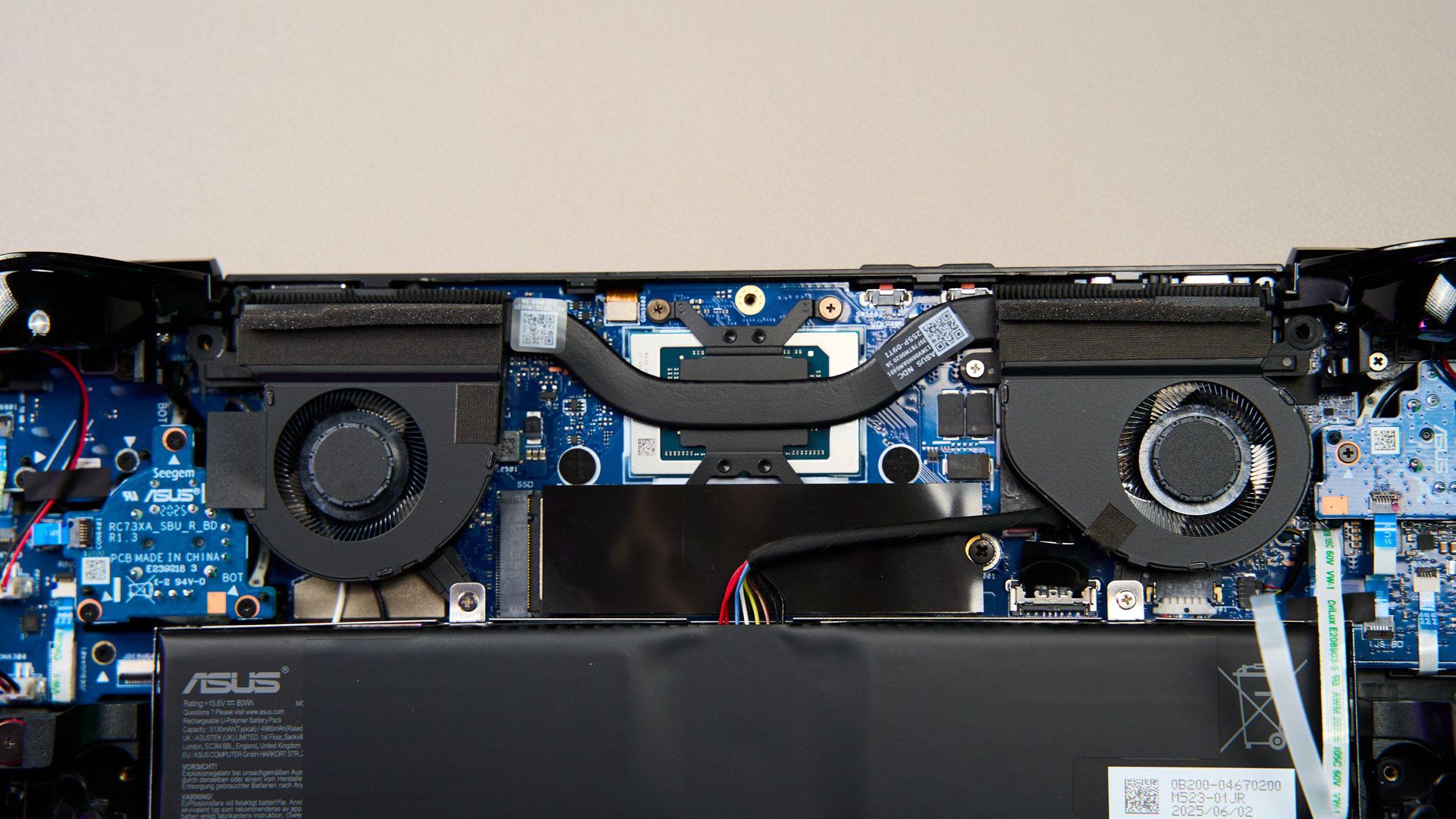
What I’m more impressed by it is the new cooling system – specifically the fans. From what I can see, the new ROG Xbox Ally X is using a brand new fan and it behaves completely differently.
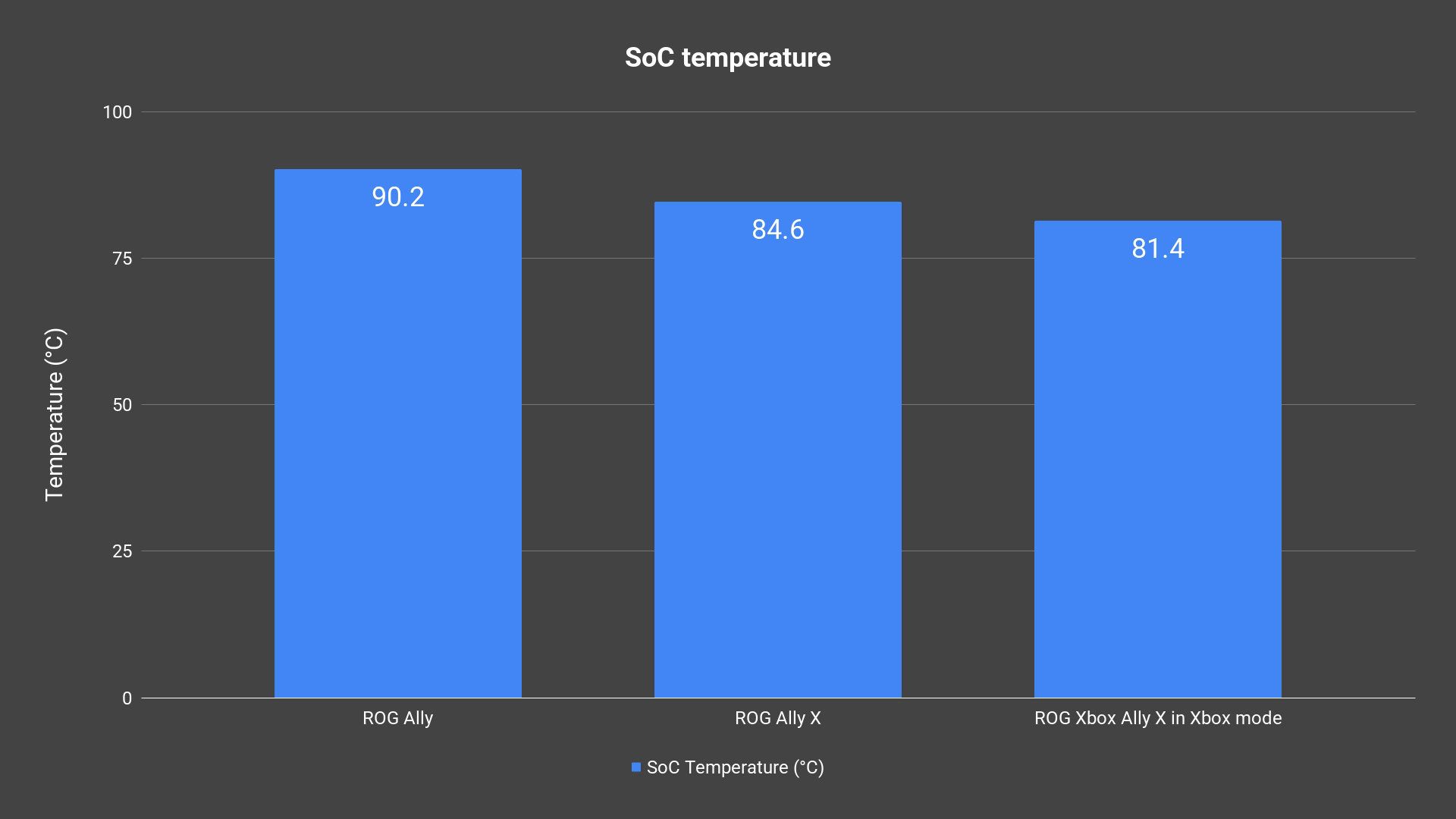
Thanks to the new AMD Ryzen AI Z2 Extreme, the temperature of the chip is surprisingly low, maxing out at only 81.4°C. It did all that with the one fan spinning at 6400rpm and another at 6600rpm – which is a lot slower than the previous generations. The fan noise is also much quieter than the first-gen ROG Ally – and that is actually the first thing that I realized while gaming with this device.
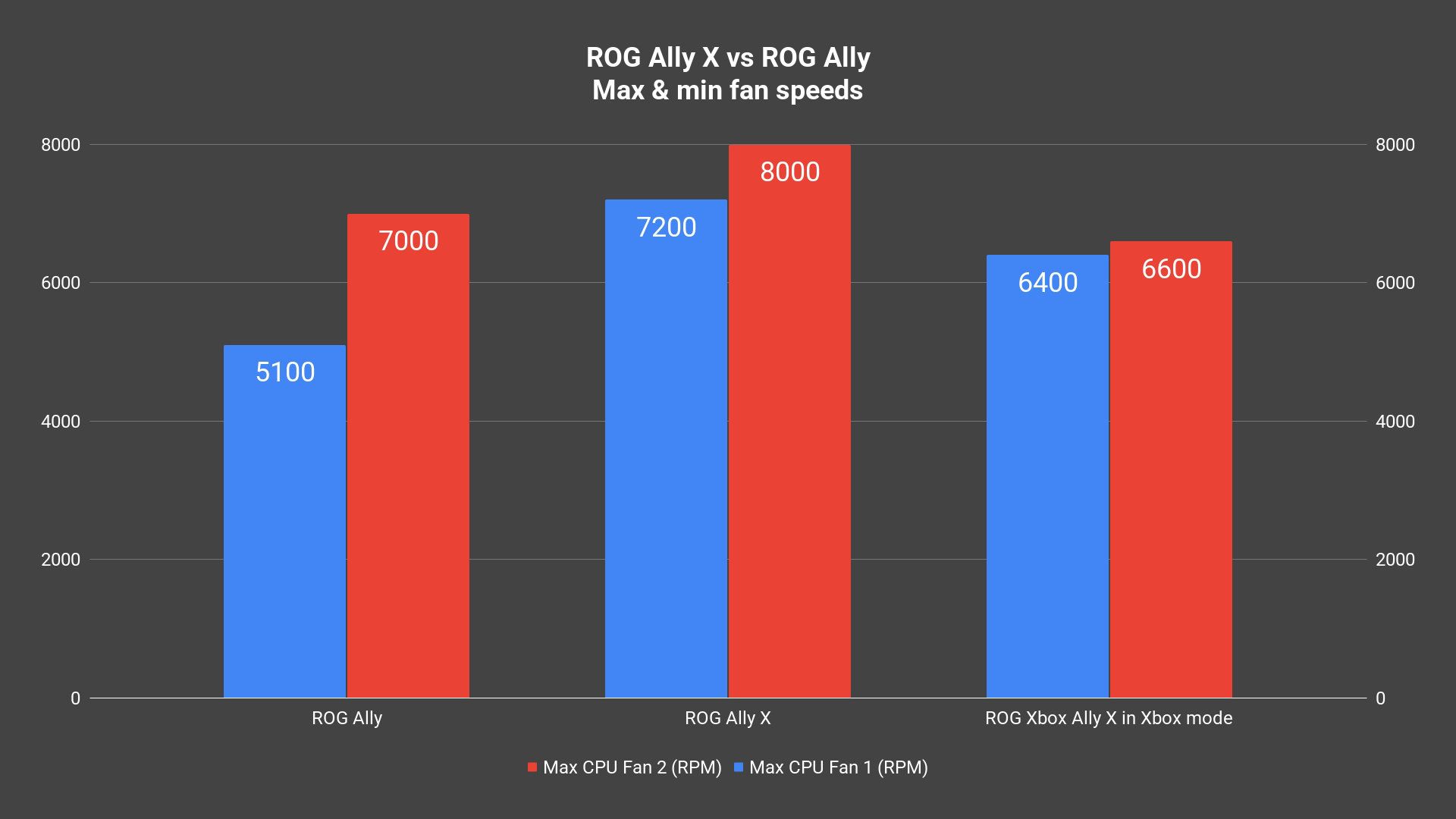
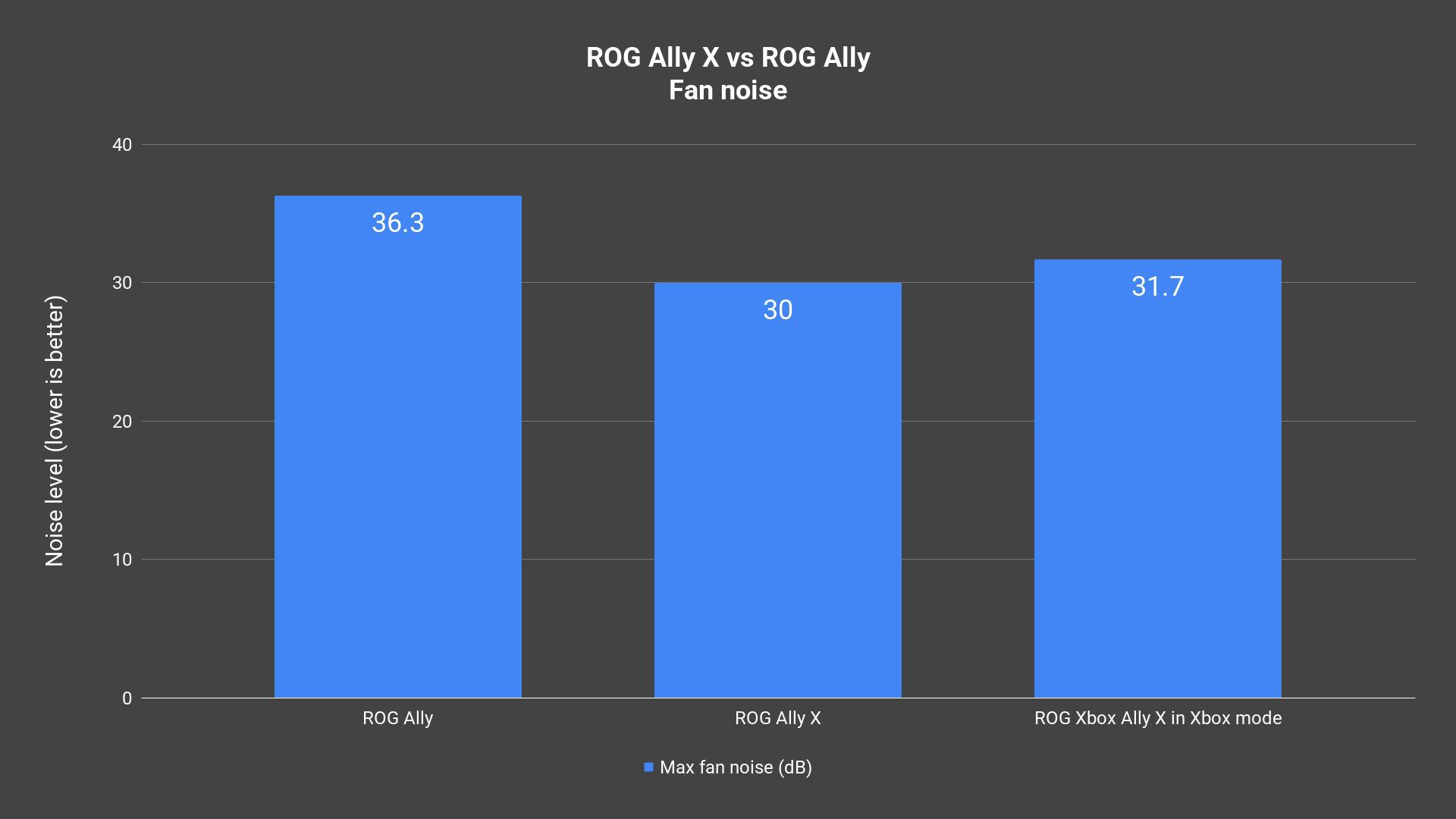
Even when pushed to 35W with the charger plugged in, the fans are barely audible. It’s just that great.
Battery life
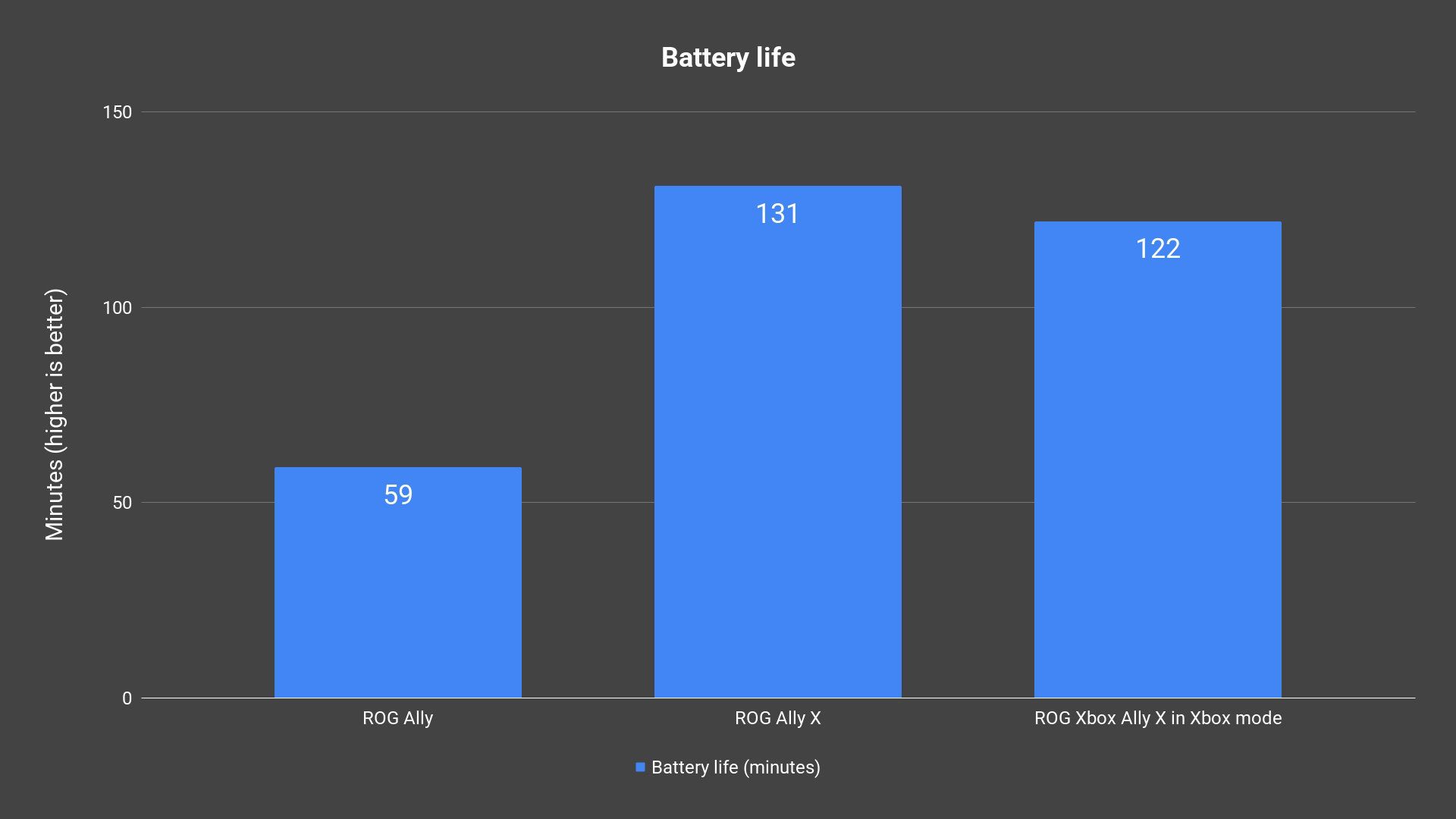
As for the battery life, we’re getting the same 80W as the ROG Ally X, and we’re getting about 2 hours of usage. The battery life is virtually identical since we’re pushing it to 25W TDP all the time. However, since the Z2 Extreme is more power-efficient than the Z1 Extreme, you can expect longer battery life when playing the same game with the same settings that don’t max out the 25W limit.
Charging time
Now, let’s also talk about the charging time for this handheld device. It comes with a 65W USB-C charger in the box – which charges the devices from completely dead to completion in slightly less than 110 minutes. The charging curve is rather interesting as it only goes up to around 62W at most from around 3% to 53% charge, and then has a weird slope before slowing down the charging speed to complete the charging cycle.
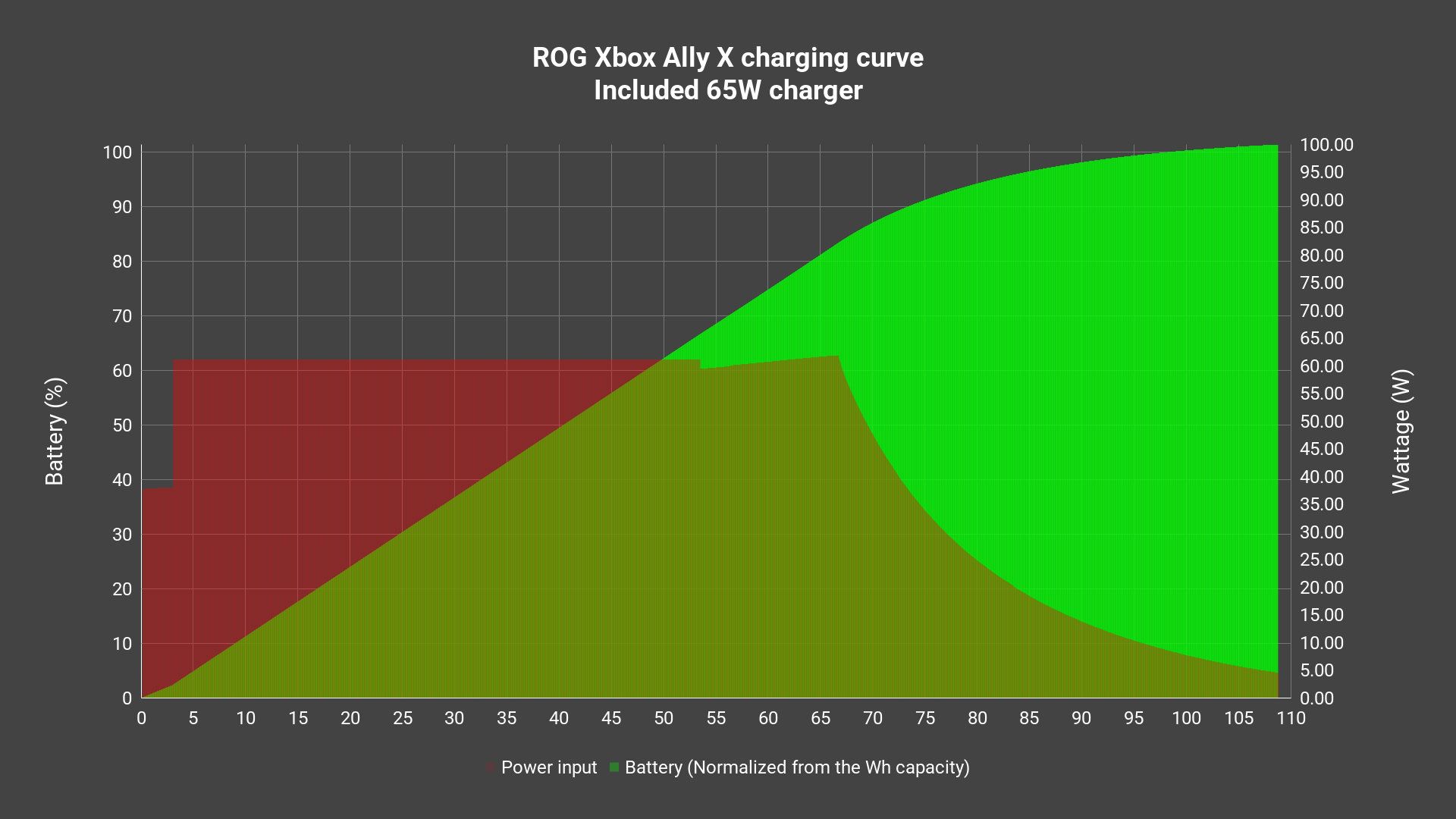
But, the ROG Xbox Ally X can actually support up to a 100W charger as a form of fast-charging. So, we redid the charging test. From what we found out, it can actually take up to around 90-94W before cutting the wattage back to half and going back up – probably because of heat, before following the same trend of that weird slope and then slowing down the charging speed to complete the charging cycle.
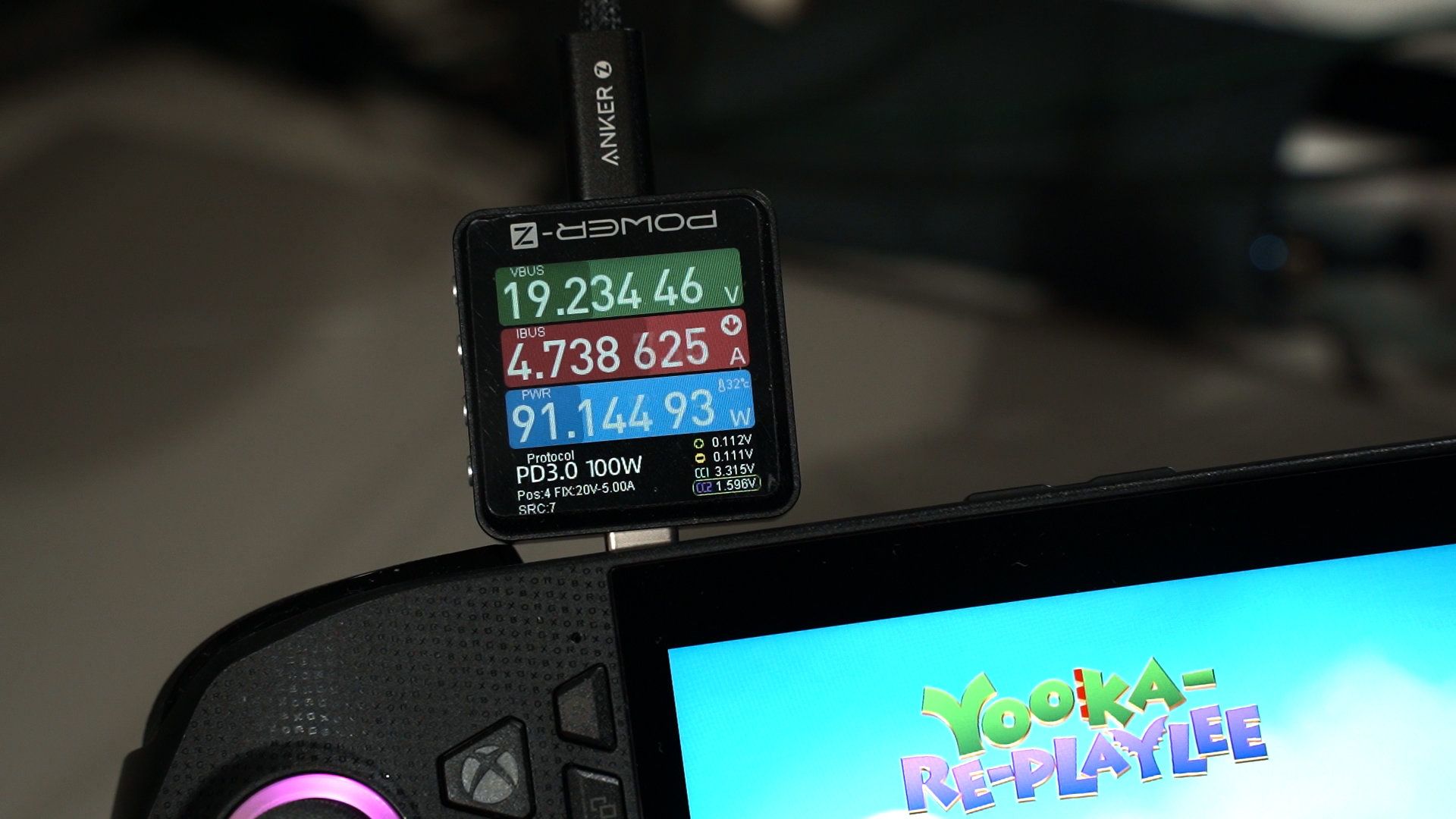
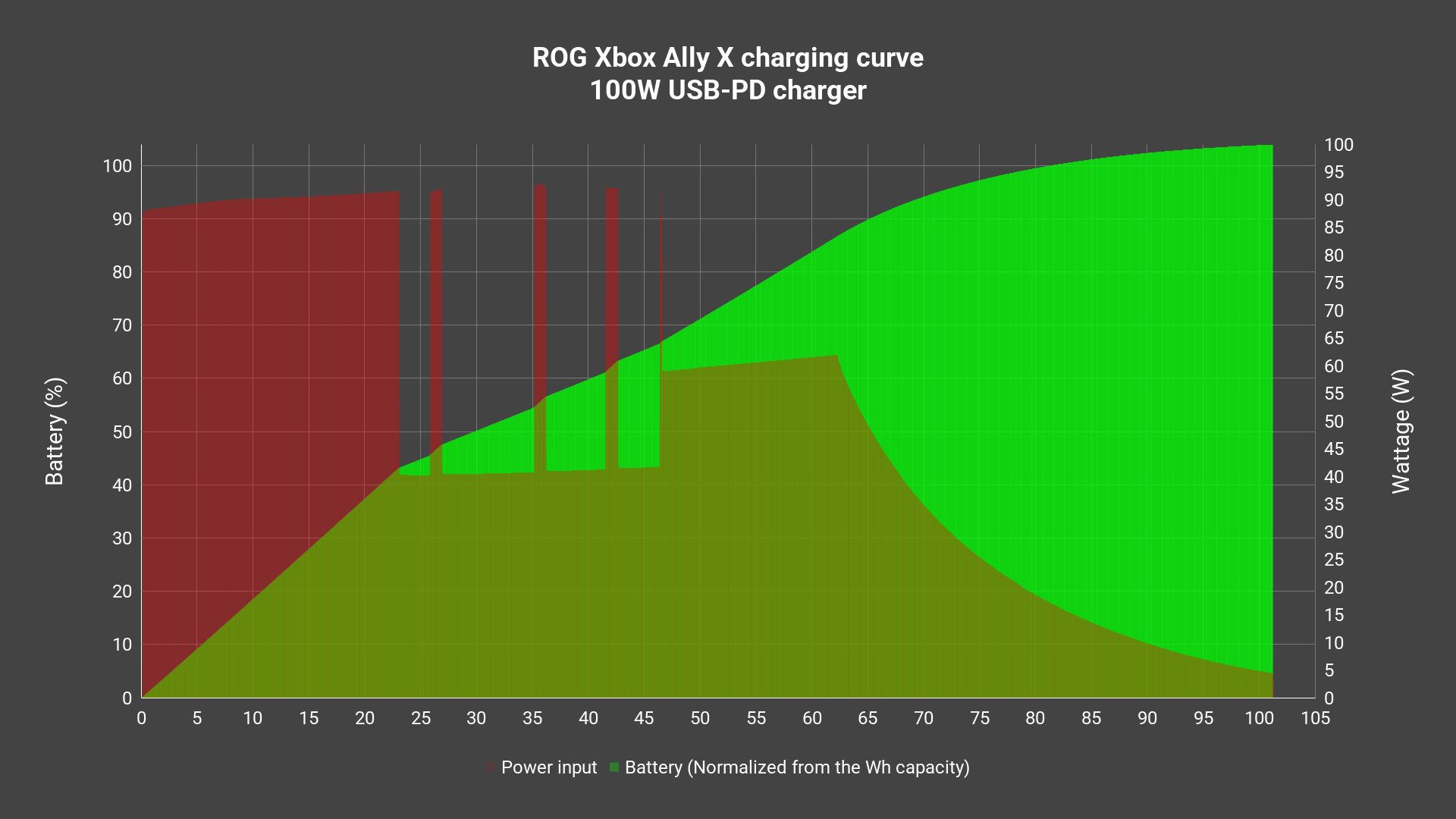
Now, using the 100W charger takes around the same time to reach the 100% mark but it takes about 10 minutes faster to reach the 50% mark. Again, it’s a form of fast charging that we can technically choose to use or not.
Upgradability and repairability
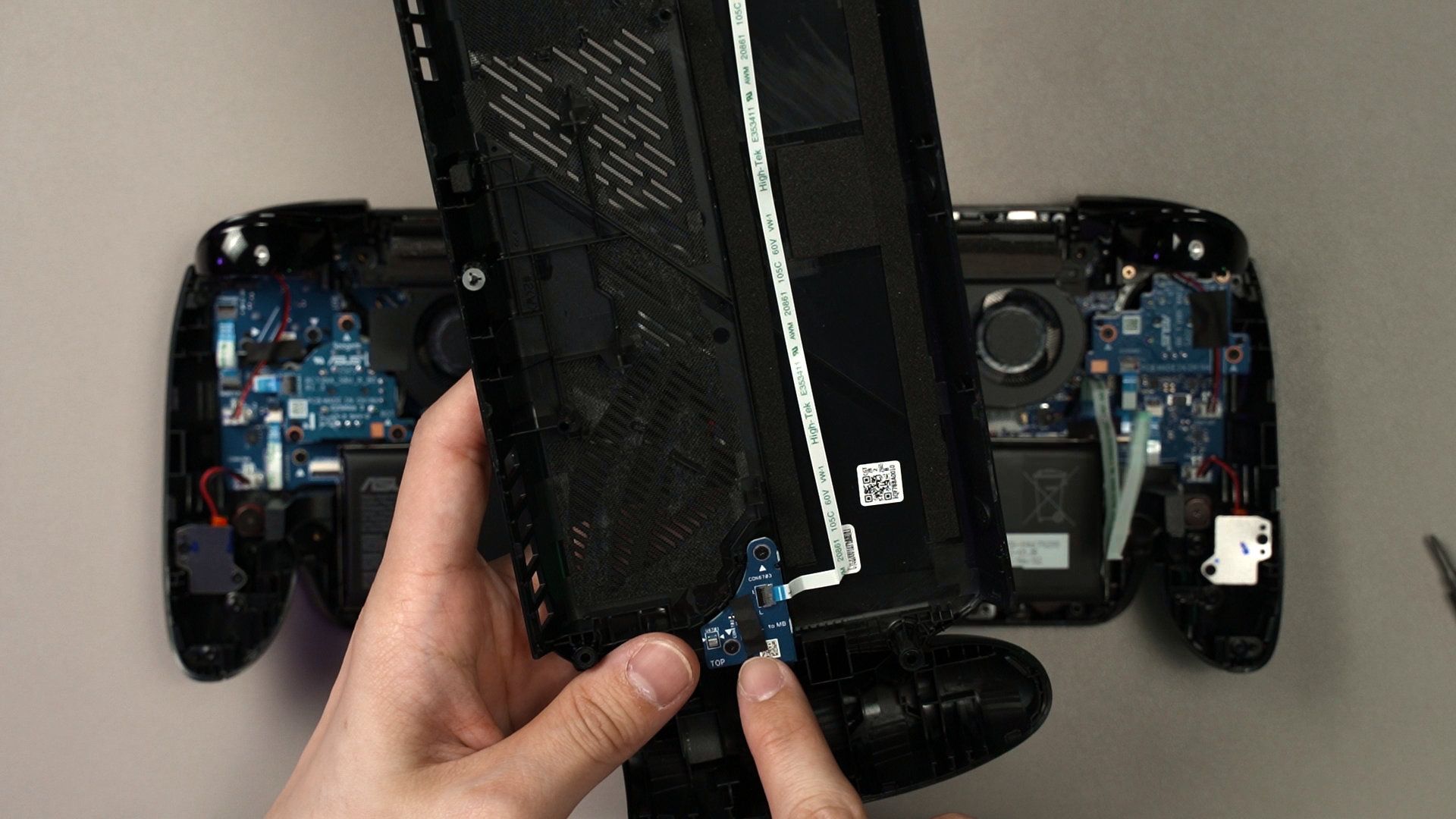
Of course, upgrades and repairs will eventually need to be done on the ROG Xbox Ally X. We have a full video where we took it apart to see what can be done inside, you can find the link in the description down below. In summary, opening it up is real simple and the internal is rather clean.
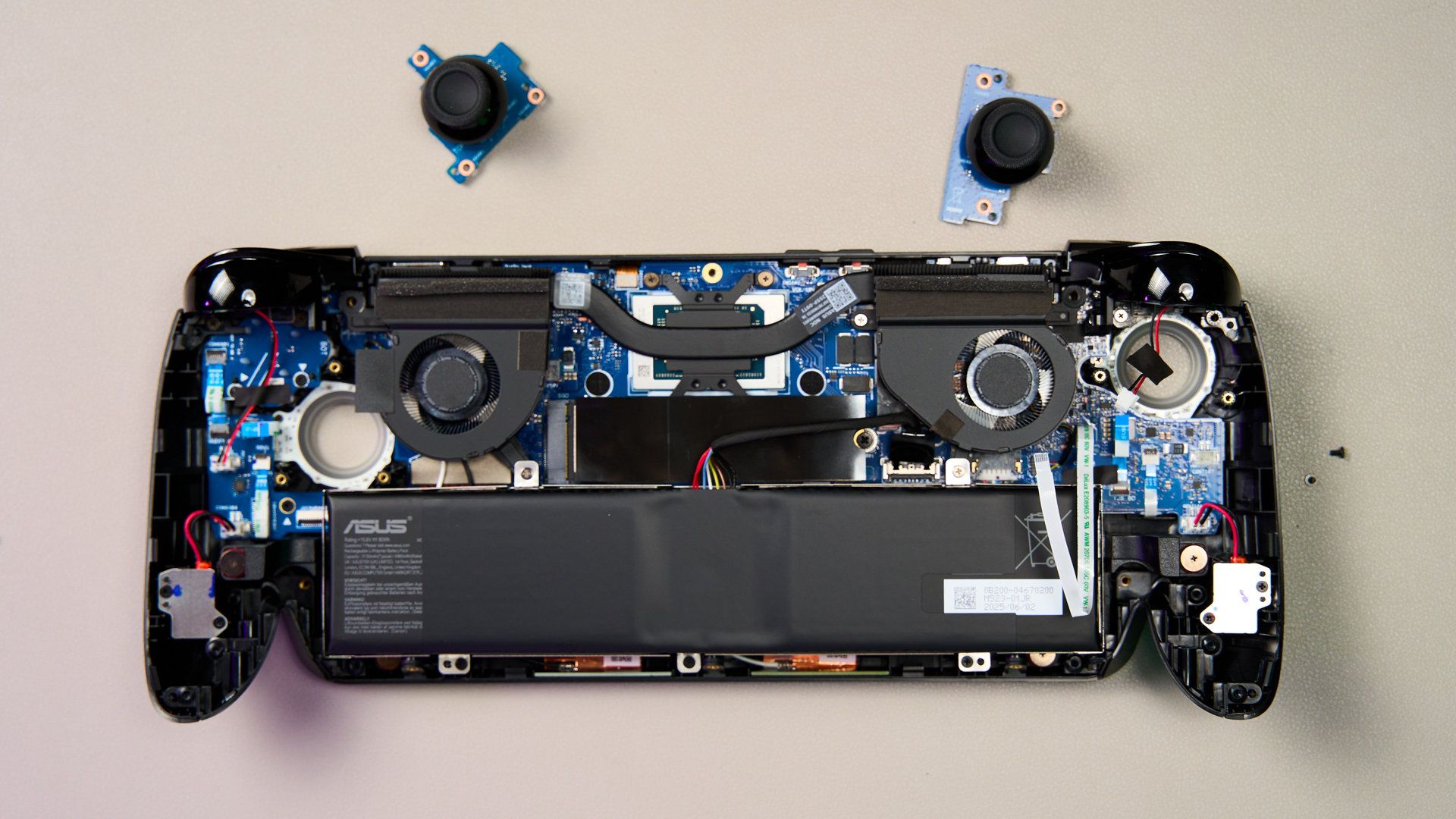
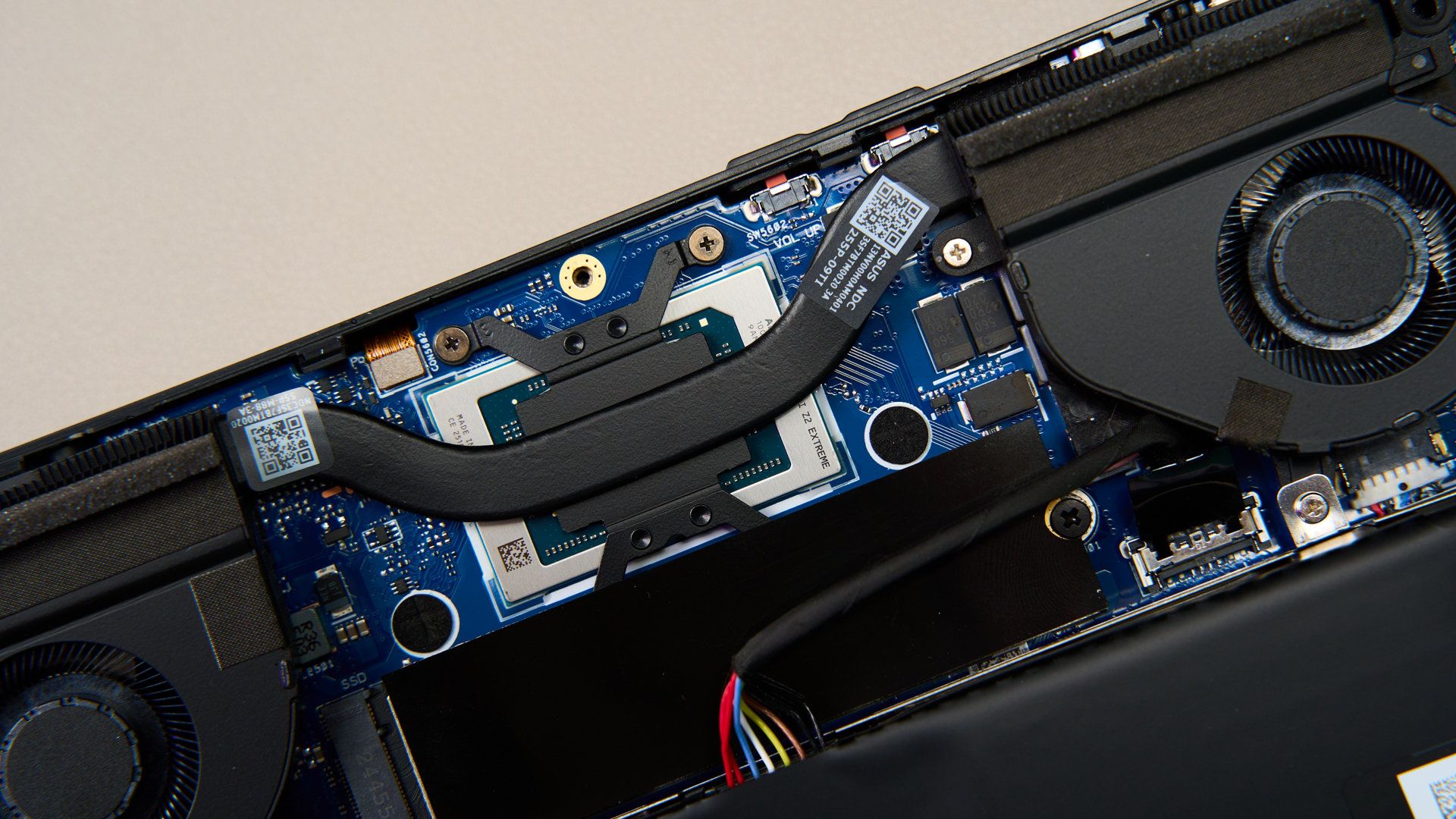
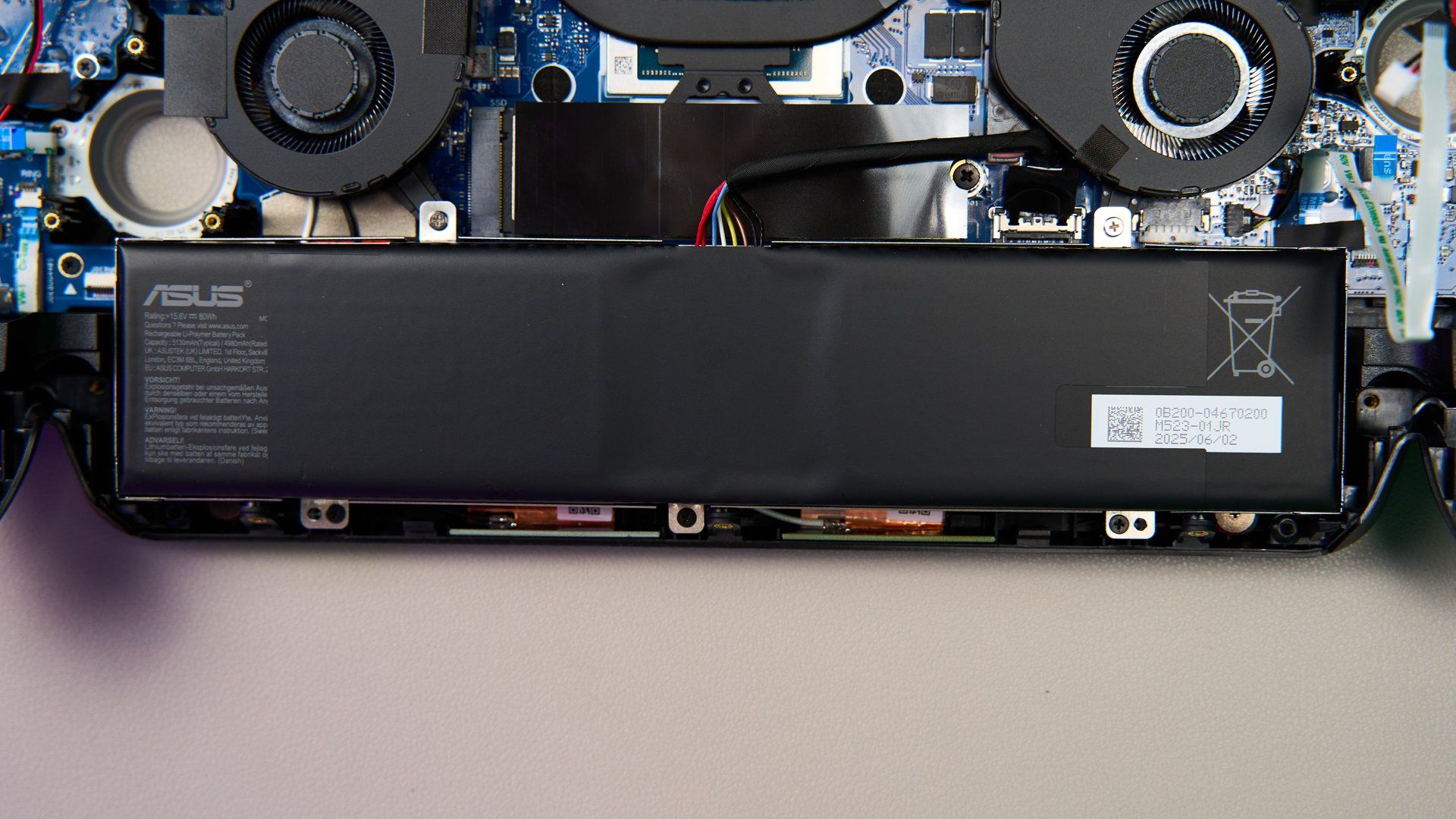
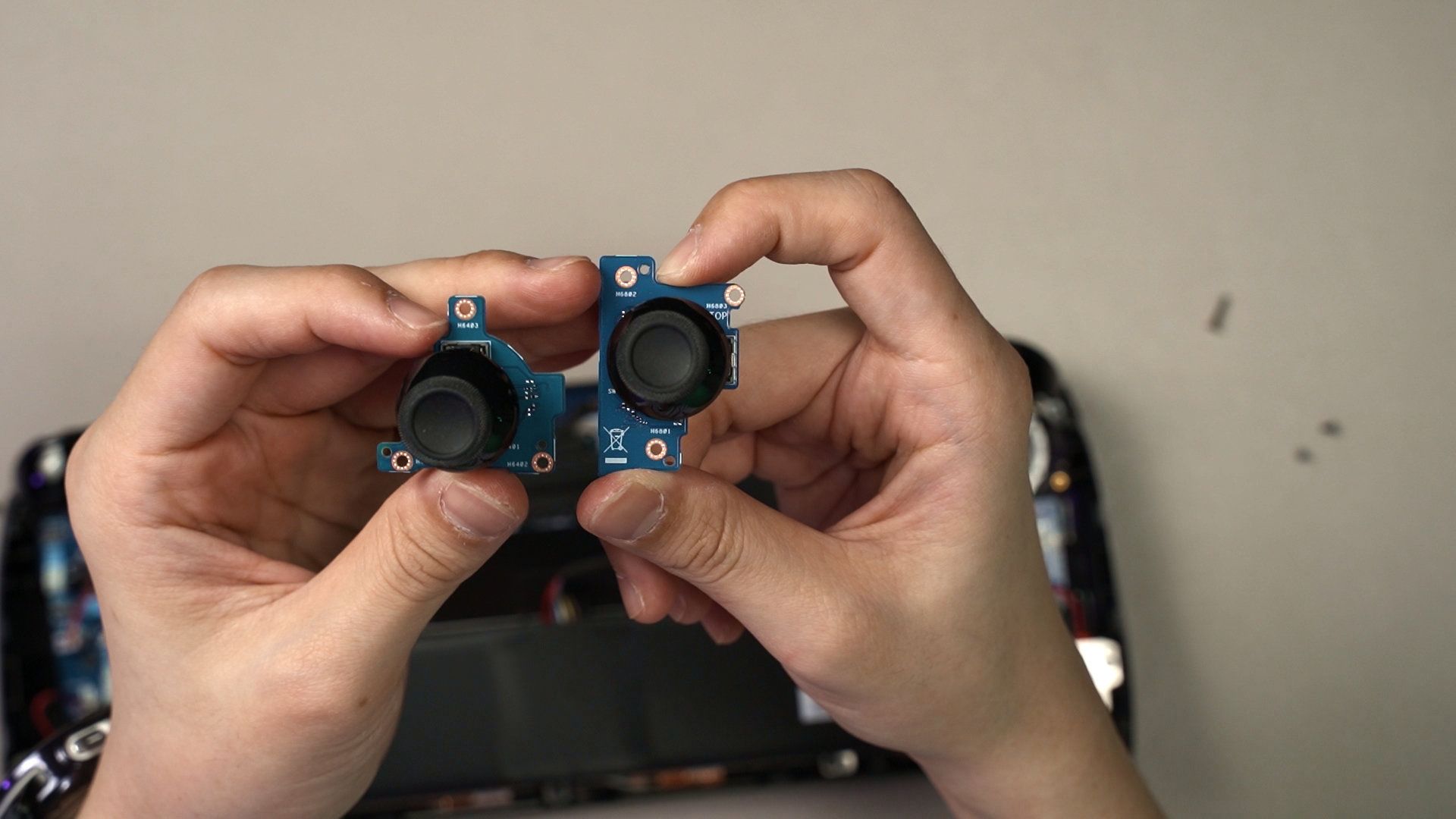
The joysticks uses a new module and the battery is secured by 5 screws only, and the M.2 2280 SSD can also be taken out easily. The fans are directly in front of us, so cleaning them up is also easy. Just remember to be careful while removing the back panel, as there is a ribbon cable that connects from the motherboard to the back panel.
Should you buy the ROG Xbox Ally X?
And finally – should you buy the ROG Xbox Ally X? Actually, I’d say yes. I really like this device a lot. The new grips are so much more comfortable than before and ROG is going for function over form. Powered by the new AMD Ryzen AI Z2 Extreme, the performance is stellar for a handheld device like this yet it offers more performance per watt while being cooler and the fans are much quieter than before too.
I’m also liking the Xbox full screen experience, though there are some widgets that I’d like to add in a future date to make it truly the way I want it to be.

As for the price, which is a huge point of contention, it is at $999.99 USD. However, for us here in Malaysia, it’s actually the same price as the ROG Ally X that was launched last year, at RM4,299. So, is it expensive? I’d say not really. We can still do everything that we want to do on a laptop since it’s essentially a laptop in the form of a controller with a screen in the middle. We can still convert it back to a laptop by plugging in a dongle, or get the ROG Bulwark Dock and use it that way too.
Where to buy? (Affiliate links)
Like our Facebook Page here at NasiLemakTech.com for more news and in-depth reviews! Also, join our Facebook Group for insightful information and memes!
Subscribe to our YouTube channel too!

Nice review! Please also test & review the legion go 2 and gpd win 5 as interested in how they compare to this one.
Trying to acquire the hardware! Will do if I have those devices