





















Have you ever get pop-up ads on your phone? It’s commonly happen on Android device when you visit click-bait sites. These intrusive ads sometimes can be dangerous because sometimes they block what you’re reading. If wrongly press the ads, it can automatically download malicious stuff onto your phone.
If your phone is rooted, you can always install AdAway where it will edit your phone host file and block ads access to be shown on your phone. However, not all end users root their phone. Not to mention if you’re using China phones or non-Nexus devices, it’s not easy to root either.
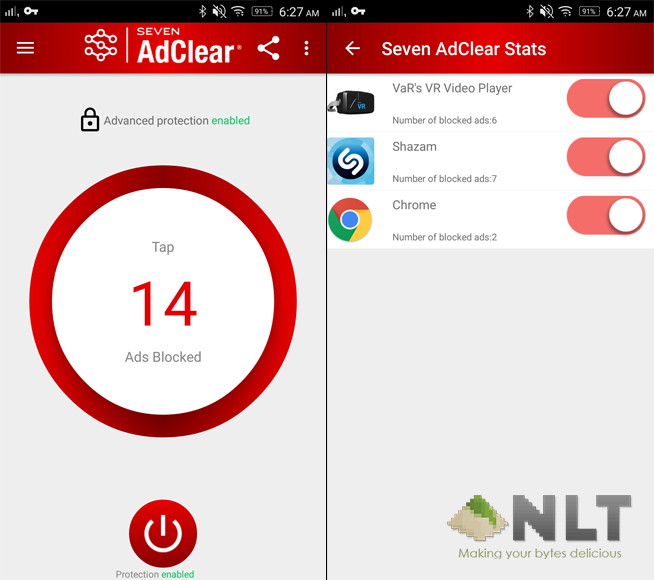
Recently, there’s a tech firm (SEVEN Networks) created an app called AdClear that allow the users to block ads on their device without root. The app works as a VPN layer between your phone and the site server. The VPN layer will filter out the ads and only load the actual content of the site itself.
AdClear not just block normal site ads, it will also block in-app ads as well as YouTube ads. You can opt to block encrypted ads by installing their CA certificate, but without doing so you’ll still able to block normal ads. With this, you’ll also save on your mobile data due to no ads loading when you’re visiting sites. However, there’s one app that still bypass the VPN and show ads on my phone.
[image-comparator left=”https://nasilemaktech.com/wp-content/uploads/2016/03/ac-02.png” right=”https://nasilemaktech.com/wp-content/uploads/2016/03/ac-03.png” width=”50%” classes=”hover”][/image-comparator]
If you want to try the app, you can either head to the XDA link below for the APK or you can download it at their website. It’s not available on Google Play due to Google’s T&C that doesn’t allow ad-blocking apps. For more info about the app, you can visit their FAQ here.
Source: XDA
Like our Facebook Page here at NasiLemakTech.com for more news and in-depth reviews! Also, join our Facebook Group for insightful information and memes!
Subscribe to our YouTube channel too!

