





















This recently-released 10 inch Android tablet from ASUS certainly is something. Being one of the tablets that was announced during MWC this year, this tablet had some positive impressions, but this review will certainly take you through each and every aspect in detail about this tablet – be it pros or cons.
Starting off, a little foreword is that the tablet runs on Tegra 3, being NVidia’s epic mobile processor that has a 5th core, known as the companion core, to run all the background tasks while on standby. The other point to note is that the tablet is running on Android 4.2.1 as of this review.
A quick specs rundown is :
- NVidia Tegra 3 T33 chipset
- Quad-core 1.2GHz processor
- ULP GeForce graphics
- 10-inch LED backlit LCD display
- 1280×800 resolution, ~149 ppi
- Bluetooth 3.0
- 5MP rear-facing camera, 1.2MP front-facing camera
- 16GB internal memory, expandable up to 32GB with a microSD card
Let’s get on to the review then!


Just 7 things shown above – a wall charger, the adapter, micro USB cable, micro USB OTG cable, user manual and warranty card, and the tablet itself. ASUS touts the new “Eco Box” design that they are streamlining to all the other products, but I think that the box is a little too dull, and hard to differentiate which device is which.
The design of the tablet is quite common, with a 16:9 form-factor, a thick black bezel around the visible area of the screen for gripping. The back is made out of matte plastic and a chromed ring for the camera cut out. There is nothing much here, but the tablet is thin and definitely lighter.
[nextpage title=”Ports”]




The ports present for this tablet are quite unusual, as you’ll find the power button at the top left side with an indicator light built in. At the right side, you’ll find an audio jack biased to the top and a volume rocker directly below it. At the left side however, from the top there is a microphone, micro USB port, a micro HDMI port, an SD card slot and also another microphone.
I’m amazed by what ASUS did – including a micro HDMI port, as there are not many devices out there with one. This means that you don’t have to purchase a MHL cable yourself if you want to connect it to the big screen. The other thing I like a lot is the light at the power button that indicates the charging status and also the OTG device connection.
The problem I had though is with how inconvenient it is for left handed users to grip the tablet and block the bottom microphone while doing so. Another thing I felt weird is that while using this tablet for Facebook calls, the recipient can only hear me clearly while I talk to the left side of the tablet, not even straight on the tablet itself while – let’s say – surfing the net.
[nextpage title=”Hardware”]If you are new to the scene, I’ll summarize this part so you can skip or understand the next paragraph – it runs on NVidia hardware, and NVidia is renowned for its graphics in the PC scene.
The tablet runs on the NVidia Tegra 3 T33, a quad-core 1.2GHz processor and ULP GeForce graphics. It has 1GB RAM which is sufficient enough for today’s standards.
Being an ASUS device, this also followed how their laptops work – by offering you a total of three different power profiles :
- Power Saving
- Balanced
- High Performance
Getting the hardware do its magic on Epic Citadel in high quality impresses me on not only how finely it performs, but on how well the power profiles are optimized to do what it is supposed to be. The two screenshots below can show you how well it went; the High Performance got 47.6 FPS, whereas the Power Saving got 32.7 FPS, both running at a full resolution of 1280×752.


The glass on the screen of this device however, caught my attention the most as I came across the hardware aspects, as the glass is a very basic one. It feels fragile, and even flexes a lot – until it can cause distortions to the LCD screen. Then again, it’s not only the glass that flexes – even the back plate flexes and you can feel it touching the components inside if you apply a little bit more pressure on it.

The touch screen is also somewhat glitchy and a little too sensitive, as it always detect some of the wrong finger positions and sometimes it will not react to your finger at all.
Live wallpapers run fine on this device – even those with fancy effects that reacts to the device’s rotation – be it those that are from ASUS or third party ones, though games doesn’t exactly run the smoothest on the device.

As for the battery, it can last for a whole day with WiFi on and constant usage on music, video and Facebook. You can just plug it in at night and unplug it in the morning before you move out – I can bet the battery is enough to last for the whole day before you get home, at least according to working hours with commutes included.

[nextpage title=”Screen”]As said, this is a 10-inch IPS LCD display, lit up by LED. The colours are sharp and the screen is bright, even can be bright to a degree that it hurts your eyes painfully when it runs at full brightness. Disappointingly the colours produced on the screen has no contrast readjustments. Being a 10-inch screen that runs on 1280×800 resolution, the text produced aren’t exactly the sharpest with only 149 pixels per inch, but then only someone with OCD like me will really stare at the screen to look for pixels.


If you zoom the photos above to its full crop, you’ll see the RGB matrix that make up the pixels. Then again, it is taken with a camera with close-up lens. I’d say the screen is decent actually – the colours are great, though like most devices, suffers under sunlight.
[nextpage title=”Audio”]Ah, who wouldn’t listen to songs on their devices these days, right? Since is an ASUS device, it has all the audio enhancements, tweaks, bells and whistles just like their multimedia series of laptop does – SRS enhancement and also SonicMaster audio tuning. What’s more is that ASUS included a total of 6 pre-set equalizers for you to choose – Gaming, Movie, Speech, Recording and Music.
If you’re still confused about that SonicMaster is all about, check it out at ASUS’s website here.
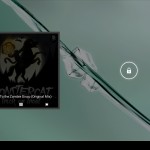
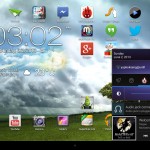

Though these 5 profiles only works for the loudspeakers, it does set a big difference across each profile and it is finely tuned to suit the name given to each profile. However, ASUS made the audio output from the audio jack exceptional as well, as the audio quality produced by the MeMO Pad Smart 10 does indeed have a richer sound.
Though the only complaint that I have is the speakers being at the back. Sure, the speakers are loud enough to compensate back, but it is annoying to watch videos with the speakers facing the back. Who wants to listen to the video’s sound while not looking at the screen??
[nextpage title=”Camera”]

I particularly have nothing much to talk about when it comes to the camera of this tablet. Just like any other tablets, the images are noisy if taken from both the front-facing camera and also the rear-facing camera.
The camera does have a WDR function though – Wide Dynamic Range – which is also another name for HDR (High Dynamic Range). WDR, or HDR, takes several pictures with different lighting, then stitches them all together to get an overall well-lit picture. That is why they’ll give off a warning to not shake or remove the device too quick after snapping the photo. Below are some photo samples taken.






As you can see, the pictures taken aren’t exactly suitable for many cases, but it is very suitable for Facebook, Instagram or Twitter, as those services will downscale your image quality to make sure it is compressed to a certain range.
Videos are okay too, though noise is as expected. It does however have manual focusing by tapping the screen in the middle of the video shooting, and also take pictures while recording video.
[nextpage title=”Software”]ASUS included a bunch of software into this tablet, from proprietary to some other services and even shortcuts. Let’s take a look.
- Amazon Kindle
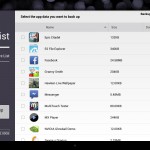
- App Backup – backup and restore installed apps and/or its data to a selected path
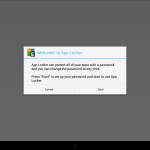
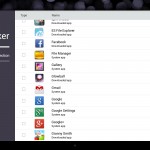
- App Locker – locks selected apps with a password
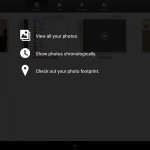
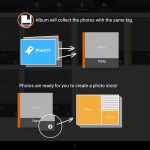
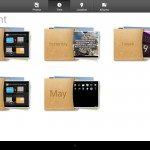
- ASUS Studio – sorts photos according to chronology, tags, geotags and albums. Also has an array of effects to be added
- Audio Wizard – gives a total of 5 profiles, excluding “off”
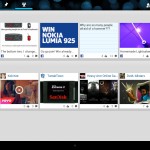
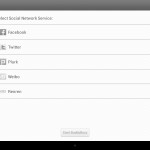
- BuddyBuzz – integrates Facebook, Twitter, Plurk, Weibo and Renren together with unified notification, displayed in a Flipboard-like interface
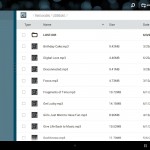
- File Manager – self-sufficient file manager, handles flash drives through OTG efficiently with a great interface
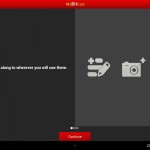
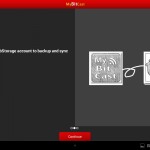
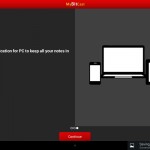
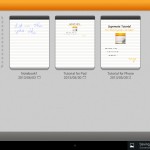
- MyBitCast – Basically Evernote, but syncs with your ASUS WebStorage account
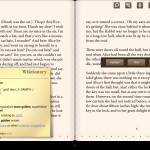
- MyLibrary Lite – an ebook reader, has online dictionary built in, can resize text, search, read entire or part of the page out loud, freehand highlighting/drawing, bookmarking and change between day and night.
- Parental Lock – locks up app management; controls devices with Device Tracker. Has a PIN code
- PinPal – Links Facebook and Twitter together and displays a la Huffington Post News Glide interface, has special Pinned Posts and My Posts tab
- Press Reader – for newspapers and magazines subscriptions
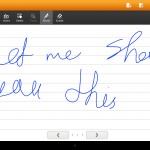
- SuperNote Lite – freehand drawing app, syncs to ASUS WebStorage as well
- WebStorage – shared cloud storage service for sharing photos, office files and others
Based on what I tested, it just seem that BuddyBuzz and PinPal is redundant, just like how MyBitCast and SuperNote Lite is redundant too. Though the apps might only look different, but in fact functions more or less the same.
Check out the screenshots slideshow of the apps included!














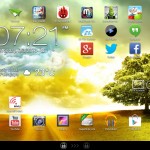
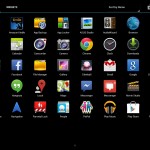
Hackability
As of today, there are still no developments of the ASUS MeMO Pad Smart 10 and it is perfectly acceptable – for now. The tablet has just been released to the market in May – barely over a month. You might have to constantly look at XDA forums or Android MoDaCo for development news about the MeMO Pad Smart 10.
[nextpage title=”Wrap up”]The ASUS MeMO Pad Smart 10 is has a recommended retail price of RM1,099 only. Low price, that’s for sure!
The ASUS MeMO Pad Smart 10 is a decent device, though I did encounter unpleasant problems that are recurring with it. The audio quality on this device is exceptionally great – and I only used Google Play Music as per review, since I review everything that is given on the tablet itself.
One thing I should point out though, is that the tablet is perfect for multimedia as it can run 10-bit, 1920×1080 videos smoothly, though with no audio, unless you use MX Player with software audio decoder. Web browsing experience on Chrome is okay in general, but it takes up longer than usual on web pages that have a lot of images. I did however watch a few episodes of shows on this tablet and I have to say, the screen brightness, the colours and the audio makes out a great experience.
Here, I’ll summarize the all the main points of the review into the short pros and cons list.
- Pros
- Has micro USB OTG cable for flash drives
- Has 3 power profiles
- Audio quality is amazing
- Has a bunch of useful software built in
- Low price
- Cons
- Microphone placement is inconvenient for left handed users
- Glass feels too fragile
- Touch sensor is too sensitive
So, what advice can I give about this tablet?
The ASUS MeMO Pad Smart 10 is definitely an amazing tablet for office workers, sales person who is required to show a bunch of things, like web pages or something else that’s on the web, or even for on-the-go movie lovers alike.
I’ll give this tablet a 7/10.
Thanks ASUS Malaysia for giving us this chance!
Like our Facebook Page here at NasiLemakTech.com for more news and in-depth reviews! Also, join our Facebook Group for insightful information and memes!
Subscribe to our YouTube channel too!


Great job & honest review! 🙂
Thanks! I did what I could.
Wow, incredible weblog layout! How long have you ever been blogging for?
you make running a blog look easy. The whole look of
your website is great, let alone the content material!
Great goods from you, man. I’ve understand your stuff previous to
and you are just too magnificent. I really like what you’ve acquired here, really like what
you are stating and the way in which you say it. You make it entertaining and you still take care of to keep
it smart. I can not wait to read far more from you.
This is actually a great site.