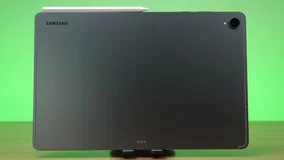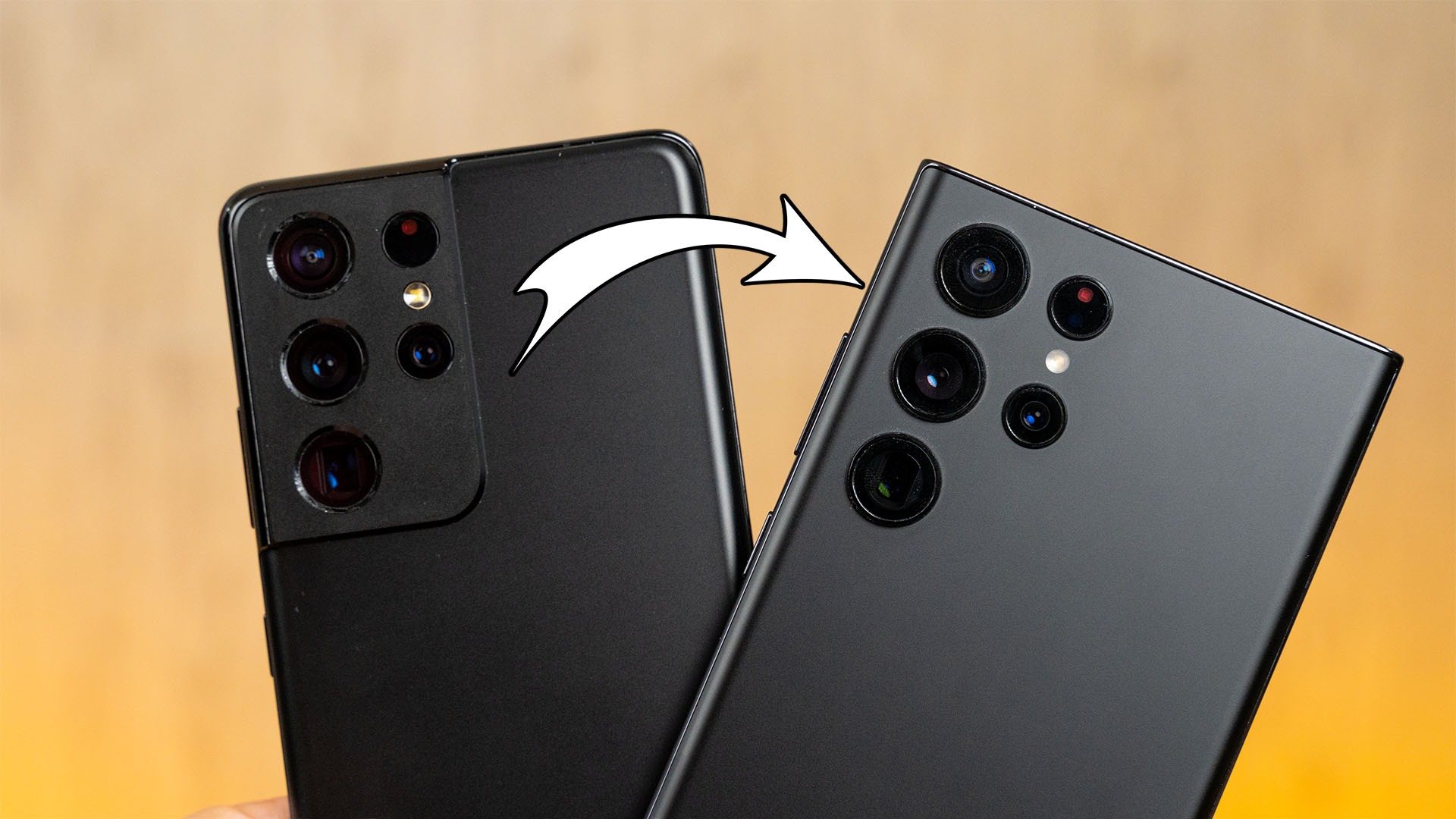

Within just one generation, Samsung made quite a lot of changes to their flagshippest of flagship smartphone. I’m talking about the leap from the Galaxy S21 Ultra to the new Galaxy S22 Ultra. They obviously look different, but there are a lot of minor changes too.
So, for today, let’s see what has changed.
Before we go into anything, we need to clarify this first – the Galaxy S21 Ultra that we have is the Exynos 2100 version, whereby the Galaxy S22 Ultra is the Snapdragon 8 Gen 1 version.

The reason why we didn’t sync up Exynos vs Exynos and Snapdragon vs Snapdragon is that I am going into this by walking in the same shoes as any other Malaysians. Everything that I show here is – or was – available in retail with an official local warranty.
Aesthetics
Okay, so let’s start by talking about the aesthetics first. I’m sure many of you already know that the new Galaxy S22 Ultra is essentially a Note at heart. I’ve gone into details about the design of the Galaxy S22 Ultra in our review, so check that out instead.

One thing that I’ll highlight again is that because of the new, more elegant 5-circle camera bump on the Galaxy S22 Ultra, it doesn’t rock on the table as much as the Galaxy S21 Ultra.

Another difference in design is actually the colors available. For many parts of the world, there were only two colors available for the Galaxy S20 Ultra and the Galaxy S21 Ultra – it’s black and white only. I think Samsung played it a little too safe.

Eventually, Samsung did have more color choices for their premium smartphones and we now have more playful colors like Burgundy and Green on top of just the usual Phantom Black and Phantom White. And looking through our comments of the Galaxy S22 Ultra review, many of you picked either Green or Burgundy too.

Screen
Then comes the difference in screens. I want to highly the difference in the maximum brightness of both these phones first. The data shown on the screen here was taken a year ago when the Galaxy S21 Ultra was just launched. The reason why I did that was to avoid any sort of OLED deterioration into the test since I have daily driven the phone for a long time.

As you can see, the maximum brightness of the Galaxy S21 Ultra is at 416 nits at maximum average brightness. Since there is no “extra brightness” option, this is the absolute maximum that we can get on the Galaxy S21 Ultra.
However, the Galaxy S22 Ultra offers two tiers of maximum brightness. The first tier locks it down to about 368 nits, but if we head into the settings menu and turn on “extra brightness”, it can go beyond 750 nits of brightness – which is insanely bright.


Realistically speaking, these brightness levels are rarely utilized except in broad daylight.
What I also want to point out is Samsung’s exclusion of a pre-installed screen protector on their smartphones. When we reviewed Samsung phones in the year 2021 – that includes both the Galaxy S21 Ultra, the Galaxy Z Fold3, and the Galaxy Z Flip3, there was a pre-installed screen protector on the device itself.

However, I realized this when we did our review of the Galaxy S21 FE and there was no pre-installed screen protector. I thought I was insane – but nope. Samsung doesn’t include any pre-installed screen protectors on their phones now – at least for the Galaxy S series.
Maybe Samsung realized that many people are just going to yank it out right away anyway so why bother putting one on?

With that said, finding a screen protector for these two phones with curved displays is going to be difficult. Tempered glass screen protectors are quite impossible on these displays unless the manufacturer provides a jig to aid the installation process. And you’ll need to use those UV-curing adhesive which I think is just messy.
My best recommendation to you is to buy those hydrogel or film type of screen protectors. They’re easily damaged but they are also very cheap. Just buy a bulk of them and change it every 2 months or so. That’ll make your phone look pristine too.
S Pen
Of course, we’ll have to talk about the S Pen. I won’t go into the technicalities like the responsiveness and whatnot – because you can check out our review of the Galaxy S22 Ultra for that.
What I want to focus on, is the actual usability of the S Pen – as in to bring it around.

As you know, the Galaxy S21 Ultra’s S Pen was sold separately. You can get the S Pen alone with nowhere to carry it, or buy the bundle which also includes a rubbery case that deteriorated after like 3 months into its lifespan – but it has a slot to carry the S Pen alongside the phone.

The Galaxy S22 Ultra, is essentially a Note with a different name – so the S Pen goes inside the phone’s body and you’ll never lose it. Since the Galaxy S22 Ultra’s S Pen is also connected to the device via Bluetooth Low Energy or BLE for short, it has some sort of “proximity detection” or “presence detection” and it will beep you if the phone is too far away from the S Pen.

And since the S Pen is connected via BLE, we can use the “magic wand” feature too, just like what we did back with the Galaxy Note20 series! That’s extremely relevant nowadays too, since the cameras on the Galaxy S22 Ultra are so good.

However, that also means the Galaxy S22 Ultra’s S Pen needs to be thinner to fit in the phone. That is why we have this slender S Pen. It’s space-efficient but it’s not comfortable to do write or draw anything for an extended period of time.

On the flip side, since the Galaxy S21 Ultra’s S Pen is a separate accessory anyway, the design can get a little bigger, hence more comfortable. And also easier to locate since it’s bigger. But it lacks functionality since it doesn’t have the “magic wand” feature.

There is no clear winner between the two when it comes to the S Pen, unfortunately. I personally prefer the Galaxy S22 Ultra since I only want to use the S Pen to make some quick sketches and notes. Plus, with a tripod at hand, the Galaxy S22 Ultra can take some amazing pictures.
Cameras

So, let’s just jump in and talk about the cameras now – which I am sure many of you are looking forward to. Both the Galaxy S21 Ultra and the Galaxy S22 Ultra come with a total of 5 different cameras and the specs on paper are also nearly identical. I mounted these two phones onto our thingamajig and started snapping.

We’re only going to show a few pictures out of the entire album as we go into detail in the video. So, watch our video instead.
Again, these pictures were all taken on a very gloomy day and it already started to rain when I was about to take these pictures and videos. I can just tell you this right now – in terms of outdoor shots, these two phones look great. Truth be told, I don’t have a clear preference on which phone looks better. Some shots look better on the Galaxy S21 Ultra due to its more natural look – but some shots look better on the Galaxy S22 Ultra with its more dramatic contrast.
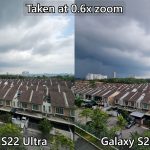
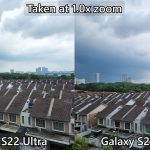
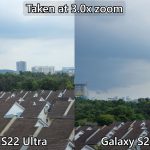
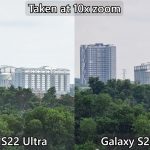
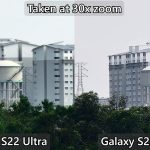

One thing I can confirm though, is that the zoom shots are arguably better on the Galaxy S22 Ultra.
As a quick mention – the portrait mode on the Galaxy S22 Ultra is much sharper and the edge detection of the dog’s fur is accurate to the point that we can see strands of hair poking out, which is not visible on the Galaxy S21 Ultra. Huge improvement, I’d say.

For night shots, I realized that the Galaxy S22 Ultra is triggering the “night mode” a lot more often compared to the Galaxy S21 Ultra. When I pointed both phones to the same scene, the Galaxy S22 Ultra switched to night mode but the Galaxy S21 Ultra didn’t.


To make this comparison fair, I manually toggled night mode for the Galaxy S21 Ultra too. And this is where the clear difference starts to show. For whatever reason, the Galaxy S21 Ultra tends to overexpose these night shots. I mean, if I show you this picture without context, you can immediately tell that it is not realistic. The Galaxy S22 Ultra, on the other hand, looks believable.

Another thing I found out is that 10x zoom shots at night look cleaner on the Galaxy S22 Ultra, but 100x zoom was super noisy – just like my neighbors. I presume that is because the Galaxy S22 Ultra is still new and a lot more work needs to be done to optimize the camera algorithm to work better with the new ISP on the chipset.
We also took a lot of videos with the Samsung Galaxy S21 Ultra and Samsung Galaxy S22 Ultra so watch our video to see it in action. As a quick mention, I am very surprised by how much the video capability of the Galaxy S22 Ultra has improved – especially at night.

Battery life
Okay, so enough about the cameras. Now comes the battery life and the efficiency of these two phones. I have already spoiled the surprise in our Galaxy S22 Ultra review, but I’ll just mention it again here. The Galaxy S21 Ultra was my daily driver for 8 months last year, but it still manages to outlast the Galaxy S22 Ultra in our battery life test.

I think we’ll have to wait for new software updates to further optimize the chipset’s efficiency. As of now, I’m really disappointed that the Snapdragon 8 Gen 1 in the Galaxy S22 Ultra couldn’t beat our tortured Galaxy S21 Ultra with the Exynos 2100 chipset.
Charging speed
For the charging speed, Samsung said the Galaxy S22 Ultra has gone up to 45W as compared to 25W on the Galaxy S21 Ultra. I couldn’t prove it as it didn’t work with our charger as our wattmeter only reported 28W. Someone in the comments said that is because our charger didn’t support the Super Fast Charging 2.0 standard.

However, Sam Mobile published a video where they did the charging test instead with the true Super Fast Charging 2.0 charger. Even though our testing methodology isn’t the same, I compared it alongside our data and found out that it’s about the same charging speed after all.
I also compared our Galaxy S22 Ultra charging test result with the Galaxy S21 Ultra charging test result from a year ago, and we found out that the Galaxy S22 Ultra is indeed faster. To me, fast charging isn’t always about reaching 100% the fastest. It’s about how fast it can reach 50% battery when the phone is low in battery.

Conclusion
And that is it. That is our entire comparison between the Galaxy S21 Ultra and the Galaxy S22 Ultra. On paper, these two phones seem to be very similar but in truth, they are very different from each other. Many things can’t be told through words – which is why I hope this video conveyed the differences effectively.

So, should you upgrade from the Galaxy S21 Ultra to the Galaxy S22 Ultra? If you are a long-time Galaxy Note user, then go ahead. Otherwise, I don’t think it’s feasible to upgrade to every new generation of flagship smartphones unless you have a lot of cash to spare. Just remember to get at least 256GB of storage capacity.
Where to buy the new Galaxy S22 Ultra? (Affiliate links)
Like our Facebook Page here at NasiLemakTech.com for more news and in-depth reviews! Also, join our Facebook Group for insightful information and memes!
Subscribe to our YouTube channel too!