




















Look, I am someone who actually like Chromebooks because of their simplicity. Since we’re living on the web nowadays, we can literally do a lot of things via just a browser alone. Chromebooks run on ChromeOS, which pretty much is just an operating system that focuses around the Chrome browser.
What we can do with it though, is the main highlight here. Now, we’re only using what I can describe as an “entry-level Chromebook” by ASUS, the CR1100. It’s a few year old now and it looks absolutely battered because it was a demo unit that was used in drop tests and such. And it’s using a rather dated Intel Celeron N4500 chip and only has 8GB of LPDDR4X RAM.

Even with old specs, it can run ChromeOS rather smoothly today. Yes, it’s a bit sluggish and I do wish it had better specs – but if I were to install Windows on this laptop, it wouldn’t even run.

But what can we do with ChromeOS? Well, for me, I did my research and script for this video on this Chromebook. I used two tools – Milanote to lay out all of the points and to have a bird’s eye view before figuring out how to connect all of them, then Google Keep to write the script out. I know it’s a weird choice to use Google Keep instead of Google Docs but I like the simplicity of Keep. It also connects to the cloud and constantly saves and syncs to my Google account. I can even start typing when it’s disconnected from the internet as it’ll just sync when I’m connected again later.


What about photo editing? Even though I don’t prefer to do it on this laptop in particular because the screen is… just not suited for color work, I can use Photopea. It’s basically an online version of Photoshop and it can do simple things like image touchups and also image resizing.

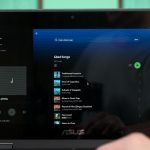
Of course, I can also access things like Spotify and YouTube Music since they’re both available as apps to download music and listen to them while we’re offline, or we can just use the web version and stream everything. Both options are fine.

Then, since this Chromebook has a stylus, we can install some apps and start doodling on it too. I’m not sure what drawing apps you guys use – but I use Sketchbook to do some simple doodling. I’m not an artist though.

Oh – Chromebooks do have access to the Google Play Store too. That means we can access millions of apps on this laptop but the compatibility might be a bit iffy since it’s emulating an Android phone form factor or a tablet. We can turn it on to “resizeable” but it doesn’t work with all apps.

We can install games as well but don’t expect to run those demanding games on this laptop though. Some Chromebooks like this is running on x86 processors like this Intel Celeron N4500 had to emulate ARM architecture before running those apps on top of that emulation. That takes up a lot of processing power.
Maybe it’ll run better on laptops with Snapdragon chips?

I mean, we can even run things like Plex or Netflix on this Chromebook and watch movies through those apps or just run them on the web version. Now, Netflix had an update some time ago and we can now watch 1080p shows and movies through Google Chrome browser – that’s amazing.
Also, Google Drive is integrated in the file manager. It makes sense – if everything is on the cloud, then this laptop kind of works like an edge computing machine.

Of course, all the office suite apps are on the cloud as well – Google Sheets, Google Docs, and also Google Slides among many other things.

We could also use Linux apps since we can install a subsystem within ChromeOS, but that’s not something that we’ll talk about today in this video.

My personal opinion
I thoroughly enjoy using ChromeOS. While it can’t do the many things that a Windows laptop can do, I think there are either web-based alternatives to those apps like Photopea vs Photoshop, or I just don’t need to do those things on the go. Like I don’t edit videos while I’m out as I prefer to do it using my big 40-inch ultrawide screen.

But at the end of the day, it’s difficult for me to recommend Chromebooks to everyone. You have to know your own use case and if it suits your needs, then go for it. The battery life on Chromebooks is so much better than the Windows even if both laptops have the same specs.
Where to buy? (Affiliate links)
Like our Facebook Page here at NasiLemakTech.com for more news and in-depth reviews! Also, join our Facebook Group for insightful information and memes!
Subscribe to our YouTube channel too!

