





















Most of the time, I won’t even report about anything regarding the Apple ecosystem unless it’s full of crap. This time around, it’s a total first world problem – how to Find My AirPods. Remember those brand new Apple AirPods that was announced alongside the Apple iPhone 7/Plus a few months ago? Yeah, that pair of wireless earphones that they shoved down all users of the jackless iPhone 7/Plus.
We’ve all griped about the one most obvious problem – losing one of the AirPod. In iOS 10.3 Beta, Apple implemented the new Find My AirPods feature in a way that most of us would expect. You’ll have to use the Find My iPhone app to Find My AirPods, though.
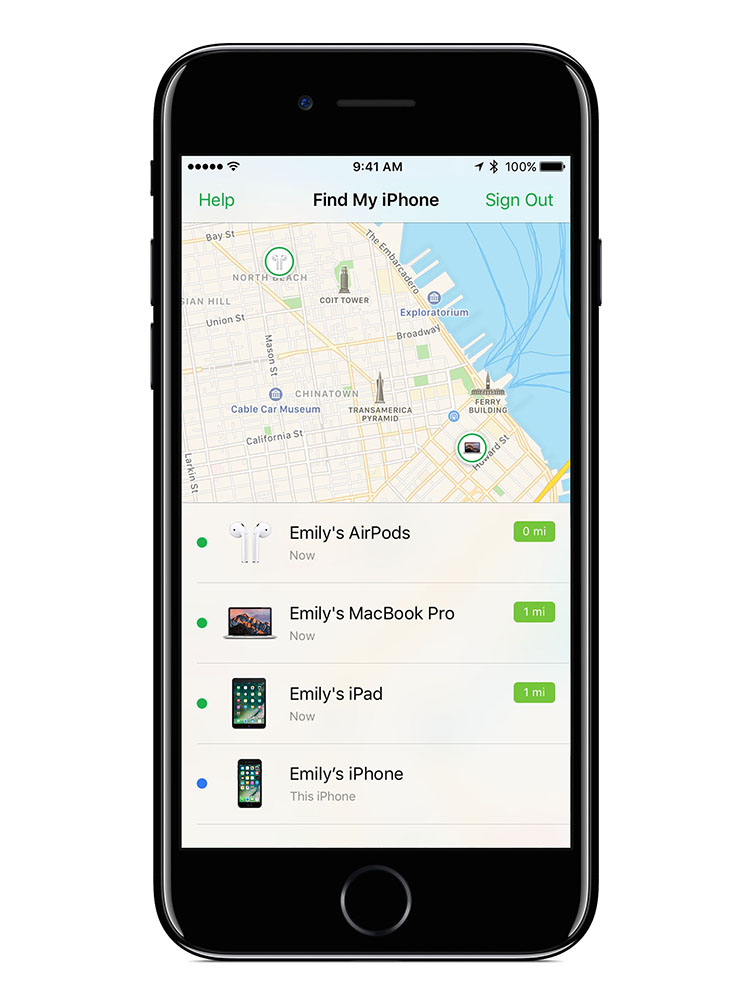
While within Bluetooth range, you can have either one or both sides of your AirPods to play a sound to help you look for them. That might sound a little ridiculous – and when you think about it, what sound does the AirPods make, exactly? And how loud? Those things are tiny – so I don’t expect any sort of loud beeping noise from them.
What if your pair of unreasonably expensive pair of AirPods aren’t within Bluetooth range, in the AirPods’s case, or ran out of battery? Also, they’re near-impossible to lose, as it can rest around your neck. Since the Beyerdynamic Byron are in-ear earphones, they have proper sound isolation too. Say no to sound leaks!
Source: CNet
Like our Facebook Page here at NasiLemakTech.com for more news and in-depth reviews! Also, join our Facebook Group for insightful information and memes!
Subscribe to our YouTube channel too!

