Last Saturday, there was an android programming workshop conducted by Mr. Yap Wen Jiun in my university campus, MMU Cyberjaya. The workshop was organized by MMU’s Cybertron Club with charges of RM 12 for members and RM 17 for non-members. That is way reasonable if you ask me!

The workshop taught us the basics and how to get started on programming your first Android application. Since it is a one-day class, I have to say that everything was going quite fast as we have to cover quite a lot for a programming class. I myself have no problem following though, since I am quite familiar with Visual Studio (Windows 8 app C# XAML, and yes, I am boasting :D).
I have with me my Android device, that is the Transformer TF 101 to use during the app creation instead of using a laggy emulator to test the app we’ve just created.
Before the workshop though, we are all required to install the required software ourselves. One of the required softwares is the Oracle Java SDK 6 since will be programming the android app using Java. The main software was the Android SDK/ADT bundle. This is the package that will help us provide a GUI to program, connect and interface with our Android device as well as emulating an Android device.
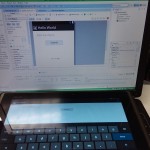
I came a bit late but my friend told me that before I came, it was all about helping people to set up their softwares, connecting their Android devices to the SDK, installing drivers and on how to start the emulator. Since I have done all of that earlier, I came just right in time. Fired up my laptop and I’m ready to go!
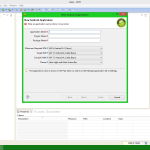
The layout is just simple drag and drop just like Visual Basic or Visual Studio. One thing it lacks or Mr. Yap did not tell us is how to view these layouts in tablet form. Since I am using a tablet, I can see the tablet form from the uploaded test run but not during the designing process. Maybe it’s because we don’t have enough time but I bet anyone who is really interested in developing apps should be able to figure it out sooner or later.
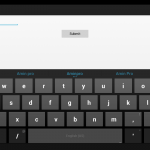
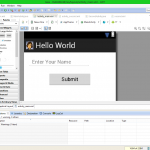

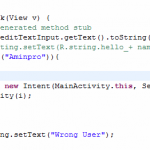
Then, it was just all about connecting the dots using lines of programming. For this workshop, we are told to on how to change a string based on an input by clicking the submit button. Might not seem like much but there are lots of ‘behind the scenes’ codes running on just to do that. The important thing is that we should understand how it works instead of making in work!
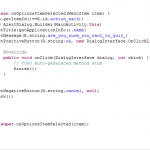
I’m sure there are plenty of tutorial videos out there on YouTube but learning in a classroom is different. If you have problems, you could ask on the spot. One thing though, you can’t rewind over and over otherwise everybody will rage. Hahaha!
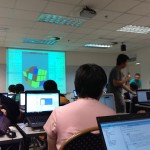
It was a good weekend activity I must say instead of doing nothing or even worse, doing something illegal(ahem*) like some did every weekend in KL causing havoc. This class really did put me on the launch pad in Android app development and I hope MMU will continue to make more of these beneficial weekend classes. The next workshop I’m interested in it is the 3D printing workshop organized by MMU Cybertron club which will be on Wednesday this week. Expect more coming soon!
Like our Facebook Page here at NasiLemakTech.com for more news and in-depth reviews! Also, join our Facebook Group for insightful information and memes!
Subscribe to our YouTube channel too!