





















We have the Armaggeddon Mikoyan FOXBAT-III Kevlar-13 Wireless Mouse here. First of all, I have no idea why Armaggeddon loves such long-named products. While that is indeed its complete name, it excludes the word “gaming” in it. Also, Armaggeddon released two versions of the FOXBAT-III mouse – one is the Ironsight-7, and the other one is the one I’m reviewing here, the Kevlar-13. Again, I have no idea why they opted for such lengthy and confusing naming schemes.
As far as I can tell, both variants of the Armaggeddon Mikoyan FOXBAT-III are they same – and the only difference is its patterns on top. Anyway, let’s begin the review by first taking a look at the packaging as usual.

It’s fairly simple in my opinion, and they did a good job highlighting and differentiating the pattern on the both variants of the mouse. If you noticed, it’s written that there is an included mousemat in the box.

Opening up the box reveals the Armaggeddon Mikoyan FOXBAT-III, with both its sides flanked by a micro USB and the mousemat. And there’s nothing else in the box, actually.

[nextpage title=”Design”]
There are two parts to this – firstly the mouse itself, and secondly the included mousemat.
Armaggeddon Mikoyan FOXBAT-III

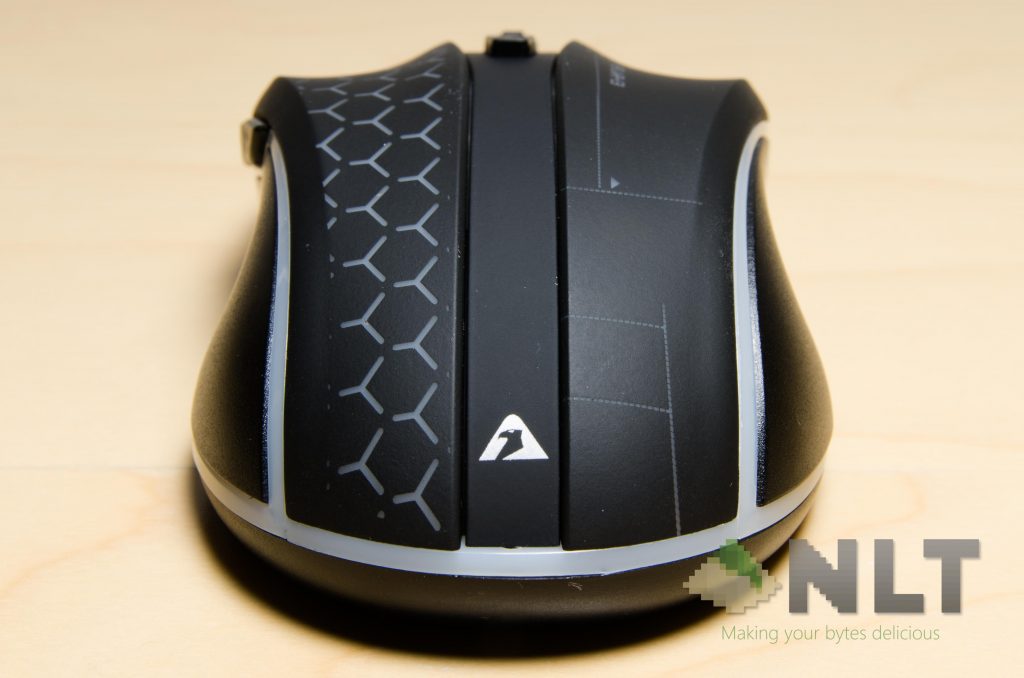
It’s covered with a soft-touch plastic material, and I can’t help but to say how light it is. That’s because the entire Armaggeddon Mikoyan FOXBAT-III only weighs in at 84 grams – considerably less than other wireless mice out there.

The look is not bad, considering that it does have some rotating colour LEDs inside of it. Albeit the colours are a bit crude, it gets the job done. I really do wish there’s an option to control the brightness or to disable it completely though – just for battery’s sake.

The Armaggeddon Mikoyan FOXBAT-III has a symmetrical design, but its buttons aren’t symmetrical, but instead suited for right-handed users. If they pull just move one of the side button from left to right, it would be much more appealing for other users too, because of its ambidextrous design.

Those pattern at the top side is etched on a soft touch plastic material, and can be physically felt. I think is pretty nice to touch.
There are a total of 6 buttons on the mouse – left and right clicks, the two side buttons, scroll wheel, and the additional button right below that scroll wheel. All 6 of these buttons are actually reprogrammable, so I don’t really know why Armaggeddon’s website only claims that it has 5 buttons.

Like any other wireless mouse, the receiver can be placed flush at the bottom-side of the mouse itself. So far so good, as far as wireless mice goes.

Now, before I continue on with the review, I have to point out the problem with its build quality. The entire mouse is clearly made out of plastic – cheap ones, if you want to be specific. That’s why it can be so cheap!
When I was trying out the mouse, I thought I had issues with the sensor when I saw my cursor jumping. Easiest and quickest assumption was that the unit I had was simply problematic – but it that’s not the case. I placed the mouse flat on a surface and pressed its center, then tried rocking it diagonally. I found out that it’s not flat, and rocking the non-flat mouse replicated the jumpy cursor disease.
So how do I fix this issue?
By bending the plastic on this mouse.
How?
Sheer force.
I had to be really careful in bending it too, as the plastic might just crack if I’m pushing it too hard. Am I happy about it? Clearly not, and it’s sad to see that there’s something like this in the market, considering that Armaggeddon made some great mice before.
Mousemat
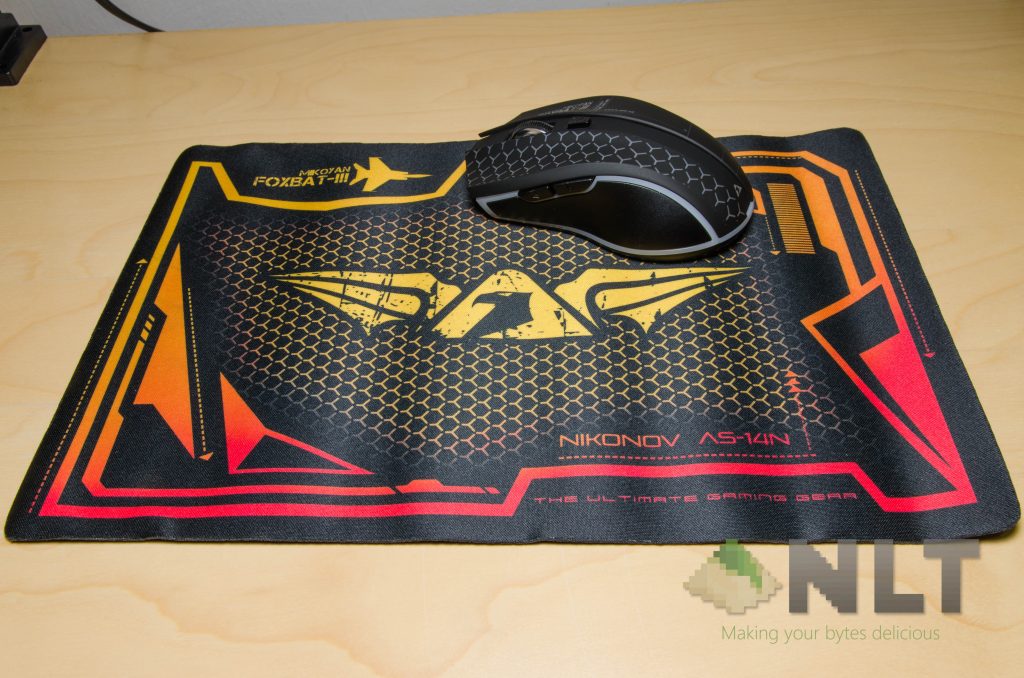
As for the included mousemat though, it’s pretty basic. A thin piece of cloth mousemat with a rubberized bottom. My biggest issue with the mousemat is the edges – they’re not braided or reinforced in any way. Just let me show you what I mean.

See the edges? They’re fraying – and I only simulated this by lightly brushing my finger inwards to the mousemat itself.
Now, let’s move on to the real test.
[nextpage title=”Using the Armaggeddon Mikoyan FOXBAT-III”]
Firstly, I truly like this mouse’s left and right click’s separated actuators, but not the switch itself. The actuators are pretty light, because the pivot point is at the far side of the mouse, and I think that’s because of how thin and fairly flexible the plastic is. However, the switch itself is quite heavy, and it has quite a heavy actuation force.

Both the side buttons feel great, but they’re moved too far in front, making it quite difficult to reach on fingertip or claw grip. Moving these side buttons towards the middle will be way much better, in my opinion.
Scroll wheel is surprisingly silent, but the tactile bumps are there and can be felt. The DPI toggle switch is really tactile.

The mousemat itself however, isn’t that great. Yes, it provides the mouse a surface to be used on. However, the mousemat itself couldn’t get a good, solid grip on the table, and any sort of mouse flick movement will cause the mousemat to move.

I personally wouldn’t use the mousemat much, unless I can ensure it to not move on my table.
Also, there’s one thing I should highlight in bold. After using the Armaggeddon Mikoyan FOXBAT-III for so long, I still have no idea on how to check its battery percentage. There is zero documentation on its battery level. I just charge it whenever I feel the need to. At least they made the mouse auto-sleep after 8 minutes of inactivity.
However, I managed to get beyond 8 hours of usage throughout my test, so I think that 600 mAh battery can indeed last you for at least one full day of gaming.
[nextpage title=”Software”]
It’s a very simple piece of software to say the least. All of the controls are very straight forward, and I realized that there are a few missing features too.
For instance, there is no fine-tuning of the DPI through the software. There isn’t even any option to disable the LEDs – that’ll surely extend the battery life, although I have no idea how to check the battery.
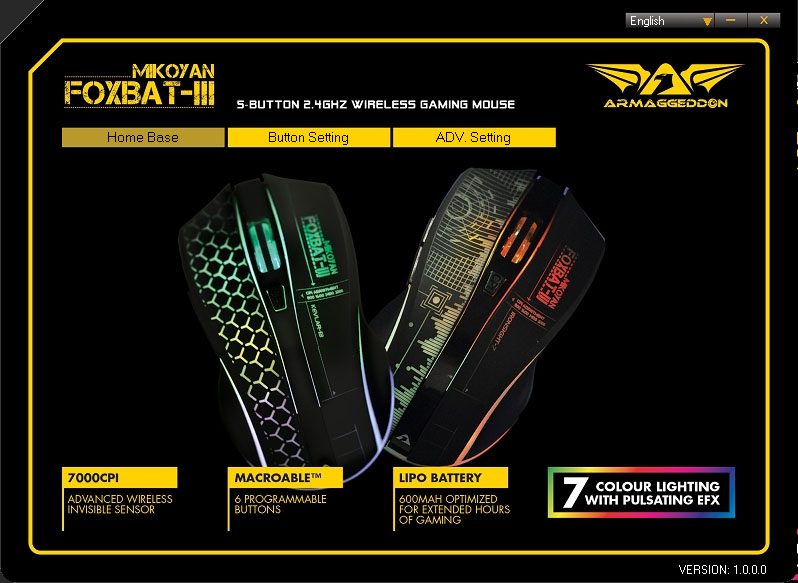
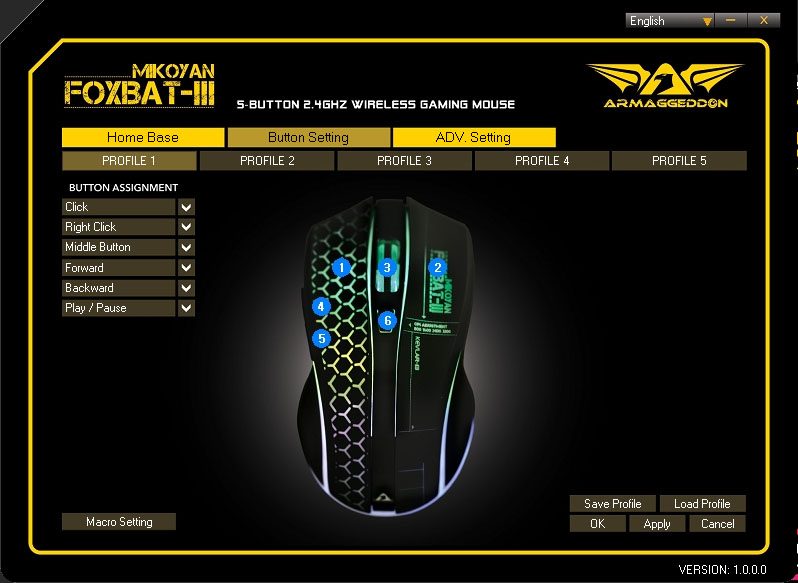
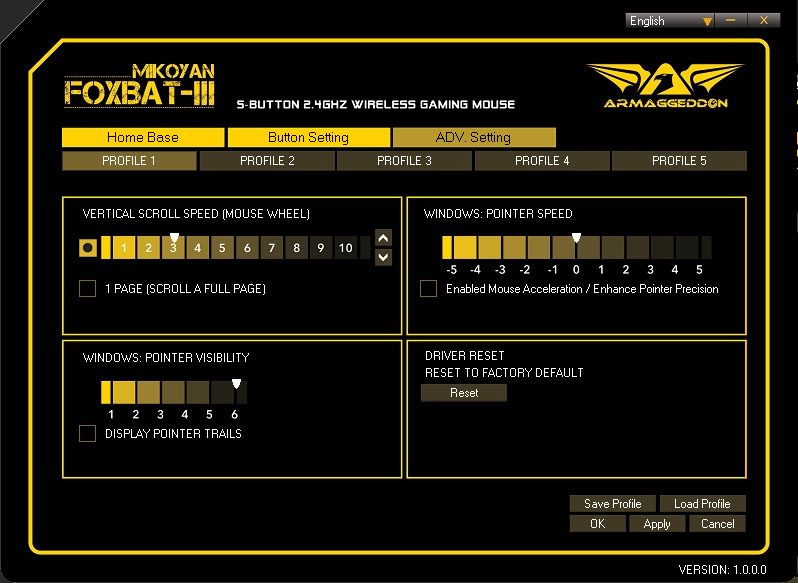
For some reason, Armaggeddon didn’t promote that the FOXBAT-III does indeed have on-board memory.
There are a total of 5 profiles too, if you’re wondering. Of course the on-board memory can only hold one profile. Maybe because of its hardware limitation or overlooked feature to not having a “cycle through profile” command to be programmed to the mouse itself.
[nextpage title=”Wrap up”]
This is surely a product that confuses me. The Armaggeddon Mikoyan FOXBAT-III is actually quite a decent wireless mouse. Throughout my review, I discovered a few great features that is present in the Armaggeddon Mikoyan FOXBAT-III, but they never highlighted it anywhere on its product page nor the box.
The mousemat is a total disappointment to me. The build quality is horrible, and it just doesn’t feel right. The mousemat is something I wouldn’t recommend using at all – better to just lay the mouse on your table and start using. Software is simplistic, but it gets the basics done. Although I do wish that there’s an option to disable the LEDs entirely.
For the price of RM69.90, I think the Armaggeddon Mikoyan FOXBAT-III is quite okay for portable use.
Click here to check out the deal!
Like our Facebook Page here at NasiLemakTech.com for more news and in-depth reviews! Also, join our Facebook Group for insightful information and memes!
Subscribe to our YouTube channel too!

