









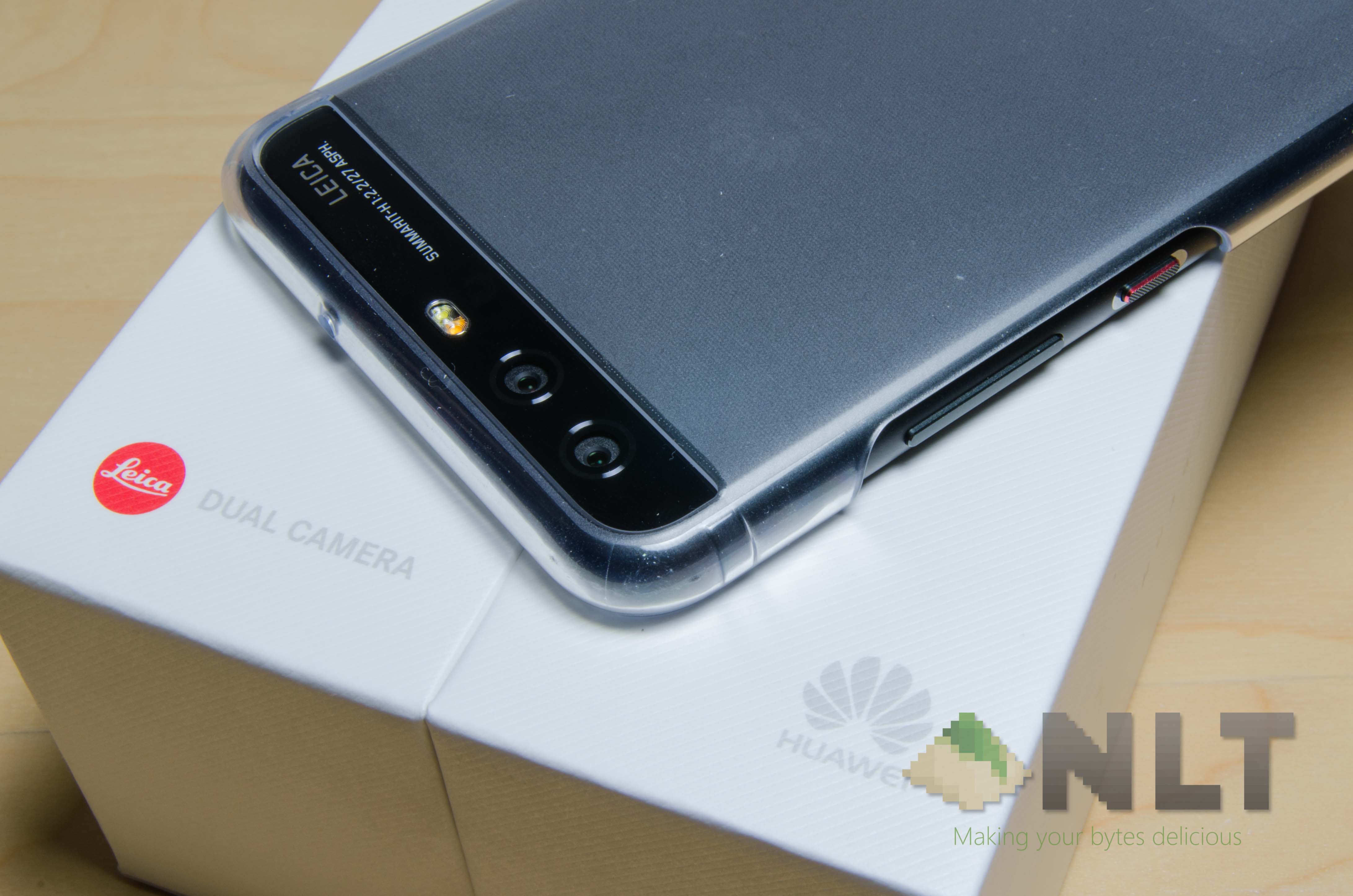

There has been much anticipation for what Huawei will bring to the table this year with their P-series of smartphones. Many eyes are on the Huawei P10 – so how does it perform? Let’s find out.
Unboxing
We’ve done an unboxing and first look of the Huawei P10 not too long ago – which you can check it out here. In terms of its unboxing experience, I can say that it’s indeed something refreshing.
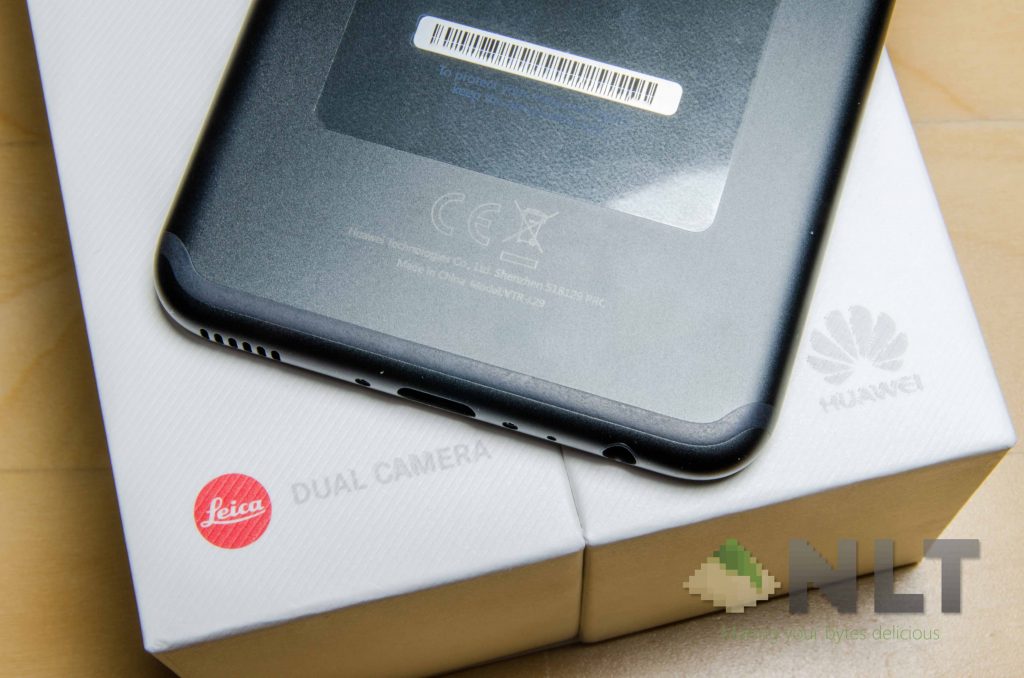
Opening up the entire box and digging everything out reveals a rather interesting slew of accessories. An included hard shell case, documentations, a pair of earphones, a Huawei Super Charger with 5V-rated USB-C cable, and a SIM ejector tool.
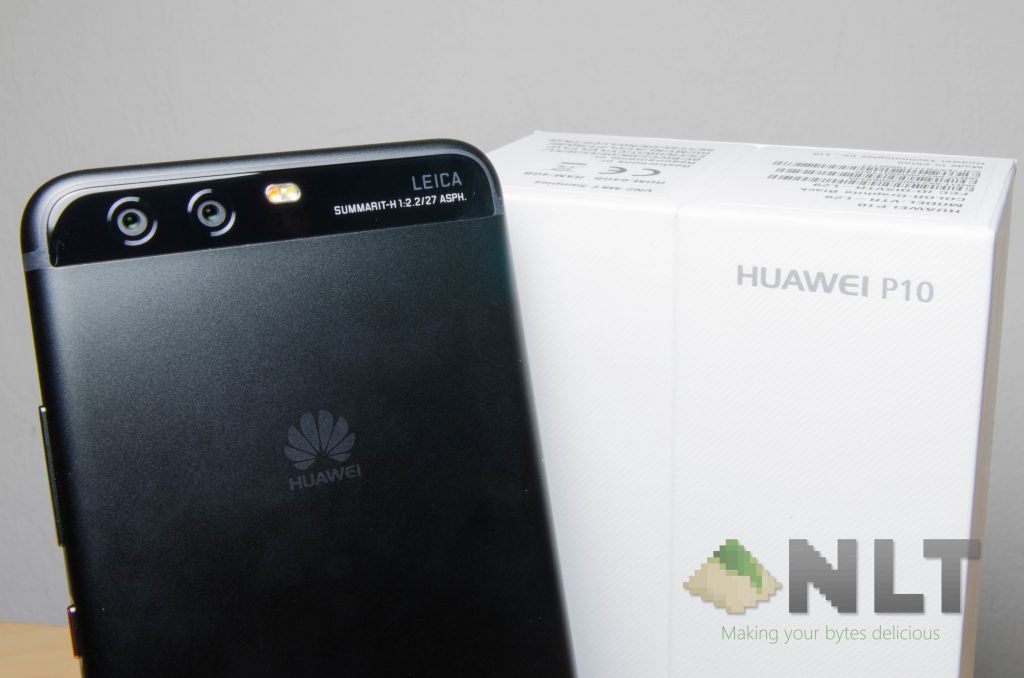
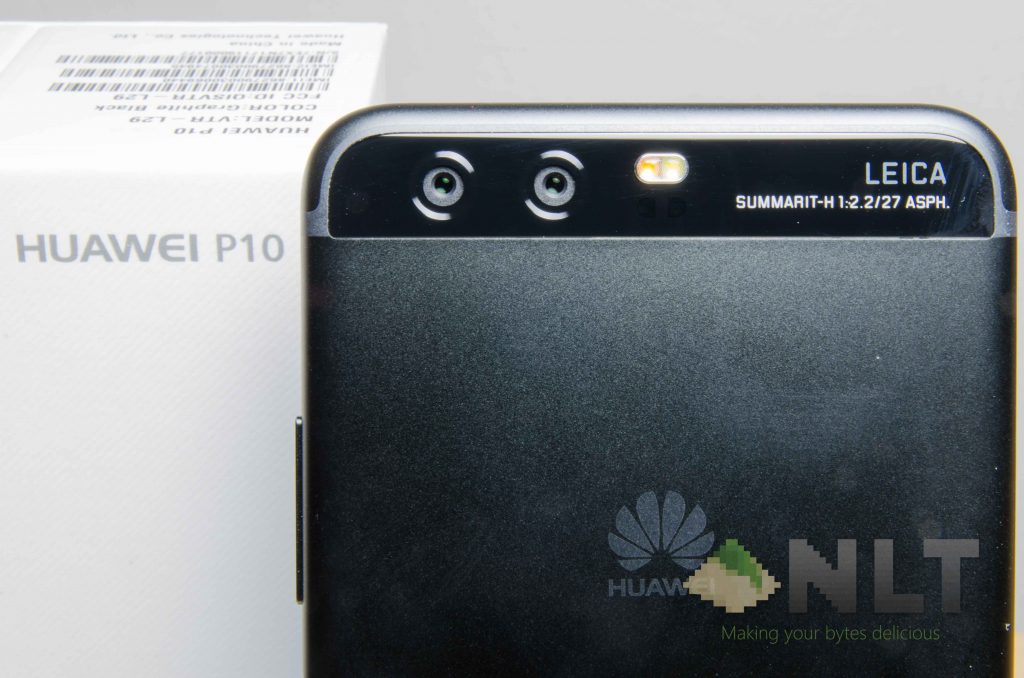
The Huawei P10 doesn’t vary much in geometry compared to its predecessors. However, the biggest difference comes from its materials and color options.
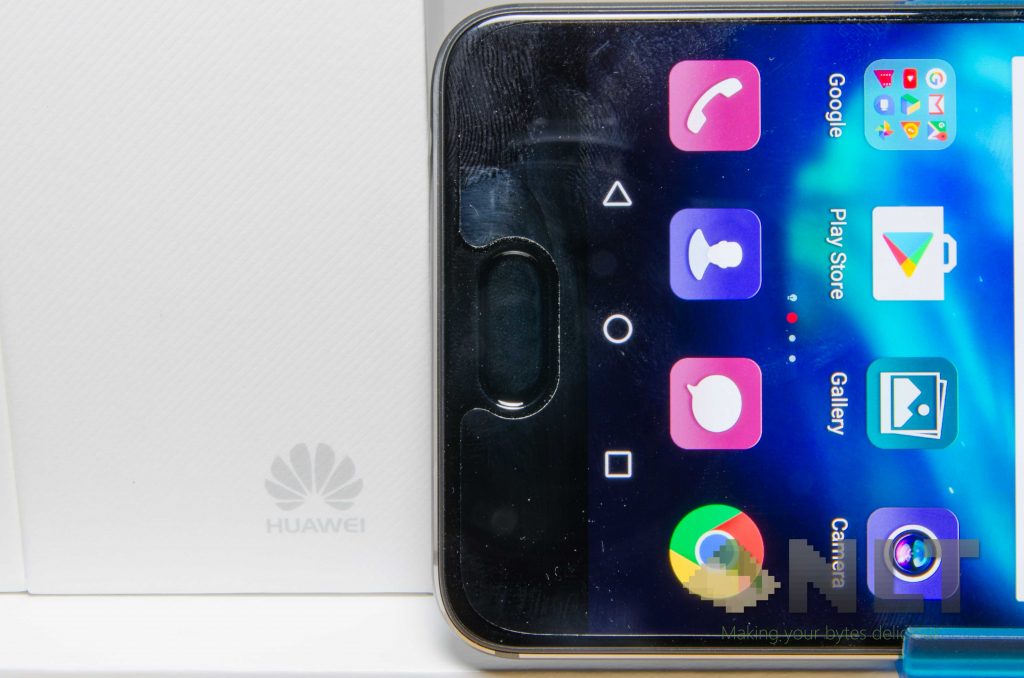
For some reason, Huawei decided to move the fingerprint sensor to the front this time around. No idea why – but it just doesn’t feel good at all. I mean, ergonomically speaking, it’s somewhat my second choice in the list, but this is purely a sensor, so no shortcut buttons there. There’s no options to set gestures, too.
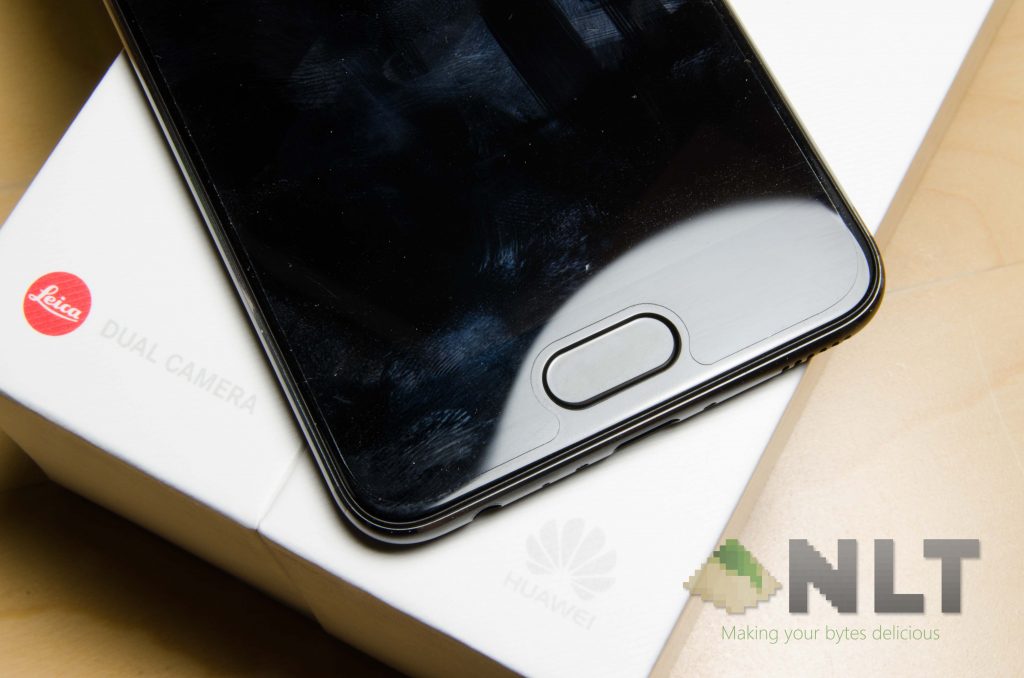
To add salt to injury, the Huawei P10’s bezels at the top and bottom are obnoxiously huge. There is an option to not use on-screen buttons, and navigation is done by swiping left or right towards the fingerprint sensor. It works – but not really reliable, and very slow.
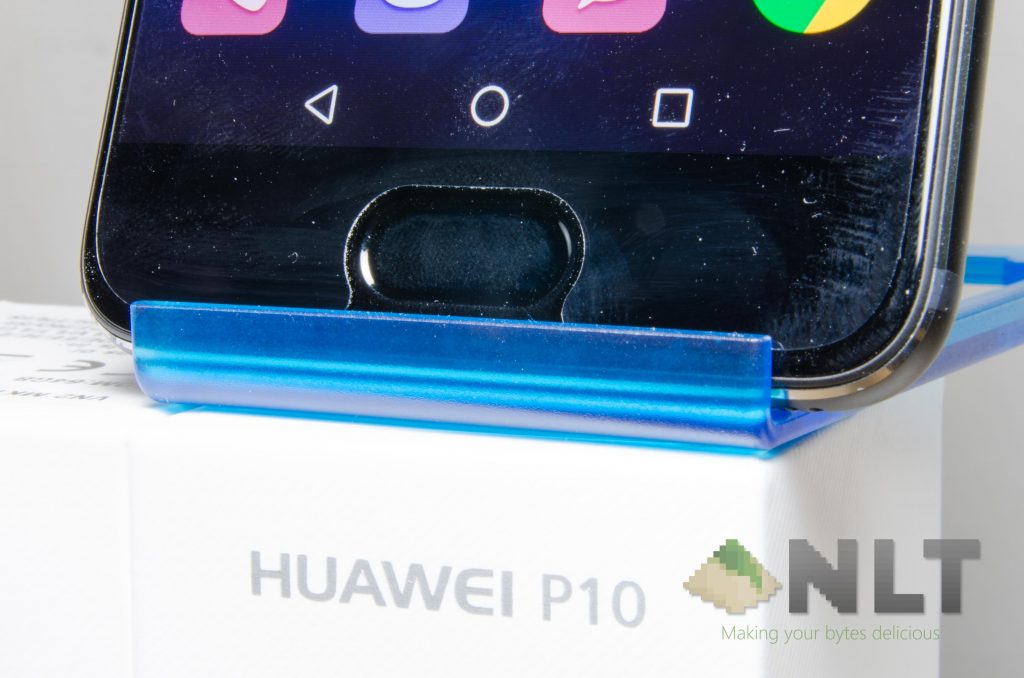
Huawei could’ve taken the fingerprint sensor and placed it at the back, then include a true front-facing stereo speaker instead. That would definitely win hearts of many.
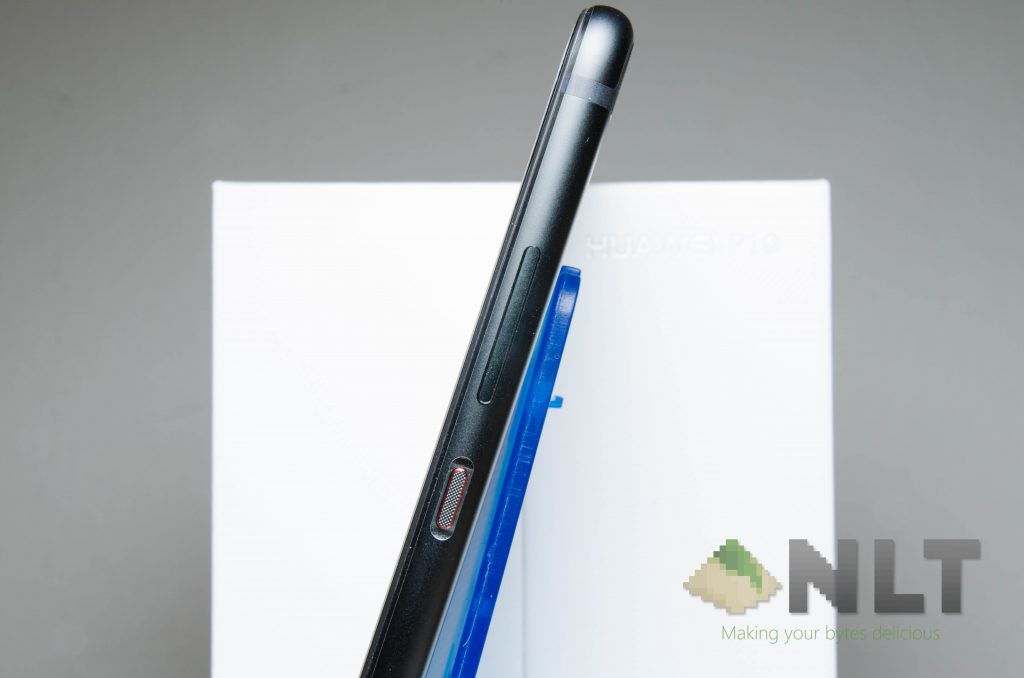
One thing I do like is the red accented and textured power button. That really gives off a satisfying feel while touched, and an even more satisfying tactile click when pressed.
[nextpage title=”Connectivity”]
For those who don’t already know, Huawei is a telecommunication company and I can only expect top-notch connectivity from them.
The Huawei P10 has an upgraded 802.11a/b/g/n/ac WiFi with 2×2 MIMO. Not just that – the Huawei P10 is compatible with a few GPS systems – GLONASS, A-GPS, BDS, and GALILEO – as expected from a high-end device.
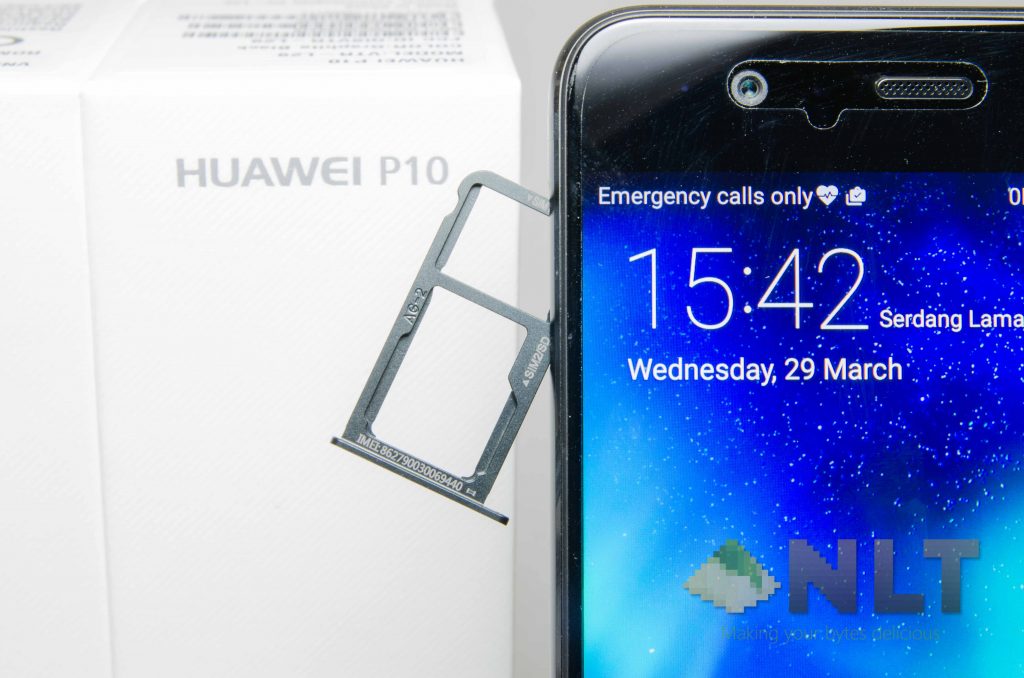
Huawei included NFC but uses USB 2.0 Type-C instead of adopting the latest and highest end USB 3.1 Type-C like other flagships. This matters for those who want to film 4K UHD and transfer large files constantly. Also, it still doesn’t come with wireless charging.
[nextpage title=”Display”]
When it comes to the screen that’s used for the Huawei P10, I have to say that it’s an okay choice overall. Nothing too spectacular, and definitely playing it safe.
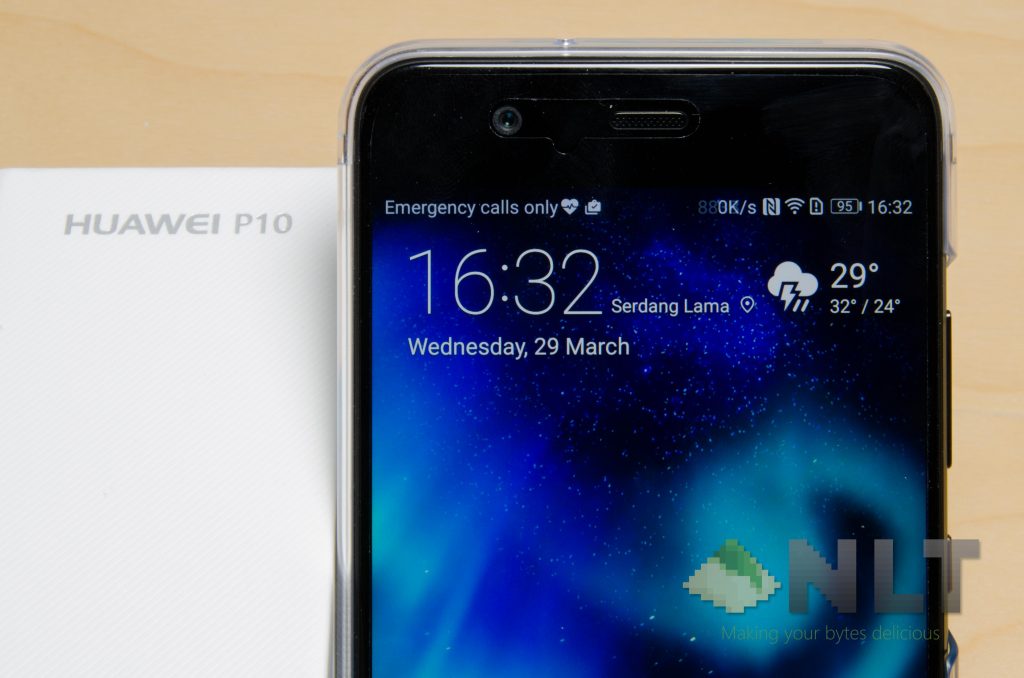
The Huawei P10 has a 1080p 5.1-inch screen – which again is an okay choice. Instead of upgrading the resolution, I guess maintaining ~432 ppi is a justifiable choice. Another interesting engineering choice here is the choice of display panel found on the P10. Instead of using a basic IPS LCD display, they opted for an IPS-NEO LCD. What it essentially means is less color shifting while looking at it at the side.
Nothing too spectacular when it comes to the display, actually – maybe other than the removal of oleophobic coating in favor of a piece of included film screen protector.
[nextpage title=”Camera”]
Of course, the camera. This is the feature that everyone is hyped up about the P10, am I right? Here’s what you need to know about the camera.
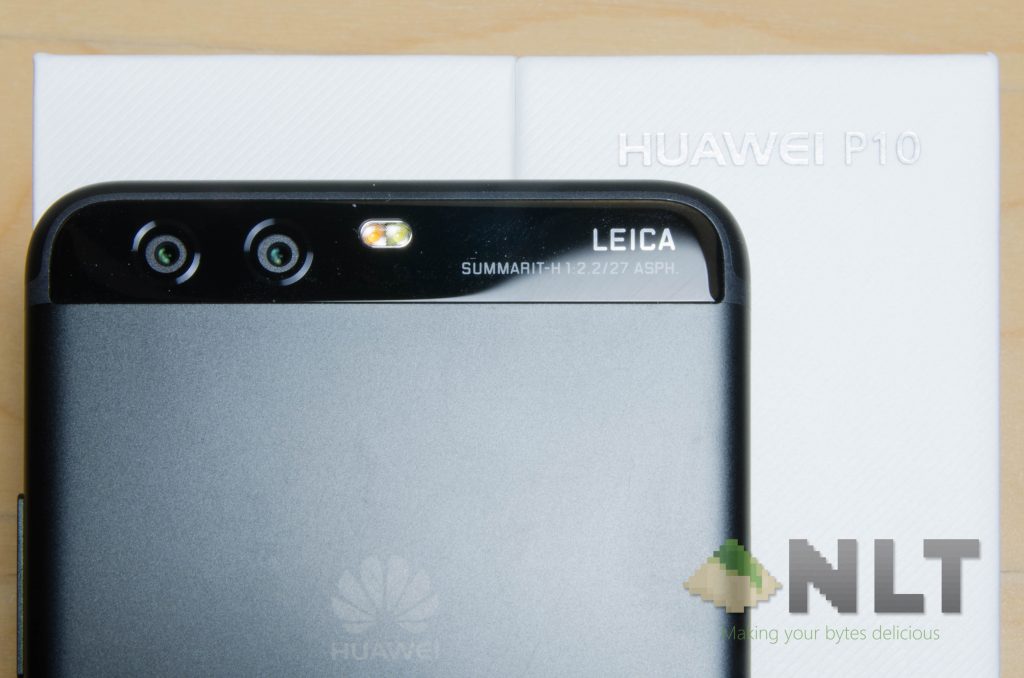
Huawei opted for a combination of 20MP and 12MP sensors coupled with f/2.2 Leica lenses (the main selling point of this phone, after all) and has OIS. Better yet, it has two different autofocusing systems too – PDAF and laser AF. Here’s how the camera really performs.
You can also click here to head on over to the full Flickr album.
Overall I think the quality is alright – but the best thing here is the focusing time. Just a little tap on the screen to tell it where to focus, and boom – it’s focused. Take the pic and you’re done – but you should combine it with the wide aperture mode.
The ability to refocus the images at a later time is really a boon for me – as I always take pictures as quick as possible without bothering about focus much. However, the Huawei P10’s wide aperture mode creates bokeh through software, it did get confused at certain times, as seen by a few pictures above. It’s just not able to simulate hardware blurring at certain shots.
The selfie camera on the Huawei P10 also uses Leica optics – this time with an aperture of f/1.9 and an 8MP sensor. Unfortunately, the P10 has a fixed focus and only the P10 Plus has an autofocusing selfie camera. The images produced are alright – but under a dimly-lit condition, colors seem a little washed out.
[nextpage title=”Software”]
As for EMUI 5, there really isn’t much difference in the UI compared to the previous version. A few minor aesthetics update here and there. Then there are some additions towards the user experience and interactivity too, like on the Huawei P10’s front-facing fingerprint sensor.
EMUI 5 itself isn’t bad. It’s usable and has most of the features and options available. I said most – because I can’t disable the battery indicator LED for some reason – and that LED is bright! What ticks me off here is the Settings menu, where everything got shuffled around and was made difficult to search for. That search bar in the settings menu isn’t really helping either.
However, there are many changes under the hood instead. You know what I’m talking about – the big feature on EMUI 5 that Huawei is called as “Machine Learning Algorithm”, or MLA for short. It’s generally seen as a marketing buzzword these days, but no one really knows how Huawei’s MLA works… and that nicely leads to the next section – the performance.
[nextpage title=”Performance”]
Before we proceed with the performance test, you should really be aware of the Huawei P10’s storage and RAM chip controversy. You can read more about it here. The unit that I have for review here has LPDDR4 RAM and UFS 2.0 storage – which conveniently lands in Category 2.
In many ways, the MLA can cause some confusion. What does it do? What data does it collect? How does it collect data? What does it do with those data? Most importantly, how it MLA affect my everyday usage? These are the questions that all of us have. However, we still need to run the usual suite of tests first.
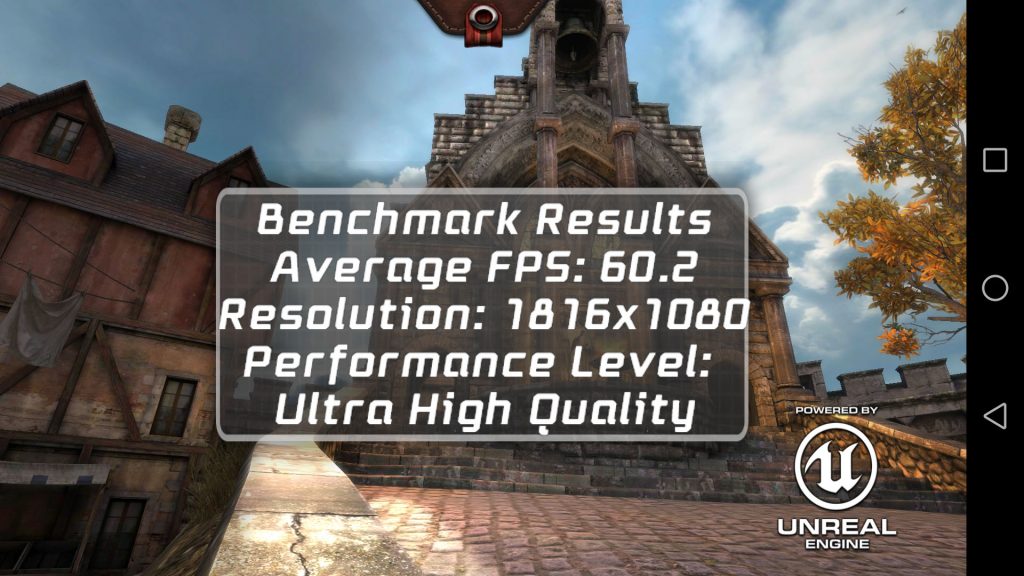
Starting off with Epic Citadel, it can score a consistent 60FPS right away. No issues at all, and I’m really happy that it did. Flagship smartphone needs to have flagship performance – and the Huawei P10 definitely has it. However, do keep note that this is the Huawei P10 – the one with a 1080p display. For the P10 Plus, it has a 1440p display while still using the exact same chip. Not sure how that’ll perform, but I digress.
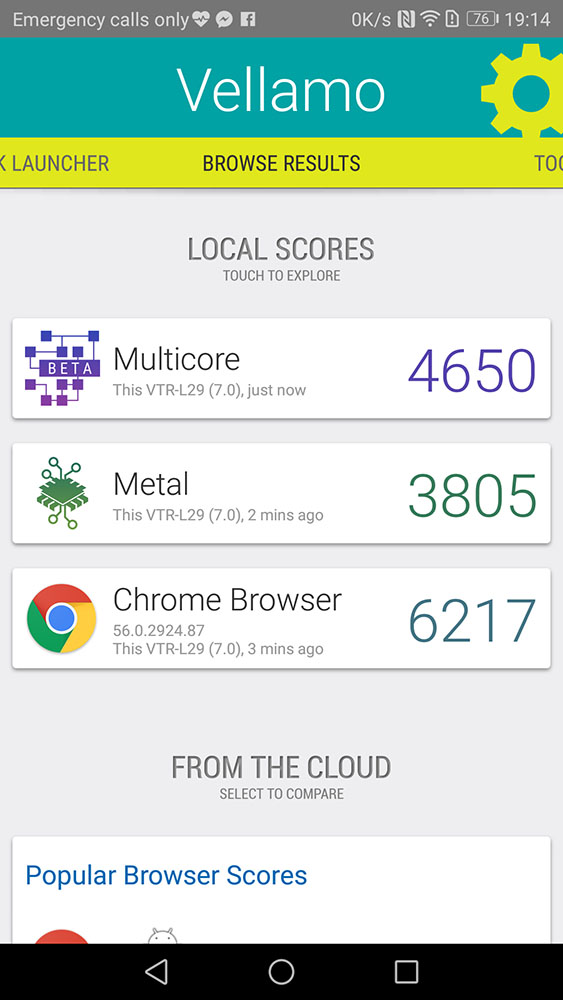
Onward to the next test. Vellamo shows that the Huawei P10 does indeed show some really fantastic hardware built in. That Kirin 960 chipset isn’t joking around. Maybe it’s the MLA? No one really knows actually, and Huawei’s MLA announcement video doesn’t really help either.
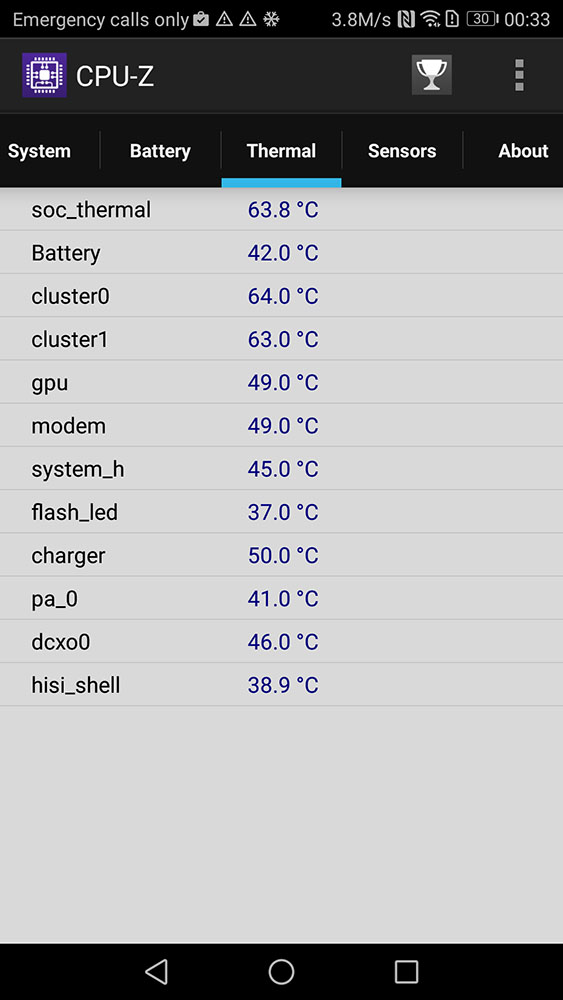
As for the temperatures, I’m a tad disappointed. It might be again due to the MLA, or maybe it’s because Huawei chose 16nm process instead of a better 14nm or the best 10nm process.
I did ask for more details on the MLA, and Huawei said that it’ll need 2 weeks before it starts to take effect. 2 weeks is a long time – and considering that the first few days of getting a new phone can leave a life-long impression.
So I used the Huawei P10 for 16 days – and reran Epic Citadel again. Did anything improve? Nope. Still the same 60FPS. But that leads us to the next question… what about the battery life?
[nextpage title=”Battery life improvements?”]
Battery life on the Huawei P10 is actually very disappointing. Maybe MLA is the one that’s messing around – but for what I can find out, the Huawei P10 is underperforming in terms of battery. I mean, compared to other smartphones with a 3,000mAh battery, the P10 can barely make it to 8 hours on our PC Mark battery test!
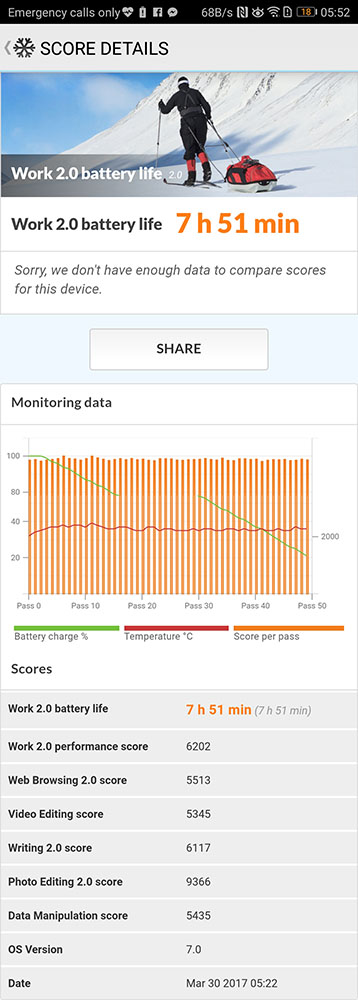
I mean seriously – there’s a smartphone like the Galaxy A5 (2016) that has a 2,900mAh battery with Exynos 7580 Octa chipset that’s manufactured with a 28nm process, and lasts for nearly 9 hours in our PC Mark battery test! Just what is going on under the hood of the Huawei P10? Is MLA causing any sort of issue here? We’ll definitely find out some time in the future.
What about that charger?
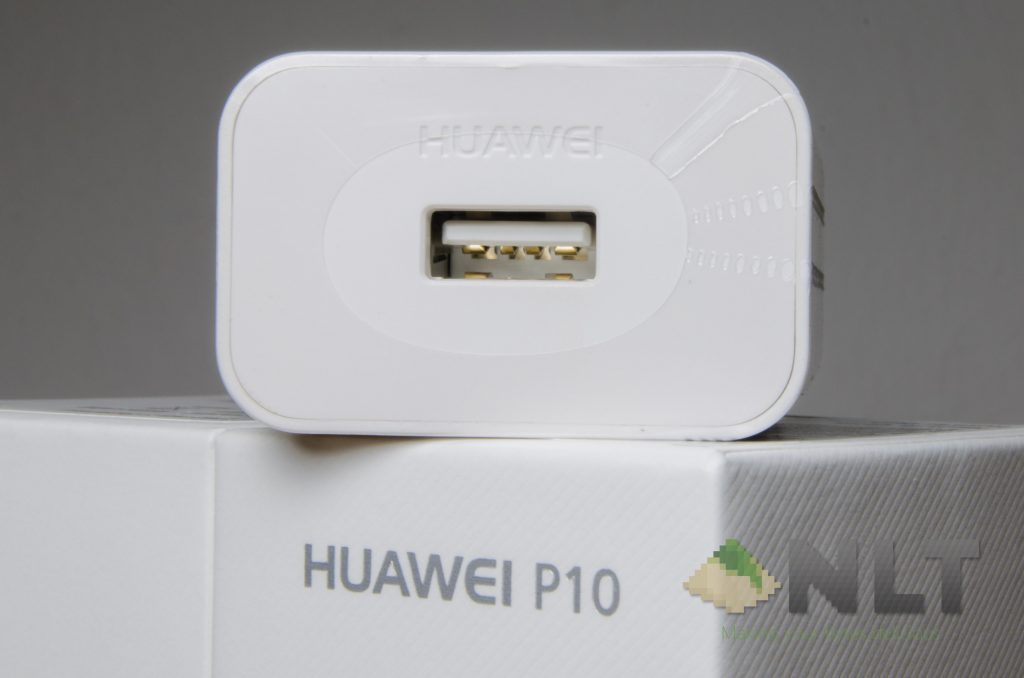
Remember that I showed you the purple USB-C that can handle 5A? That’s because of the brand new Huawei Super Charger. This is an interesting technology as it can output 2.5W higher than what OPPO’s VOOC is offering right now. The Huawei Super Charger is rated to output 4.5V @ 5A, or 5V @ 4.5A.
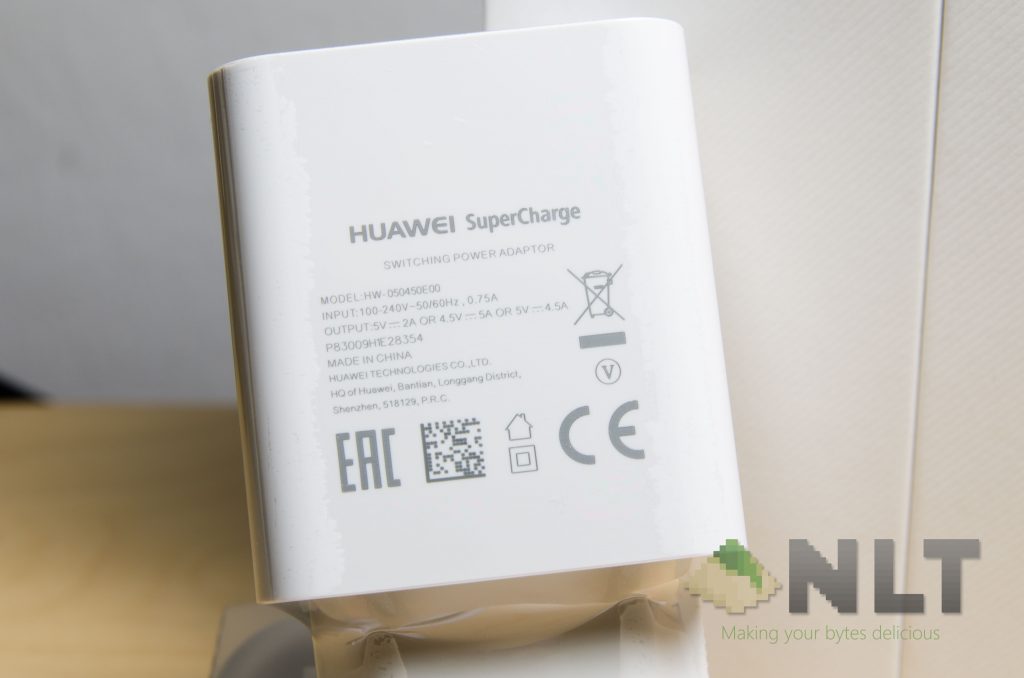
The charger itself is pretty compact, so that’s a good thing for those who travel a lot. However, one thing you should note is that the USB-C cable for the Huawei Super Charger is special. It’s thicker than other cables to reduce the internal resistance, and that’s because it carries a maximum of 5A across the length. That’s a really high amperage!
Charging speed is pretty much on par with the OPPO R9s, as the Huawei P10 also takes about an hour and a half to charge from 0% to 100%.
[nextpage title=”Wrapping up the Huawei P10 review”]
The Huawei P10 is a smartphone that’s tiny but brings in a really powerful punch in the two things that matter the most – performance and camera. The only thing that I am concerned of, is the battery life – but luckily, the charging speed is fantastic.
It’s a smartphone that is meant to bring high-end flagship-level hardware into a 5.0-inch-ish size smartphone, and I appreciate that. It’s a standard nowadays that flagship smartphones must be huge to the point that we forget about the enjoyment of using a small phone.
The Huawei P10 is now available nationwide with a price of RM 2,499, and you can get it over at Lazada right here.
Like our Facebook Page here at NasiLemakTech.com for more news and in-depth reviews! Also, join our Facebook Group for insightful information and memes!
Subscribe to our YouTube channel too!