





















Specifically, on the EVOLVE 40. Why am I doing this? Because I think Jabra focuses on very niche market segments in the audio industry and not many other even acknowledge the existence of it. They have one whole segment specifically made for different types of businesses too – but we’ll be focusing on their office-focused types of headphones – the Jabra EVOLVE series, specifically the Jabra EVOLVE 40, because Jabra sent me this model, and I have to say that it’s actually pretty good!
Brief overview of the EVOLVE series
First of all, it goes without a saying that this pair of headphones is meant for online conference calls, and they even made this handy little chart for all the customers to refer to.
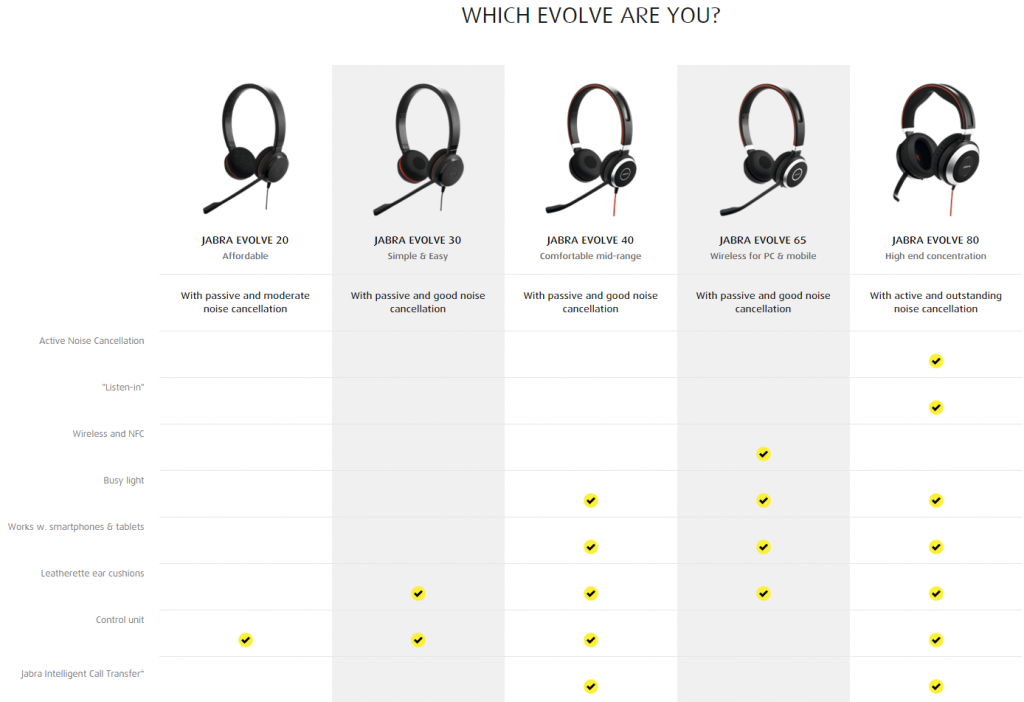
Nonetheless there are different stype – yes that’s a combination of style and type – of headphones, ranging from small and portable earphones that just sit on the ear pinna like the EVOLVE 20 till 65, or wrap around the ear entirely like the EVOLVE 80. Sure it seems like a big leap from the EVOLVE 40 to EVOLVE 80, and yet this chart really is important.
The EVOLVE 65 serves as an in-between for both EVOLVE 40 and 80, as it is the only model that comes with wireless and NFC connectivity, and that means it’s controlled by your smart device instead, and that’s why there are no control unit for the EVOLVE 65.
Build quality and comfort
First off, I’m not a fan of these types of small headphones, but nevertheless Jabra managed to pack decent foam into the ear cups and make the entire thing light enough till that I don’t really feel much of anything at all. The foam is soft and cups around the ears just nice enough till that I don’t really realize it’s there after 5 minutes or so.

I have to give Jabra an excellent A+++++ rating here for including a versatile microphone here that can be bent a little, kept onto the headband itself magnetically via the slot – which doesn’t pick what headband size you’re using – and able to rotate about 300º angle! That means I can use the microphone on the right side, or flip it over to the left side, but sacrificing the left and right stereo orientation.

That said, it’s a pair of call-centric pair of headphones where the other focus of the headphones come from its included in-line control unit.
It’s detachable – that means you can detach it from the control unit, use the 3.5mm audio jack and hook it up to your smartphone, and stick the microphone back to the headband itself! Very neat and versatile design here!
Cool features
The control unit has a total of 5 buttons on it – volume up and down, then there’s an “answer call” button at the top, a mute microphone button at the bottom, and finally a “busy” indicator on the Jabra logo itself. I find it particularly nice that the unit here does have a simple button to answer the call, and another button for muting.

Let’s not forget that there are rubber feet at the bottom of the control unit – so you can set it down on the table and not worry about it at all!

Sound quality
First up, I realize that the in-line control is obviously a sound card, and it actually does split the headphone’s audio in/out combo jack (speaker/microphone combo jack) to be two separate “devices” entirely.

While the in-line control unit does more than just splitting the audio and adding controls, it does act as a smart selector between two different audio controllers. I guess I’ll have to introduce those two audio controllers first – there is one for audio output to the headphone, which has higher fidelity and favourable for music-listening, and there’s another one for audio input and output, which has lower fidelity and used for calls.
While listening to music alone, the in-line control automatically switches to the higher fidelity one, and when a call is accepted, it automatically switches back to the lower fidelity ones to match the telephone’s bitrate. Very nicely done, Jabra!
Software friendliness
Jabra made their own software called the Jabra Direct, and I have to say that it’s actually pretty neat! Everything is shown in a single screen, where there are even more advanced settings available on Jabra Direct itself, that includes firmware updates, which I hold dearly on all peripherals.
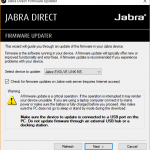
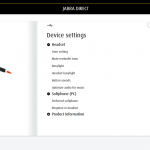
As for all call centers, there will be more than just two or three people, and oh Jabra handled that like a boss. They included an option to save and load the settings, so that all computers in the call center can be streamlined, albeit a little tedious still that each computer will have to load that one specific settings file.

Still, this feature is very much appreciated!
Wrap up
The Jabra EVOLVE 40 review is definitely not the same as other audio products that I’ve reviewed, sure. I’ve given it a different twist as this peripheral isn’t meant to compete with other audio-centric audio products at all. It’s meant for call centers, and listening to songs while using the headphones itself while taking a break.
It’s a great all-rounder for call centers – it’s small, has some nice features, and has a no-nonsense software too. Even comes with its own pouch!

Sadly, the Jabra EVOLVE’s control unit doesn’t take in any other audio jacks than the Jabra EVOLVE series headphones 🙁
Like our Facebook Page here at NasiLemakTech.com for more news and in-depth reviews! Also, join our Facebook Group for insightful information and memes!
Subscribe to our YouTube channel too!

