













During Samsung’s announcement of the Galaxy S21 series earlier this year, they also mentioned about the release of the S Pen Pro “later this year”. I guess now is “later this year”, and we got our hands on it.
Since the S Pen Pro is an entirely separate purchase, my question becomes who should buy this S Pen Pro and why? Let’s go through the summary of my journey.
Why do you want to buy the S Pen Pro?
I can think of two reasons why, actually.
- To aggregate all of your different S Pens across different Samsung devices into just one single pen. There are no discrepancies like shape and size or even features available across different versions of S Pens, which is certainly good.
- For the Air Commands feature. Remember the Galaxy Note9, Note10, Note20 series having the “magic wand” feature, a.k.a. Air Actions? That feature can now be brought to all S Pen-supported devices.

Imagine taking a picture with the Galaxy Z Fold3 in Flex Mode and using the S Pen Pro to trigger the shutter. That’s a truly remote shutter + tripod situation, but compact.

But, we do need to charge the S Pen Pro. There is a plug at the top of the S Pen PRo which reveals a USB-C port. Unfortunately, there is no wireless charging and you will need to charge the S Pen PRo to use the “magic wand” feature, a.k.a. Air Actions.

There is no wireless charging and believe me – I’ve tried.
The design
S Pen Pro does come with a different shape and size. It is thicker and girthier, which felt it to be thicker than the Pilot G2 pen that I personally preferred. Yes, it’s in past tense because I personally have not held a pen for a long time and the only pens I’ve mostly used are the S Pens.

However, the S Pen Fold Edition is slightly shorter than the Galaxy Z Fold3. So, like what we showed with the official Galaxy Z Fold3’s case, we had a case to actually slot the pen alongside the phone and take it along with us together.

The S Pen Pro, doesn’t have this luxury. It’s a lot longer than the Galaxy Z Fold3 and there are no magnets or case + pen slot combo to carry it with the device.

The S Pen Pro also comes with the same tip as the S Pen Fold Edition. They have a slightly bulbous squishy tip and also have an internal spring, like the S Pen Fold Edition. Yeah, I can finally got to make the spring go inside – by just forcefully pushing the tip in.


Connecting to the S Pen Pro
The S Pen Pro also comes with a two-button rocker. The notched button works like the button on any other S Pens, but the other button is the “connection” button.

Holding the pairing button for 3 seconds will make the S Pen Pro go into pairing mode and your nearby Galaxy device will have a prompt, asking if you to connect.

Now, you might think that you’ll need to re-enter pairing mode if you want to use the exact same S Pen Pro with another device. Unfortunately, it’s not particularly seamless. There are two factors to this not-so-seamless transition.

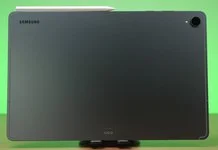
The first one is wireless connectivity. If you have a few different Samsung devices logged into the same Samsung account, then you can just press the “connect” button. Let me show you instead. I have the Galaxy Tab S7 FE and the Galaxy Z Fold3 with me. Let’s say I have connected the S Pen Pro to the Galaxy Z Fold3 and I want to now transition to the Galaxy Tab S7 FE.
I’ll have to wait for a while, then a prompt will appear on the other device, tap connect, wait for a few more seconds, then I can use Air Actions via the S Pen Pro on the Galaxy Z Fold3. I just wish that the connectivity is more seamless – maybe automatic connection transition when the device detects the S Pen Pro?
A separation between S Pens

The second not-so-seamless factor is the toggle. See this? If the S Pen Pro is on S Pen mode, I’ll have to push the toggle to and change it to Z Fold to be able to draw on the Galaxy Z Fold3.
With that said though, for my case, I don’t think it’s that big of a deal. I will draw and write on both the Galaxy Tab S7 FE and the Galaxy Z Fold3 – but I will only be using Air Actions on the Galaxy Z Fold3 – so that’s not an issue.

Just that I’ll have to remember to charge the S Pen Pro so that I can actually use Air Actions when I need to.
I should also mention that the S Pen Pro can be linked to SmartThings Find so that it can be easily located if I misplaced it.
Should you buy the S Pen Pro?
It truly depends on your use case. There is no denying that the S Pen is very versatile and is already cross-compatible with many devices, but the introduction of the Galaxy Z Fold3 seems to have created a divide and require the new version of the S Pen to function.
If you already have multiple different Samsung devices that support the S Pen – for my case the Galaxy Tab S7 FE and the Galaxy Z Fold3, then consolidating both S Pens into just one S Pen Pro is certainly good since I don’t have to worry and adapt to the different S Pen weight, size, and shape.
However, I do think that the implementation of multi-device connectivity could’ve been better. Though, that’s not an issue for me since I will only see myself using Air Actions on the Galaxy Z Fold3, so I’ll leave the pen permanently connected to my phone instead.
For the price of RM499 (USD $99.99), it’s up to you to judge if the S Pen Pro is worth it or not.

Where to buy? (Affiliate links)
Like our Facebook Page here at NasiLemakTech.com for more news and in-depth reviews! Also, join our Facebook Group for insightful information and memes!
Subscribe to our YouTube channel too!