



















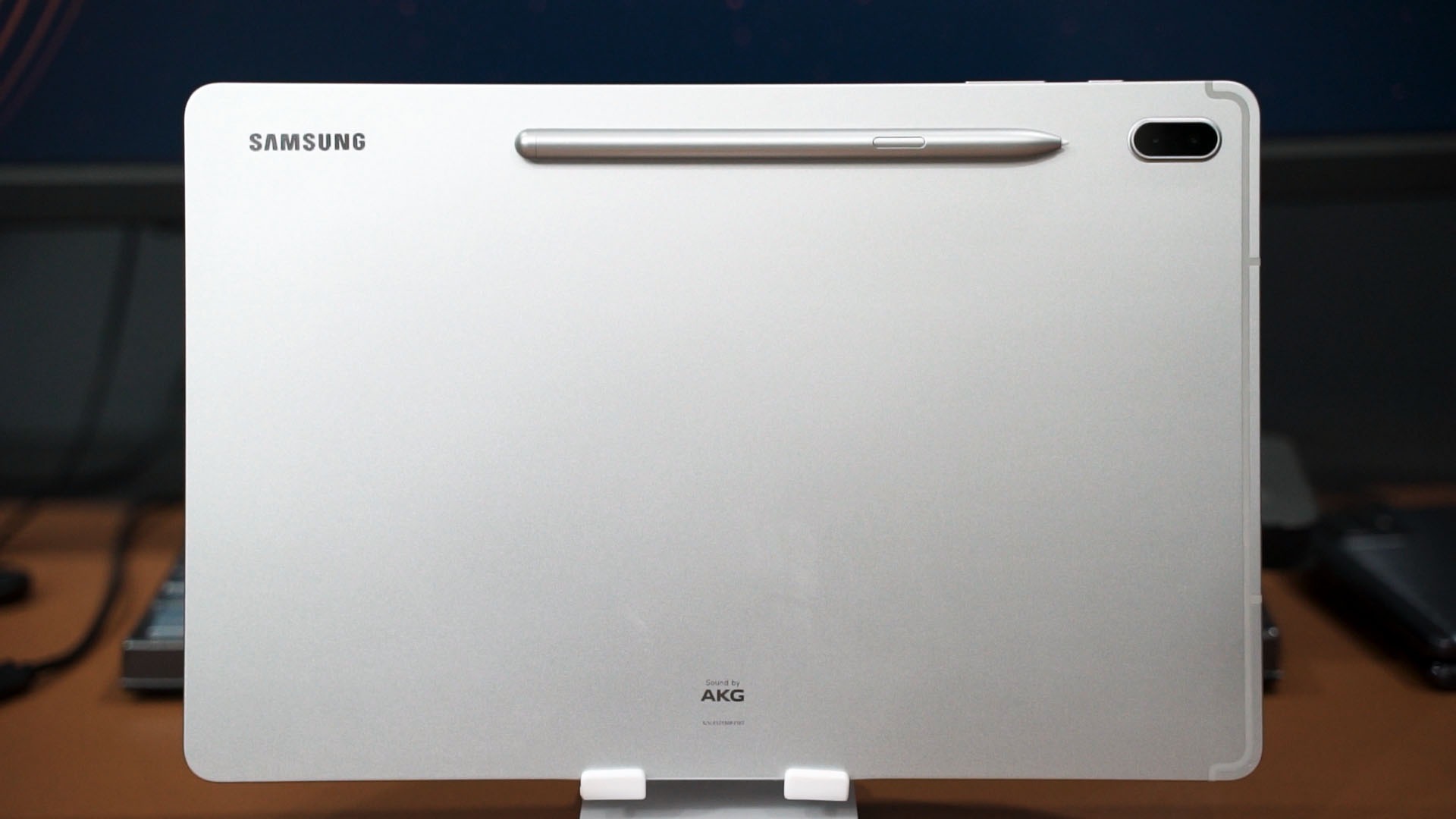

I think we are going through a resurgence of tablets in the market right now. And it’s for the right reasons too since we’ve all adapted to the “work from home” and “study from home” lifestyle. One of the big releases in the Android tablet market is the Samsung Galaxy Tab S7 FE. It comes with the price and the right features – but how this tablet actually like?
Let’s explore it in today’s review.
Unboxing
We have to talk about the unboxing of the Galaxy Tab S7 FE first. As we mentioned in our first impressions of this tablet, it comes with everything that you’ll possibly need – including the S Pen and a charger.


Design
The entire Galaxy Tab S7 FE is rather clean when it comes to a tablet’s design. It’s a massive tablet that has two speakers – one on each side – and an aluminium back to provide rigidity.

To provide even more rigidity is by using an aluminium frame too – as there are visible antenna bands on side here.

Since we’re looking around the sides, we can also see this microSD card slot so you can expand the storage if you want to.

Screen
Of course, a big tablet means a big screen – and this Galaxy Tab S7 FE has a massive 12.4-inch IPS LCD screen. And please don’t @ me saying that “oh this is a TFT display because GSM Arena says so”. No. The term “TFT” is an umbrella term used to describe both TN and IPS LCD screens.

And we know this is an IPS LCD screen because of the black levels that aren’t as black as OLED screens, and there is no color shifting when viewing the screen at an angle. Samsung just lists anything that is not an OLED display as “TFT”.
And we know this because of the extreme viewing angles of this display. There is no color shifting like a TN panel, and the black levels aren’t as deep as OLED panels. That’s how we know it’s an IPS LCD screen.


That aside, this is a big, good-looking, display. And for fun, we also took out our colorimeter to test it out – and we got pretty good results overall. However, the color seems to be more accurate in “vivid” color profile as compared to “neutral” color profile.


That means this big display is good for all sorts of things – ranging from movies and work. Speaking of work, let’s jump to the next section – the desktop mode.
Desktop mode with DeX
When it comes to desktop modes on these tablets, Samsung is definitely leading with DeX. It’s been many years and Samsung DeX has been very refined in this aspect. Specifically for Samsung tablets, you can actually swipe down and enter the quick settings menu, then press on DeX and it instantly switches to the desktop mode.

The layout is very familiar to Windows PC users and best of all – the keyboard shortcuts are nearly identical. I even used the Galaxy Tab S7 FE as a literal “laptop replacement” for an afternoon!

I just plugged in a USB-C dongle that I have, plugged in my keyboard and mouse to that dongle and everything works instantly.

But I do have a concern – the amount of RAM. This Galaxy Tab S7 FE does have a 4GB RAM variant and I think it will be insufficient for my level of multitasking. Our unit here comes with 6GB RAM and I can easily devour more than 4GB of RAM by having Spotify, Facebook Messenger, Telegram, and Google Chrome running at the same time. That is also the exact same way I typically use laptops when I am reviewing them.

Still, that might not be a problem since the latest Samsung firmware update also brought a feature called RAM Plus. It’s essentially reserving some capacity of the internal storage and use it as RAM. This is going to be slower than the “real RAM” and not gonna be a replacement, but it’s usable. Some devices already got the October update and already enjoying this feature, and I think the Galaxy Tab S7 FE will also get this feature soon.
By the way, you can also connect this tablet to an external display since it supports HDMI output over USB-C.


Performance
Jumping into the performance segment of the Galaxy Tab S7 FE, this is the WiFi version of the tablet and comes with a Snapdragon 778G chipset. The performance coming out of this chipset is surprisingly good!

Most importantly – the chipset can reach its full potential since it is not thermally constrained. Remember, this tablet is humongous and has a full aluminium body, and it acts as a giant heatsink for the Snapdragon 778G chipset.

We got very high frame rates out of this tablet and the temperature is just hovering at around 40°C. I’m amazed.
S Pen
Performance aside, we have to talk about the S Pen. I mean, it’s already packed in the box when you buy this tablet so that is one of the biggest appeals of this tablet.
The S Pen for the Galaxy Tab S7 FE is pretty nice to hold and the overall writing experience is good. I have fun using the S Pen and it works just like how I remembered using them on a phone.

Better yet, this massive 12.6-inch screen is perfect for writing or drawing. Palm rejection works surprisingly well even when I have my entire hand on the tablet’s screen.

Its screen is also at 16:10 aspect ratio – and that means it is pretty much perfect for online classes and even online teaching. We previously did a video showing how to use Samsung Flow and use any of our Samsung devices like a digital whiteboard – and that works with the Galaxy Tab S7 FE too.

Battery life
Then comes the battery. The Galaxy Tab S7 FE comes with a 10,090mAh battery and it is able to last for quite a long time in our battery life test despite having such a massive screen. I can also say for certain that this tablet can definitely last throughout one whole day of intense use on Samsung DeX while connected to an external keyboard and mouse.

Charging time?
Here’s the funny thing. In the box, the charger that comes with the Galaxy Tab S7 FE is a 15W charger. That takes nearly 3 hours to charge from 15% to 100% battery life.

But, the Galaxy Tab S7 FE actually supports up to 45W via USB PD PPS fast-charging protocol. That will shorten the charging time from 15% to 100% to less than 2 hours.

Should you buy the Samsung Galaxy Tab S7 FE?
This Samsung Galaxy Tab S7 FE is starting at the price of RM1,899 for the 4GB RAM + 64GB storage variant.
Let’s step back and take a look at the bigger picture. The Galaxy Tab S7 FE is pretty much the best all-rounder that can do everything very well. Ranging from just a bigger Android phone to a literal laptop replacement via Samsung DeX, or even as a drawing tablet since it also comes with the S Pen. Maybe combine other devices together and use it as a digital whiteboard – that’s up to you.

This is a versatile tablet and with its starting price of RM1,899, I think it’s an amazing tablet.
If you don’t need that much RAM, then the base model with 4GB RAM is sufficient. You could opt for the 6GB RAM model, but it’ll run you RM2,199. I’m not really concerned about storage here since this tablet does support a microSD card.

Any alternatives?
I think the closest competitor to the Galaxy Tab S7 FE is the recently-launched Xiaomi Pad 5 with the Xiaomi Smart Pen that will cost RM1,798. The experience offered by Xiaomi is lackluster and has a lot of downfalls and only the tablet portion is good. Even Xiaomi’s Smart Pen is nowhere near what Samsung has developed for the S Pen.

I also saw other reviewers saying that since the original Galaxy Tab S7 (released last year) has dropped in price and was about the same price as the Galaxy Tab S7 FE. Unfortunately, I can’t say the same for Malaysians since the price gap between these two tablets is still pretty huge.
Where to buy the Samsung Galaxy Tab S7 FE? (Affiliate links)
Eh, for Malaysians, you can get a free Samsung Galaxy Book Cover too. While stocks lasts, though.
Like our Facebook Page here at NasiLemakTech.com for more news and in-depth reviews! Also, join our Facebook Group for insightful information and memes!
Subscribe to our YouTube channel too!

