















Spotify has an extensive music library, but its streaming-based experience doesn’t always suit everyone. Whether you want to listen to music without an internet connection, transfer songs to other devices, or build a personal music collection, having more flexible audio download options can be useful.
Fortunately, several tools offer different ways to save Spotify music. Some provide dedicated conversion features, while others work directly in a browser or on mobile devices. Here are five Spotify music downloader options worth checking out.
TOP 1. ViWizard Spotify Music Converter – Best Overall Spotify Downloader
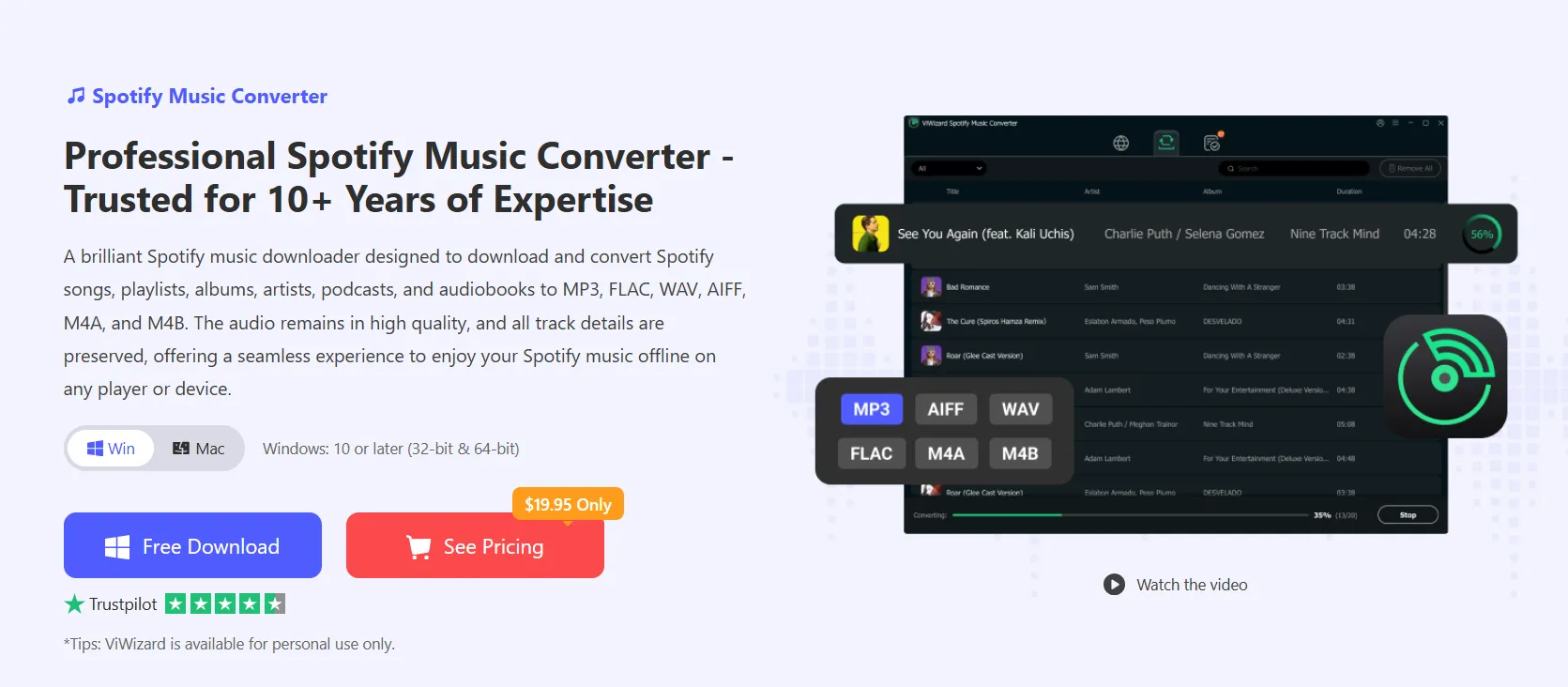
ViWizard Spotify Music Converter is a dedicated desktop application designed to download and convert Spotify songs, albums, playlists, and podcasts into common audio formats.
Unlike basic online downloaders, ViWizard offers more flexibility when managing a large music collection. It supports MP3, FLAC, WAV, AAC, M4A, and M4B, making converted tracks compatible with various music players, smartphones, MP3 players, and car audio systems.
One of its biggest advantages is batch conversion. Users can import entire albums or playlists and process multiple tracks in one session instead of downloading songs individually. It also supports conversion speeds of up to 15× faster.
Other useful features include:
- No Spotify Premium required: Access Spotify music with a Free account.
- High-quality output: Customize bitrate and sample rate according to your preferences.
- ID3 tag preservation: Keep song titles, artists, album information, and other metadata.
- Multiple audio formats: Choose the format that best fits your playback devices.
- Built-in Spotify web player: Browse and select music directly within the application.
- Music organization: Manage converted tracks more easily through customized output folders.
- ViWizard supports both Windows and macOS, making it suitable for users who want a more complete music management solution.
How to Download Spotify Music with ViWizard:
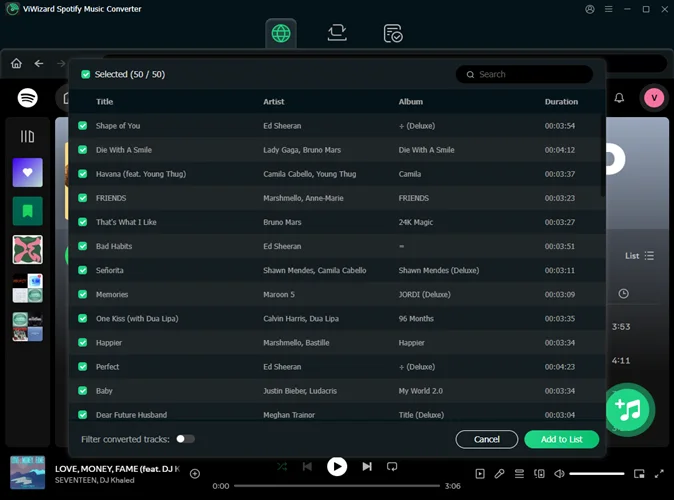
- Download and install ViWizard Spotify Music Converter on your computer.
- Launch the application and open its built-in Spotify web player.
- Log in to your Spotify account and browse for songs, albums, or playlists.
- Add your selected tracks to the conversion list.
- Open the settings menu and choose an output format, such as MP3 or FLAC.
- Click Convert to start processing your music.
- Find the converted audio files in your designated output folder.
For users who regularly download playlists or want to transfer music between different devices, ViWizard offers a convenient and organized workflow.
TOP 2. SpotMate – Best for Quick Online Downloads
SpotMate is a browser-based Spotify downloader that lets users process Spotify links without installing desktop software.
The basic workflow is straightforward: copy a Spotify track or playlist URL, paste it into the website, and let the service identify the music and generate a download option.
Its biggest advantage is accessibility. You can use it through a web browser on different devices, including computers, tablets, and smartphones.
However, online downloaders generally offer fewer customization options than dedicated software. Audio quality, playlist support, and download availability may also vary.
TOP 3. SpotiFlyer – Best for Android Users
SpotiFlyer is an open-source music downloader project designed for Android and other platforms. It supports music links from several services, including Spotify, YouTube, YouTube Music, and SoundCloud.
Users can search for music or provide links to tracks, albums, and playlists. Its mobile-focused design makes it an interesting option for people who prefer managing music directly on their phones.
One limitation is that SpotiFlyer is not currently available through Google Play, so users should check its official GitHub repository for project updates and installation information.
TOP 4. Audacity – Best for Audio Recording and Editing
Audacity is a free, open-source audio recording and editing application. With a suitable recording setup, it can capture computer audio and export recordings in common formats.
It also provides editing tools for trimming clips, adjusting sound levels, and removing unwanted sections.
Although it isn’t a dedicated Spotify downloader, it can be useful for users who want additional control over recorded audio.
TOP 5. VLC Media Player – Best for General Audio Conversion
VLC Media Player is a versatile multimedia application that supports numerous audio and video formats.
Besides playing media files, VLC includes conversion features that allow users to transform compatible audio files into formats such as MP3.
It isn’t designed to retrieve music directly from Spotify, but it can help with converting and organizing audio files obtained through other methods.
Final Thoughts
The right Spotify music downloader depends on your device and listening habits. SpotMate is convenient for occasional browser-based downloads, while SpotiFlyer offers a mobile-oriented alternative for Android users. Audacity and VLC provide additional audio recording and conversion capabilities.
However, if you want a more complete solution for downloading Spotify playlists and converting music into different audio formats, ViWizard Spotify Music Converter is the strongest choice on this list. Its batch conversion, customizable output settings, and ID3 tag preservation make it particularly useful for building and managing a personal offline music library.
Like our Facebook Page here at NasiLemakTech.com for more news and in-depth reviews! Also, join our Facebook Group for insightful information and memes!
Subscribe to our YouTube channel too!