





















Lenovo Vibe X series has always been the flagship smartphones for Lenovo. December last year, they updated their Vibe X series with the successor for the colourful Vibe X2, the Lenovo Vibe X3. Here I will dive down on how well the device performs being a daily driver and whether should it fit you if you’re planning to get one yourself.
Packaging
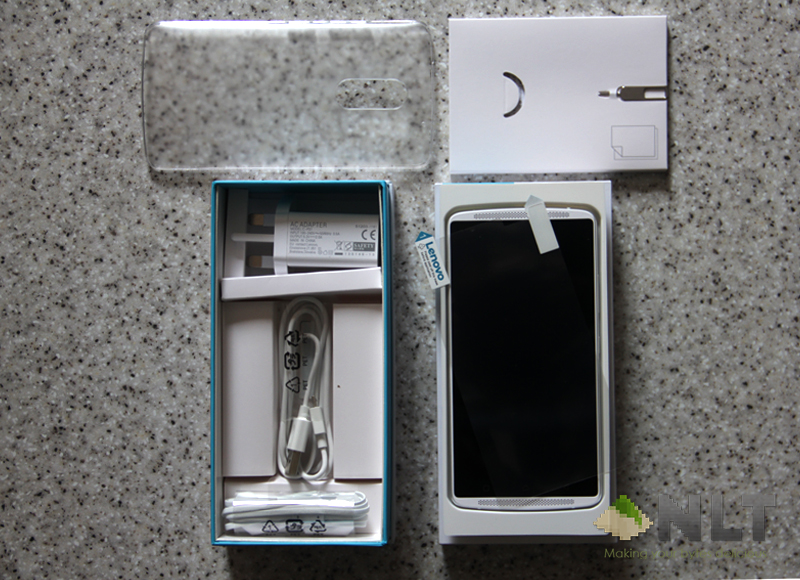
The Lenovo Vibe X3 comes together with the Lenovo ANTVR, should you opt for the package deal. Inside the box, it comes with the typical stuff like the earphones, charger and cable. But for the Vibe X3, Lenovo included the soft plastic case that fit snuggly to the phone as well and screen protector. This could save you the trouble on getting a new case or screen protector for your beloved phone.
Build
The build Lenovo Vibe X3 is in entirely different design style from its predecessor. There’s no longer rectangular-ish sharp corner style like the Vibe X2. In fact, the design style for the Vibe X3 is quite similar to the Moto X. This in fact due to the acquisition of Motorola Mobility, where Lenovo can now use the smartphone patent that Motorola introduced.
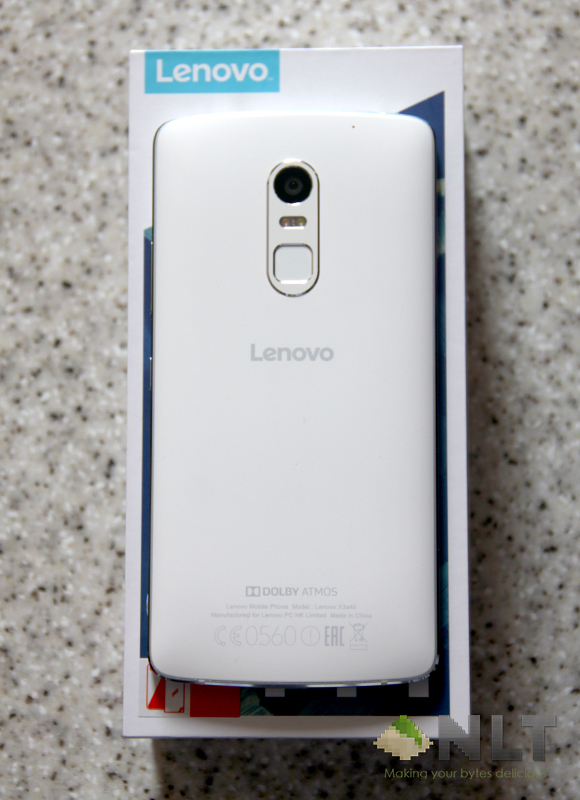
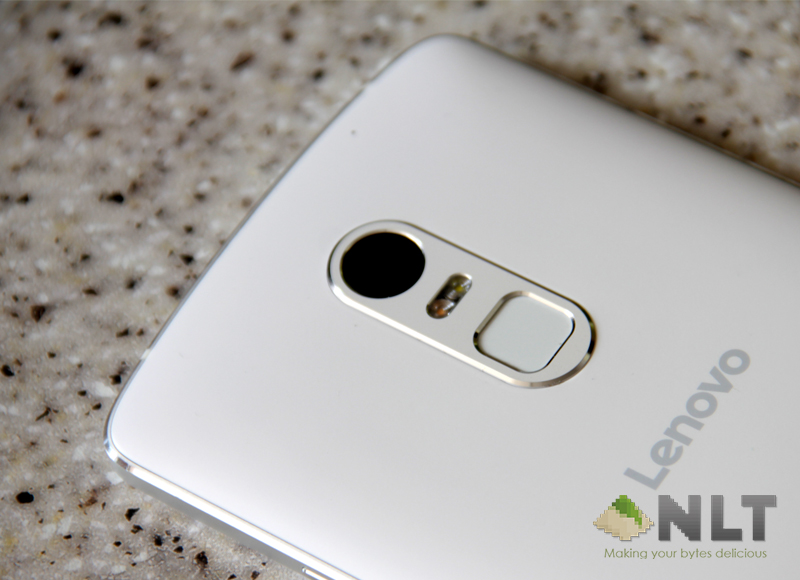
The Vibe X3 has nice curvy back where you’ll find it easy to grip on albeit the slippery back (unless you use the soft case they provided) and the chamfered edges that feels nice on hand. The camera located nicely at the top centre of the phone’s back with the fingerprint sensor lies not too far at the bottom of it.
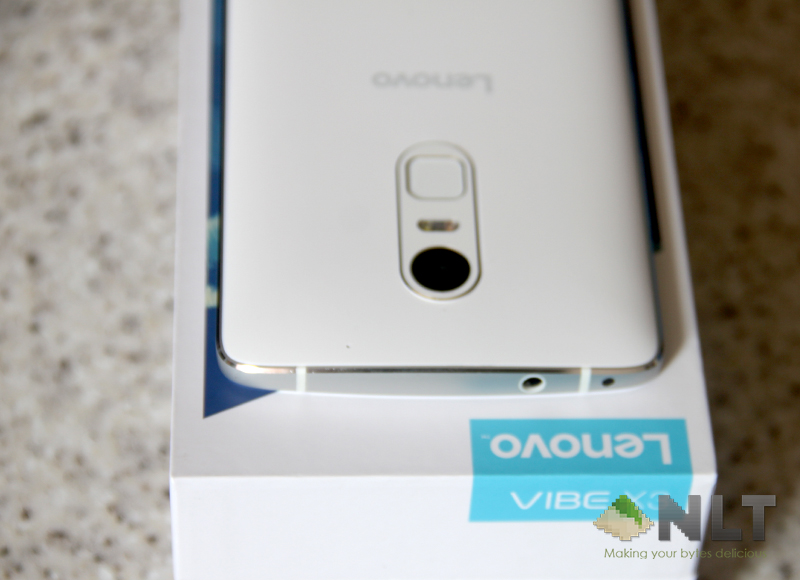
There’s IR blaster situated at the top side of the phone, along with the audio jack. It’s nice to see Lenovo still include the IR on their smartphones while most manufacturer nowadays no longer include it even on their flagship smartphones. Even though the usage is limited, but with proper apps it can comes in handy.
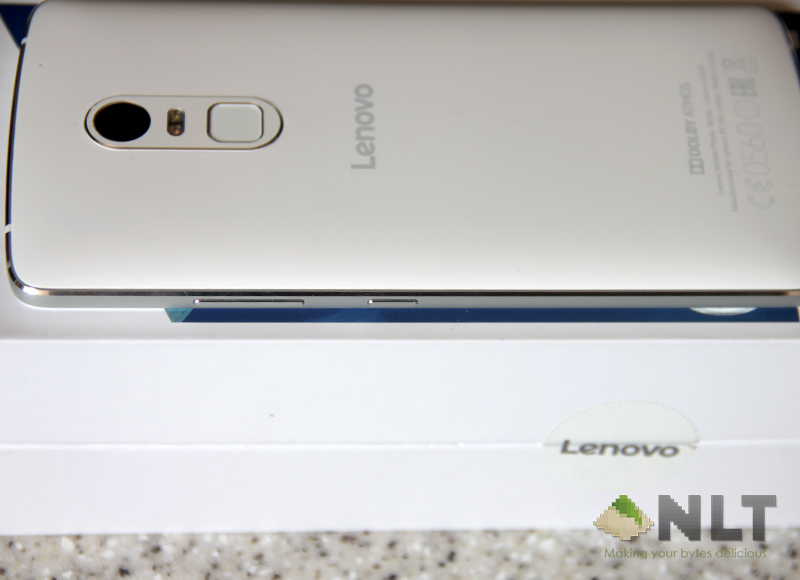
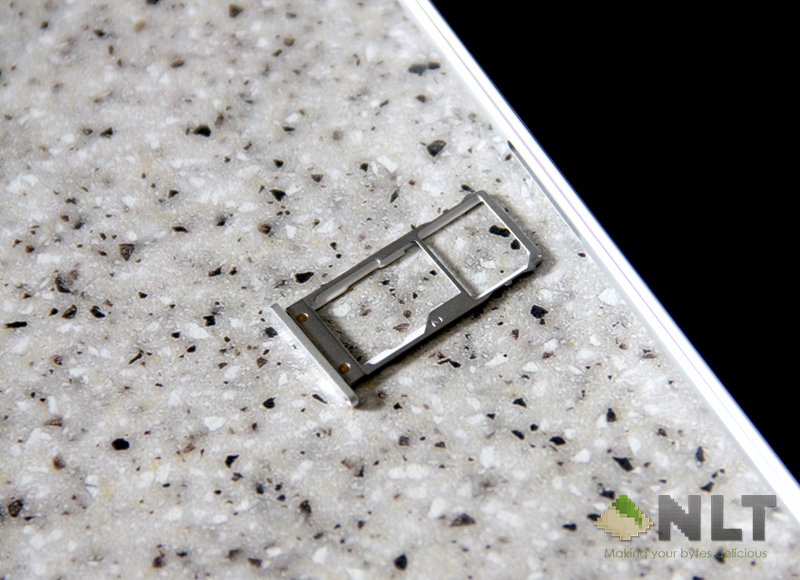
Volume rocker and power button located on the right side of the phone, while the nanoSIM and microSD card slot situated on the left side. The Vibe X3 has hybrid SIM slot where you could opt to use 2 nanoSIMs or 1 nanoSIM and pair it with microSD card. If you use it for travel often and use microSD at the same time, it can be a hassle.
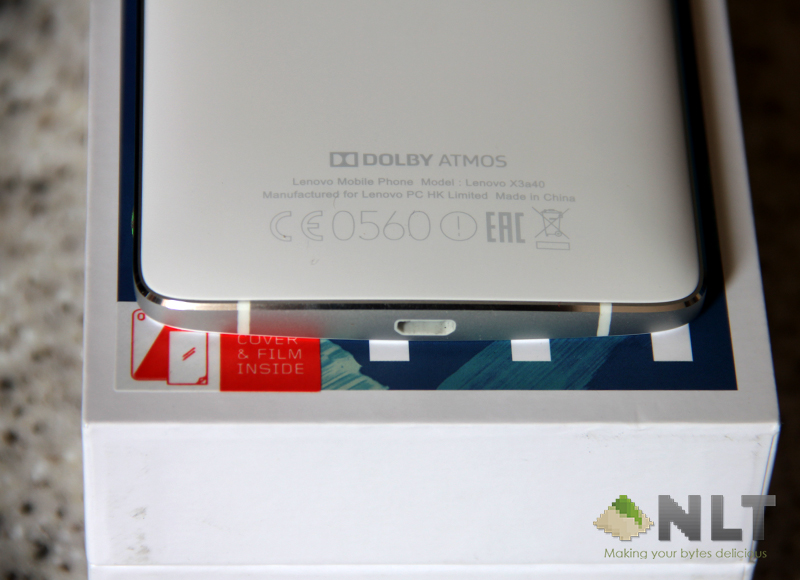
At the bottom side of the phone, the micro USB slot fit right in the centre. Nothing else aside from that. I do wish next time, Lenovo would change the audio jack at the bottom of phone to ease out slot in the cable for both charger and earphone while it’s still in your pocket.
Specifications
The Vibe X3 is more of high-tier of the mid-range smartphones. Although it’s a flagship device for Lenovo, the specifications of the Vibe X3 isn’t up to par with the current gen of high-end smartphones in the market right now, but it’s close. Under the hood, the Vibe X3 is powered by 64-bit Snapdragon 808 hexa-core processor. Unlike other high-end smartphones that were using 810, Lenovo opt for 808 instead. It’s quite a smart move on Lenovo side itself, because Snapdragon 810 has a lot of issues as seen on other high-end smartphones. It’s powerful enough to put the phone on the high-tier of the mid-range devices.
Utilising the Snapdragon 808, the Vibe X3 is supported with the Adreno 418, which slightly behind the Adreno 430 that was used on Snapdragon 810. The 3GB RAM also gives enough memory for you phone to run a number of apps without any stutter. You won’t have any problem multitasking between apps with this device. All that power relies on its huge 3,500mAh battery, which in my experience, give sufficient juice to last you a day without having the need to search for a plug point or bring along power bank to rejoice when you’re out and about.
Vibe X3 supports a very fast internet connectivity with its LTE Cat6, making your day browsing the web or lurking social media a breeze. When I was using the device, I never have any problem to change the connectivity halfway to 3G to conserve battery. You won’t need to. If your home has the most updated router that have Wi-Fi AC, you can even utilise that with its built-in Wi-Fi 802.11 AC to get a better connectivity. It also has BLE (Bluetooth Low Energy), so the phone can conserve as much battery as they can while stay connected to any Bluetooth peripherals or wearable.
Display
The screen is huge with its 5.5” 1080P wide-view IPS display. Lenovo has optimised the screen to show 100% NSTC colour optimisation. Truth to be told, the display is very bright and vivid, and the colour was quite accurate. It’s neither as vivid as the Super AMOLED nor washout like certain LCD panel.
The viewing angle was subpar compared to other smartphones in the market. At 45º viewing angle, the screen becomes slightly dim. If you view it at higher angle, the colour becomes a little big yellowish. But straight on, the colour is superb. If you’re a fan of super bright display, there’s option for you to choose from in the display settings. Lenovo even included a warm option for those who cared about blue light for their eyes or even a very dimmed display for dark environment.
Camera
Even though Vibe X3 is a high-tier of the mid-range phone, it packed a powerful camera. It has 21MP back camera with Phase Detection Auto-Focus (PDAF). If you’re not into photography, PDAF is what you normally see in DSLR. A layer of mirror moves to detect if the object is in focus. The focus on the Vibe X3 is fast and sharp. I hardly have any problem when snapping photos with it. Under low-light the camera suffers a lil bit, but it has a very good Smart mode that detect whether you’re under low-light or extreme low-light condition. While in extreme low-light condition, the camera software will automatically lock the ISO to 1600 (primarily to avoid extreme noise) and slow down the shutter speed. So, if your hand is steady, you will still be able to get a good enough photo under extreme low-light condition.
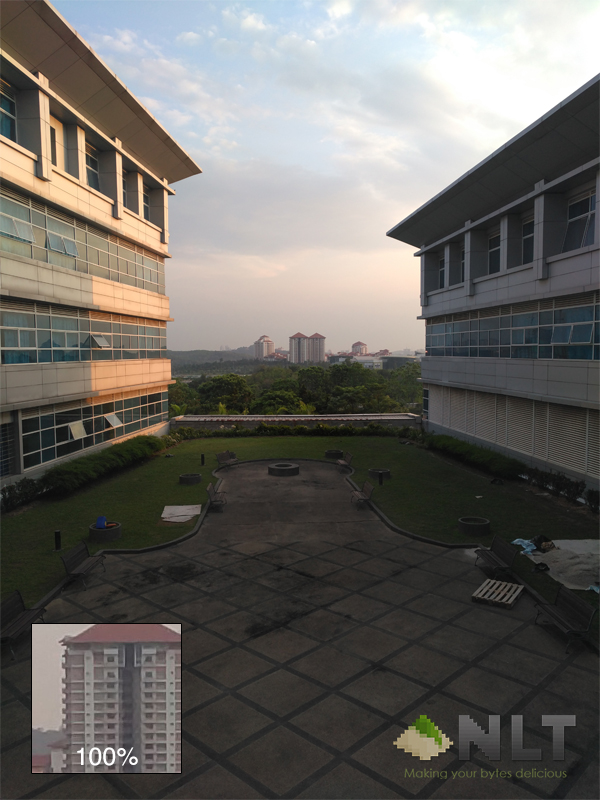
The Smart mode did a lot more than that. It has couple info for you to improve your photography composition. So, even if you’re a newbie and trying to learn how to compose the scene, with Smart mode enabled, it will tell you how should you improve the composition, whether you should move the camera closer or further from the object, tilt the phone at an angle, or even reposition your option on the frame. IMO, it is a good feature for anyone who’s trying to get a better photos and improve one’s photography skills.
The back camera can also record videos at 4K resolution. Although recording 4K on a camera phone is a tad overkill, but in case you need something to replace your DSLR to record video, it can. However, if you’re often recording videos at 4K resolution, you might want to get a 128GB microSD card for the videos. The 32GB internal storage will be full within minutes without the external card. Sadly, the Vibe X3 only comes with 32GB internal storage, with no option to up it to 64GB.
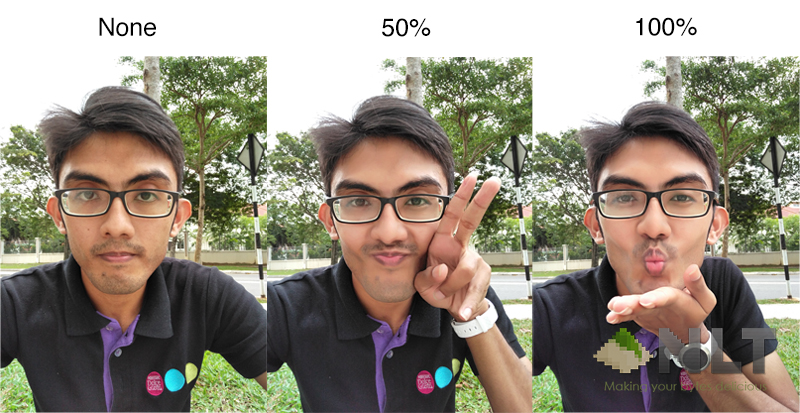
The front camera is subpar at best. Nothing really special about it. Bad news is that the front camera is fixed focus. So if you get too close to the camera, your selfie will be blurry. The camera app however does have the same feature like the one on Samsung, when you can beautify your selfie to kill off the blackheads and pimples. You have the option set it off, or full on extreme where your face will look like a porcelain.
Speakers
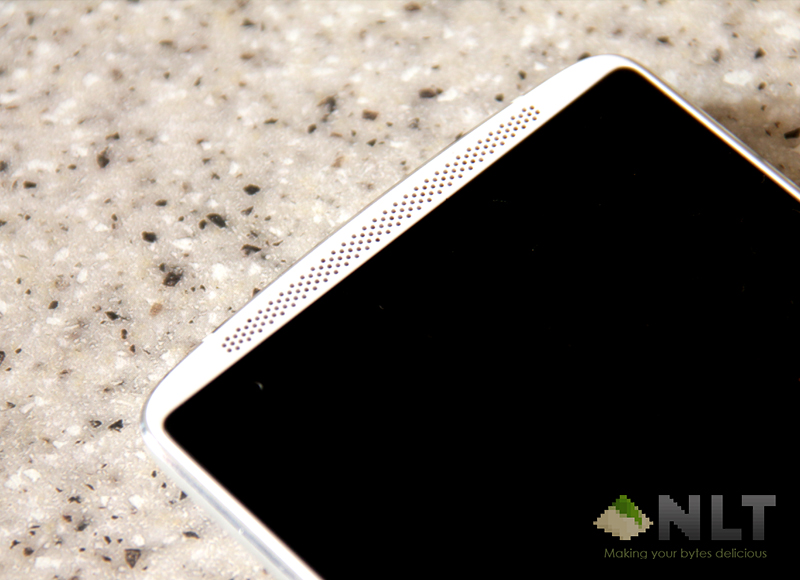
Having stereo speaker is a blast with the Vibe X3, and it’s front facing. It is a joy when you watching movies or listening to songs. It is loud enough for you to watching something off YouTube in public around noisy environment. Powered with Dolby ATMOS, the sound system boosts a lot more. Even without the ATMOS system switched on, the speakers are loud enough for entertainment consumption.
With the screen situated symmetrically centred between the two speakers, your entertainment consumer cannot be any better. And I love a good symmetrically made display and speaker combo. It’s very hard to find a flagship with one nowadays.
Dolby ATMOS Visualizer
Unlike your typical Android phone, Vibe X3 visualizer is powered with Dolby ATMOS. According to Lenovo, with this visualizer combining with their high-fidelity front facing speakers, the Vibe X3 will gives you the best cinematic experience when you want movies on the phone, especially if you’re using their ANTVR headset.
In my experience, the visualizer does improve the sound to be better when switch on. In simple way to say it, with the Dolby ATMOS on, the iPhone speaker sounds like crap from the 90’s. It is that good. Pairing with the awesomely loud speakers, the Vibe X3 makes your favourite songs sound a lot nicer. The visualizer also gives you’re the option to set it as manual, customising on how you like your speaker sounds like.
Software
Lenovo did a great job in the software department. Not that the hardware is not great, but the software really complements the hardware itself. The Vibe X3 operating system powered by Android 5.1.1. Unlike most manufacturer that heavily skinned their OS, Lenovo decided to stick near to the vanilla Android. Almost all the necessary apps that common baked into the OS is Google-based apps.
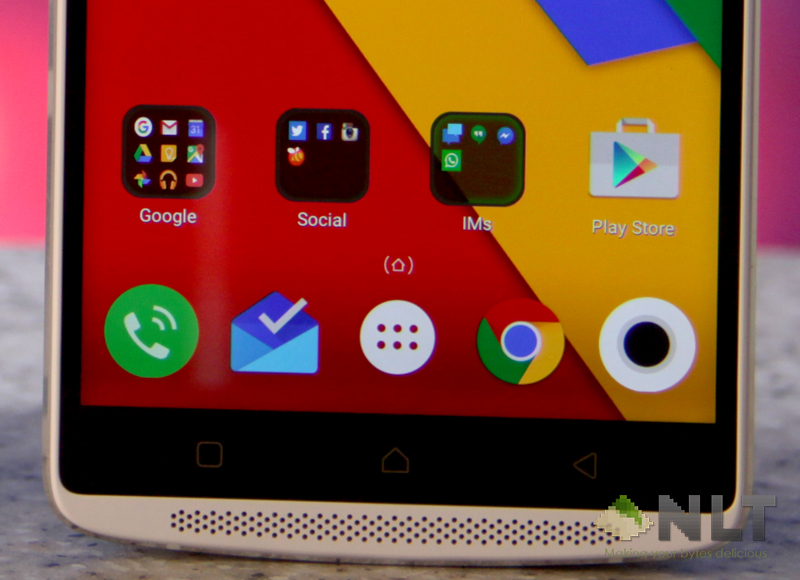
The Vibe launcher itself resembles a lot like the Google Now launcher. The only prominent apps that still have the Lenovo-isque is the Phone, Messaging and Settings apps. Other than that almost everything looks similar to what you get when you buy a Nexus, aside from some Lenovo related apps like Lenovo Companion, Peel Smart Remote etc.
There’s few pre-installed apps, but you can manually uninstall it. Yes, uninstall not disable. It’s not baked in which is great that Lenovo gives the user option to remove what they don’t need. You can basically remove every apps that comes preinstalled when you bought one, and start fresh with just Google related apps (you cannot uninstall these) and few Lenovo apps. I find some of the Lenovo apps that baked in are quite useful, like the Peel Smart Remote app.
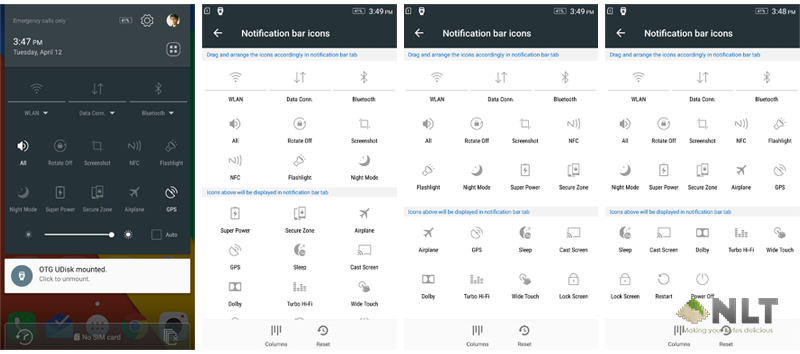
One thing I find annoying when using the phone is that I don’t get Mobile Hotspot switch in the quick access panel. In order to use mobile hotspot, I have to dig in deep into the Settings app to enable it. Even though the notification panel looks nearly as stock, the quick access panel isn’t. In the Settings app, there’s bunch of extra goodies that comes with the smartphone itself, but no option to add or remove stuff from the quick access panel. You can add up to 10 switches aside from the normal Wi-Fi, Bluetooth and Mobile switch. You can also set Shut Down or Restart switch into the quick access panel.
Extra Features
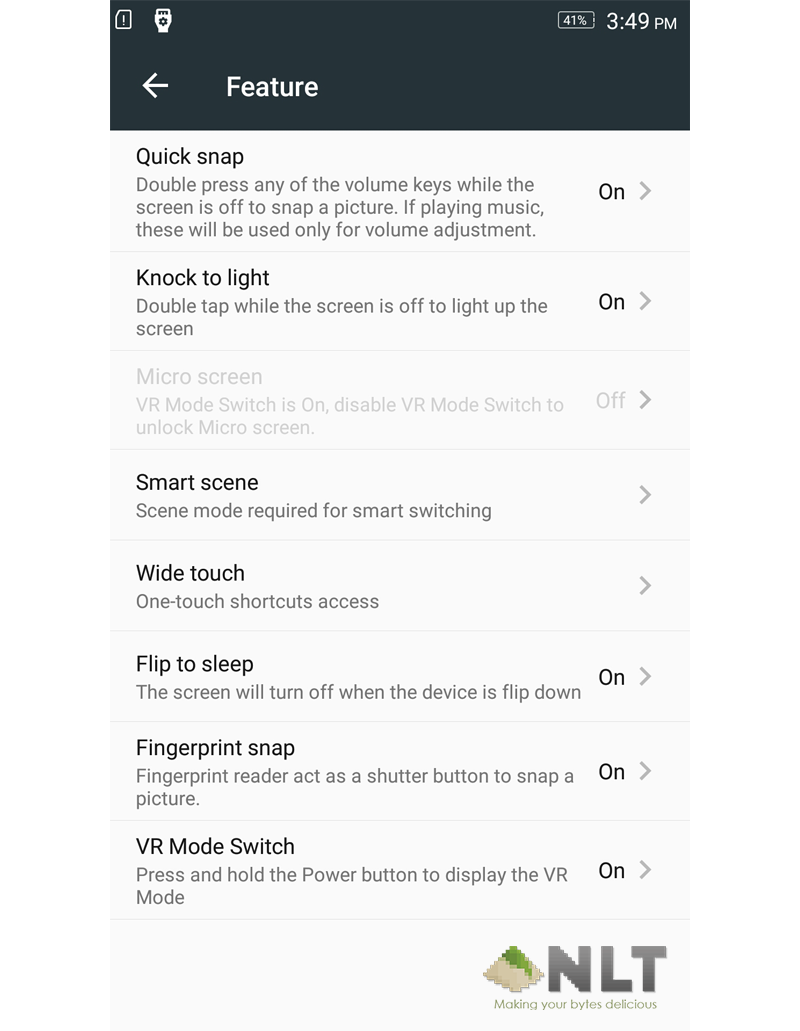
In the Settings app, there’s a separate section for the extra useful features that comes baked into the OS with the Vibe X3. If the screen is off, you can just use double tap the screen to light it up. Personally I don’t really use this feature due to fingerprint sensor. I often just place my finger onto the scanner and voila, the screen unlocks.
There’s option for you to enable a feature called Micro screen. This feature is almost the same that Samsung have on their phone. It shrinks down your app to two-third of the display, make it easy for you to access the unreachable corner with one hand. All you have to do is make a c gesture at the side of the display (either side works) and it shrinks to the respective side.
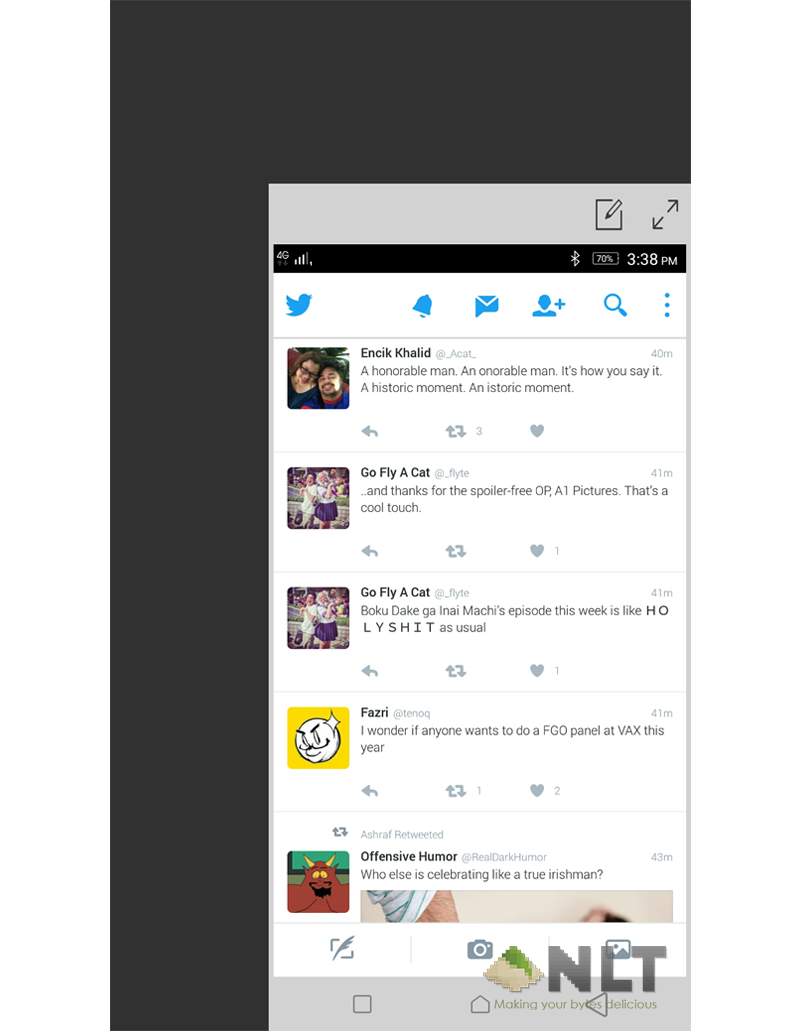
If you enabled the Micro screen, you won’t have the ability to enable the VR mode. The features contradict each other, so you can only enable either one. This is due to both features shrinks the screen down from its normal 5.5” size to somewhat smaller. As for VR mode, the screen shrinks to the top and bottom side of the display, and it is smaller. It fits it purpose if you’re planning to use it on ANTVR or the Google Cardboard. You won’t be able to view all the 5.5” screens via the VR glass anyway.
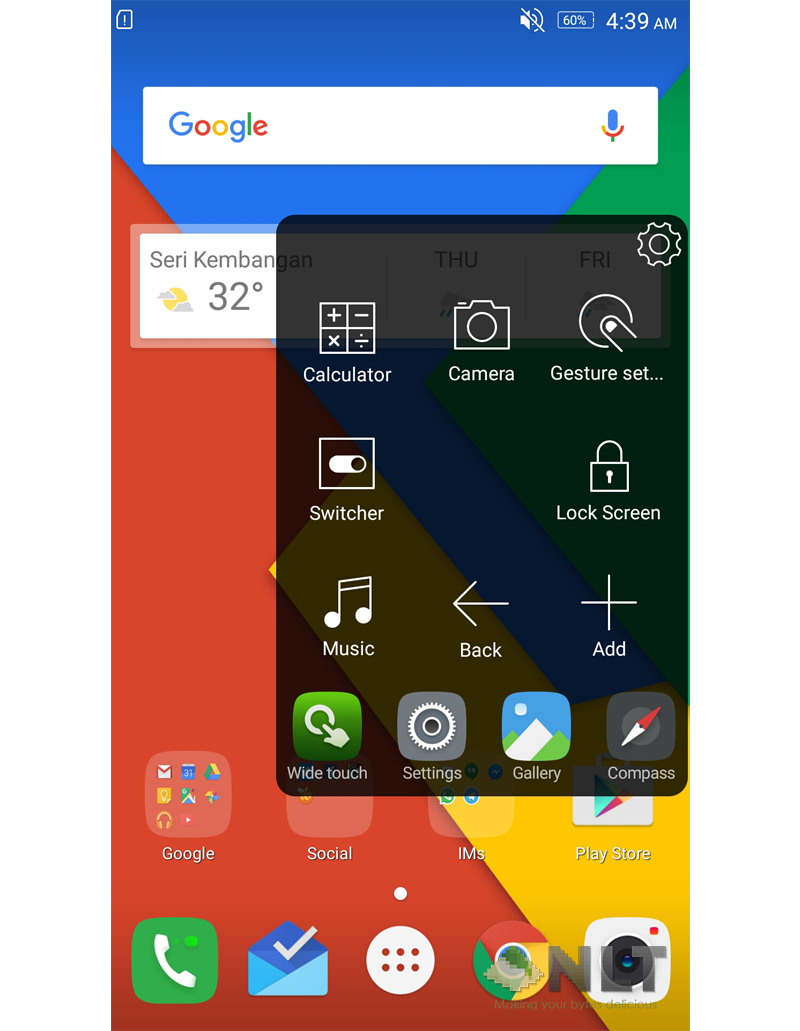
Remember the iPhone Assistive Touch? The Vibe X3 has it as well. I’m sure why because the button on the phone itself is a capacitive button, but with the floating Wide Touch button, you can do a lot more than just being a home button. Again, like the iOS Assistive Touch. It’s basically a replica on Android.
Often I forgot that I occasionally have to press the power button to kill the display before putting it into my pocket, but with the Flip to Sleep function on Vibe X3, I rarely touch the power button. Fingerprint to switch on, flip to switch off. Both in swift motion if you’re peeking for clock or notifications.
The fingerprint scanner on the Vibe X3 comes with additional features too. As you use their stock camera, you can use the fingerprint scanner to snap your photo. Personally, I usually just use the volume button, but with this, it gives you another option. Though, I find it quite difficult to tap the scanner while holding the phone for selfie, or using the back camera.
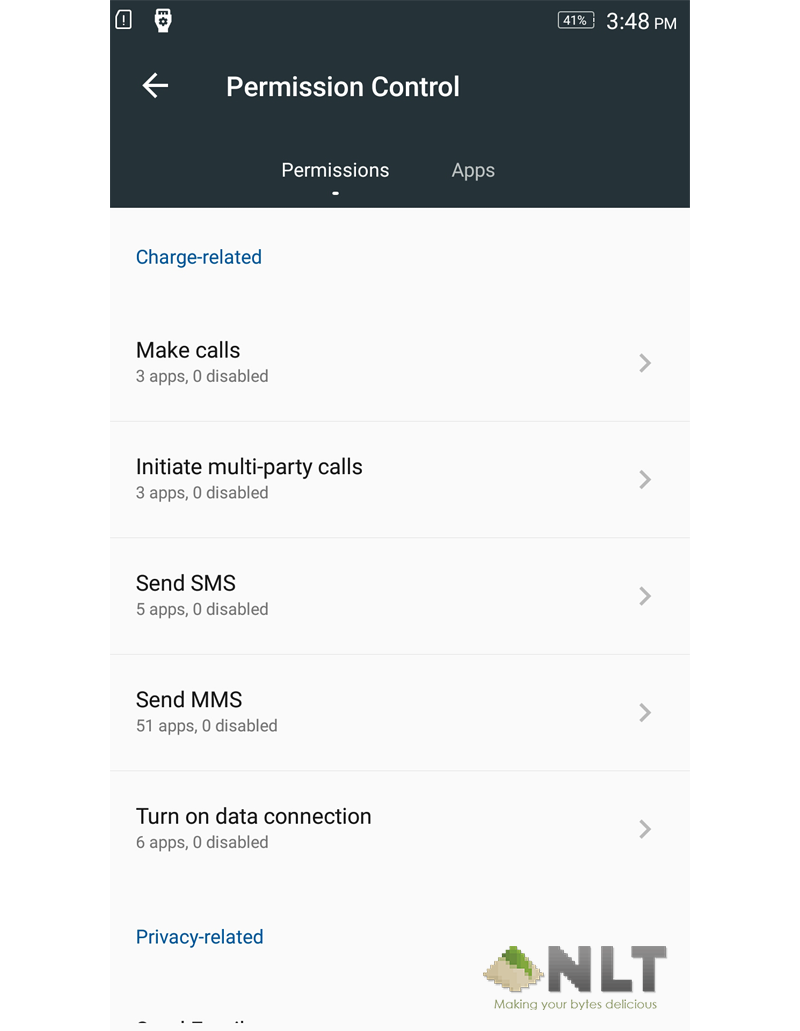
The Vibe X3 also featured its own permission control. Even though Vibe X3 is on 5.1.1, the permission control works the same way as the one you get on newest Marshmallow device. The permissions that you can toggle, gives you much more control on how can apps access your data. This is a good implementation by Lenovo itself.
Virtual Reality Mode
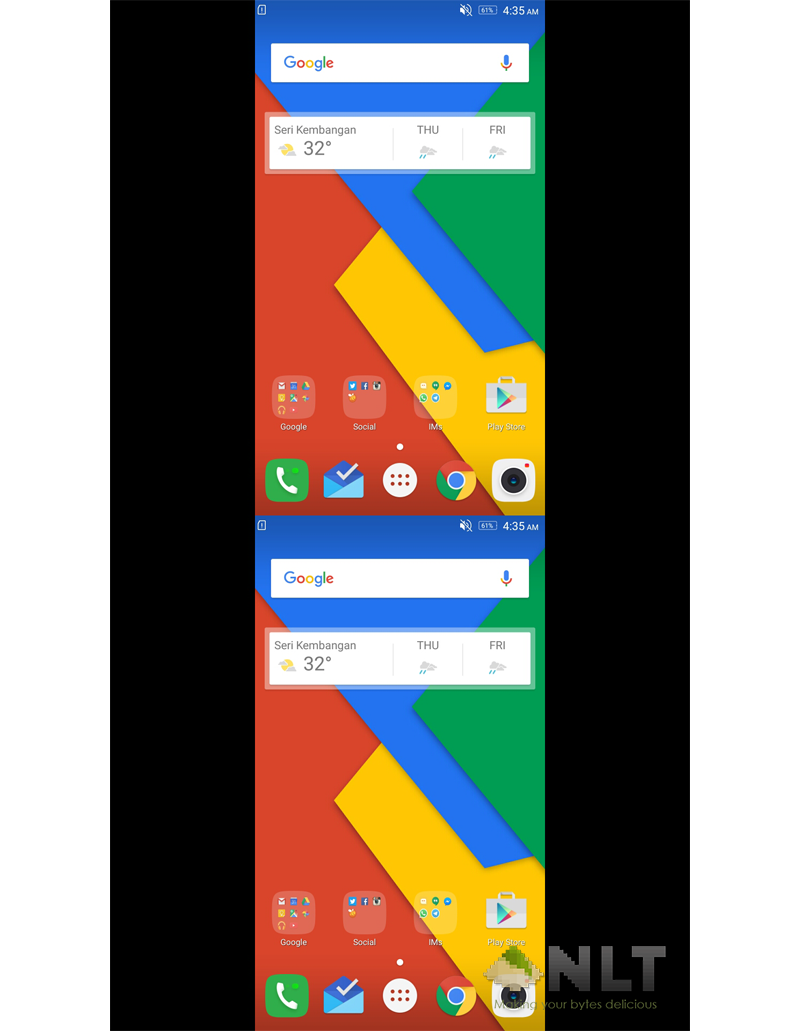
The killer features that was introduced with this device is the VR mode. What it does essentially is duplicates your whole display into two, up and bottom for you to view via VR headset. It’s handy feature if you wanted to view the movie via the VR headset, giving it a faux 3D like style. To be honest on my experience using it, I barely feel the 3D-ish when on the VR mode. Because you can only use it to view normal videos, and they are not made to show the 3D depth.
If I really wanted to watch 3D movies, I’d download a 3D version for that particular movie. For VR headset use, you could get any 3D SDS (side-by-side) movie and get a VR video app. The app that I used on the Vibe X3 is the VaR’s VR Video Player. This app can view any 3D movie files, and reorganised it to be viewed in SBS mode, while retaining the aspect ratio of the movie. If you use normal video player, the movie will be in square mode and you’ll be missing the left and right portion of the screen.
Secure Zone
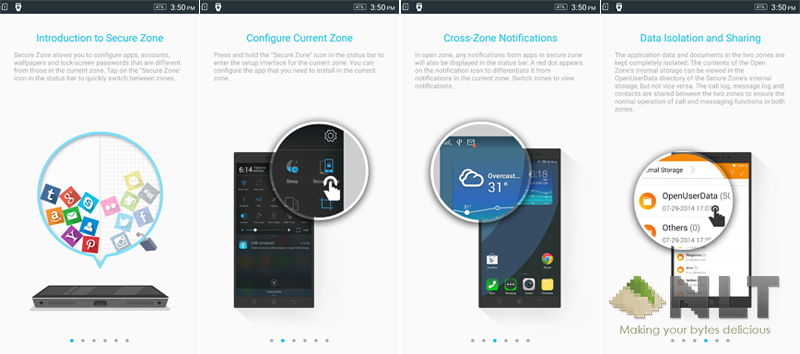
Vibe X3 also have a new feature called Secure Zone. The function is somewhat similar to the Samsung Knox app. It created a separate zone for your confidential stuff, where you’ll need to verify every time you open it. It is particularly handy if you’re a businessman or you have something private that you don’t want anyone to accidentally access while borrowing your phone. You can add separate emails, photos or any apps that you want to be excluded from your public home screen.
Performance
We normally use our smartphone to browse the web. As for what, I’ll test on how far the Vibe X3 performs compared to other devices on the market. The only one app that will able to show such performance.
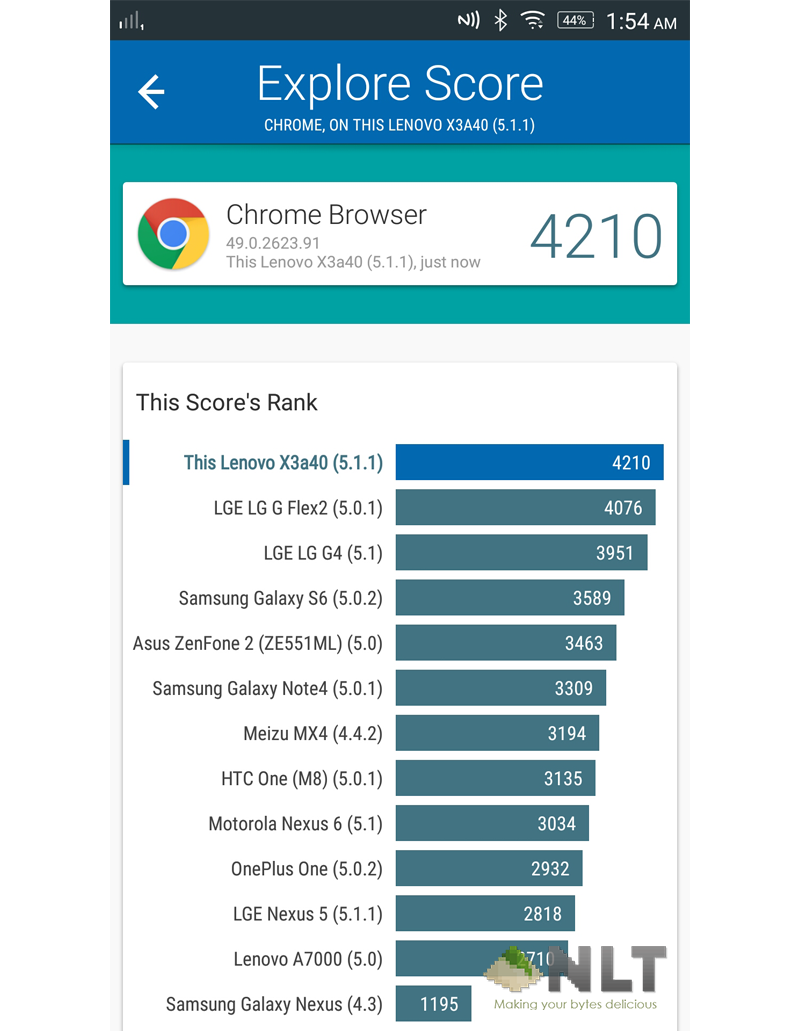
Based on Vellamo, the Vibe X3 performs really well for browsing. It scores 4210 marks using the Chrome browser. The score for the device is much higher than the Samsung Galaxy S6 & Note 4, as well as LG G4. Aside from the fact that the device was made later than the S6 and the G4, being a mid-range phone powered by Snapdragon 808, it still kicks asses on the web side.
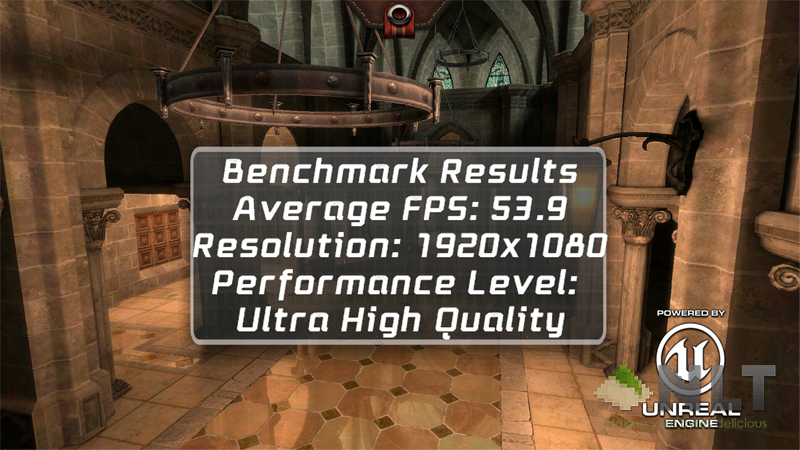
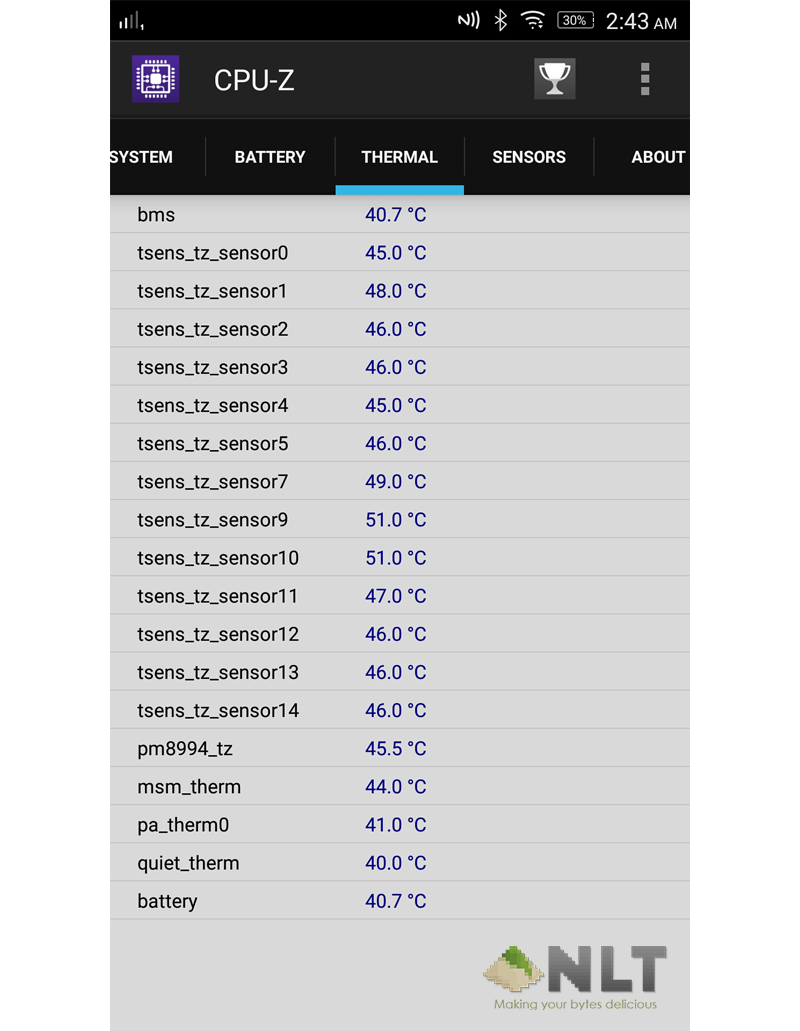
Epic Citadel benchmarks also shows that the Vibe X3 is not your typical mid-range phone. Having it set at its full resolution with Ultra High Quality settings, the device still scores average FPS of 53 frame-per-second. This shows that you won’t have any problem running a high graphic games on this device. It will do its job giving you the best lag-free performance while you enjoy the game. Even after three runs of the Epic Citadel benchmark, the average FPS keeps staying around 49 fps, mostly due to the throttled CPU to keep the phone from getting hot, keeping it at 44˚C.
Battery
Being a daily driver device, battery plays an important role. You don’t want to have a brick phone that you cannot use half of the day out. With Vibe X3, that seems not gonna be a big problem. The phones fitted with 3,600 mAh battery. That is a lot of juice for a mid-range spec phone, and honestly, it can last more than a day for average user. For those heavy user, it will last when you’re out and about, but you’ll however need to re-juice it by the end of the day.
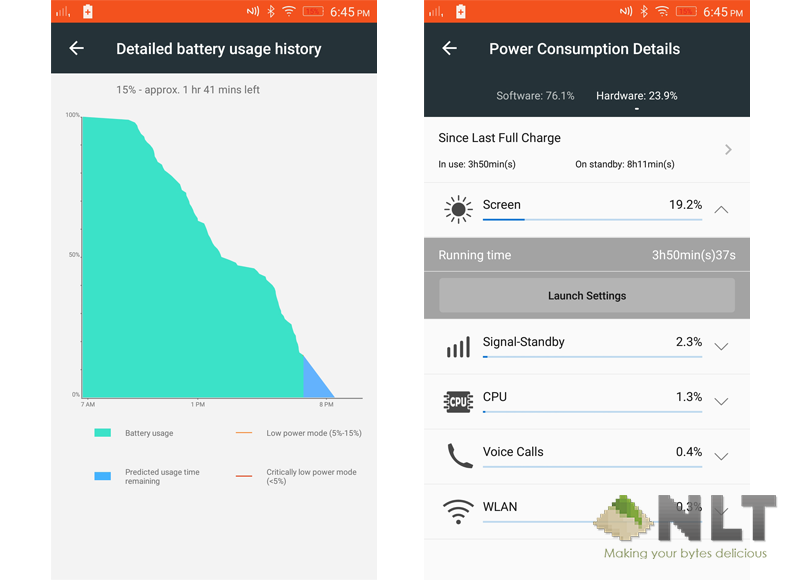
Based on my typical usage, lurking on social network like Twitter, Facebook & Instagram or messaging on IMs such Hangouts & WhatsApp, it can last 12 hours easily. That includes Screen On Time of nearly 4 hours. It totally last longer if I don’t lurk too often, or surf the web a lot. These numbers are for the mixed usage of Wi-Fi and data. If you’re only on Wi-Fi plan, you’ll last a lot longer. But it wouldn’t vary much.
Conclusion
All in all, Vibe X3 is a pretty decent phone. If you’re a type of person who buy & use it until it died and under tight budget for high-end flagship phones, this is a good phone for you. However, if you do tinker your phones a lot or planning to do so in the future, you’ll have to remove this phone from your list. Despite Vibe X3 being a really great mid-range phone, it is not for tinkerer. Lenovo does a really lousy job in giving the consumers ability to customise their phone. As of now, there’s still no way to root the Vibe X3, left alone unlocking its bootloader. So, for those who install custom ROM a lot, this phone would be a really really really bad choice. If you don’t mind the inability to do so, I’d say to give this phone a go. You can get one at any Lenovo retailers at RRP of RM1,899. Lenovo will throw in the ANTVR as well, so you’ll no longer have to jealous for those who owns Samsung Gear VR. It works almost the same way.
Like our Facebook Page here at NasiLemakTech.com for more news and in-depth reviews! Also, join our Facebook Group for insightful information and memes!
Subscribe to our YouTube channel too!

