











By now, most of you have already known that hard disks are notoriously slow compared to SSDs. We’re no strangers to those sluggish speeds either, as SSDs are really pricey. No matter how affordable SSDs are these days though, the price/gigabyte can never match what a hard disk can offer. Maybe there exists a compromise between all of these factors. That’s where WD Black comes in.
In this review we’ll only be focusing at WD Black’s 3.5-inch internal hard disks.
WD Black promises great HDD speeds with a low price/gigabyte ratio – and to that, I’m really surprised by WD’s bold claims. They’re not easy to suddenly pump up the speed of a hard disk, and definitely not simple to maintain the price/gigabyte ratio either. However, it seems like WD managed to do that without any issues.
There’s an entire family of WD Black HDDs with variety of capacities. There’s an option from 500GB and all the way up to a massive 6TB.
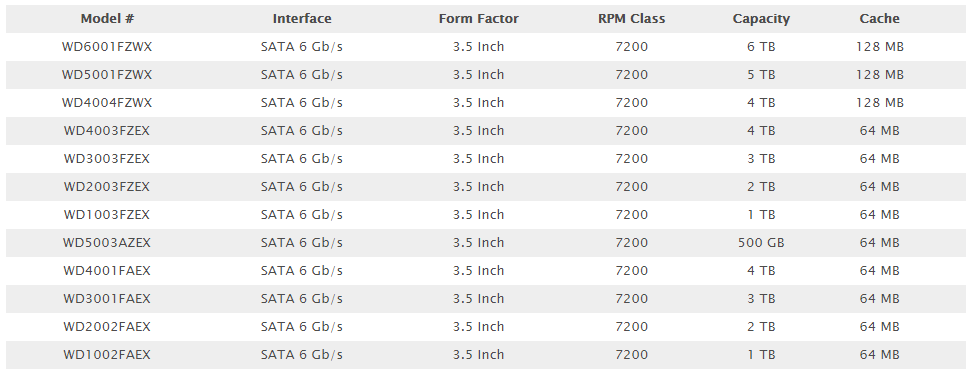
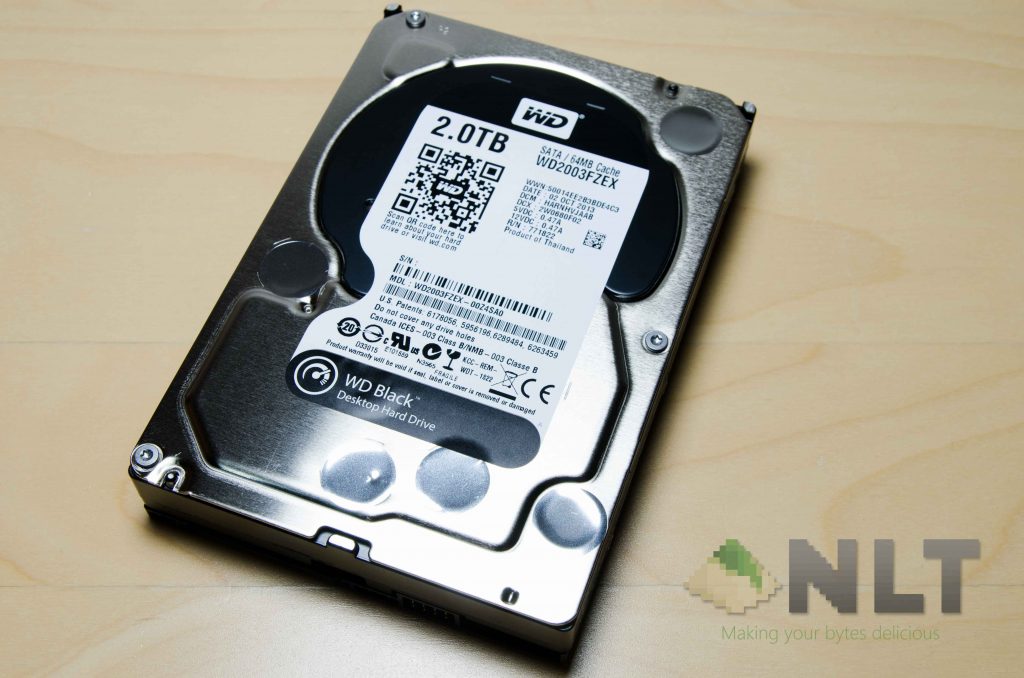
The one that I have here for review is the WD2003FZEX, a 2TB 3.5-inch HDD with SATA III 6Gb/s interface. Runs on 7200RPM and 64MB cache.
Also one side note here, the FAEX variant of the WD Black HDDs are getting decommissioned, as they’re using the “older” technology.
The new ones are the FZEX and FZWX, which are using the latest technology. The difference between EX and WX variants is the cache size. EZ denotes 64MB cache, whereas WX denotes 128MB cache – which is insanely massive, by the way.
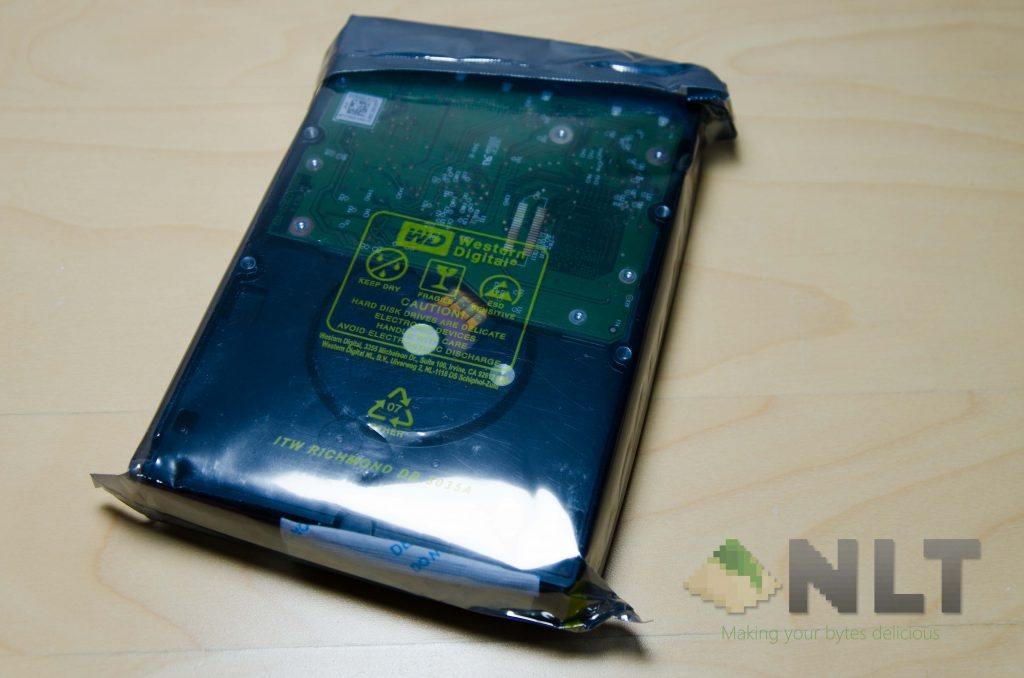
The packaging of any internal hard disk is nothing out of the ordinary at all. Open the plastic wrapper and you’re done.
Actually there’s still another packet of silica gel within the package to prevent moisture to get into the hard disk, but there’s really nothing on that packet anyway.
I installed it in my testing computer and I had to do some steps to get the hard disk running in the first place, else it’ll not show up at all. Firstly, open Disk Management tool in Windows (or other disk utility app on your OS) and initialize the WD Black. Use GPT instead of MBR, as MBR doesn’t support any storage device more than 2TB.
Once it’s initialized on GPT partition table, format the hard disk using NTFS partition table for Windows-specific usage, or use exFAT format for non-OS specific usages. Yes, this is a small tip for you guys.
Performance
Anyway, WD Black’s performance is top notch right here. According to the spec sheet uploaded by WD themselves, the WD Black 2TB variant runs at 164MB/s to and fro. During our test however, we found out that it runs 20MB/s more than its specs across the board. I didn’t believe my eyes at first, but after running the benchmark a few more times, the numbers just don’t lie. It’s really running at 180MB/s. No lies.
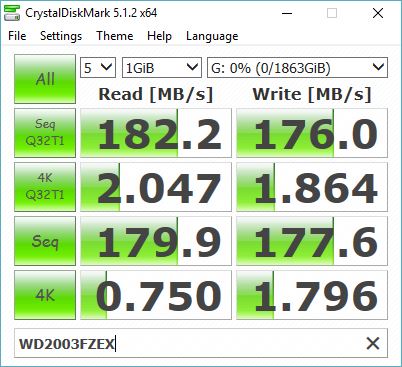
Presumably, you’ll get even better speeds for those variants with 128MB of cache. As a general rule of thumb, higher cache means better speeds, but it comes at a heftier price tag of course. However, even the 2TB WD Black with 64MB cache performs really well here. Shot through my expectations, actually.
Considering the lowest price I can find the 2TB version on Lazada is either RM579 or RM580, the price/gigabyte ratio sits at RM0.2895/gigabyte only. For other capacities, check out this table we prepared for you.
| Capacity (GB) | Price (RM) | Price/Gigabyte |
| 500 | 303 | 0.606 |
| 1000 | 347 | 0.347 |
| 2000 | 579 | 0.2895 |
| 3000 | 749 | 0.24966 |
| 4000 | 949 | 0.23725 |
| 6000 | 1280 | 0.21333 |
What about warranty though? There’s a 5-year limited warranty by WD themselves. You can check for its warranty status online too, right at WD’s own website. That way you won’t get cheated or scammed in any shape or form. Just make sure you’re getting that 5-year limited warranty.
So of course you’re wondering where you can get your hands on a WD Black now. Here’s the deal – I mentioned that it costs RM579 on Lazada, and I’m absolutely not lying. Click here to find out the deal.
Personally, I highly recommend the WD Black to those who seeks 3 things – price, capacity, and performance. It struck a great balance on these 3 factors.
Like our Facebook Page here at NasiLemakTech.com for more news and in-depth reviews! Also, join our Facebook Group for insightful information and memes!
Subscribe to our YouTube channel too!