















Getting out of an iPhone means losing the access to your device and important data, such as contacts, photos, videos, and more. This is undoubtedly a very frustrating thing. While Apple officially provides 72-hour Passcode Reset and “Erase iPhone” option in the “iPhone Unavailable” screen, there are many limitations. This’s why you may prefer a dedicated iPhone unlocker to simplify the unlocking process. If you still don’t know which one to choose, this post lists 4 best iPhone unlocking software for your references.
Quick Comparison: iPhone Unlocker Software
iPhone Unlocker Software | TunesKit iPhone Unlocker | Dr.Fone – Screen Unlock (iOS) | iMyFone LockWiper | EaseUS MobiUnlock |
Best for | All-in-one iOS unlocking | Broad mobile toolkit | Basic screen lock removal | Clean UI for Apple Account removal |
Success Rate | 99% | 95% | 93% | 90% |
Compatibility | iOS 27 | iOS 27 | iOS 27 | iOS 26 |
Price | $34.95/5 iDevices | $34.95/5 iDevices | $29.99/1 iDevice | $29.95/5 iDevices |
After-sales Service | Good | Average | Average | Average |
Rating | ★★★★★ | ★★★★ | ★★★ | ★★★ |
1. TunesKit iPhone Unlocker
TunesKit iPhone Unlocker is a desktop-based iOS unlocking toolkit for Windows and Mac. It is designed to help you regain access to an iPhone or iPad in various lockout situations, such as forgot passcode, iPhone locked to owner, stuck on Remote Management screen, Apple ID is disabled for security reasons, etc.
This tool combines multiple functions in one program, providing you with a one-stop unlocking solution. With guided instructions, you can easily unlock your iPhone without passcode in simple steps.
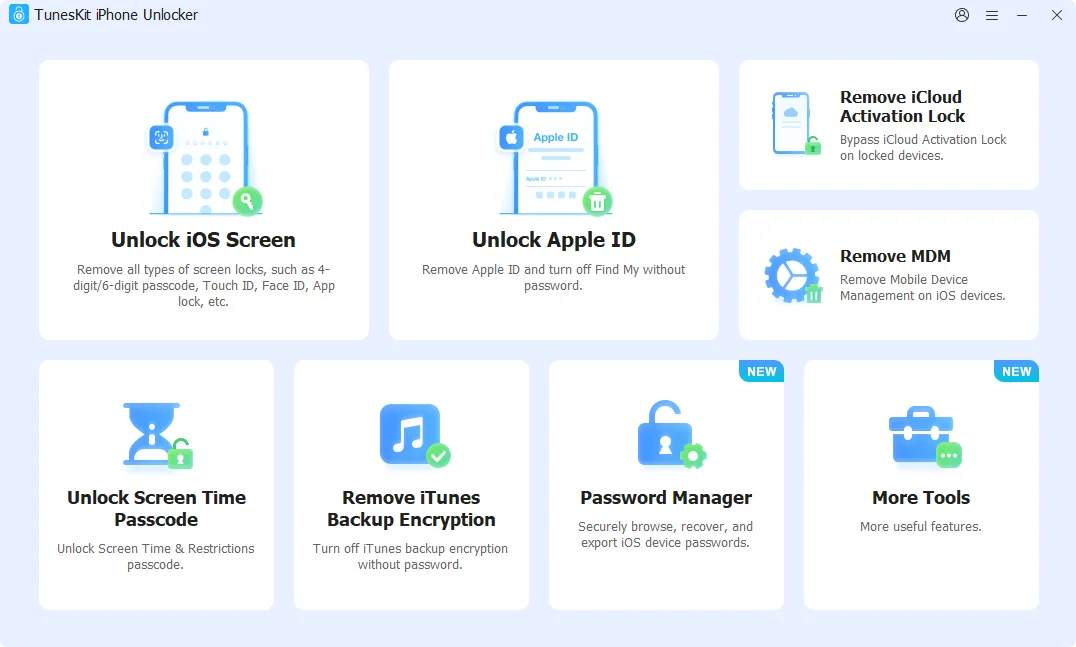
Why Choose TunesKit iPhone Unlocker?
- Unlock Apple ID, screen passcode, iCloud activation lock, MDM and Screen Time
- Remove the password protection associated with an encrypted iTunes backup
- Browse, recover and export iOS device passwords securely
- Turn off camera sound on iPhone and iPad
- Easy-to-operate unlocking process, friendly for users with less tech skills
- High success rate to remove kinds of locks from iPhone and iPad
- Strong compatibility to a wide range of iOS devices and versions (iOS 27 included)
How to Unlock an iPhone without Passcode
If you have forgotten your screen passcode or your iPhone becomes disabled, simply follow these steps to unlock your iPhone. The whole unlocking process is straightforward and safe.
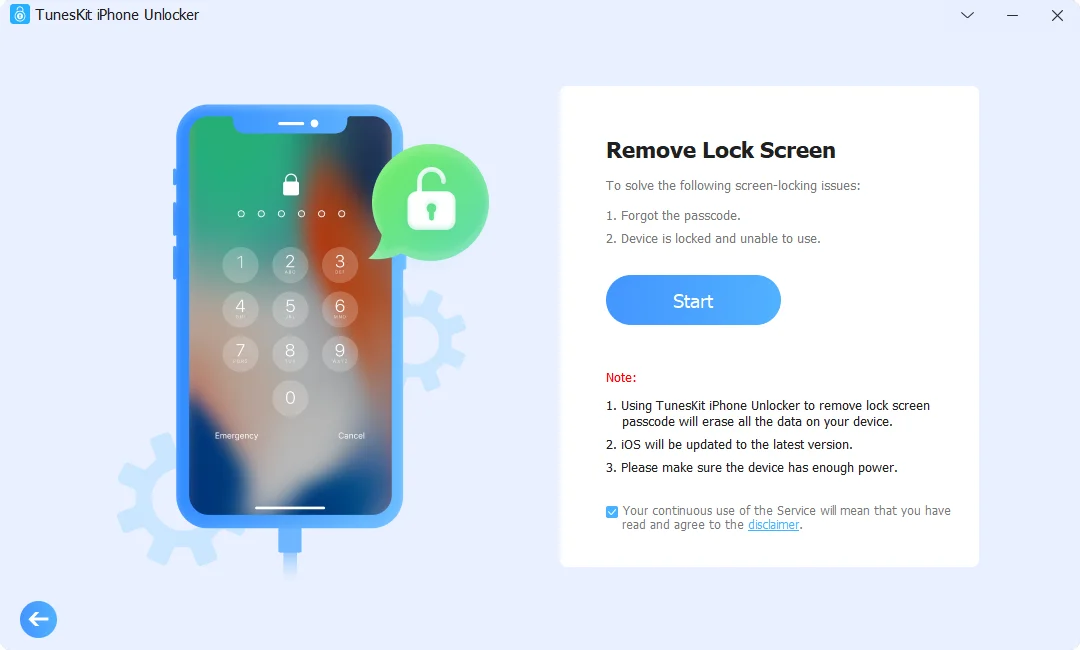
Step 1. Launch TunesKit iPhone Unlocker and connect your unavailable iPhone to the computer. From the main interface, choose Unlock iOS Screen and click on Start button.
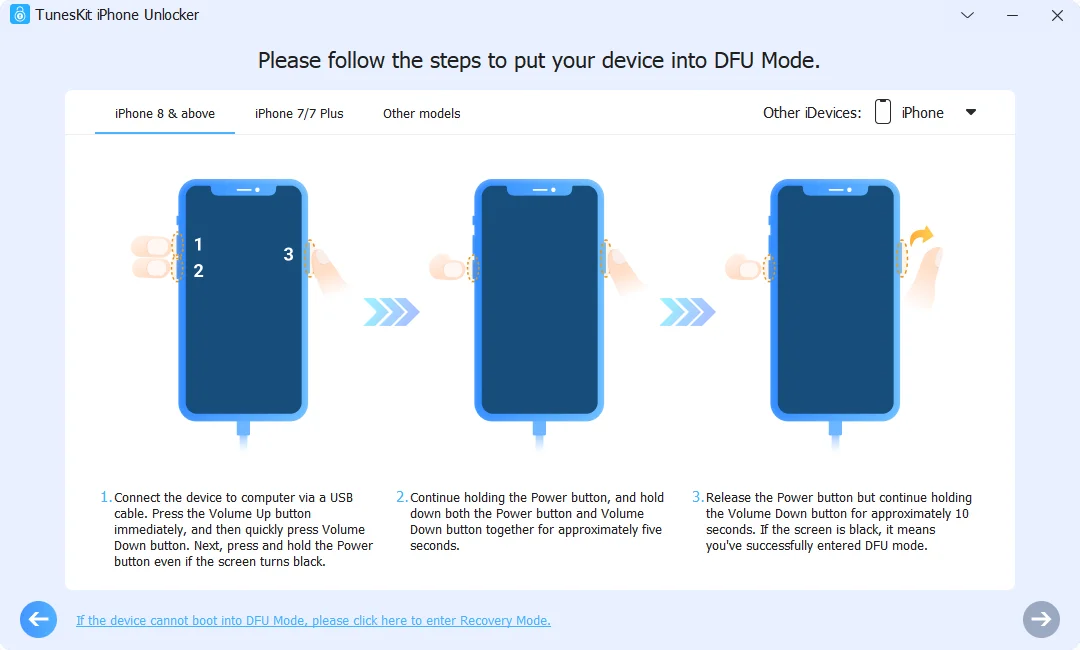
Step 2. Follow the on-screen instructions to put your device into Recovery Mode or DFU Mode.
Step 3. Check the detected device information and then download the corresponding firmware package.
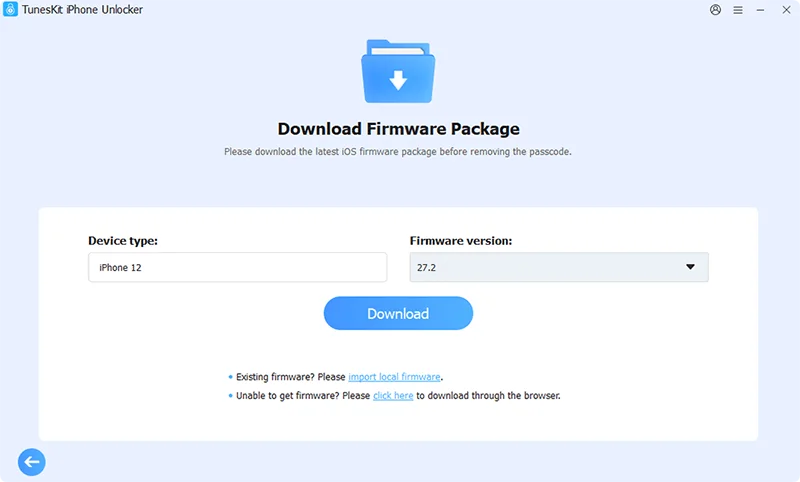
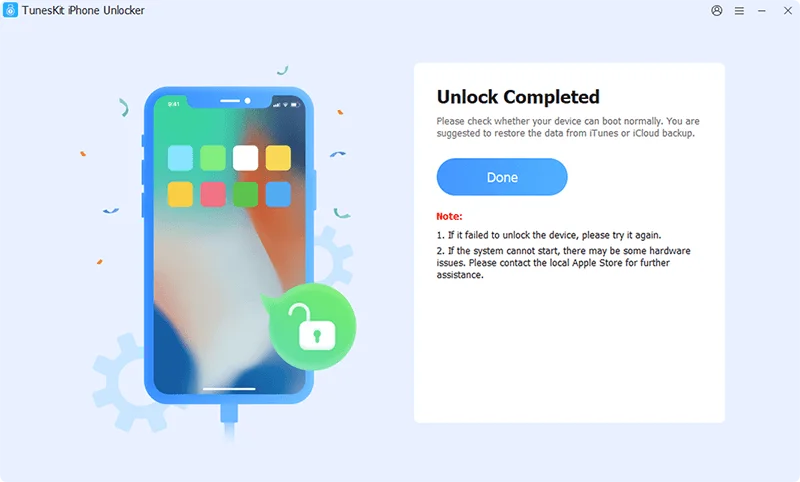
Step 4. Click Unlock button to begin unlocking iPhone and regaining access. Keep your device connected throughout the process.
2. Dr.Fone – Screen Unlock (iOS)
Dr.Fone – Screen Unlock (iOS) is more than an iPhone unlocking program. It is a suitable option for users who also want access to other mobile utilities, such as data recovery, backup, transfer, and system repair.
Pros
- Offer a broad set of iOS unlocking functions
- Provide other device management utilities
- Guide users through the unlocking process step by step
Cons
- Difficult to get refunds after unsuccessful unlocking
- Need to pay for different features in this broad toolkit
3. iMyFone LockWiper
iMyFone LockWiper focuses on removing different types of screen locks, such as 4- & 6-digit passcode, Face ID, Touch ID and custom alphanumeric code. It is capable of unlocking Apple ID, Screen Time and MDM, but doesn’t work for iCloud lock.
Pros
- Support common iOS lockout scenarios
- Provide unlocking instructions
- Easy for beginners to fix iPhone Unavailable issue
Cons
- Lack of iCloud activation lock removal
- Only 1 iOS device supported under 1-month plan
- Hard to get full refunds or resolve technical issues
4. EaseUS MobiUnlock
EaseUS MobiUnlock comes with tools for removing iPhone screen passcodes, Apple IDs, and Screen Time restrictions. It also includes iTunes backup encryption removal and an Activation Lock bypass function for supported devices.
Pros
- Support different lock removal without passcode
- Clear interface for users to operate
Cons
- No support for iOS 27
- iCloud removal feature is limited for some devices and iOS versions
- Sometimes sending an invalid access code for users
FAQs
1. Is it legal to unlock an iPhone?
Only when you legally own a device or get the permission of the device owner can you unlock the device.
2. Can you unlock iPhone without erasing data?
It depends on the unlocking function. Removing a forgotten screen passcode can erasing your iPhone, while unlocking Screen Time and bypassing MDM operations usually preserve data on supported devices. Always check the specific requirements before proceeding and make a backup if needed.
3. How to unlock iPhone locked to owner?
You can contact the previous owner, contact Apple Support team or use TunesKit iPhone Unlocker to remove an iCloud activation lock.
4. How to unlock iPhone passcode without computer?
Apple’s built-in recovery options can help you unlock an iPhone screen passcode without needing a computer, including 72-hour Passcode Reset, “Forgot Passcode” or “Erase iPhone” option from the lock screen, or iCloud from mobile phone.
Conclusion
Choosing the right iPhone unlocking tool depends on the type of lock you need to remove, your device compatibility, and whether you need additional iOS utilities. While each tool has its own strengths, it is important to check supported models and system versions before unlocking.
Among the options compared, TunesKit iPhone Unlocker is the best option, offering a well-balanced combination of functionality, device compatibility, ease of use, and overall versatility. Rather than focusing on just one unlocking scenario, it delivers a more complete solution for users with different iOS unlocking needs, making it a practical choice for both occasional lockouts and more varied device access issues.
Like our Facebook Page here at NasiLemakTech.com for more news and in-depth reviews! Also, join our Facebook Group for insightful information and memes!
Subscribe to our YouTube channel too!