













Galaxy AI is here and we got to experience a brief time with it. We attended a demo session about a week ago and we were shown some of the Galaxy AI features that will be available alongside the release of the Galaxy S24 series.
It’s only the first generation and I am already impressed.
I highly suggest you watch the video since many parts of the features can only be shown through video.
Live translation
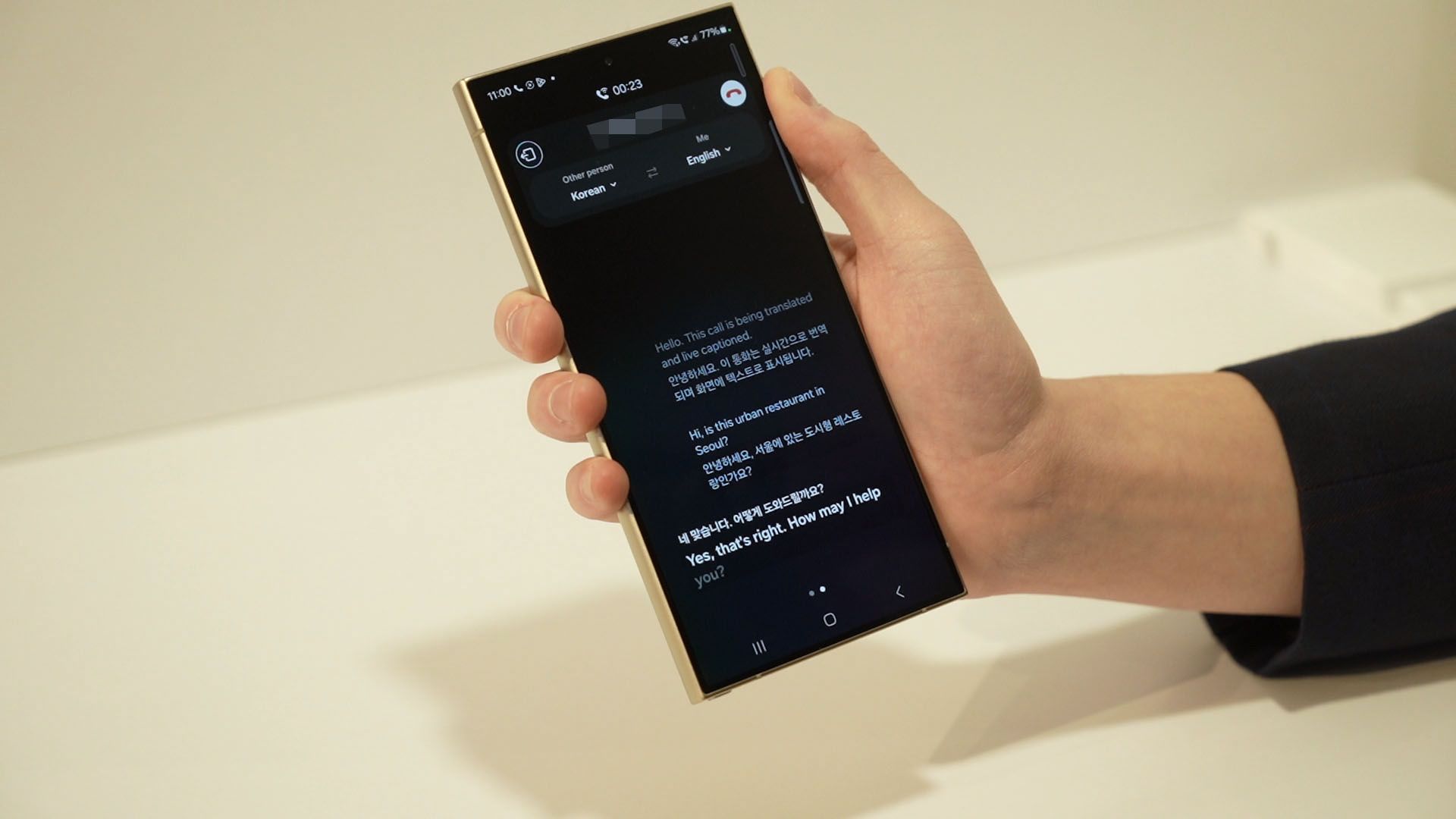
So, let’s get started right away. We were shown the live call translation first, and it is able to translate both voice and text. This feature can be done entirely on-device and does not require an internet connection if we download the language pack first.
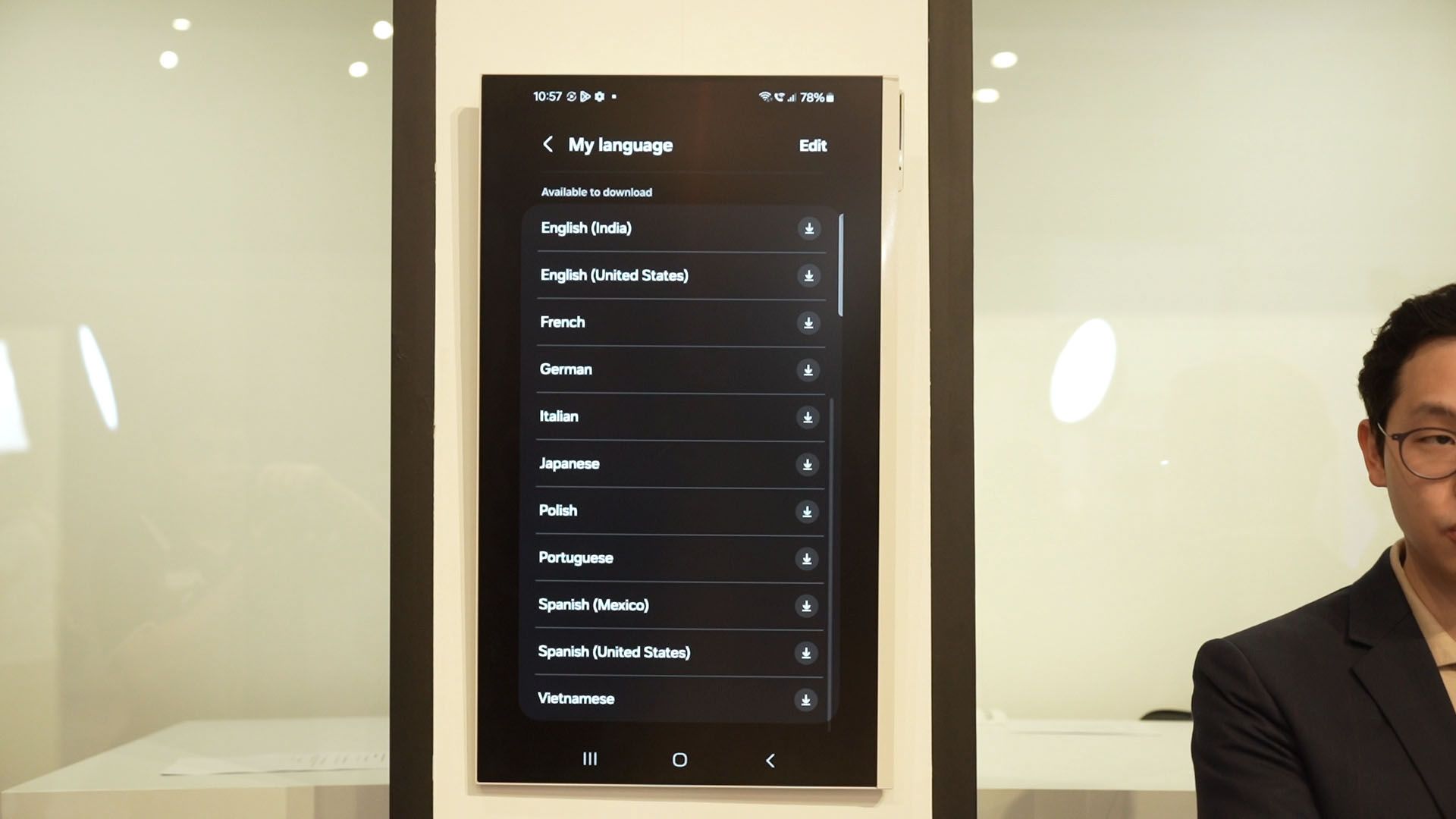
There are a total of 17 languages supported now, and I’m just going to show you the list on the screen here. The downloaded language pack can be used for translation for voice, text, and also in conversation mode.
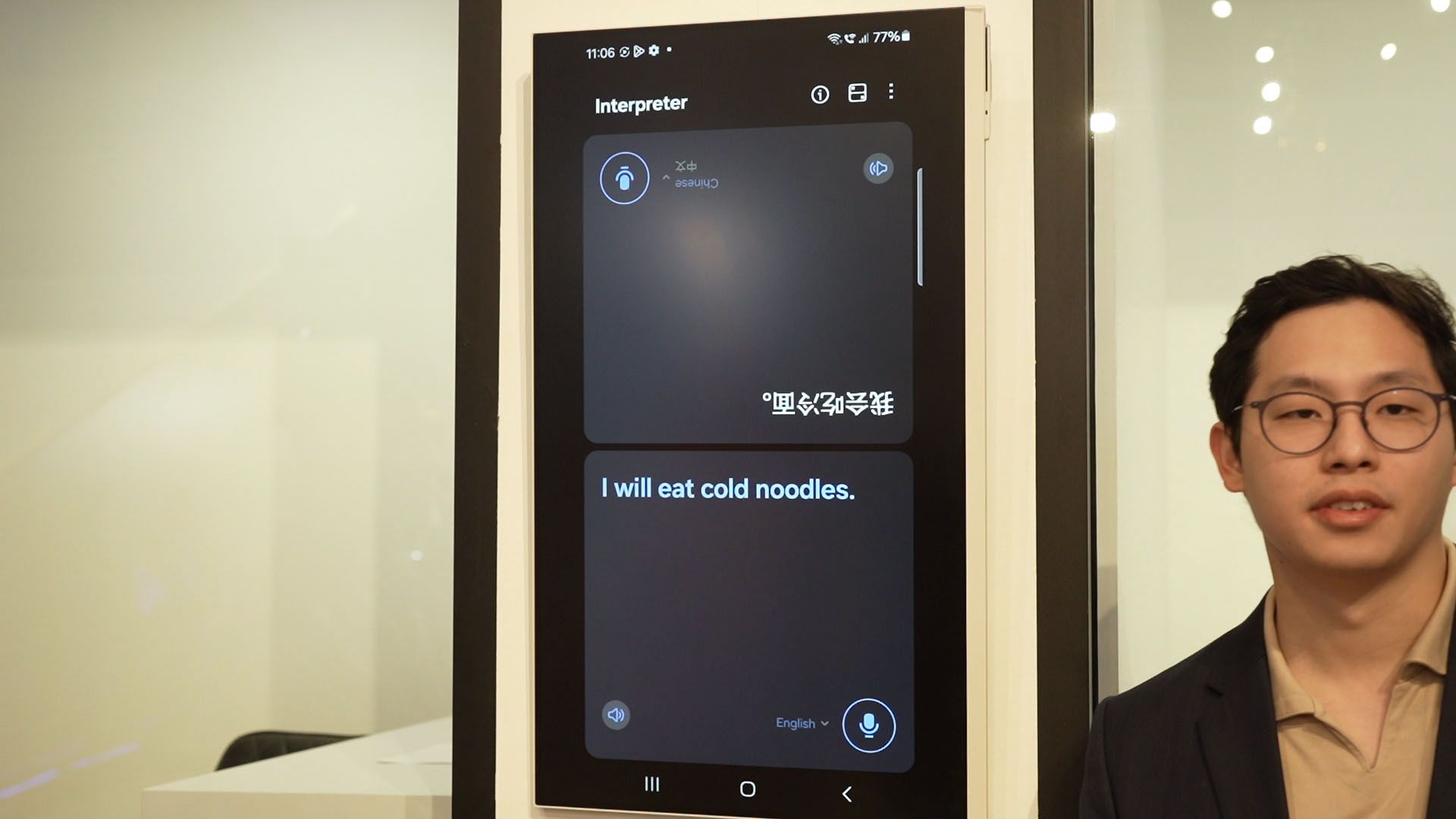
Now, the call live translation is impressive as anyone within that call who has a Galaxy S24 can do the translate already. Samsung deliberately demonstrated the call from a Galaxy S24 Ultra to a feature phone and wow, the translation is amazing.
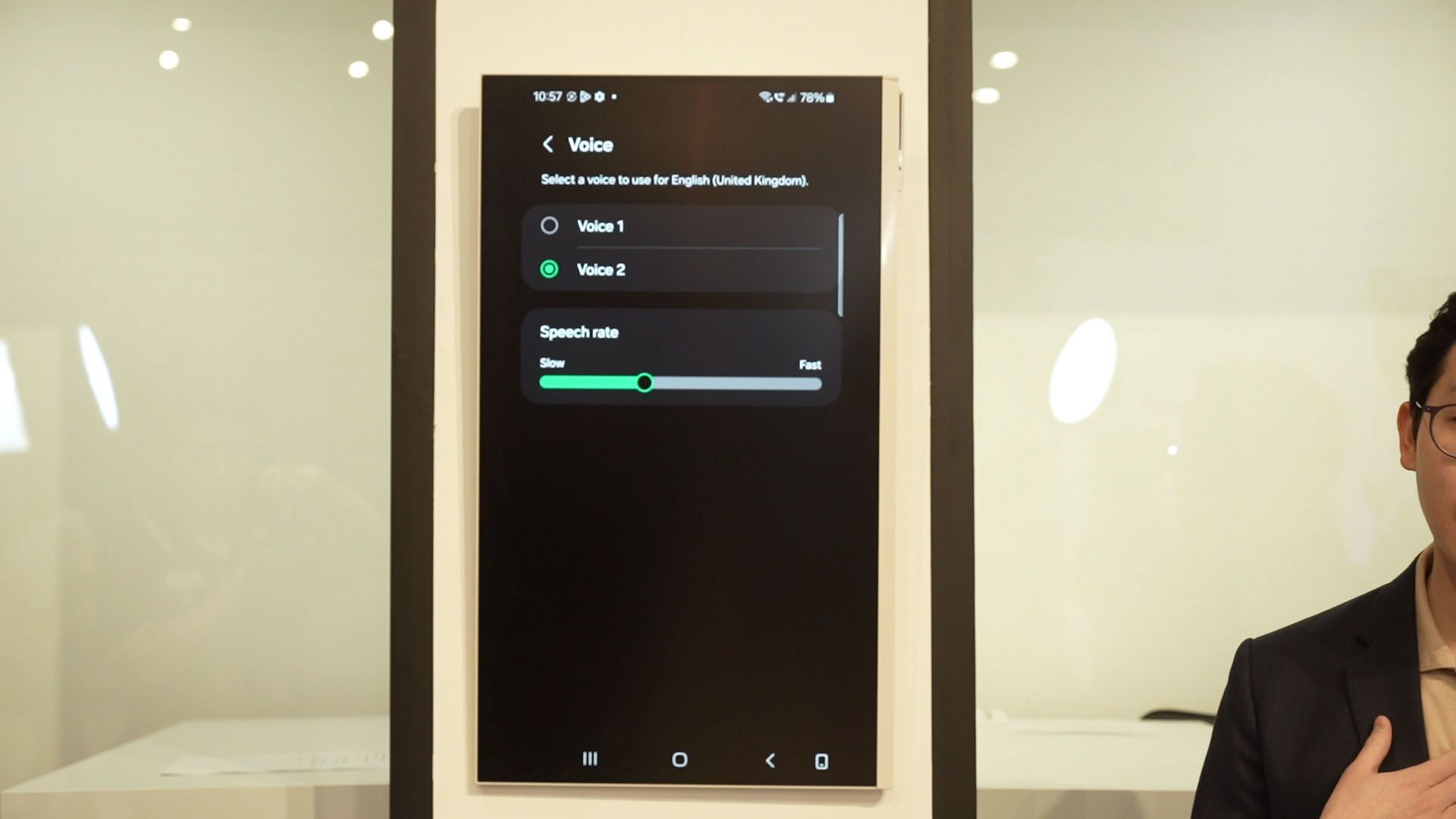
We can even select how we want to sound and how fast we speak via the options available.
The Samsung voice recorder app is going to get an upgrade too – it’ll now have live transcription which is a super feature to have – and it can also detect different speakers and label it in the transcription.
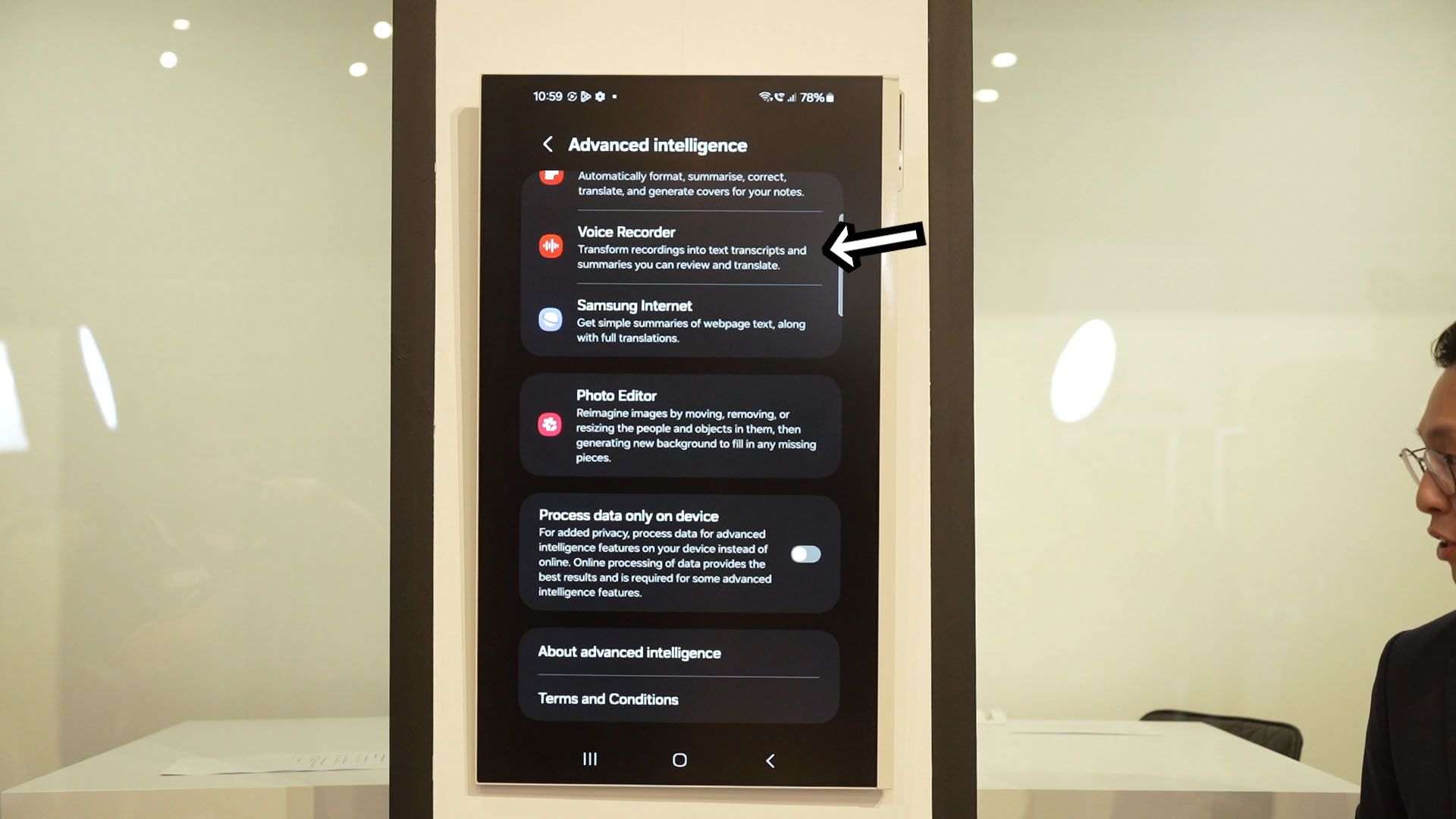
The voice recorder app can even extract keywords and summarize the transcription for you too – and that ties into the next AI feature – Samsung Keyboard.
Samsung Keyboard
You see, Samsung already has some collaboration with Grammarly right now but I think they’re taking it to the next level.
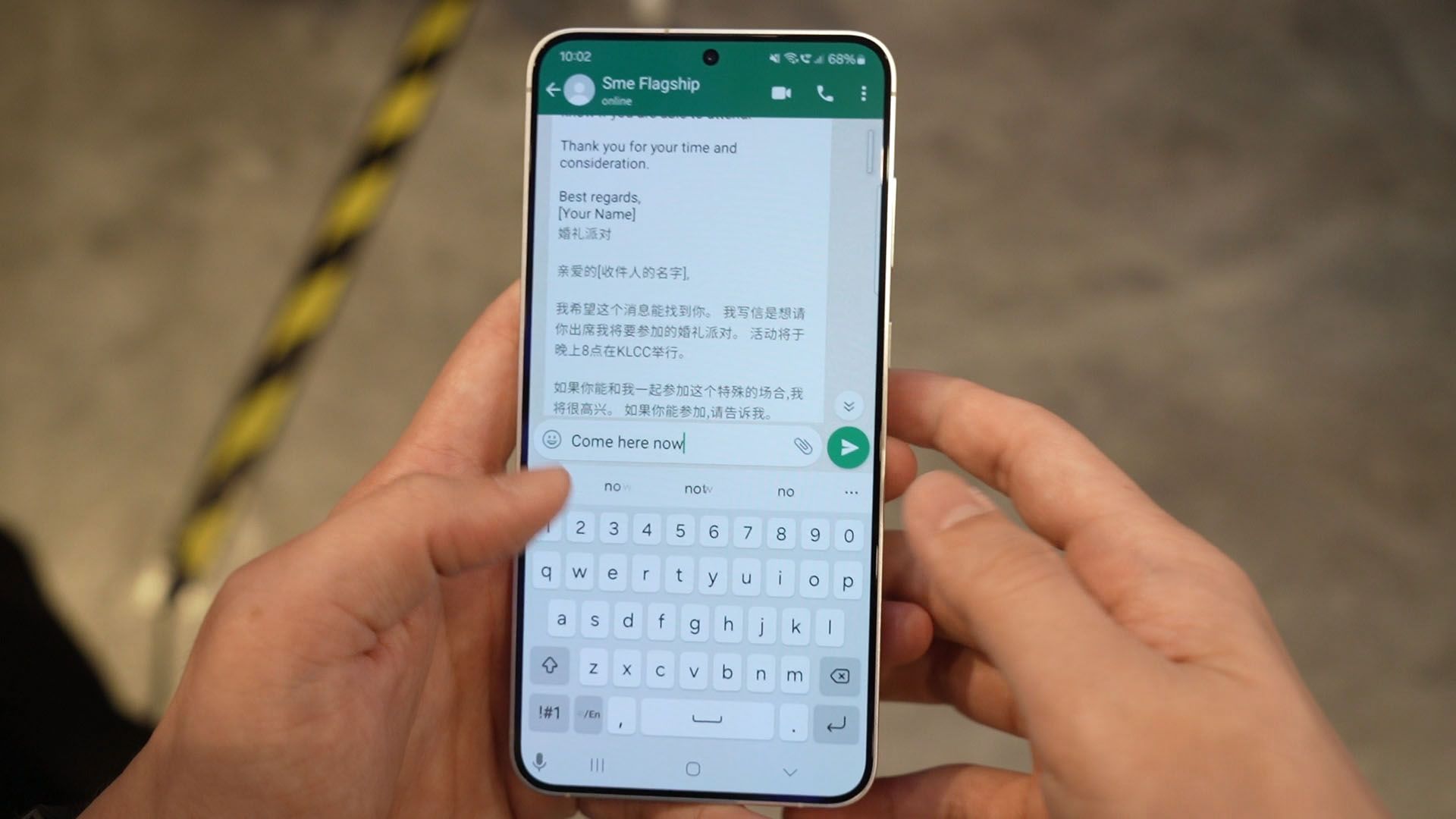
When we type something, we can use this new Galaxy AI button on the Samsung Keyboard and generate a different tone. For example, that simple message of “come here now” is straightforward and contains only the necessary keywords – but it sounds super rude and demanding.
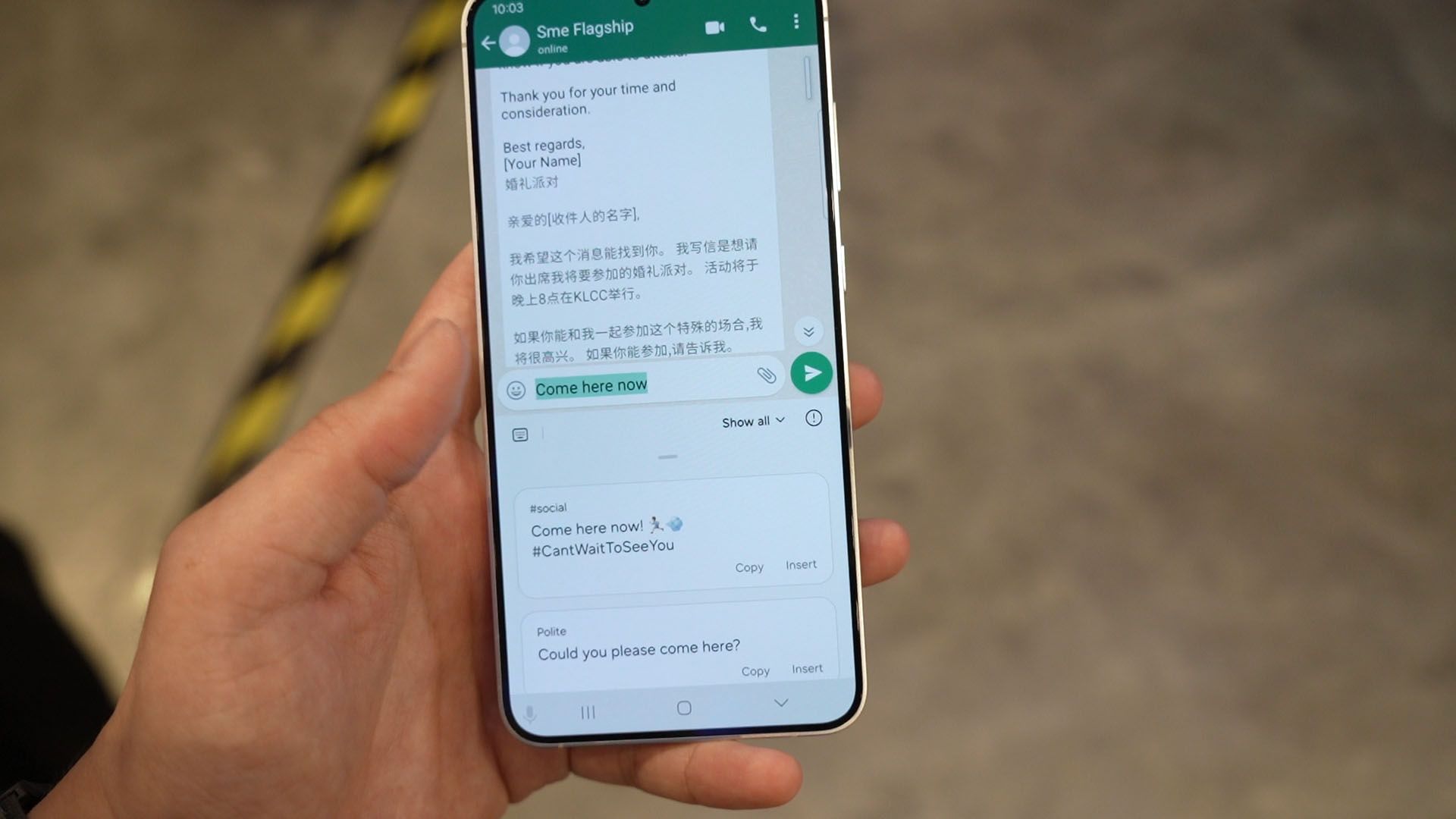
So, this Galaxy AI can tweak the tone of that sentence and rephrase it to become something more… professional, casual, or even emojify the sentence. There are 5 different tones to select from. All of a sudden, that “come here now” sounds more friendly.
And the Samsung Keyboard can be used with the new Samsung Notes features too. This is the one demonstration that made my jaw drop.
Samsung Notes
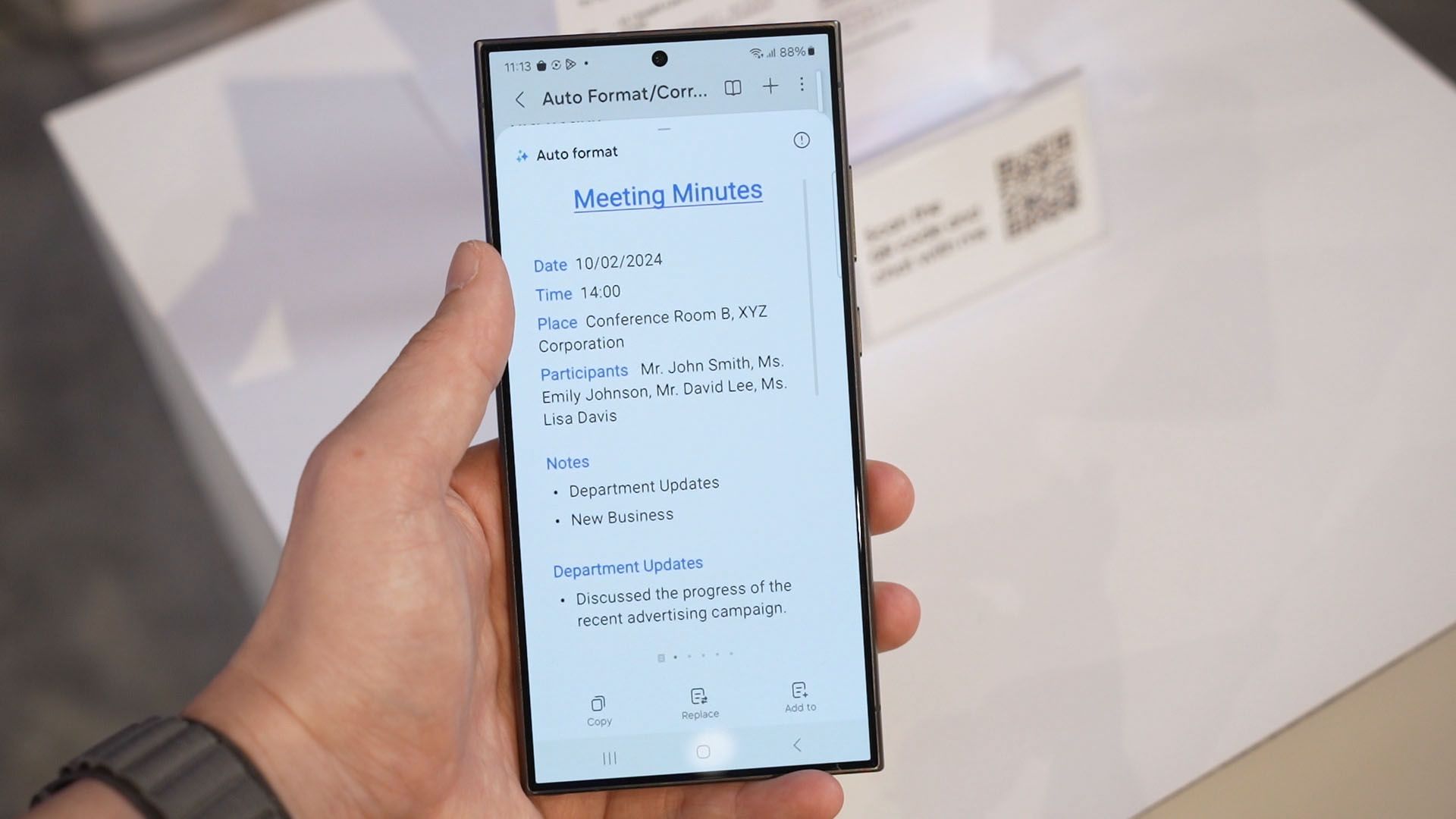
The demonstration started with a handwritten invitation in point form. Then, it is converted to text. It’s not a new feature and the conversion is not clean. Then we cleaned up the spelling. But now, we can use this auto-format feature and change it into a meeting minute format.
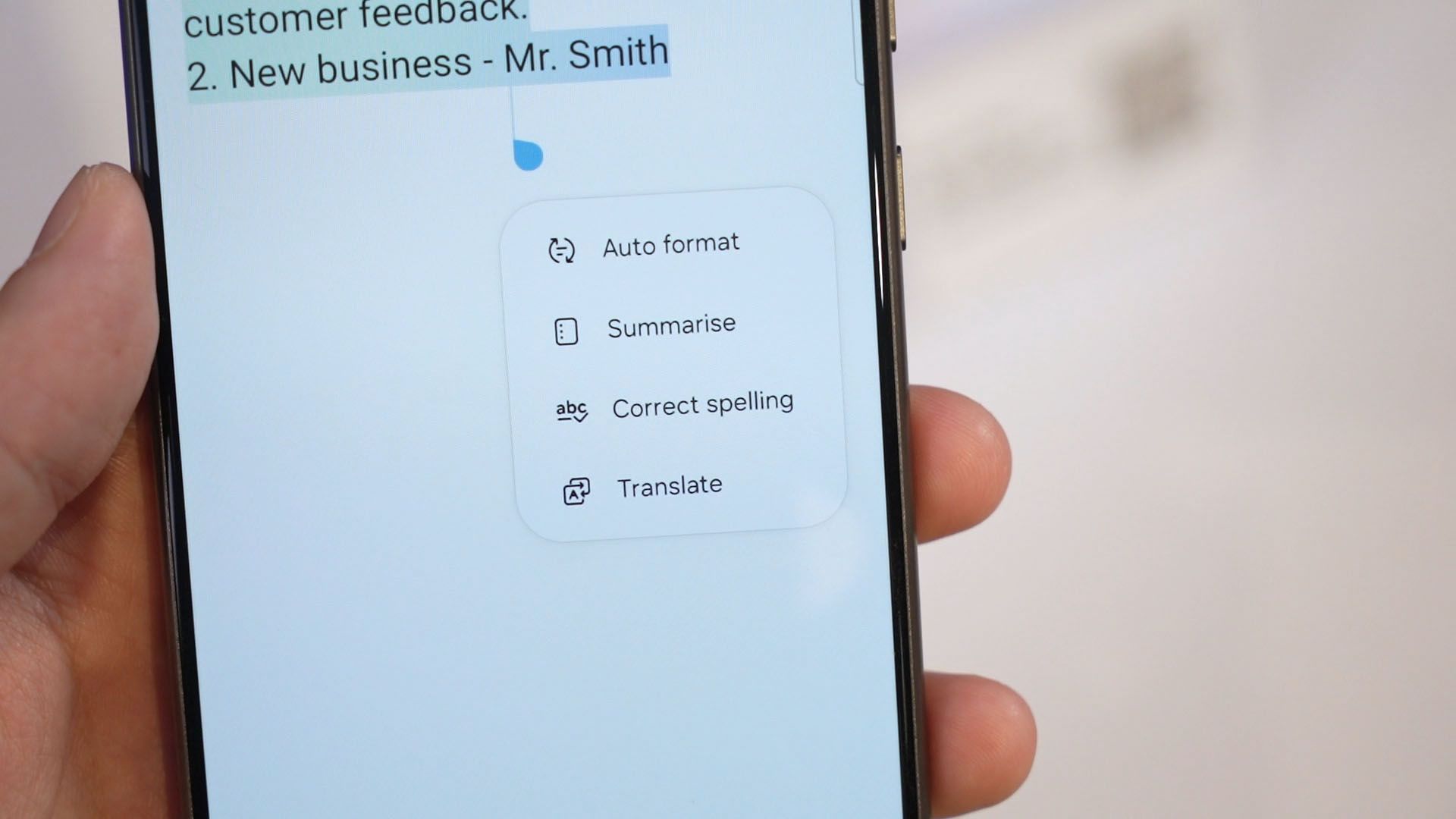
There are 5 different formats that we can choose from, so just choose whichever we want and replace the text, add to the list, or just copy it to the clipboard.
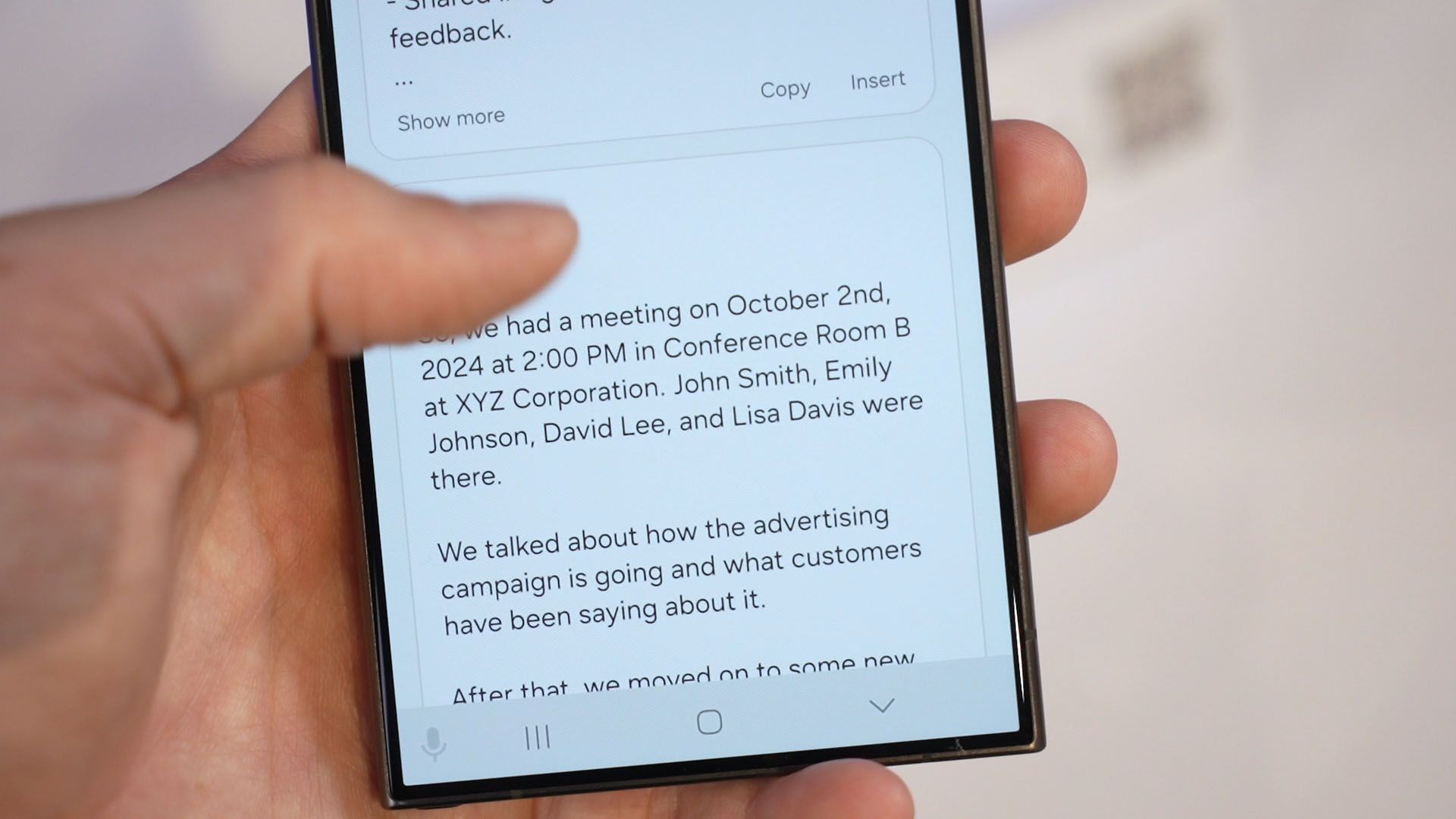
But we’re not done. We can select the text once more, and now generate 5 different writing styles again. Imagine if you got a difficult email to write – maybe a request or some kind, just use all these features to make it easier for you.
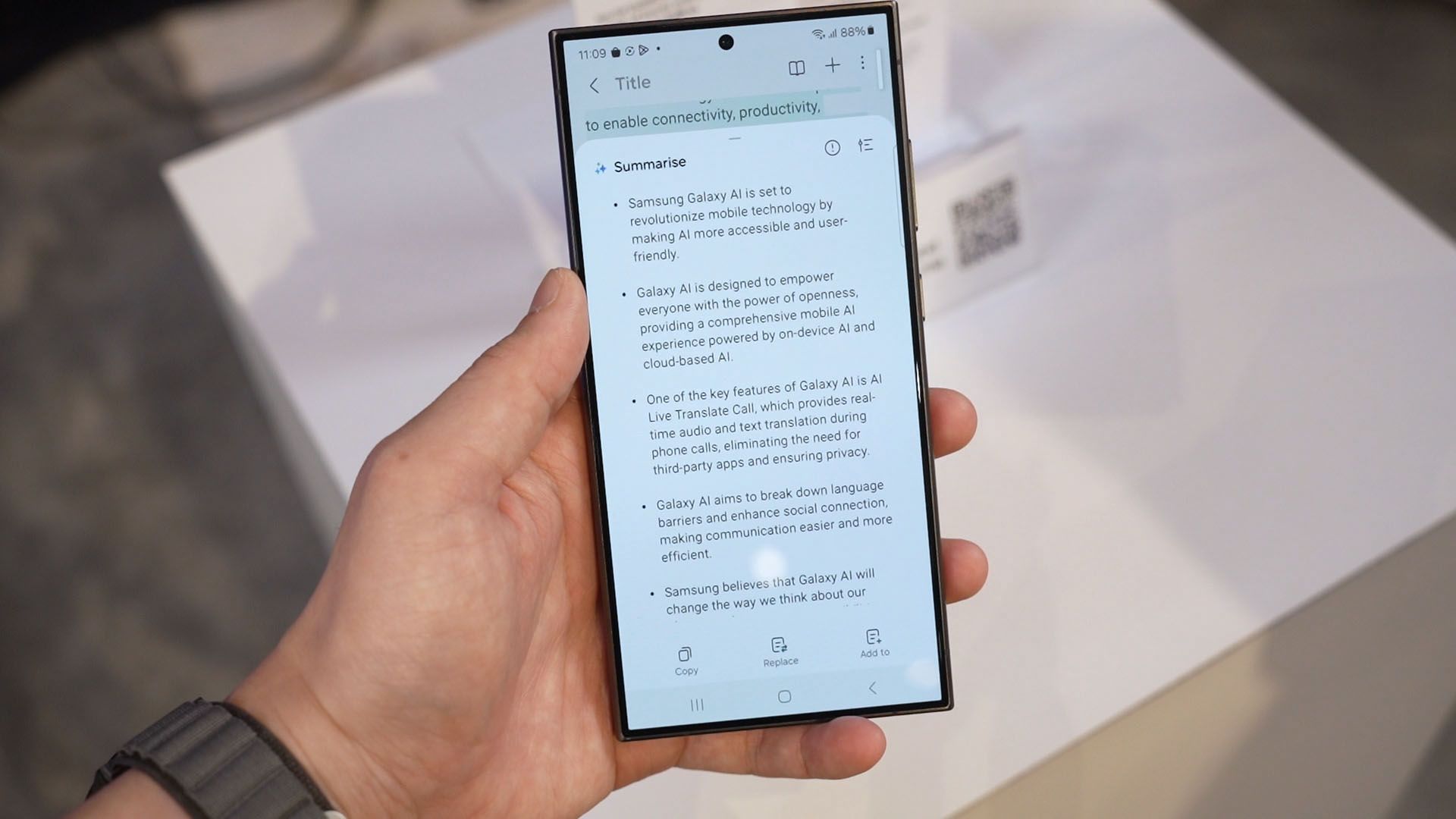
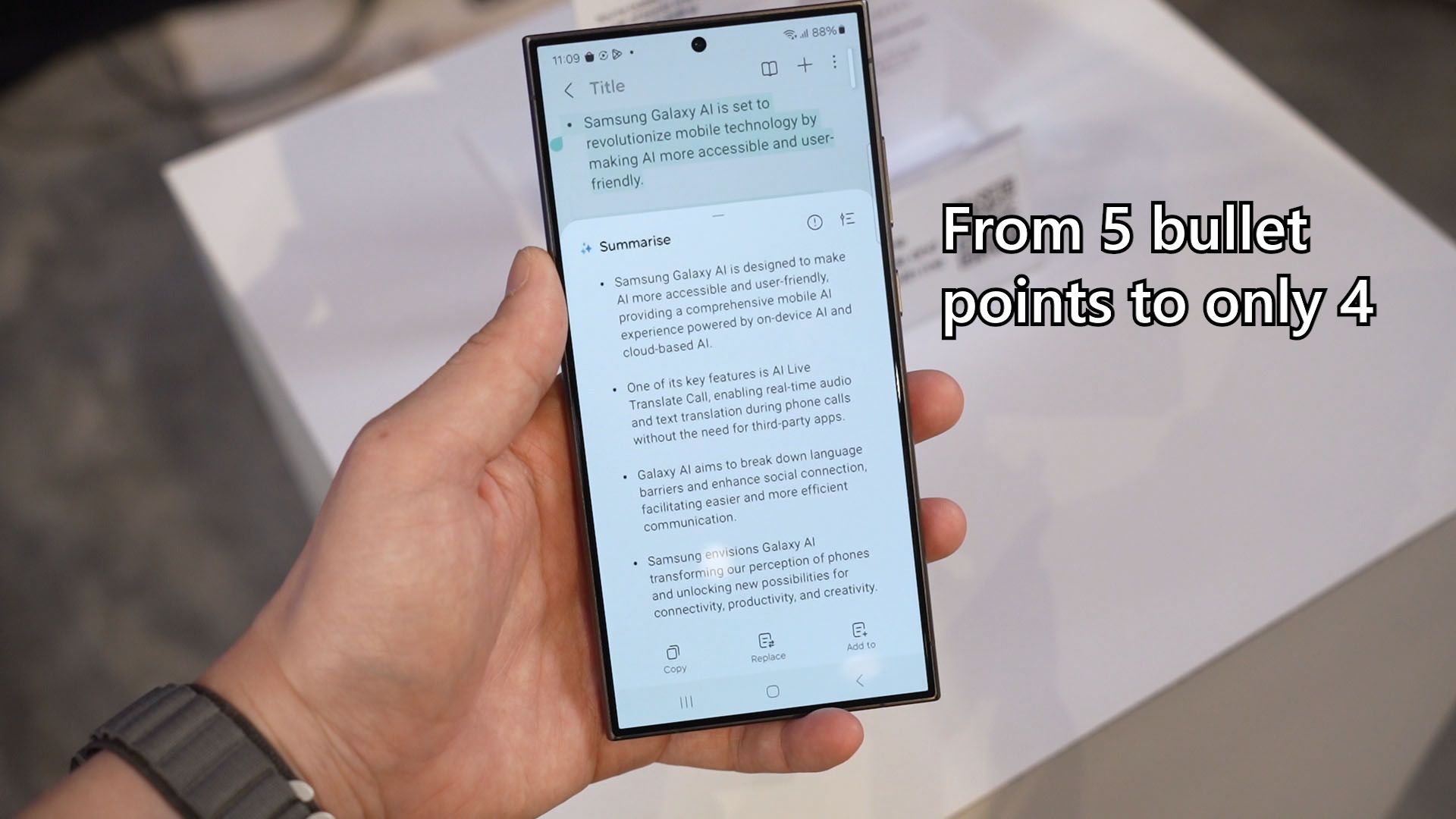
There’s another feature for summarization. The demo was an entire page of Korean text, but we can easily translate them with the tap of a button and then summarize it instantly. Now, I tried summarizing the summary and surprisingly, it works and the text did get shorter.
Samsung Browser
While on the subject of summarization, Samsung Browser also got some Galaxy AI injected into it. We were shown a Korean website. We don’t have to select the texts on the website and can instantly translate and summarize a webpage.
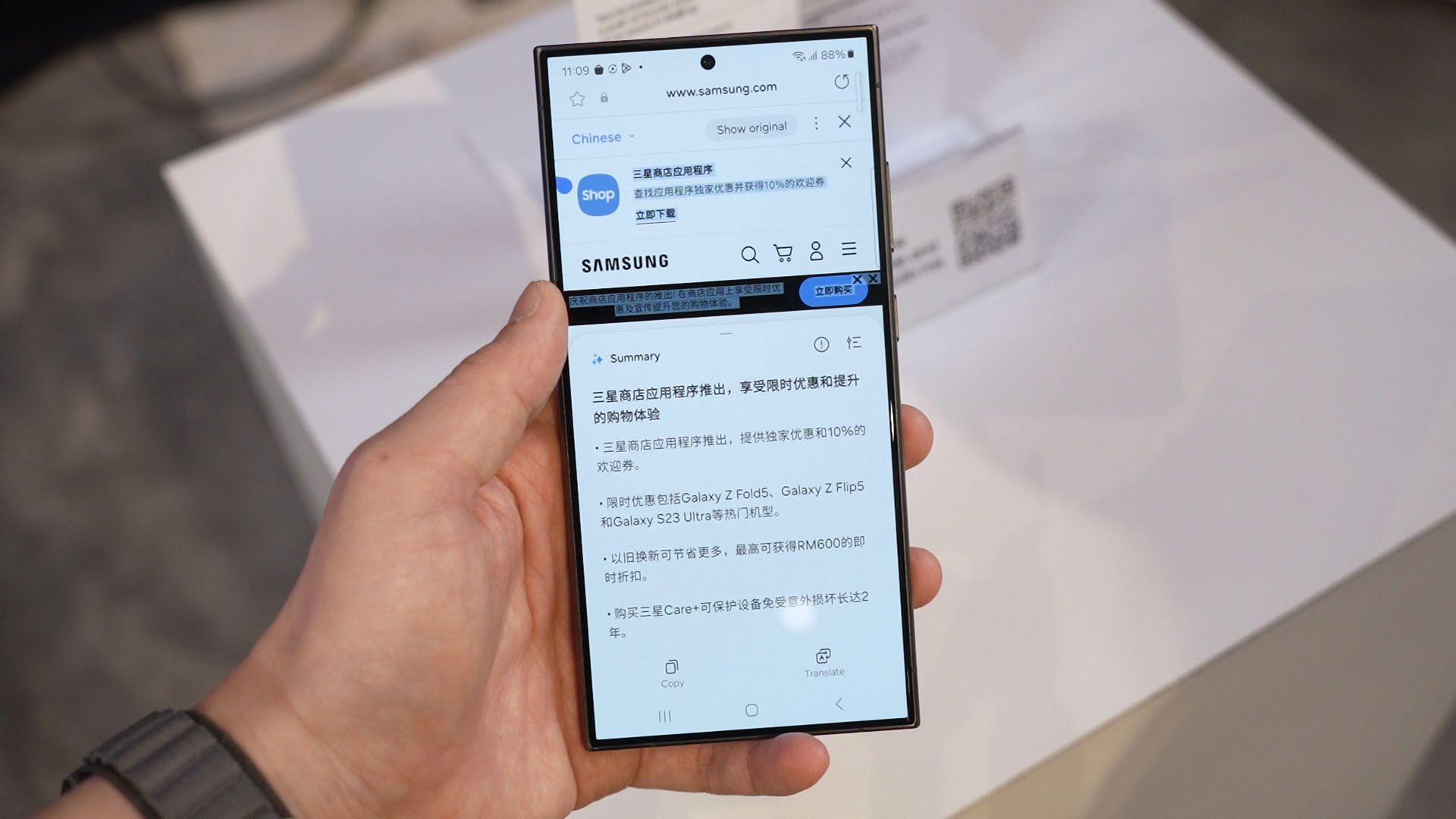
I think this feature deserves more attention as it can do two things – 1. bypass obnoxious ads in websites and 2. some articles with unnecessary fluff can literally be summarized into a single sentence. Just wow.
New photo/video features
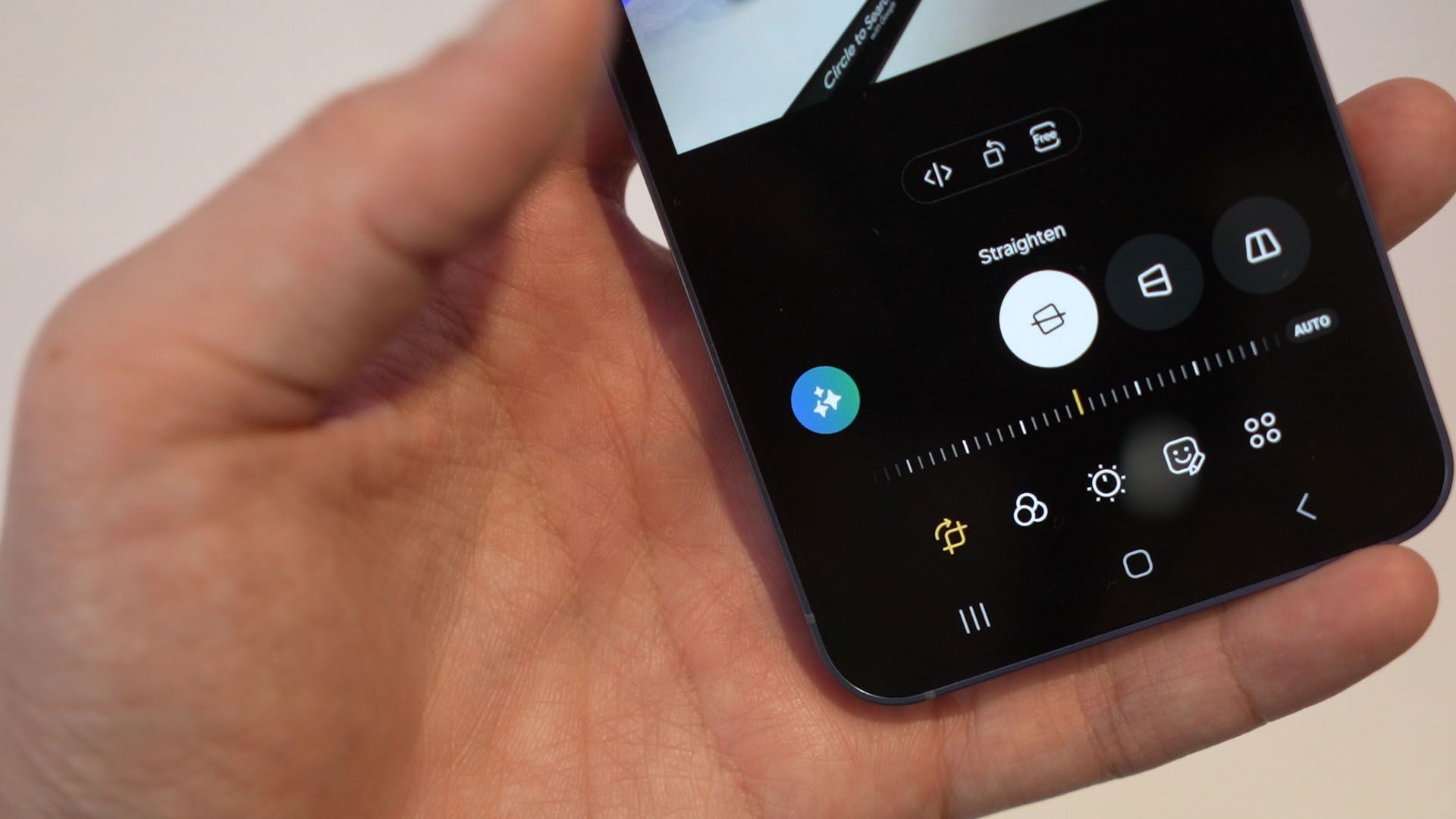
Then, the gallery app got injected with quite a lot of Galaxy AI features. We have generative fill that helps to fill in the gaps when we expand the picture as we tilt it, or to just remove any sort of subject in an image. Surprisingly, it worked so well that it filled in another stool in place of the removed person!
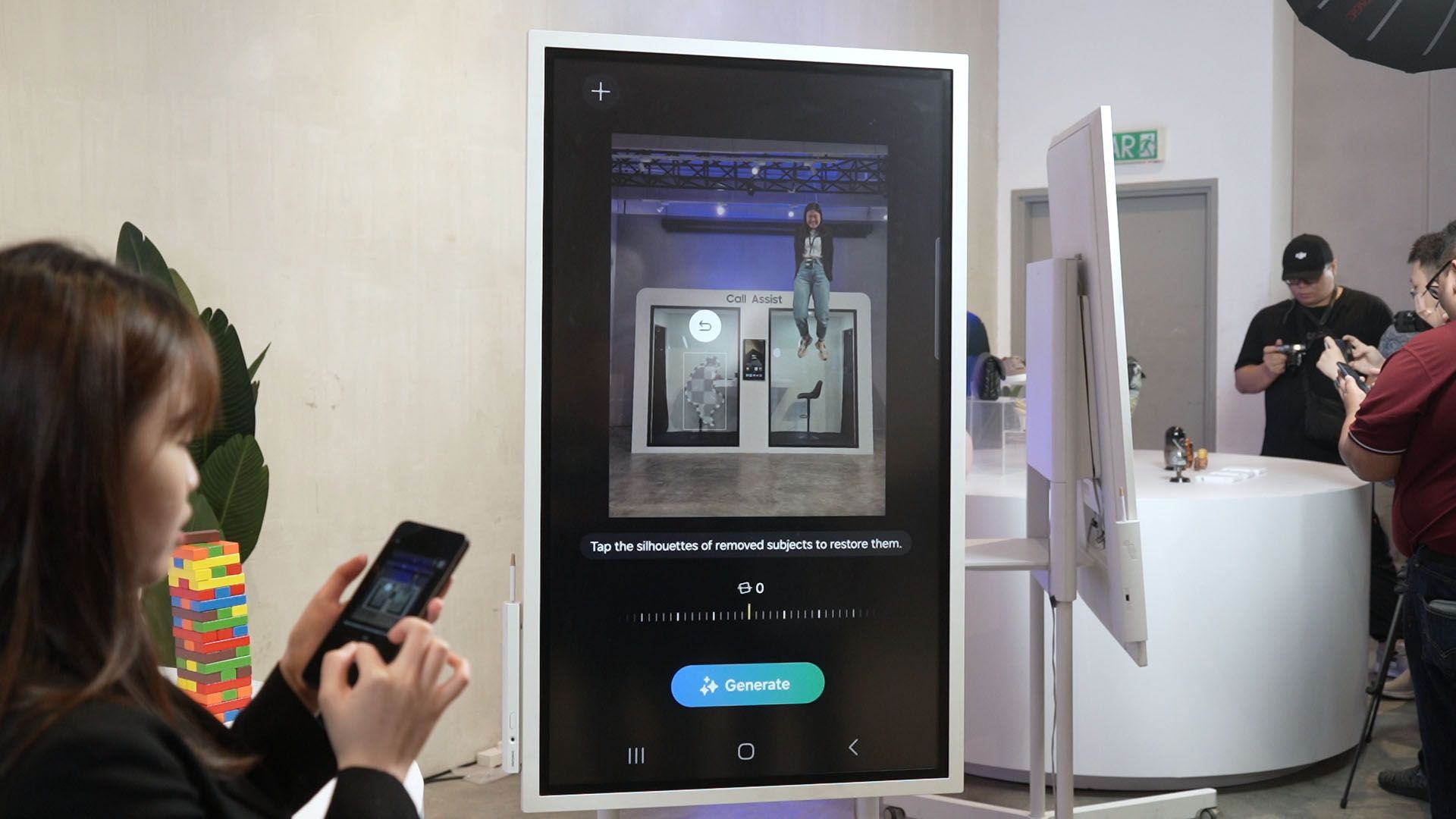
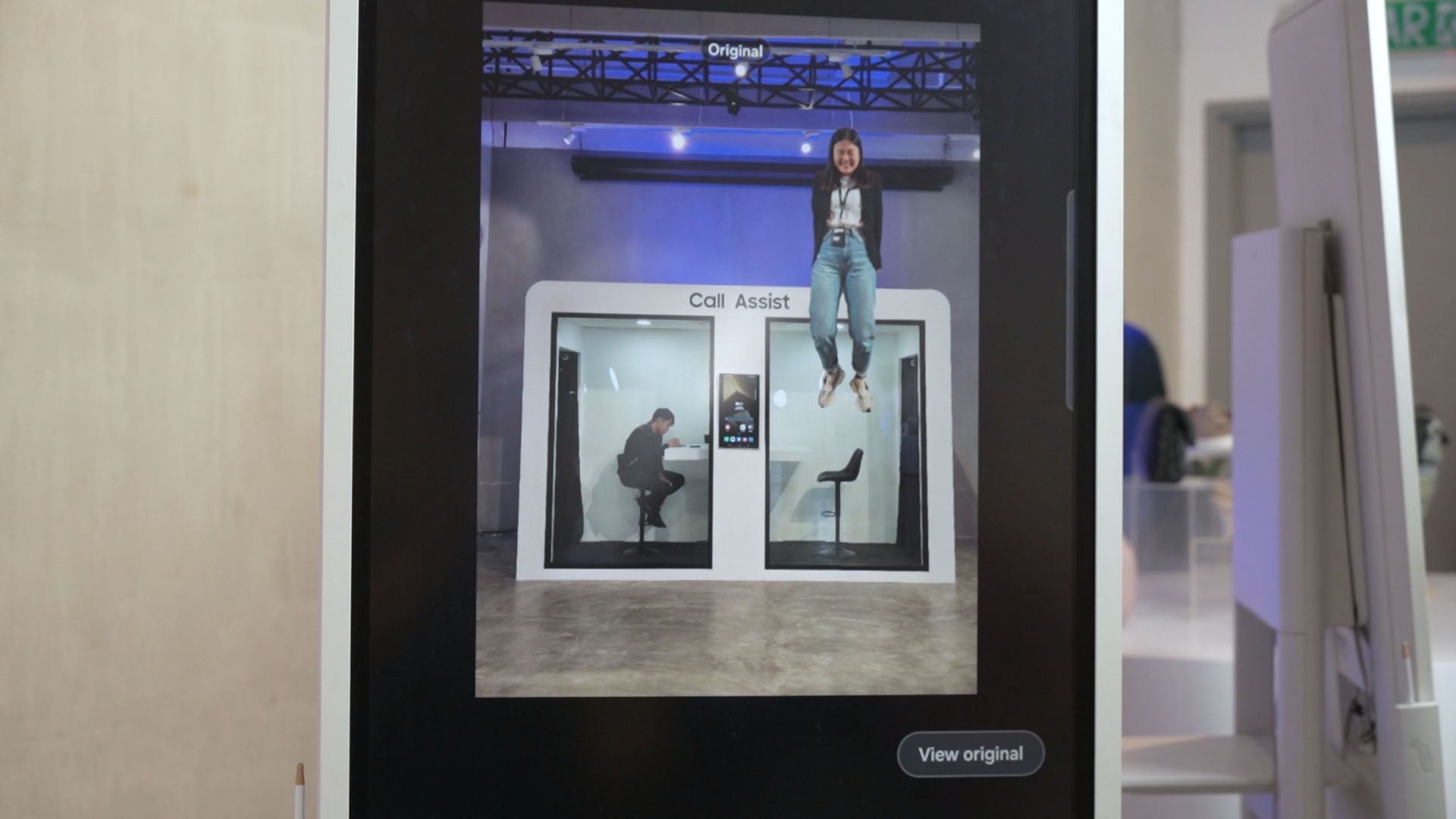
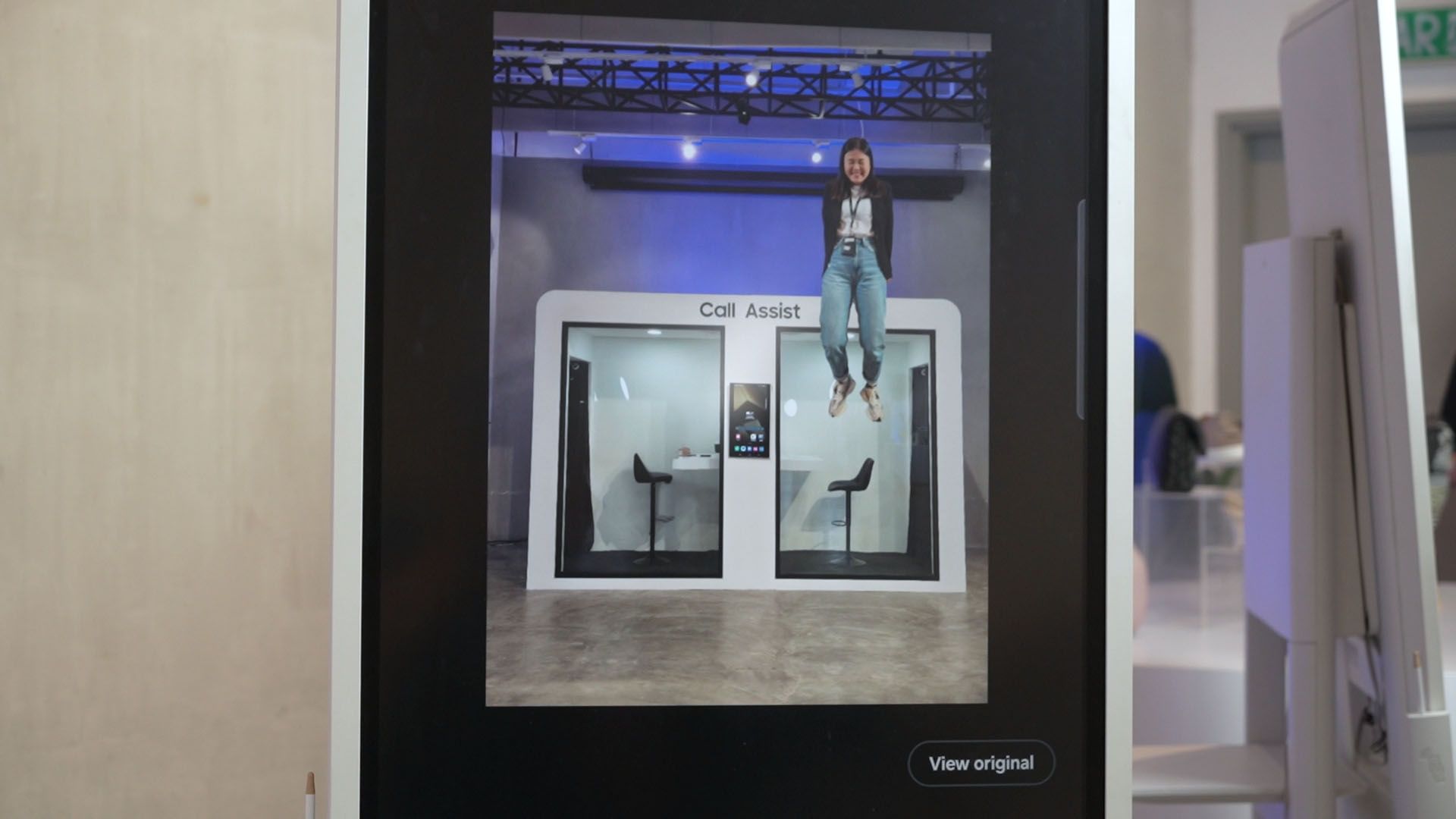
Remember the feature that we can tap and hold to lift a subject off an image? Take that to the next level by placing that lifted subject into another image. Yes, that works too.
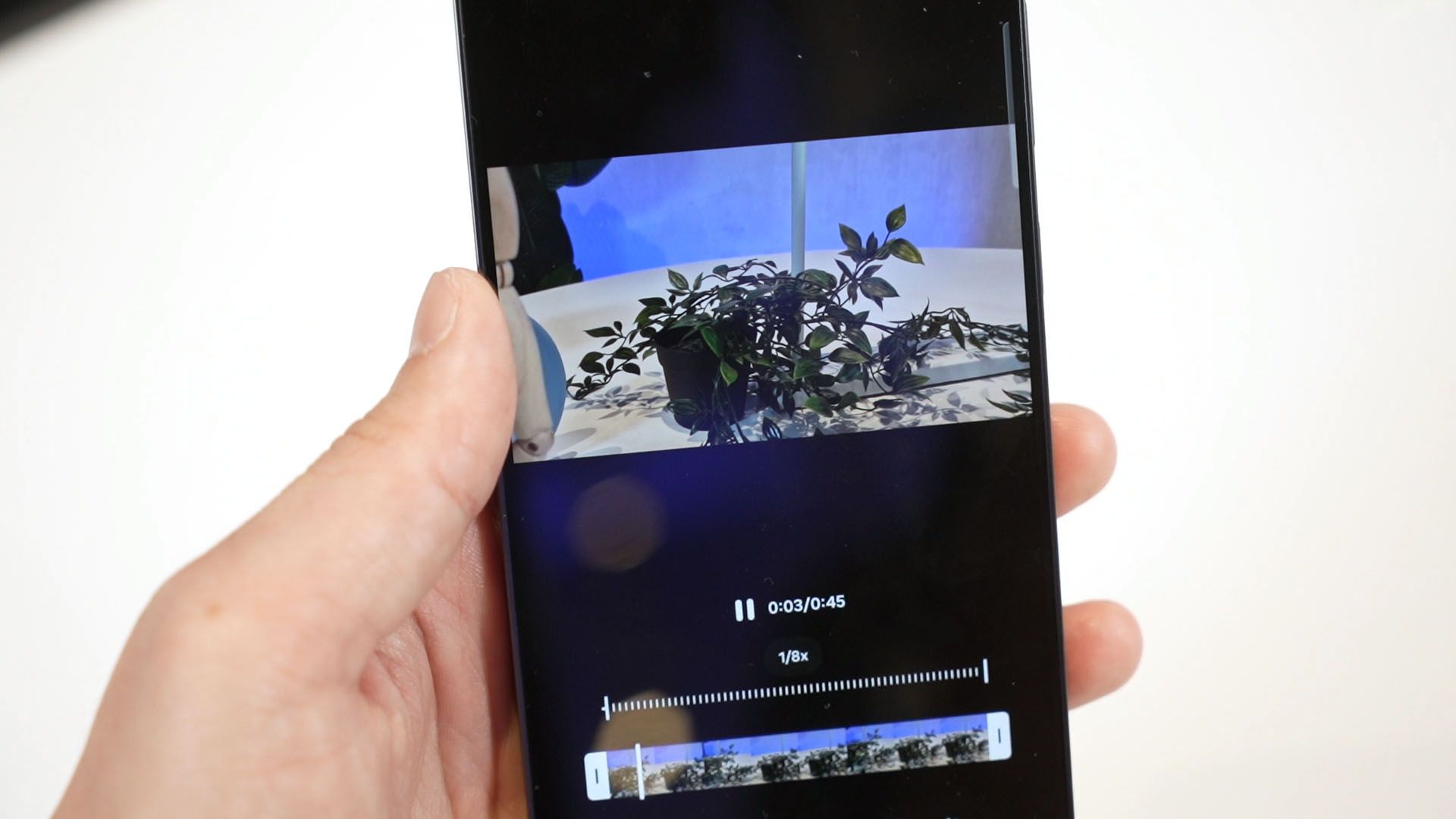
What was mentioned to us is this new AI slow-motion feature. What the demo showed us was to tap and hold a video and it’ll get slowed down. That seems to be a quality of life feature – but when I tried it out, it seems to be using some sort of AI frame interpolation. I recorded this fast-ish whipping motion video of the plant leaves in 4K 60fps and slowed it down by 8x. It should be at 7.5fps which is going to be choppy – but the AI slow motion made it look super smooth and natural. It’s better than the other AI slow motion features that I’ve seen so far, actually.
Collaboration with Google
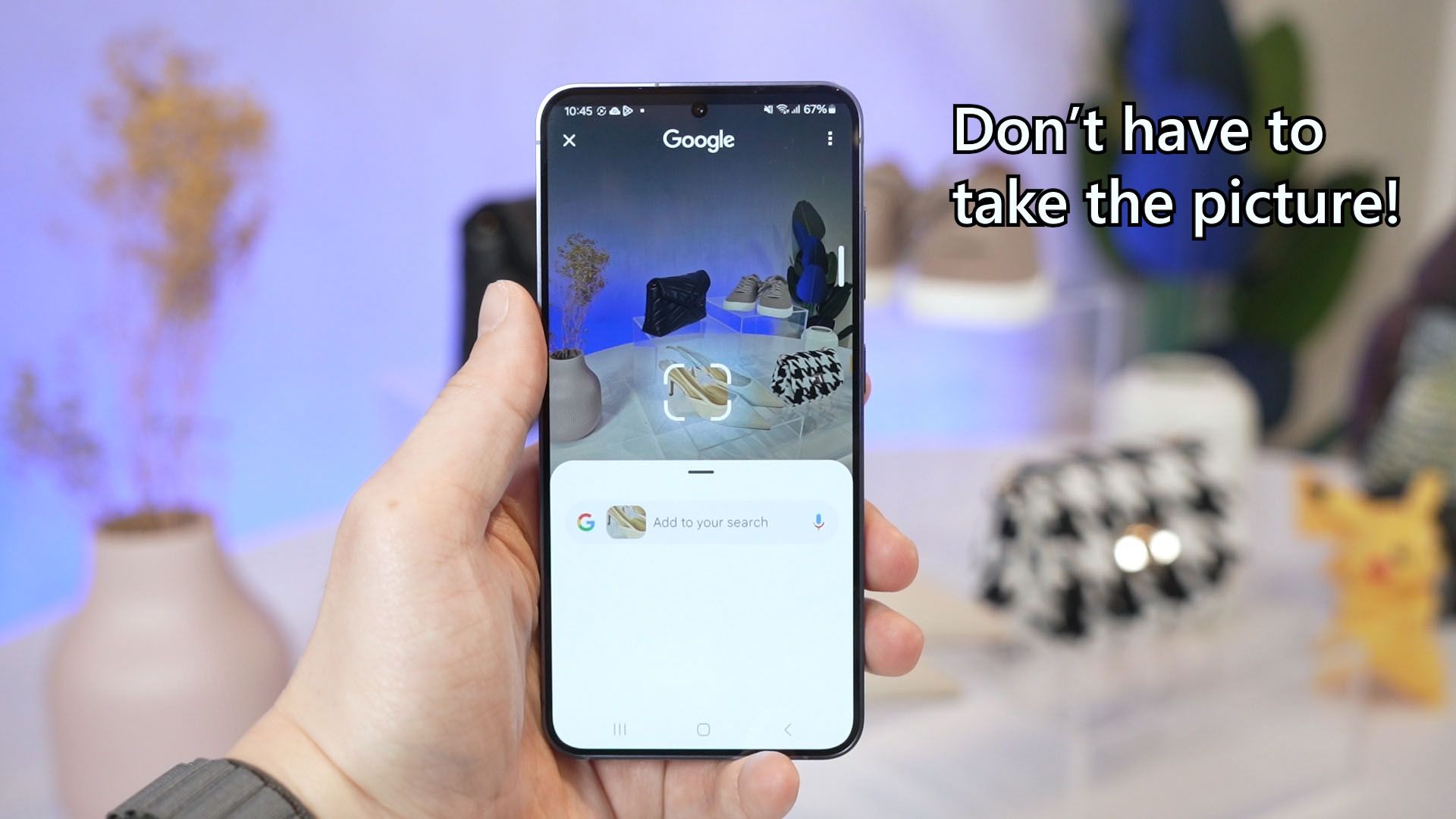
The Google Assistant also got a new interface. Invoking the Google Assistant now automatically activates Google Lens and we can draw on the screen to automatically search for whatever we highlighted. It’s like a more intuitive way to use the feature – which I like a lot.
Galaxy AI is available to which device?
Now, one big concern is which device will be getting these features? From what I can tell, the entire S24 series will be having the same AI features – but older devices might only get some of it.
I can’t confirm this as there’s no clear cut answer to this when we asked.

The Galaxy S24 series itself
Alright, let’s talk about the phone now. There are 3 phones in the Galaxy S24 series – the base version, the Plus, and also the Ultra. The Plus gets a lot of upgrades and it’s very close to the Ultra for this generation.
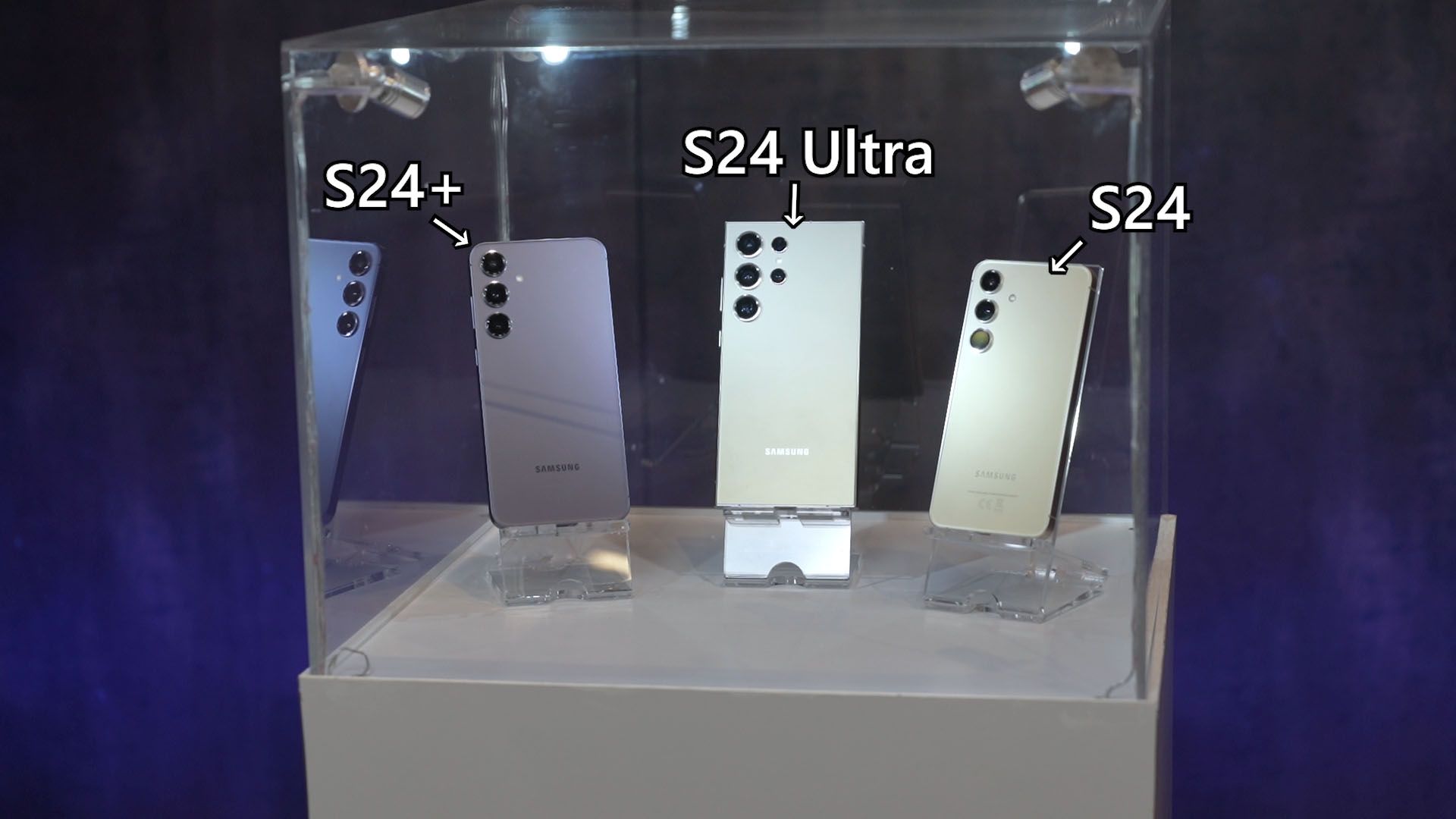
There are lots of colors to choose from – but I’m not sure which one is the online exclusive color. For the Ultra, we have
- Titanium Black
- Titanium Blue
- Titanium Gray
- Titanium Green with a nice contrasting frame
- Titanium Orange which is a very bold color
- Titanium Violet which is my favorite this generation
- Titanium Yellow
The S24 and the S24 Plus are available in
- Amber Yellow
- Cobalt Violet
- Jade Green
- Marble Gray
- Onyx Black,
- Sandstone Orange
- Sapphire Blue
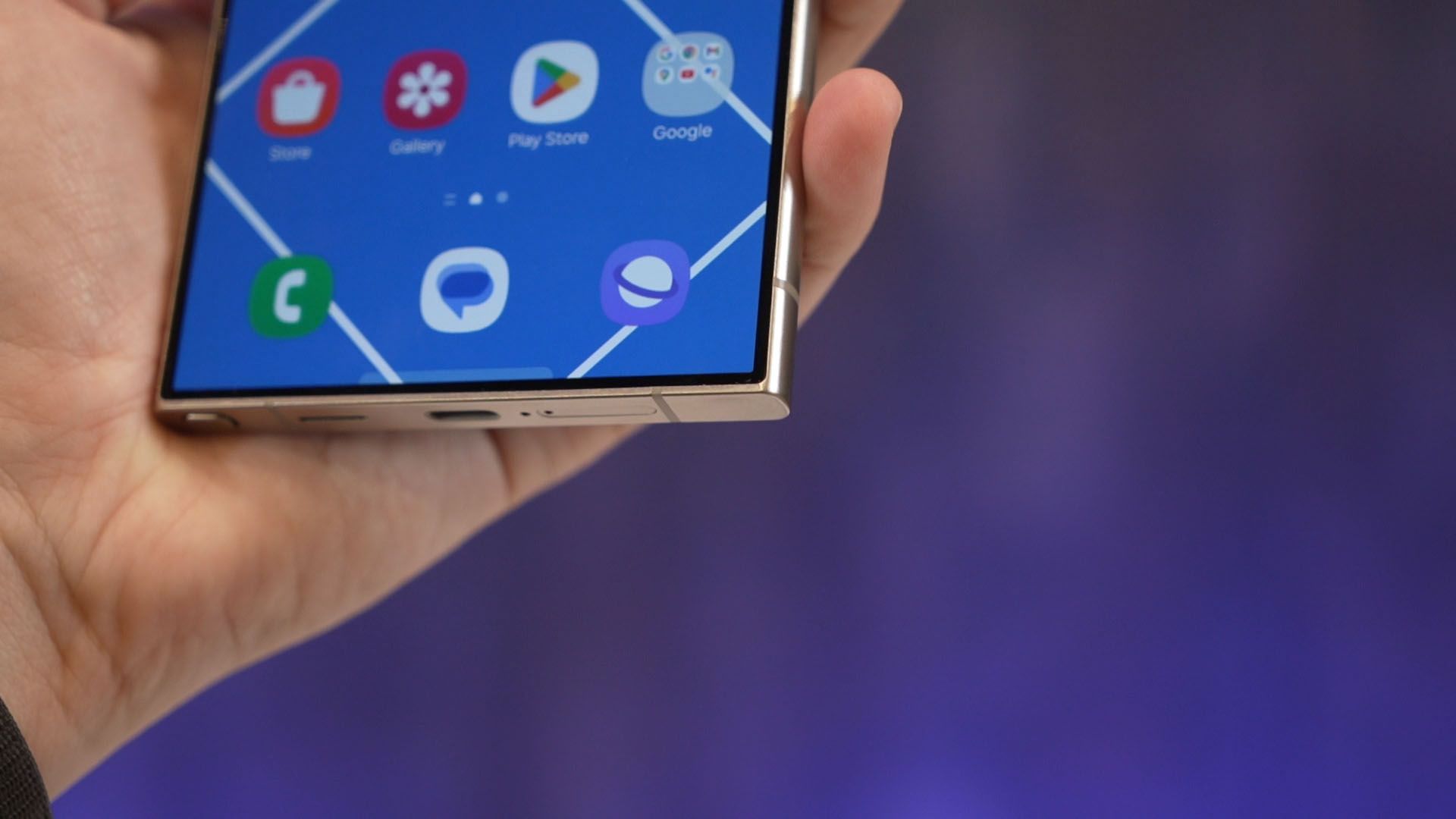
The S24 Ultra will also have a flat titanium frame but the S24 and S24+ are still using the Armor Aluminium frame but it’s flat. The Galaxy S24 Ultra will now have a flat screen instead of a curved screen – which personally, I think it’s a great move forward. I can finally use a tempered glass screen protector with this phone. It will also have a thinner bezel too.

All the phones use the Corning Gorilla Glass Armor, which is the successor of the Corning Gorilla Glass Victus 2.
As for the specs – I only have the important highlights and changes
- Galaxy S24 Ultra
- Snapdragon 8 Gen 3
- 5,000mAh battery
- Screen resolution of 3210×1440 pixels
- Galaxy S24 Plus
- Exynos 2400
- 4,900mAh battery
- Screen resolution of 3210×1440 pixels
- Galaxy S24
- Exynos 2400
- 4,000mAh battery
- Screen resolution of 2340×1080 pixels
All these 3 phones will have the same upgraded screen brightness and range from 1Hz to 120Hz refresh rate, but also the same charging speed as before. That means 45W for both S24 Ultra and the S24 Plus, 25W for the S24.

Oh – particularly about the S24 Ultra, the vapor chamber cooling system is now 1.9x bigger than before. If you remember, the S23 Ultra already got a bigger vapor chamber – and it’s even going bigger now. Wow.
Accessories
Let’s also talk a bit about the accessories. The Flipsuit case that debuted with the Galaxy Z Flip5 last year is now ported over to the S24 series too. It works the same way here.
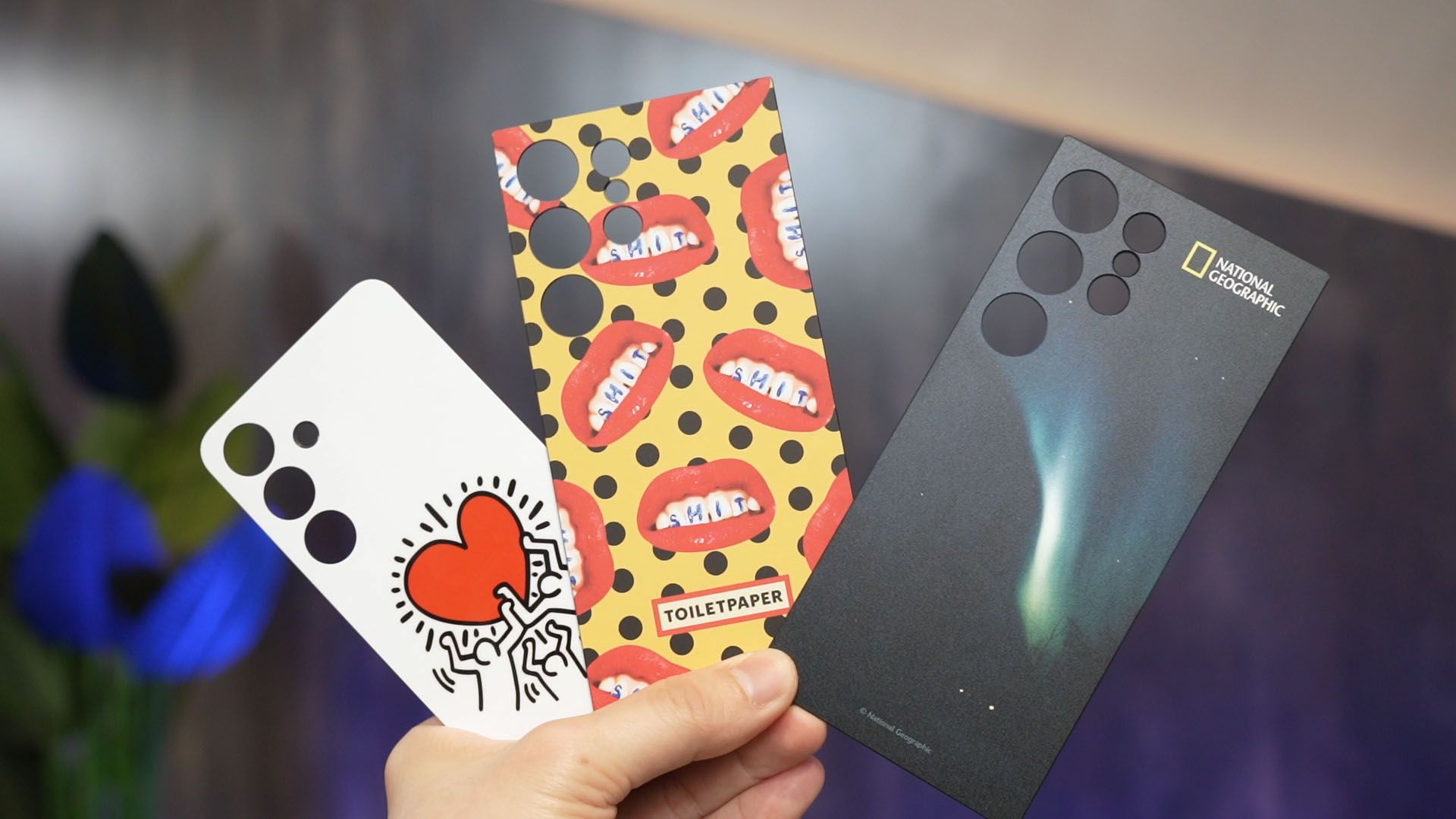
The Clear Gadget Case returns once more but now with a lanyard attachment.
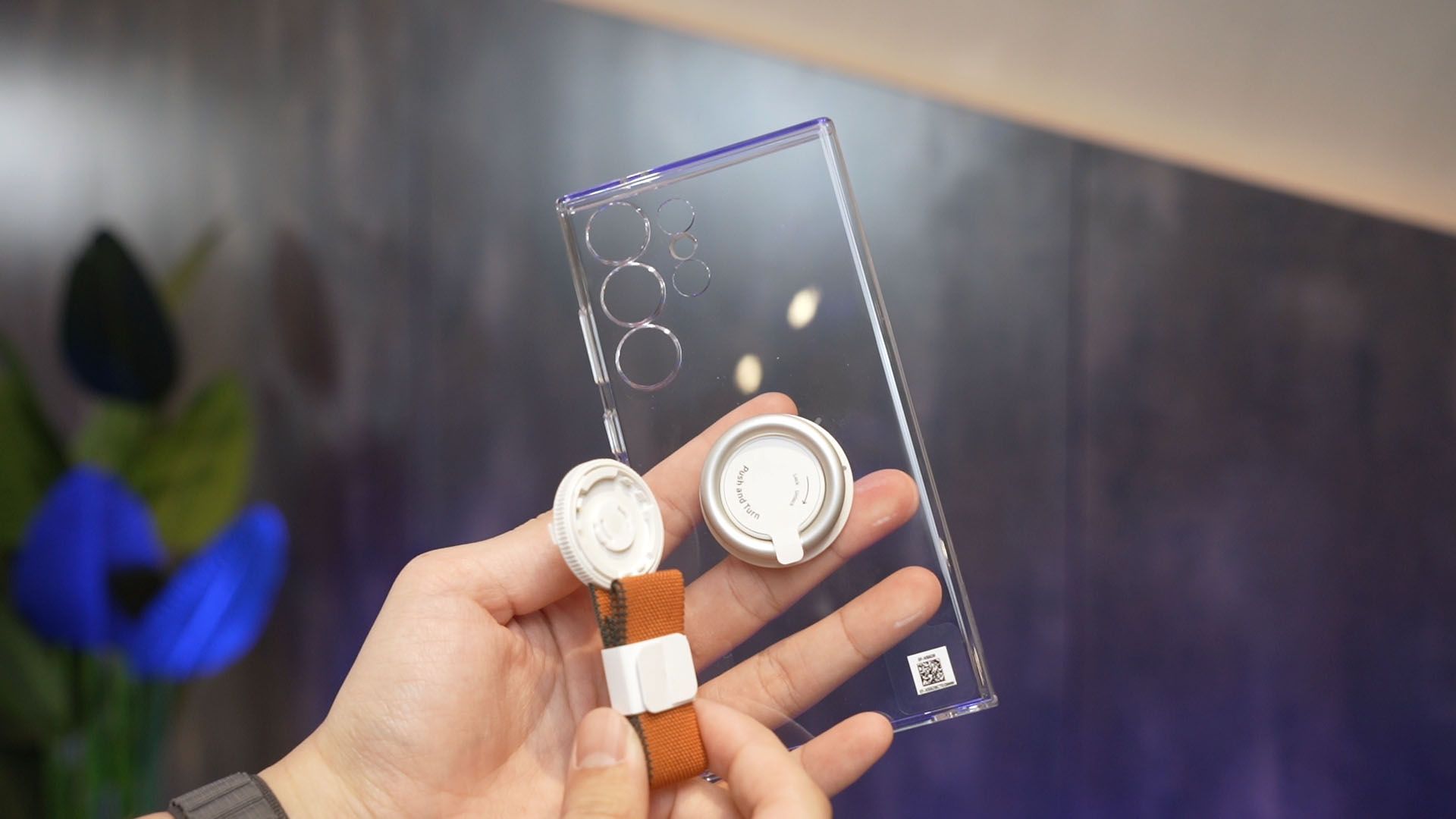
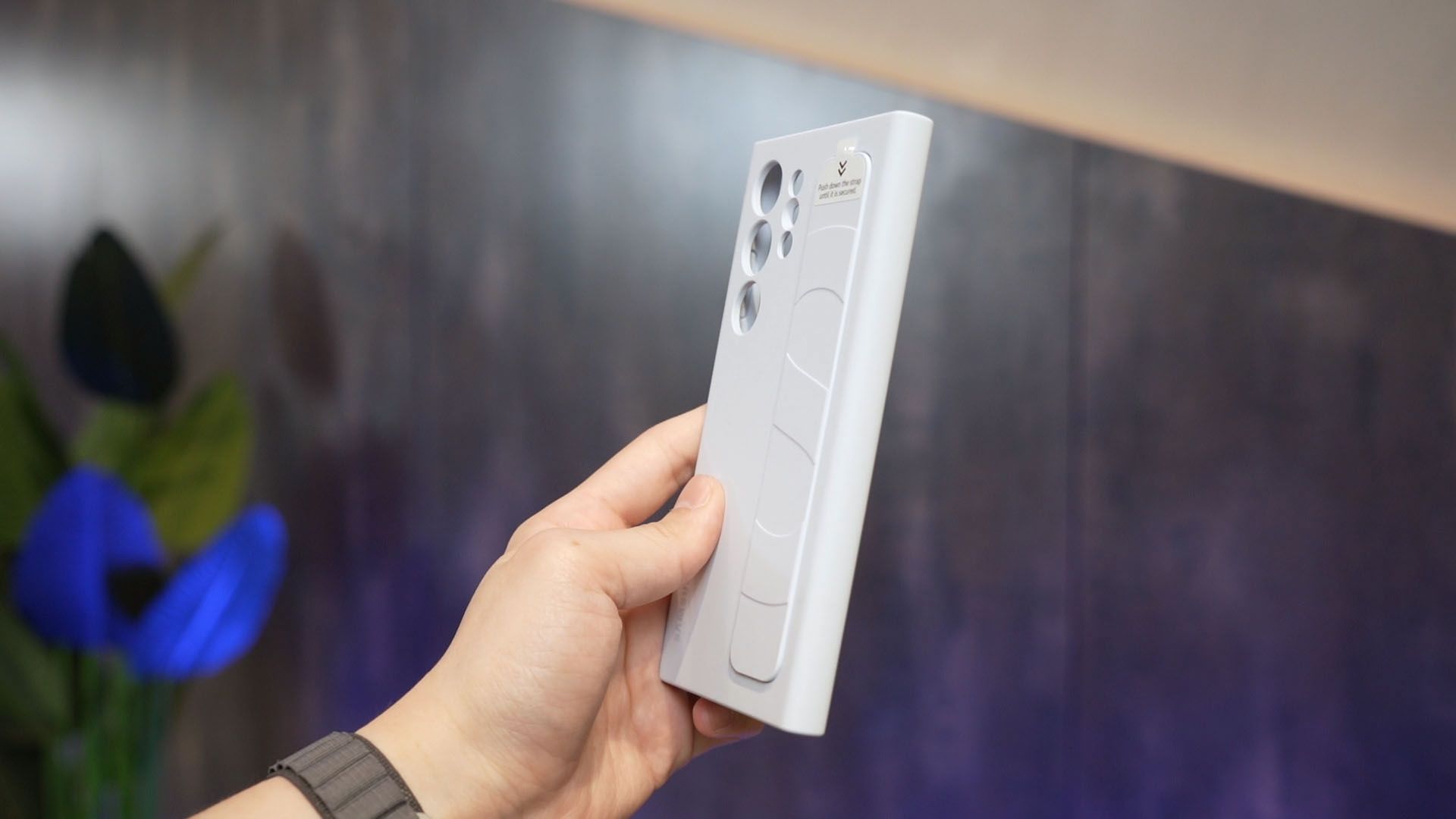
The Silicone Grip Case got a big revamp – the strap cannot be swapped for another design but the entire case is much sleeker and thinner than before. It just makes putting the phone into the pocket a lot easier.
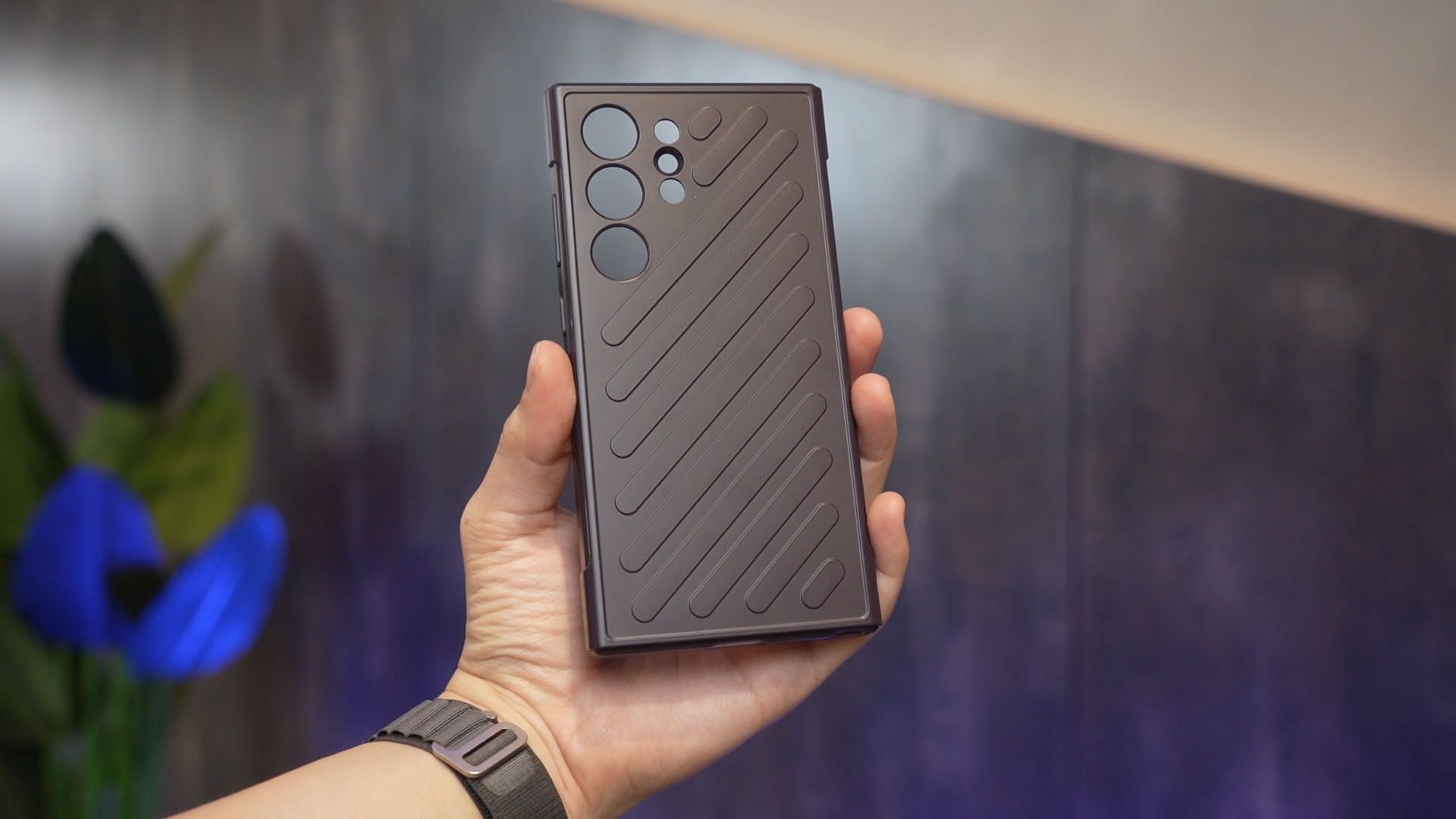
There’s also this new hardshell case that I have no idea what’s the name but it looks good and has a lot of grip.
Excited for Galaxy AI!
And that’s all that we have to share with you in this video. Hopefully, we can get our hands on this phone really quickly as I want to test out these features to the fullest extent.

If you have any ideas or curious about any of the Galaxy AI features, do let us know!
Like our Facebook Page here at NasiLemakTech.com for more news and in-depth reviews! Also, join our Facebook Group for insightful information and memes!
Subscribe to our YouTube channel too!