


Making an ID photo is in principle not so different from editing a portrait shot. A lot of people do it on a regular basis for their social media. The thing is that you have to adhere to a very specific set of requirements. And these requirements may vary greatly depending on the ID type you are applying for. However, some of them are more or less universal:
- Recent pictures are preferable since they depict your present appearance.
- Background must be homogenous, with no texture or object. Plain white is the most common.
- The look must be directed at the camera, and your eyes should be open and clear.
- Nothing should cover your head – hats, headphones, glasses, and so on are usually not allowed.
- No intense retouching or hard makeup allowed, the photo should show you as you are.
Making an ID photo might appear like something to do on quite rare occasions, but that’s not true. There’s quite a high demand for such a service, and software developers are happy to provide passport photo software for users of any skill level. Tools that help you accomplish the specific task of making an ID-friendly photo at home are abundant. So, let’s pick one and see how to make proper pictures with it.
Editing Passport Photos
If you need an effective photo editor for PC, try Passport Photo Maker – all-in-one passport photo software for PC. With a wide array of tools, an up-to-date requirements database for 130+ countries, various print layouts, and numerous automatic features, you’ll be able to turn a regular image into a passport photo in no time. Here’s how to make passport-size photos with it:
1. Pick an ID template
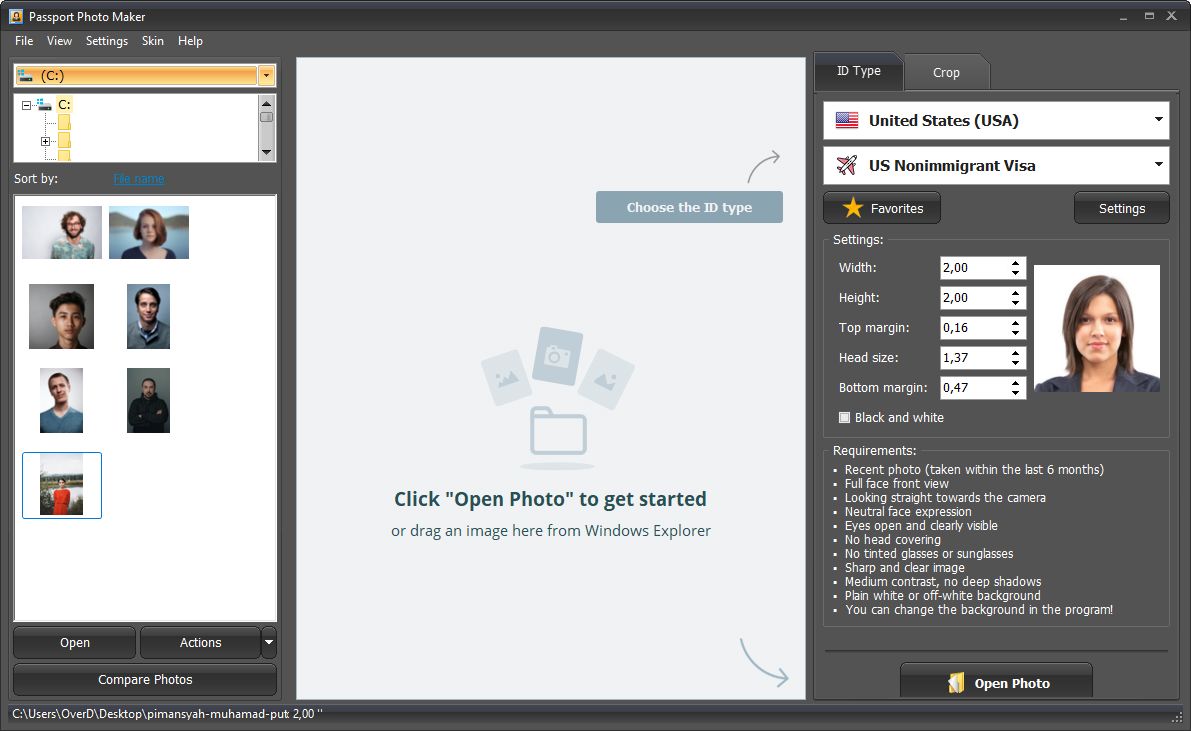
Install and run Passport Photo Maker. In the right part of the window, select a country and ID type.
2. Add a photo
You will see a list of requirements for the selected ID type. Click the Open Photo button and select a photo that fits as many of those requirements as possible.
3. Crop the image
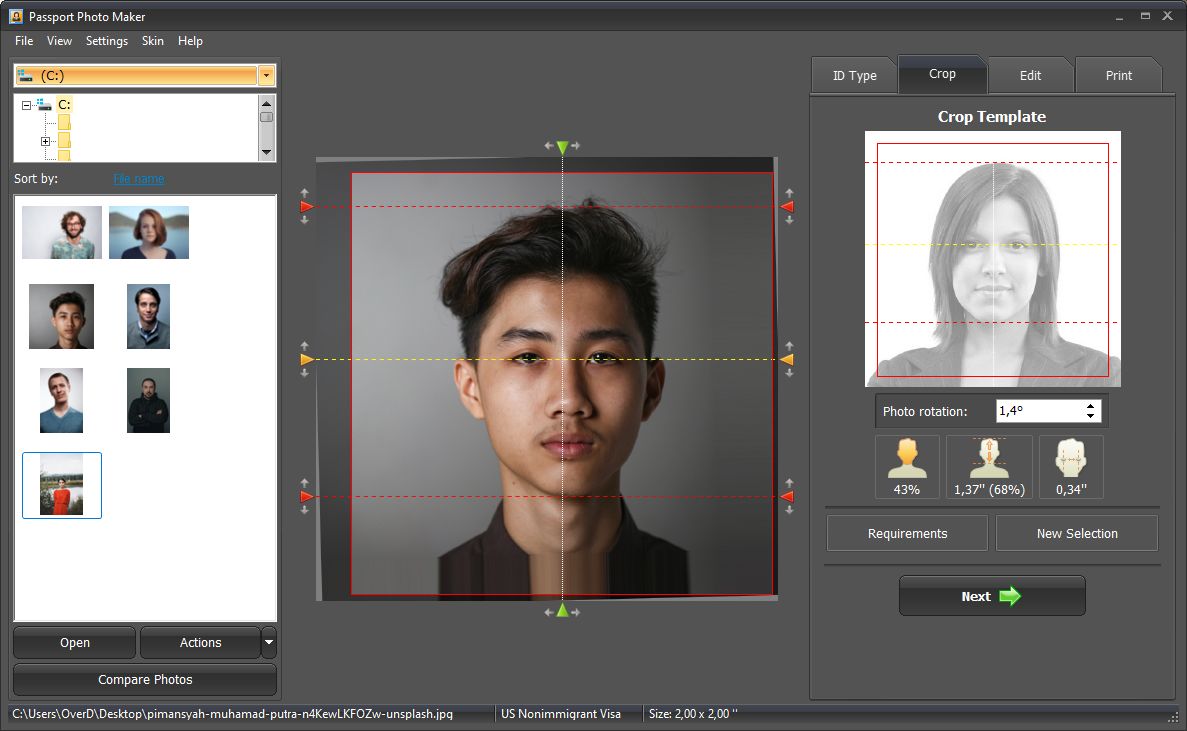
Mark the eye pupils, so that the program could tilt the picture correctly. Then place the red and yellow markers according to the template requirements. The program will crop your image automatically. Then click Next.
4. Make adjustments
On the Edit tab, you have options for light and color correction, applying basic retouching, adjusting brightness and contrast, and even changing clothes and backgrounds.
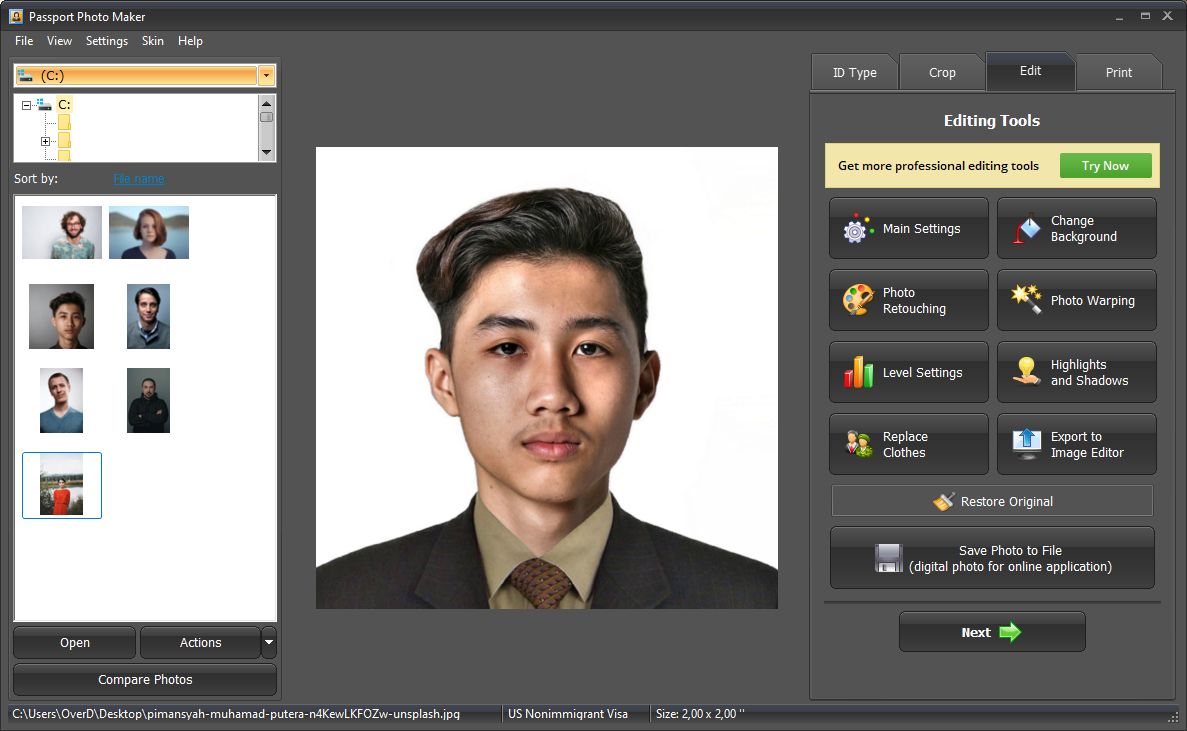
Next, you can either save the result or proceed to print. In either case, you should remember that you should keep edits to the utmost minimum.
5. Print your photo
On the Print tab, set the paper size, and select a print layout template to print as many photocopies as you need. Add print marks to make cutting out your pictures with a white backdrop easier. Then click Print Photos or save the layout to use later.
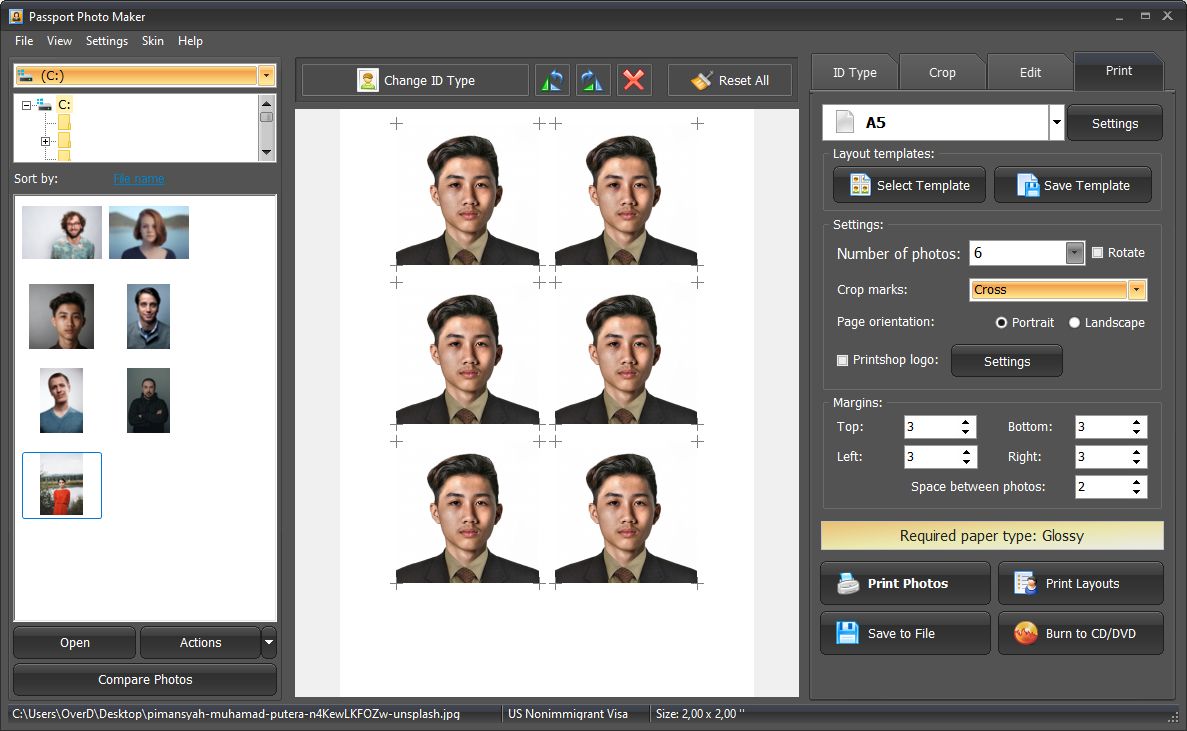
And that’s how you can use this passport photo app for PC. In addition to editing tools, there are useful features for running a photo salon of your own. Whether you are a casual user or a professional photographer with a business – Passport Photo Maker can help you out.
More Useful Tips
As mentioned above, there is a lot of ID photo software that can help you with editing at home. So, in case you want to take a look at other apps, check this list of passport photo printing software. You are likely to find something that fits your bills.
Printing your photos on paper is a little more complicated than it seems. There are parameters such as paper glossiness, pixel density, and more that you should keep in mind. If you want to do the printing yourself instead of trusting professionals, a handful more photo printing tips might be helpful.
You also need to keep the hardware capabilities into account – not every printer is capable of providing pictures with proper properties. So, here’s some info on how to choose a photo printer if you are yet to purchase the device.
The Bottom Line
What are the benefits of printing passport photos yourself? Number one is that with the best passport photo software, you have complete control over the process. That means that you can get the exact result you want, even down to the smallest details. Number two, with some practice, you will eventually be able to produce photos that have the quality you’d otherwise get from photo salons. And last but not least, you’ll save a good amount of time and money. So, why pay for something over and over again, when you can invest in your skills? Use our guidelines, and you’ll see how much you can accomplish on your own!
Like our Facebook Page here at NasiLemakTech.com for more news and in-depth reviews! Also, join our Facebook Group for insightful information and memes!
Subscribe to our YouTube channel too!