













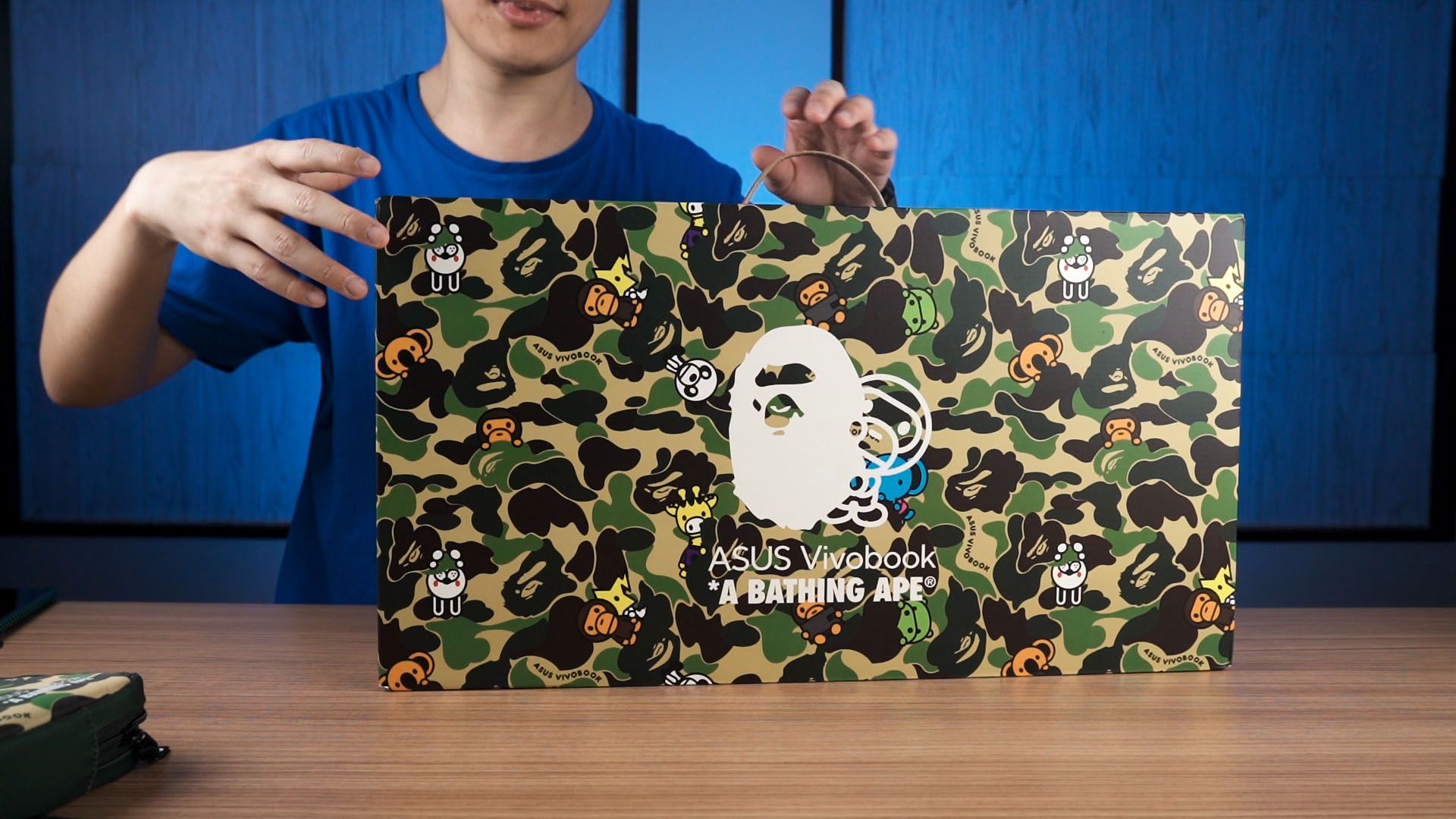
This laptop is special. It’s the ASUS Vivobook S 15 OLED BAPE Edition (K5504) and ASUS partnered with Bathing Ape – which I will call Bape for the entirety of this video – to make this laptop. I actually do like this collaboration as it offers something unique to the customers. However… there are some strange design decisions.
Let me show you by first showing you the box. As you can see, the green box means that we have the Green Camo bundle – which comes with all of these things shown on the screen. It is also available in another Blue Camo bundle with the same set of stuff but in a different color scheme. I personally like the blue color more though.
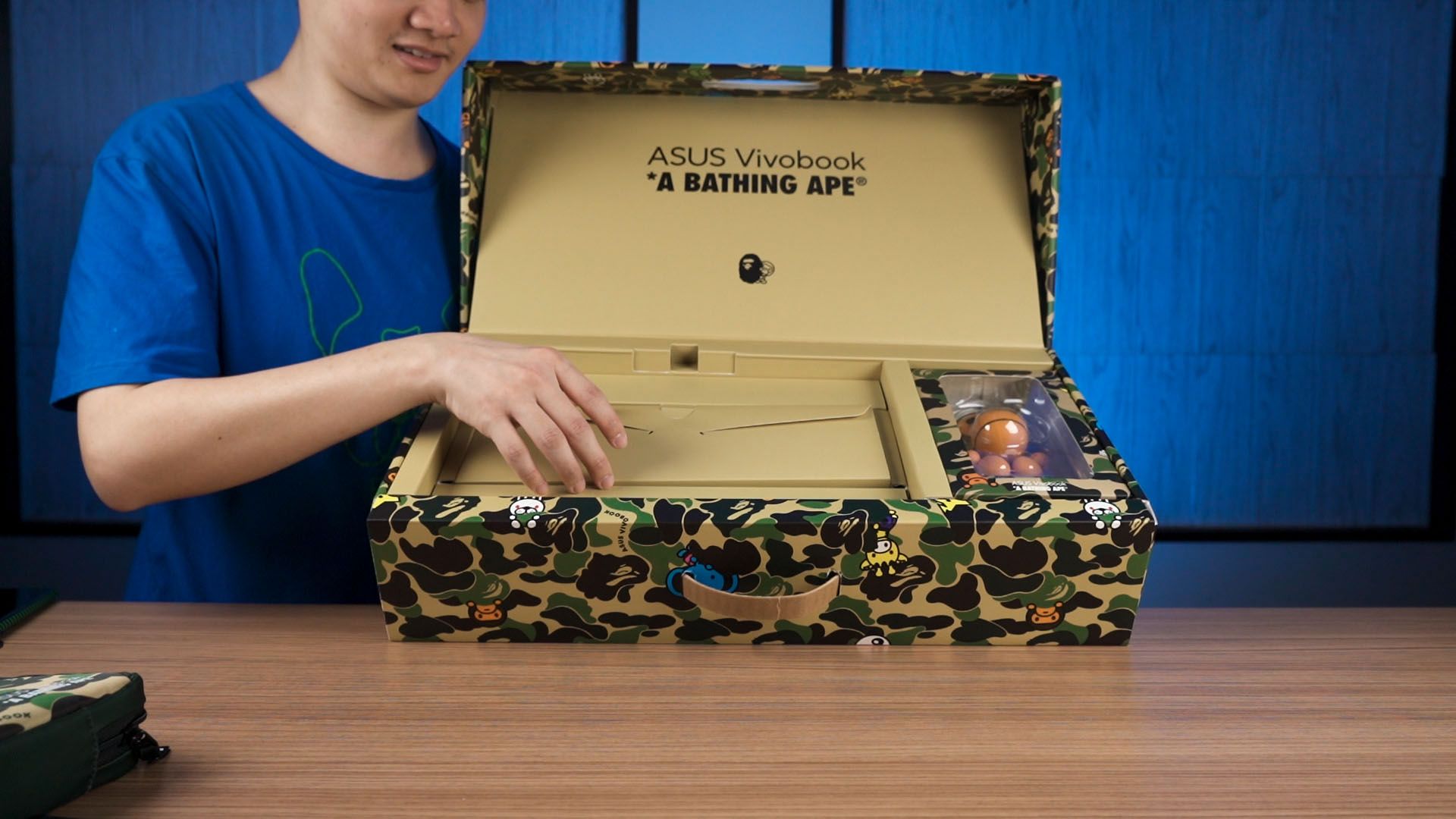
Even the box design is on brand and opening up, we get a lot more than just the laptop alone. We have a figurine called Baby Milo that I’m not going to touch, a pack of accessories that includes brand stickers, and keyboard stickers for each key. I think this is a good choice as I can leave the keyboard alone since I think the design is good enough. Perhaps this is a lesson learned through ROG’s collaboration with Acronym.
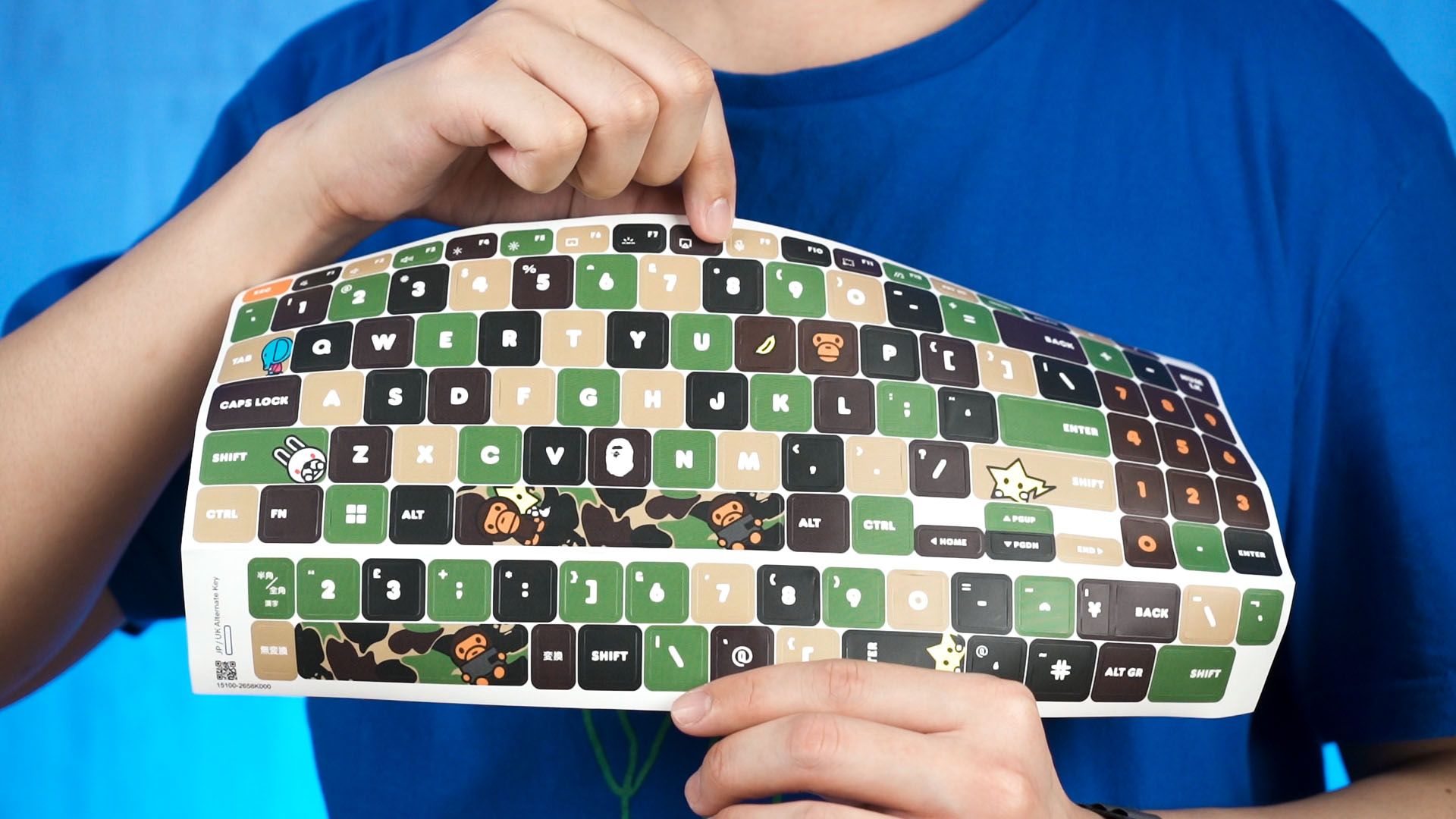
Just make sure that if you do want to use the stickers, stick them with perfect alignment. Else, it’ll look all out of whack.
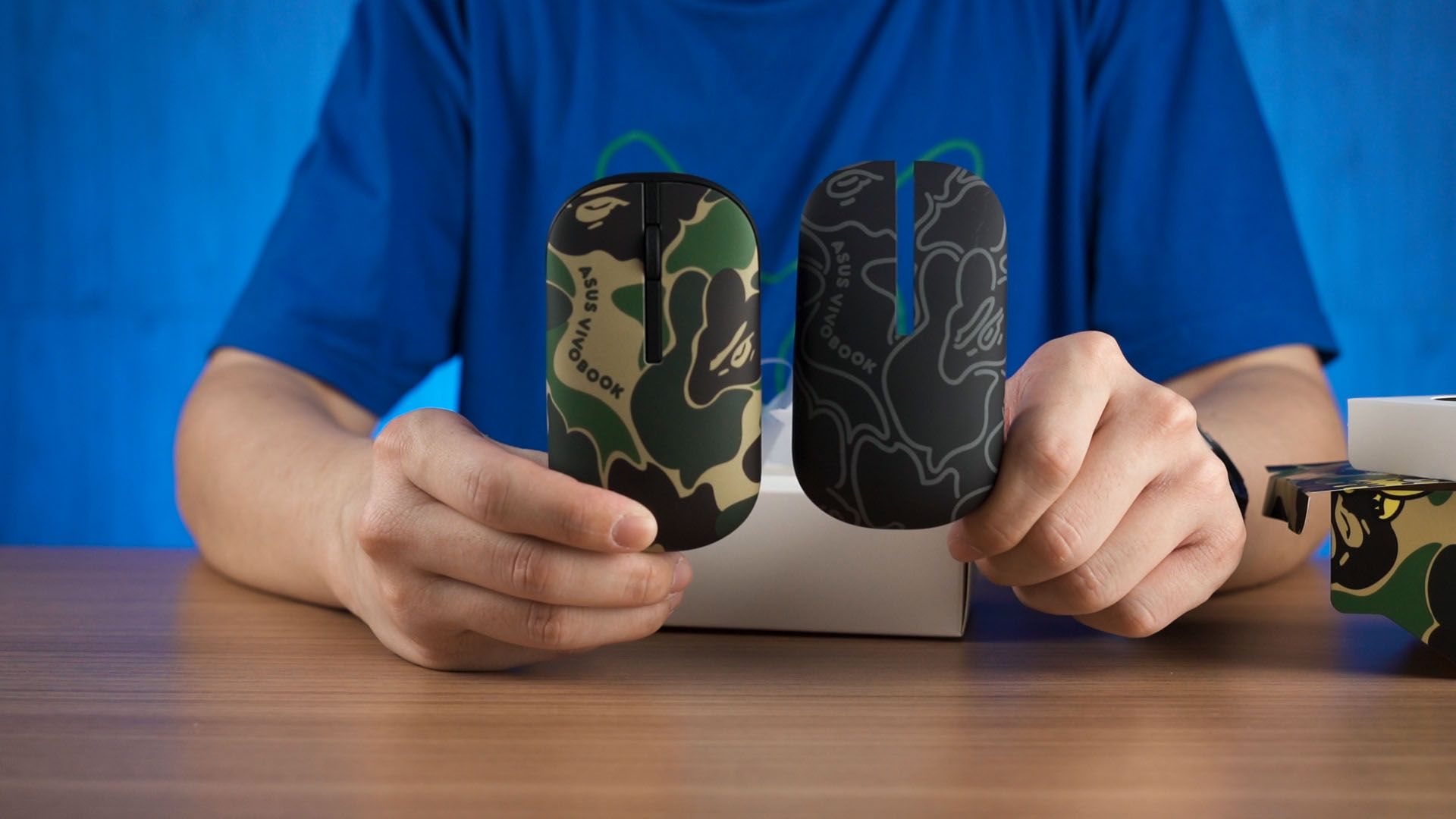
We even get another wireless mouse too. This is the MD100 which is not new – watch our video at the top right corner to know more about it. One special feature this wireless mouse has is the ability to swap the top plate, and essentially change the design of the mouse. We have two designs to choose from – one is the default green Bape design, and another is the black Bape design. I think the black one is better since it suits the laptop.

To carry everything, we have a carrying bag that is also covered with the green camo Bape design. It looks nice and is actually very functional too. Once we open it up, we have one half of it for the laptop, and another half for miscellaneous stuff like the external mouse, maybe a power bank since this laptop can be charged via USB-C, and the power brick maybe? We also have two more pen holders at the side. This entire bag has a lot of cushion – and I can kinda use it as a pillow too.

Okay, since we have the Green Camo Bundle, the laptop is in this Midnight Black color. It looks stealthy yet stylish at the same time. I absolutely love it the design. I’m just gonna show it to you.
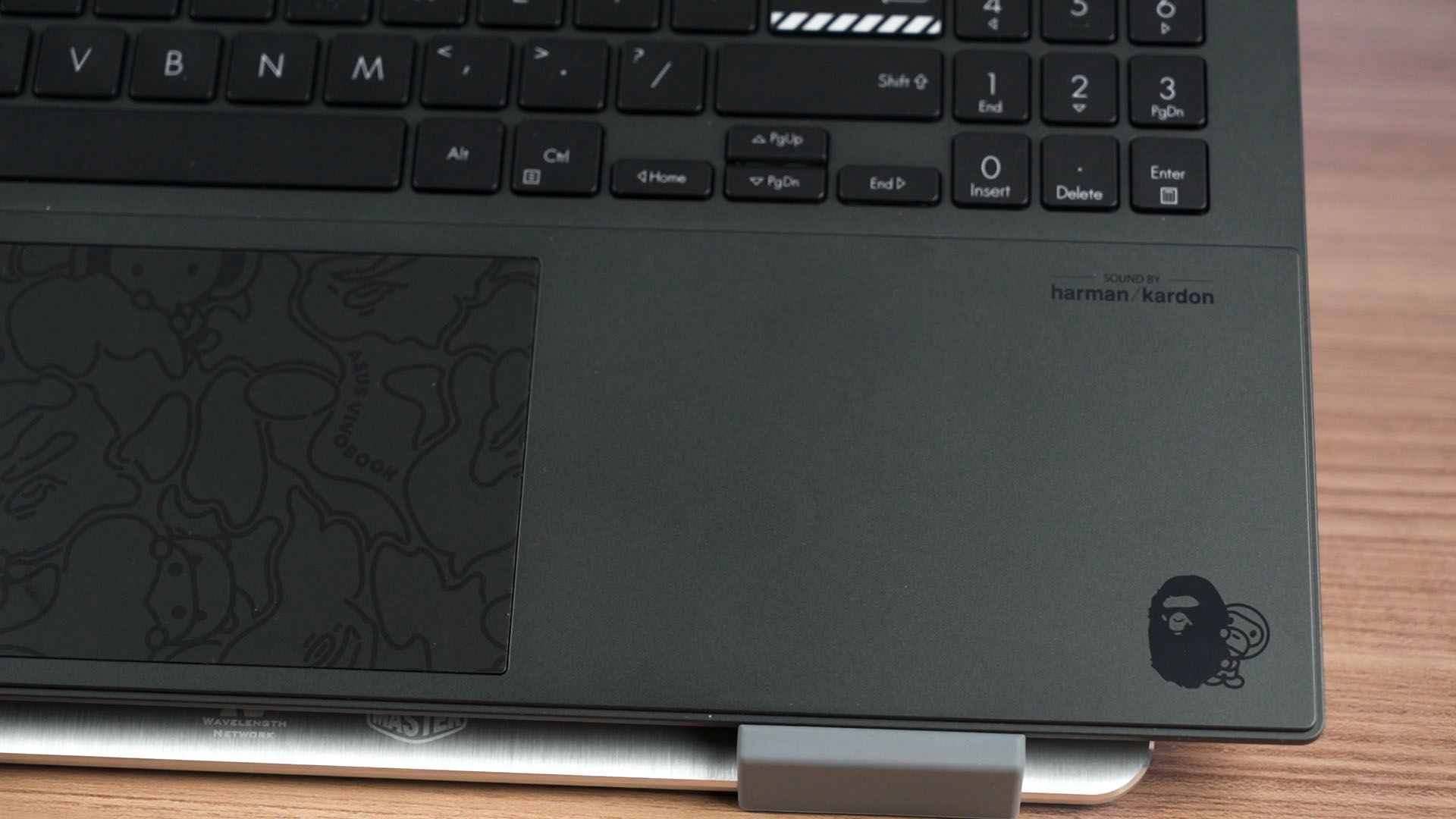
Once we open up the lid, the design extends inside too. I do think the trackpad needs to be fancier as it looks very bland now. My hands will always be covering these two sides anyway, so filling up the trackpad with some Bape design would’ve been better than leaving it blank. I mean, I won’t use the trackpad anyway – especially since ASUS also provided a wireless mouse in the box.
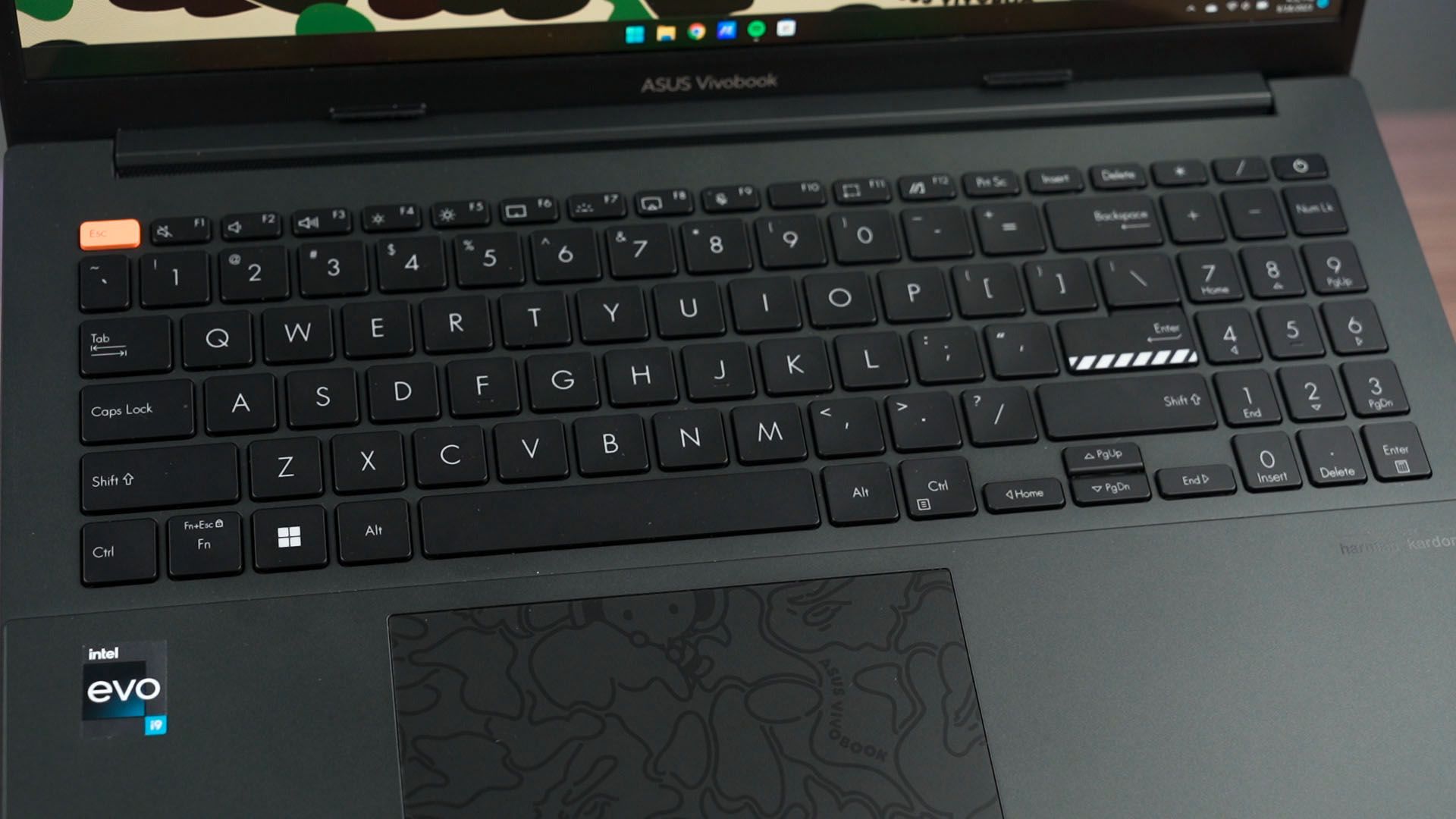
The keyboard – as mentioned earlier, is left relatively simple here. It types great like any other ASUS laptop keyboards. It’s bouncy, springy, and has great travel distance. Again, if you want to stick keycap stickers then make sure to do it accurately.
Now, let’s look at the screen. It looks amazing – just like many other ASUS laptops that we’ve tried in the past. It’s an OLED screen with a resolution of 2880×1620 pixels – and that means it’s 16:9 in aspect ratio and up to 120Hz refresh rate.
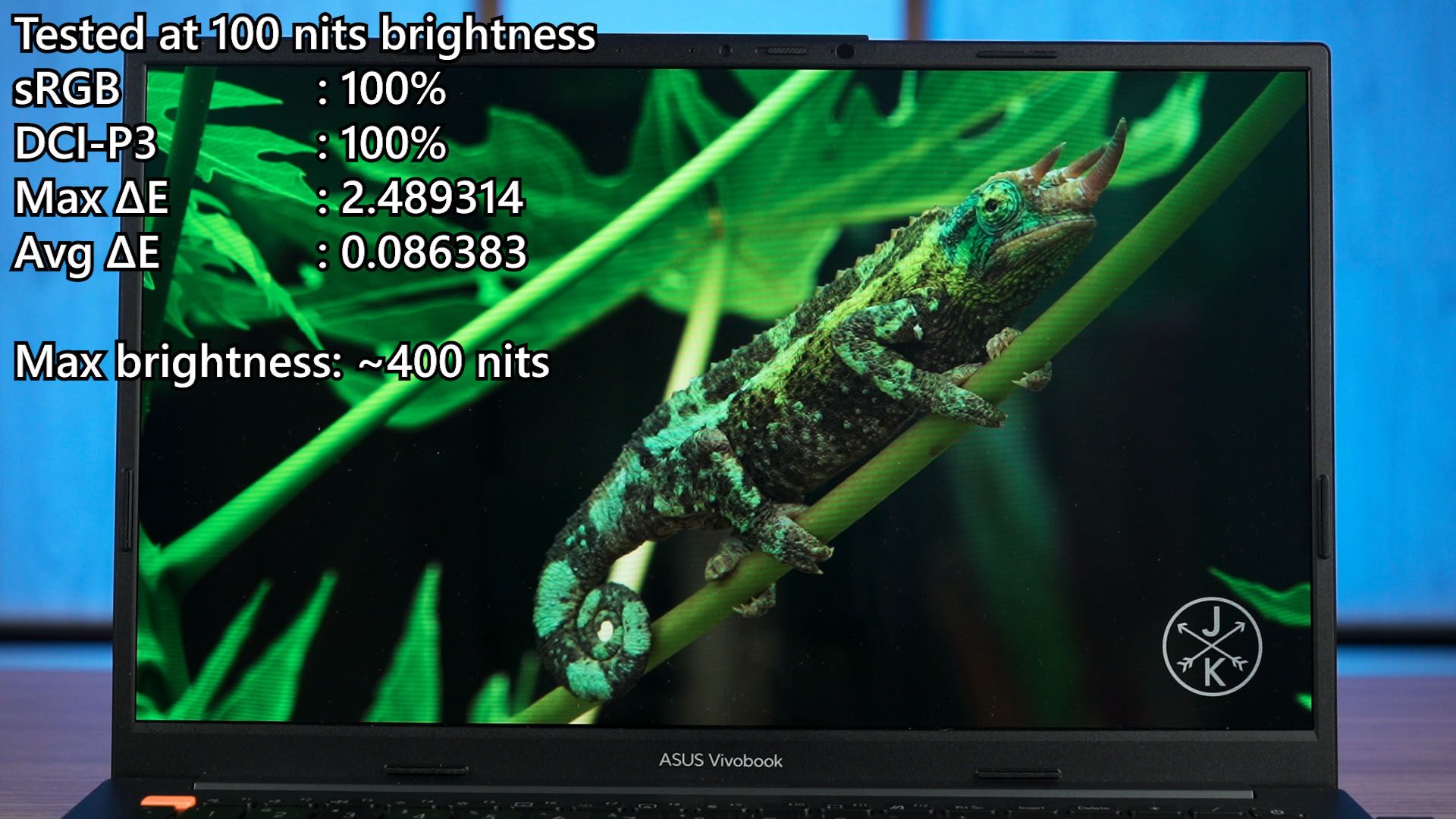
Then, in the typical ASUS fashion, the OLED screen is obviously going to look stunning. Our colorimeter reports 100% coverage on both sRGB and DCI-P3 color gamuts – but the maximum brightness is only at around 400 nits. It’s great for indoor use, but not outdoors – especially when it is sunny.
Once we do adjust the brightness beyond a certain threshold, it toggles between PWM dimming and DC dimming.
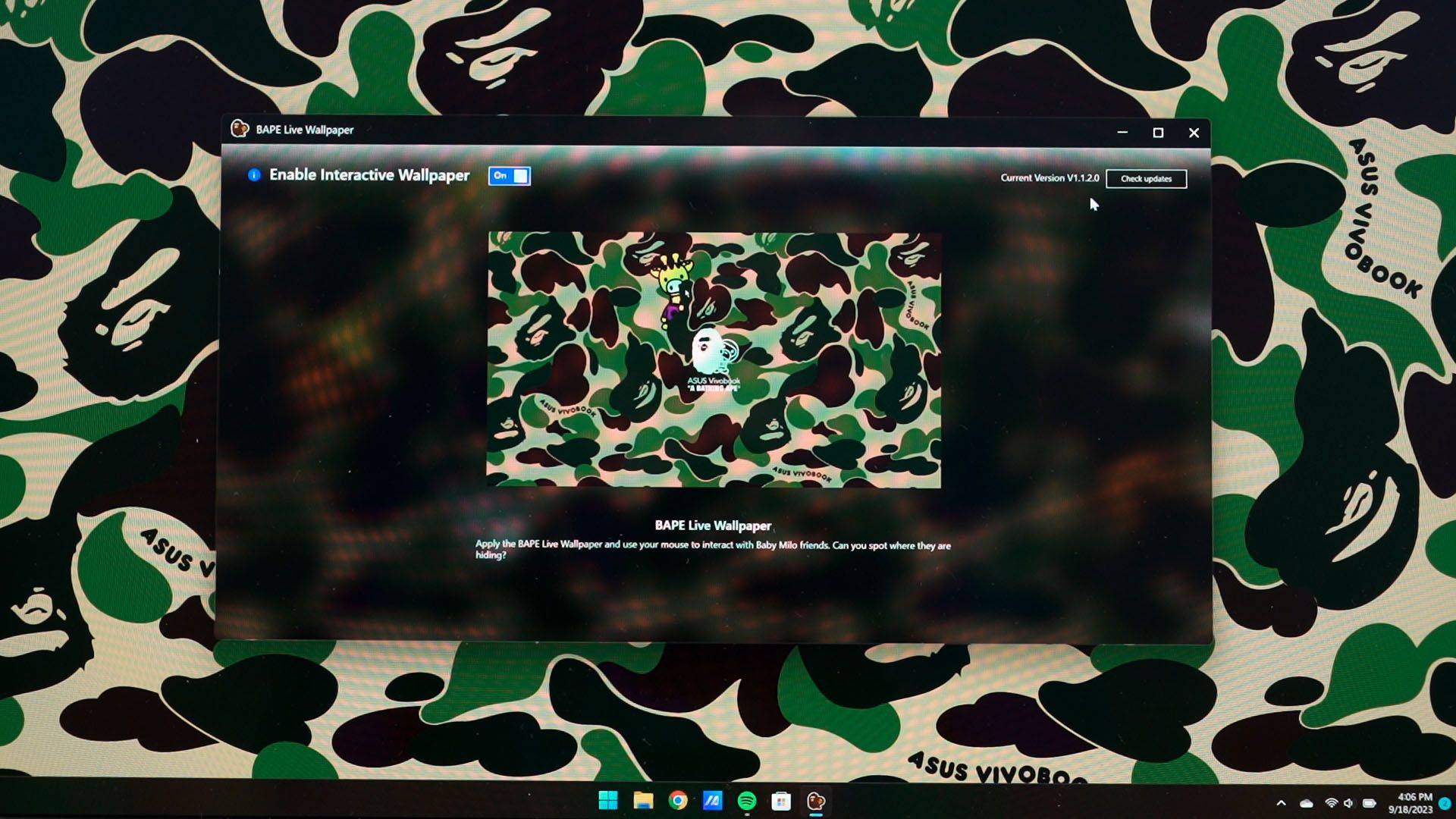
By the way, we have a matching live wallpaper to go along with the laptop. Characters will appear when we hover the mouse around few specific areas – and there was an update for this live wallpaper too. No idea what is there to update – but there was one.
The specs though, feels very imbalanced. We have an amazing Intel Core i9-13900H processor alongside 16GB of DDR5 RAM at 4800MT/s and also 1TB NVMe SSD. However, it is using the Intel Iris Xe integrated graphics.
Which is weird. As we’re playing games using this laptop, the Core i9 will mostly be waiting for the integrated graphics to chug along.
I can say that most of the CPU’s performance will not be utilized especially if we’re using this laptop for just web-browsing, YouTube, Netflix, all those stuff. We could utilize it by running CPU-intensive applications like MATLAB, certain Excel sheet functions with superbly heavy data sets, or audio engineering. It’s just not suitable for gaming, even though I know ASUS could have placed a GPU inside.
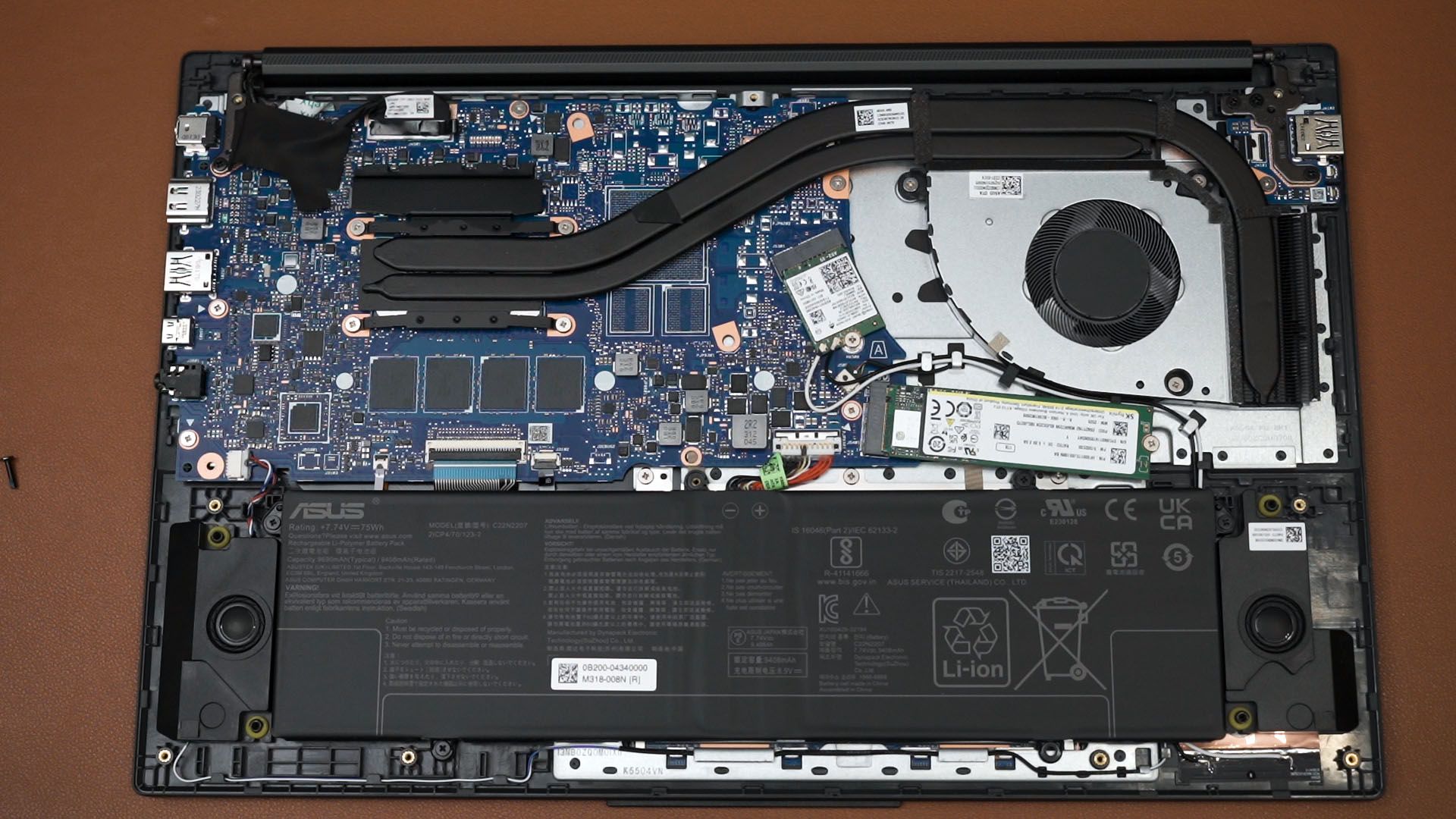
You see, I opened up this laptop to have a look. On the motherboard, there are three blank BGA sockets that are unused. I presume that the big one is for the GPU and two small ones are for the VRAM. I just think that maybe a Core i5 or a Core i7 alongside something like an NVIDIA GeForce MX570 or even Intel’s own Arc A380 GPU. As for whether or not the cooling solution can handle it – that I can’t answer.
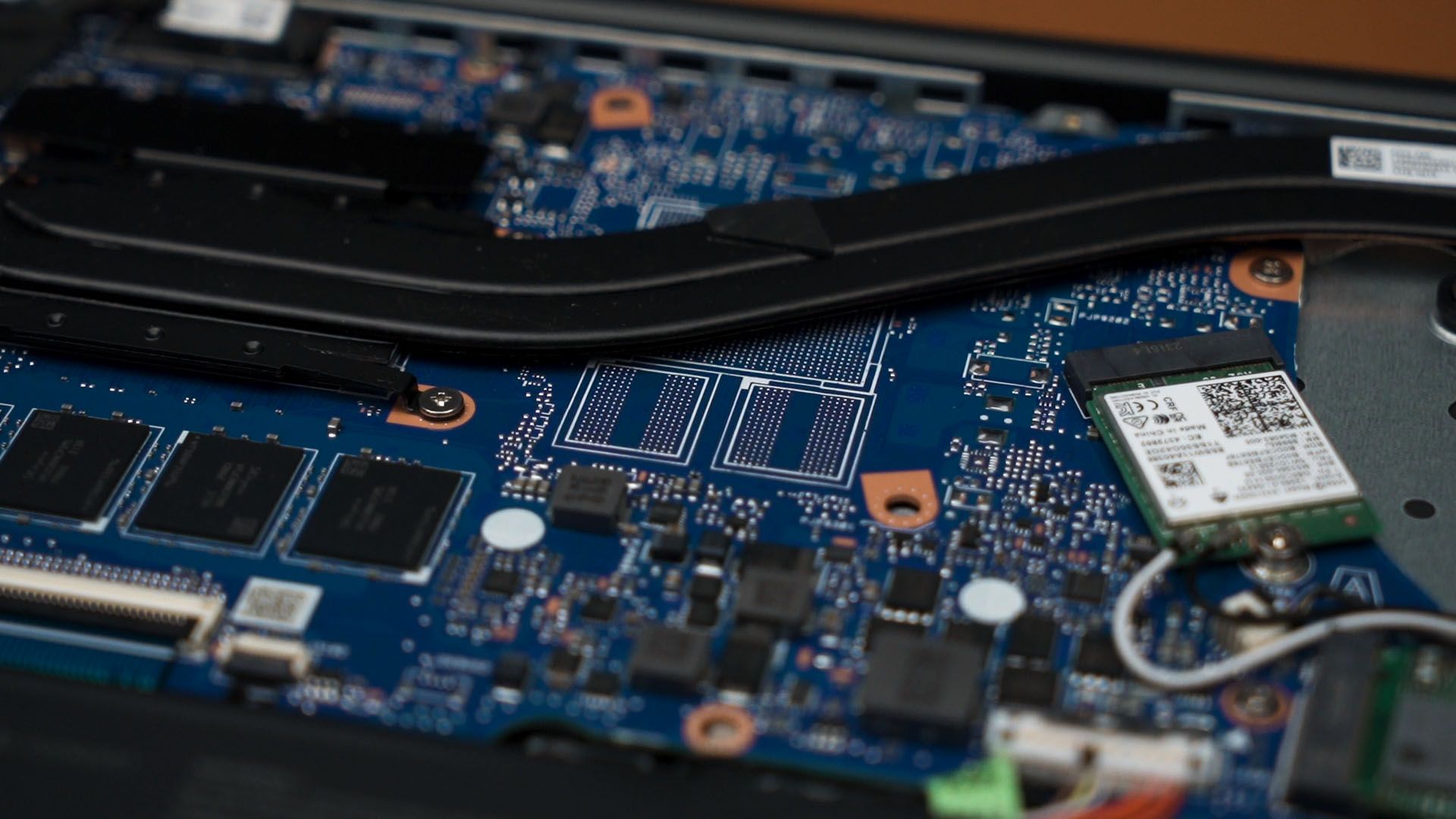
There is also no reason for anyone to open up this laptop other than to swap out the SSD or the WiFi card. Everything else is soldered to the motherboard.
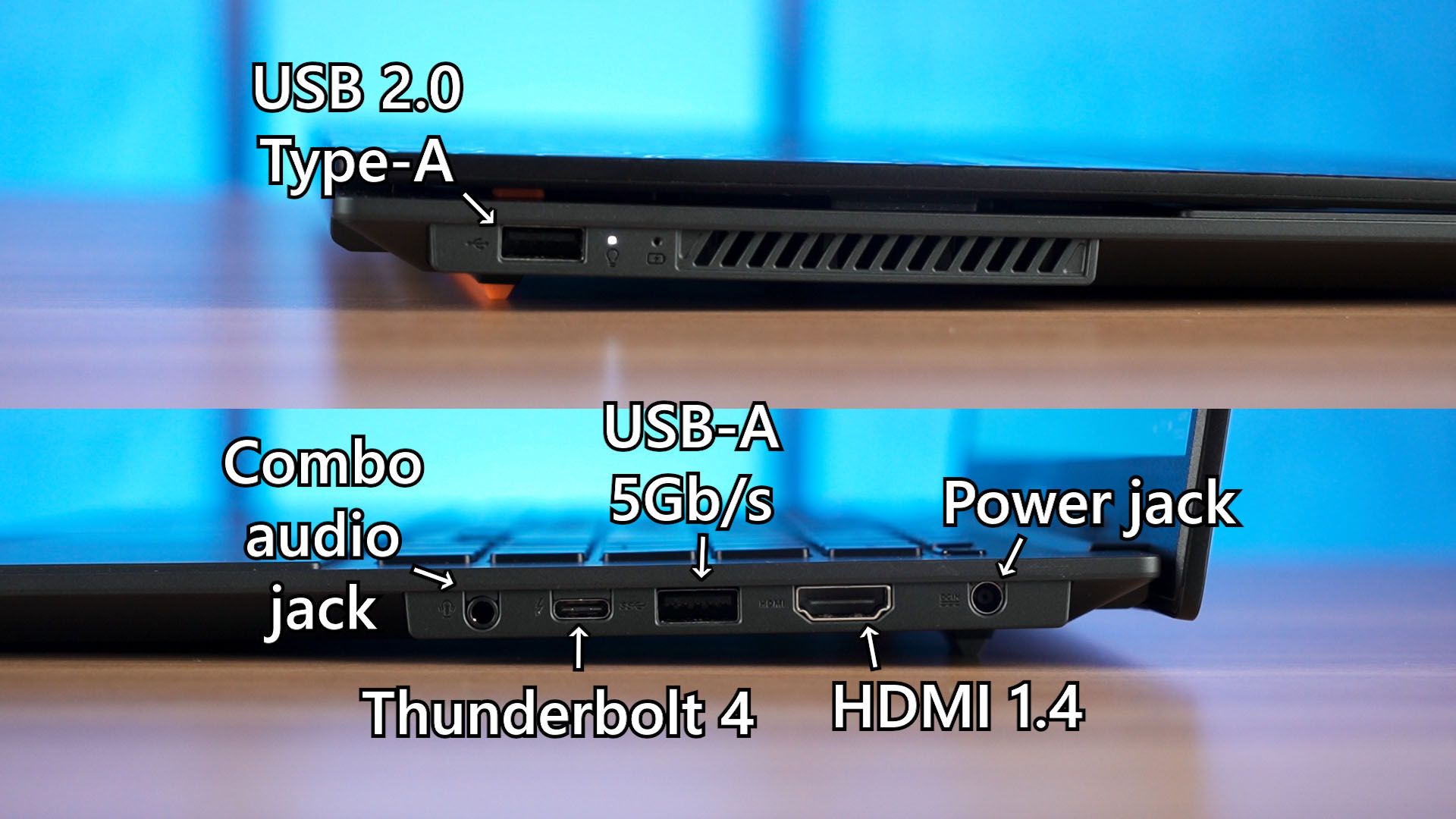
The ports on this laptop are fairly good. We have a USB 2.0 Type-A on the left side and all the other ports on the right side. I still think ASUS should’ve mirrored its positions as currently, we have all the cables and connectors pointing out to the right side that hinders external mouse usage.
Also, that 75Wh battery can last for about 5 hours or so with this laptop. It’s going to be like this since it does come with an Intel Core i9 alongside a high-resolution screen.
Should you buy the ASUS Vivobook S 15 OLED BAPE Edition (K5504)?
So, what do I think about this laptop? Honestly, you’re buying this laptop for the looks but ASUS provides more value than just the looks along. The bag is surprisingly functional while looking nice at the same time, and the laptop is a fashion statement. It’s absolutely gorgeous.
For the price of RM6,499, I think that if you want a nice-looking yet actually good limited edition laptop, then yeah buy this bundle. Just know what you’re getting into, especially that Core i9 with integrated graphics.
I’ll leave you links down in the description below and let me know – do you like this laptop’s design? I’m interested to know your opinion and we’ll see you guys in the next video.
Where to buy? (Affiliate links)
Like our Facebook Page here at NasiLemakTech.com for more news and in-depth reviews! Also, join our Facebook Group for insightful information and memes!
Subscribe to our YouTube channel too!