










The Mate series of smartphone is known to be the company’s “first” in many aspects – technology, design, and latest innovations. The Mate series sets forth a brand new age of mobile computing in Huawei for an entire year. This year, we have the Huawei Mate 20 Pro.
The Mate 20 Pro packs the latest trends in smartphone tech – featuring the latest Kirin 980 chipset, a triple rear-facing camera configuration, and under display fingerprint scanner. Just how great is the brand new Huawei Mate 20 Pro from Huawei? Let’s find out in this in-depth review.
Unboxing
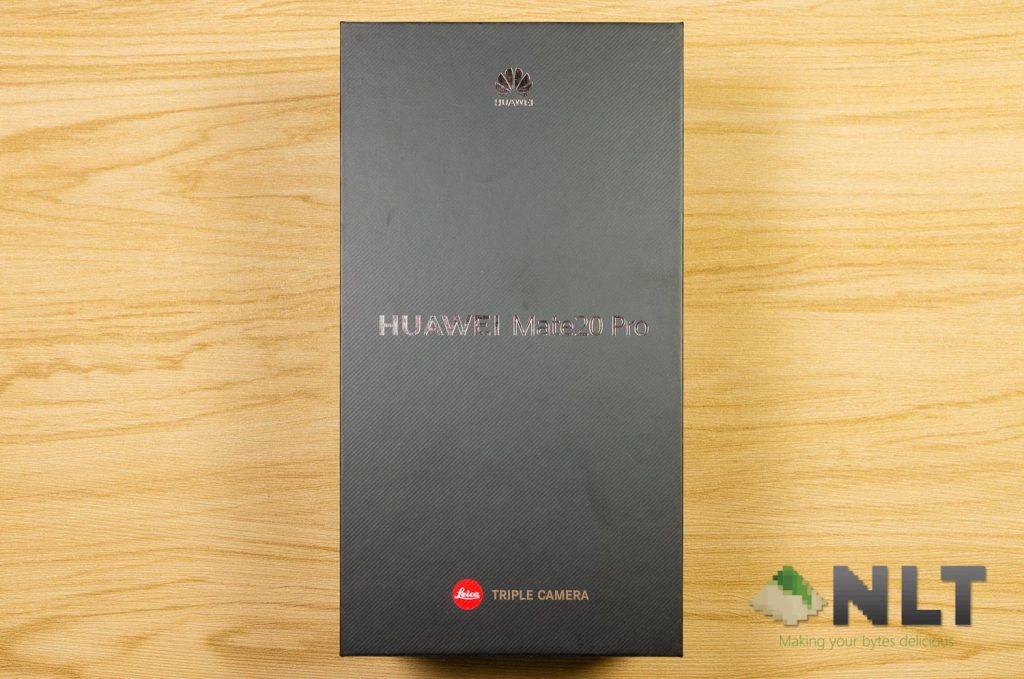
Upon looking at the box itself, it’s quite plain. It’s black overall and has letters debossed in gold.
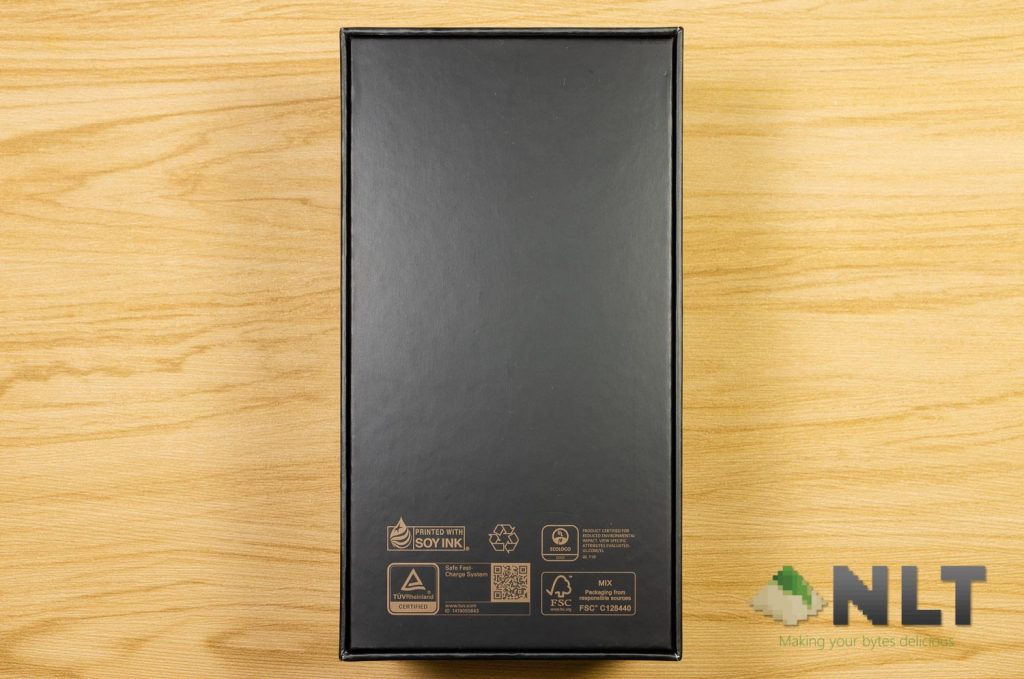
At the back of the box, there’s nothing other than a few certifications and whatnot.
Opening up the box we can see the Huawei Mate 20 Pro itself sitting on a cradle. Yes, the phone is that long.
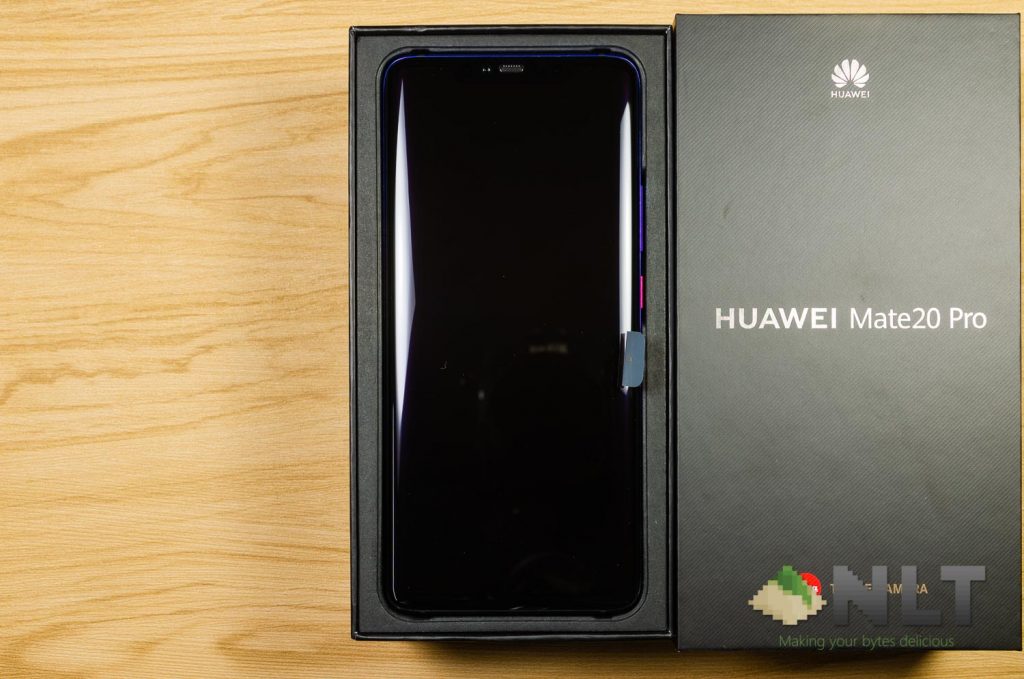
Under the phone, we can see an accessories compartment. Inside here we find an included TPU case and the documentations that come with the Huawei Mate 20 Pro.
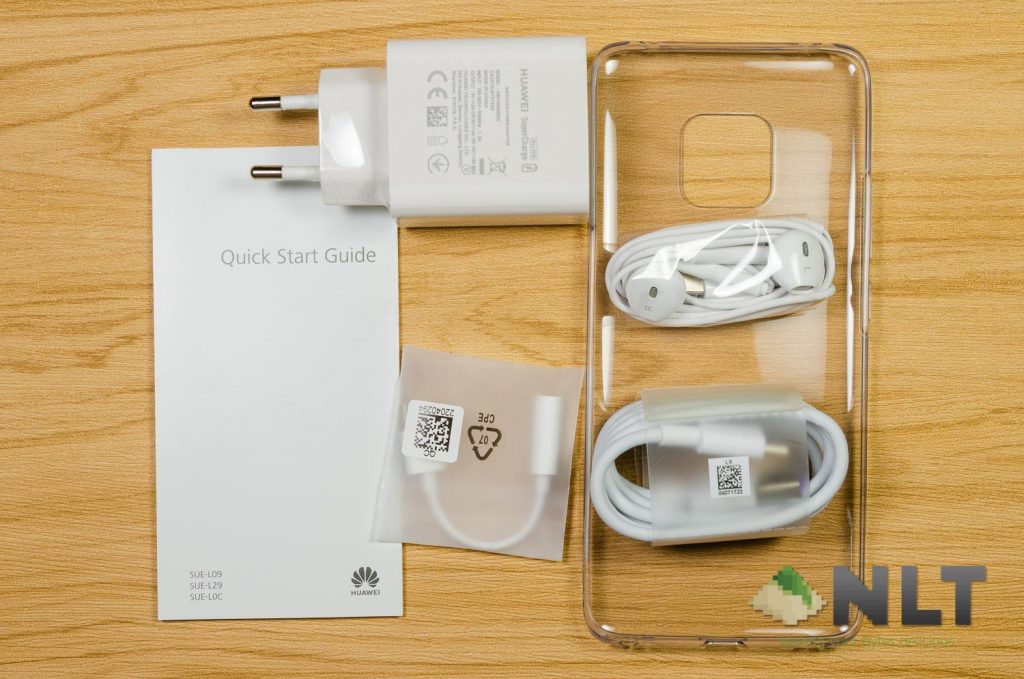
Then, we found everything else – the SuperCharge charger, an in-ear earset, a USB-C to 3.5mm audio jack dongle, and a USB-C cable.
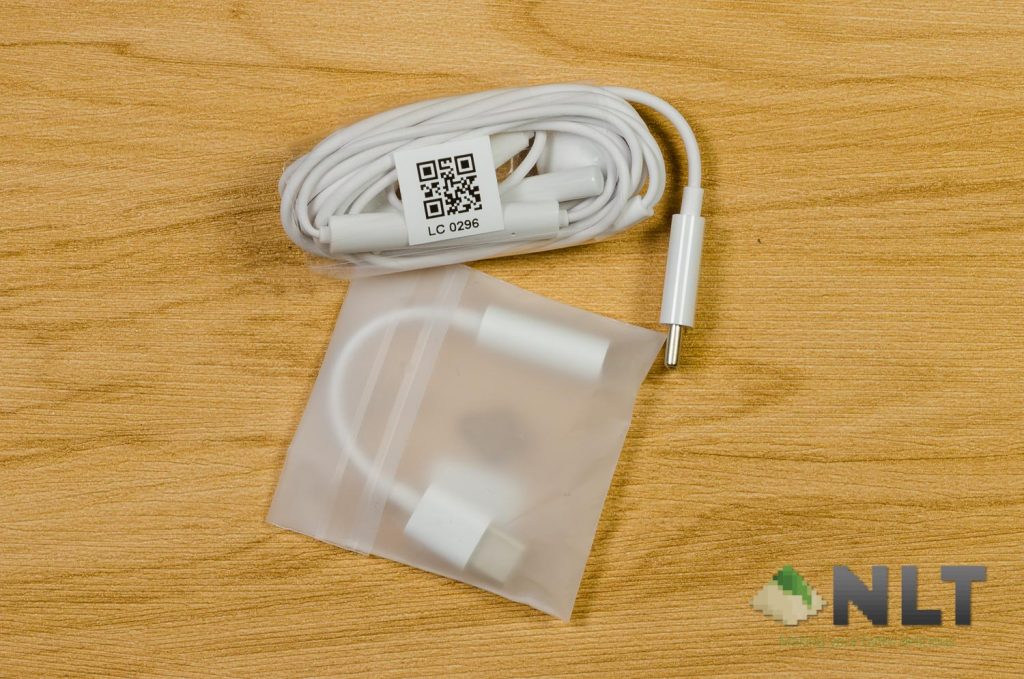
Here’s an unboxing video we literally shot, edited, and uploaded on the same day as we got the Huawei Mate 20 Pro.
[nextpage title=”Design”]
Alright, where do we start when it comes to the Mate 20 Pro’s design? Let’s start with the overall design of the Mate 20 Pro. Honestly speaking, it has an uninspired design and it’s a copy of its competitor, the Galaxy S series of smartphones. I thought it was the Galaxy S9+!
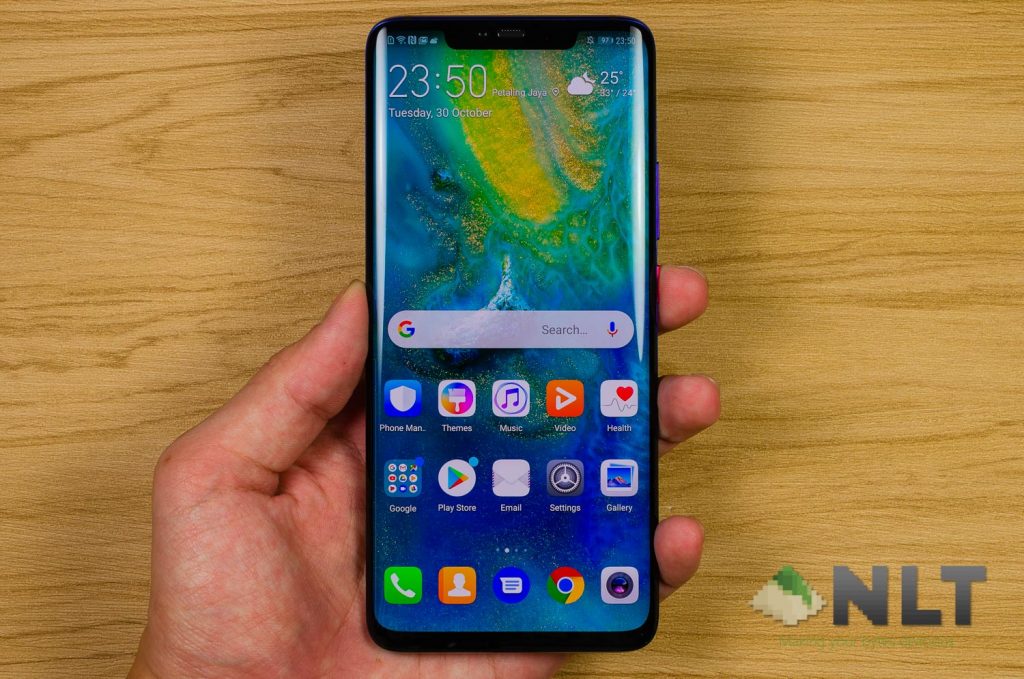
This particular unit of the Mate 20 Pro that we have – it’s in Twilight color. However, the Twilight on the Mate 20 Pro is very different from the P20’s Twilight.

For one, the P20’s Twilight color is a gradient that changes from a soft purple to emerald-ish green. On the Mate 20 Pro however, the gradient is from indigo to hard purple, ending with black. Of course, aesthetic is something subjective – but we personally like the P20’s Twilight color gradient a lot more.
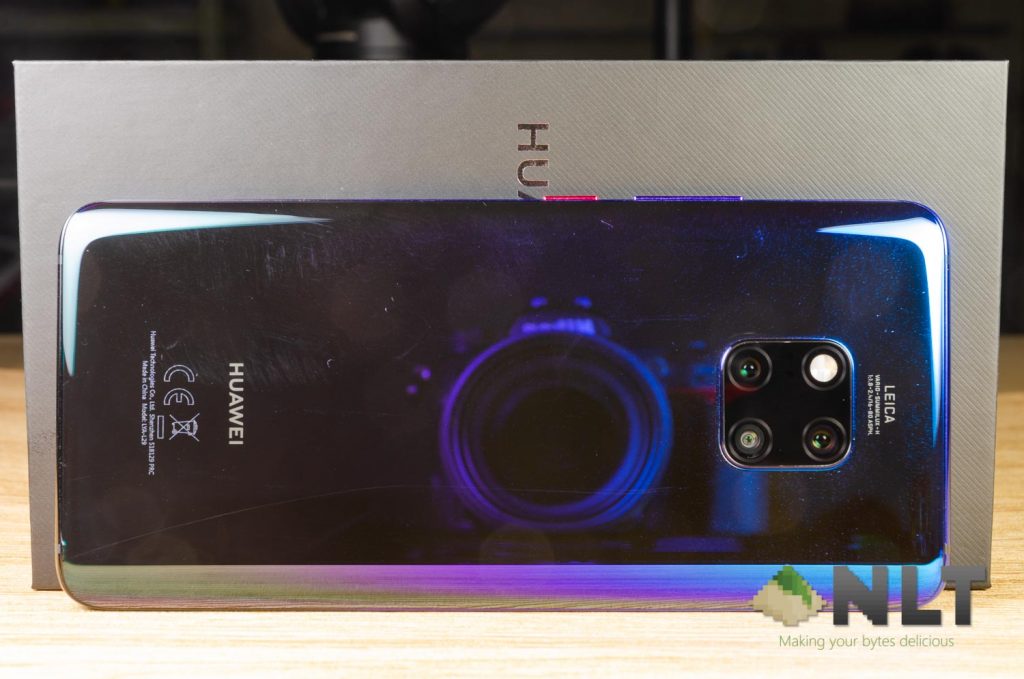
Then comes the finishing that the Mate 20 Pro has on the back. For some reason, only the Emerald color option of the Mate 20 Pro has a glazed back texture – which means the Twilight option is plain… and the glass back feels cheap.
Compared to other smartphones with a glass back, the Mate 20 Pro Twilight’s glass back feels thin and when I scrubbed on it with my fingertips, it’s just not smooth. Knocking on the glass back feels bad as well.
Ergonomically, the high friction back is actually beneficial since the removal of the fingerprint scanner means you can’t use fingerprint scanner gestures to bring down notification. Using the Mate 20 Pro one-handed is impossible, to be frank.

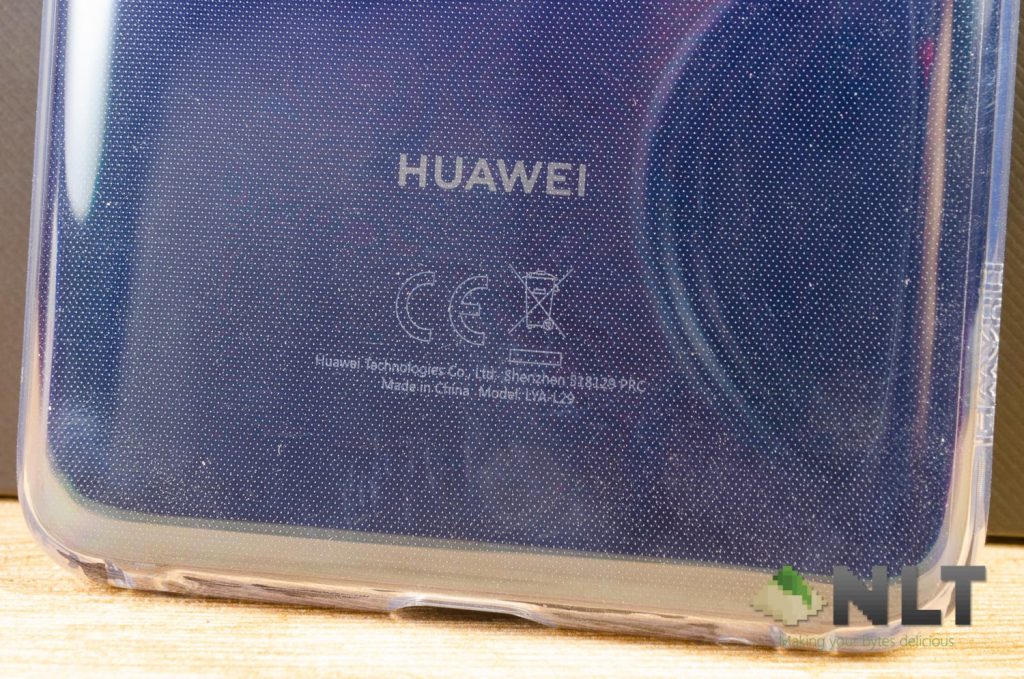
Then there’s the included case. It’s okay as the buttons are accentuated further and provide enough protection for the phone. Also, it has the dots inside as well.
[nextpage title=”Connectivity & Ports”]
The Mate 20 Pro had quite a big change when it comes to the loudspeakers. That’s because there is no speaker grill. Sound emits out of the USB-C port, which opens another can of worms. It sounds terrible compared to Huawei’s P20 or P10 smartphone.
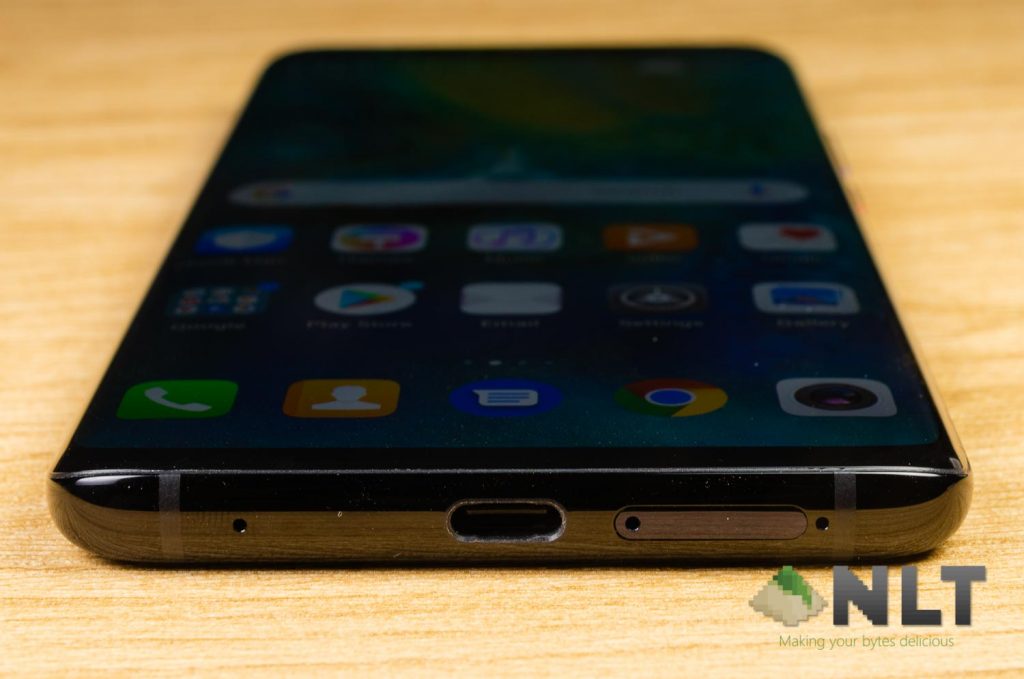
Imagine charging your phone overnight and you’ve set your alarm. That means your alarm will sound muffled and crappy – potentially missing your alarm since the volume has been cut down.
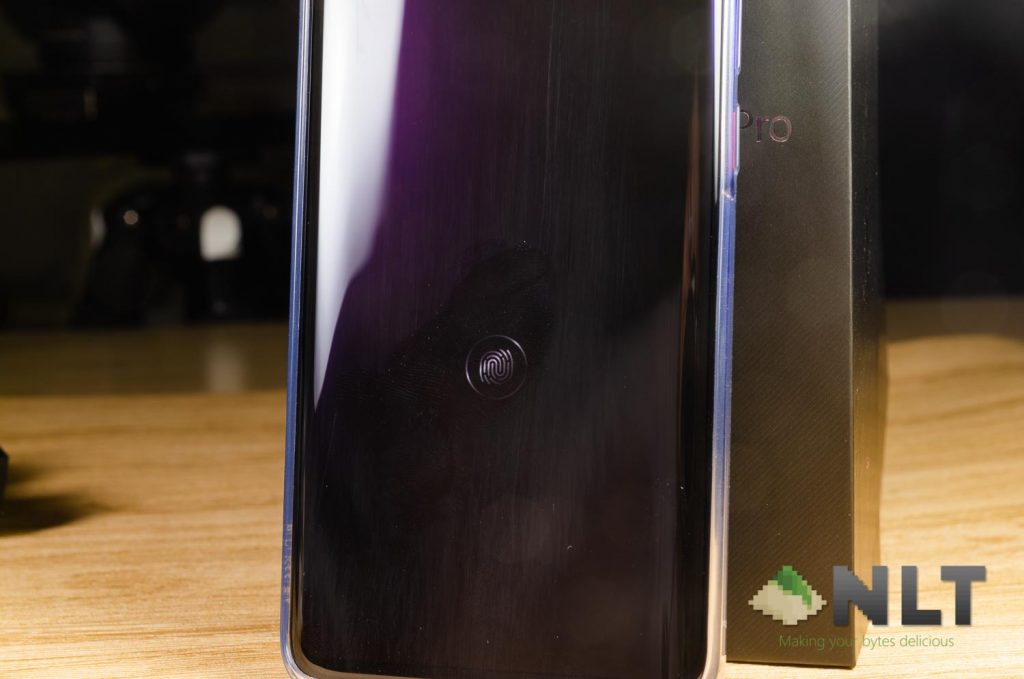
Following the latest trends in smartphone technology, the Huawei Mate 20 Pro has an under-display fingerprint sensor as well. Not a fan of it since I can’t use fingerprint scanner gesture to pull down the notifications panel with just one hand.
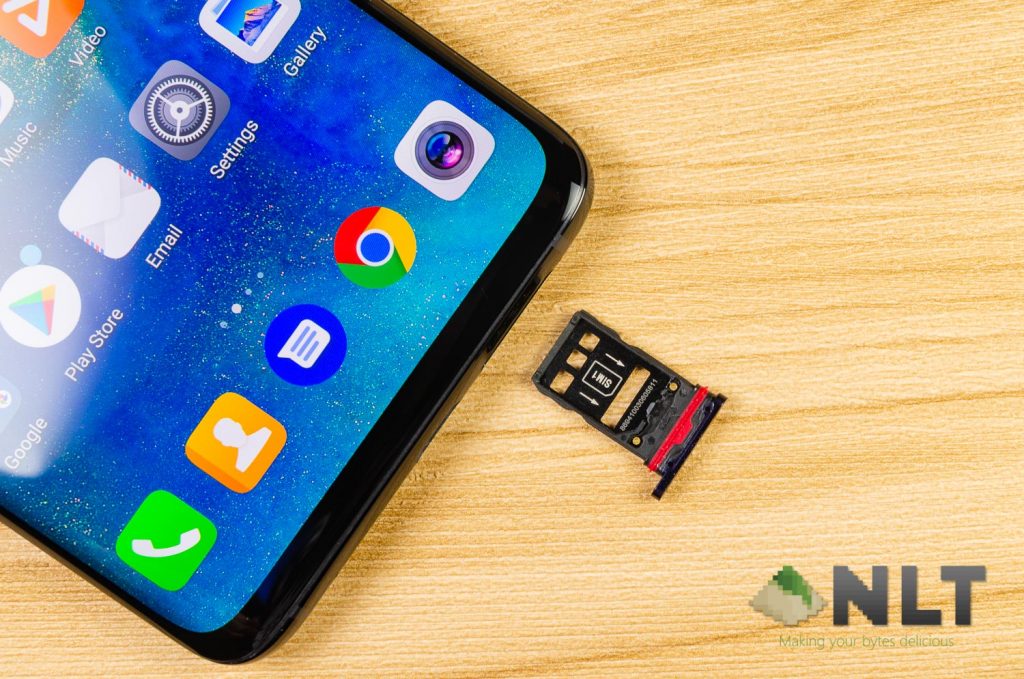
The Huawei Mate 20 series of smartphones are also the first to be using the new NM card that Huawei themselves have developed. This NM card, or Nano Memory card, does have some merit points, but plagued by worrisome issues. Learn more about NM cards here.
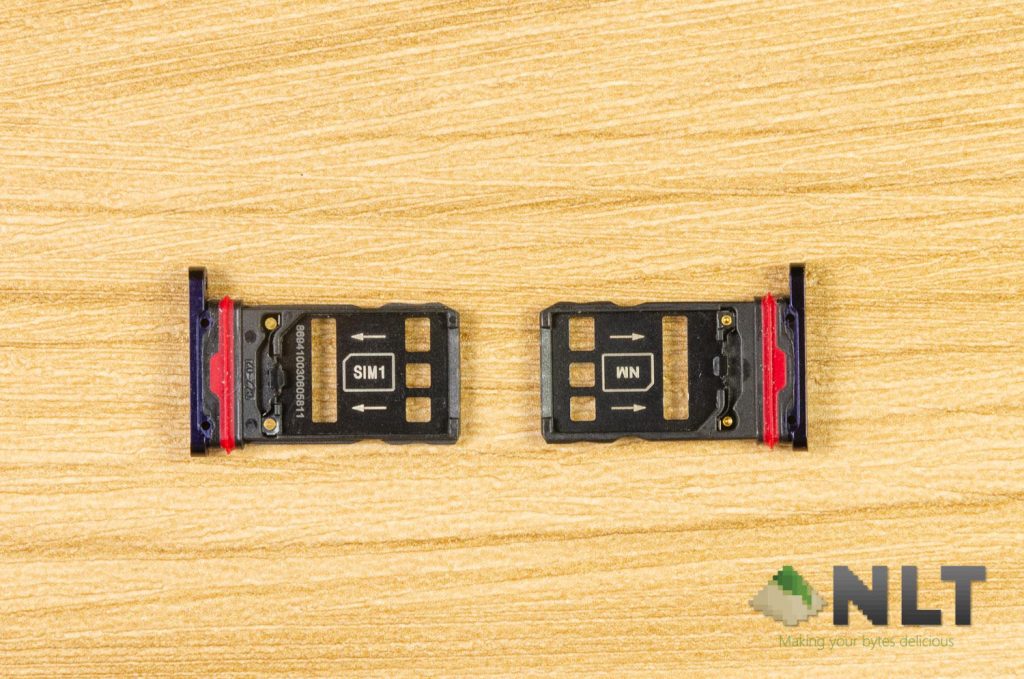
In short, NM cards are expensive but they do open up a new method to how expandable memory is connected inside the phone, thus saving space. The Mate 20 Pro does support dual-SIM, but you’ll have to sacrifice the NM card slot.
Even with saved space, Huawei still excluded the 3.5mm audio jack from the Huawei Mate 20 Pro – and that’s why you can see a USB-C to 3.5mm audio jack dongle included in the box. At least Huawei has the courtesy to included the dongle in the box, unlike Apple.
Other than that, the Huawei Mate 20 Pro supports up to AC-WiFi, and surprisingly has a total of what seems to be a triple microphone setup. We’ve seen triple microphone setups on the OnePlus One from many years ago, ASUS ZenFone 5, ZenFone 5z, and also the ROG Phone.
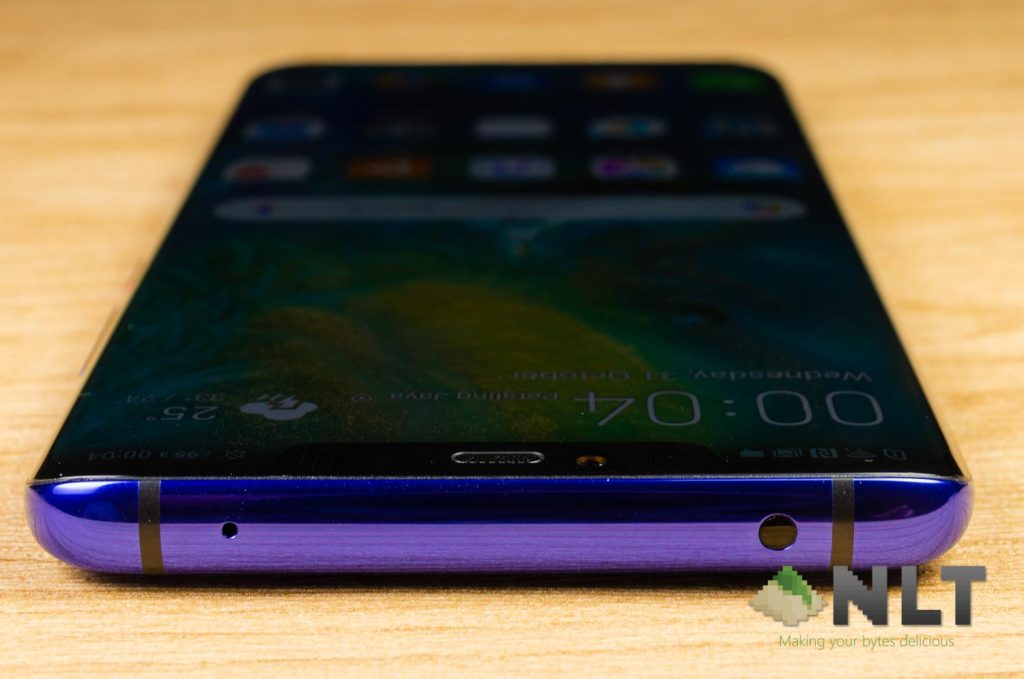
At the top, we can also see an IR blaster. Not sure if anyone still use this feature, but it’s a great feature to have.
Also, the Mate 20 Pro is IP68 certified – which means it’s dust and water resistant.
[nextpage title=”Display”]
It comes with a curved display which is – once again – very similar to the Samsung Galaxy S series of smartphones. Upon first glance with a black screen, many will mistake the Mate 20 Pro for a Galaxy S9+.
The Huawei Mate 20 Pro comes with a notched 6.39-inch AMOLED display with 3120×1440 pixels in resolution. Only AMOLED panels can be curved or bent, by the way.
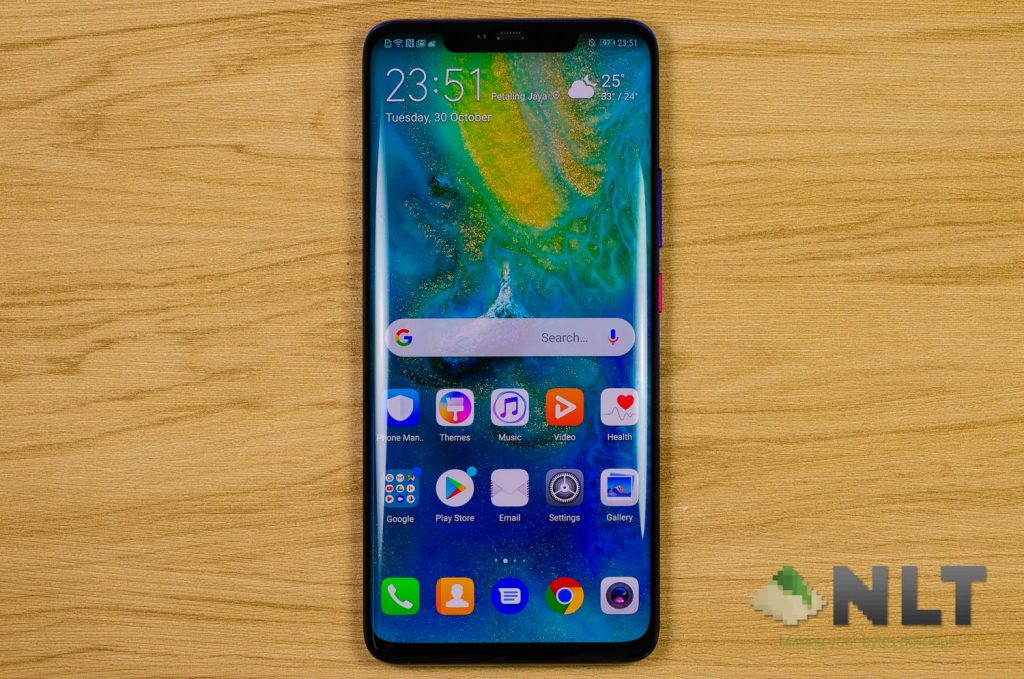
This AMOLED panel used on the Mate 20 Pro is quite alright, but the colors are a little under-saturated. It is bright and vibrant – yes, but still a little under-saturated when compared to the Galaxy S9 that I’m using.
Also, the Mate 20 Pro alone is the only smartphone within the Mate 20 series with a humongous notch. The Mate 20 non-Pro and the Mate 20 X has a tiny little waterdrop notch. Why, Huawei?
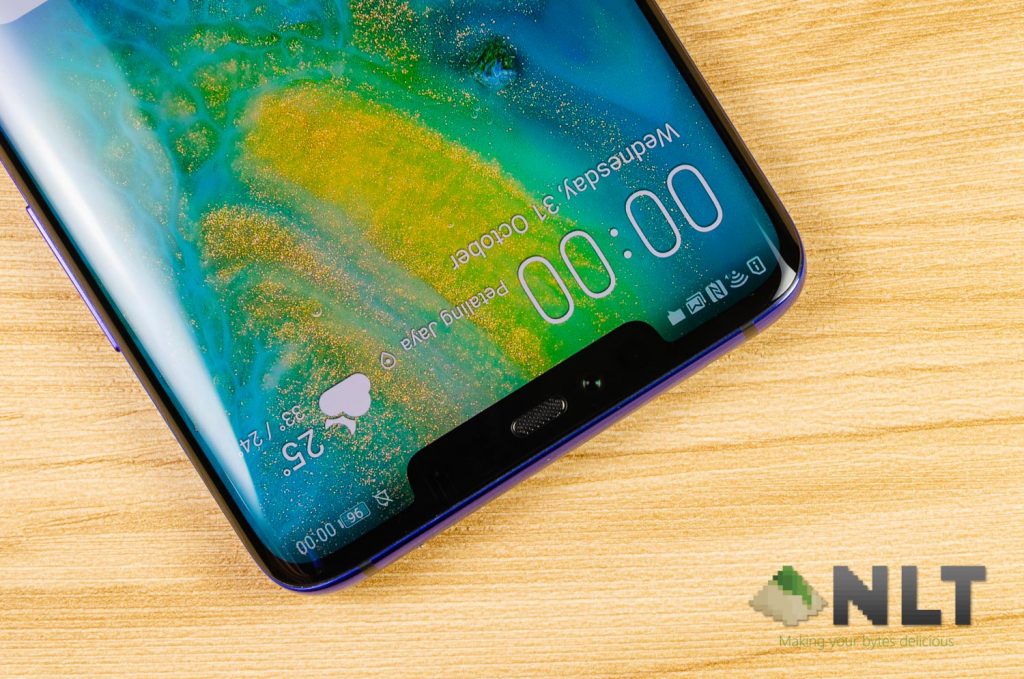
For some reason, the Huawei Mate 20 Pro’s display has been in hot waters since its launch. I’m referring to the infamous Mate 20 Pro green screen issue that we’ve talked about here. Reports from all over the world were flying across the internet, but the real cause of the issue remained unknown and Huawei did not issue any statement about this issue.
The unit that I have appeared to be okay, until I used the phone in complete darkness and realized that the AMOLED panel quality isn’t particularly high quality. Just take a look at this image.
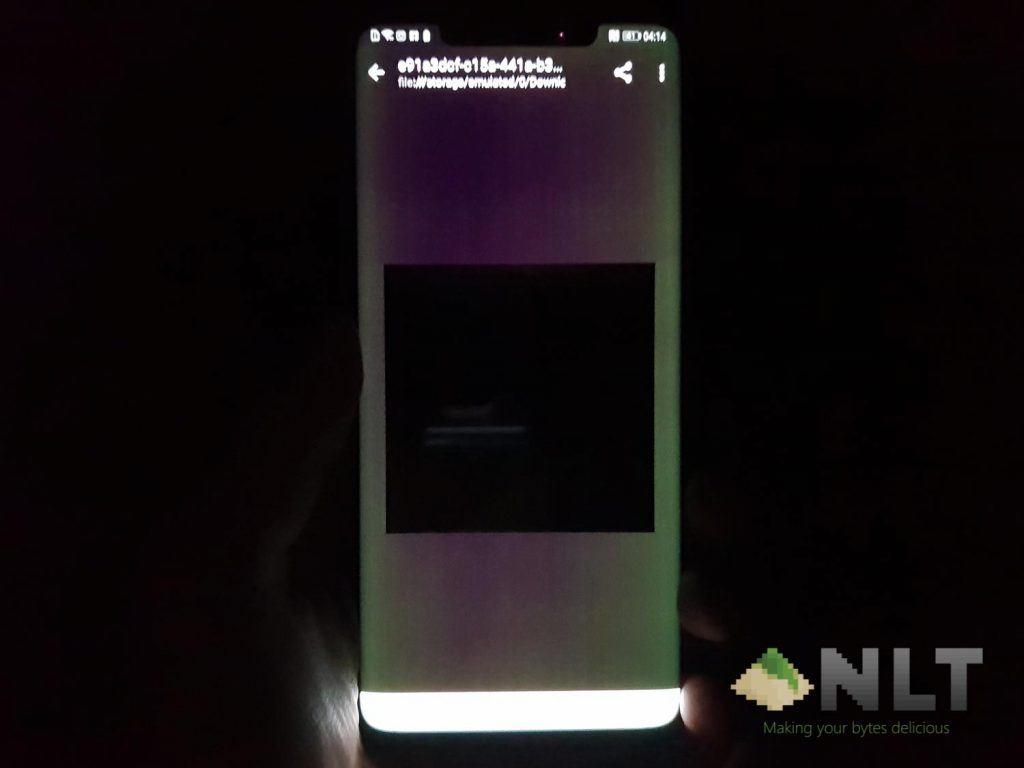
The edges of the phone does have an intense green hue on it (checked with others, only happening on my unit) – and there are intense fringing on the screen as well. When viewed using the Galaxy S9, the image was totally clean.
From comments we’ve seen, users are able to send the Mate 20 Pro for warranty to get the green screen issue sorted out. I’m worried that even after sending it for warranty, the fringing still persists.
[nextpage title=”Cameras”]
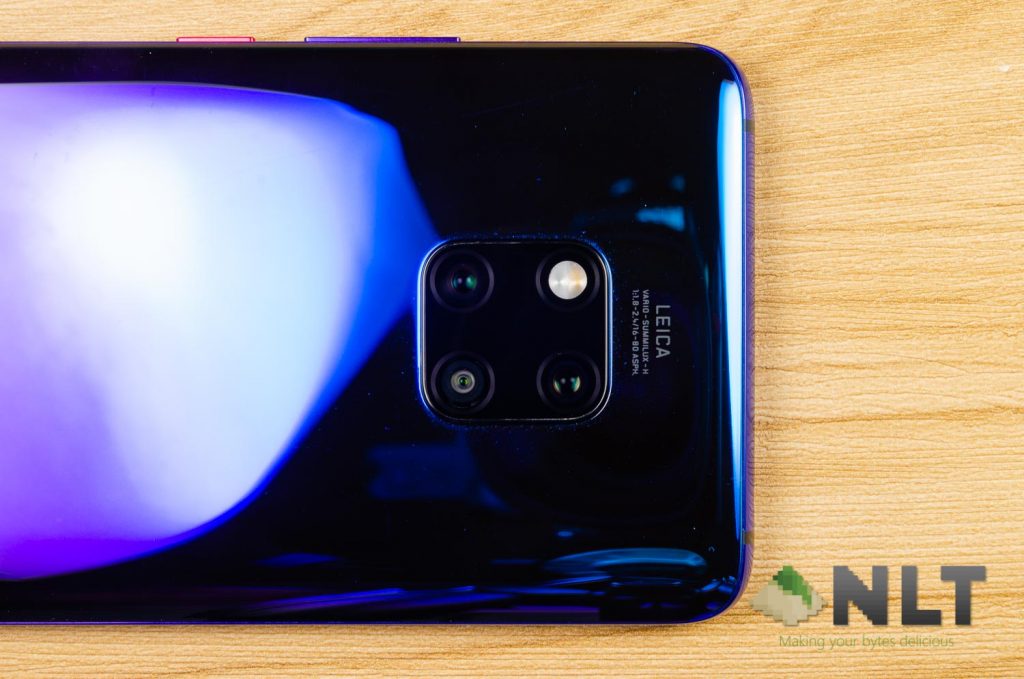
The Huawei Mate 20 series of smartphones are the first ever smartphone from the company to have this square camera setup. It has a total of 3 cameras and a single LED flash. These 3 cameras enables 3 different types of shot to be taken, which enables full flexibility.
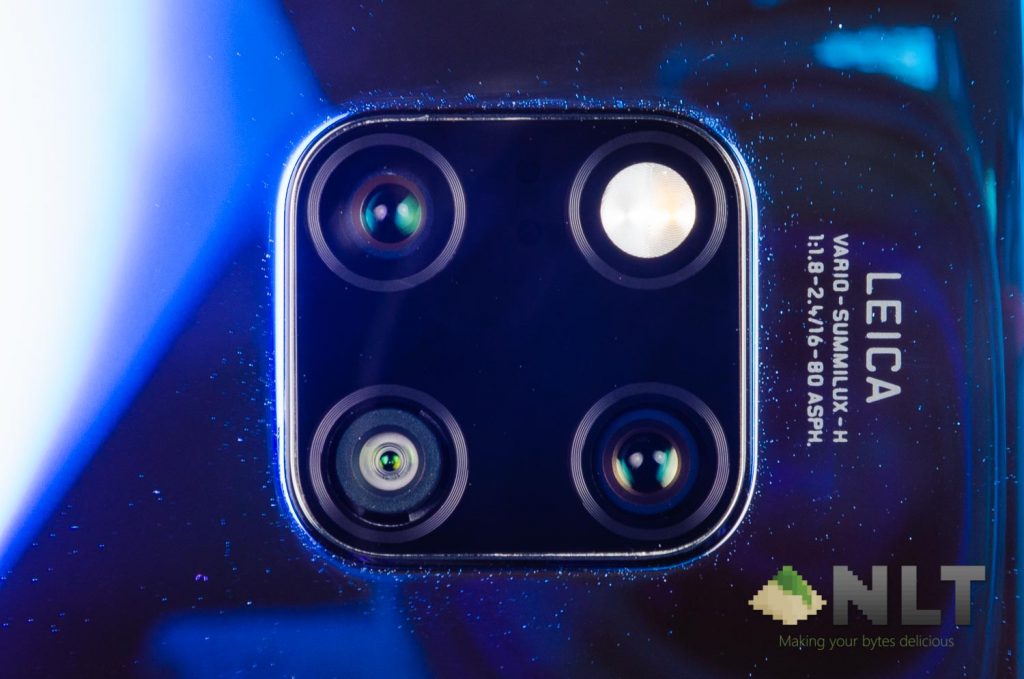
The Mate 20 Pro specifically, has these camera hardware:
- Triple rear-facing cameras
- Main: 40MP f/1.7 with laser autofocus
- Ultrawide: 20MP f/2.2 with laser autofocus
- Telephoto: 8MP f/2.4 with 5x optical zoom, OIS, and laser autofocus
- Selfie camera
- 24MP f/2.0, fixed focus
Of course, let’s take a look at some photo samples first. As usual, you can head over to our Flickr album here for the full gallery. Unfortunately, this will be our last smartphone review to have picture samples on Flickr since they’re changing the terms of service.
Rear-facing cameras
Let’s first talk about the main camera. It can take up to 40MP and has laser autofocus as well. It can take some excellent shots – something that we’ve come to expect from Huawei since the P20.


Huawei does tend to over-sharpen until the edges of objects in the image looks like it can make you bleed if you touch it. With that said, the colors share great and I actually quite like the main camera.
The Mate 20 Pro has some serious issues when it comes to picture resolution. There are 3 separate cameras on the phone – but if you select the main camera to take pictures in 40MP, you cannot use the other 2 cameras. You are locked out completely. If you want to use the other 2 cameras, you’ll have to drop 40MP to 10MP. That’s four times less pixels, and you’ll never get a good, big poster out of 10MP.
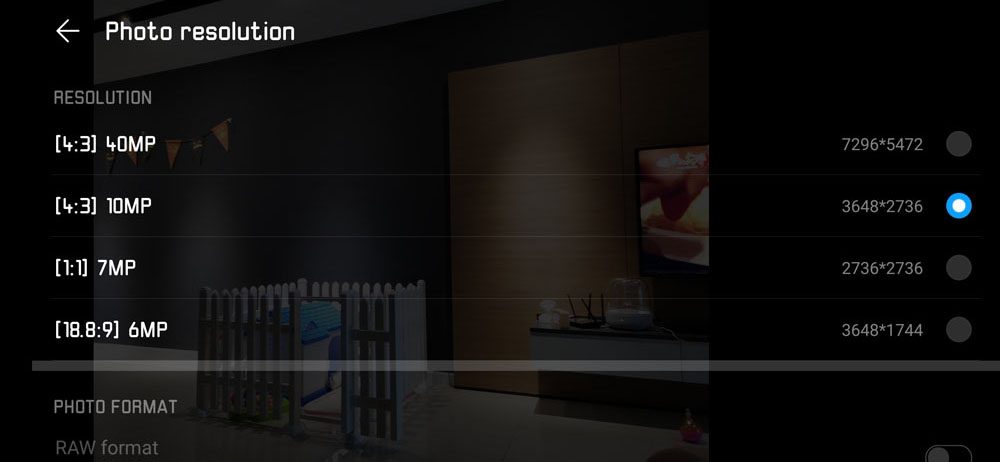
Then comes the ultrawide camera. It has an aperture of f/2.2 and take pictures up to 20MP – should be great, right? Not exactly. For some reason, the ultrawide camera takes pictures which look really dark in auto mode.


When it’s well-lit, the ultrawide camera is doing quite well. Plus, it’s the first smartphone I’ve seen that actually has autofocusing for an ultrawide camera.
Lastly, the telephoto lens. Huawei brags the 5x optical zoom on the Mate 20 Pro’s telephoto lens – and we obviously put it to the test in daylight condition.
Using a 5x zoom lens without a tripod, we have to acknowledge the fact that a little vibration is now magnified 5x as well. Imagine for someone with shaky hands like me using this telephoto lens.


Once again, heavy post processing was done onto the pictures. We can see once again that the photos were oversharpened. Edges are just way too unrealistic, and the details are gone as well.
We tried 3x zoom too – and the results are similar to 5x zoom. It’s still 3x the shakiness of the camera, yet the images appear blurry as well. Another issue is with the shift in white balance. Taking pictures at 3x zoom appear to have a blue tint for unknown reason.

Selfie camera
Not a fan of selfies, but here you go.

Even for such an expensive flagship from Huawei, the selfie camera still lacks autofocus. It’s blurry because it’s never in focus.
Camera UI
A few things are new with the Huawei Mate 20 Pro here. They’re boasting dual-NPU chips in the phone and it can now do faster image processing. Think of it like dual-core CPU but for NPU.
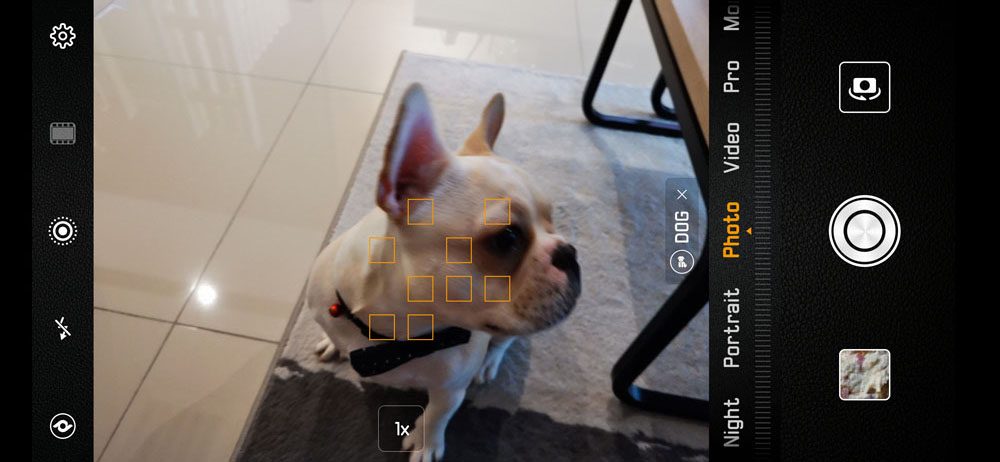 The first use of this feature is what Huawei is calling “4D predictive focus” which tracks moving subjects in the frame. It works quite well, to be honest.
The “Master AI” however, is still as aggressive and indecisive like when I choose where to have my dinner. For the same scene, it can switch between two modes suddenly. In this case, it detected clouds and sunset/sunrise at the same time. So which one are you going to use, Huawei?


Video?
Even with dual-NPU, the Huawei Mate 20 Pro can only do real-time beautification in video mode in 720p resolution.
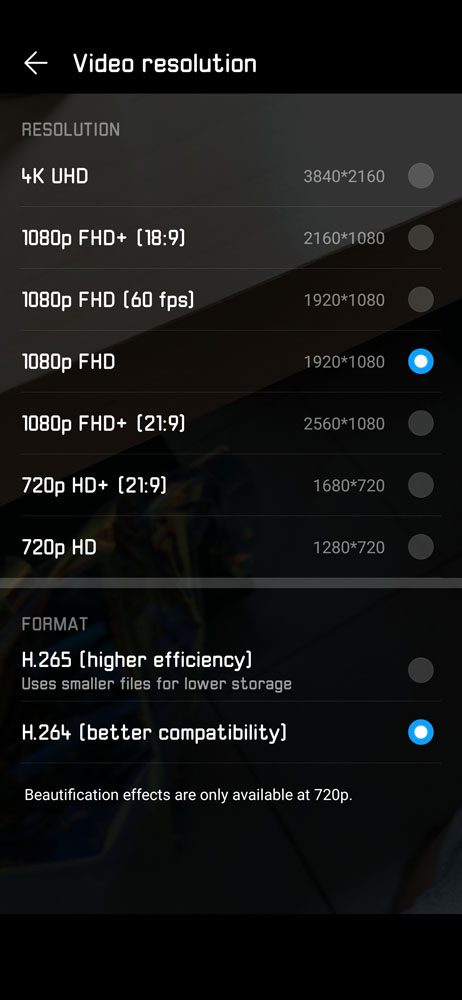
Another problem with the Huawei Mate 20 Pro’s video capability is the lack of 4K 60FPS recording. The Mate 20 Pro can only record videos at 1080p at 120FPS or 4K at 30FPS. This is truly disappointing.
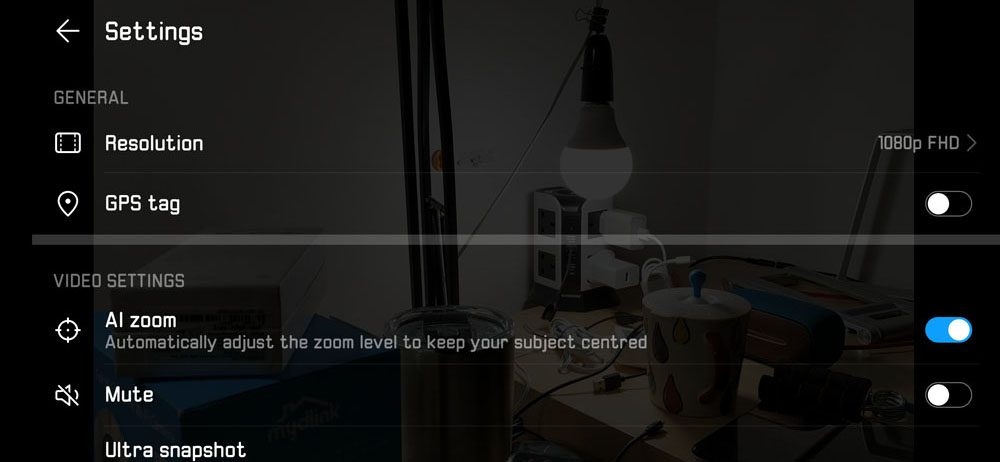
Huawei does have a new feature called “AI Zoom” where it essentially crops the video to the subject that it recognizes. I tried it, but it’s just too embarrassing to show as it locked into someone’s pants instead.
[nextpage title=”Software – EMUI 9.0 with Android 9.0 Pie”]
The new EMUI 9.0 is Huawei’s latest major version of their skin that is made for their phones. There are lots of clean-up here and there with some UI tweaks along the way – but no major changes.
So far throughout our review period, we’ve gotten two firmware updates. The second update is just WTF. The changelog says something along the lines of “changing the preinstalled apps” and it was about 300MB in size. After updating the app, this is what I got extra on the home screen.
What the heck? Why did they add more bloatware via a firmware update?
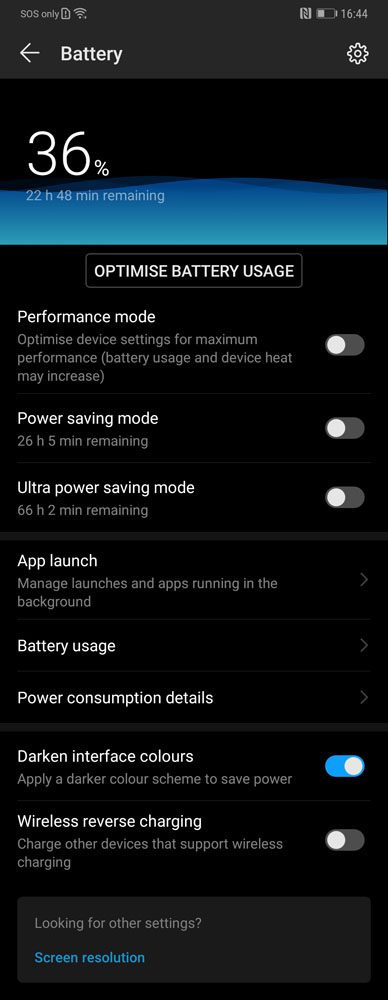
Then comes the next big addition to EMUI 9.0. About a month or so ago, there’s a controversy surrounding Huawei/Honor and its devices where they cheat benchmarks. Huawei acknowledged it and said that the new EMUI 9.0 will have something called “performance mode”. Yes, we found it.
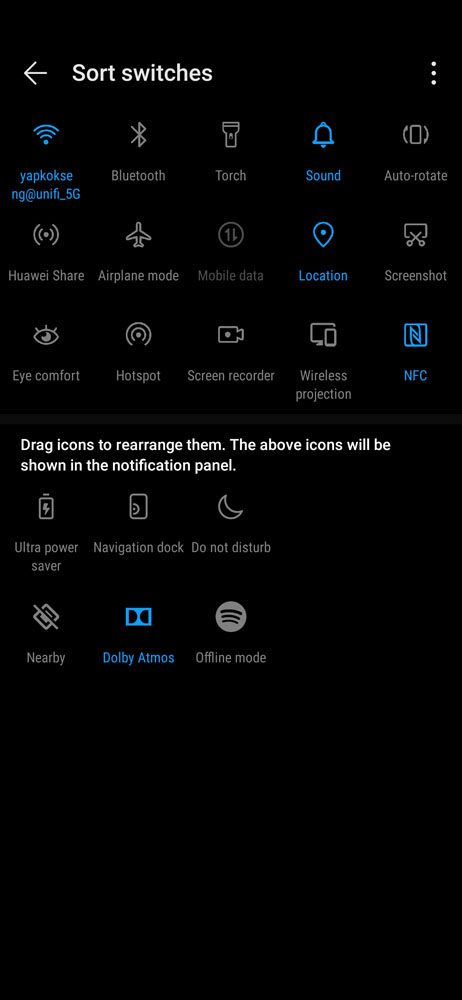
There’s no easy way to toggling the performance mode off/on easily. I have to go all the way to the settings menu and into battery modes to change it. Just add a quick toggle in the notifications panel, for crying out loud.
At this point of time, we saw many gaming phones come out to the market already. Even non-gaming smartphones have features like recording gameplay and block all notifications. The Huawei Mate 20 Pro with EMUI 9.0 does not have any of these features.
Speaking about gaming, how’s the performance of the Mate 20 Pro anyway?
[nextpage title=”Performance & Gaming”]
The brand new Huawei Mate 20 Pro is the first to ever use the new HiSilicon Kirin 980 chipset and also utilizes the new 7nm manufacturing process. They’re the first to announce, but not first to the market. Apple’s new iPhones were the first to market with 7nm chipset.
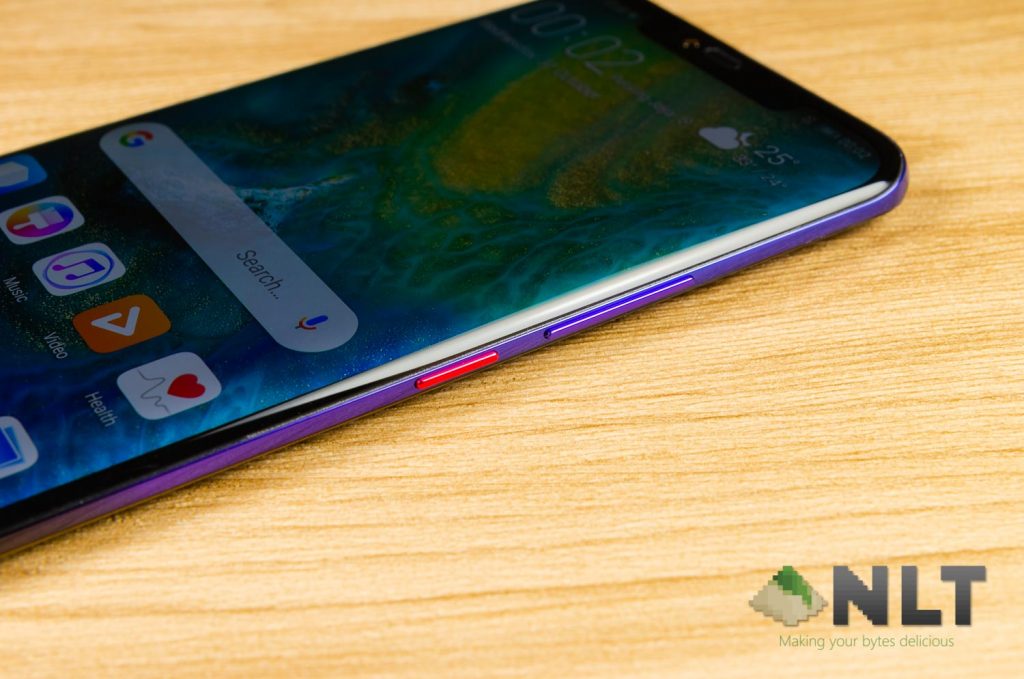
Anyway, the Mate 20 Pro has these hardware in its specs list for the particular unit what we’re reviewing:
- 6.39-inch AMOLED display with 3120×1440 pixels in resolution
- HiSilicon Kirin 980 chipset
- 2×2.26GHz Cortex-A76 + 2×1.92GHz Cortex-A76 + 4×1.8GHz Cortex-A55
- Mali-G76 MP10 GPU
- 10 GPU cores at 720MHz
- 6GB RAM
- 128GB UFS 2.1 internal storage
- 4,200mAh battery
- Android 9.0 Pie with EMUI 9.0
Take a look at the benchmarks of the Kirin 980. We’re testing with the highest resolution with Performance Mode turned on. Keep in mind that the Kirin 980 is considered a “next generation” chipset compared to the Exynos 9810 and Snapdragon 845.
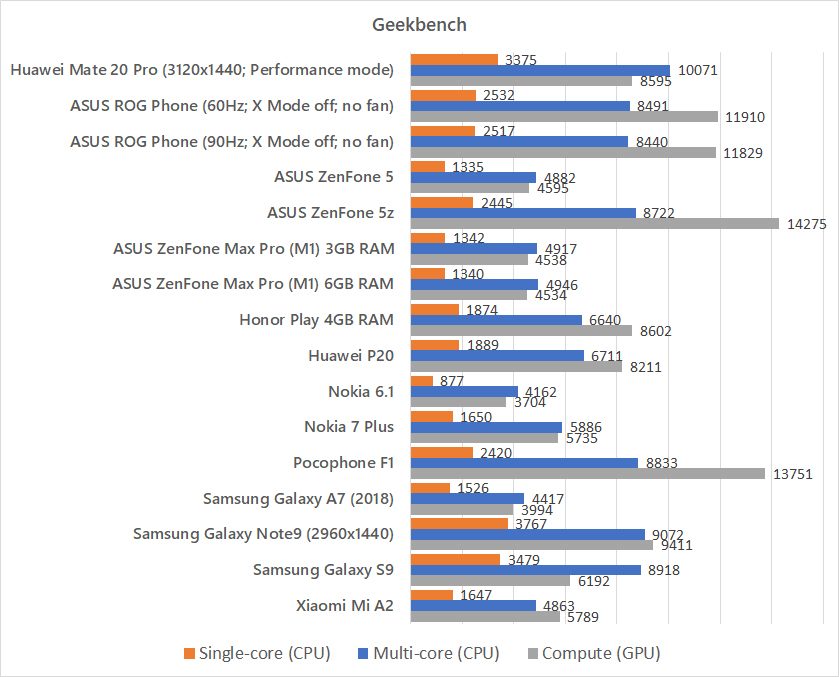
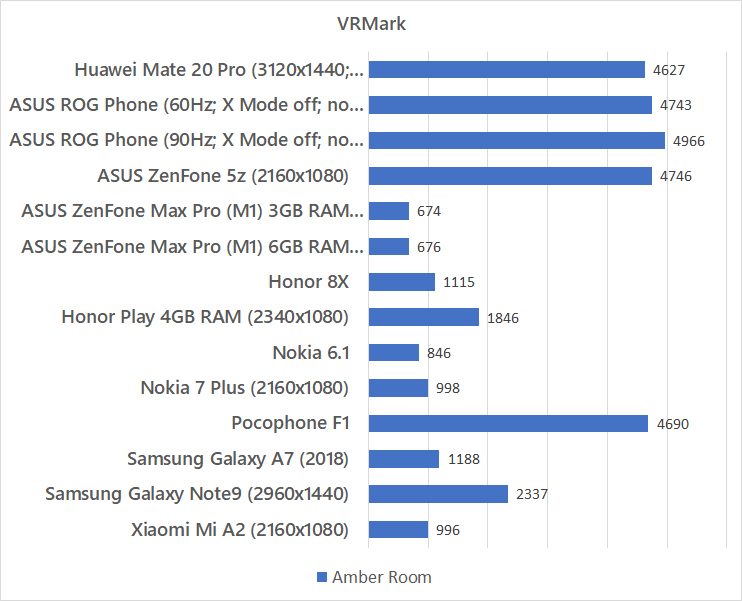
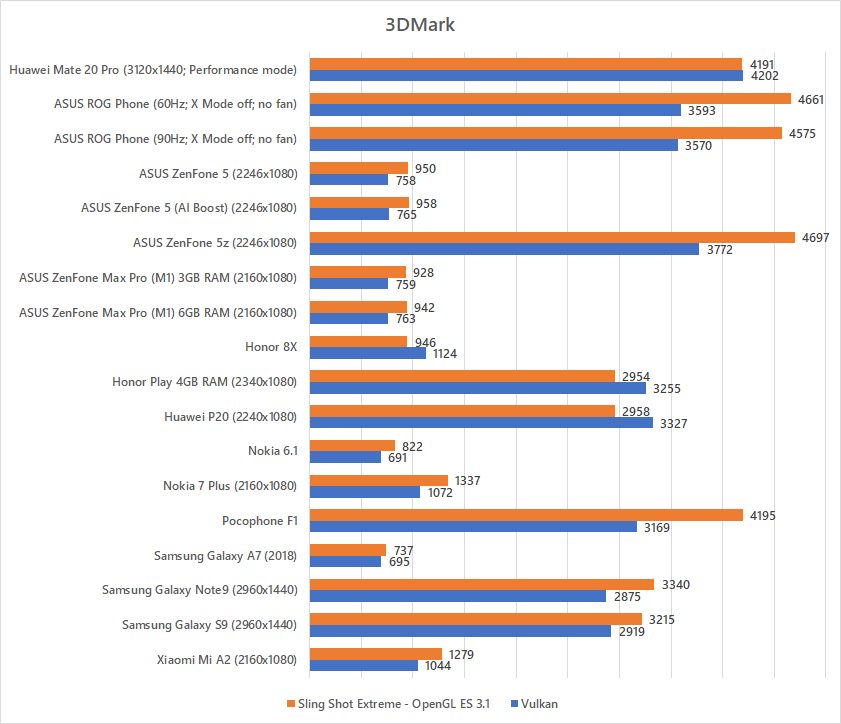
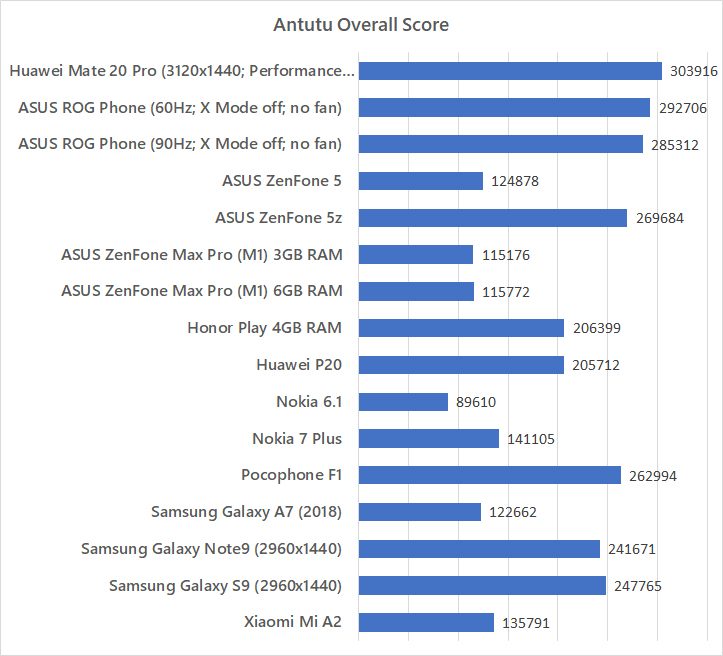
Comparing with other smartphones, the Mate 20 Pro’s GPU performance on OpenGL is still inferior to Snapdragon 845. Vulkan API performs better, but there are little (if not none) mobile games using Vulkan now.
CPU performance on the Mate 20 Pro is quite good. The single-core and multi-core scores are pretty good.
Tweaking around with the performance mode does yield a big difference as well. We see a huge dip in GPU scores for both OpenGL and Vulkan API.
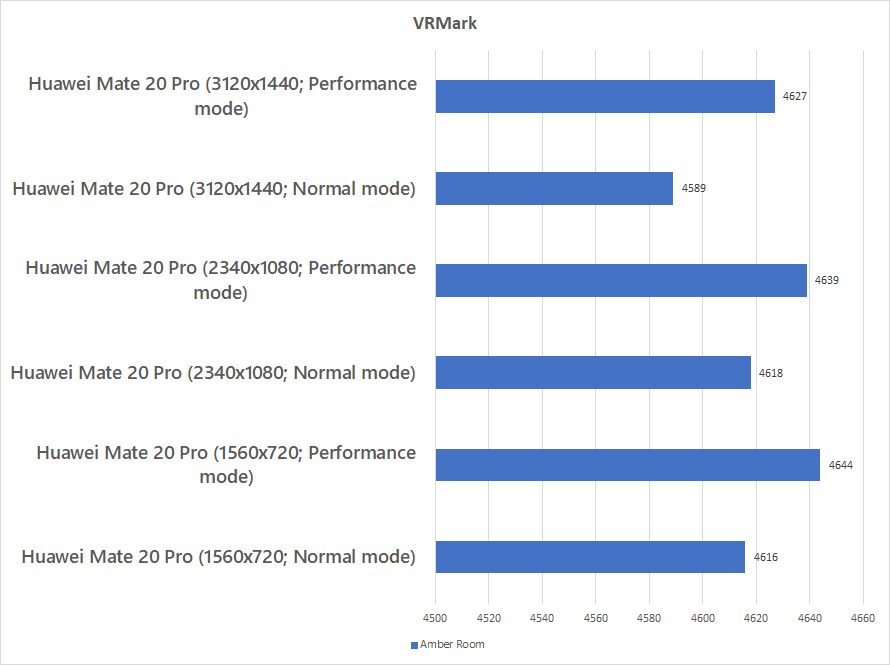
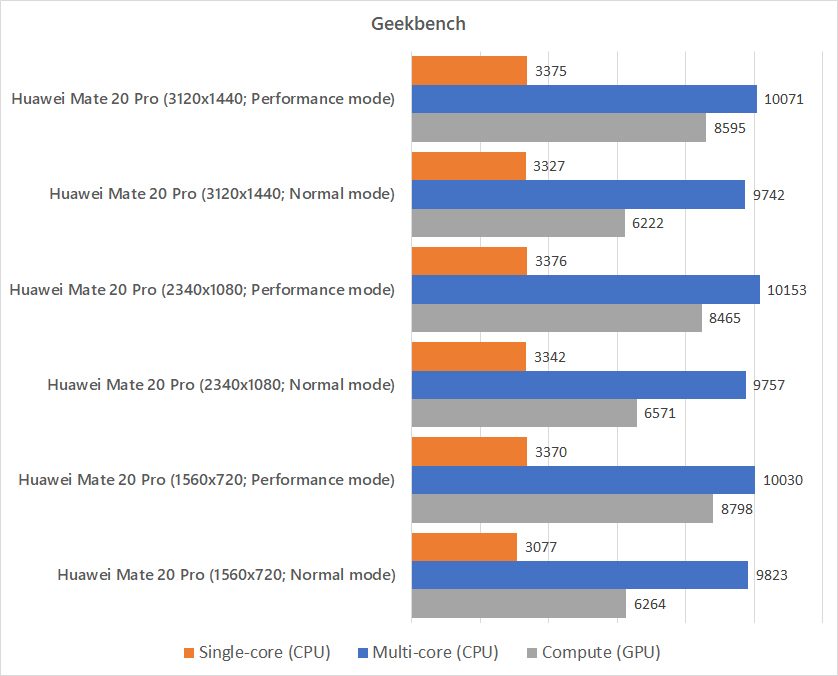
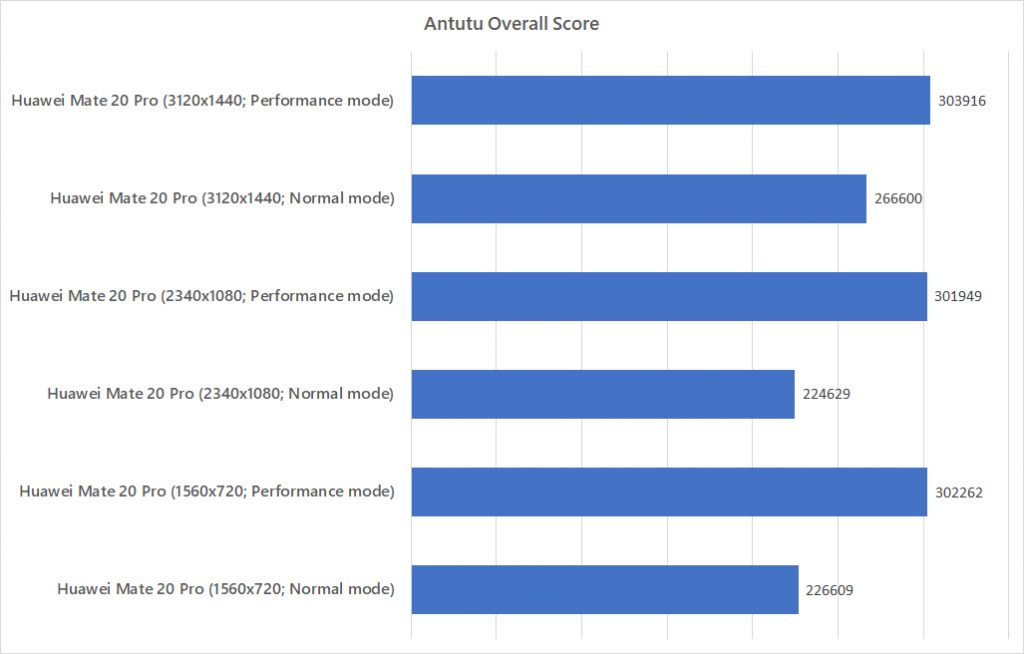
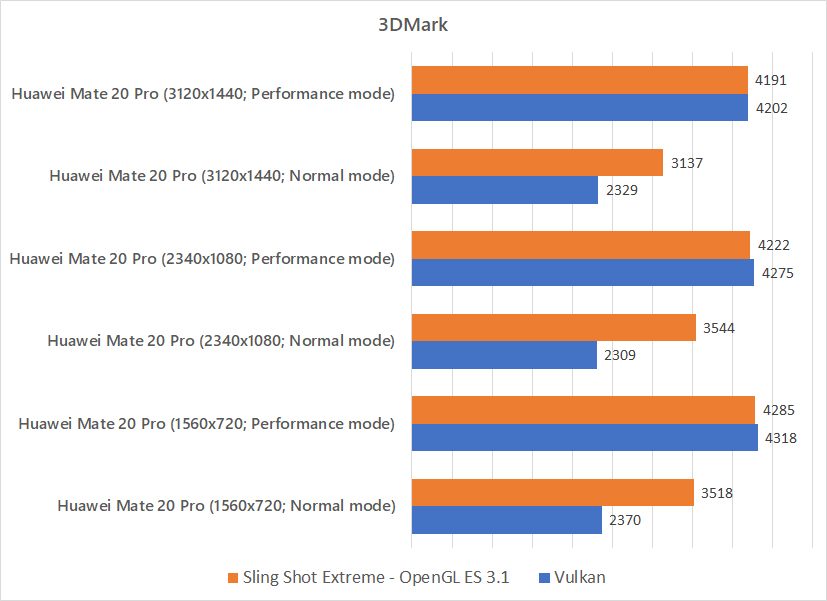
For everyday use, we recommend turning Performance Mode off. That way, the phone will not get hot and also get a longer battery life.
Gaming
Like any other phones, we’re testing it with 3 of our most played games. Honkai Impact 3, Asphalt 9, and PUBG Mobile.
Honkai Impact 3 ran perfectly fine at the highest settings. At this point of time, we can start to see that this particular game has already hit its graphical limits and all flagship smartphones can run it without issue.
Then comes Asphalt 9. The Mate 20 Pro can run it at highest settings as well, but gets uncomfortably hot.
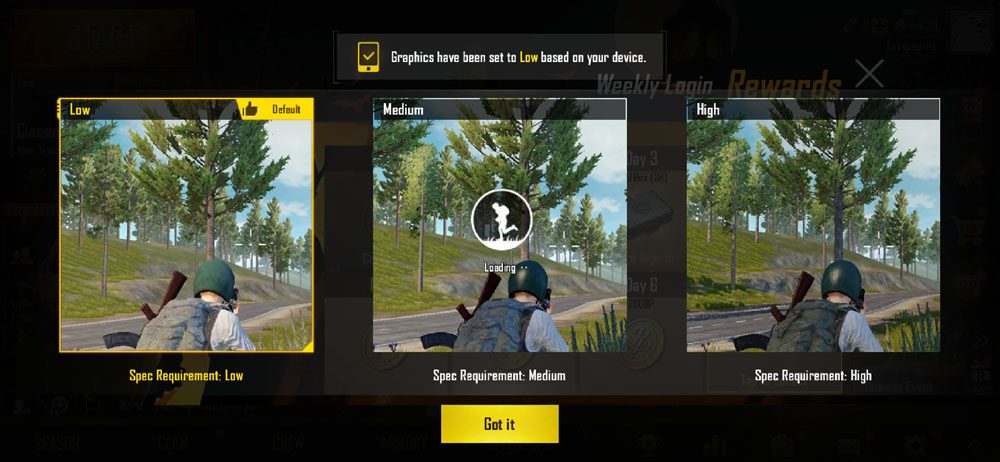
As for PUBG Mobile, it’s the worst of the bunch. For some reason, PUBG Mobile detected that the Mate 20 Pro can only run at the lower settings. Lowest.
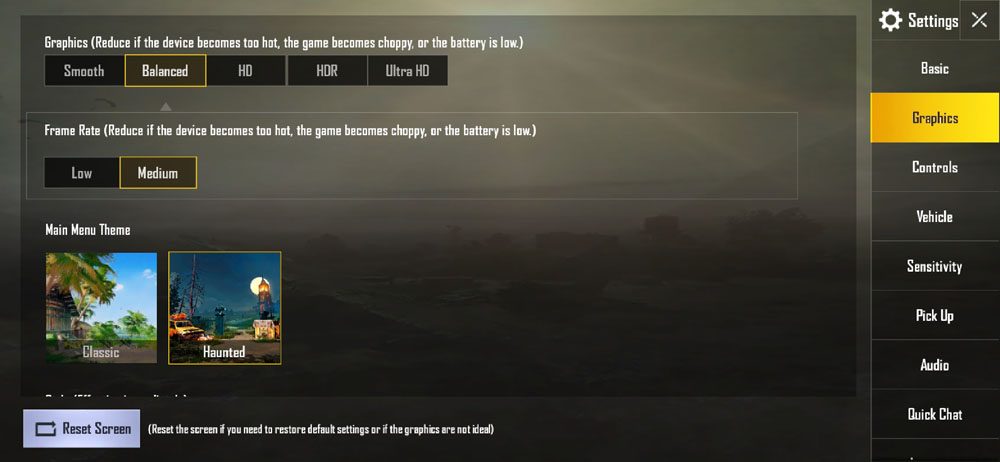
I can’t even get past medium settings – and it says the device is not supported. For a smartphone with GPU Turbo 2.0 and PUBG Mobile being one of the games that Huawei partnered for GPU Turbo 1.0, this is just unacceptable.
I was told that users of Mate 20 Pro will have to wait for the next update to fix this issue – which is said to come at the end of November. Until then please use GFX Tools.
[nextpage title=”Battery & Charger”]
Huawei did a lot of “space saving” for the Mate 20 Pro – and they packed a massive 4,200mAh battery inside. Does it last long enough, though? Here is our PCMark test of the Mate 20 Pro’s battery life.
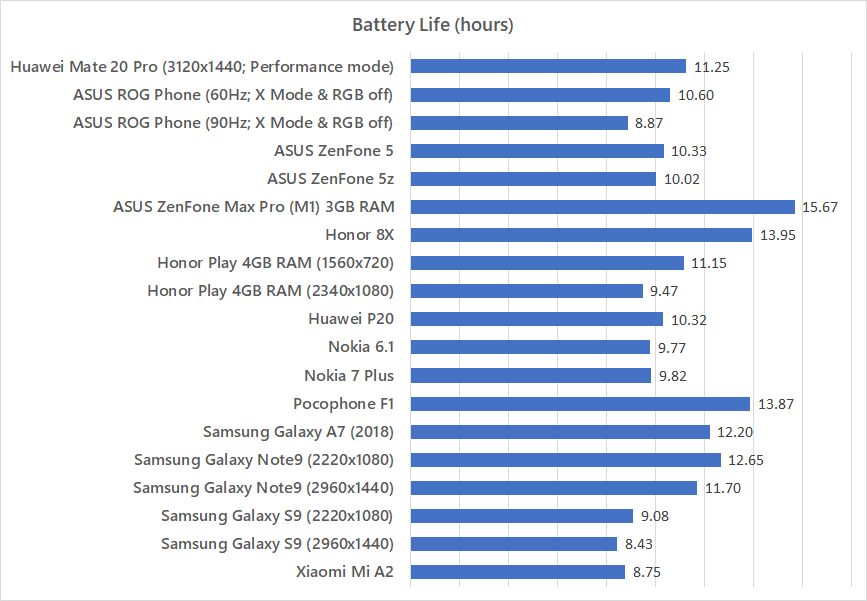
With the performance mode turned on and resolution cranked to the highest, the Mate 20 Pro is a little disappointing given that the Note9 with a 4,000mAh managed to perform just as well. Remember- the Galaxy Note9 has a 3.5mm audio jack, a microSD card slot, and the new Bluetooth-connected S Pen as well.
But the Mate 20 Pro can have its resolution changed and Performance Mode too. We tested even more and here is our result:
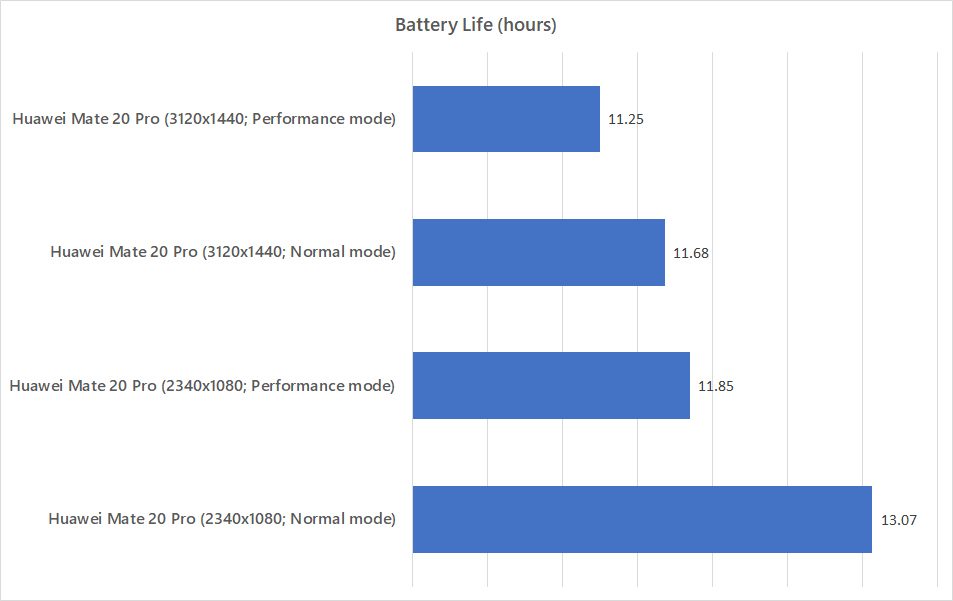
For the longest use time on the Mate 20 Pro, you’ll definitely need to disable Performance Mode and use 1080p resolution only. Lasting for more than 13 hours in the test, this is actually the longest lasting flagship smartphone in terms of battery so far.
Huawei’s SuperCharge charger
Huawei included a really thick USB-C cable and also a SuperCharge charger – which outputs a maximum of 40W. At 10V 4A, it’s definitely fast – and definitely hot as well.
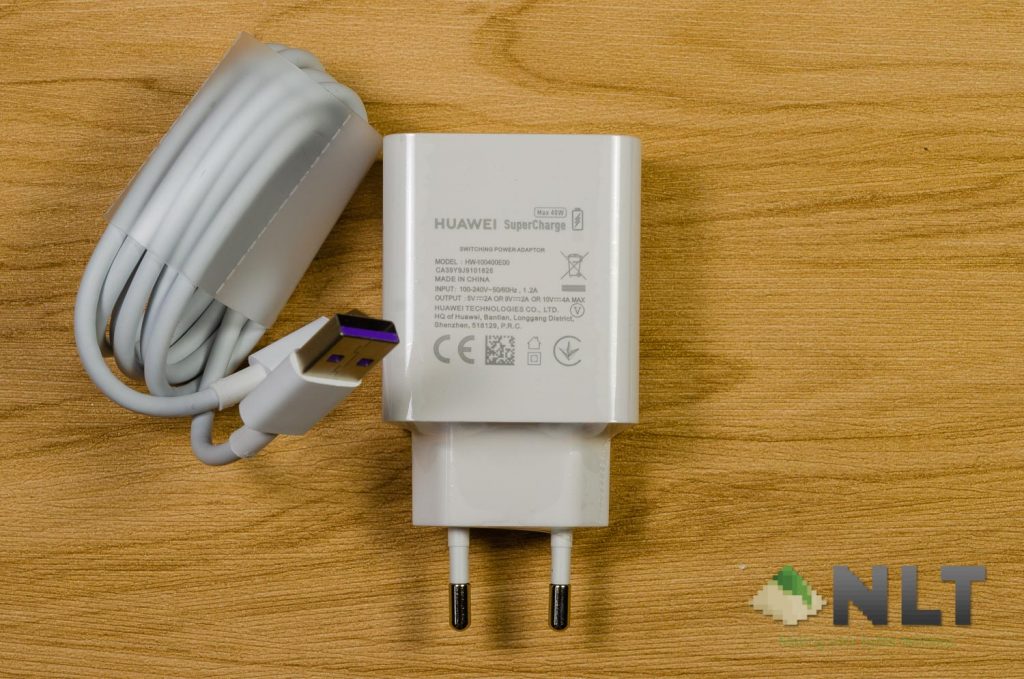
Huawei’s SuperCharge warms up both the charger and the phone, making it warm to the touch. It’s not scorching hot, but just warm.
One funny behavior of the Mate 20 Pro is that all my apps are suspended while using the SuperCharge charger with the screen turned off. Even the battery logging app that I use was suspended, hence I was not able to get a complete charging curve data. After the battery reaches 100% charge, the app suspension stops.
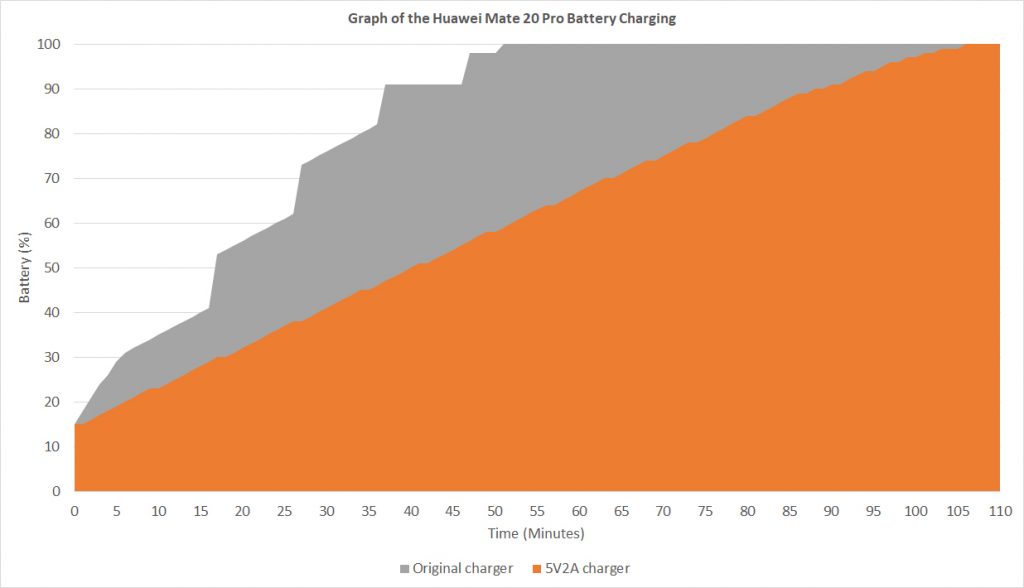
From what I can see though, it takes about an hour to charge from 15% to a full 100%. That’s intense.
[nextpage title=”Wrapping up the Huawei Mate 20 Pro review”]
The brand new Huawei Mate 20 Pro is obviously Huawei’s best for this year. So much hype was created for the Mate 20 Pro, and so many more new technologies are included in this flagship.
However, from what we can see, the Mate 20 Pro doesn’t seem to be “pro” at all. The humongous notch compared to the Mate 20 and Mate 20 X, the horrible USB-C speaker port, and the lack of a headphone jack are a few of the things that we found to be particularly annoying.
Then comes the controversial NM card. It’s still too early to say anything about it now. Looking at how things are turning out, it seems like NM card will be rather obscure.
The triple cameras setup is quite mediocre, in my opinion. The main camera is great – but is locked down to only 10MP so that I can use the other 2 cameras. The other 2 cameras though enables more flexibility, though.
Kirin 980 on the other hand, is still trading blows with the Snapdragon 845. Remember that the Snapdragon 845 is manufactured with a 10nm process and it is nearly a year old.
All in all, the Huawei Mate 20 Pro just doesn’t seem like it’s fit to be called as “pro”. There are way too many annoying design choices made here and for the price of RM3,599, the Huawei Mate 20 Pro just isn’t worth the hype or price.
I suggest you to get a Samsung Galaxy Note9 instead. The Note9 has the new S Pen, has a 3.5mm jack, and also uses microSD cards. Or maybe buy nearly 3 units of Pocophone F1. Or the ASUS ROG Phone + accessories. Maybe even the Huawei Mate 20 or Mate 20 X.
Like our Facebook Page here at NasiLemakTech.com for more news and in-depth reviews! Also, join our Facebook Group for insightful information and memes!
Subscribe to our YouTube channel too!