




Recently, I’ve posted a series of articles regarding the changes on from Facebook. They’re.. interesting, to say the least. In today’s update for Facebook, they brought in what I’d call it as the Facebook BIG Comments.
Firstly, there was Facebook BIG text, where any text-only status updates had their fonts magnified. Not long after that, Facebook added an option to select more customization options – this time with coloured backgrounds. I call this the Facebook Fancy fonts, which I did talk about it in detail here. Oh – by the way, if you wish to disable either the Fancy Fonts or Big Text, click here to read up on some methods we came out on how to work around it.
This brand new Facebook BIG Comments update is – from what I can tell – a continuation of the Facebook BIG Texts. They function the same too. Short comments within certain character limit and your comment will appear big, as shown in the screenshot below.
Special thanks to a friend for letting me use these screenshots 😀
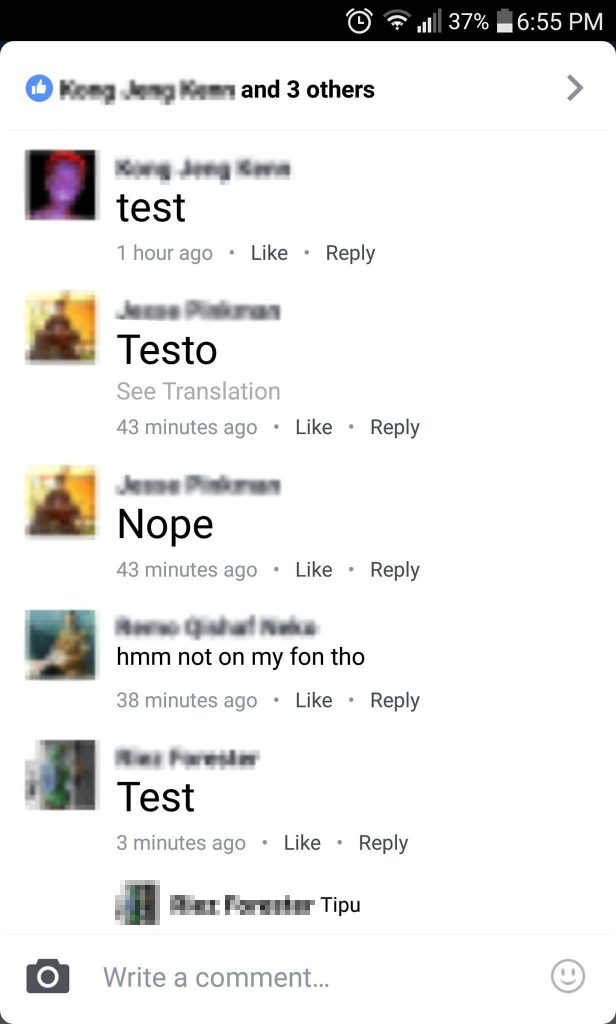
Right now, I can confirm that the text does indeed have a character limit for Facebook BIG Comments. I don’t exactly know what’s the exact character limit just yet since I don’t have this feature on my own Facebook account. However, it can be safely assumed that the limit is somewhere around 20 characters.
Take a look at this comparison for a before and after font size comparison.
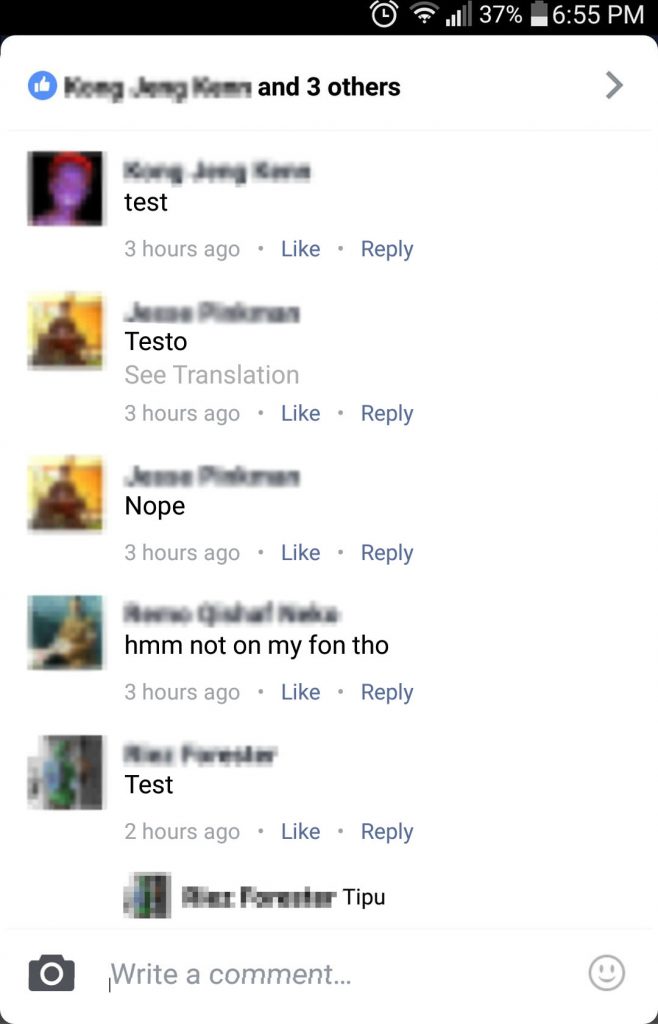
I’m rather surprised that Facebook will have such a feature rolled out before they iron out an option to permanently disable the Facebook BIG Texts or anything related to it. There was quite a big backlash during the release of Facebook BIG Texts, and Facebook didn’t even respond to the feedback given.
Till then, the only option to disable Facebook BIG Comments is by following our guide here.
We’ll definitely update you when we have more information regarding this issue.
Do stay tuned for future updates, and until then, you can check out our story regarding Facebook BIG Texts, as they’re pretty much similar in terms of behavior and appearance.
Like our Facebook Page here at NasiLemakTech.com for more news and in-depth reviews! Also, join our Facebook Group for insightful information and memes!
Subscribe to our YouTube channel too!