









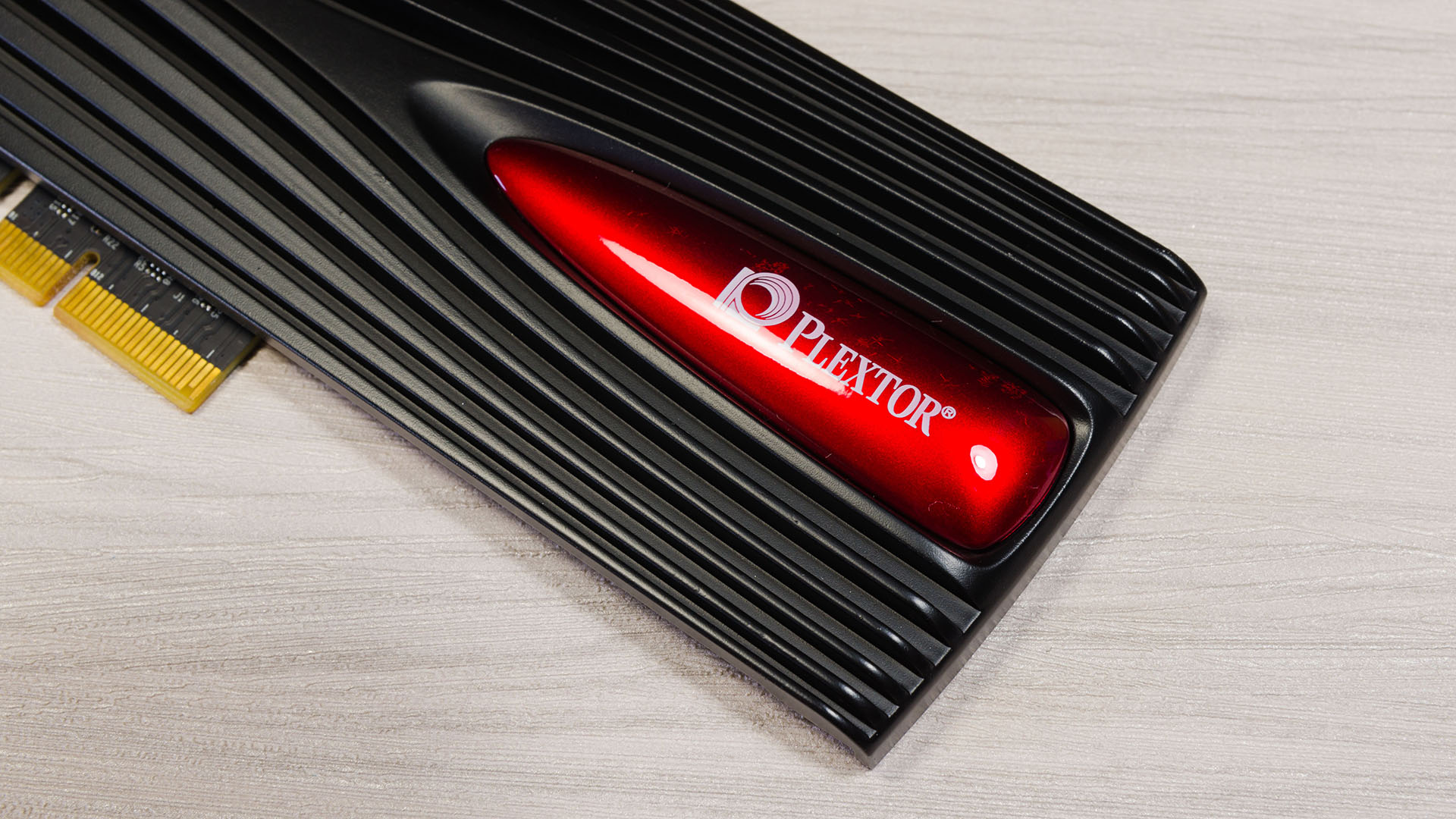

There comes a time where NVMe SSDs are simple add-on cards that plug into the PCIe slot. Then thermals come into play, and that means heatsinks are needed. As it time goes by, the heatsink designs evolve to look good too. Then, the uprising of flashy RGB systems last year happened. The Plextor M9PeY is the culmination of those things, and it’s the pinnacle of Plextor’s SSDs.
Following the trend of the M8Se family of NVMe SSDs from last year, the M9PeY also has a total of 3 members in the family – a PCIe version, an M.2 version with a heatsink, and also another M.2 without the heatsink.
Let’s take a deep dive to see what the Plextor M9PeY truly offers. The one we have here is 512GB in capacity.
Unboxing
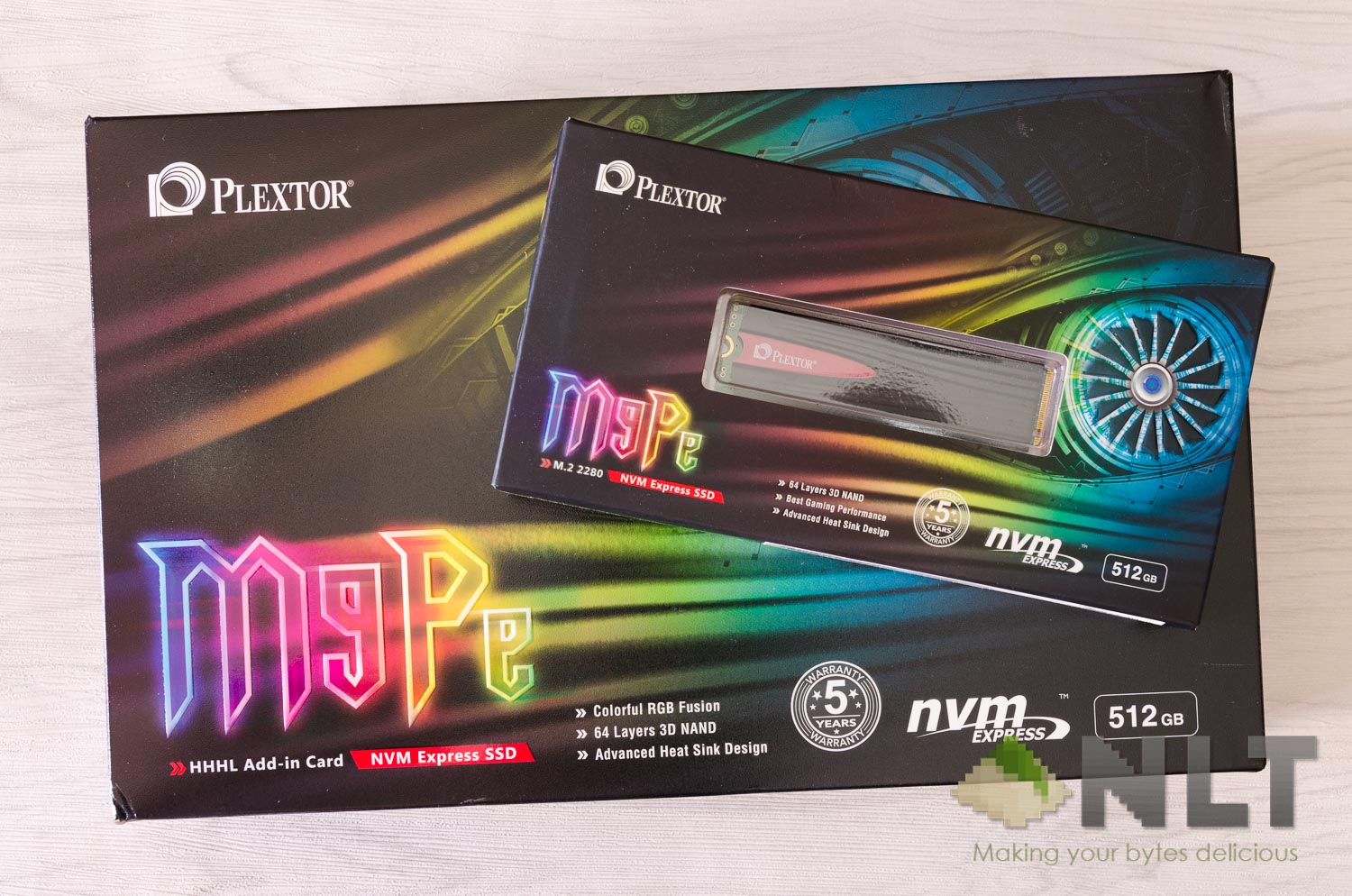
Funny enough, the box itself has a look that reminds me of Transformers where the image is zoomed into its left eye. The Plextor M9PeY’s packaging shows a fan-like eye with blades and with a multicolored gradient, starting from red on the left all the way till blue on the right. Even the M9Pe lexicons are in bright colors.
Also, there are a few feature highlights at the front of the packaging including “colorful RGB fusion” on for the M9PeY.

At the back of the packaging lists out the specs of the Plextor M9PeY and also what’s included in the box itself. Again, the one we have here is 512GB in capacity.

Opening up the box reveals yet another box. Opening the other box reveals a user manual on how to install the Plextor M9PeY. Underneath the user manual is the hard plastic shell that holds the Plextor M9PeY itself alongside with a half-height bracket and a screw.


Design
Plextor boasts that the Plextor M9PeY comes with an “advanced heat sink design” and by the pure looks of it, it’s pretty aerodynamic. When viewed from the top, the protruding fins is similar to what you’ll find on BMW’s M-series of vehicles’ shark fin when slicing the air at high speed. The protrusion of these fins also increases the surface area, hence better cooling.
We’ll see how the heatsink helps during our test later.
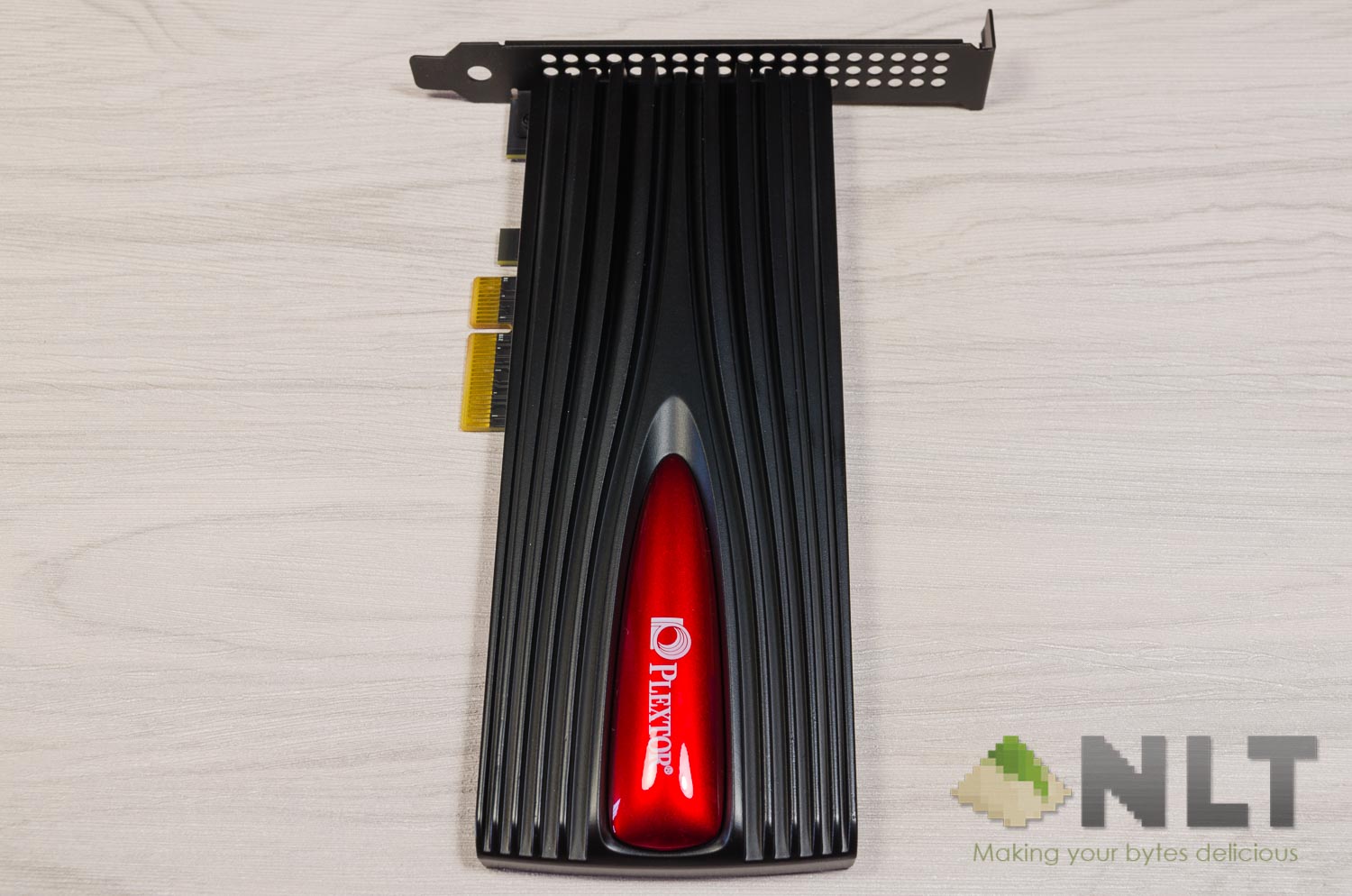
In contrast with Plextor’s M8Se from a year ago, the M9PeY now has the Plextor logo in red instead.
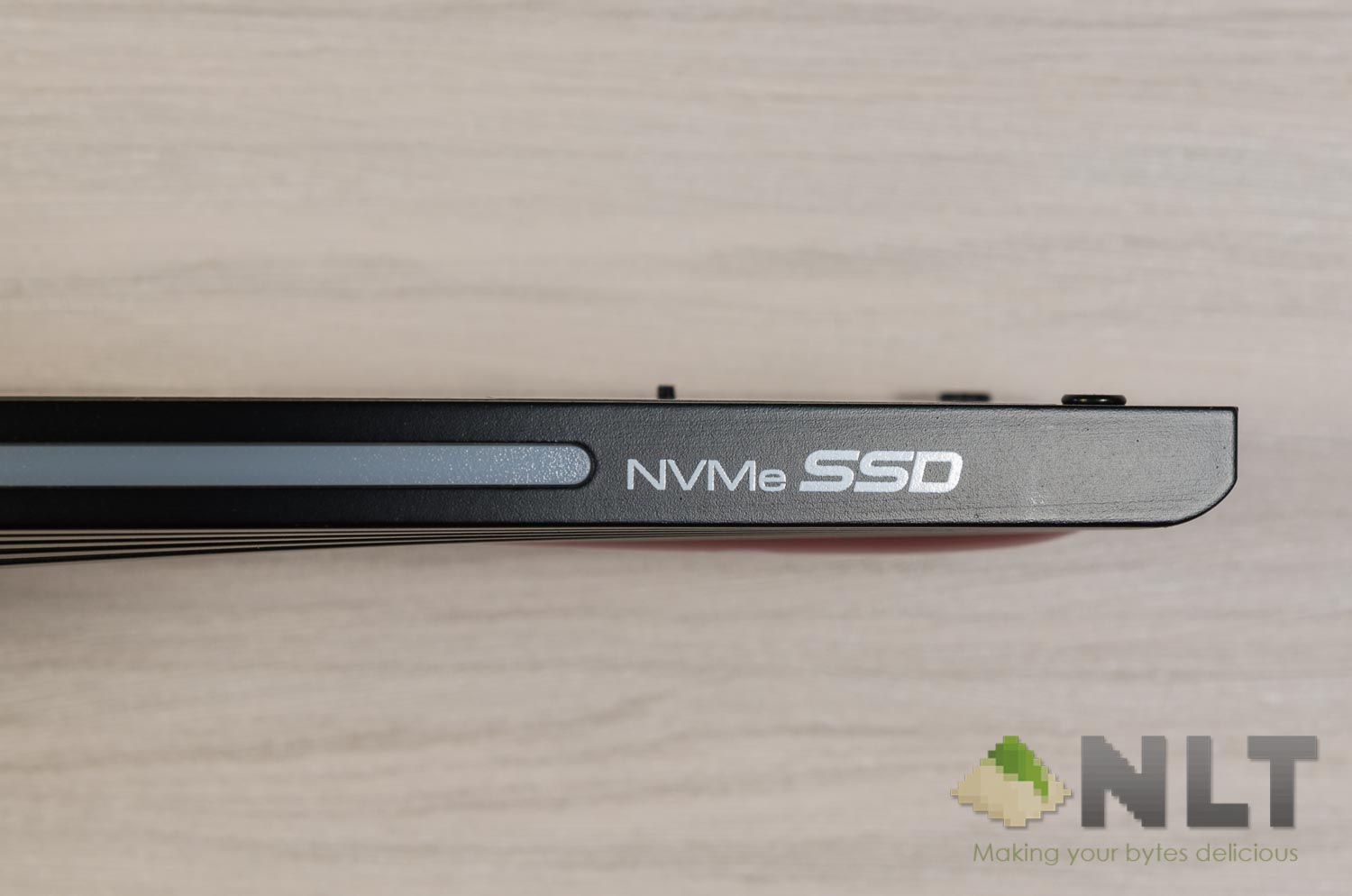
While looking from the side, the Plextor M9PeY has its width taper off as it approaches the right side. Of course, here’s where the magical color happens too. See that translucent strip? That’s where the RGB light will shine through.
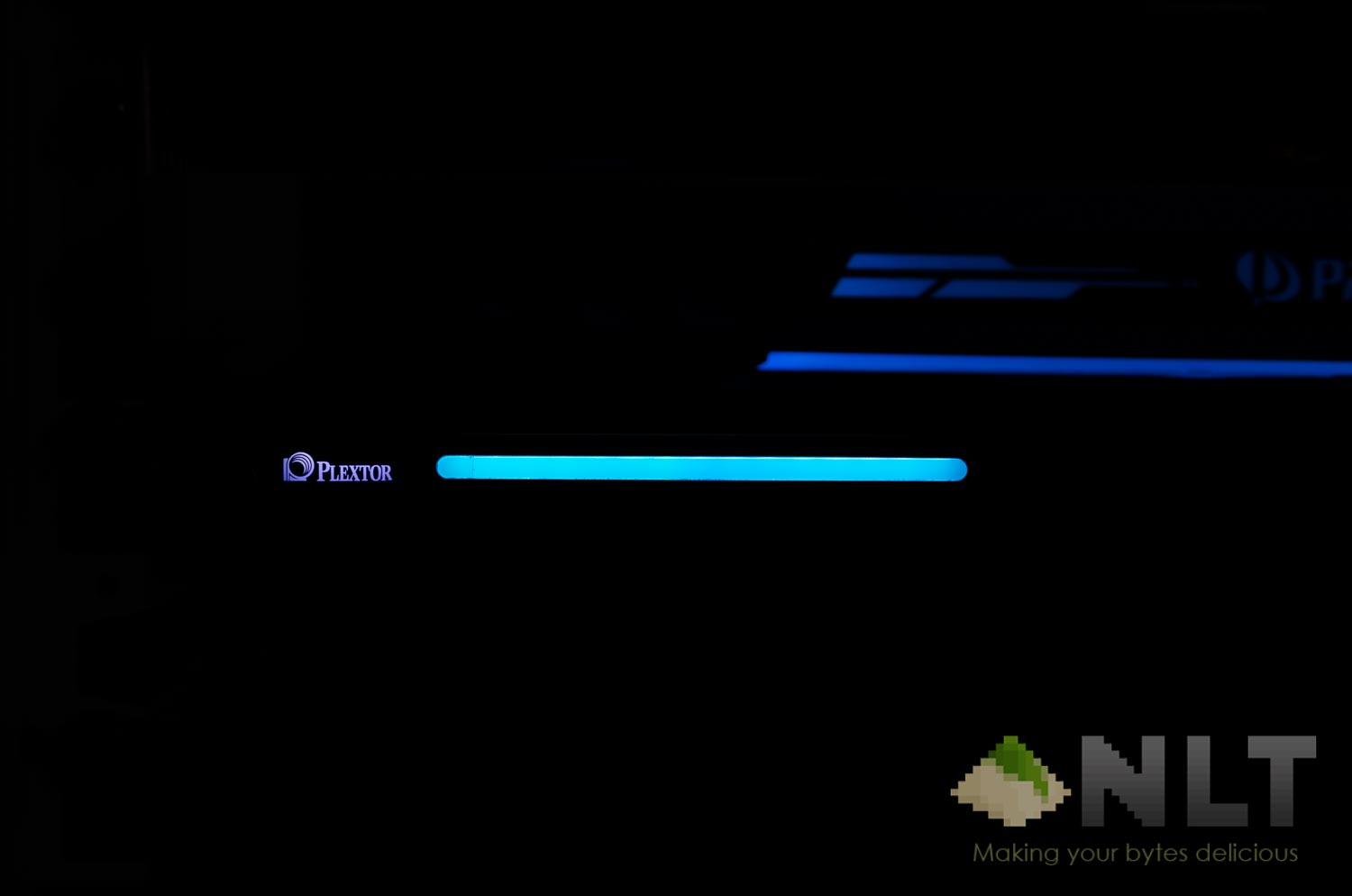
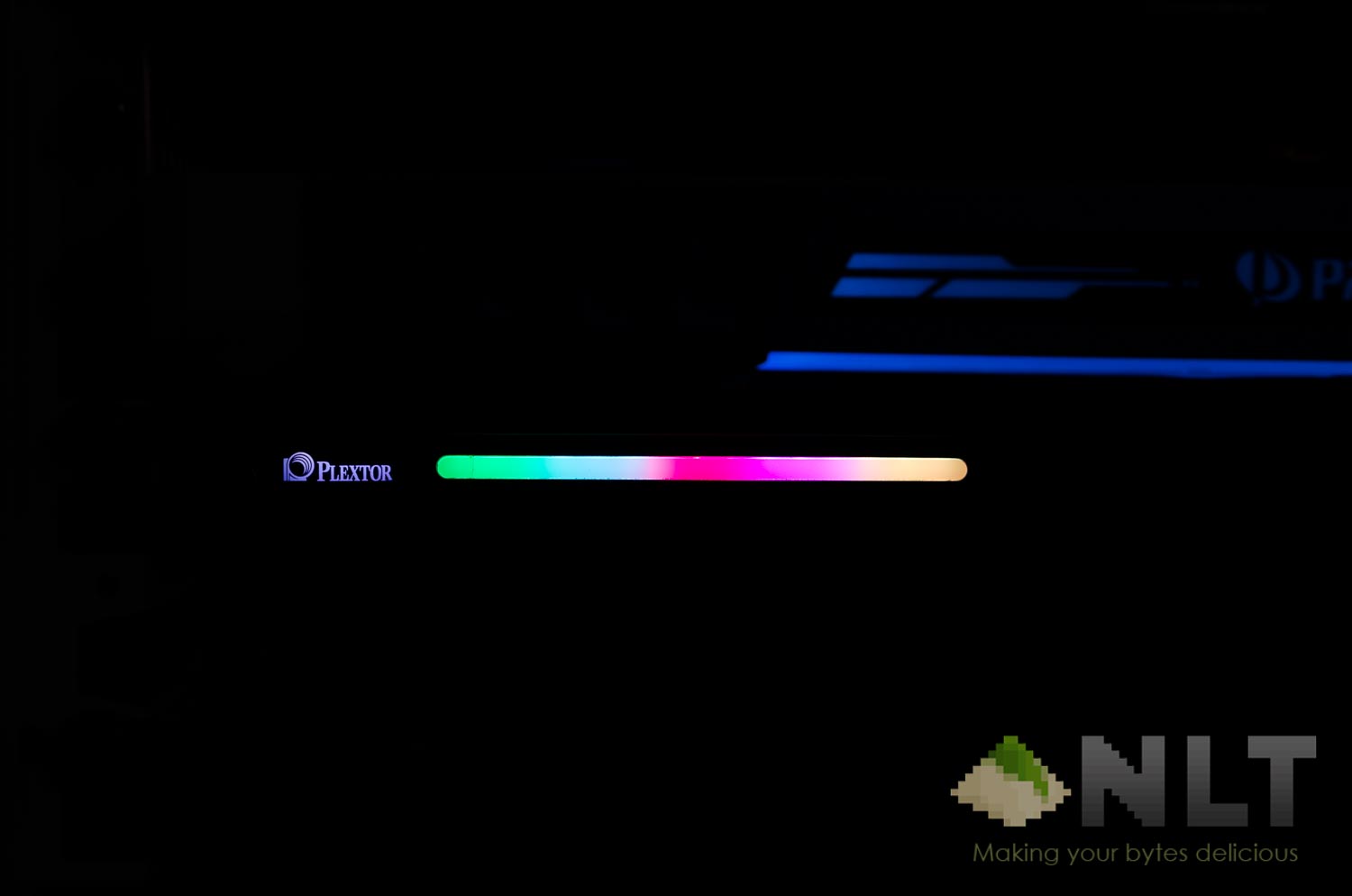
The RGB lighting cycles through all of the color with a smooth transition when idling, and goes psychedelic when there are read/write operations. Not sure why, but that’s how the Plextor M9PeY behaves.
As of now, there is no way to control the RGB LED yet. The latest firmware update changelog states that it adds compatibility to the upcoming PlexTool that will come soon. Perhaps the Plextor M9PeY’s RGB can be controlled through the PlexTool upcoming? The new PlexTool has yet to be released by Plextor as the time of publishing this review.
Plextor also included the half-height bracket which can be swapped by removing 2 screws from the back of the card.
Speaking of the back, the Plextor M9PeY comes with a blacked out color scheme – the heatsink and the PCB are black, with the Plextor logo in off-white color and printed at the corner.
Specs
The specifications vary between capacity to capacity – and the one we have here is the 512GB variant.
|
Performance |
|
| Sequential Read Speed* | Up to 3,200 MB/s |
| Sequential Write Speed* | Up to 2,000 MB/s |
| Random Read Speed* | Up to 340,000 IOPS |
| Random Write Speed* | Up to 280,000 IOPS |
|
Environment and Reliability |
|
| Power Requirement | DC 12V 1.0A (Max.) at PCIe Slot |
| Temperature | 0°C ~ 70°C / 32°F ~ 158°F (Operating) |
| Shock | 1500G (Max.) , at 1 msec half-sine |
| MTBF | >1,500,000 Hours |
| Endurance (TBW) | 320 |
| Warranty | 5 years |
|
Compatibility |
|
| Operating System Supported | Microsoft Windows 8.1, 10/ Linux OS |
| Agency Approval | UL, TUV, FCC, CE, BSMI, VCCI, RCM, KCC, EAC, ROHS, WHQL |
| Command Set Support | TRIM, S.M.A.R.T, IO queue, NVMe command |
| Interface | M.2 PCIe Gen 3 x4 with NVM Express |
| Firmware Upgrade | Supported |
|
Form Factor and Connectors |
|
| Form Factor | Standardized PCl Express Card with Half-Height/Half-Length |
| Power Connector | DC 12V PCI Express Slot |
| Data Connector | PCI Express Slot |
|
Dimension and Weight |
|
| Dimension (L/W/H) | 176.33 X 121.04 X 22.39 mm / 6.94 X 4.77 X 0.88 inch |
| Weight (Max.) | 200g / 7.05oz |
|
Package Contents |
|
| Drive | 256GB / 512GB / 1TB SSD |
| Accessory | Half-Height Bracket |
| Documents | Quick Installation Guide |
Testing Setup
|
Test hardware configuration |
|
| CPU Cooler | Noctua NH-D15 |
| CPU | AMD Ryzen 7 1700 |
| GPU | Palit GeForce GTX 1080 GameRock |
| Motherboard | ASRock Fatal1ty X370 Gaming K4 |
| Memory | Corsair Vengeance LPX DDR4 16GB |
| Primary Hard Drive | Plextor M8SeGN |
| Power Supply | Cooler Master MasterWatt 750 |
| Chassis | Sharkoon BW9000-W |
| Fans | Noctua NF-F12 |
Benchmarks
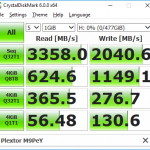
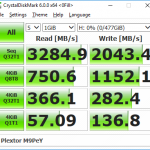
Plextor claims that the M9PeY has a maximum sequential read speed of up to 3,200MB/s and the sequential write speed of up to 2,000MB/s. That’s an impressively high number and about 1,000MB/s faster in both read and write speeds compared to the M8Se from a year ago.
According to the results I got from CrystalDiskMark, the speeds were actually higher than the speeds stated. That raised my eyebrows high.
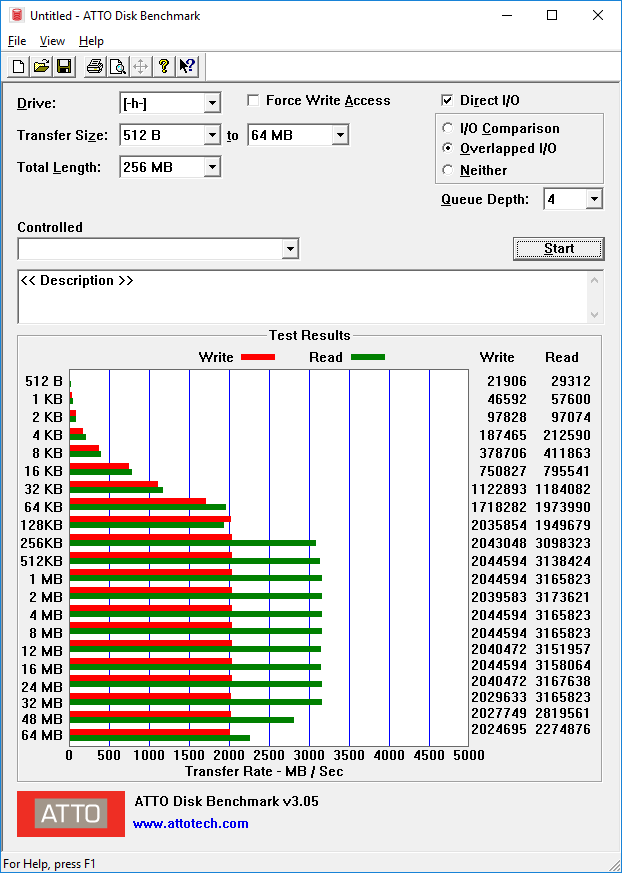
Using ATTO, the Plextor M9PeY proved itself once again that it is speedy by scoring an impressive 2GB/s write speed when it reached >256kB file size. The read speeds however, skyrocketed to 3GB/s once it reached >256kB file size.
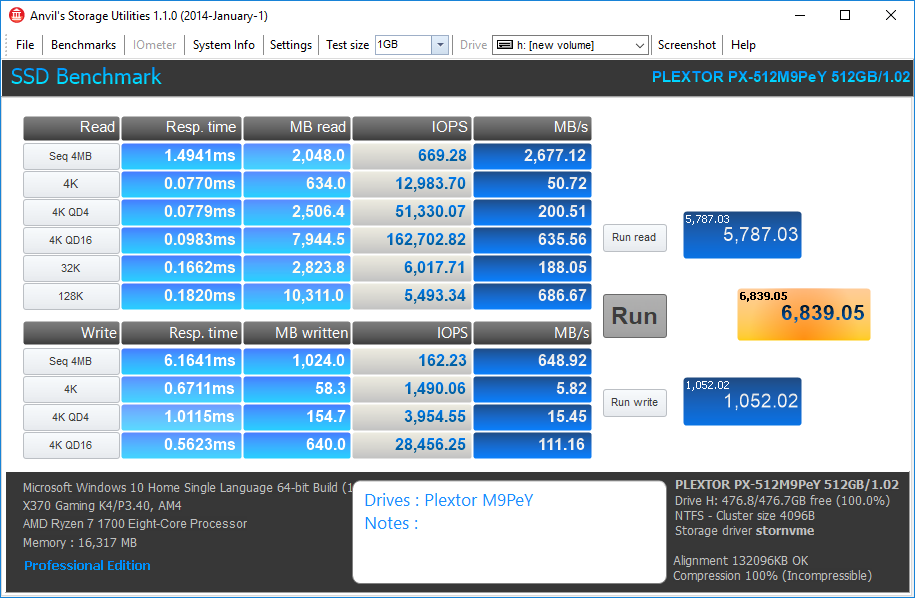
On Anvil’s Storage Utilities benchmark, the Plextor M9PeY is still able to score 2.6GB/s on sequential 4MB writes but only about 650MB/s in sequential 4MB writes.
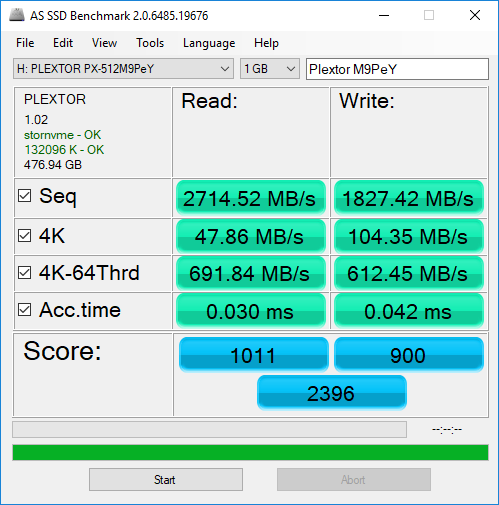
Lastly, AS SSD benchmark shows that the Plextor M9PeY can still perform well while bombarded with incompressible data.
Real use case scenario
I’ve been editing many video these days and usually I’m using this Pendrive M.2 SATA III SSD as my project host drive and also my cache drive. The video that we take are from a total of 2 different DSLRs, hence I do need a really speedy drive to scrub through the footage smoothly.
I’m glad to say that the Plextor M9PeY manages to deliver this without a hitch. While editing the an intense video using this speedy SSD, I have zero complaints about the scrubbing lag. It is as if I have forgotten about the issue and it didn’t exist at all.
Temperature test
Last year, we did mention that temperatures of NVMe SSDs can rise to the point where it needs to thermal throttle itself to prevent any damage. This is particularly true for M.2 NVMe SSDs and we’ve also showed how to prevent it from happening. As for the Plextor M9PeY, it has all the components on the card moved away from any major heat-producing component and has a large heatsink slapped on it.
This is where the Plextor M9PeY shines – literally. While it’s in psychedelic mode under our synthetic load stress to ramp up the temperature, it only raised 10°C – from its idling 36°C to a measly 46°C. According to its specs sheet, the M9PeY’s thermal limit is at 70°C so there is quite a lot of thermal headroom here.
Wrapping up the Plextor M9PeY review
The Plextor M9PeY that we have here has the capacity of 512GB and it’s priced at USD $285. Doing some quick maths like Big Shaq reveals that it only costs about USD $0.5566 per gigabyte. That translates to about ~RM2.17 per gigabyte. Of course, the higher capacity NVMe SSD is thanks to Toshiba’s 64-layer NAND flash technology.
Compared to the M8Se from last year, the brand new Plextor M9Se series is just better in every single way. It now has RGB lighting, it’s much faster, and most important of all – it is available at a much cheaper price.
Though, the RGB lighting is still uncontrollable at this point. We’ll just have to wait for Plextor to release a brand new PlexTool that supports RGB control for the M9PeY.
Like our Facebook Page here at NasiLemakTech.com for more news and in-depth reviews! Also, join our Facebook Group for insightful information and memes!
Subscribe to our YouTube channel too!