



















Samsung is making it easier for Galaxy users to access and manage their photos and videos across multiple devices through its Gallery sync service, developed in collaboration with Google.
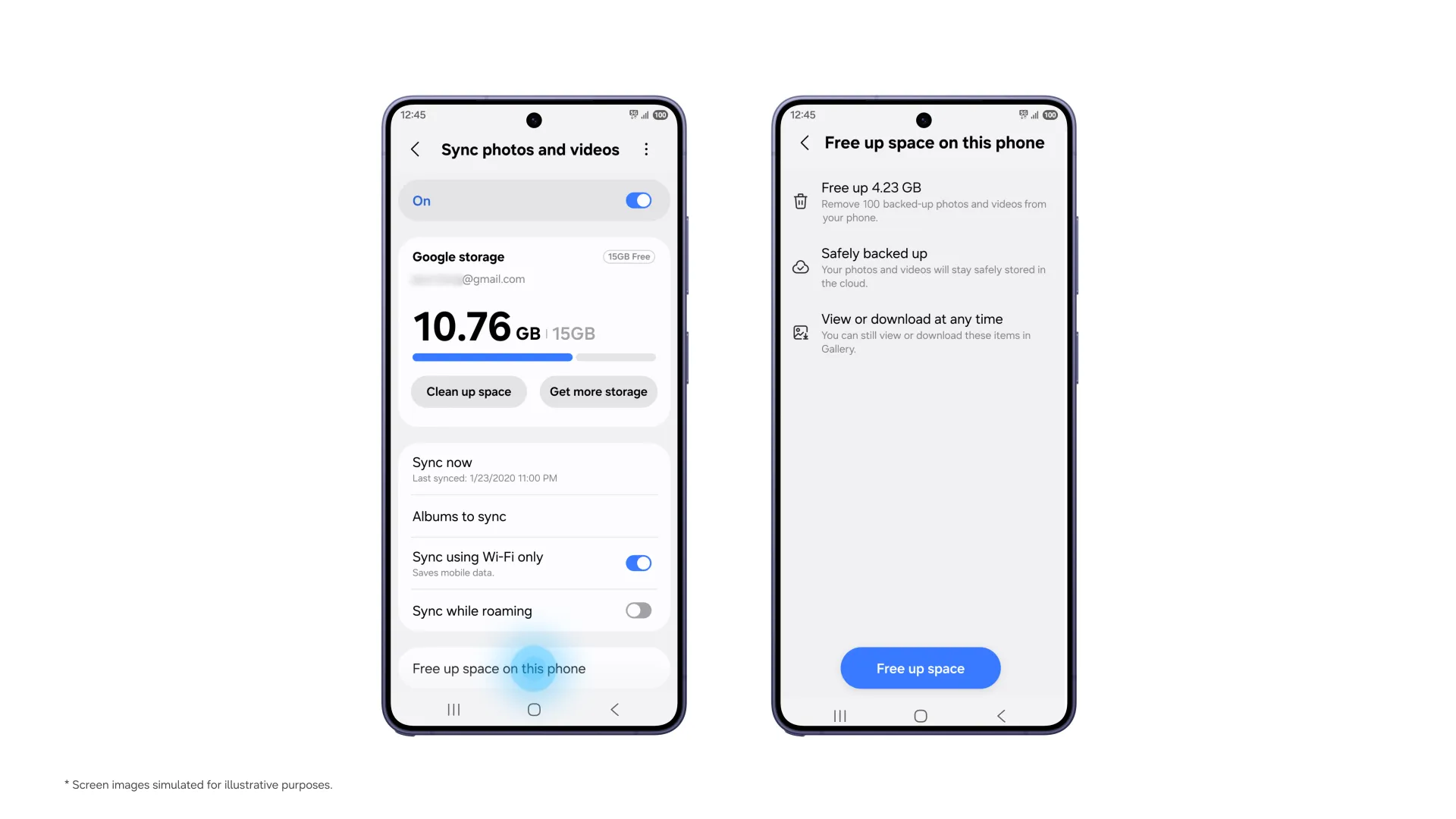
The feature allows users to sync photos and videos to Google storage and access them through Gallery on supported Galaxy devices. Getting started is relatively straightforward, as users only need to have their Samsung and Google accounts set up on their devices. There’s no need to create a separate cloud account to enable the service.
Once sync is enabled, users can take photos on a Galaxy phone and view them through Gallery on a compatible tablet, provided both devices are signed in with the same Samsung and Google accounts.
The service also makes switching to a new Galaxy device easier. After signing in with the same accounts used on the previous device, users can enable Gallery sync to see previews of their existing photos and videos. If they need the original files, they can simply select and download them to the new device.
Additionally, there’s the “Free up space” feature that helps users manage their device storage. After photos and videos have been synced to Google storage, users can remove the original files stored locally while retaining their thumbnails in Gallery. This allows browsing of media library without having to keep every original file on the device.
However, Gallery sync uses the available storage tied to a user’s Google account, which is shared across Gmail, Google Drive and Google Photos. Google accounts come with up to 15GB of free storage, so users will need to consider their existing storage usage when syncing larger photo and video collections.
Support has started rolling out to select Galaxy devices running One UI 9, with availability expanding in phases.
To enable the feature, users can tap the Cloud icon in Gallery, select “Get started” from the tip card, or navigate to Gallery Settings and turn on “Sync photos and videos”.
Like our Facebook Page here at NasiLemakTech.com for more news and in-depth reviews! Also, join our Facebook Group for insightful information and memes!
Subscribe to our YouTube channel too!