


About a month ago, we got the exclusive first look at the upcoming flagship smartphone from Neffos – the N1. There, we laid our hands on the Neffos N1 and has been using it ever since. What do we think about it? Find out in our full in-depth review of the Neffos N1 here.
Unboxing
First thing’s first. Neffos opted for a packaging design that’s flatter but wider. The packaging design language itself is alright. Rather simple.

At the back is where the specs are, as usual. Pretty bare in terms of the packaging design language, in my opinion.

Opening up the box reveals the Neffos N1 sitting on the left portion of the box. There’s another box sitting on the right side of the phone.
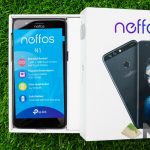

I guess we’ve already realized that the Neffos N1’s box is in a flatter square packaging design rather than having the conventional rectangular shape.
Underneath the Neffos N1 is another box, this time housing different accessories.

Digging out all of the accessories reveals a USB-C cable, a charger, SIM ejector tool, documentations, a piece of tempered glass screen protector, and a set of earbuds with a total of 3 sizes of eartips to choose from.

It’s weird to see that a smartphone would come with a piece of tempered glass screen protector but not a case. At least Neffos did include a proper screen protector, unlike Huawei P10 which came with a lousy matte film screen protector and no oleophobic coating, making it impossible to glide a finger across the screen. Still, I’m bummed that it doesn’t include a case in the box.
Speaking of that, let’s head on over to the design, where things get much more interesting.

[nextpage title=”Design”]
When I first looked at the Neffos N1 from the front, it looks just like any other smartphone. Sure, the screen, an earpiece at the top flanked by sensors and cameras, and a row of capacitive keys at the bottom. One of the most common smartphone designs out there in the market.

Once I turned the Neffos N1 around, I realized that it looks familiar. Too familiar. It has a solid metal body with a fine matte finish that feels absolutely solid in the hands, though slippery. This is where I really wish Neffos would have included a case too.

That aside, Neffos decided to put the volume rocker and SIM tray at the right side while the power button and a slider on the left side.
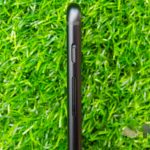
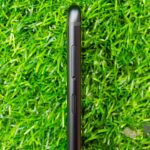
Interestingly, the slider here functions exactly the same as you think it would. Remember that little slider thing on OnePlus smartphones? Yeah – that slider, and they function exactly the same, too. Slide it up to mute, and vice versa. Comes with a satisfying vibration to indicate the status change.

Unfortunately, Neffos didn’t quite get the memo regarding the whole 18:9 FullView display trend that’s going on, and hence they stuck with the 16:9 aspect ratio.
[nextpage title=”Connectivity & Speaker”]
Funny enough, when it comes to connectivity, the Neffos N1 does come 5GHz WiFi – but only supports up to 801.11n. That means there’s no AC WiFi.

You also get a combo SIM card tray, where there’s a dedicated nano SIM1 slot and a combo microSD/nano SIM2 slot. Pretty common in smartphones these days, actually.
I guess it’s worth pointing out too that the Neffos N1 comes with a 3.5mm audio jack and a USB-C port at the bottom of the phone, alongside with the loudspeaker. There’s absolutely nothing at the top except for a microphone.
Speaking of the loudspeaker, the Neffos N1’s loudspeaker is actually quite decent. I can enjoy videos and even some games on the Neffos N1’s loudspeaker without any complaints. Loud enough to get the job done, especially to notify you when there’s a call, too.
[nextpage title=”Display”]
Now, there aren’t any official specs of what’s the exact display that the Neffos N1 is using. From what I can deduce, the Neffos N1 is actually using a 1080p IPS LCD screen. I’m quite disappointed as Neffos didn’t use an 18:9 FullView display like any other smartphones of have. It’s pretty much the common standard nowadays.

As for the display quality, the screen’s white balance is a little off. What is supposed to be white appears to have a blue tint. Unfortunately, there is no option to fine-tune the screen’s colors for now. Perhaps Neffos will push an update to fix this issue?
I do realize that the screen on the Neffos N1 can go super bright to which it really hurts my eyes. And yes, you can use the Neffos N1 outdoors without any issues at all. It’s just really bright at the highest brightness.
[nextpage title=”Camera”]
Time for the camera! During our exclusive hands-on time with the Neffos N1 about a month ago, the challenge that was given to us is to take pictures with the Neffos N1. Before we get into that, let’s take a look at the specs first.
- Rear-camera
- Stereoscopic dual-camera system (learn more about it here)
- 12MP RGB + 12MP monochrome camera; Sony IMX386 sensors
- Stereoscopic dual-camera system (learn more about it here)
- Selfie camera
- 8MP fixed focus
We know that it’s using the stereoscopic dual-camera system because the lenses of the two cameras at the back are with the same diameter. Take a look at the illustration below.

Let’s take a look at the photo samples now. We’ve also uploaded the complete full resolution of all pictures and more on our Flickr account.
Rear-camera photos
This is the main camera that I used during the small little photography session that we had. These pictures were took outdoors on a bright and sunny day with manual mode, and I have to say that the Neffos N1 can really create sharp images.
While in indoors, the white balance tips noticeably to the blue side. Again, this is something that can be fixed by software updates.






Since the dual-cameras on the Neffos N1 is a monochrome + RGB sensor like the Huawei P10 and the Nokia 8, it can create bokeh effect as it has additional depth data. The result? It’s okay. It can get most parts of a portrait right.
Neffos also implemented the ability to re-focus after a picture is taken, but the UI is a bit… messy, to be frank. When you tap somewhere on the image to refocus, it does a zoom effect like the Millennium Falcon is entering HyperSpace. I find it really annoying.


The rear-camera is somewhat lacking when it comes to indoor shots. Monochrome + RGB sensor isn’t my cup of tea too, as I prefer a telephoto lens instead.
Selfie camera photos
As for the selfie camera, for all I can say – the images come out okay. I’m not much of a selfie person, but the images do look a little too noisy. Furthermore, the images just aren’t sharp. In an even darker environment, the picture is just noisy.


Camera UI
When it comes to the camera’s UI, I think it’s pretty okay. It gets the job done, doesn’t have unnecessary clutter, but certain options are a little… bizarre. Needs some getting used to.

In manual mode, the shutter speed jumps from 1/500 to 1/1000 directly. The options to go for 1/640, 1/750, or 1/800 is nonexistent, which does make outdoor photos look either underexposed or overexposed.
Also, all pictures taken by the Neffos N1 has gibberish in their metadata, just like the other smartphone that looks like the N1.
If you think gibberish metadata isn’t bad, then get this – the Neffos N1 has the ability to add watermark to the photos like the phone it’s modeled after – but with a big caveat. If you’re using bokeh mode and you want to re-focus your image after you’ve taken it, then be prepared for a WTF moment. Apparently, you can even blur the watermark.

These are small issues that can be fixed by an update. Until then, these are growing pains that the Neffos N1 users have to live with.
[nextpage title=”Software”]
The Neffos N1 comes with NFUI v7.0 – which I think is pretty close to stock Android. There aren’t many changes made to the original Android 7.1.1 Nougat, just a few Neffos/TP-Link apps and additional settings added to the settings menu. Also, the home screen is in a flat layout with no drawers.

One thing I do appreciate is the little notification prompt to change the navigation keys upon setting up the phone initially. It instantly prompts to ask if you want to swap the recents key and back key, because originally it’s the recents key at the left and back key at the right. To me, I prefer my back key on the left side instead, so I obviously swapped it.
The NFUI 7.0 also comes with bluelight filter mode. It has a slider to select how much blue light to filter out, which is obviously a good thing as I personally don’t like that much blue light to be filtered out.

Additionally, the NFUI 7.0 comes with App Cloner – the option where you can have a duplicate of the app so you can login two different accounts at once. NFUI 7.0 has enabled App Cloner for Facebook, Facebook Messenger, Twitter, WhatsApp, WeChat, and potentially more.

The list just grew by itself when compatible apps are installed. There is no list of apps that the NFUI 7.0’s App Cloner support. Also, App Cloner does not support 3rd party home screen launchers. No idea why, but this isn’t the case for other smartphones.
[nextpage title=”Performance”]
Of course, the performance. The Neffos N1 is equipped with this list of hardware:
- 5.5-inch 1080p IPS LCD screen
- MediaTek Helio P25 chipset (MT6757CD) fabricated with 16nm FinFET technology
- Octa-core processor (4x Cortex-A53 processors @ 1.7GHz + 4x Cortex-A53 processors @ 2.4GHz)
- Mali-T880 graphics
- 4GB RAM
- 64GB storage
- 3,200mAh battery
Looking at the specs alone, the Neffos N1 seems to have a good list of hardware built into it. Let’s take a look at the performance charts instead to tell the true performance against other smartphones in the market.


Overall, the Neffos N1 does get the basics done without a hitch. However, when it comes to gaming performance, the Neffos N1 is decent. I tested with Honkai Impact 3 on the highest graphical settings and there were inconsistent and noticeable frame rate dips throughout the game. Tuning the graphics down to medium is certainly recommended.
[nextpage title=”Battery & Charger”]
As stated earlier, the Neffos N1 comes with a 3,200mAh battery. Common battery capacity for smartphones these days. The battery did last a little over 8 hours from our test, which is where we expect for a phone with this battery capacity with FinFET technology in its core.

Charger
As for the charger, I’m actually surprised by what Neffos has included. The Neffos N1 comes with a 9V 2A charger – which is the true definition of fast charging. Our battery test is simple – drain all of the battery and charge it with the included charger and cable while logging its percentage and time.

To be honest, I’m really surprised that Neffos included a fast charger for the Neffos N1. It took less than 1 hour and 45 minutes to get from about 13% of battery all the way up to 100%!
From this charging curve, we can see that the linearity in charging speed drops somewhere near the 75% mark. It means it took less than 50 minutes for the Neffos N1 to reach 75% battery mark!
[nextpage title=”Wrapping up the Neffos N1 review”]
Let’s not beat around the bush here. It looks and feels like a clone of the Huawei P10+ – a flagship smartphone from the yesteryear. At this point of time, the design is already outdated – and Neffos could have jumped into the 18:9 FullView display bandwagon instead of taking up this design. At least with an 18:9 display, it will appeal to more users.
Some of the issues were actually replicated to the Neffos N1 as well, like the messed up metadata description for all pictures taken by the phone.

With that said, the Neffos N1 is a smartphone with decent specs. Other than that, it’s nothing that we’ve never seen before – and honestly, it’s nothing spectacular. Could have at least included a case in the box, still.
The Neffos N1 is priced at RM1,099. That will make a few pair of eyes widen and perhaps jaws drop. For what you’re getting, I think RM1,099 is quite worth it. Most of the issues that I’ve pointed out in this in-depth review is software-related. If Neffos pays attention to what were pointed out, then they can easily fix all of it with a software update.
This is indeed a test of their after-sales support.
Where to buy?
The Neffos N1 is available at Lazada!
Like our Facebook Page here at NasiLemakTech.com for more news and in-depth reviews! Also, join our Facebook Group for insightful information and memes!
Subscribe to our YouTube channel too!