




ASUS ZenFone Zoom is the smartphone that ASUS relates nearly all of its selling points into the 3x optical zoom on its product page. It’s mentioned so many times that it made me realize that they are definitely mentioning it for more than 10 times on the page alone. Yes, I know that ASUS’s 3x optical zoom is not easy to achieve, but let’s 3x zoom into the review and see all of the details revolving around the ZenFone Zoom with 3x the details!
The ASUS ZenFone Zoom is a very nicely-packed smartphone, with all of the needed accessories packed closely and nicely into this one-of-a-kind box. Check out our unboxing of the ASUS ZenFone Zoom here.
As a quick recap, you’re getting the ZenFone Zoom itself, a beautiful wrist strap, the included quick charger, a pair of earphones with some different sized eartips (which is the same as this one we reviewed), a micro USB cable, warranty card, and the user guide.

[nextpage title=”Design”]
At first glance since its launch, the ASUS ZenFone Zoom reminds me of the Samsung Galaxy K – yeah that ugly compact camera with phone capabilities jammed into it. The ZenFone Zoom tells an entirely different story – it is still a smartphone, just with a fancy-looking camera. Way more samples and explanations on the performance of this camera later, of course.

The ZenFone Zoom is beautiful and functional – that’s all I can say about it in summary. At the back, there’s a faux real leather covering the entire backplate of the ZenFone Zoom. Really nice touch, and even feels better than the Galaxy Note 4, but I really hope that the leather here is a little softer. Overall, nice leather back!

At the side is a full-metal rim, with absolutely nothing at the left side and all of the buttons are placed on the right side instead. This includes the usual volume rockers and power button, and since the ZenFone Zoom is a smartphone-with-beefy-lens, it has a dedicated video and shutter button too.
 Now, I do wish that ASUS would put the power button on the left side instead, as the camera can be launched from anywhere by just holding the video or shutter button.

Other than that, the audio jack is at the top, and the USB port is at the bottom, just like the original ZenFone 2 series of smartphones. I’ve always secretly wished that every smartphone in this world has their audio jack at the bottom, but that’s pretty much just a personal preference.

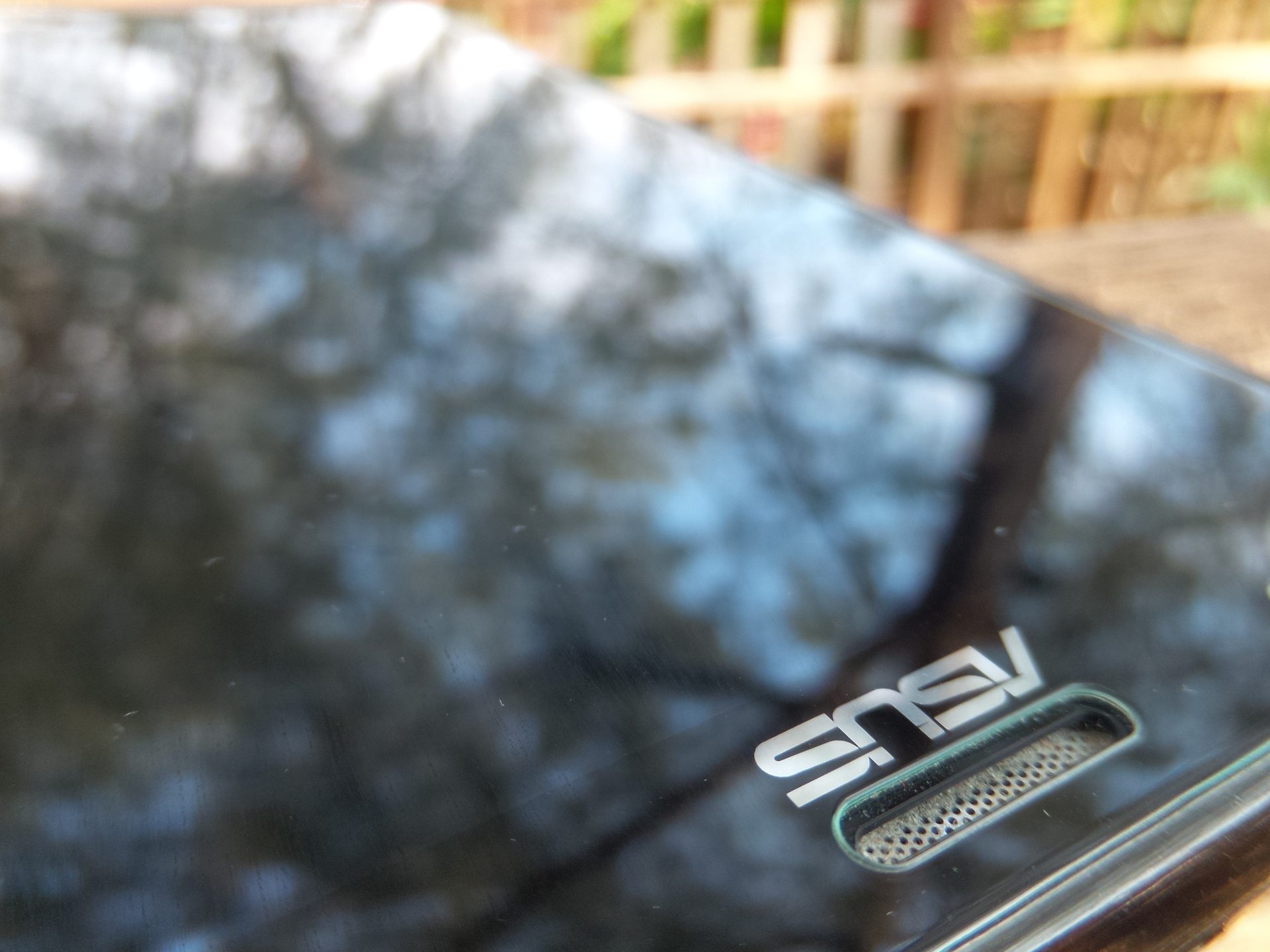
At the front is the usual ZenFone 2 design, with the capacitive keys right between the metal concentric circle pattern and the screen. Do keep in mind though, as far as I can tell the white ZenFone Zoom doesn’t have the concentric circle, but instead has the ASUS branding moved to the bottom instead. Getting a piece of tempered glass screen protector for your ZenFone Zoom is trickier, since the white ones covers the entire front instead of leaving the concentric circles exposed.

I do like that random bump near the bottom of the phone at the back, because that flattens the lens’s enclosure height and not having the phone sit at an angle on the table like the Galaxy S6 or Note 5 for example. There is no need to worry about the camera lens itself getting scratched too, because the lens is deeply recessed into the module. It is a good move, as the original ZenFone 2 has a very common case of scratched camera lens, but I wouldn’t say that this is a particularly good idea as it will scratch the lens enclosure instead.
Connectivity

Opening up the entire back cover of the ZenFone Zoom reveals the battery capacity, the single right-side biased speaker, a single micro SIM slot, and another micro SD card slot. I can’t help but to admire the lens though.
ASUS did remove the second SIM card slot, but they didn’t opt for the janky hybrid SIM/SD card slot, so that’s all fine. Personally, I think those smartphones with a hybrid slot causes a major dilemma – should I take a second phone out with me, or get some extra GBs?
The ZenFone Zoom has pretty much the same connectivity like the original ZenFone 2, but with some differences. There’s a new A-GPS protocol, supports the brand new LTE Cat4+ for up to 250/50Mbps speeds instead of the Cat4 only, but removes FM radio and RDS. It’s fine if you never listen to the FM radio stations (like me) because they repeat the same few songs and talk crap all day long.

ASUS even made the pogo pins for the NFC chip hidden nicely at the beside of the camera too.
[nextpage title=”Display”]
The screen used for the ZenFone Zoom is with the same size and same resolution 5.5-inch 1920×1080 resolution display as found on the original ZenFone 2, but protected with Corning Gorilla Glass 4 too. Of course that’s not the only upgrade – colours on the ZenFone Zoom is noticeably more vibrant, and definitely blindingly bright at full brightness. I’ve always liked the ASUS’s choice of these brightness levels, as even the lowest preference on auto-brightness is good enough for both indoor and outdoor use.

I can pretty much say that the newly improved screen on the ZenFone Zoom is a nice upgrade from the original ZenFone 2, with no real tradeoff in terms of battery life too. Nice screen, great colours, and definitely sufficient pixels in this 5.5-inch device. Viewing photos on the ZenFone Zoom is great too, which leads us to the next segment…
[nextpage title=”Camera”]
The one thing that ASUS boasts the most – camera. Listing down the specs that’s written on the big ass camera itself, it has 3x optical zoom with optical image stabilization, or OIS for short, 13MP sensor, aperture of f/2.8-4.8 (more on this later), two-tone flash, laser autofocus, and uses Hoya lens.

The first thing when I got the phone was to put on the wrist strap, that made the entire ZenFone Zoom feels like a camera when held sideways, thanks to the dedicated shutter and video buttons, together with the volume buttons now automatically changed to control the 3x optical zoom instead. With the small bump at the leather-covered back cover, you can get a solid grip on the phone while holding it sideways to take a shot.

When I want to take a shot with just one hand, I have my thumb on the screen itself, my forefinger on the shutter button, and the other fingers gripping the ZenFone Zoom at the back. Even my thumb is touching the screen, it doesn’t matter since you can still zoom and take photos using the physical buttons.

Onward to the zoom feature of course. 3x zoom (28-84mm) is nothing special at all – the Samsung Galaxy K has 10x optical zoom (24-240mm) too, but the lens protrusion is as long as the Penang Bridge, so no. The ZenFone Zoom on the other hand, doesn’t have any lens protrusion at all! Everything you see here can give you 3x optical zoom!
You should use the 3x optical zoom with care though. As mentioned earlier, goes zooms from 28mm to 84mm, but the aperture changes from f/2.7 to f/4.8. That means without any zoom, the aperture at f/2.7 maximum, and once at 3x zoom the aperture is at f/4.8 maximum. This is very common among cameras, but I’d just like to point out this fact. In room-lit conditions, f/2.7 is quite troubling for me, and f/4.8 is a definite no-go without a tripod, unless you go manual.
I’ve enjoyed quite a fair bit of fun over at Port Dickson, when ASUS invited us and friends over to have fun together while using the ZenFone Zoom to take pictures. When I’m outside during the day, I really like the zoom feature since it’s super bright and the aperture problem is pretty much for depth of field alone, and you can even add more of it using one of the filters built into the camera app itself.
Okay time for picture samples. I’ve taken a bunch of quick shots over at Port Dickson. Since it was a challenge, time is of the essence! You can check out all of the pictures I took using the ZenFone Zoom right here, or check some of them below!




Overall, I’m quite surprised by the picture quality. It’s still a 13MP sensor, but I’m not sure if it’s the same as the one found in the original ZenFone 2.
These are just some of the photos that I’ve taken over at Port Dickson during the challenge. Of course you can have a look at all of the other photos over at my Facebook (linked here) with lots of random shots and lots of point-and-shoot action going on there. Arthur Chen got some pretty nice photos over at his Facebook too. Check them out – I’m sure you won’t be disappointed!
Okay those pictures taken at Port Dickson were brightly lit, except for a few of them. It’s pretty decent – colours were very nice too. At full auto, the pictures turned out fine. I didn’t realize that I used beautification mode to take pictures of the security guard, and the whole picture turned out extremely bright. The chicken face was using the 3x optical zoom, but those chickens can’t stay still and I got a clear chicken face but with a rather blur body. The picture from Arthur Chen’s album again, and it is a fantastic picture with great details of a chicken’s face – clearly shows the strength of the ZenFone Zoom.
I also tried my favourite feature on ASUS’s cameras with ZenFone Zoom’s special 3x zoom – Super Resolution. I was surprised to see that the ZenFone Zoom can take Super Resolution images while on 3x zoom – not like there’s any reason for it not to work though. Super Resolution offered crisp images, was to be expected since it’s not a true 52MP sensor, but take 4 images and stitch them together. The image is pretty solid too. Take a look at this dust bunny!

In dimly-lit conditions however, it did perform better than the original ZenFone 2 by a longshot, in terms of details, but the f/2.7 aperture starts to take a toll on the camera. Only on the auto mode though – because the software is quite awful in selecting the best settings for taking shots indoors.

In this shot, it selected ISO-150 with a shutter speed of 1/20, which I think could be okay to bump up the ISO a little, and seriously lower the shutter speed to avoid blurry pictures in general please. It’s really not a big problem, and can be solved by a simple app update – which leads me to the next segment.
[nextpage title=”Software”]To be honest, I don’t see a big improvement on ZenUI since I started using it on the original ZenFone 2, but that’s okay, since I’ve been staring at ZenUI every day. I should say I don’t see any big and sudden change to ZenUI instead. There are still a lot of bugs all over ZenUI, like some of the screenshots I took were very dark when I had the ZenFone Zoom on lowest manual brightness.
[do_widget id=text-7]
It’s great to see ASUS improving upon some of their existing suite of apps, like AudioWizard on the ZenFone Zoom changed to a much more intuitive and beautiful one too, with the usual buttons to select what preset modes you want, and an advanced option for you to go and have all the fun you want with the settings. Really nice update here, ASUS!

I really like how ZenUI now has a mature library for themes too. These themes range from many licensed animated characters from DreamWorks like Shrek and Madagascar, some abstract design, and lots of beautiful themes made by ASUS’s ZenUI Studio themselves too. All of these themes are classified into 2 main categories – paid and free themes. Have a look at it yourself, pretty sure they’ll have something in there that matches your taste.
ZenUI is still the same as ever, and ASUS did put in add in a lot of small random features over the near-one-year period with the ZenFone series, and most of it are alright.

Being a company that started with PCs in the beginning, they brought the habit of including bloatware into their smartphones. I don’t really blame them though, since bloatware are totally removable to begin with, just a little more work to remove all of those bloatware at the beginning. Also… check the changelog on each update, ASUS does bring some random bloatware in from time to time, but also removable if you want to.
If you don’t care about the bloatware though, there is no problem at all, as the ZenFone Zoom comes with 128GB of internal storage by default. A freaking hundred-twenty-eight gigabytes!

ZenUI has a pretty nice battery-conversing feature as well. They have a handy “battery mode” that lets the user configure if we want the phone to take care of the battery consumption by lowering some performance and brightness, or just go all YOLO and go for maximum power and brightness. With that explained, this leads us to the next part!
[nextpage title=”Performance”]The ZenFone Zoom is just a slight upgrade from the original ZenFone 2’s ZE551ML variant. The brand new ZenFone Zoom is now using an Intel Atom Z3590 chipset, which has a quad-core that runs on 2.5GHz. Coupled with PowerVR’s G6430 graphics and 4GB of LPDDR3 RAM, it offers some increment in the performance.
Like any other smartphones, I tried the usual benchmark suite starting with Epic Citadel.

Boom. It’s a solid performer for sure. Having such solid score at about 44FPS is beautiful when running on Ultra High Quality – and I ran this using the Normal battery mode first. The temperature capped at about 55°C on CPU-Z, and the camera at the back felt a little warm, everywhere else was pretty fine. I then went all out on Performance to see the difference.

And there were none – at least very minute, on Epic Citadel. Although the ZenFone Zoom did thermal throttle at around 60°C, which I think is barely doing the phone any justice since the temperature around the metal sides can really uncomfortably warm, sitting in at about 38°C on my IR thermometer.
That aside, I moved on to Vellamo test suites and I found something particularly interesting between the two battery modes. Take a look at yourself.

Wowwwwwww! That’s indeed quite a big improvement, although it doesn’t really translate to any sort of tangible betterment using the ZenFone Zoom to surf on the internet or whatever. I found that the scores on Vellamo tests are much more relatable to day-to-day usage experiences, as I’ve experienced no snags in performance while using the Zoom throughout my test at all.
Hey, at least there’s a peace of mind that there is indeed some sort of performance unlock when using the Performance battery mode – and here’s where the battery modes come handy in the next part.
[nextpage title=”Battery”]The ZenFone Zoom has a 3,000mAh battery, and in today’s standard of smartphones is nothing special at all. However, I’m happy that ASUS manage to optimize the battery life on the ZenFone Zoom and bring make it last for a day – from the second it got unplugged and left the house, till I went back home later at night – that is if I don’t game on it much and leave it on Normal battery mode.

It did have the same issue with the camera though, as ASUS knows that you need full brightness to shoot your pictures and view them, but that means a sudden increase in temperature and battery drain too. Those battery-conversing profiles does help, but I never really use them at all much.

The ZenFone Zoom does support Fast Charging with its 9V 2A charger. It’s the same one as the original ZenFone 2, and I think that ASUS needs to improve the fast charging feature for the next ZenFone. In my tests, it’s just not really that fast compared to other smartphones that has their own fast charging feature.
[nextpage title=”Wrap up”]ZenFone Zoom is beautiful. It’s really nice to hold, has some premium build quality, really massive storage, and everything is powered by great hardware. The camera with 3x zoom is indeed fun and useful, but the sensor itself needs improvement. I do hope that ASUS opts for the Samsung ISOCELL camera sensors if they can.

Overall, the ZenFone Zoom is ASUS’s not-so-usual premium flagship smartphone which is available in the market now. They have a lot more of small details that was upgraded from the original ZenFone 2, like the volume button feedback, the vibration motor is now more enjoyable, the speakers sound a lot better now, and a lot more other details. I think ASUS even nailed two different phone shapes that are very ergonomic – shown by the curved back and thin sides ZenFone 2, and the thick body with arched back ZenFone Zoom.

Is it worth it? Yeah, I think it is. Don’t forget – there’s a massive 128GB for you to download and watch movies or listen to music too. Pair it with ASUS’s AudioWizard, it’s impressive 😉 If you’re upgrading from something like the original ZenFone 2 ZE551ML variant, then the ZenFone Zoom might not be such a big improvement other than the ability to zoom. It could have been more, but ASUS made quite a lot of radical changes to the ZenFone series just for the Zoom.

Like our Facebook Page here at NasiLemakTech.com for more news and in-depth reviews! Also, join our Facebook Group for insightful information and memes!
Subscribe to our YouTube channel too!