











Nokia has been actively announcing and promoting new phones into the market since last year. We reviewed the Nokia 8, and they’ve announced a refresh during MWC2018. and now it’s time for the new Nokia 7 Plus. Many people actually regard the Nokia 7 Plus as their flagship instead.
In this review, we take a deep dive into why the Nokia 7 Plus is unique in its own way, and where Nokia stands in the market today.
Unboxing
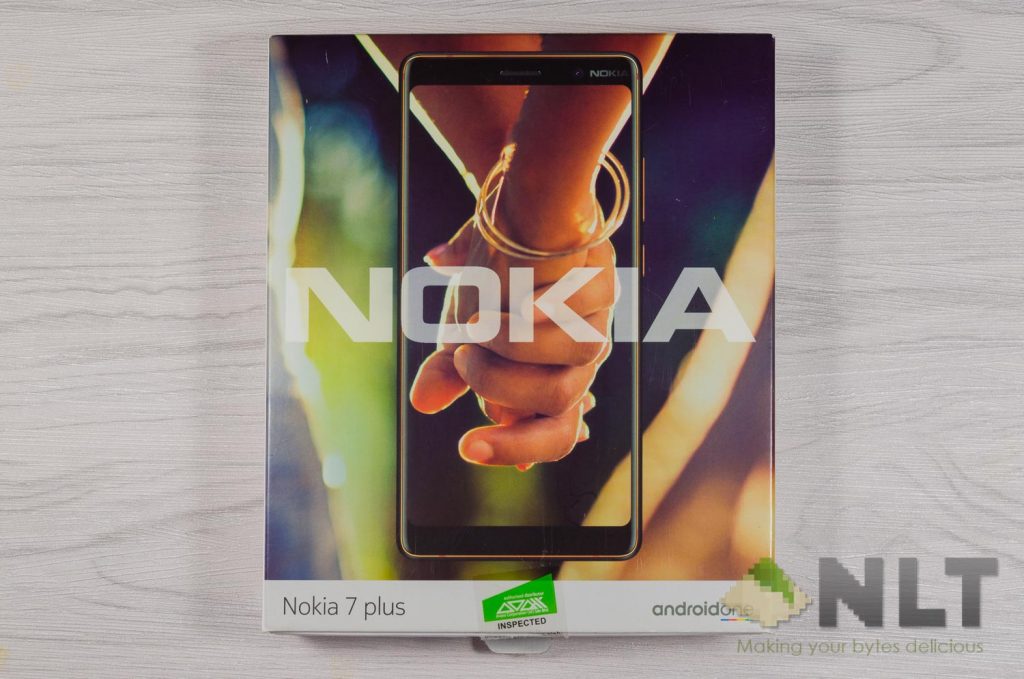
Let’s begin by first looking at the box. Nokia continued their flat-pack design instead of something more conventional like a vertically-stacked design. The previous Nokia 8 and the Neffos N1 also uses the same style of flat-pack design.
Opening up the box reveals the phone itself and its accessories at the side. Other flatter accessories and documentation are under the phone’s pedestal.
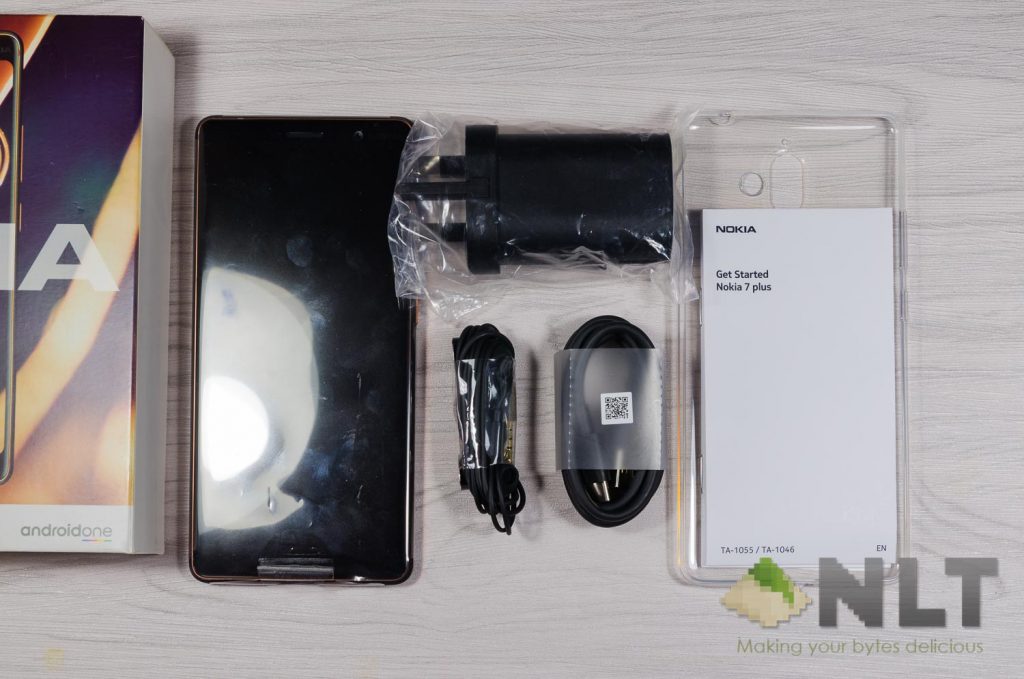
Once everything is dug out, it can be seen that Nokia isn’t cheaping out on accessories and also included a TPU case in the box. More on the TPU case later.
[nextpage title=”Design”]
Let’s first talk about one of the main highlights of the Nokia 7 Plus – its beautiful design. It’s no surprise that everyone loves Nokia for its design – and the Nokia 7 Plus is one of the most beautiful phone I’ve seen.
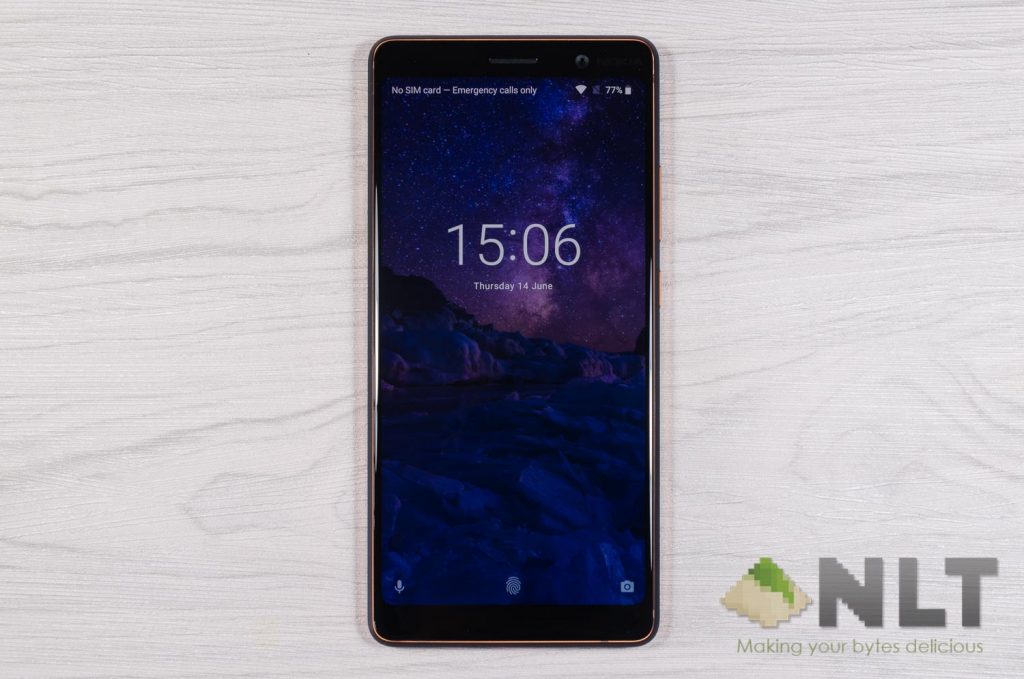
It’s available in black and white color – and throughout my quick survey of a few people, they said the ceramic-feel black color with the bronze colored trim looks classy. As for the white, it’s undoubtedly dubbed as “chic” design with its ceramic feel white color with the same bronze trims.
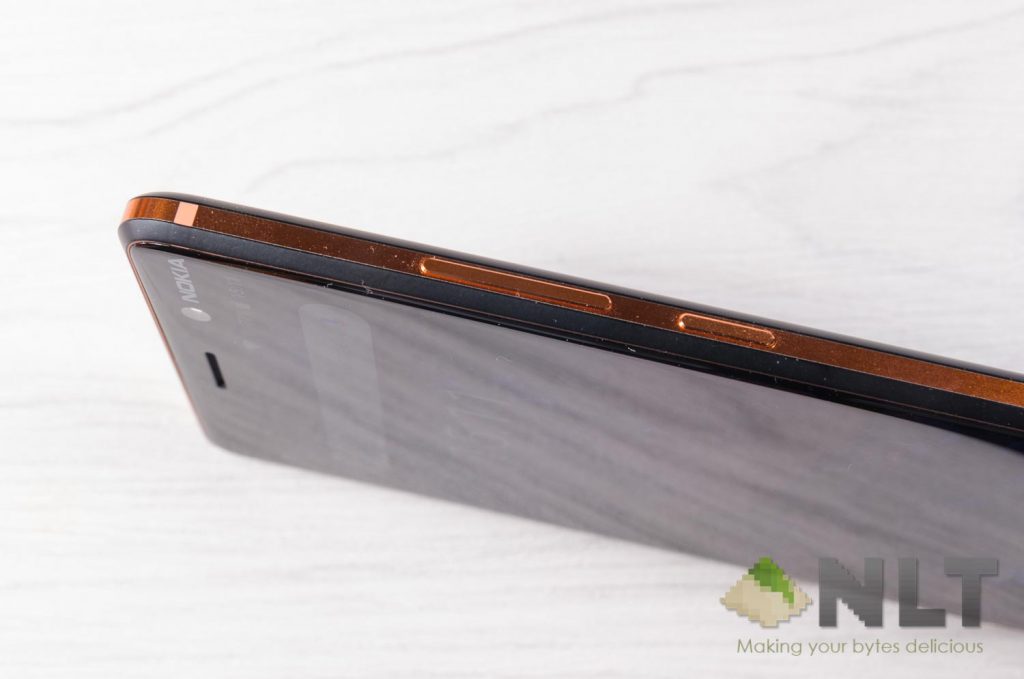
Let’s not forget – the main frame of the Nokia 7 Plus is milled out of a single solid block of 6000 series aluminium – which we actually get to see the real block itself with our eyes during its launch back in late April 2018.
Aluminium, being a lightweight, durable material that it is, didn’t actually add much weight to the Nokia 7 Plus compared to other smartphones – weighing in at just about 181 grams.
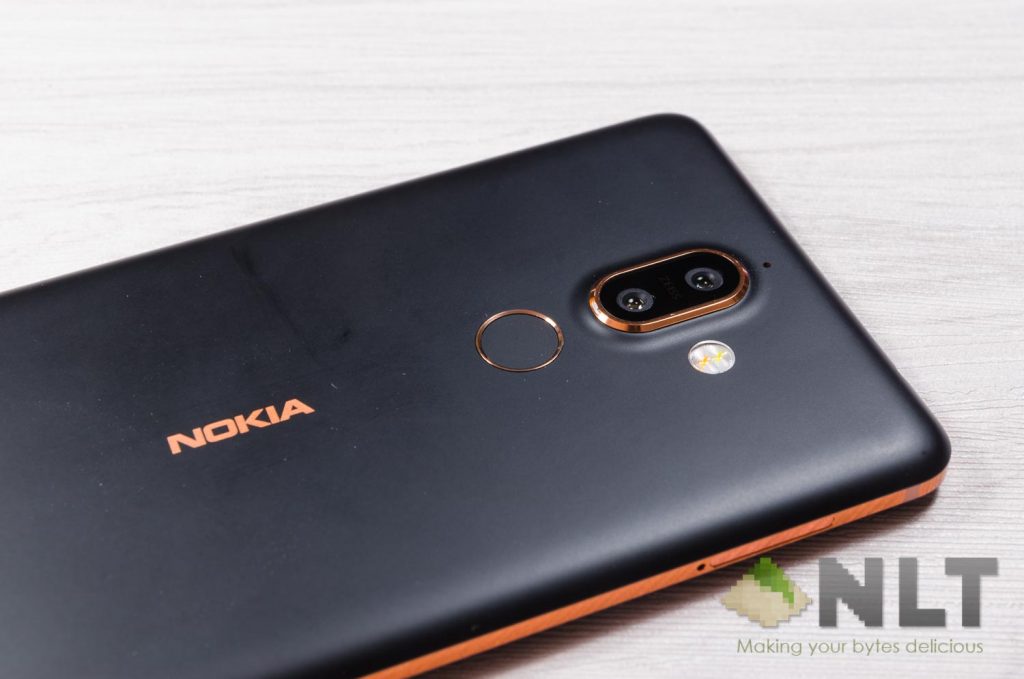
With that said, the camera bulge is something that I quite worry about. It’s huge. But does the included TPU case actually fix the issue? No, not really. Let’s take a look at why.
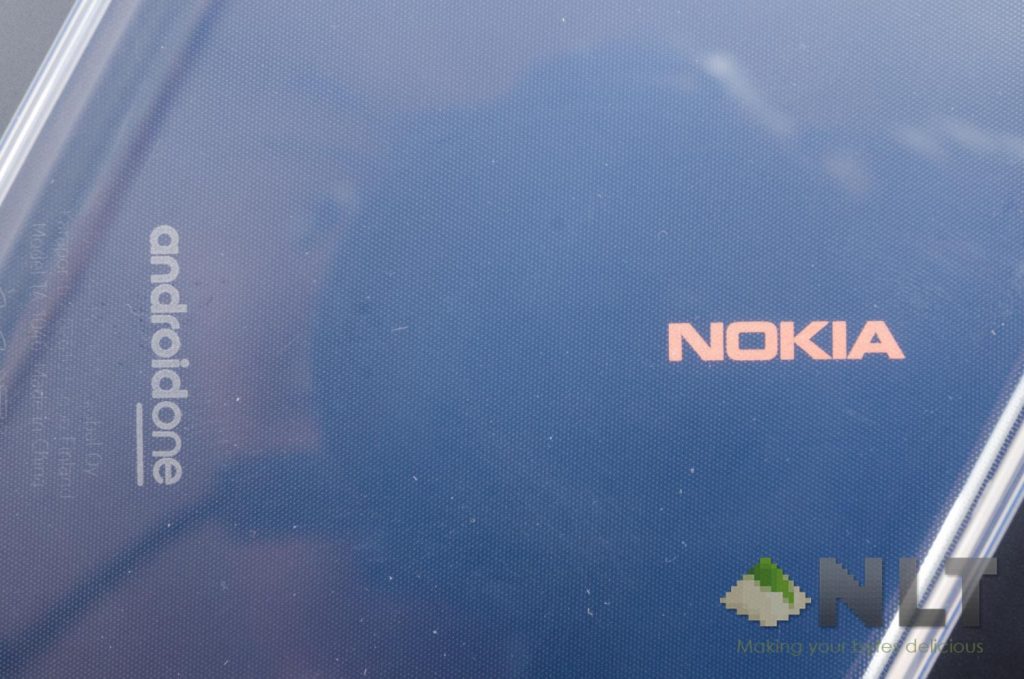
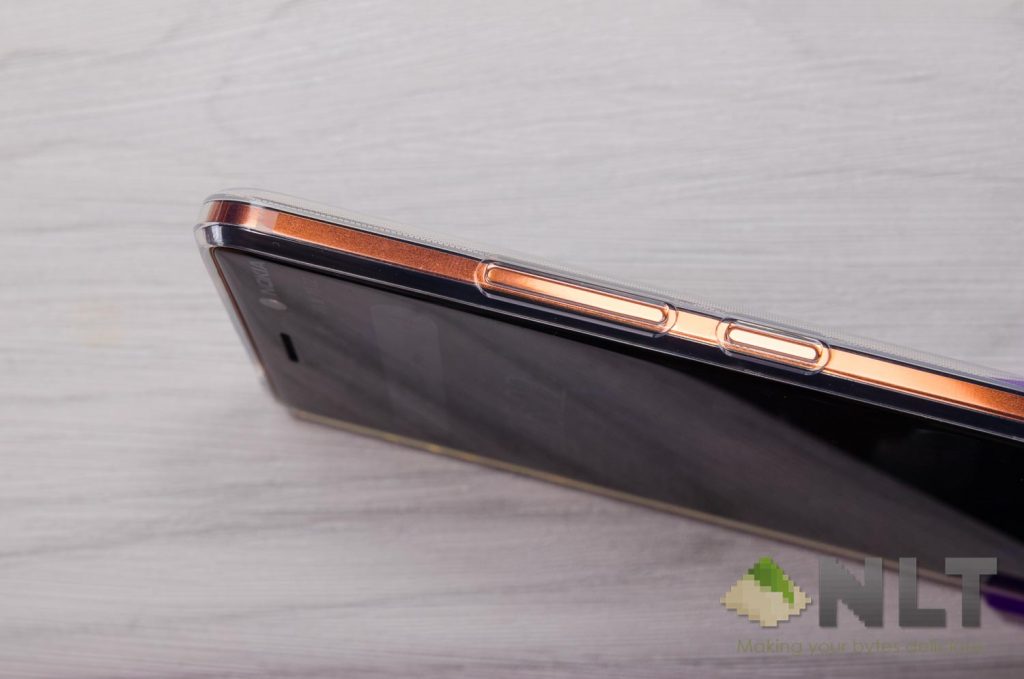
The included TPU is just… cheap. Sorry, there’s no other way to say it. It’s just cheap to the point where the TPU is just thin and has a tint of blue while it’s supposed to be transparent.
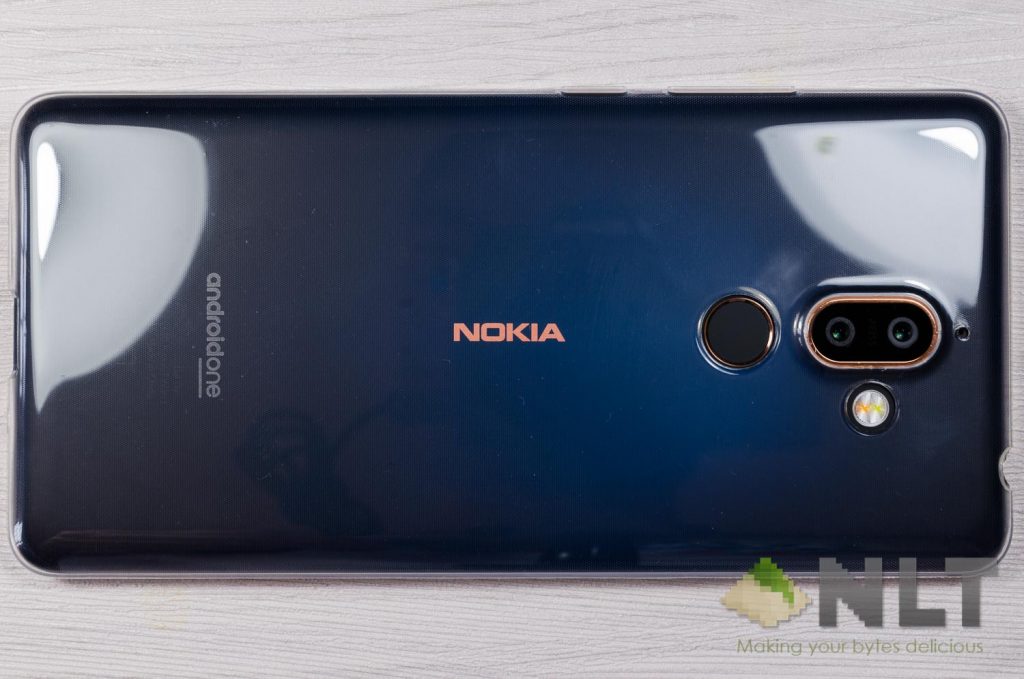
There is a lip that surrounds the entire screen – which is good. However, there is no lip surrounding the camera lenses. That is something of my personal concern as I worry that the camera lenses will get scratched.
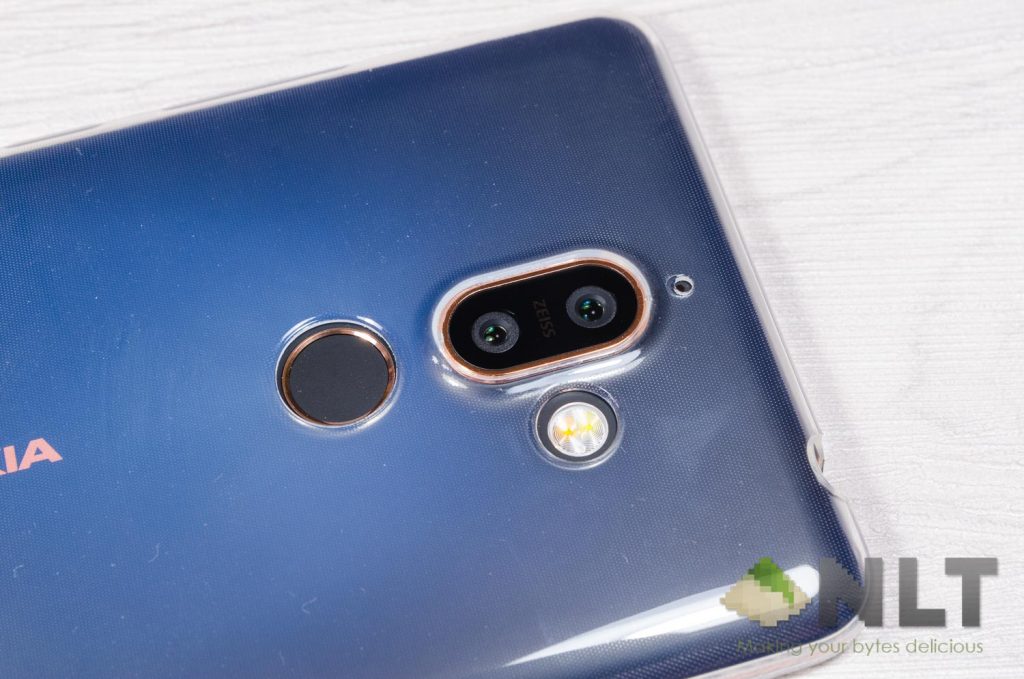
The buttons did get accentuated by the case which makes the buttons easier to press.
[nextpage title=”Display”]
There’s nothing particularly spectacular with the display on the Nokia 7 Plus. It has a 6-inch display with 18:9 aspect ratio alongside with 2160×1080 resolution. Pretty standard for a smartphone of this time.
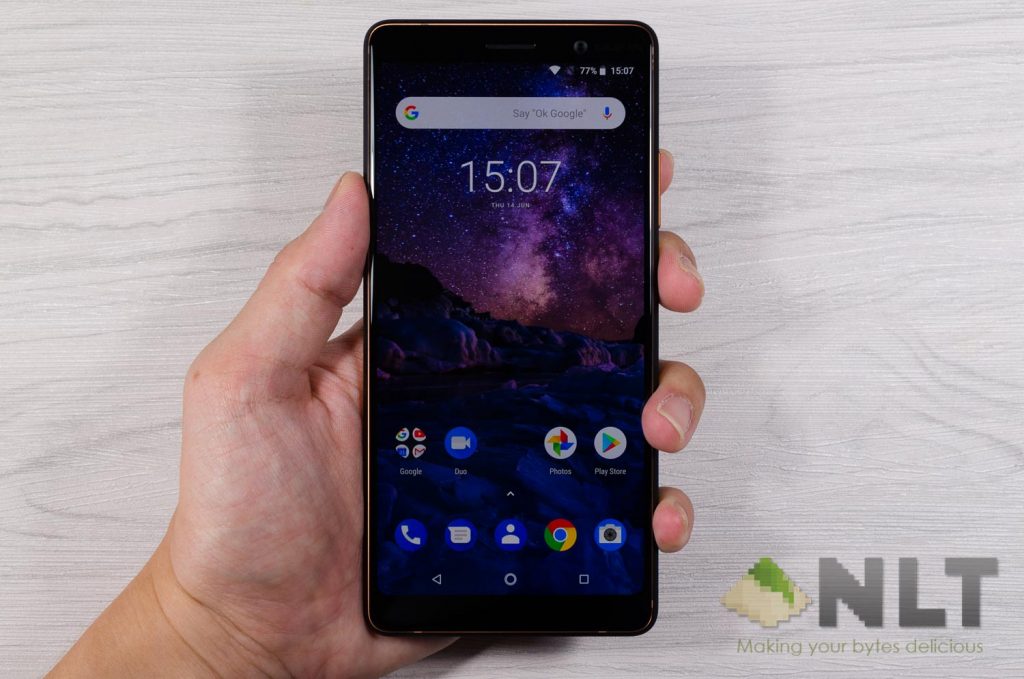
Nokia opted the usual IPS LCD screen panel for the 7 Plus – which is alright. Colors in itself is pretty great, to be honest. However, like any other LCD panels in the market, the black color isn’t “black” per se as the backlight of the entire screen is still turned on.
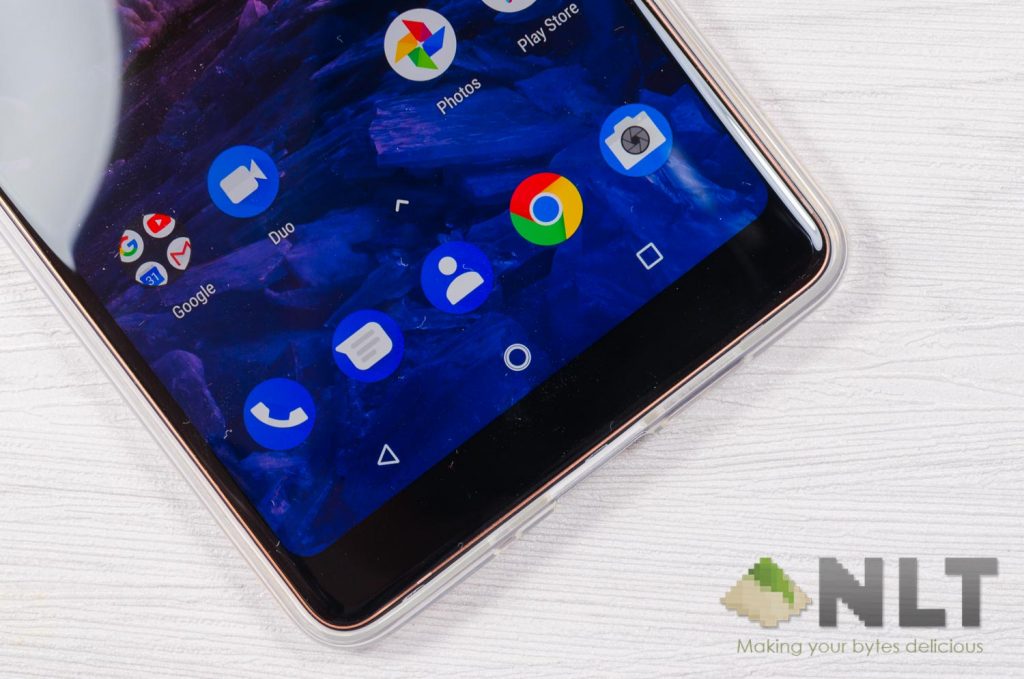
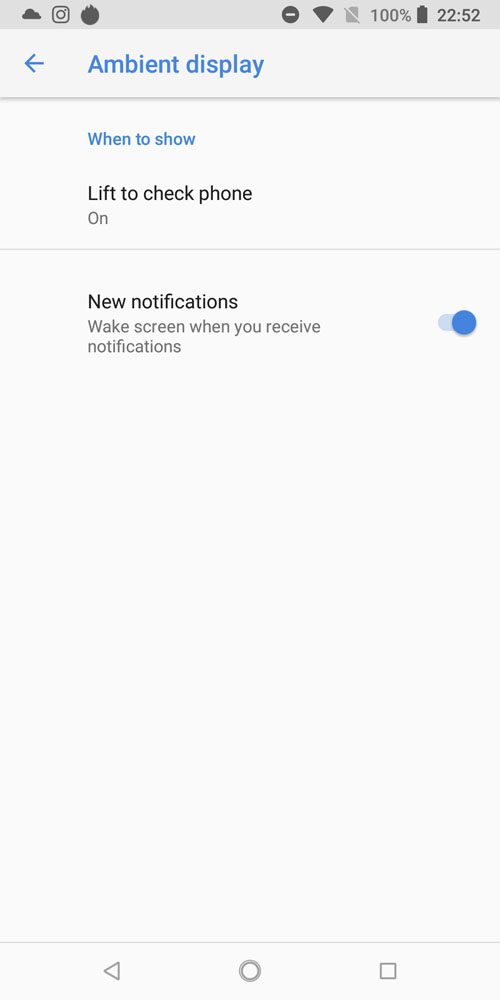
That’s where the always-on display, or AOD, falls short in the Nokia 7 Plus. The AOD menu displays time and a few notifications – pretty typical stuff. Also, Nokia made it so that the screen will turn on for a few seconds after a notification is received or when the phone is lifted. It’s subtle and not with the intention of being “in your face” to get your attention. Nicely done by Nokia.
[nextpage title=”Connectivity & ports”]
I’m quite impressed by what Nokia has packed into the 7 Plus when it comes to connectivity. It has full 802.11a/b/g/n/ac support. It even comes with NFC – a dying standard in the Android ecosystem!
I really like how Nokia can make sure its wireless connections can still function properly while the antenna lines are covered up so nicely by the beautiful design of the phone itself.
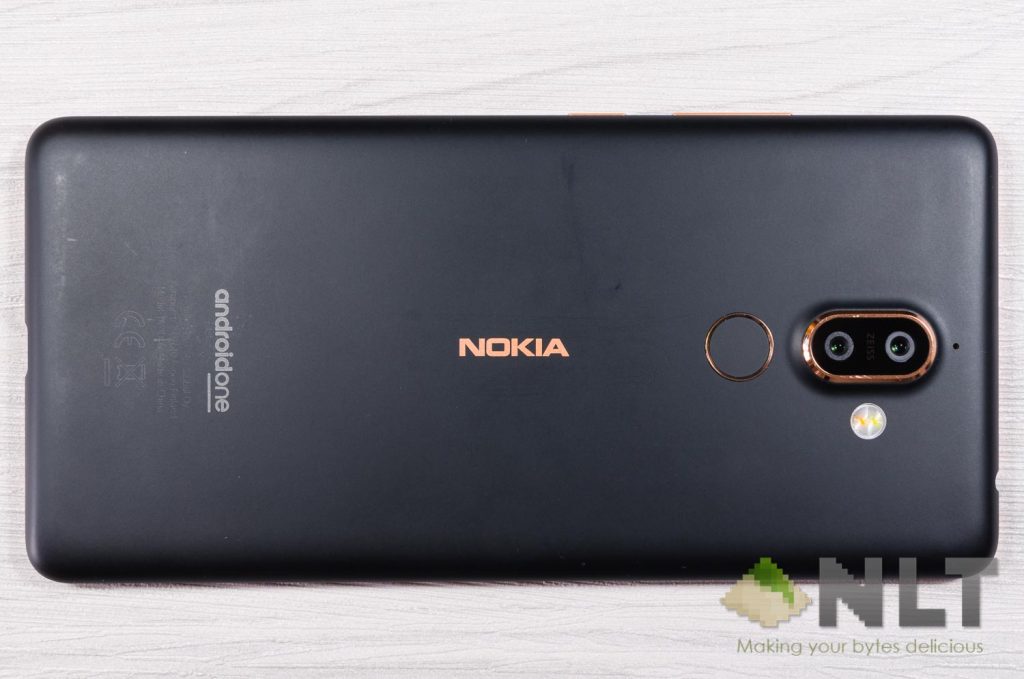
When it comes to SIM cards, the Nokia 7 Plus is stuck with the commonly-found SIM1+combo slot configuration.
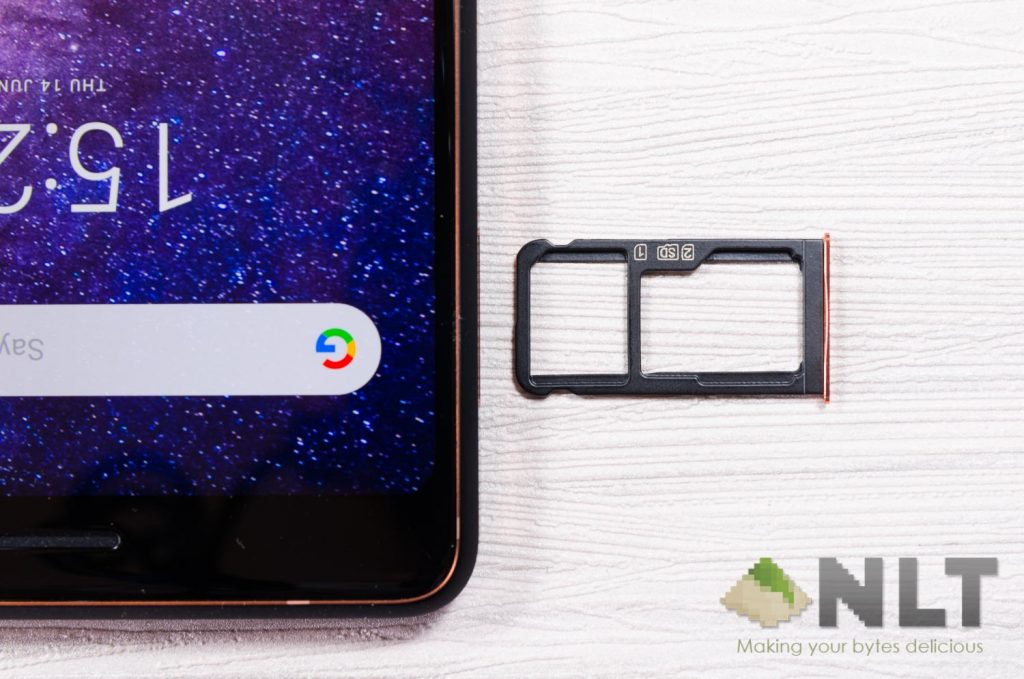
As for the ports, the Nokia 7 Plus comes with a 3.5mm audio jack at the top whereas the USB-C port and the downward-firing speaker are located at the bottom. This loudspeaker design is similar to what we’ve seen in the ASUS ZenFone Max Pro (M1) and also the Samsung Galaxy S9.


[nextpage title=”Camera”]
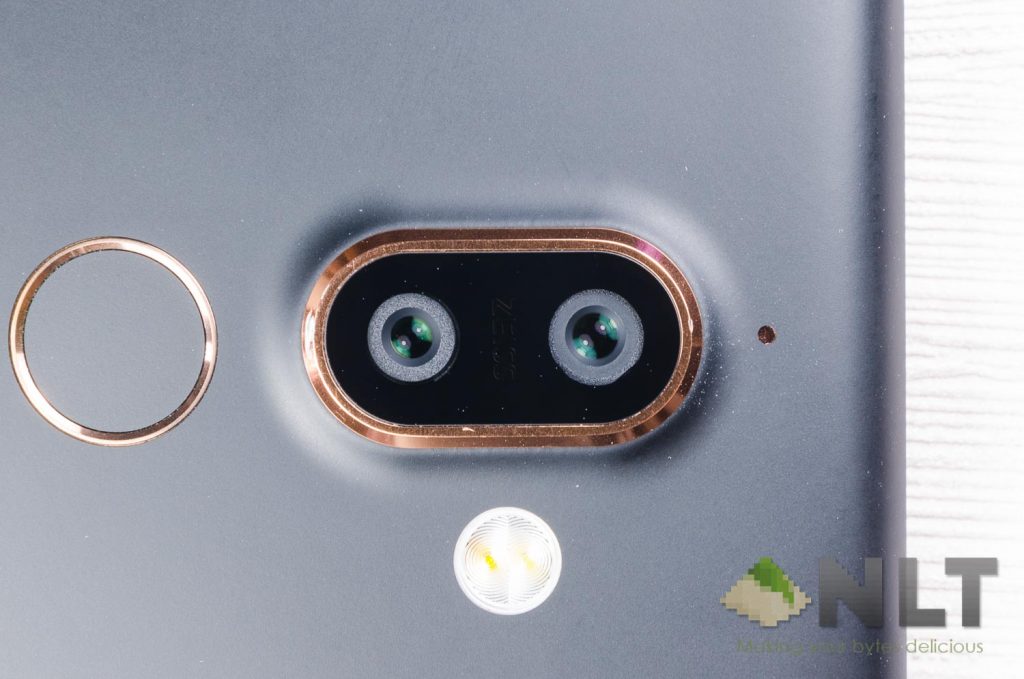
When it comes to the camera, Nokia always touts that they’re the ones who uses ZEISS optics. ZEISS is a German company that manufactures optical instruments for industrial measurements and medical devices. For Nokia to use their technology, we expect top notch quality pictures, right?
The Nokia 7 Plus comes with a dual-camera system at the rear – which is no surprise given that everyone is moving towards that trend after all. Nokia isn’t cheaping out for the cameras as all cameras are using ZEISS optics. Learn more about dual-camera systems here.
- Rear-cameras
- 12MP f/1.8 25mm main camera + 13MP f/2.6 camera
- ZEISS optics
- 2x optical zoom
- DPAF
- Selfie camera
- 16MP f/2.0 with Zeiss optics
With that said, how does it actually perform?
For the full size of all pictures shown below, visit our Flickr album. Metadata and all of the EXIF data are displayed there as well.
Dual rear-facing cameras
For those who have been following our reviews on smartphones, you might have realized that I personally prefer optical zoom for the dual-camera system instead of wide-angle. The Nokia 7 Plus comes with an optical zoom camera – and that’s a good thing.
Pictures coming out of the rear-camera actually looks good under bright light. Finer details aren’t as sharp as I want it to be, but still look enough. Under 2x optical zoom, the details are still aren’t as sharp as it should be.


Its manual mode can take some rather beautiful pictures at night – but will definitely need to have its UI fine tuned. More on that later.
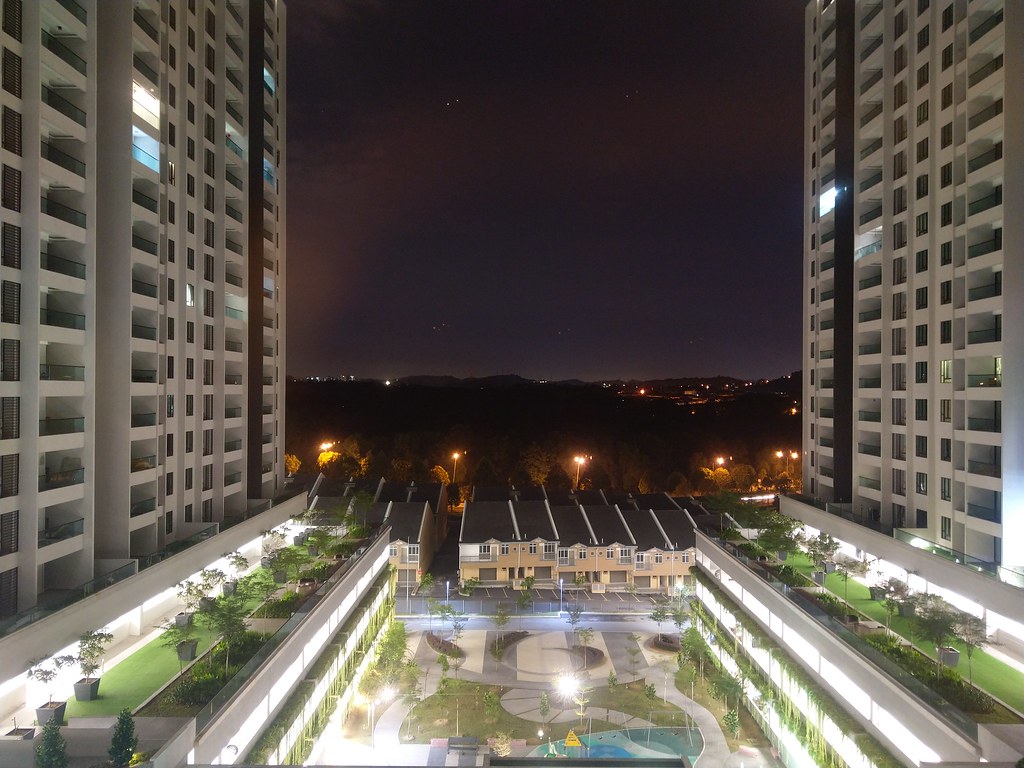
As for HDR mode, for some reason, it can take good-looking pictures at one scene, but just overexposes the entire picture in another scene. Quite drastically, I should say. We have the same picture taken without HDR in our Flickr album as well.

When it comes to colors, the Nokia 7 Plus is doing good. The pictures colors appear great even in low-light conditions.

Like most other smartphones in the market today, the Nokia 7 Plus has the option to watermark the pictures taken as well. Instead of having a tiny logo at the bottom left corner, Nokia decided to put a big watermark at the center. You can move it around, but cannot resize it. It’s just hideous.

Selfie camera
Selfies on the Nokia 7 Plus is actually pretty okay even under dimly lit conditions.

We all know that the main selling point of the Nokia 8’s camera is the Bothie feature. It can go live to whichever platform you prefer, right on the camera app itself. On the Nokia 7 Plus, the Live feature is now gone – and Bothie is now taking a less significant spot in the roster of camera features. Nokia has also renamed Bothie to be Dual-Sight mode.

There are a few modes to choose from as well – either picture-in-picture or half-half.
Camera UI & software
This is certainly something good and minimalistic. I like how Nokia got all rid of all the unnecessary modes and stuck to just a handful of useful ones. It’s really clean.
The manual mode is revealed when the shutter button is swiped upwards. It’s an interesting UI, but there are some flaws.
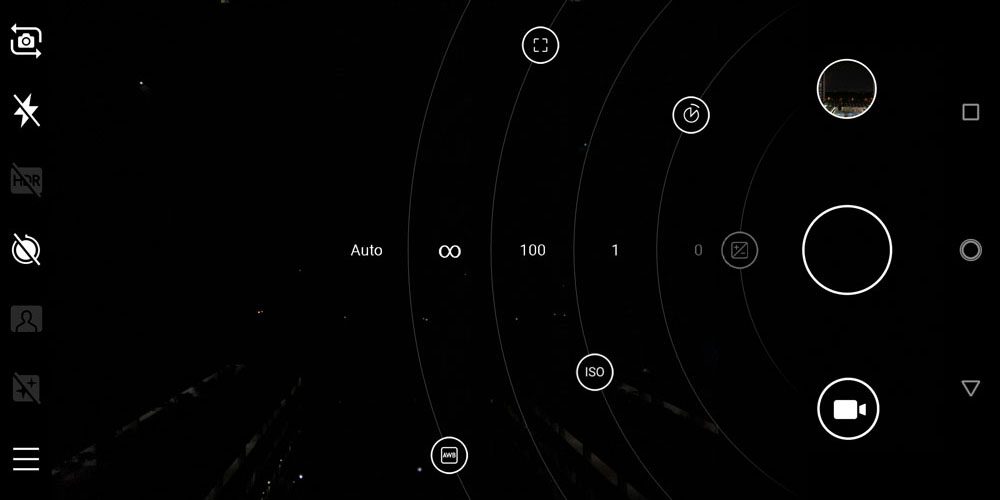
It takes a whole second to change from full auto to manual mode. After that, these you can drag these dots across its own arcs to adjust the individual settings. You can manually set the white balance, ISO, shutter speed, and focus.
The range of each of these settings however, are questionable. Shutter speed ranges from 1/500s to 4s, whereas the lowest ISO is 100. Other smartphones can do ISO 50 or even 25 in manual mode. One major problem I have with the Nokia 7 Plus’s camera is the fact that I cannot use the 2x optical zoom with manual mode. It is doable with the ASUS ZenFone 3 Zoom.
Other buttons like enabling HDR could’ve been better if it’s a cyclic button instead of a button that has another menu popping out.
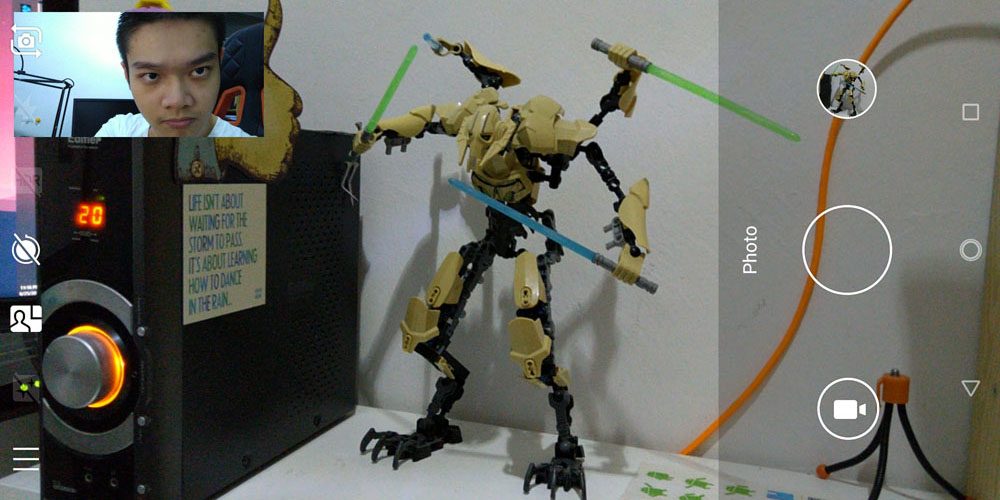
Also for some reason, PIP Dual-Sight mode requires the picture to be taken in 18:9 aspect ratio.
[nextpage title=”Software”]
The one big thing Nokia touts during its announcement at MWC2018 is Android One. Android One for all of their phones in the market henceforth. I actually like that idea. Nokia is sticking their finger right into stock Android and committing to it fully.
There are a few benefits of Android One – firstly being the purest Android experience with zero bloatware. Second benefit is the timely security updates alongside with much faster major versions of Android gets prepped and readied for Android One smartphones. While these are pretty much “under the hood” stuff for most users, stock Android offers a few other pros as well. Take a look at this.
It’s not something that is found on all other smartphones, and it’s one of the features that I personally love albeit a small part of the overall UI.
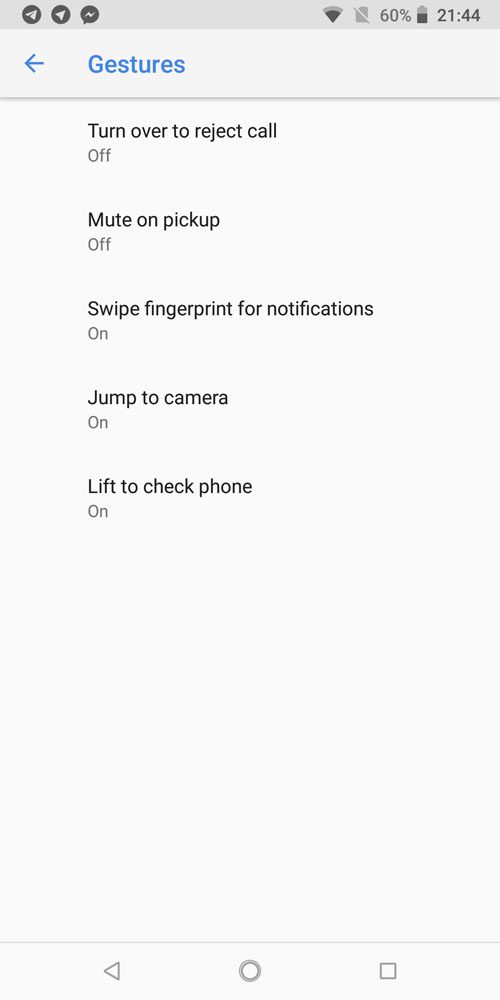
Then there are gestures. The Nokia 7 Plus has a few gestures to select from – most useful one being “swipe fingerprint sensor for notification”. Every other thing is just stock Android all the way.
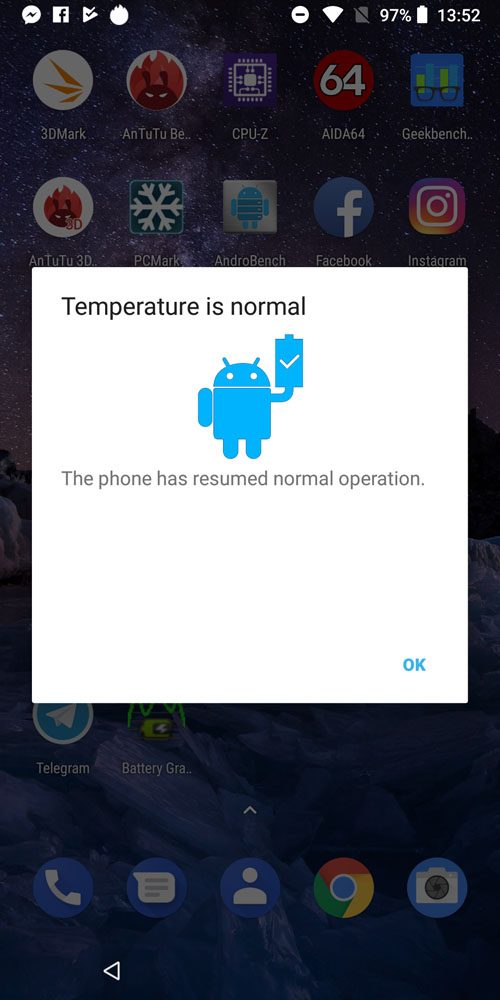
We did experience a weird bug as well. It’s the first time I’ve ever seen that Android itself will prompt that the phone is too hot. I was merely charging it with a 5V 2A charger when I got this message. It happened once. I cross-checked with another reviewer and he was getting this message as well.
[nextpage title=”Performance & gaming”]
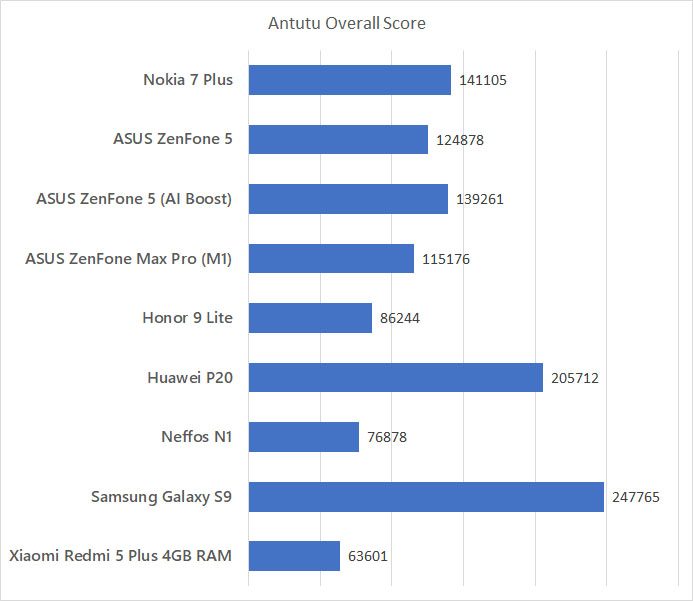
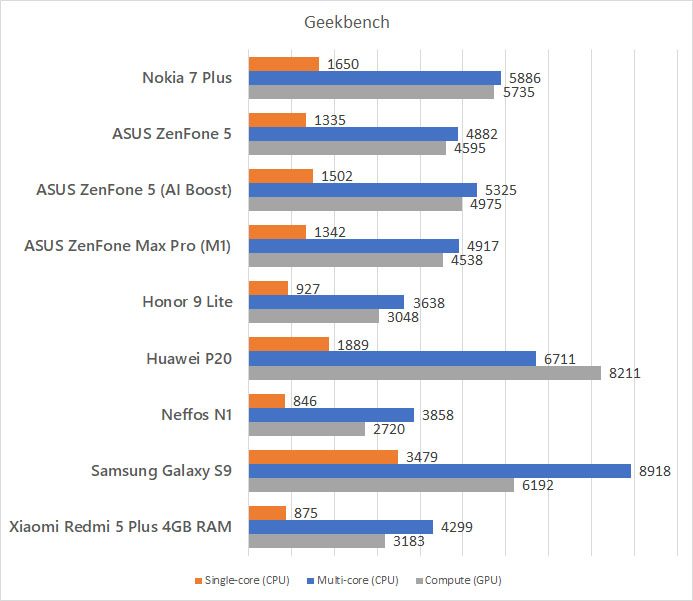
The Nokia 7 Plus comes packed with a mid-range class of hardware. That is not an issue, given that the hardware is sufficient for more than just daily use – and gaming as well.
- 6-inch 2160×1080 screen
- Qualcomm Snapdragon 660 chipset
- Octa-core processor (4×2.2GHz Kryo 360 + 4×1.8GHz Kryo 260)
- Adreno 512 GPU with 128 ALUs
- 4GB LPDDR4 RAM
- 64GB eMMC 5.1 of storage
- 3,800mAh battery
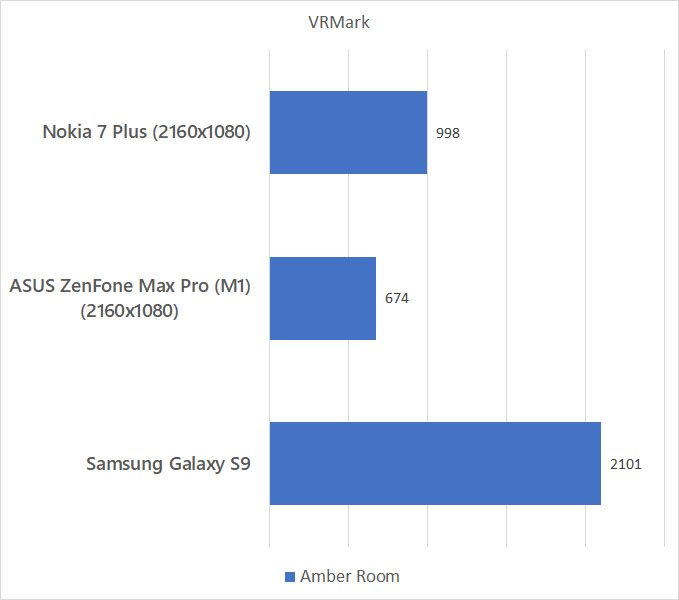
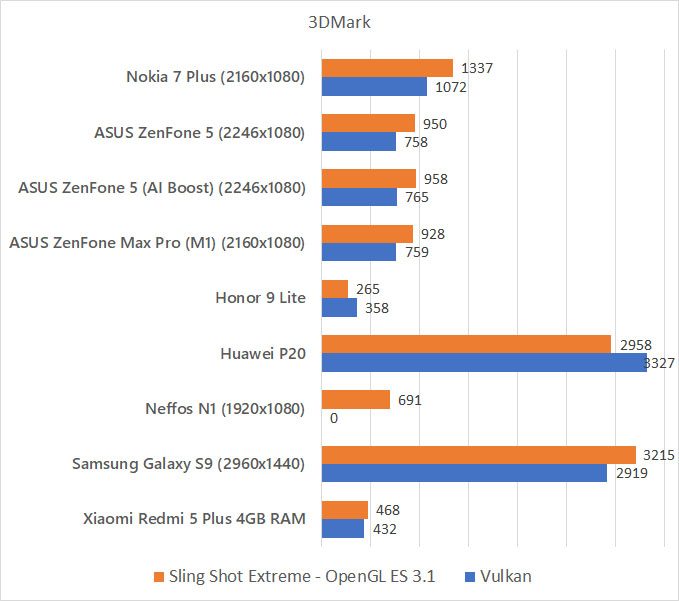
We also added one new test in our usual slew of test – VRMark. While we do not know the significance of VR in mobile for the coming years, VR puts a lot of stress on the GPU as it needs to render high quality images at a very high frame rate to maintain VR immersion.
Gaming
As for the gaming experience, the Snapdragon 660 is without a doubt performing better than what the Snapdragon 636. We used these two to compare as we have two of these phones in our lab.
Currently, Honkai Impact 3 is still the heaviest game that we have. The Nokia 7 Plus can actually run Honkai Impact 3 on the highest settings with all graphic effects enabled – but it runs way below 60FPS. It’s playable at about 40FPS most of the time.
[nextpage title=”Battery & charger”]
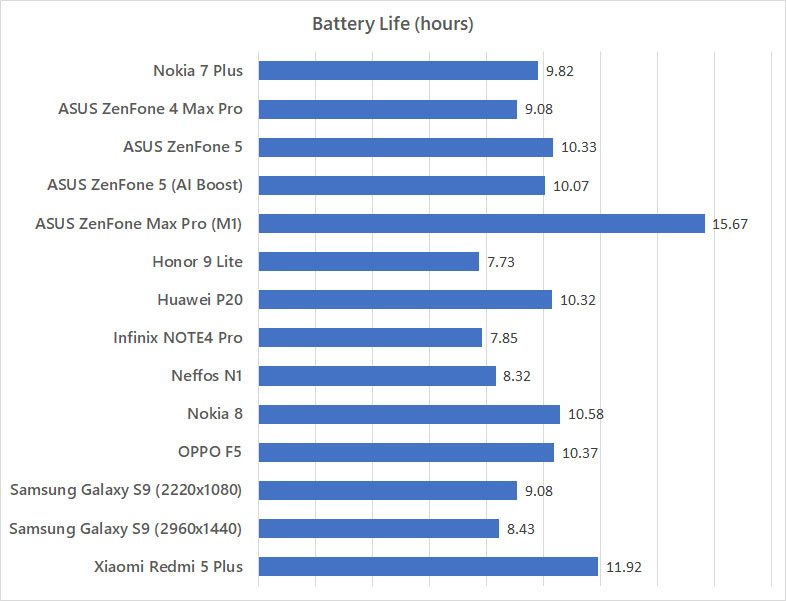
The Nokia 7 Plus comes with a larger-than-usual 3,800mAh and Nokia claims that it’ll be good enough to last for 2 days. That’s a bold claim. Throughout test, we can see that the Nokia 7 Plus can last quite long – but definitely not 2 days.
Charger
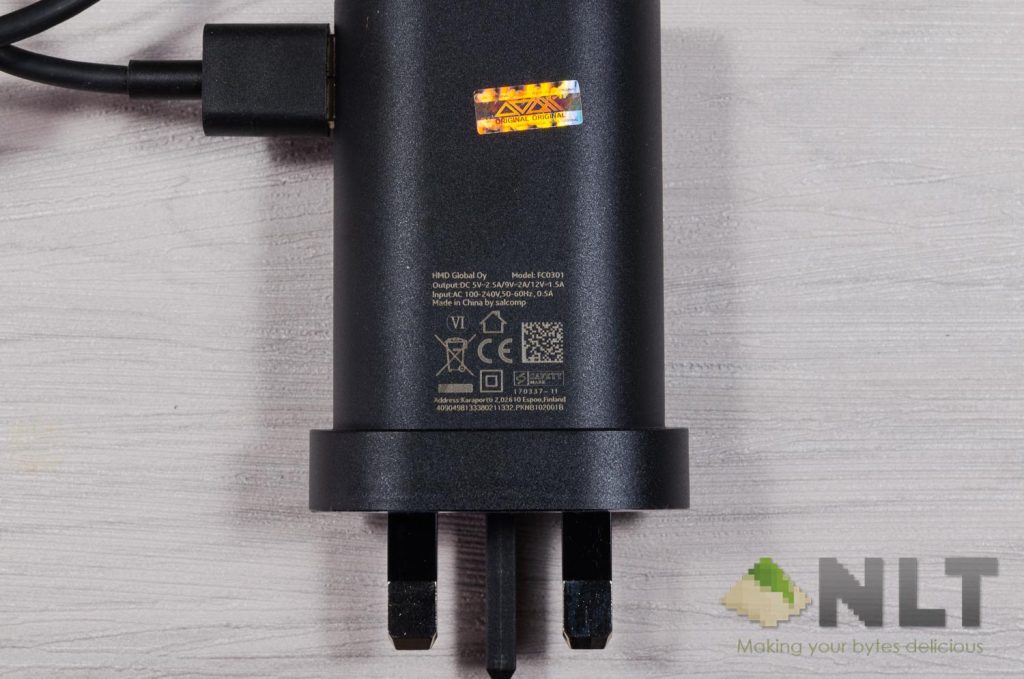
Since the Nokia 7 Plus supports Qualcomm’s QuickCharge 3.0, it comes with a charger that supports it as well. The charger is able to output 12V 1.5A max, or at 9V 2A – maxing out at 18W.
From our earlier experiments on differences between battery chargers, the Nokia 7 Plus does indeed have a faster charging speed to reach the 50% to 75% mark. Learn more about smartphone chargers here.
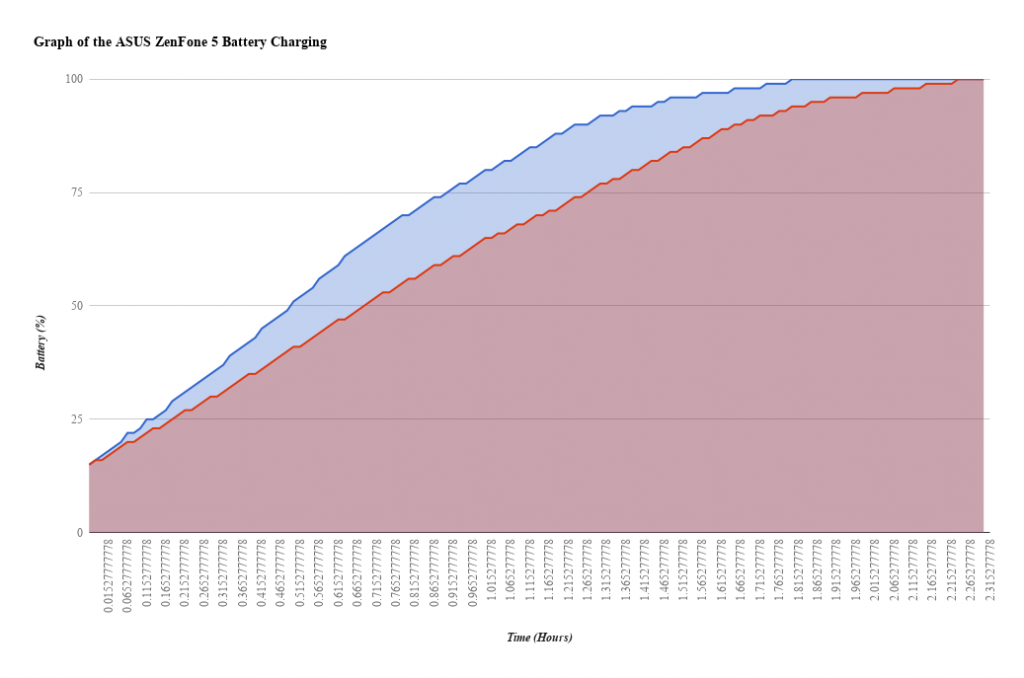
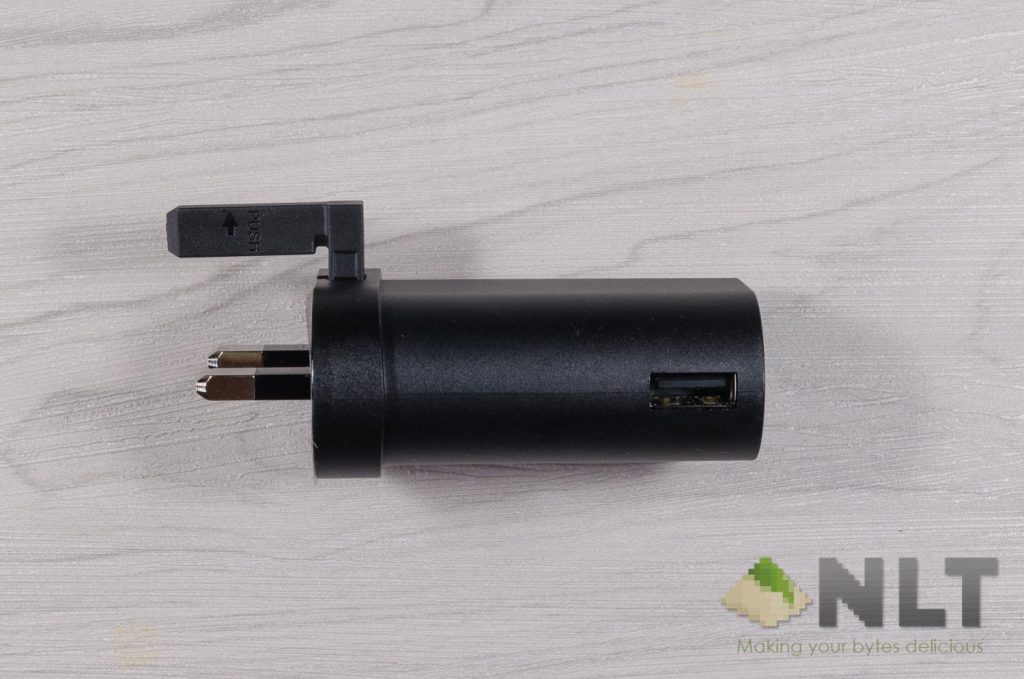
Also, there is no option to disable fast charging. You’ll have to physically use a different charger. Another thing to note is the weird side USB port on the charger. It’ll obstruct some other ports if using at a cramped up place.
[nextpage title=”Wrapping up the Nokia 7 Plus review”]
Truth be told, the Nokia 7 Plus is a gorgeous smartphone. Once booted up, it’s quite bland – like any other stock Android smartphones. There’s nothing particularly eye-catching when it comes to the features. You’ll get updates ASAP – and that’s a big plus point.
There are some picture processing algorithm that will need to be addressed for sure. HDR mode for example is something that I see Nokia can do better. Some fine-tuning of the manual mode’s dials are needed as well.
For the price of RM1,600 right now, the Nokia 7 Plus is definitely not the most affordable smartphone in the market. However, you get something that no other smartphone manufacturer has done – a phone frame milled out of a single block of series 6000 aluminium. That is if that matters to you.
Where to buy?
Lazada link here. You can actually find some nits at only RM1,499.
Like our Facebook Page here at NasiLemakTech.com for more news and in-depth reviews! Also, join our Facebook Group for insightful information and memes!
Subscribe to our YouTube channel too!