


















Did I just see that right? A tablet review? They’re still in the market these days? Apparently yes – even if tablets the demand has slowed down over the years. Samsung is not stopping – and hence we have the Galaxy Tab A 10.5 with us here today.
Without further ado, let’s take a deep dive and look at the Samsung Galaxy Tab A 10.5 to see what it has to offer. We only have the tablet itself. Hence, we can’t do the unboxing – but fret not, we can talk about the specs instead.
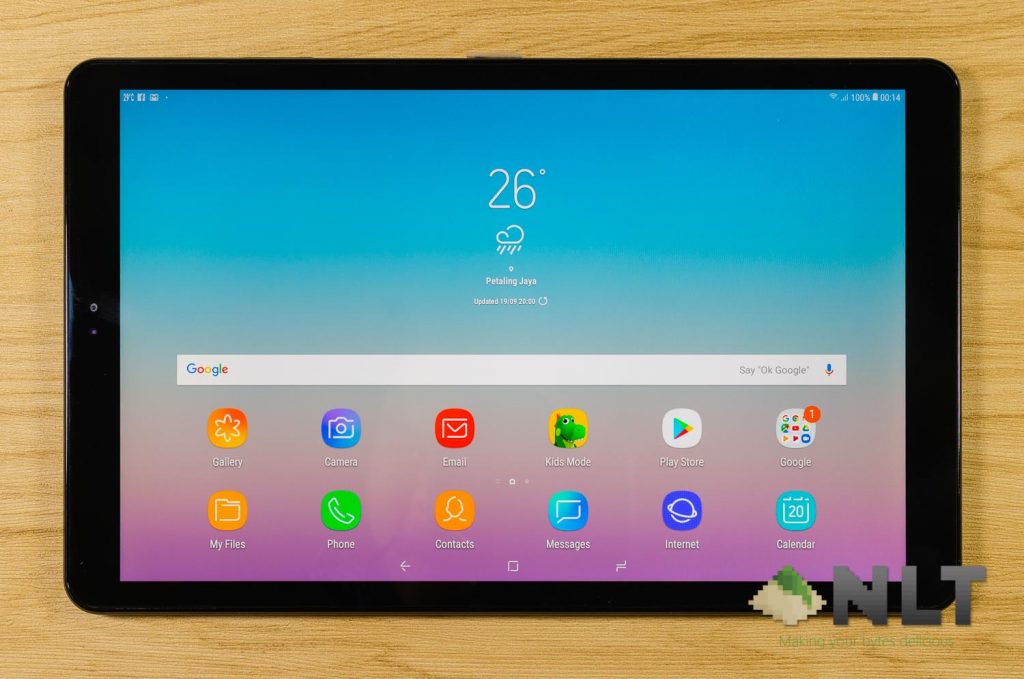
Specifications
- 10.5-inch TFT display with 16:10 aspect ratio; 1920×1200 pixels in resolution
- Qualcomm Snapdragon 450
- 8x Cortex-A53 @ 1.8GHz
- Adreno 506 graphics
- 3GB RAM
- 32GB storage
- 7,300mAh battery
- Android 8.1.0 Oreo with Samsung Experience 9.5
The Galaxy Tab A 10.5 is considered to be an entry-ish level tablet with its list of specs. Just like any other Galaxy Tab A tablets, it is somewhat targeted towards parents who want to watch videos, listen to music, and let their kids have fun with the tablet.
Why do we say that? Well, let’s take a look at the full in-depth review here.
[nextpage title=”Design”]
Looking at the design itself, I can tell for one that Samsung isn’t particularly keen on changing a tablet’s design that is proven to work. The new Galaxy Tab A 10.5 (2018). However, the most notable here is slightly smaller bezels.
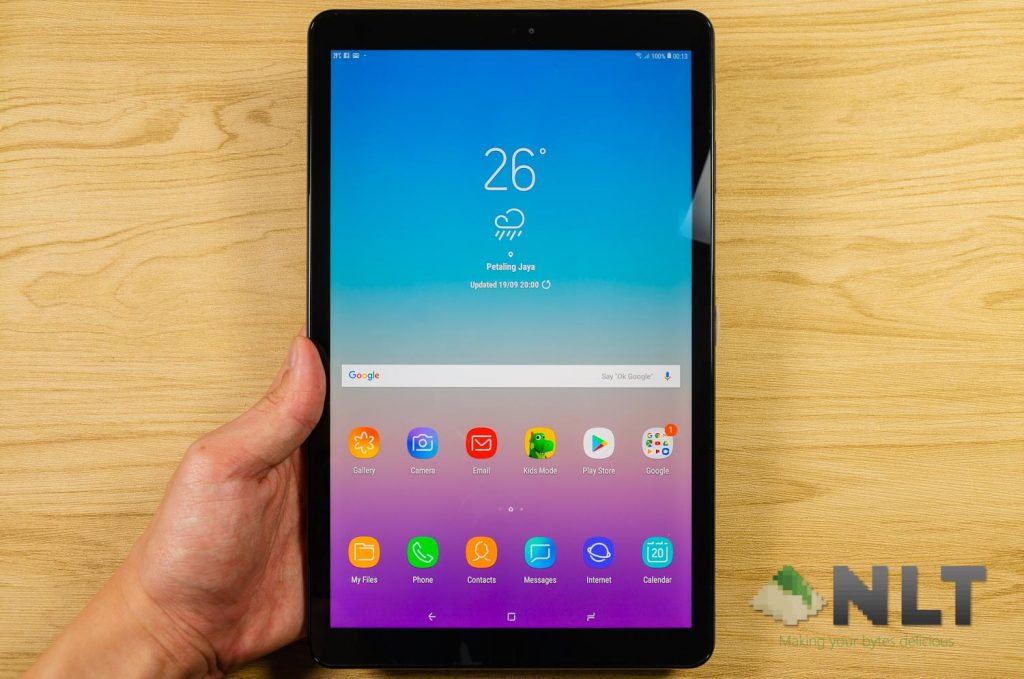
That’s because Samsung removed the physical buttons and moved everything in to the screen. I think that this is a much more modern design and a sleeker look too. Besides, when it comes to virtual keys, you can swap the back and multitask button in whichever way you like. Or, you can hide them entirely. Though, we’re still waiting for gesture-based navigation from Samsung.
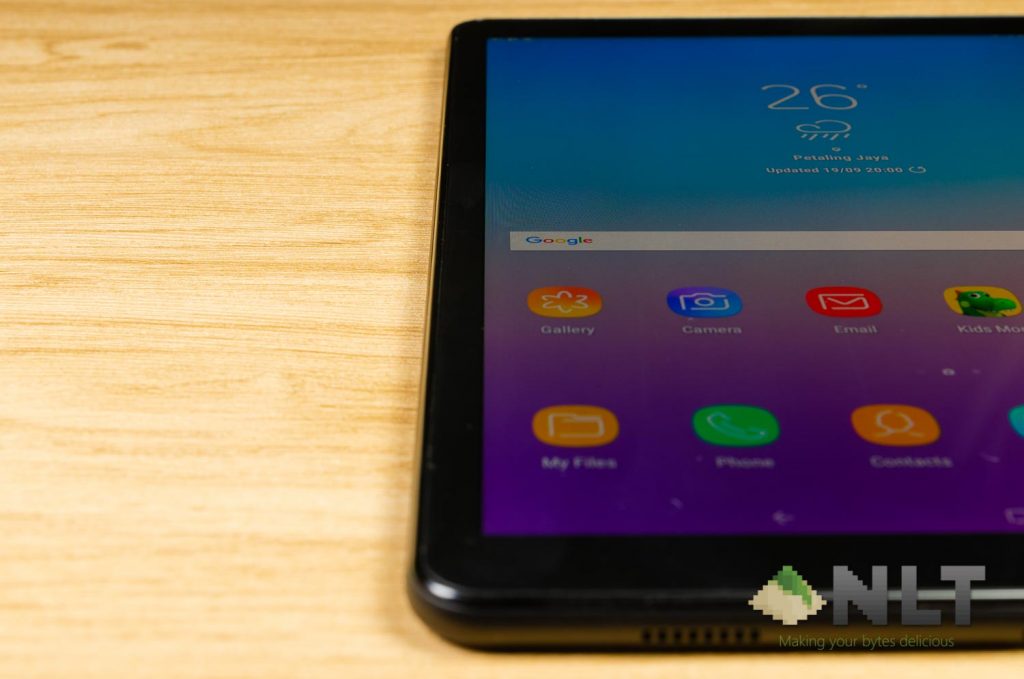
Also, when it comes to tablets, I do not support the idea of eliminating bezels since I still need some space to hold the tablet with my fingers.
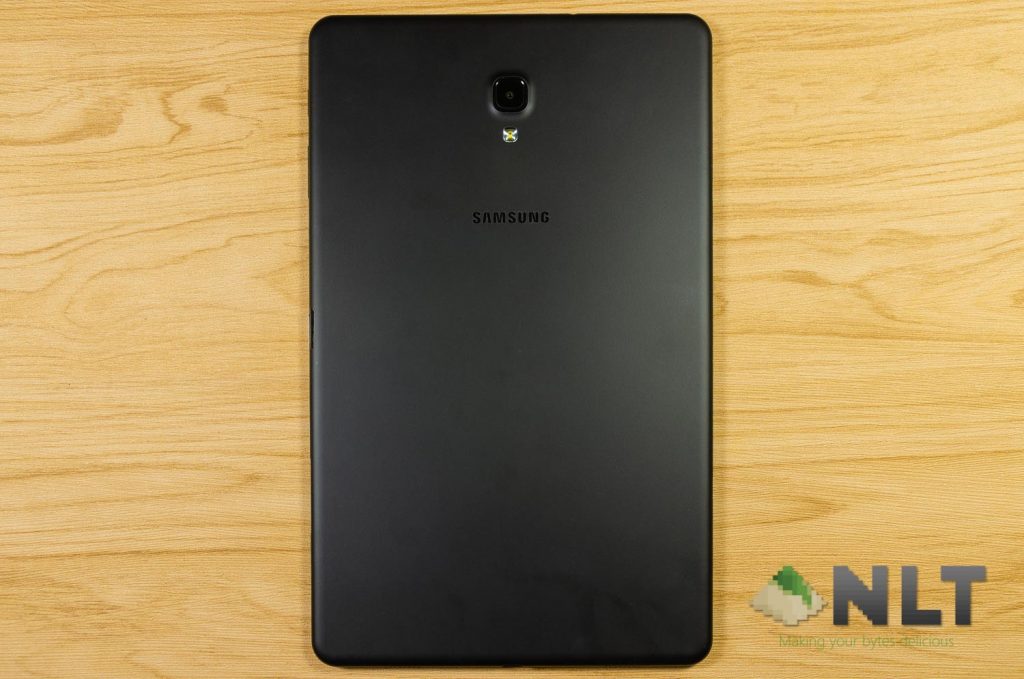
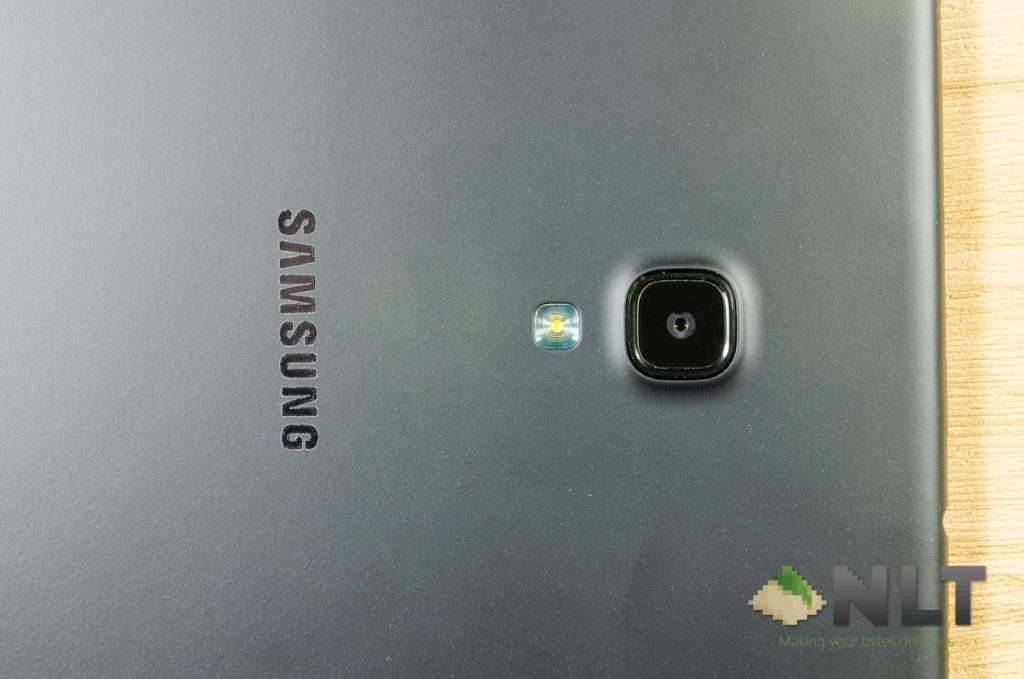
While on the subject of the design, I’m most disappointed to know that the back of the Galaxy Tab A 10.5 (2018) is using something we call a “soft touch material”. Whatever the color of this soft touch material, it cannot last for long. After some time, the material will start to get sticky and eventually become unbearable to use. There are many PC casings and keyboards that uses soft touch material, and all of them turned sticky. The original Motorola XOOM tablet uses soft touch material as well, and it turned sticky.
Besides getting sticky, the soft touch material also shows fingerprint grease marks easily but their surprisingly easy to clean.
While we do not have the full retail box set, we are unable to comment on the accessories that include with it.
[nextpage title=”Connectivity & Ports”]
Alright, the Galaxy Tab A 10.5 (2018) we have here has the codename SM-T595 which actually has a Qualcomm 4G modem inside. And yes, it supports a nano SIM + microSD card.
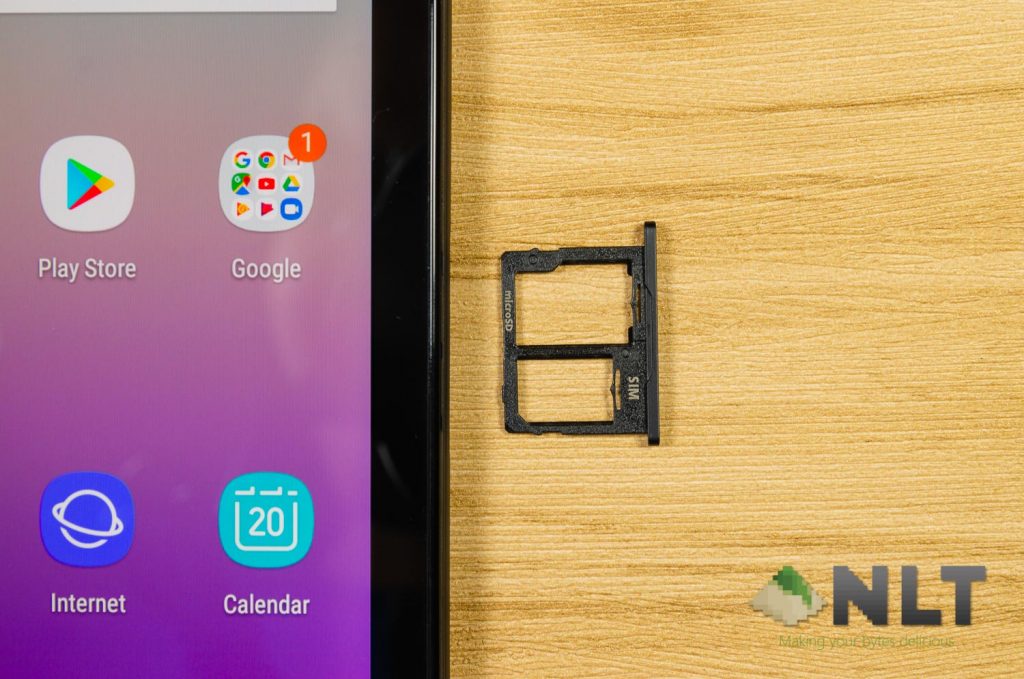
With that said, this tablet actually supports the dual audio feature. Remember the feature that first debuted with the Samsung Galaxy S8 where you can pair two different Bluetooth speakers and have both of them play the same audio at once? Yeah, that one.
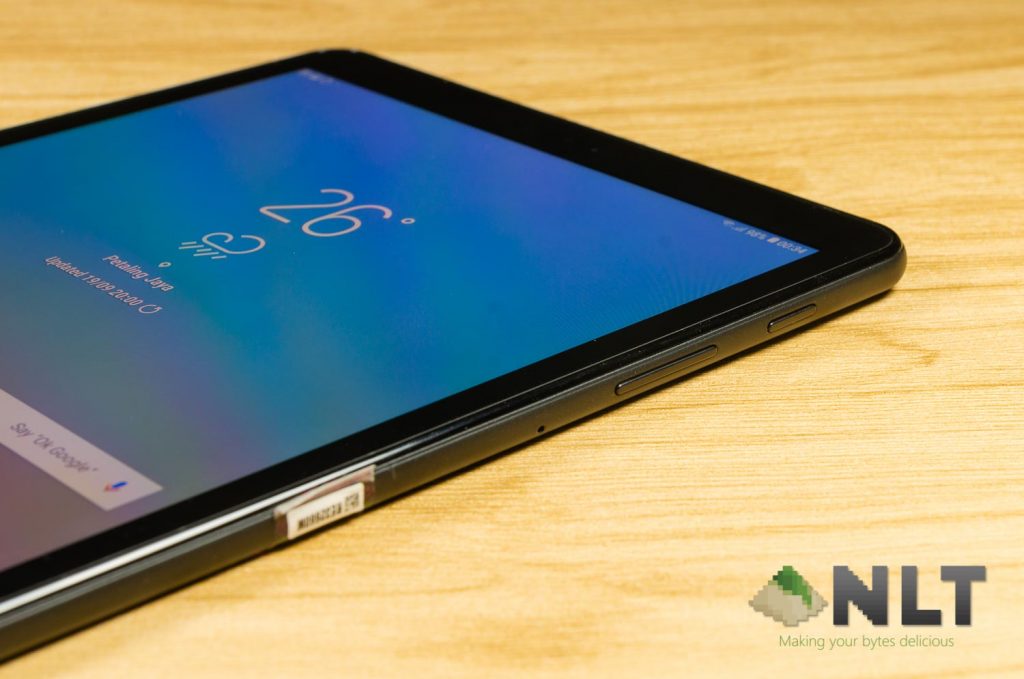
Other than that, the Galaxy Tab A 10.5 (2018) also supports 802.11ac WiFi – which means it has support up to 5GHz AC WiFi. With that, you can stream high bitrate videos on the Galaxy Tab A 10.5 (2018) without issues – if your router enables you to do so, that is.
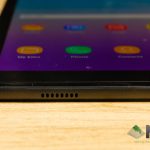
Let’s also talk about the loudspeakers for a while. The Galaxy Tab A 10.5 (2018) has a total of 4 speakers at around the corners. I have to say, this is one of the better sound speakers on a tablet thus far. Since the tablet has a rectangular shape and the two speakers are at the far edges, they actually sound like a true stereo speaker.
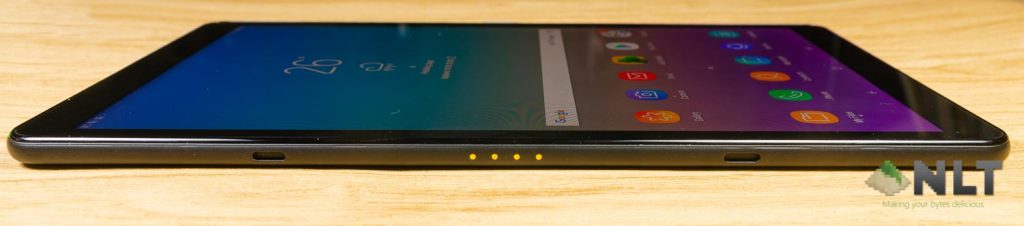
At one of the long edge of the tablet, there are pogo pins where it actually works with an accessory by Samsung called the POGO Charging Dock. This dock is sold separately, obviously – but transforms your tablet to become an informative bedside console-like device.


[nextpage title=”Display”]
On the specs sheet itself, we can see that the display isn’t exactly the most beautiful one out there. It’s using a 16:10 aspect ratio TFT display with 1920×1200 resolution. Why didn’t Samsung just use IPS LCD instead?
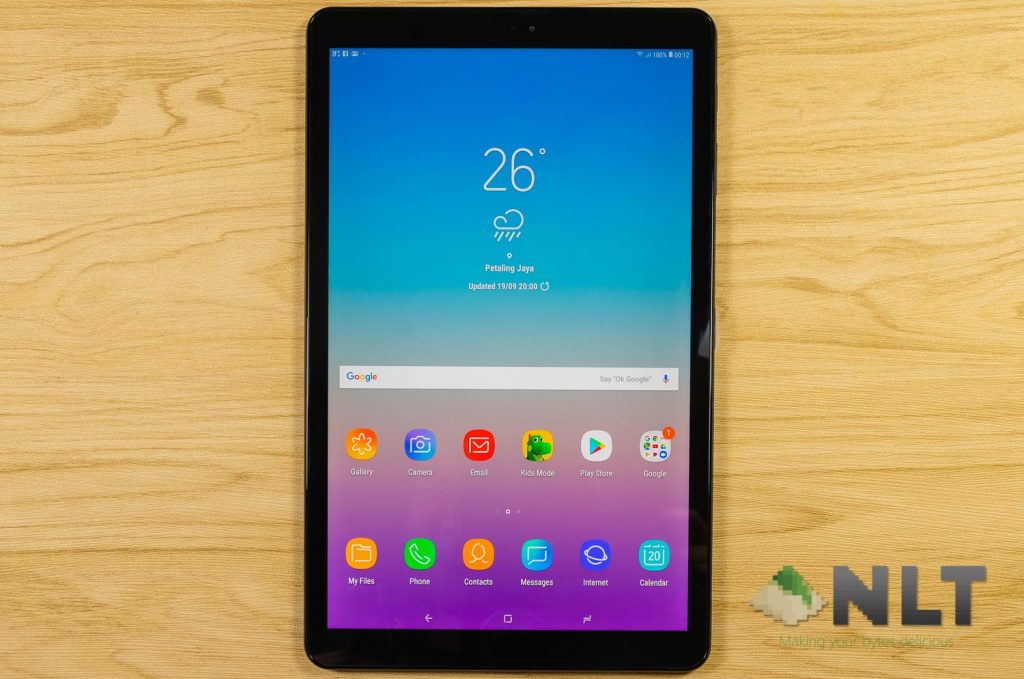
How I discovered it’s using TFT before looking at the specs list is simple – scrolling through the home screen causes a motion blur in the hovering app icons. That is an inherent issue with TFT.
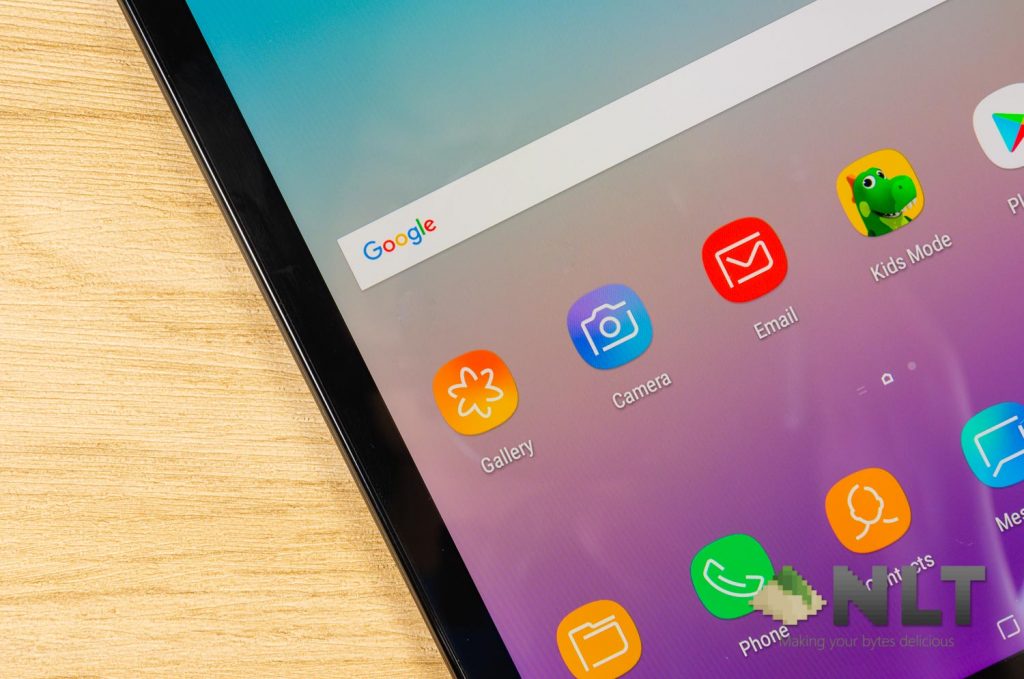
That’s why the Galaxy Tab A 10.5 (2018) isn’t particularly meant for intensive games – but that depends if you are bothered by the motion blurring or not. Surprisingly, speed-scrolling on Facebook is a good way to experience the TFT motion blurring. For me personally, I’m quite fine with it under some use cases.
Motion blur aside, the display used in the Galaxy Tab A 10.5 (2018) is actually quite a good quality one. Colors aren’t as vivid as Super AMOLED, but the white balancing and brightness are decent.
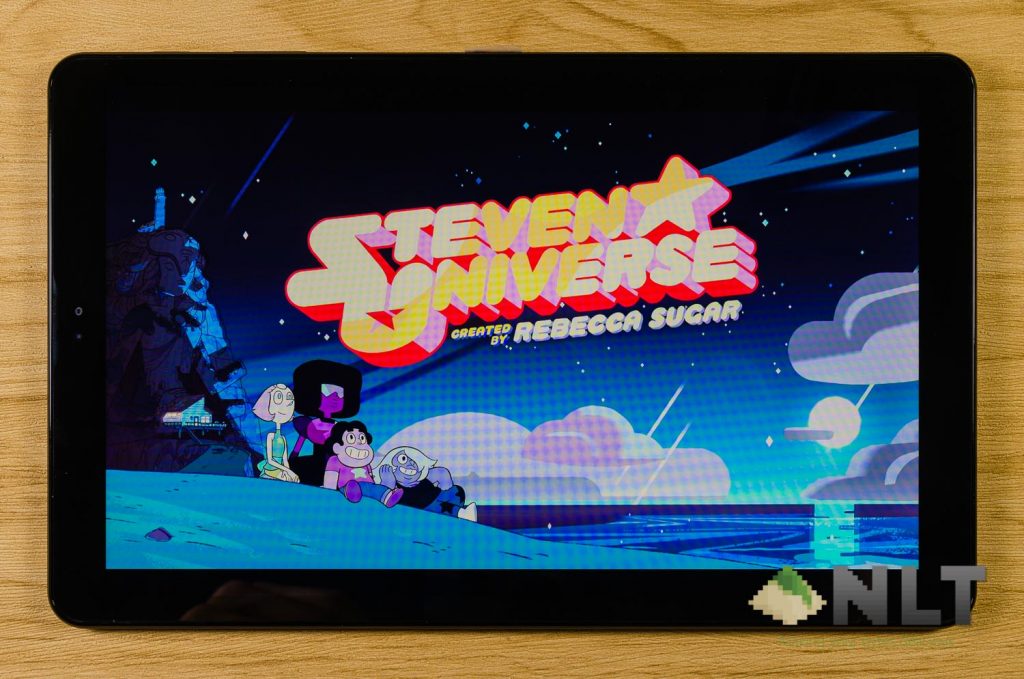
Still, the TFT display here is quite good for movies, YouTube videos, and reading documents or websites thanks to its 16:10 aspect ratio. A little more real estate never hurts. 😉
[nextpage title=”Camera”]
Oh no – jokes about tablet photography is back once again! Jokes aside, here are the specs for the cameras that come with the Galaxy Tab A 10.5 (2018).
- Rear-facing camera: 8MP with f/1.9 aperture; AF
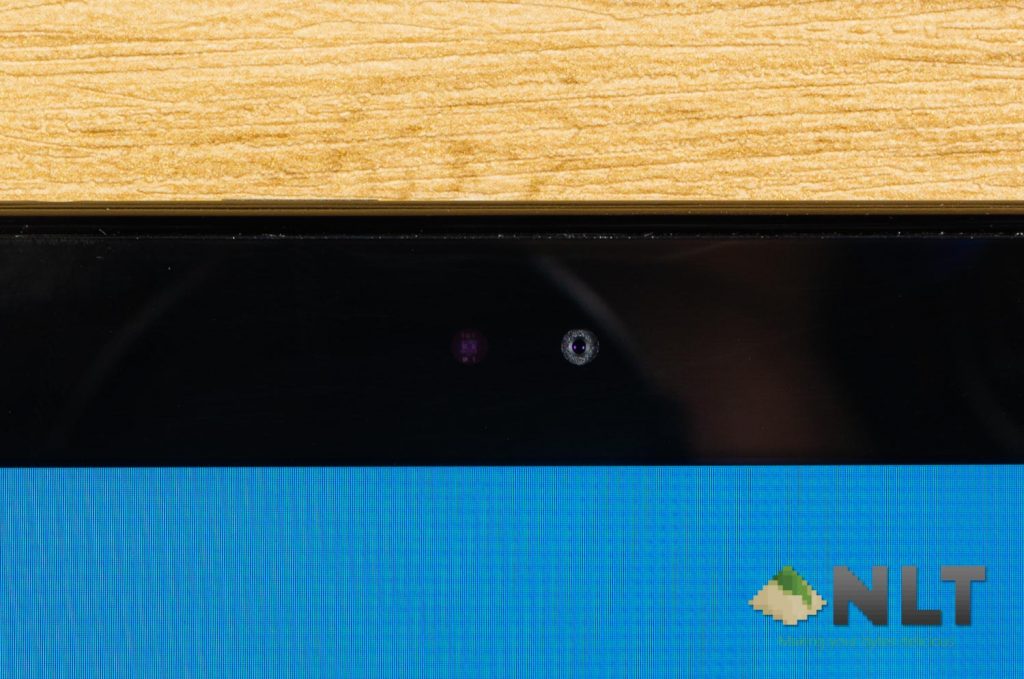
- Selfie camera: 5MP with f/2.2 aperture; fixed focus
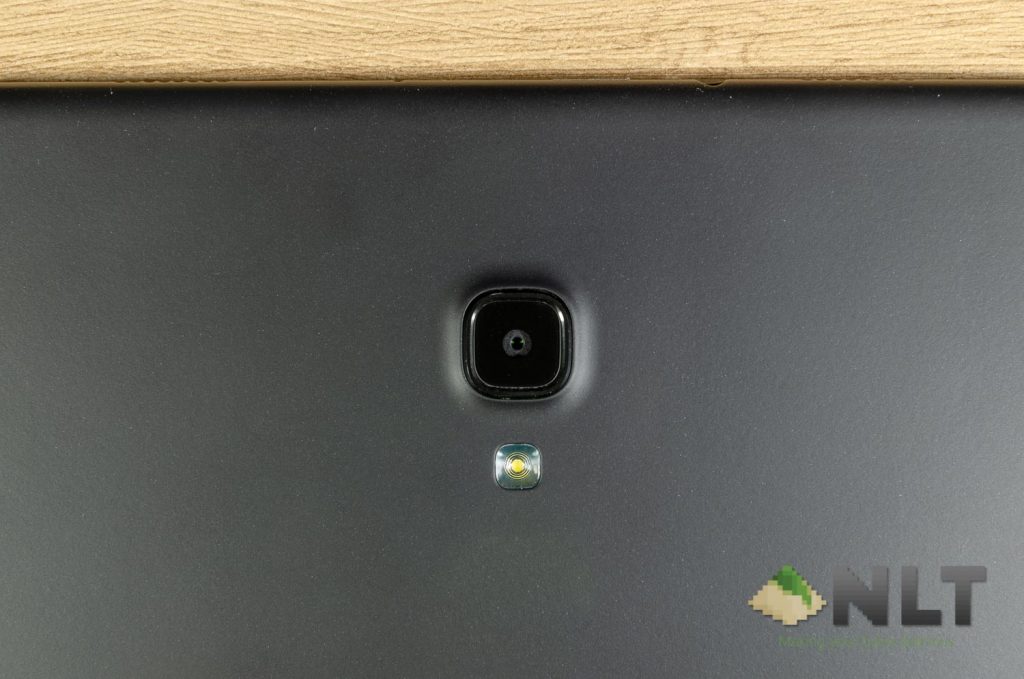
So far, I have yet to see a tablet with dual-cameras. Though, that might be a good thing. No one wants people to start taking out their tablets and take pictures at festivals and events now, do we?
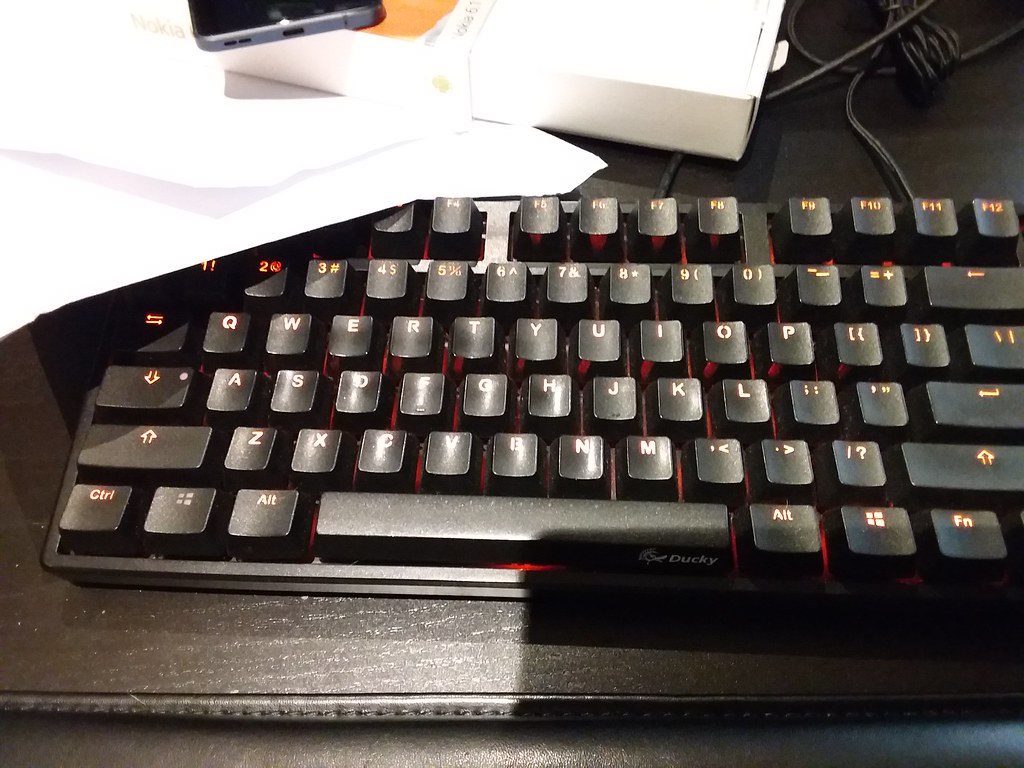
Here are some picture samples taken with the Galaxy Tab A 10.5 (2018). As usual, you can visit our Flickr album to look at the full EXIF metadata.
Rear-facing camera
Looking at the rear-facing camera, well, it’s pretty much in the realms of “usable”. It’s not spectacular, but definitely something that’s okay to be uploaded to social media.
Outdoor shots look good – as expected. When indoors, the shutter speed gets too long and gets a bit blurry as well. When it comes to night shots, do remember to switch to Night Mode as it surprisingly helps a lot.



Selfie camera
Nothing spectacular here either. It’s too noisy and definitely feels awkward to take selfies using a tablet. One big issue with tablet selfies on the Samsung Galaxy Tab A 10.5 (2018) is the lack of any alternative method to shoot selfies.
Remember that on the Galaxy S series, we can show a palm and then make a fist to trigger the selfie timer? None of them exists on this tablet.

Camera UI
The UI itself is pretty clean for those who are going to shoot in full auto mode. You have the buttons at the bottom for preview, video, and taking pictures. Then at the top, there’s the mode selection carousel.
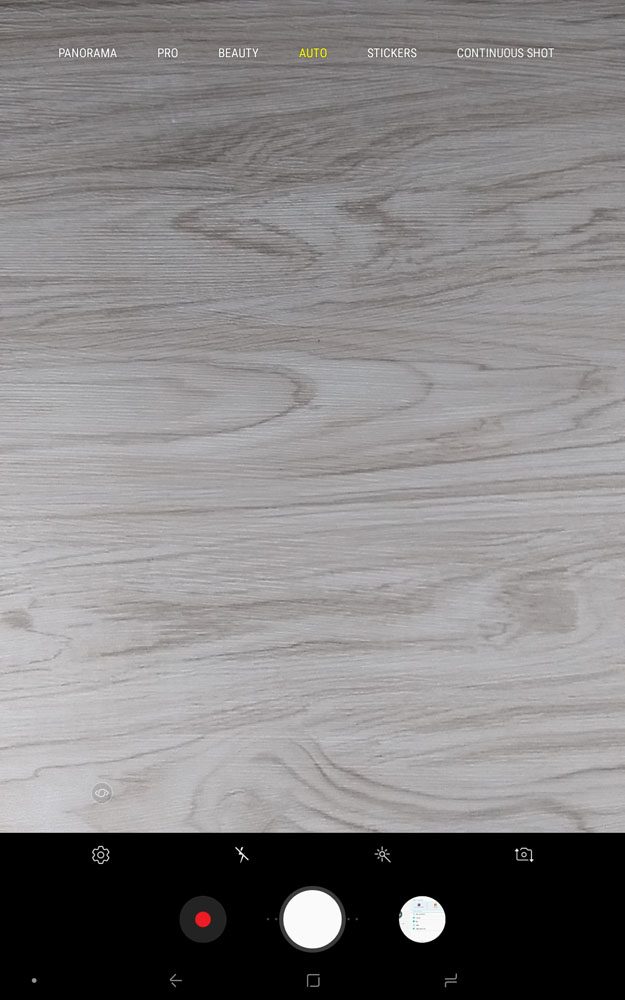
It’s quite difficult to see the carousel because there’s no darker overlay to tell you there’s a carousel there, and there are more hidden modes on both left and right side.

Of course, you can actually change the arrangement of the camera modes in the settings menu. You do have a few noteworthy modes here like HDR, Night, Pro, Aut, Stickers, and Animated GIF. The selfie camera has a total of 4 modes, and you can rearrange them as well.
[nextpage title=”Software – Android 8.1.0 Oreo with Samsung Experience 9.5″]
In terms of the functionality and its bare bones, there’s not much difference between Galaxy S9 and the Galaxy Note9 that we reviewed here. Home screen is identical, with Bixby on the left side of the main home screen page.
The built-in apps are also the same, where you have the Samsung Notes, Secure Folder, and also some Microsoft apps too. However, there are a few things to take note.
Firstly, there is no Bixby button even though you have Bixby built in. Secondly, Samsung did not include the handy dandy Edge Panel that is found in the Galaxy S series of smartphones. That’s quite jarring since I use the Edge Panel often to crop screenshots and quickly jump to the apps that I use.
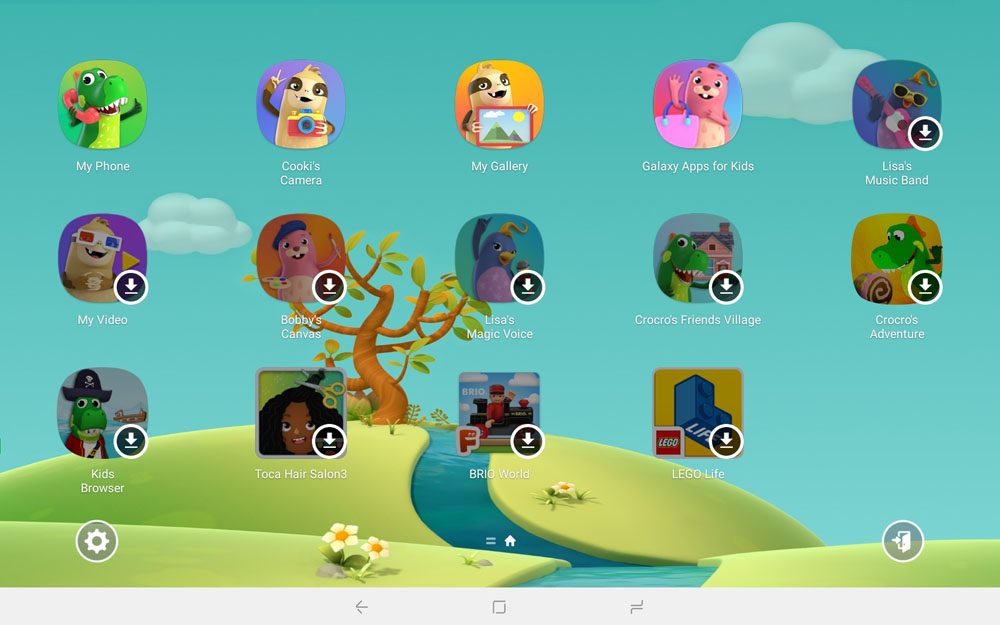
Besides being just a skin, the Samsung Experience 9.5 does bring another extra as well – Kids Mode. Here, you can open Kids Mode and pass the Galaxy Tab A 10.5 (2018) to your child (or children) and they can have fun within the confinements that you’ve set. You can even limit the amount of time your kid is allowed to spend on the tablet.

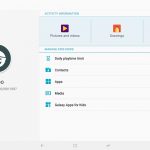
Besides that, you can get some kid-friendly apps over at the Galaxy Apps store, which is proven to be most useful and convenient. You can even whitelist your own apps and make them accessible in Kids Mode as well. Perhaps something like YouTube Kids?
Also, since the Samsung Galaxy Tab A 10.5 (2018) does not have a fingerprint scanner, it only allows you to use Face Unlock alongside with the usual PIN and pattern. The Face Unlock here is rather slow – and doesn’t work in dimly-lit conditions as well. Quite a bummer.
[nextpage title=”Performance & Gaming”]
Okay, I’m going to be honest – the specs list of the Galaxy Tab A 10.5 (2018) is not impressive at all. Here at Nasi Lemak Tech, we will still put it to our usual test even if the specs aren’t up to par. Here are the list of specs found in the Galaxy Tab A 10.5 (2018):
- 10.5-inch 1920×1080 resolution TFT display
- Qualcomm Snapdragon 450
- 8x Cortex-A53 @ 1.8GHz
- Adreno 506 graphics with 96 ALUs @ 600MHz
- 3GB RAM
- 32GB of internal storage (22.2GB usable); expandable up to 400GB with microSD
- 7,300mAh battery with Adaptive Fast Charging support
- Android 8.1.0 Oreo with Samsung Experience 9.5
Snapdragon 450 is considered a rather entry-level chipset which is not that powerful to begin with. The graphic performance is not impressive either. We expected the Galaxy Tab A 10.5 (2018) to come with a Snapdragon 636 or Snapdragon 660 for better performance.
Here are the benchmarks for the Galaxy Tab A 10.5 (2018).
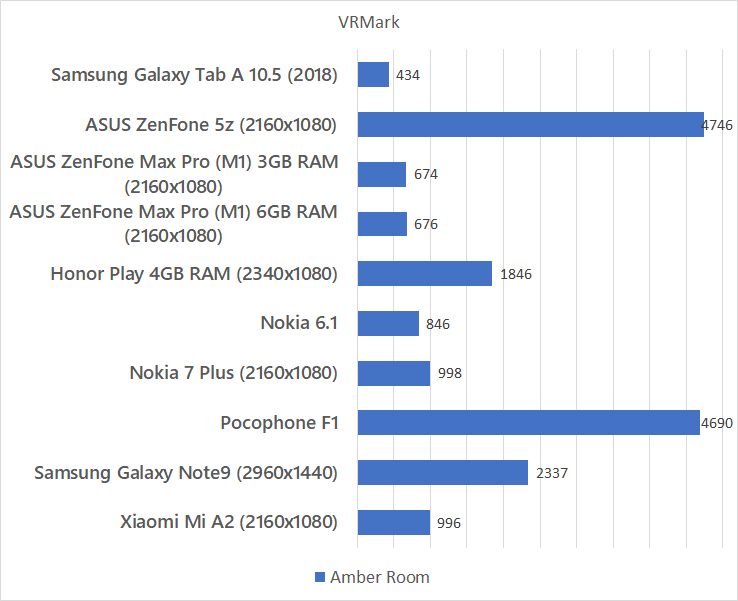

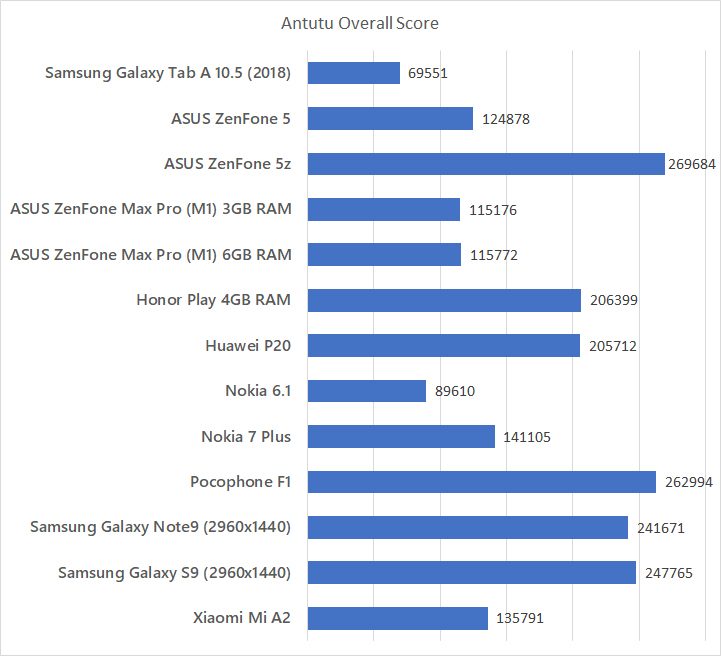
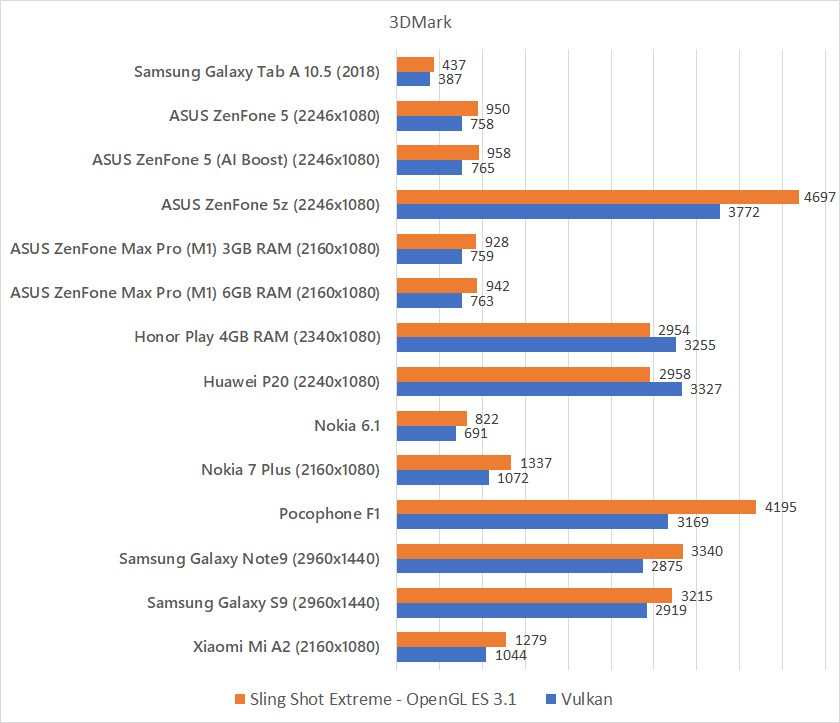
As you can see, nothing spectacular when it comes to performance. But how about gaming?
Gaming
Surprisingly, the Snapdragon 450 is quite alright. Though, you’ll have to live with some compromises. Here’s what we mean.
First game we tried was Honkai Impact 3. We had to turn resolution to medium and everything else turned off, then we can get a playable 30FPS most of the time, but at some intense battles, the framerate dropped to about 20FPS only. We advise to turn it down to the lowest settings to have a playable experience – but that will look quite pixelated.
Second game we played is Asphalt 9. This is one of those games that only has two options for graphics – either default or high. We tried default right away, and the game is pretty much unplayable with framerates hovering about 16FPS only.


Then lastly, we tried PUBG Mobile. Of course, the game recommended us to play in the lowest settings – which we did. And we actually completed one round using the Galaxy Tab A 10.5 (2018) without any lag at all. So yes, PUBG Mobile is playable and I had a good time with it since enemies are now bigger and easier to see.
[nextpage title=”Battery & Charger”]
Tablets generally have a huge battery – but we don’t have any other tablets to compare it with. The 7,300mAh battery in the Galaxy Tab A 10.5 (2018) is massive when compared to smartphones, so can we expect more than double in terms of battery life with other smartphones in the market?
Here’s the comparison graph for us to analyze.
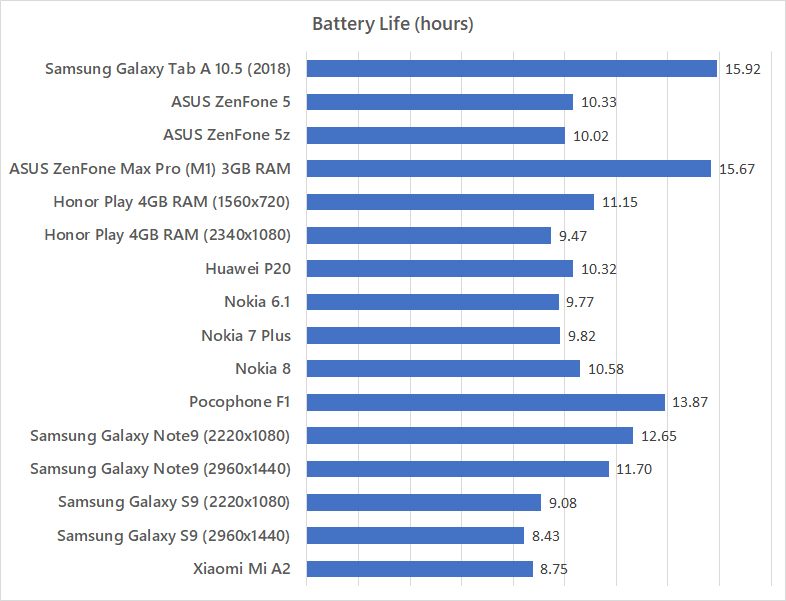
And yes – we got nearly double the battery life of the Xiaomi Mi A2 which has a 3,000mAh battery. There are quite a lot of factors why we don’t get exactly double – but this is good enough.
Charger
Since we don’t have the full retail box set of the Samsung Galaxy Tab A 10.5 (2018), we can only make use of what we already have and come up with our own results.
We tried charging the Galaxy Tab A 10.5 (2018) with Samsung’s very own Adaptive Fast Charger together with Samsung’s original USB-C cable that we have from the Galaxy S9. To our surprise, the Galaxy Tab A 10.5 (2018) does support fast charging.
We then also tried with our 5V 2A charger to see how long it takes. Just in case we don’t have the Samsung’s Adaptive Fast Charger lying around.
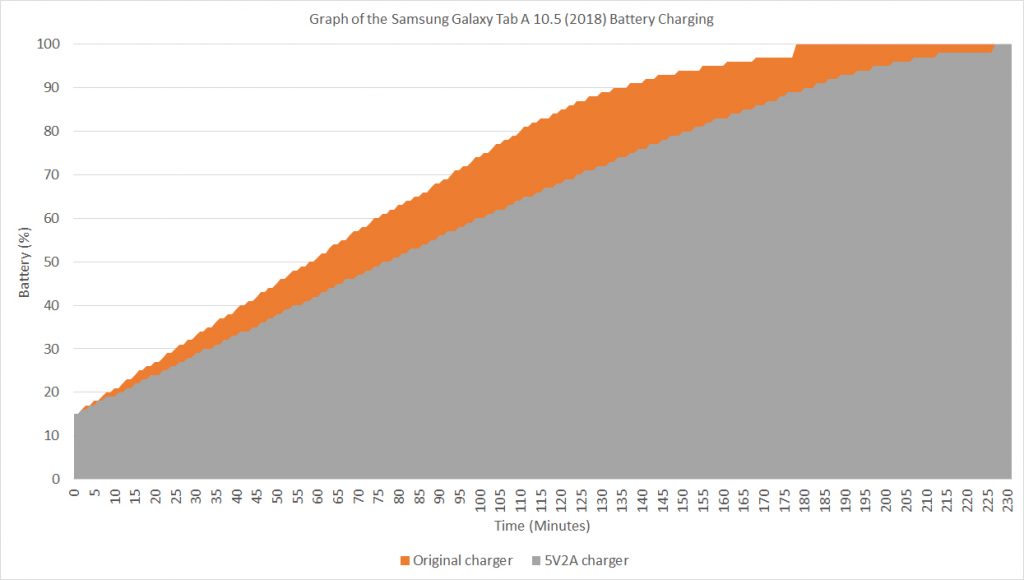
From 15% using Samsung’s Adaptive Fast Charger, it took the Galaxy Tab A 10.5 (2018) about 58 minutes to reach 50% and about 101 minutes to hit 75%. On our 5V 2A charger, it took the Galaxy Tab A 10.5 (2018) about 76 minutes to reach 50% and about 137 minutes to reach 75%. Quite a significant difference when you think about it. It’s a 7,300mAh battery after all.
[nextpage title=”Wrapping up the Samsung Galaxy Tab A 10.5 (2018) review”]
The main question remains – who is this tablet for? Do people actually need tablets anymore? Some of us do, actually – especially for those with kids. I’m not keen on the idea of passing my phone to a kid to “have fun with it”.
However, do remember that the soft-touch material at the back of the tablet will deteriorate and become sticky over time. Gaming is subjective – if you can handle lower graphical settings, then it’s actually quite okay. And I suggest getting a case for it, so you can enjoy movies without holding the tablet.
It is priced at RM1,699 – which is definitely not cheap. Considering all of the features that Samsung has implemented into the Galaxy Tab A 10.5 (2018), it becomes obvious that this tablet is targeted at those who watches videos, listens to music, and read texts a lot. The speakers on this tablet is surprisingly good.
Like our Facebook Page here at NasiLemakTech.com for more news and in-depth reviews! Also, join our Facebook Group for insightful information and memes!
Subscribe to our YouTube channel too!


Sorry but I brought a Samsung Galaxy Tab A 2018 10.5″
It comes with a samsung adaptive fast charger that does output
9.0v, 1.67A or 5v, 2A
If I plug in a non fast charger or use a cable that does not support fast charging then a message pops up saying
This is not a fast charger please make sure you are using the charger and cable that came with this device.
Yeah that’s what happens. Not having fast charging means it still charges, but not the fastest.