




It’s the grand launch of the brand new ASUS ZenFone Max Pro (M2) right here at Jakarta today, and we have the golden opportunity to witness it for ourselves – courtesy of ASUS Malaysia. The ZenFone Max Pro (M2) is the successor of the original ZenFone Max Pro (M1) that we reviewed here.
Speaking of which, ASUS broke off the ZenFone Max series from its ZenFone (number) series so that both series can refresh at different rates – which is great since the mid-range section of smartphones changes so rapidly.
The big question is this – how much has changed and improved over the course of 6 months? Let’s find out in this in-depth review of the new ASUS ZenFone Max Pro (M2).
Unboxing
Yes, we know we teased all of you with the box only – because we have an embargo with ASUS. But with the embargo lifted, we can now show you everything.
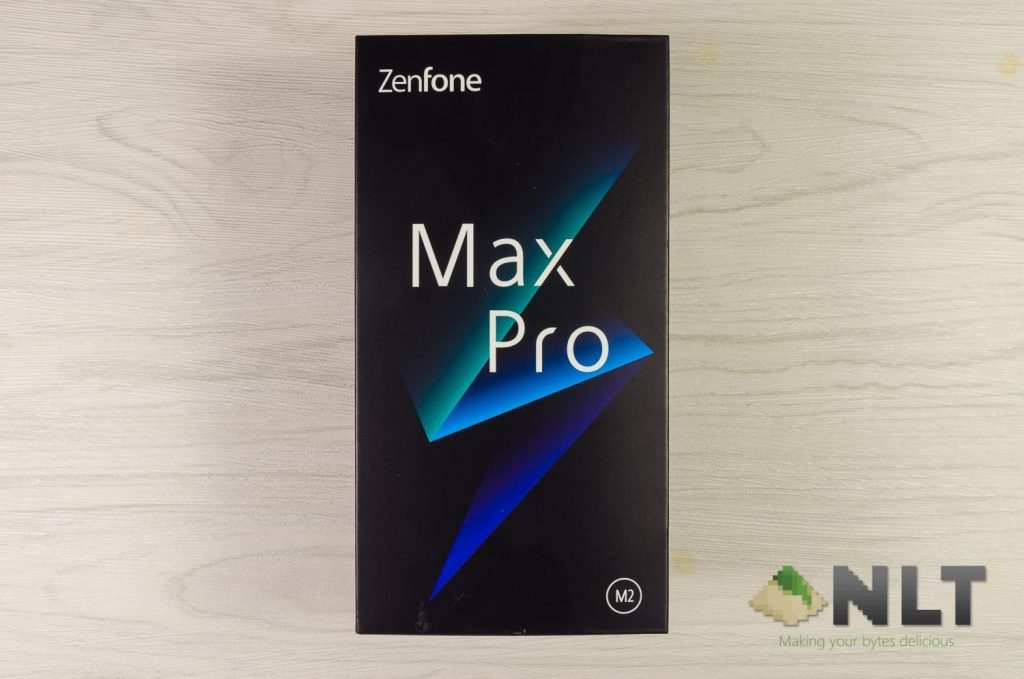
ASUS opted for a very different box design this time around. It has this ⚡ lookalike at the front with a few simple texts that makes out “ZenFone Max Pro (M2)”.
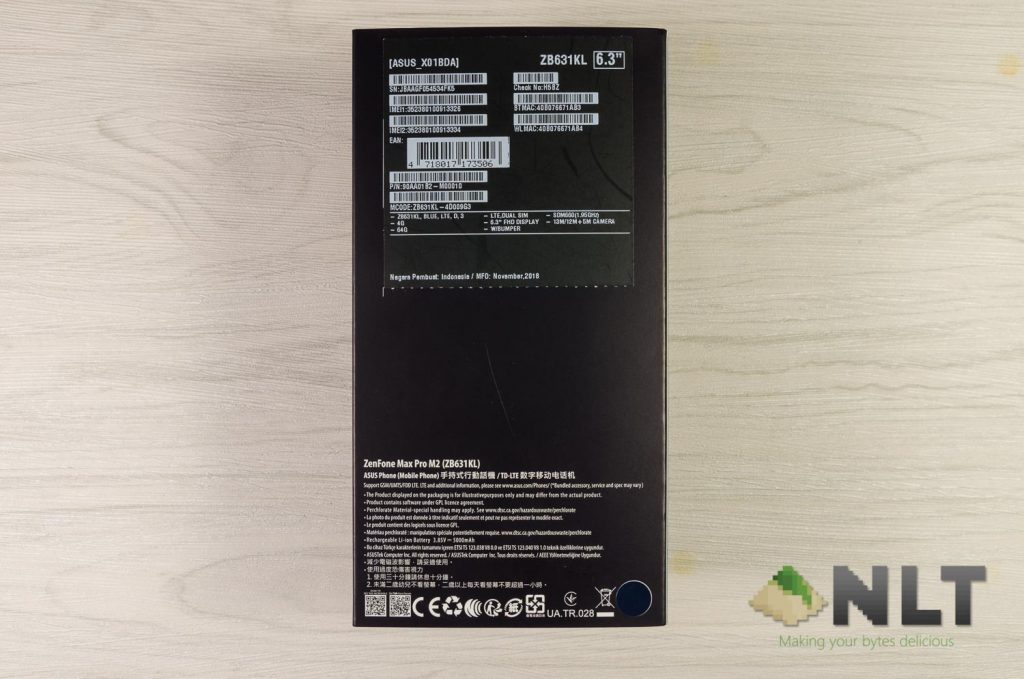
At the back we can see the list of specs alongside with the color shown at the bottom right corner. Keep in mind that the unit we have here is from Indonesia, not the Malaysian unit.
Sliding off the sleeve reveals an even more brightly-colored accessories box. In my opinion, it seems al ittle out of touch since most of the box is in black and white with some color accents.
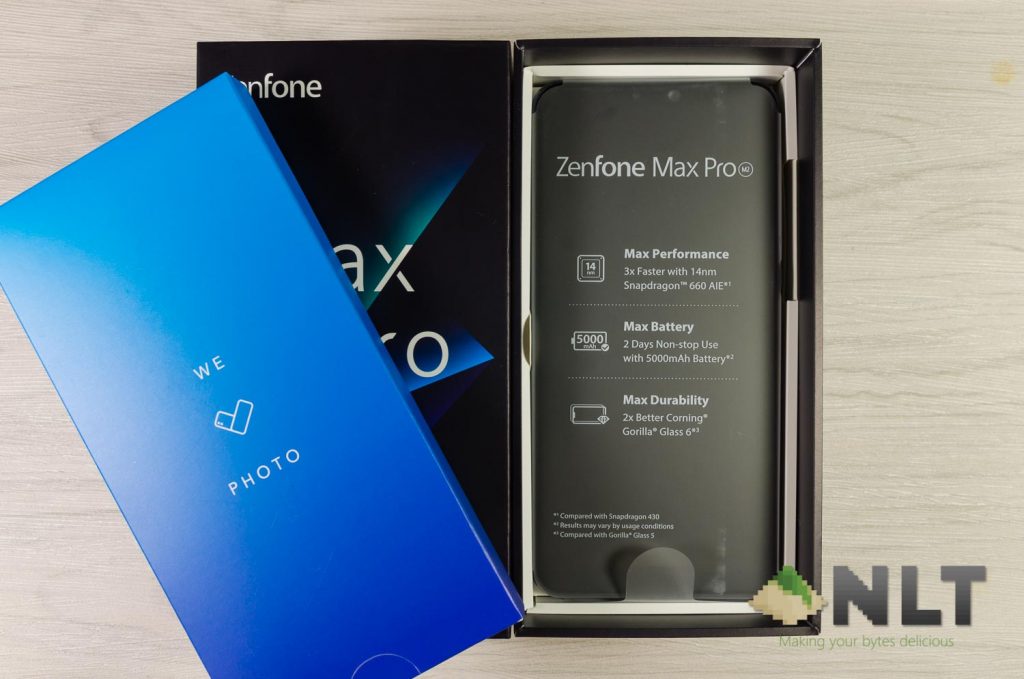
Under the accessories box we can find the ZenFone Max Pro (M2) itself.
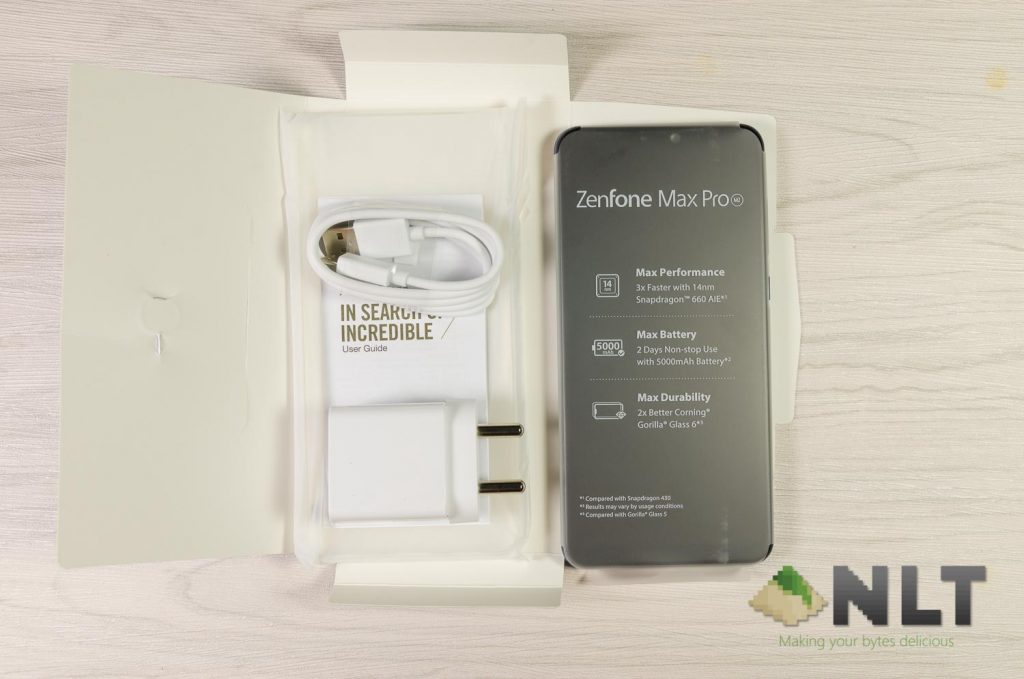
Digging out all of the contents in the box, we found an included TPU case, a micro USB cable, a charger, and the ZenFone Max Pro (M2) itself. From what I was told, the Malaysian unit will have earphones included as well.
[nextpage title=”Design”]
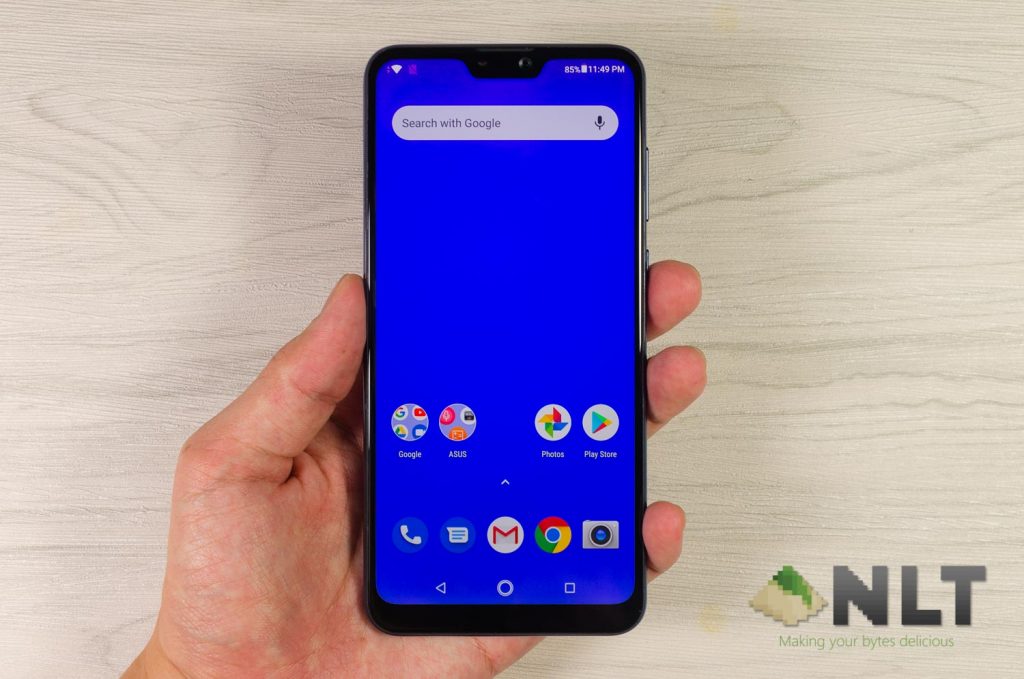
The overall shape and geometry of the ZenFone Max Pro (M2) remains very similar to its predecessor – and that’s alright since the M1’s shape is fairly simple and comfortable enough for day-to-day use.
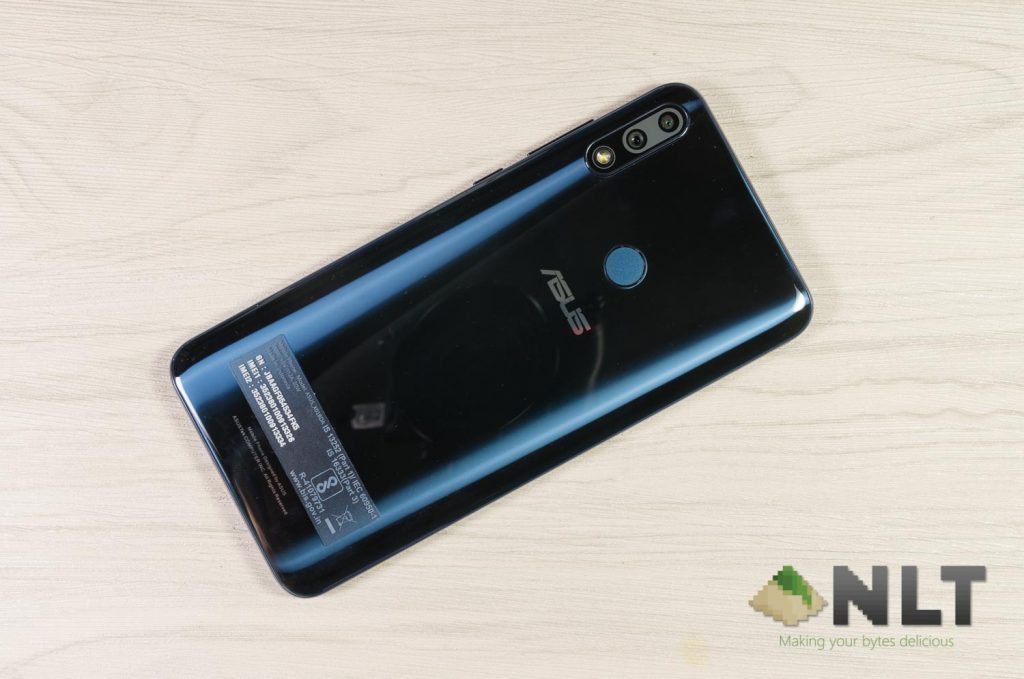
As for the design, ASUS has decided to switch it up a little for the ZenFone Max Pro (M2). Instead of using the commonly-found metal back like its predecessor, ASUS opted for a glossy one.
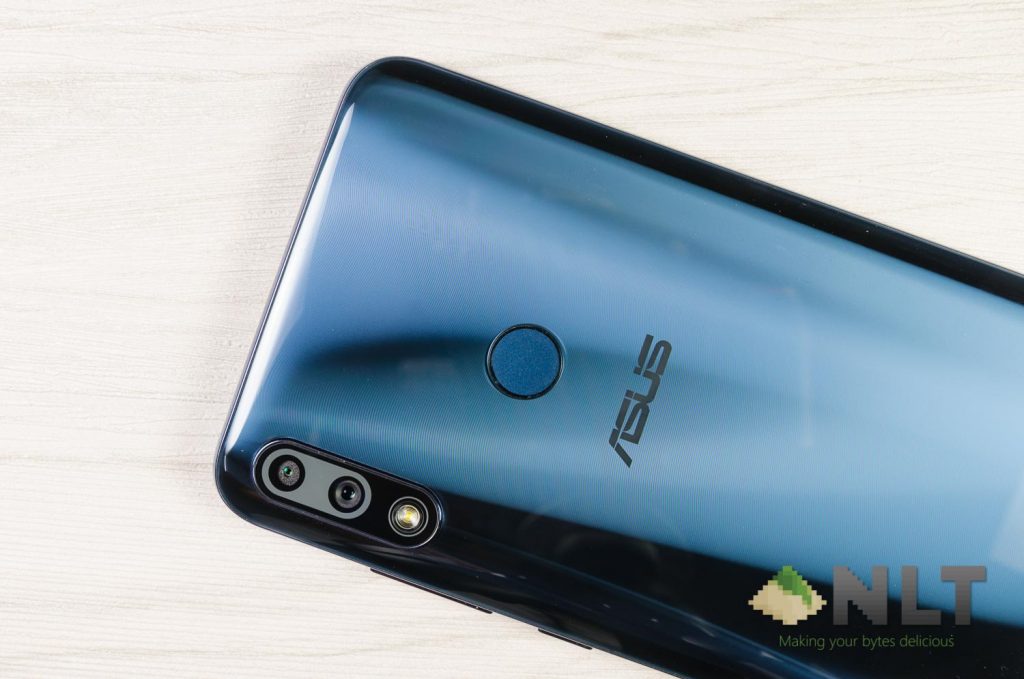
I’m going to be straightforward here – the glossy material here looks fancy and reflects light differently when light shines on it at different angles a la the Honor 8. It looks nice, but remember the ZenFone Max Pro (M2)’s back is not glass – it is acrylic.
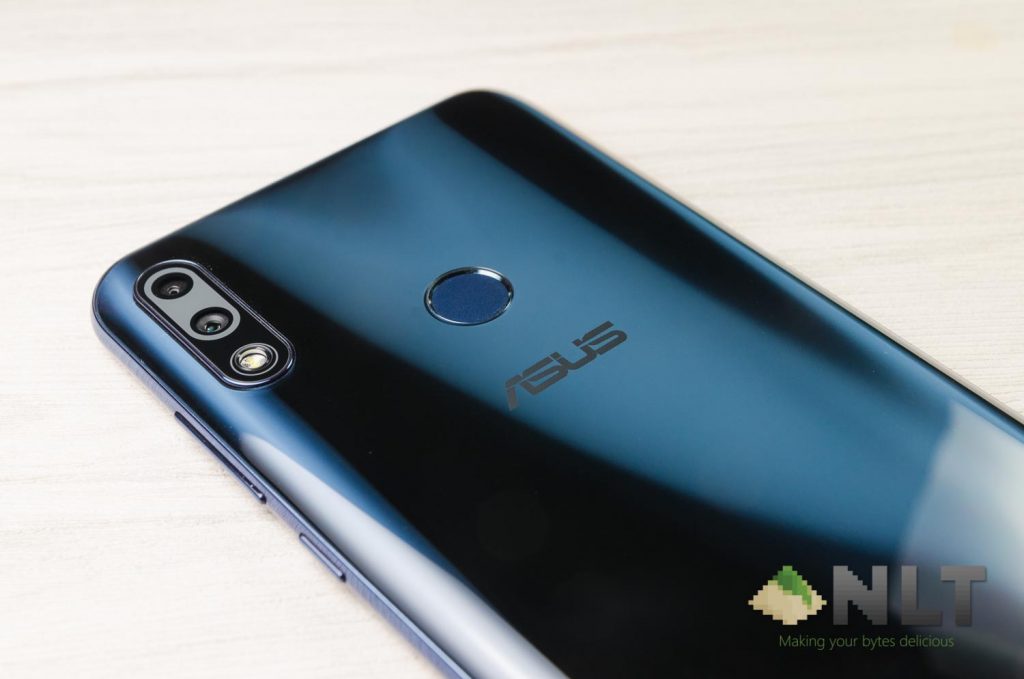
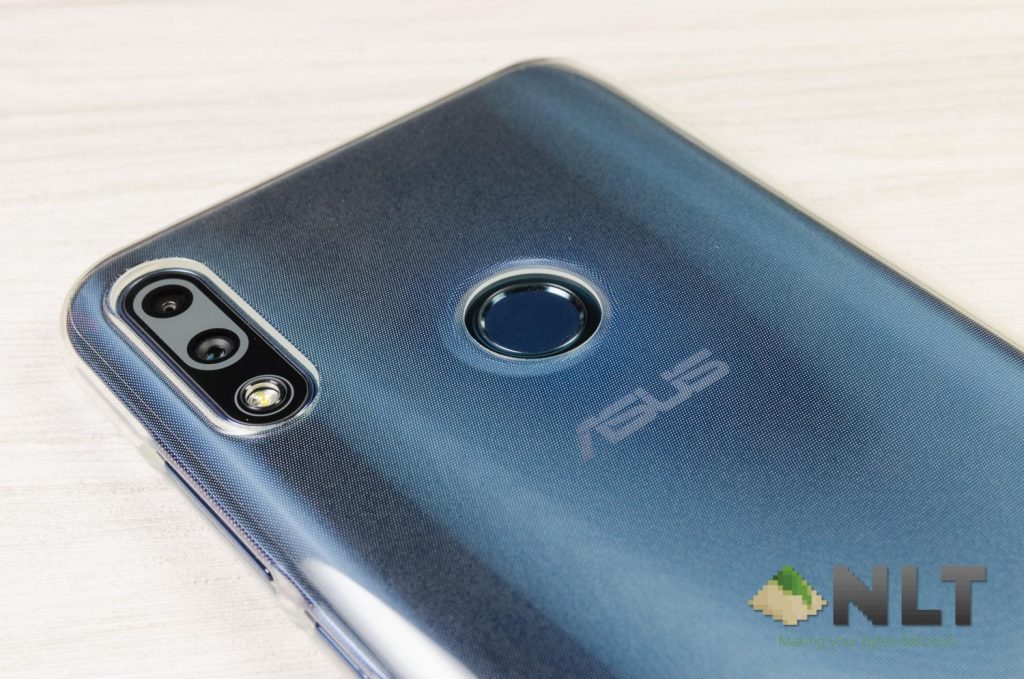
Acrylic comes with a few issues of its own. It is a dust and fingerprint magnet, and gets scratched easily. However, ASUS also included a fairly decent TPU case in the box itself – hence you can protect your ZenFone Max Pro (M2) the moment you unbox it.
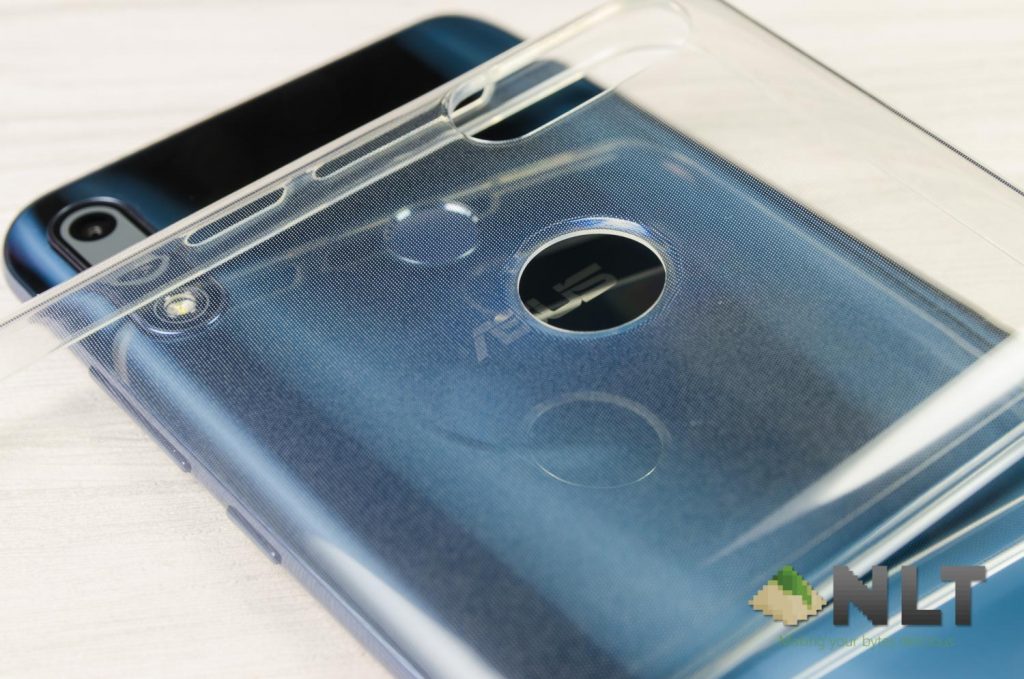
Swapping for an acrylic back also helps in lowering the weight of the phone as the ZenFone Max Pro (M2) is now only 175 grams – which is lighter than its predecessor. When I held the ZenFone Max Pro (M2) and compared it to the M1, I can instantly feel the weight difference.
[nextpage title=”Connectivity & Ports”]
In terms of ports, we’ve come to expect pretty much the same as before since it is not ASUS’s main focus anyway. It is quite disappointing when we first discovered the ZenFone Max Pro (M2) at SIRIM’s database and it does not have AC WiFi – which means you cannot experience anything beyond 200Mb/s.
But then again, the new ASUS ZenFone Max Pro (M2) now comes with Bluetooth 5.0 with Qualcomm’s aptX (which you can learn more here) and it can indeed improve your Bluetooth experience if your other hardware supports it.
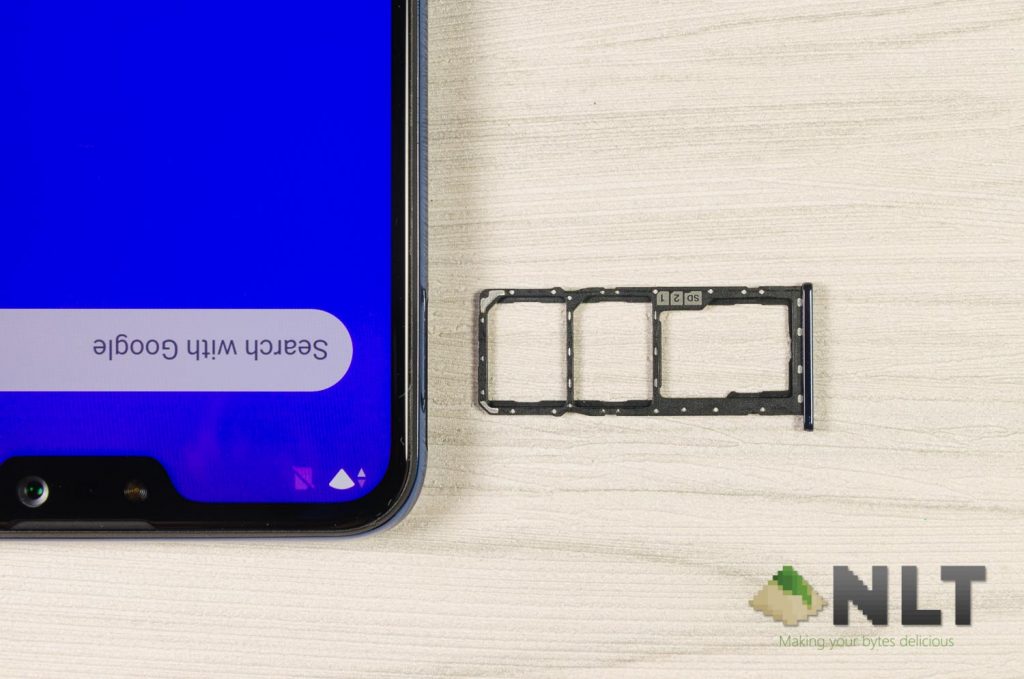
Opening up the card tray reveals that once again, ASUS has opted for the triple card slot like its predessor. This is – once again – a big advantage for ASUS since the ZenFone Max Pro (M2) still has the massive battery like its predecessor.
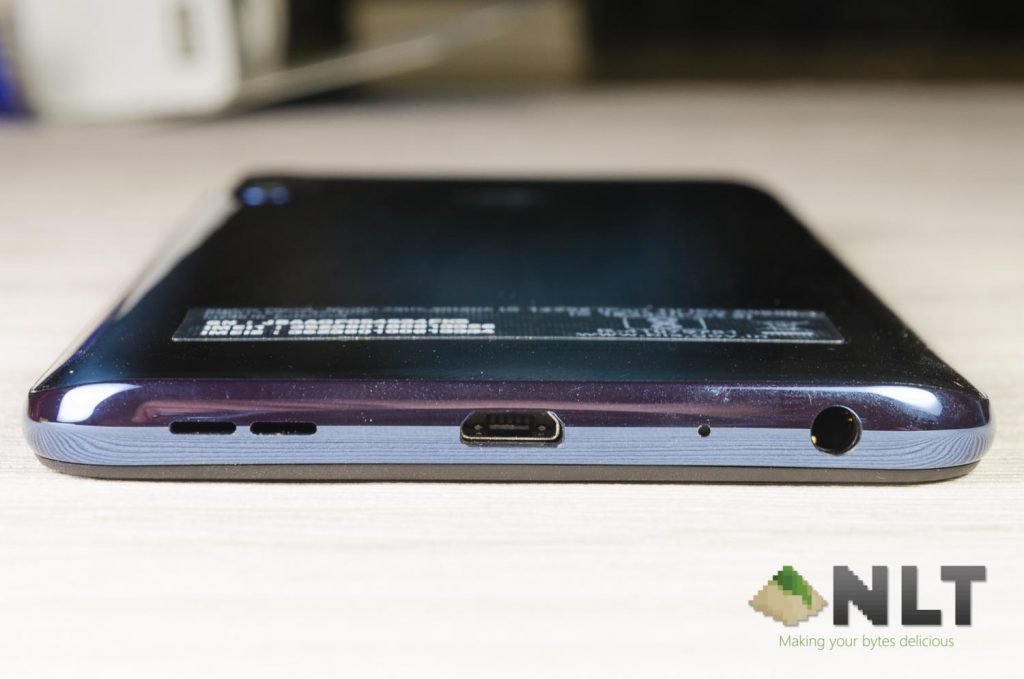
At the bottom of the phone is where we can find the 3.5mm audio jack, a microphone, the micro USB port, and speaker grill. The loudspeaker here still uses the NXP9874 smart amp with 5-magnet speaker like its predecessor – which is a lot better than average.
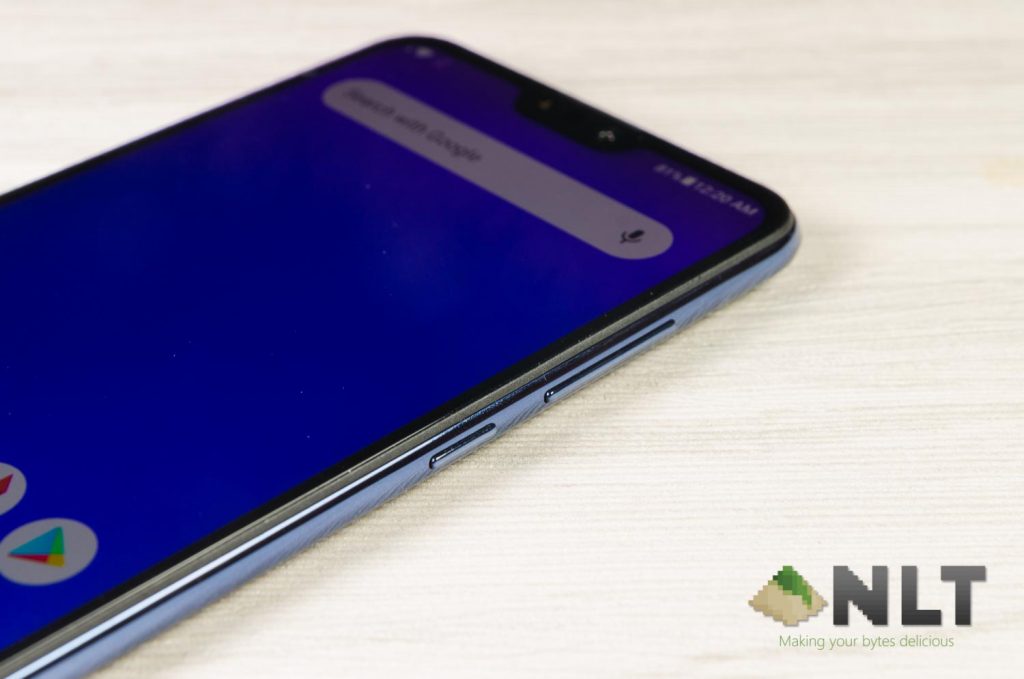
At the right side here we can see the volume rocker and the power button. It’s about the same as its predecessor.
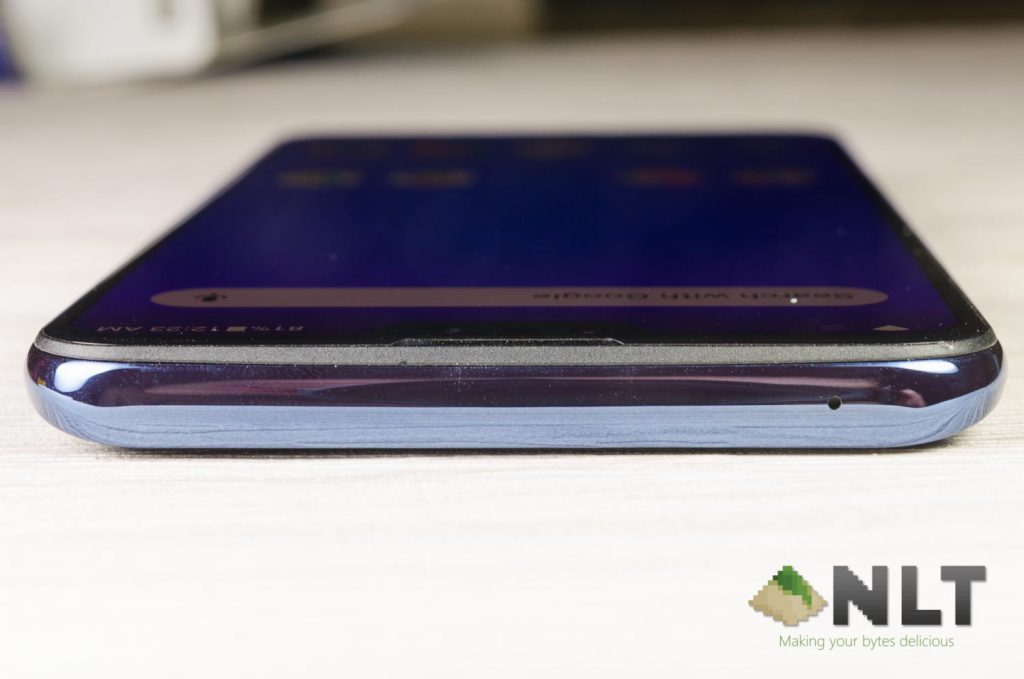
At the top is where we can find another microphone.
[nextpage title=”Display”]
In terms of the display here, ASUS has opted for a notched 6.3-inch IPS LCD display with 2280×1080 pixels in resolution. From the front, the ZenFone Max Pro (M2) actually looks very similar to the ZenFone 5 and ZenFone 5z.
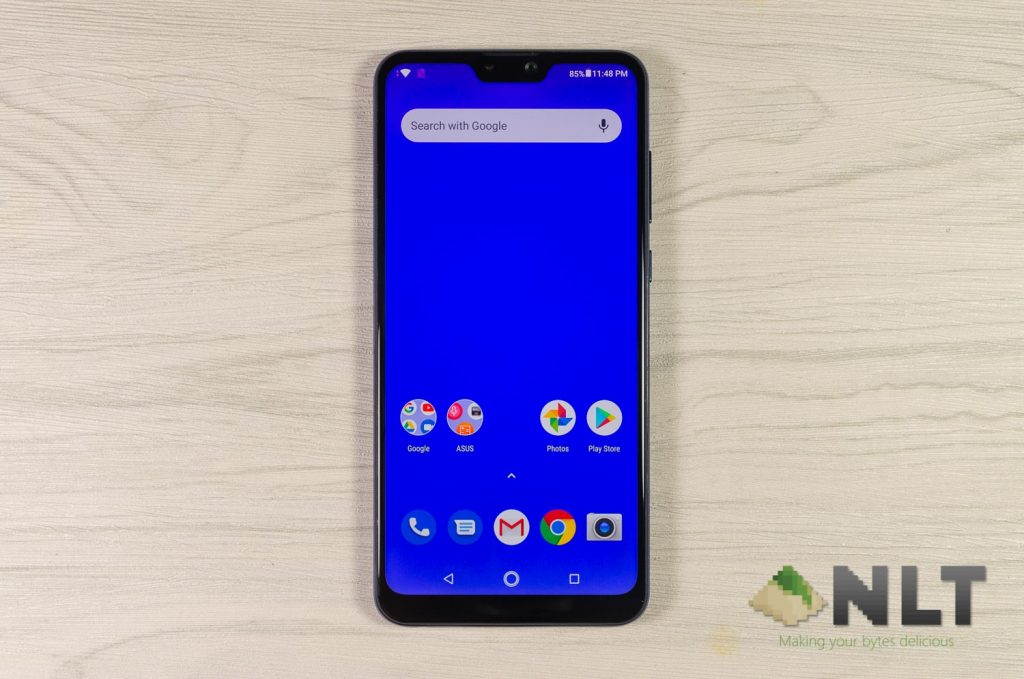
When we reviewed the original M1, we said that the display was a tad washed out for our liking – and ASUS took heed of that and improved the display on the ZenFone Max Pro (M2). When compared to the M1 side-by-side, I can see that the colors are much more richer on the ZenFone Max Pro (M2) because it now covers 94% NTSC color gamut.
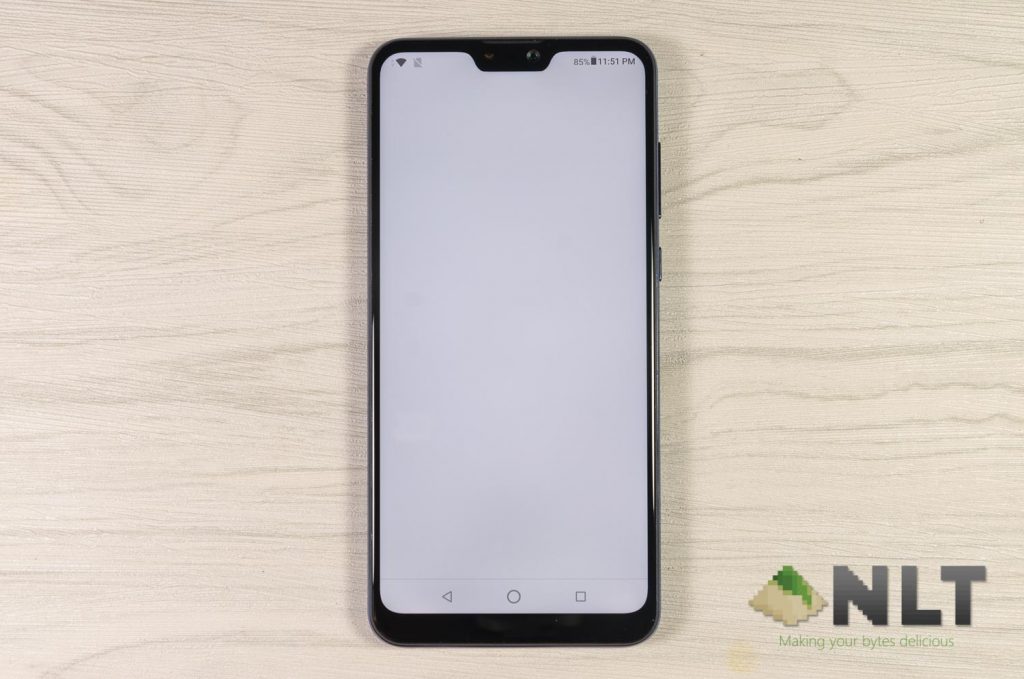
With a nicer display comes the notch – and we know that many people do not particularly like the notch. As for the ZenFone Max Pro (M2), there are zero settings to change anything about the notch. However, honestly speaking, the ZenFone Max Pro (M2) handled the notch pretty well by itself – so there is no need to change anything.
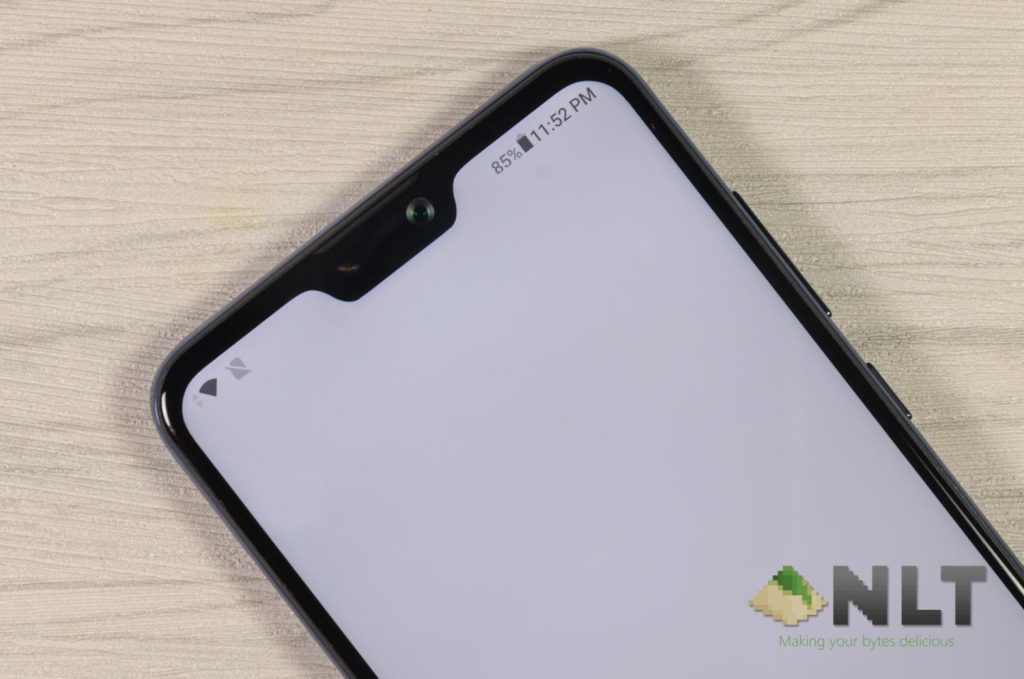
Notifications still appear beside the notch but the important notifications like battery is always on the right side, whereas and network status (showing you either it’s connected via WiFi, 4G, 3G, etc.) is always shown on the left side. Literally zero obstruction. Same goes to games as well – which we will talk about it later.
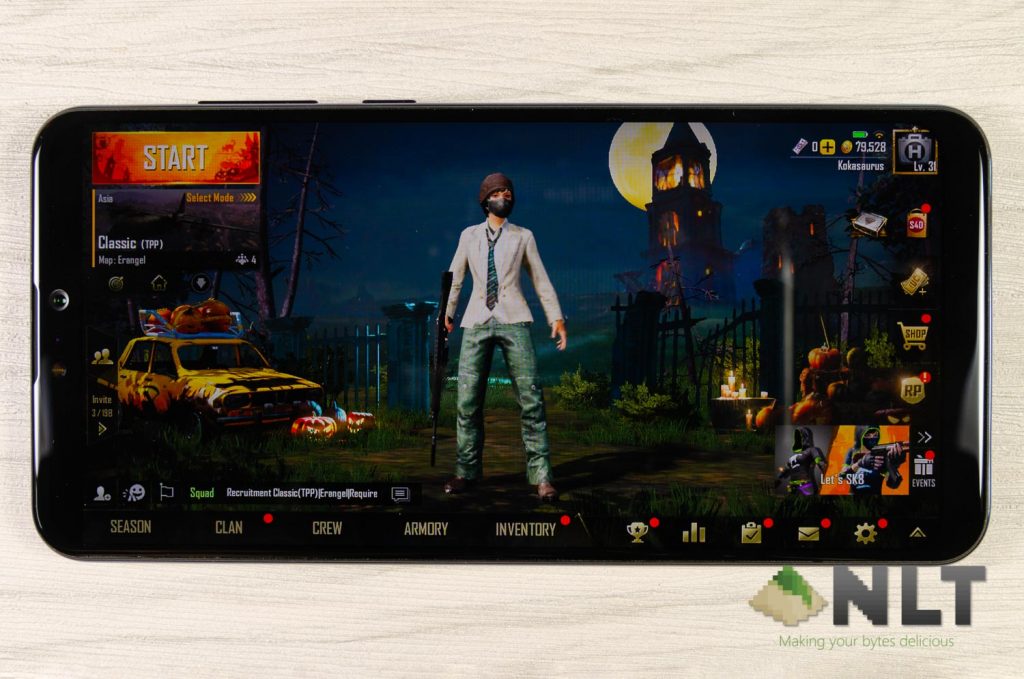
With a 90% screen-to-body ratio, the display is fairly flat throughout the entire screen – which is good for those who want to install a tempered glass screen protector. Though, ASUS made it really clear to us that they are indeed using Corning Gorilla Glass 6 for the ZenFone Max Pro (M2). This is the first ever mid-range smartphone to have such a premium material.
[nextpage title=”Cameras”]
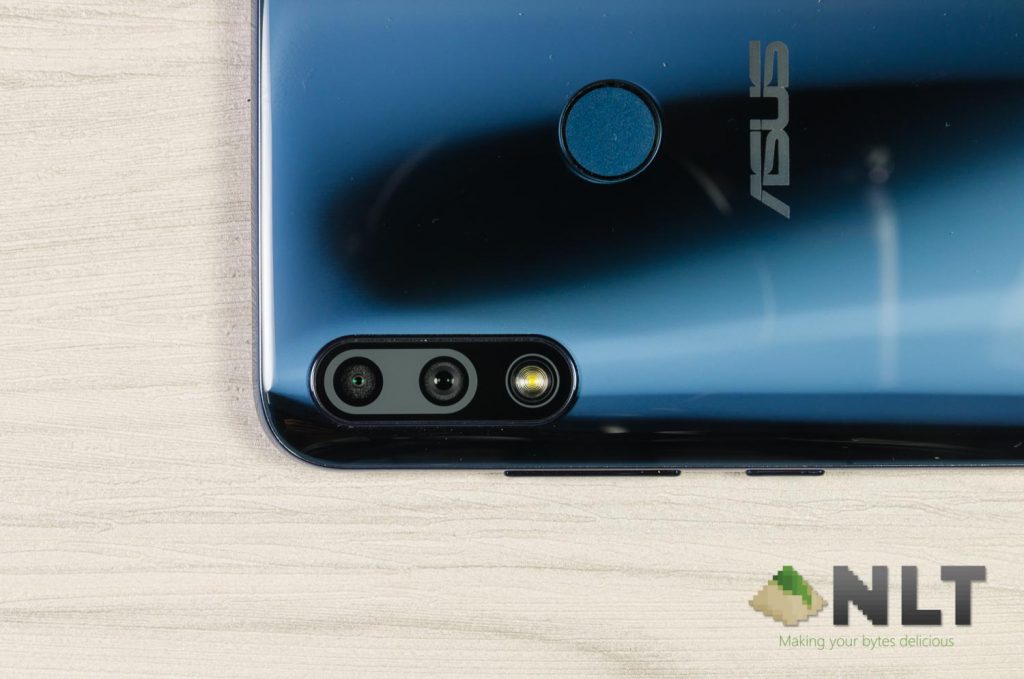
I think ASUS heard our complaints about the original M1, whereby we said the camera is just… disappointing. Now, ASUS made drastic changes for the ZenFone Max Pro (M2)’s cameras. The hardware are as such:
- Dual rear-facing cameras
- 12MP Sony IMX486 sensor with f/1.8 aperture 6-elements lens
- 5MP depth sensor
- Selfie camera
- 13MP sensor with f/2.0 aperture; fixed focus
In a way, I like how ASUS streamlined the ZenFone Max Pro (M2) to only have one camera. Remember that its predecessor has different RAM capacity to go along with different camera megapixels as well – and we compared them here. That was a big headache.
During our media briefing for the ZenFone Max Pro (M2), we were shown a few camera samples which looks fantastic – but we here at Nasi Lemak Tech always try things for ourselves.
You can head on over to Shutterfly to view our full album and take a look at each and every picture shown here alongside with its unaltered metadata.
Rear-facing camera
Obviously, this is what matters the most to me. I took the ZenFone Max Pro (M2) with me on a trip to KL and here are some pictures I took in broad daylight.

Immediately I realized that the dynamic range of the camera isn’t particularly good in broad daylight. I had to manually turn on HDR mode to capture the image – which turned out to be way better than what I expected.


However, the HDR mode works by pulling down the exposure of the entire image produced. That made indoor pictures with streaks of sunlight look a little like this.

Not the most ideal but it’s okay. If I turned off HDR however, this is how it looks.

Not doing so well with HDR disabled. Perhaps more fine-tuning on the software side of things is needed.
In complete indoors environment, the shutter speed is noticeably slow and had delays. Taking this picture required great amount of patience and convincing for the little doggo to stay still.

As for night shots however, don’t expect taking any good-looking pictures in auto mode. It’s noisy to the point where the night sky turned purple, and the smooth while walls around the two buildings at the side turned grainy as well.

Selfie camera
The selfie camera performed quite well, though it also suffered from a slow shutter speed. Still, not a fan of selfies.

Camera UI
When we first launched the camera app, we realized a few things has changed – buttons were moved around and certain settings were changed as well. It is now much more accessible, to be honest.
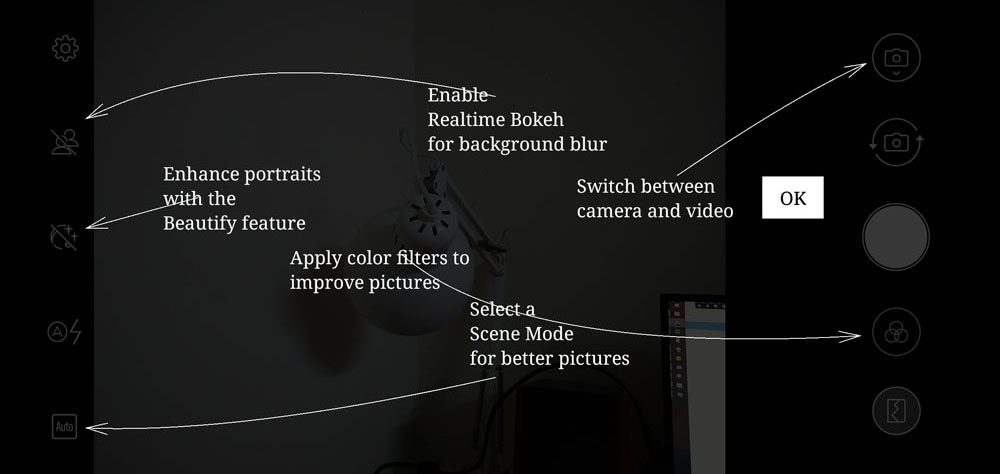
However, its base is still the same. It is build upon the Snapdragon camera app engine that was found in the M1, but with some tweaks.
To change between modes, you’ll have to press the button at the bottom left side and change between auto, manual mode (aka pro mode), HDR, sports, and night mode. I do wish the HDR mode is moved out of this nested menu and have a toggle button of its own.
The manual mode is indeed better than the M1 that can only be unlocked via the debug mode. There is no need to do that on the ZenFone Max Pro (M2) but the manual mode range for both ISO and shutter speeds are not exactly that flexible.
I cannot capture anything longer than 1/4 seconds of shutter speed – which is insufficient for any night shots. The lowest ISO that it can go is 100, which in this case, is sufficient.
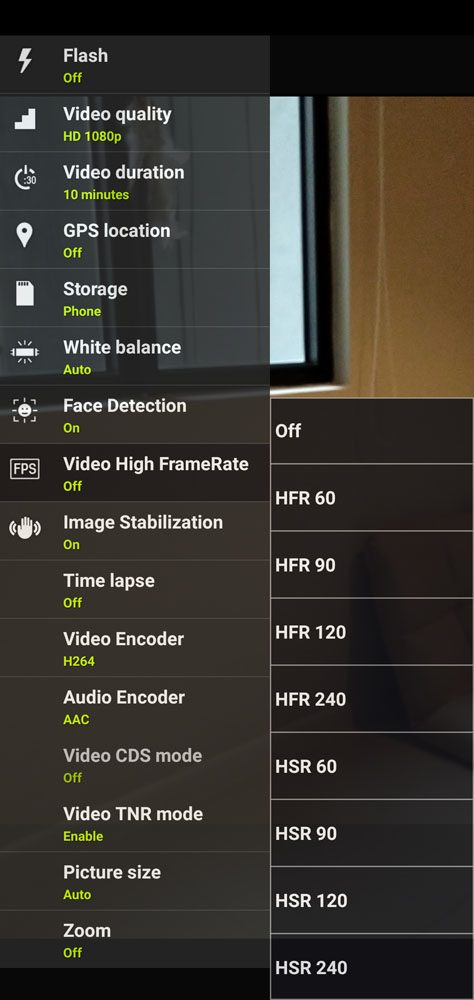
The Max Pro (M2) can record videos in 4K at 30FPS or 1080p at 30FPS with the 3-axis EIS enabled.
You can also select the video codec for video recording. I prefer H.264 since the general video editing computers work best with H.264 anyway. Also, H.265 requires a lot of CPU power to process at this time of writing.
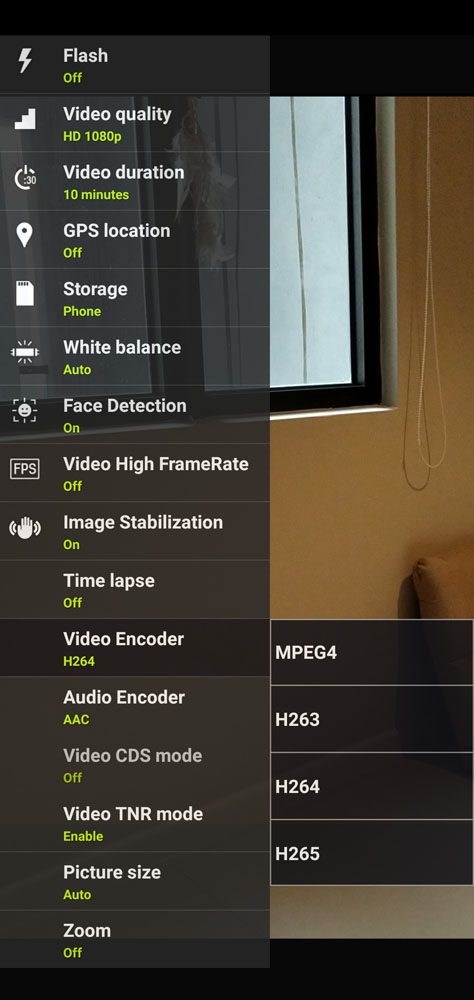
Surprisingly, under video settings, there is a the option to enable higher frame rate. However, I have no idea how to make it work as the settings I’ve tried resulted in an error instead.
Video?
Here’s another part that ASUS touts quite a lot. The new ZenFone Max Pro (M2) can now record 4K video and has 3-axis EIS as well. I recorded this video at 1080p at 30FPS with EIS enabled as a short demonstration by using only the new ZenFone Max Pro (M2).
Honestly, I’m surprised by the audio quality as my voice is really clear even though wind is blowing very strongly at that time. The video is a little darker than I would like, but the overall video quality is surprisingly decent.
Also, the EIS worked fantastically well while I was walking.
[nextpage title=”Software – Pure Android 8.1.0 Oreo”]
Once again ASUS has opted for pure Android instead of having ZenUI on the Max Pro series of smartphones. At this point of time, I personally will say that having a skin or not is pretty much up to your personal preference. I find that after using the M1’s pure Android experience and ZenFone 5 with ZenUI 5.0, I like having ZenUI 5.0.
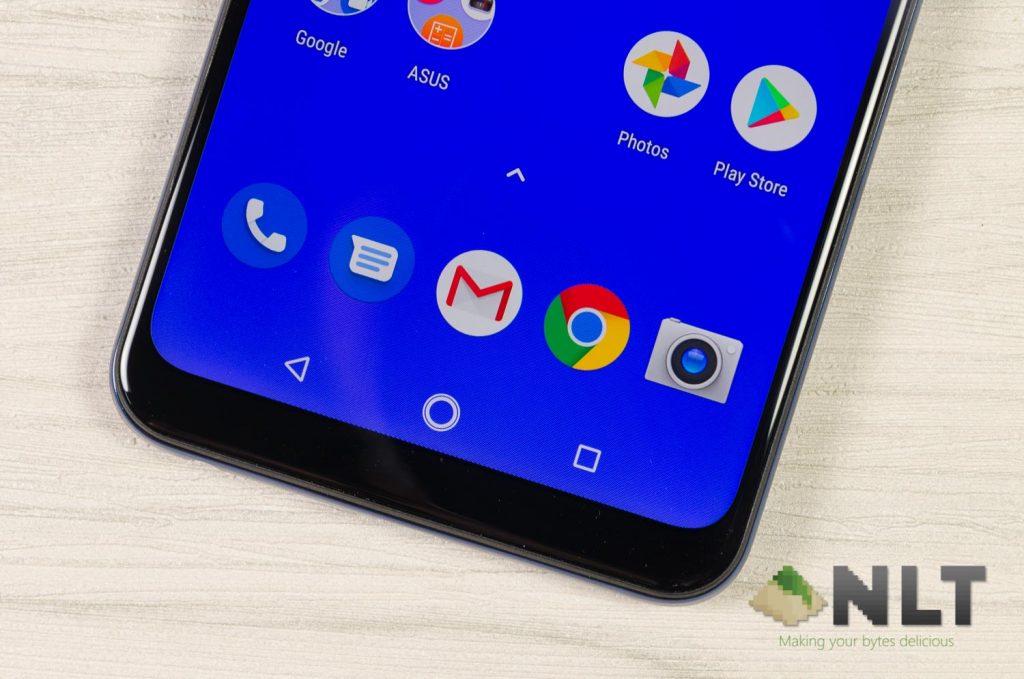
The reasons are simple – ZenUI 5.0 does not affect performance yet it offers a pretty good set of extra functionality that is actually useful. The file manager app on ZenUI is heaps better than stock Android for sure. Same goes to the camera app, which we have mentioned earlier.
Though, the biggest concern for ZenUI 5.0 is the bigger system file size. For the M1, I understand that the 32GB variant is not going to be sufficient for ZenUI plus some apps – but since the ZenFone Max Pro (M2) comes with 64GB in its base model, then why not have ZenUI 5.0 has an option too?
I know it does cost ASUS extra time, labor, and money – but perhaps ASUS can consider having a separate flashable zip file to install ZenUI 5.0 in the ZenFone Max Pro (M2) too?
Keep in mind that the ZenFone Max Pro (M2) uses pure Android only – not Android One. Thus, software support and updates still come from ASUS themselves and not from Google.
[nextpage title=”Performance & Gaming”]
ASUS touts that the Max series is now the perfect smartphone for budget smartphone gamers out there – and the ZenFone Max Pro (M2) got a hardware upgrade compared to the original M1. Here are the list of hardware found in the ZenFone Max Pro (M2):
- 6.3-inch IPS LCD display with 2280×1080 pixels in resolution
- Qualcomm Snapdragon 660 chipset
- 4x Kryo 260 LP @ 1.8GHz + 4x Kryo 260 HP @ 1.95GHz
- 4GB LPDDR4X RAM
- 64GB eMMC 5.1 internal storage
- 5,000mAh battery
- Pure Android 8.1.0 Oreo
Let’s take a look at the benchmarks and see if the new ASUS ZenFone Max Pro (M2)’s performance matches the other Snapdragon 660 smartphones in the market.
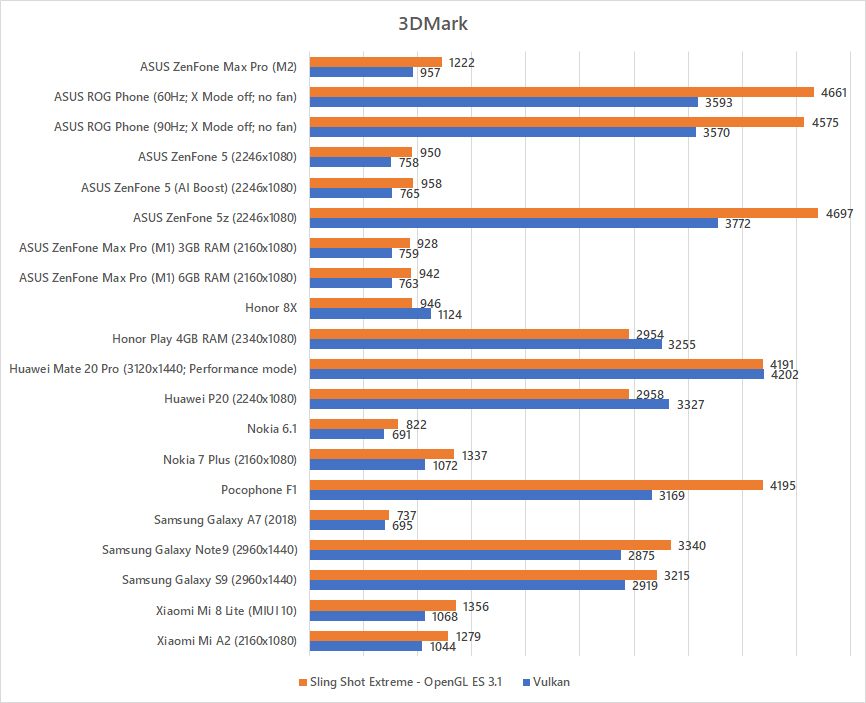
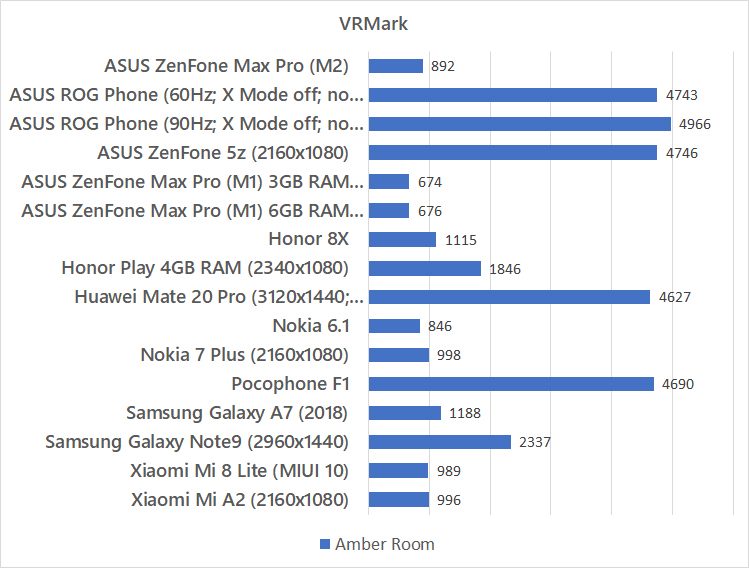
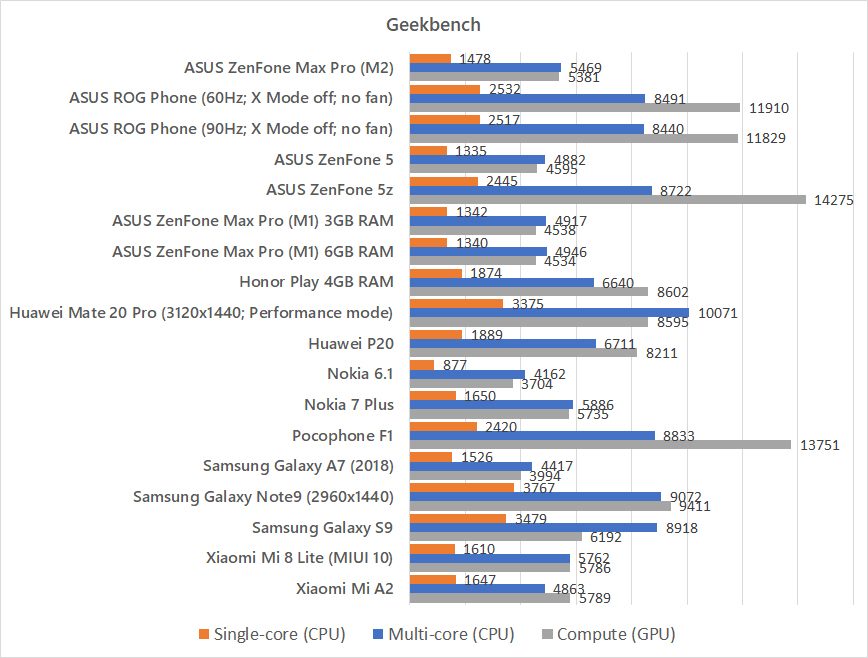
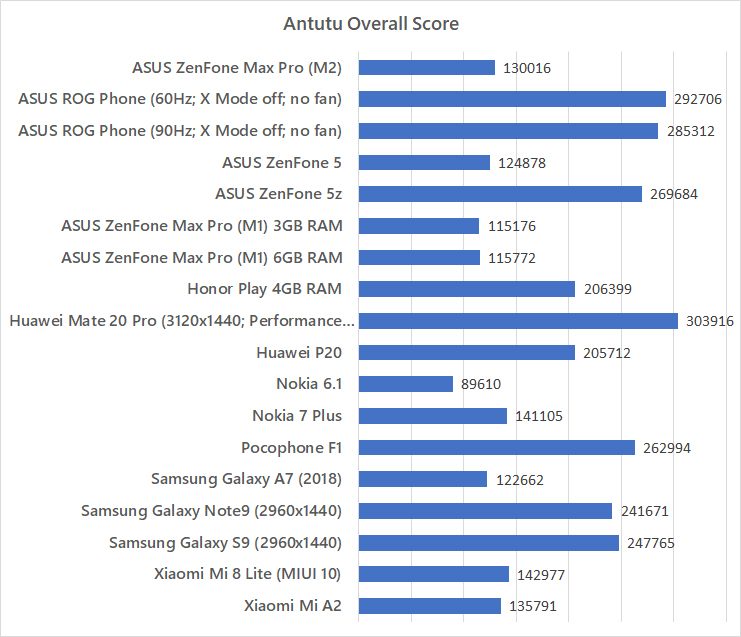
Yes – what you seei s indeed correct. Even though the ASUS ZenFone Max Pro (M2) is using a Snapdragon 660, the high-powered quad-cores has a lower clock speed. The usual Snapdragon 660 SoC runs at 2.20GHz max, whereas the ZenFone Max Pro (M2) runs at 1.95GHz only.
Comparing to other Snapdragon 660 smartphones – particularly the Xiaomi Mi A2, the Nokia 7 Plus the recently reviewed Xiaomi Mi 8 Lite, the ZenFone Max Pro (M2) scored particularly lower in benchmarks that requires CPU horsepower like Geekbench.
Gaming
Once again, we used our 3 usual games as our gaming benchmark – Honkai Impact 3, Asphalt 9, and also PUBG Mobile.
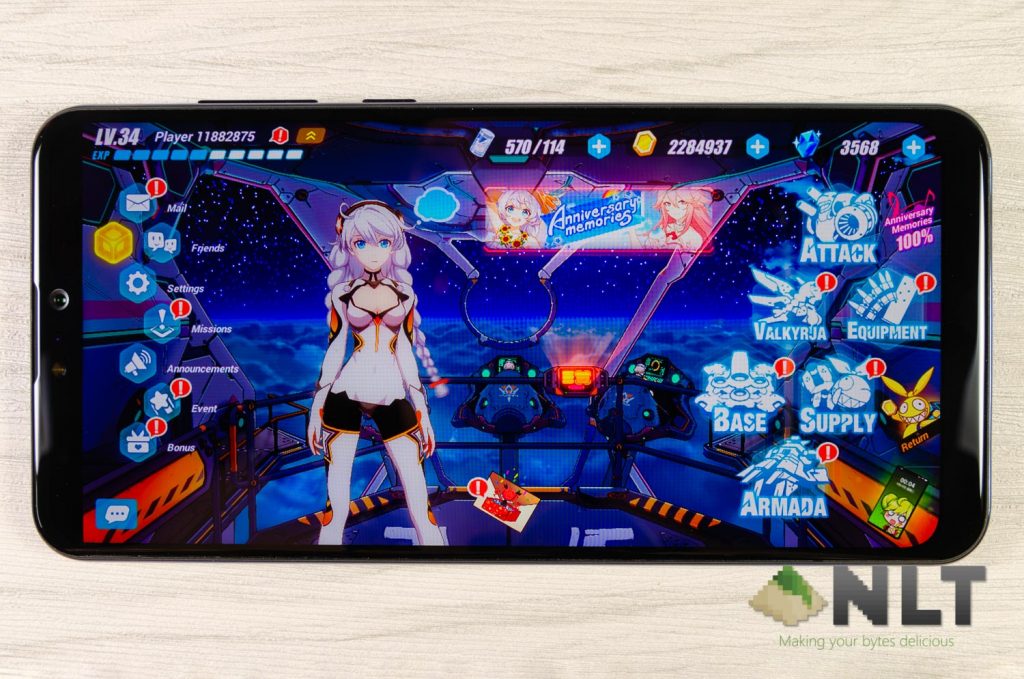
Playing Honkai Impact 3 on the highest possible graphics seem to have a major discrepancy in performance compared to the Mi 8 Lite that we reviewed earlier here. The new character, Herrscher of the Void (don’t worry if you do not know who it is), has a lot of fast-paced flashy graphics which cause the frame rate to dip below 20FPS with noticeable stutters. This is especially true while casting the character’s ultimate.
We’re not sure if the game received a graphical update or hindered by the lower CPU clock speed.

Asphalt 9 runs fine at highest graphical settings, but there is zero anti-aliasing and everything just looks jagged. Not the most pleasant to look at, but at least the gaming experience is smooth.
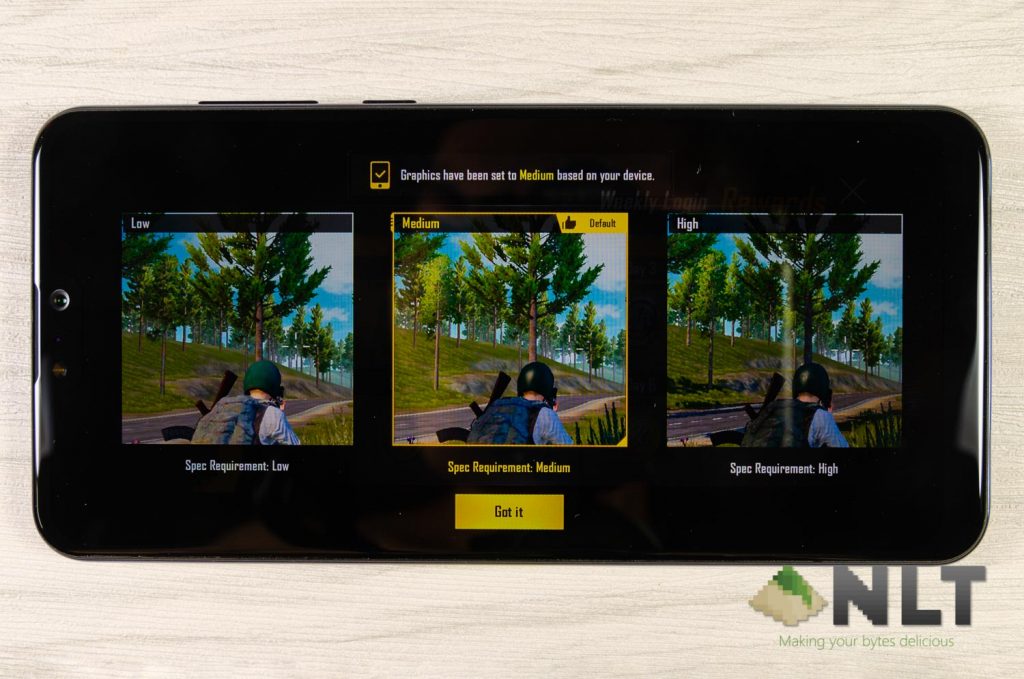
Then comes PUBG Mobile. It still runs as good as any other Snapdragon 660 smartphones in the market, and was assigned medium graphical settings at launch.
Like what we’ve discovered in our ROG Phone review, many games on Android does not use the CPU as intensively as we expected. That means the Snapdragon 660 in the ZenFone Max Pro (M2) – even though at a lower clock speed – still manages to perform like any other Snapdragon 660 smartphones when it comes to PUBG Mobile.
[nextpage title=”Battery & Charger”]
With a massive 5,000mAh battery once again, you can expect more than full day of use without any problems. I expected the Snapdragon 660 to chew through that 5,000mAh easily – but I was wrong.
Take a look at our battery life benchmark here.
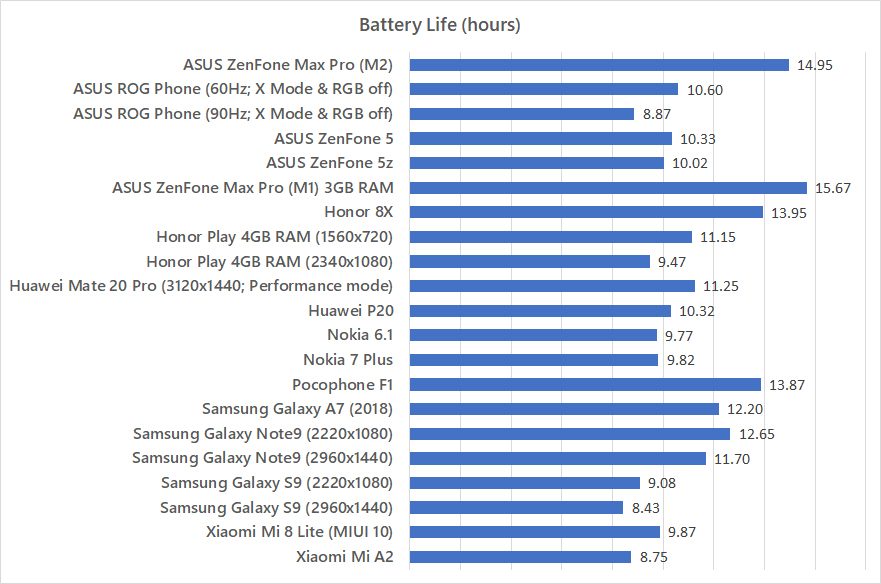
Between day-to-day work tasks, the Snapdragon 660 in the ZenFone Max Pro (M2) is not that far off compared to the much lower powered Snapdragon 636 found in the ZenFone Max Pro (M1).
Lasting nearly 15 hours in our test, it is indeed a very long-lasting phone.
Charger
Here’s a trade-off that we have to make. With a massive 5,000mAh battery comes safety concerns. ASUS knows about this safety concern and hence only allows a maximum charging wattage at 10W, or 5V 2A.
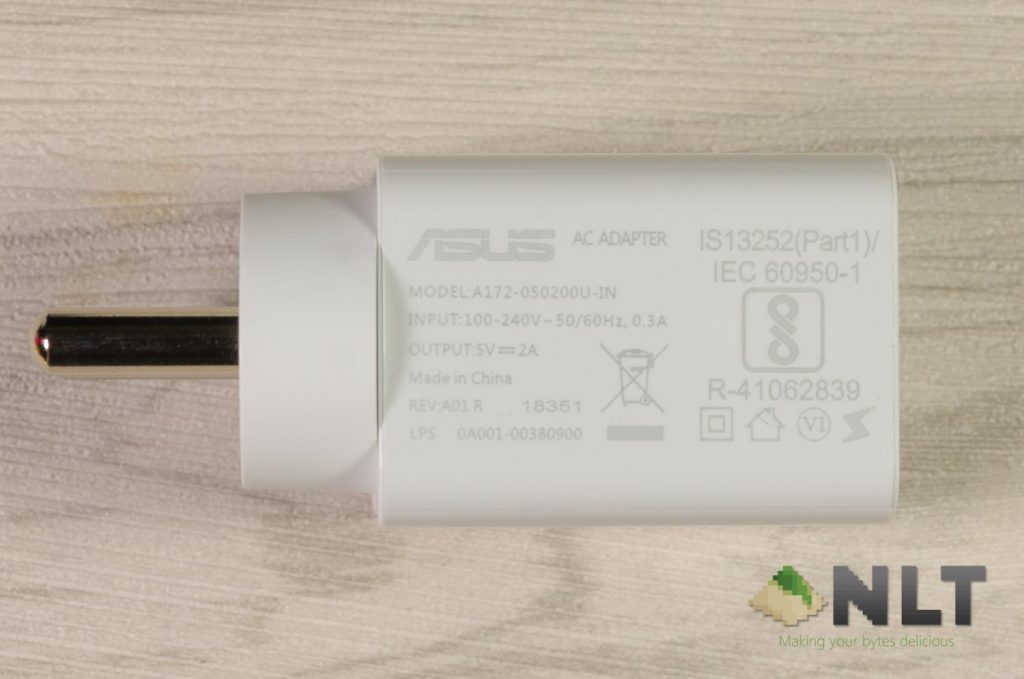
With a large battery like this, it is no surprise that ASUS wants it to be slow and steady. It is a fair trade off since I do not need to charge that often even though a single charge takes a longer time. Many other smartphones come with very fast charging but their tiny battery capacity needs to be charged constantly.
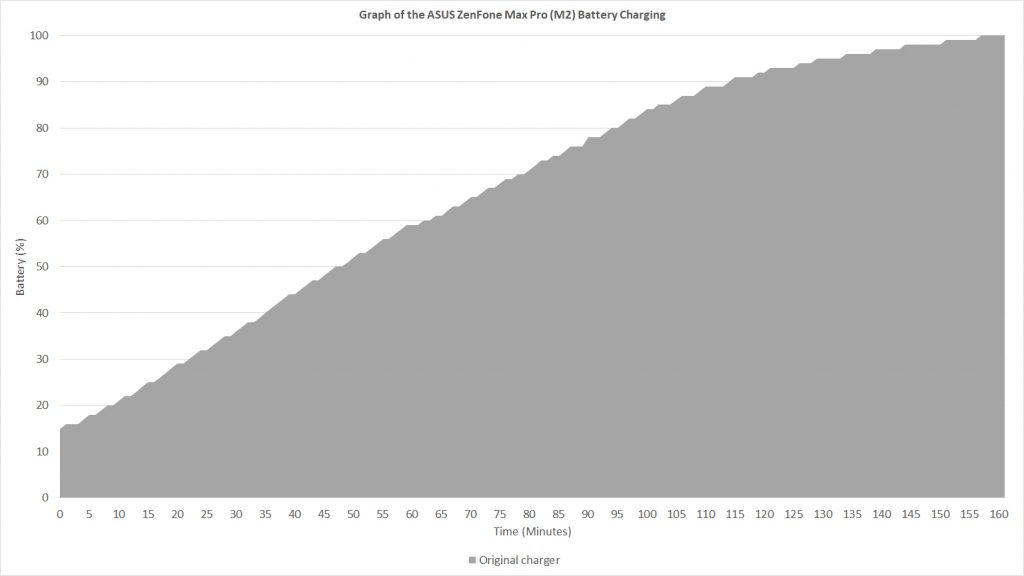
It takes the ASUS ZenFone Max Pro (M2) 47 minutes to reach 50% and a total of 86 minutes to reach 75% charge with its 5V 2A charger. To reach 100%, it needs a total of 157 minutes.
[nextpage title=”Wrapping up the ASUS ZenFone Max Pro (M2) review”]
After spending my time with the ASUS ZenFone Max Pro (M2), I find it that ASUS improved things where it really matters. Firstly, the display has been improved drastically. Secondly, the camera has been improved as well. Thirdly, the upgrade to Snapdragon 660 chipset is a big boost in performance – particularly in gaming. Then, the base model now starts with 64GB of internal storage.
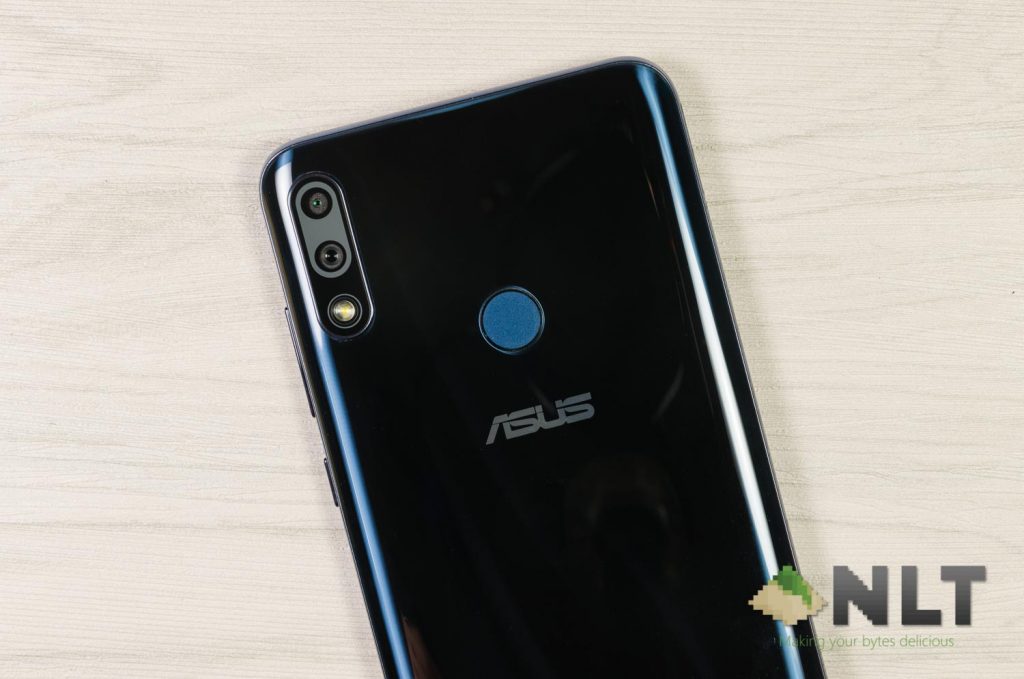
I realized that ASUS trimmed down the number of variations compared to the original Max Pro (M1). Now, we do not have the 3GB RAM + 32GB storage version. The new ASUS ZenFone Max Pro (M2) starts at 4GB RAM + 64GB storage – and priced at RM859 only.
Guess what – the ASUS ZenFone Max Pro (M2) at 4GB RAM + 64GB storage is only RM10 more than the M1 with the same amount of RAM and same storage capacity.
Once again, ASUS offers fantastic value for money with the ZenFone Max Pro (M2).
Like our Facebook Page here at NasiLemakTech.com for more news and in-depth reviews! Also, join our Facebook Group for insightful information and memes!
Subscribe to our YouTube channel too!